> ## Documentation Index
> Fetch the complete documentation index at: https://docs.firmhouse.com/llms.txt
> Use this file to discover all available pages before exploring further.
# Two-factor authentication for your account
> Set up and use two-factor authentication on your Firmhouse account, including how to retrieve authentication codes when logging in to the portal.
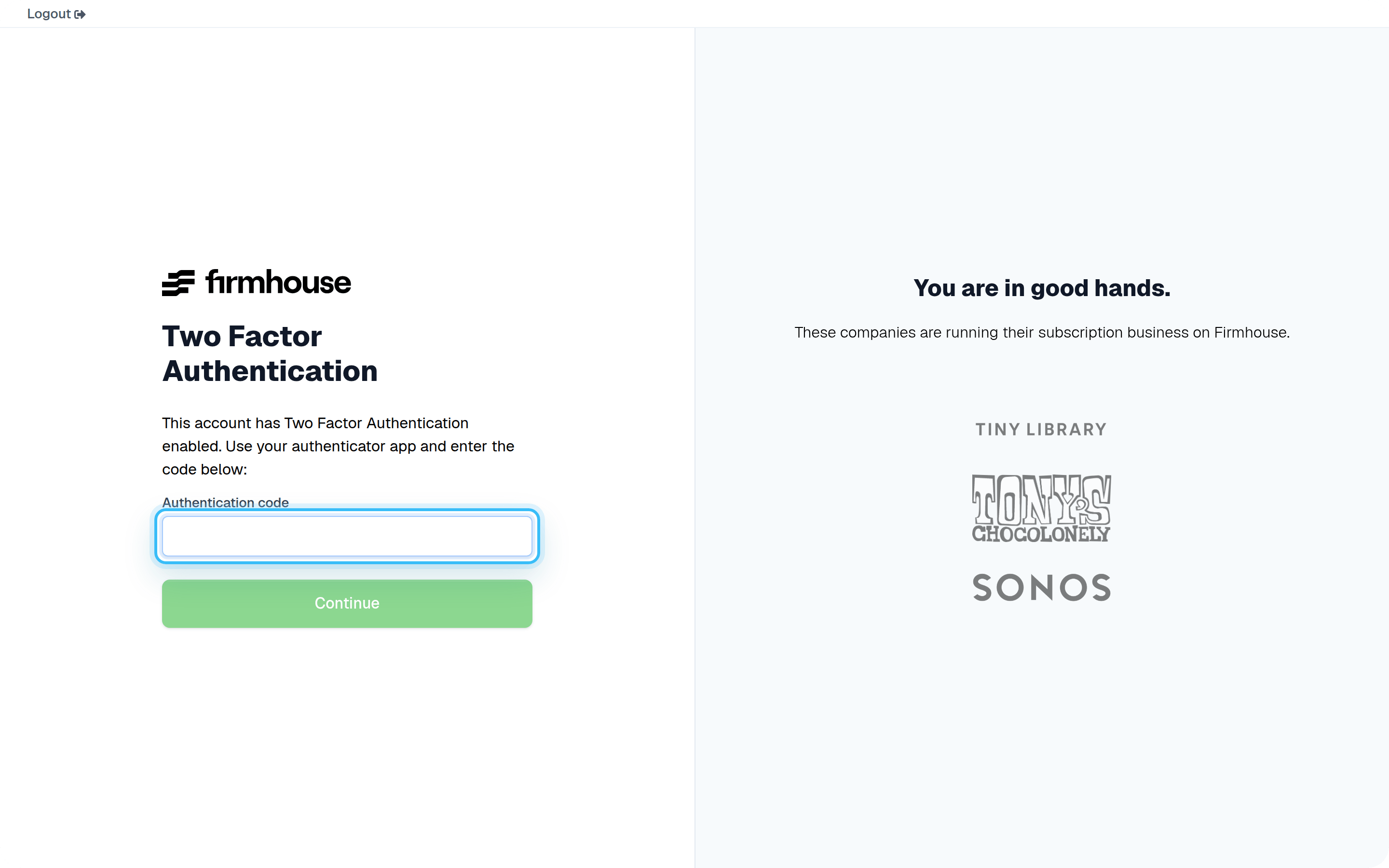
This article shows you how to retrieve your authentication code when logging in to Firmhouse.
> **Note:** This article assumes that you have already set up Two Factor Authentication.
After entering your password and email address, you will be required to enter your authentication code.
 ### Steps
1. Open your authenticator app on your phone. This depends on which app you've used while setting up Two Factor Authentication. Most likely, you're either using [Google Authenticator](https://support.google.com/accounts/answer/1066447) or [Authy App](https://authy.com/download/).
2. Find the authentication code in the app. It will display a 6-digit code that refreshes periodically.
### Steps
1. Open your authenticator app on your phone. This depends on which app you've used while setting up Two Factor Authentication. Most likely, you're either using [Google Authenticator](https://support.google.com/accounts/answer/1066447) or [Authy App](https://authy.com/download/).
2. Find the authentication code in the app. It will display a 6-digit code that refreshes periodically.
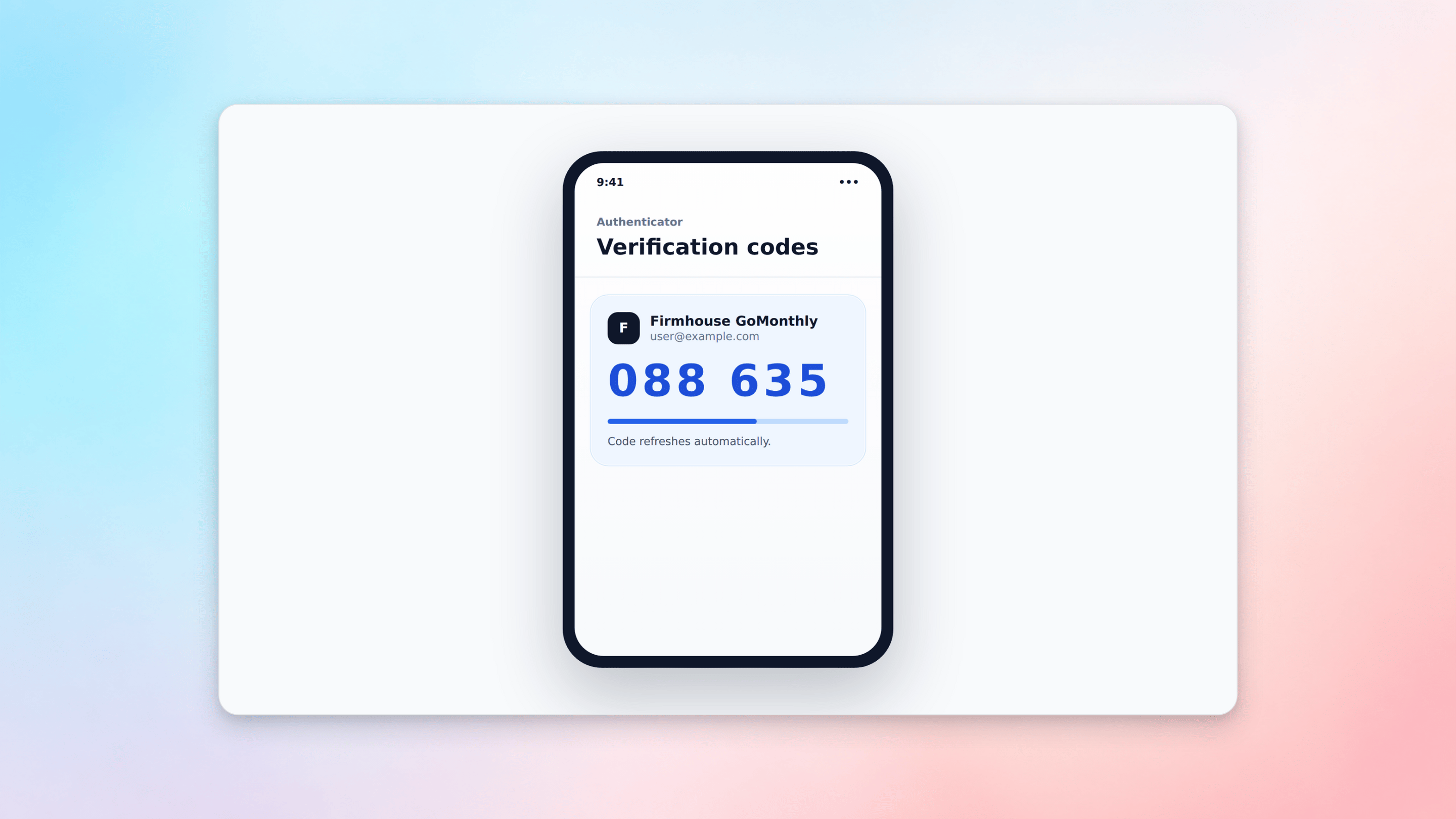 3. Enter the code in the Firmhouse login and click **Continue**. Make sure to enter it in time as depending on the app these codes get refreshed every 15 seconds.
## Change your 2 factor authentication device
It's possible you need to change the device where the 2FA is stored and calculated. When logged in to Firmhouse:
### Steps
1. Open the **My account** menu in the top right
2. Select **Change password**
3. Enter the code in the Firmhouse login and click **Continue**. Make sure to enter it in time as depending on the app these codes get refreshed every 15 seconds.
## Change your 2 factor authentication device
It's possible you need to change the device where the 2FA is stored and calculated. When logged in to Firmhouse:
### Steps
1. Open the **My account** menu in the top right
2. Select **Change password**
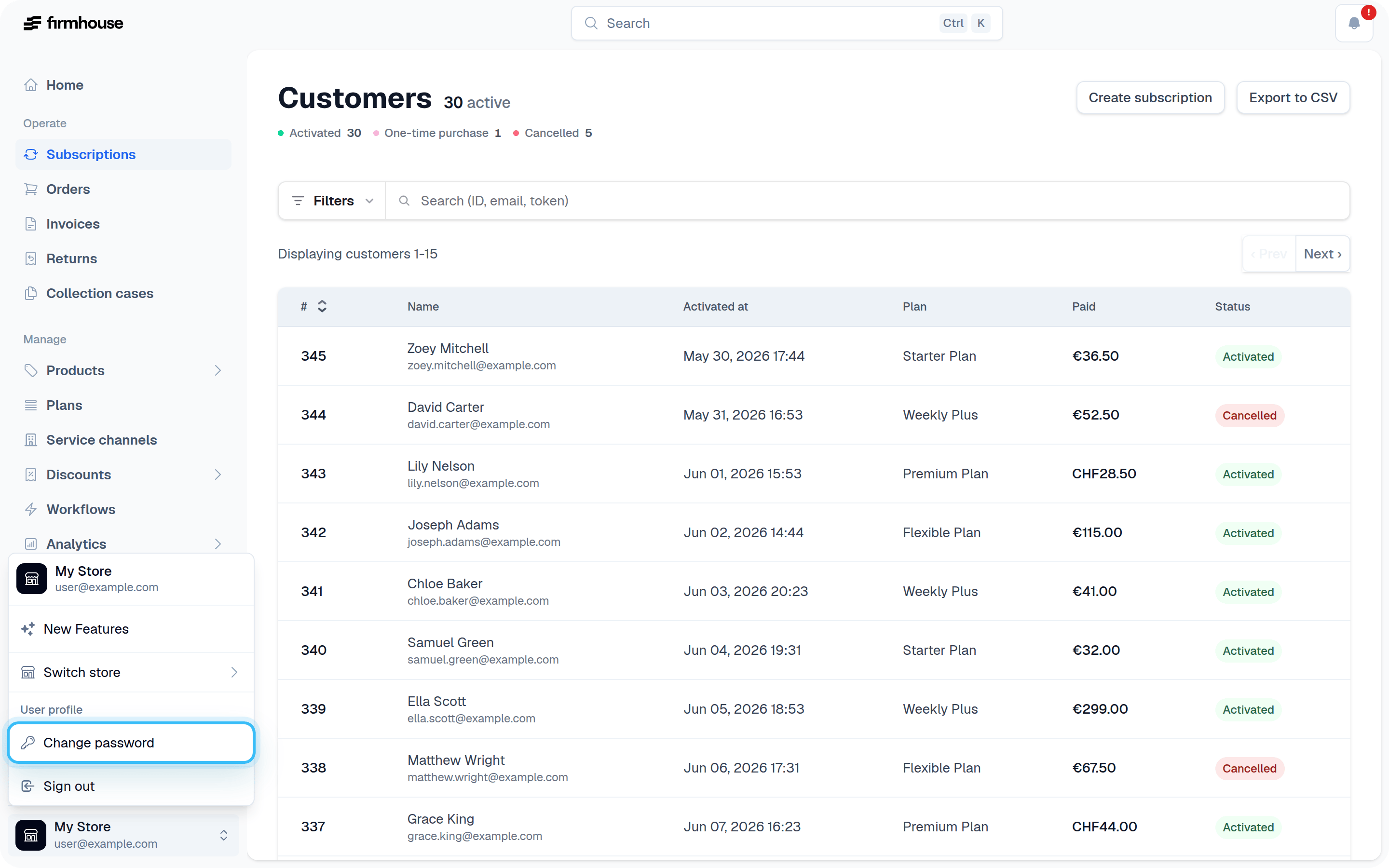 On the Change password page, it's also possible to reset the 2 factor authentication.