> ## Documentation Index
> Fetch the complete documentation index at: https://docs.firmhouse.com/llms.txt
> Use this file to discover all available pages before exploring further.
# Configure checkout customer fields
> Show, hide, or require customer fields on Firmhouse Checkout to collect exactly the information you need from subscribers during signup.
When using Firmhouse Checkout there is a lot of flexibility in what fields you can show or not, and which fields should be optional or required. This article explains how to require, show, or hide certain checkout fields.
## Configure Your Checkout Fields
### Steps
1. In your Firmhouse project, navigate to **Checkout > Preferences** from the sidebar
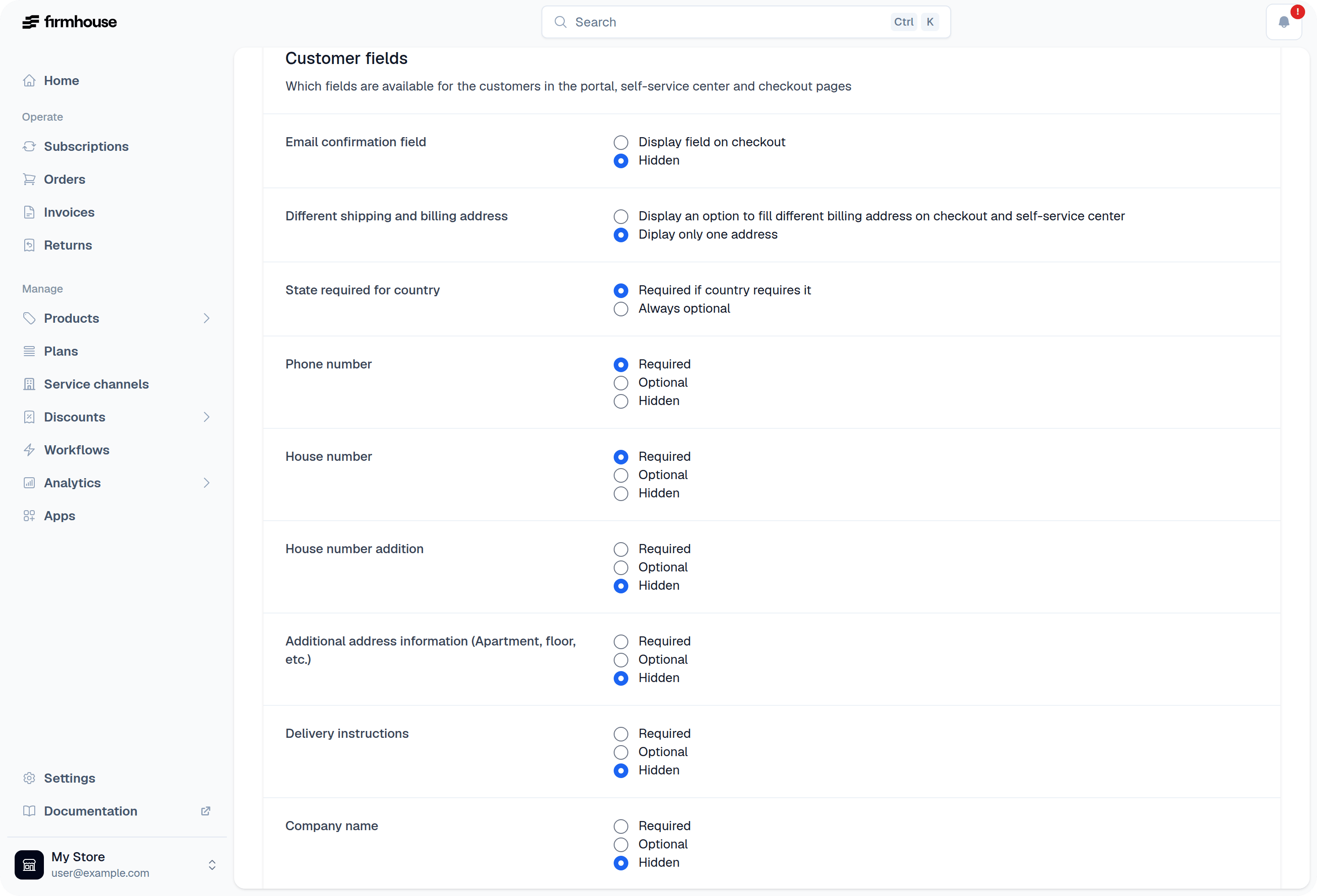
2. Scroll down to the section **Customer fields**
3. For each field, select if you want to make the field **required**, **optional**, or **hidden**
 ## Special Fields
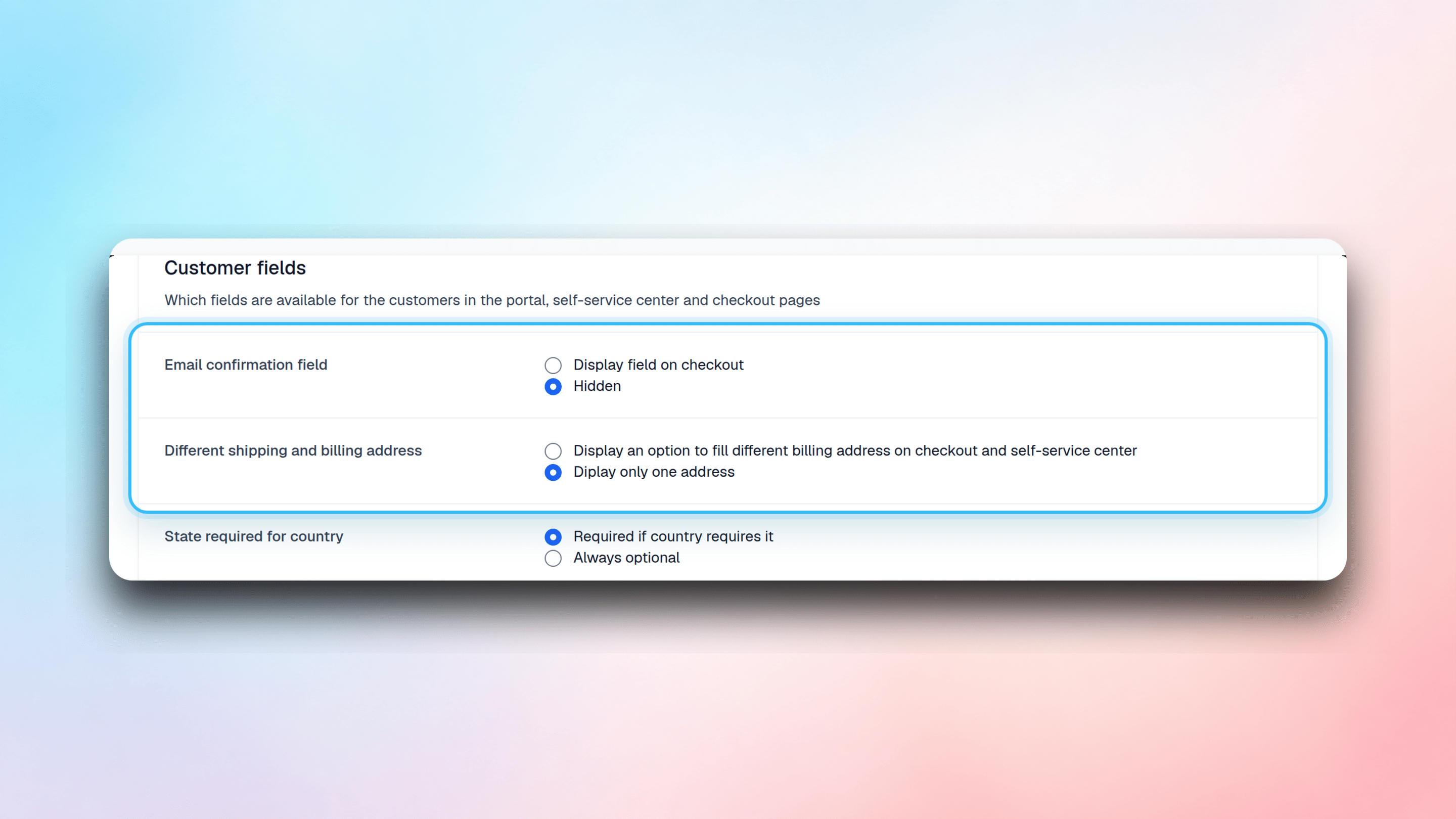
There are two special field settings which you will find at the top of the **Customer fields** list:
**Email confirmation field** allows you to ask your customer to enter their email address again. This is useful for preventing typos and mistakes in email addresses.
**Different shipping and billing address** gives your customer the option to provide separate billing and shipping addresses. When enabled, customers can specify a different address for billing purposes than where their products are shipped.
## Special Fields
There are two special field settings which you will find at the top of the **Customer fields** list:
**Email confirmation field** allows you to ask your customer to enter their email address again. This is useful for preventing typos and mistakes in email addresses.
**Different shipping and billing address** gives your customer the option to provide separate billing and shipping addresses. When enabled, customers can specify a different address for billing purposes than where their products are shipped.