> ## Documentation Index
> Fetch the complete documentation index at: https://docs.firmhouse.com/llms.txt
> Use this file to discover all available pages before exploring further.
# B2B checkout configuration
> Set up a separate B2B checkout in Firmhouse that collects business details like company name while keeping your B2C checkout flow simple for consumers.
Depending on your proposition, you might sell B2B and B2C in the same project. On the B2B checkout you might want to collect a customer's company name, while on the B2C checkout this information is not needed. This article explains how to set up your checkout for B2B customers.
 ## Create a Checkout That Asks for Company Name
Find the link on your online store that links to the B2B checkout. At the end of that link, simply add `?customer_type=business`. This will automatically add the "Company Name" field to the checkout.
## Create a Checkout That Asks for Company Name
Find the link on your online store that links to the B2B checkout. At the end of that link, simply add `?customer_type=business`. This will automatically add the "Company Name" field to the checkout.
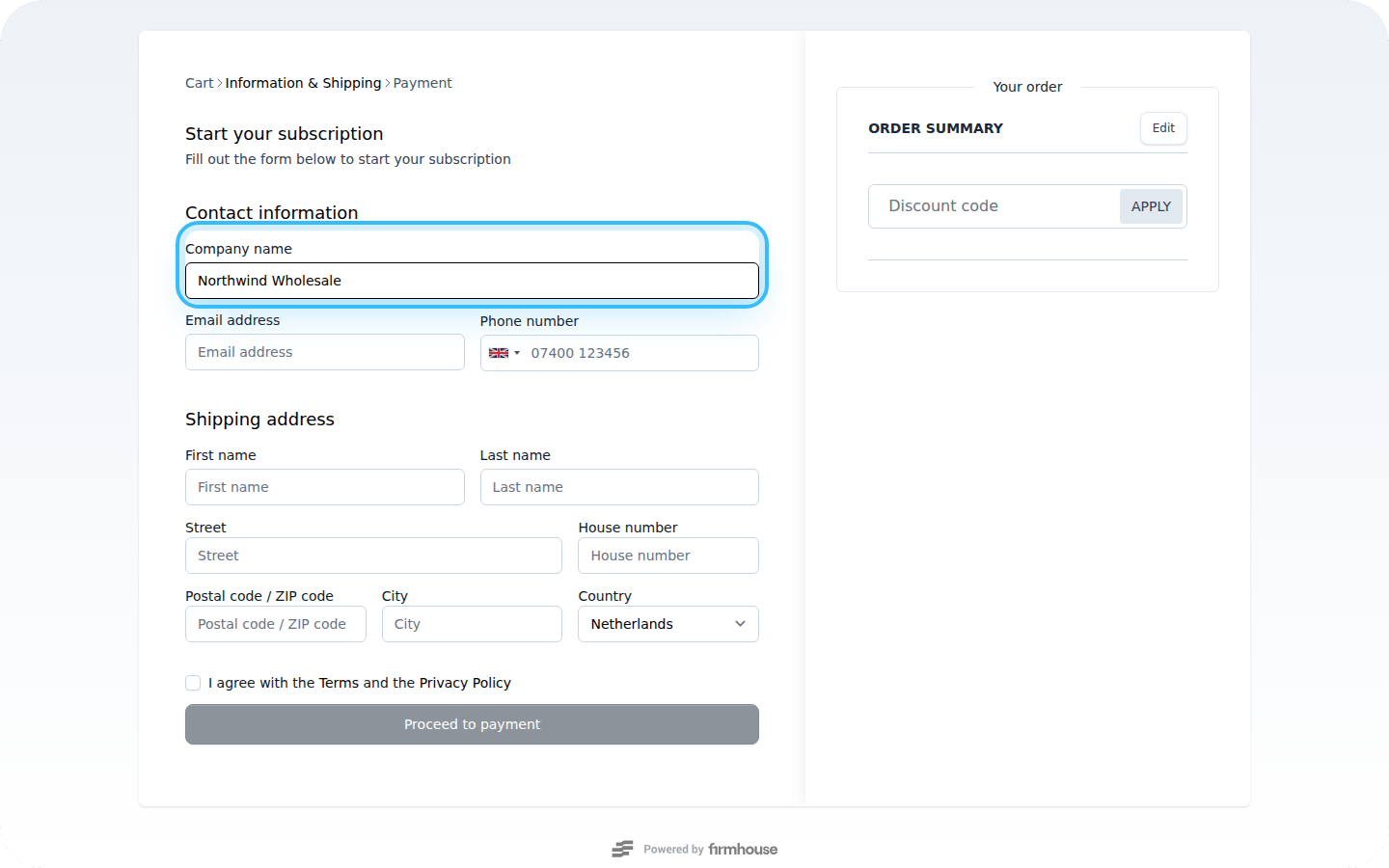 Here's an example:
```
https://checkout.firmhouse.com/en/dunder-mifflin?plan=copy-and-printing-subscription&customer_type=business
```
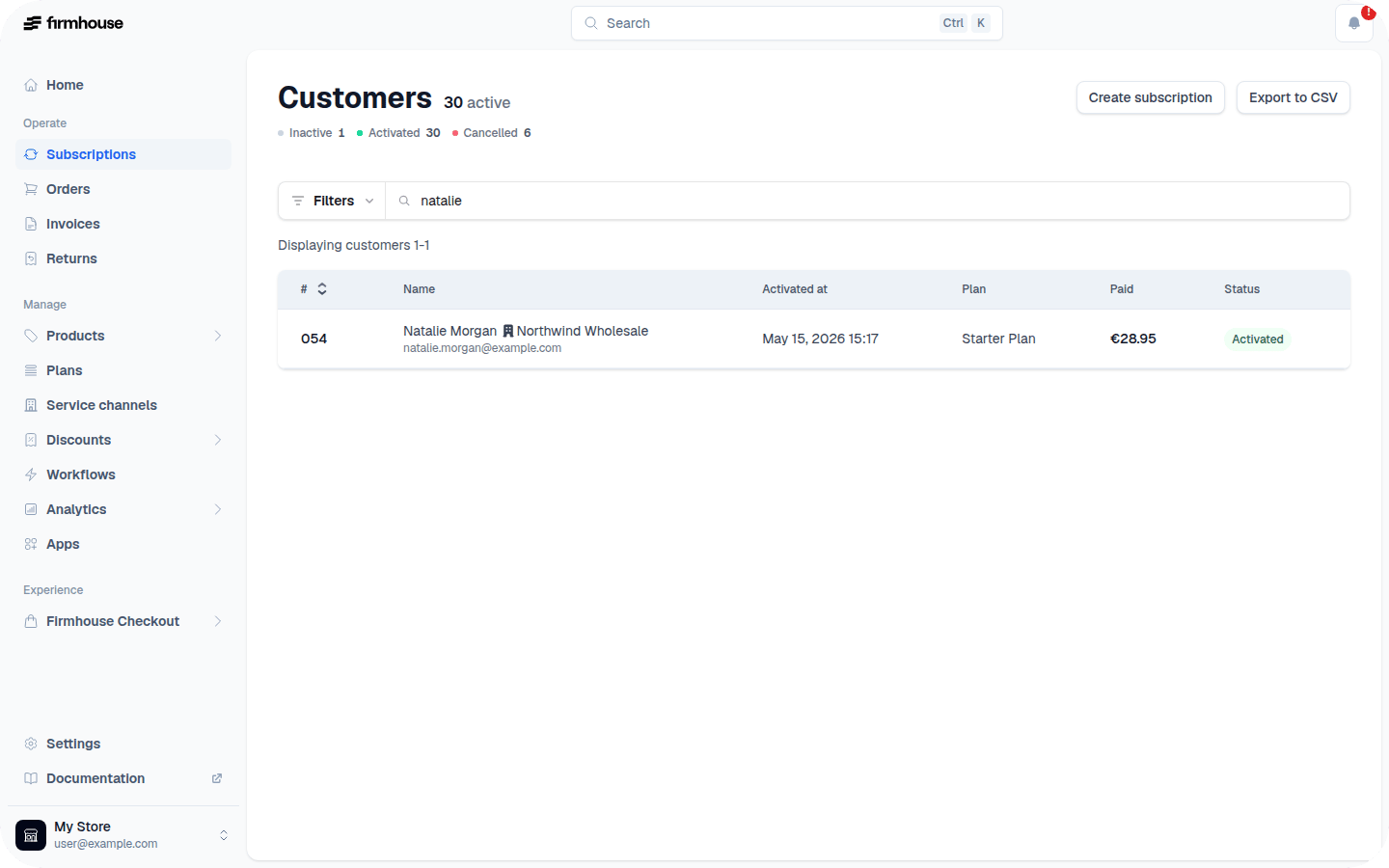
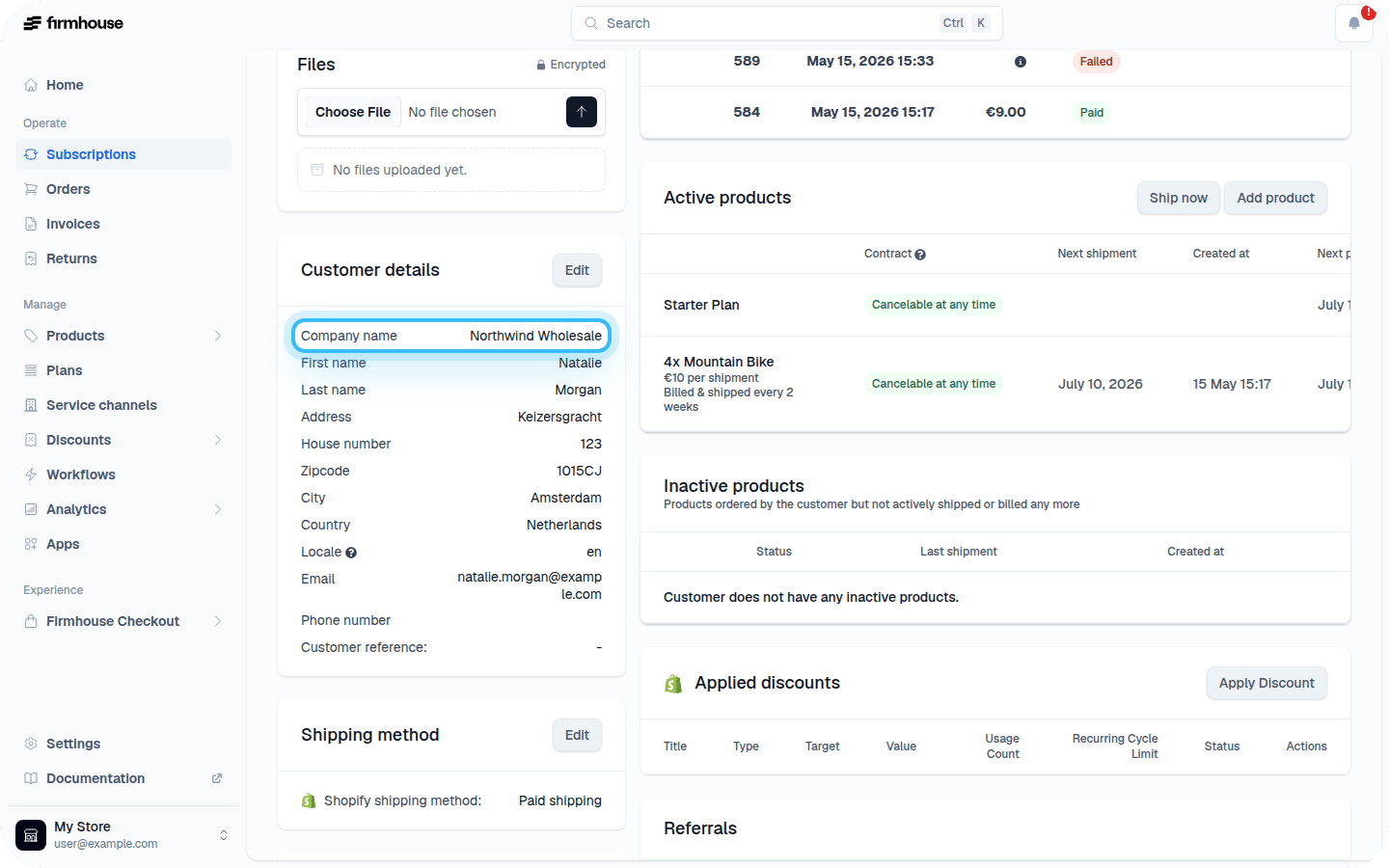
Once signed up, you will see the company name displayed next to the customer's name in the Firmhouse Portal.
Here's an example:
```
https://checkout.firmhouse.com/en/dunder-mifflin?plan=copy-and-printing-subscription&customer_type=business
```
Once signed up, you will see the company name displayed next to the customer's name in the Firmhouse Portal.
 ## Don't Ask for Company Name on Checkout
If you want to explicitly hide the company name field for B2C customers, repeat the same steps as above but add `&customer_type=consumer` at the end of your URL.
Example:
```
https://checkout.firmhouse.com/en/dunder-mifflin?plan=copy-and-printing-subscription&customer_type=consumer
```
## Don't Ask for Company Name on Checkout
If you want to explicitly hide the company name field for B2C customers, repeat the same steps as above but add `&customer_type=consumer` at the end of your URL.
Example:
```
https://checkout.firmhouse.com/en/dunder-mifflin?plan=copy-and-printing-subscription&customer_type=consumer
```