> ## Documentation Index
> Fetch the complete documentation index at: https://docs.firmhouse.com/llms.txt
> Use this file to discover all available pages before exploring further.
# Collect marketing consent at checkout
> Add a marketing opt-in checkbox to the Firmhouse Checkout so customers can consent to promotional emails and build a GDPR-compliant marketing list.
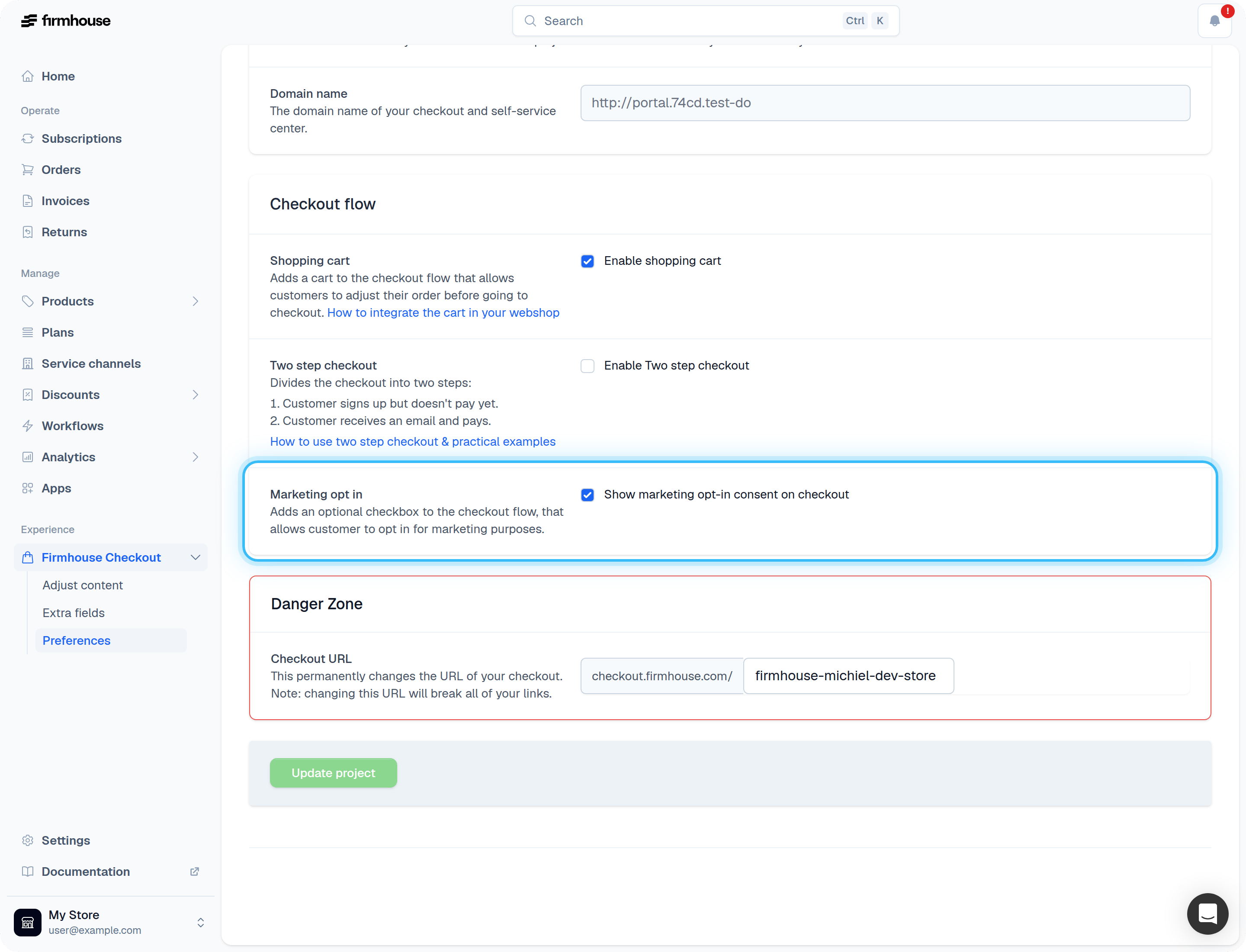
You can add a marketing opt-in checkbox to your Firmhouse Checkout page, allowing customers to consent to receiving promotional offers and marketing communications. This helps you build a compliant marketing list while giving customers control over their preferences.
## Enable the marketing opt-in on your checkout
### Steps
1. Navigate to **Checkout > Preferences** in your Firmhouse dashboard
2. Find the **Marketing opt-in** section
3. Check the box to enable **Show marketing opt-in consent on checkout**
4. Save your changes
 ## Adjust the content of the opt-in
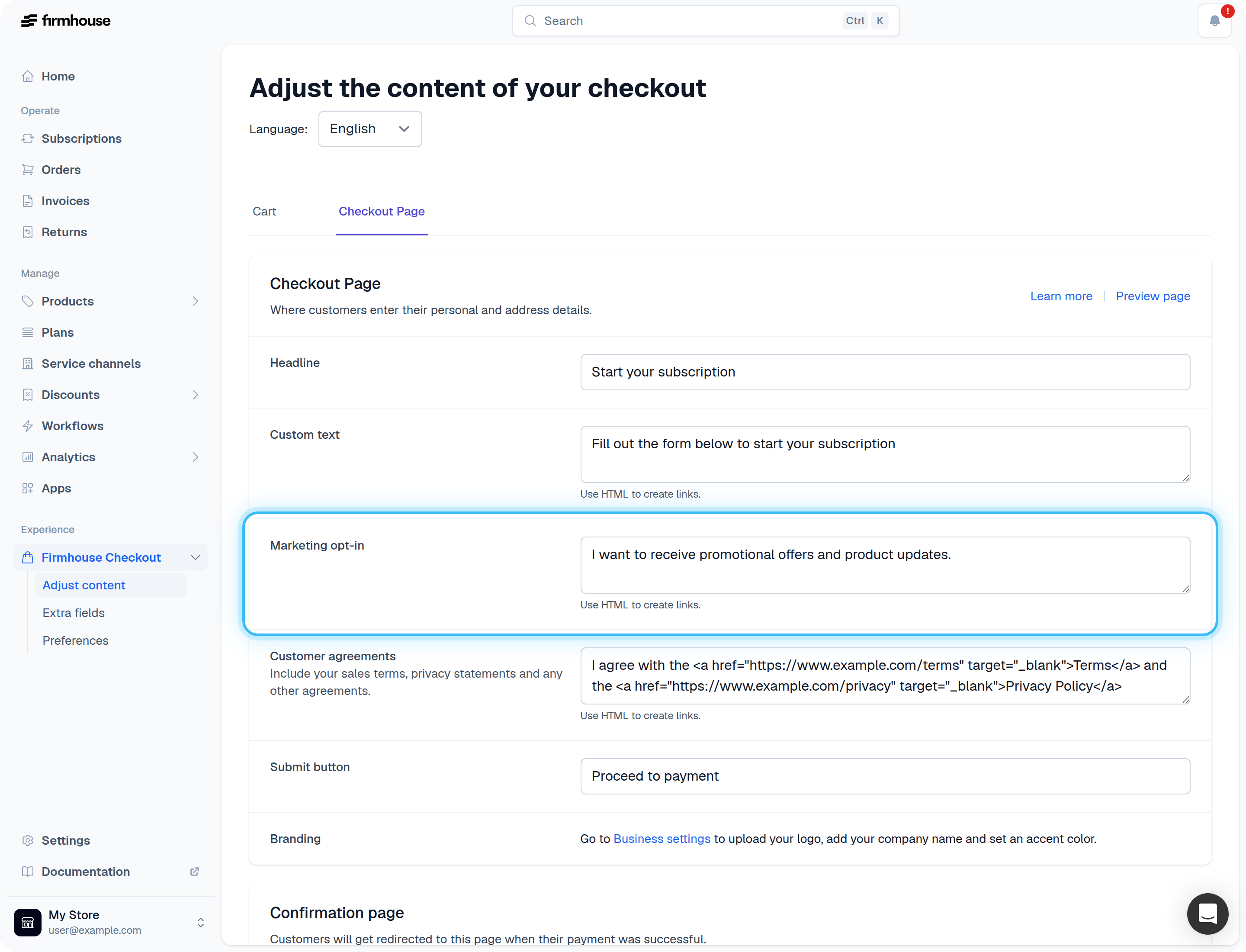
You can customize the text that appears next to the checkbox. The text field supports HTML, so you can include links to your privacy policy or promotional offers page.
### Steps
1. Navigate to **Checkout > Adjust content**
2. Find the **Marketing opt-in** field
3. Enter your desired text (HTML is supported)
4. Save your changes
## Adjust the content of the opt-in
You can customize the text that appears next to the checkbox. The text field supports HTML, so you can include links to your privacy policy or promotional offers page.
### Steps
1. Navigate to **Checkout > Adjust content**
2. Find the **Marketing opt-in** field
3. Enter your desired text (HTML is supported)
4. Save your changes
 For example, you could use HTML like this to include a link:
```html theme={null}
I want to receive promotional offers
```
After saving, your checkout page will display the marketing opt-in checkbox with your custom text.
## How to check if a customer opted-in to marketing offers
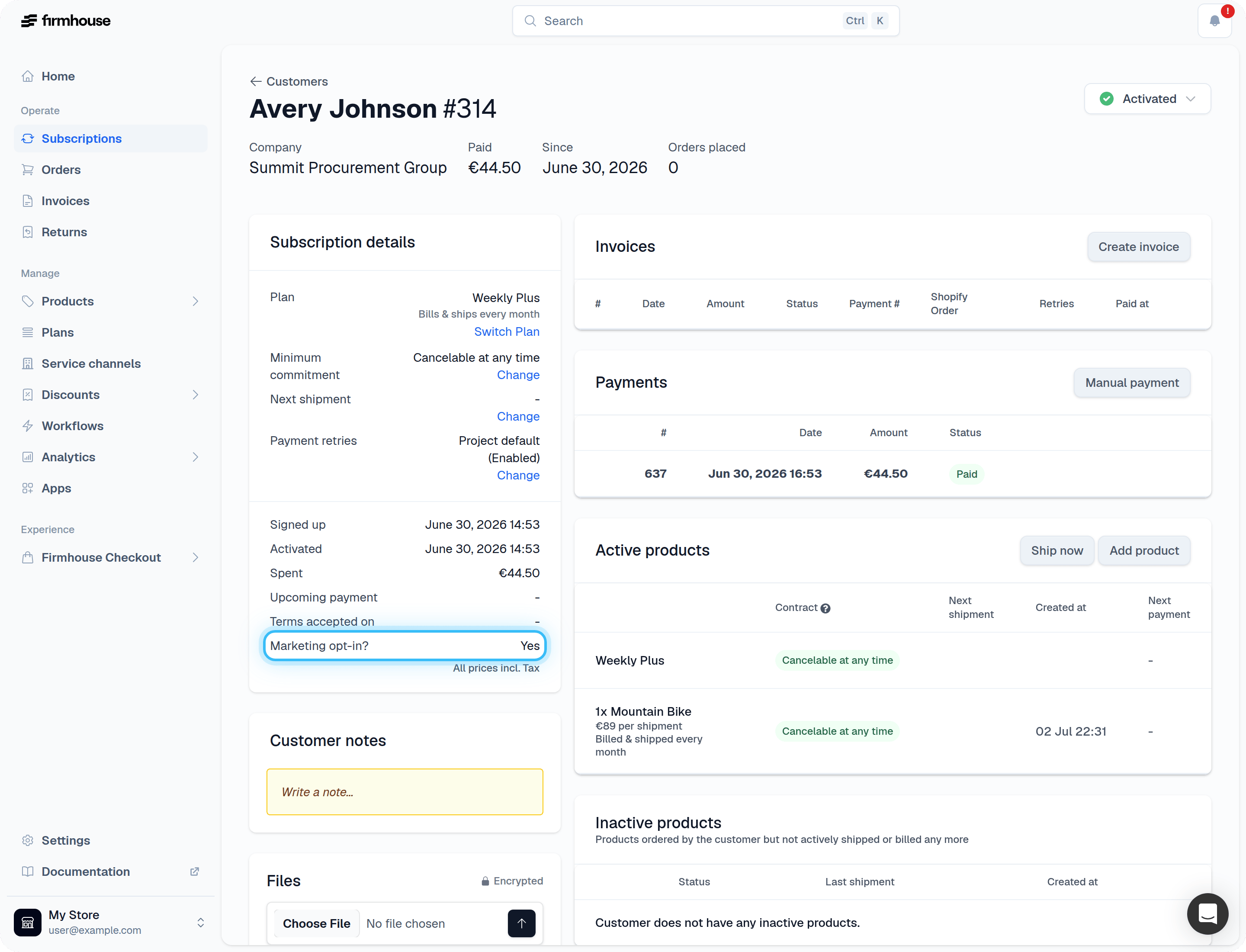
You can see whether a customer has opted in to marketing communications on their subscription detail page.
### Steps
1. Navigate to **Customers** in your Firmhouse dashboard
2. Click on the customer you want to check
3. Look in the **Subscription details** section
4. Find the **Marketing agreed?** field which shows "Yes" or "No"
For example, you could use HTML like this to include a link:
```html theme={null}
I want to receive promotional offers
```
After saving, your checkout page will display the marketing opt-in checkbox with your custom text.
## How to check if a customer opted-in to marketing offers
You can see whether a customer has opted in to marketing communications on their subscription detail page.
### Steps
1. Navigate to **Customers** in your Firmhouse dashboard
2. Click on the customer you want to check
3. Look in the **Subscription details** section
4. Find the **Marketing agreed?** field which shows "Yes" or "No"