> ## Documentation Index
> Fetch the complete documentation index at: https://docs.firmhouse.com/llms.txt
> Use this file to discover all available pages before exploring further.
# Free shipping for Shopify Native subscriptions
> Set up free shipping for subscription orders when using the Shopify Native Checkout with Firmhouse, including conditions and configuration steps.
Learn how to set up free shipping for subscriptions when using the Shopify Native Checkout.
Offering free shipping as a perk for your subscribers is possible with both the legacy checkout setup and the Shopify Native checkout integration. This article covers how to set up free shipping for subscriptions when using the Shopify Native checkout.
## How Free Shipping Works
For Shopify Native checkout, free shipping for subscriptions has two parts:
* The **Free shipping** threshold in Firmhouse controls whether subscription orders should be treated as free shipping orders.
* The **Free shipping for Subscription** discount creates the matching automatic free shipping discount in Shopify, so the Shopify checkout order also gets free shipping.
Both settings are available on the same Shipping settings page in Firmhouse.
## Setup in Firmhouse
1. In Firmhouse, go to **Settings > Shipping**.
2. Under **Settings**, set **Free shipping** to `0`.
This makes subscription orders qualify for free shipping. If you only want to offer free shipping above a specific subscription order value, enter that threshold instead of `0`.
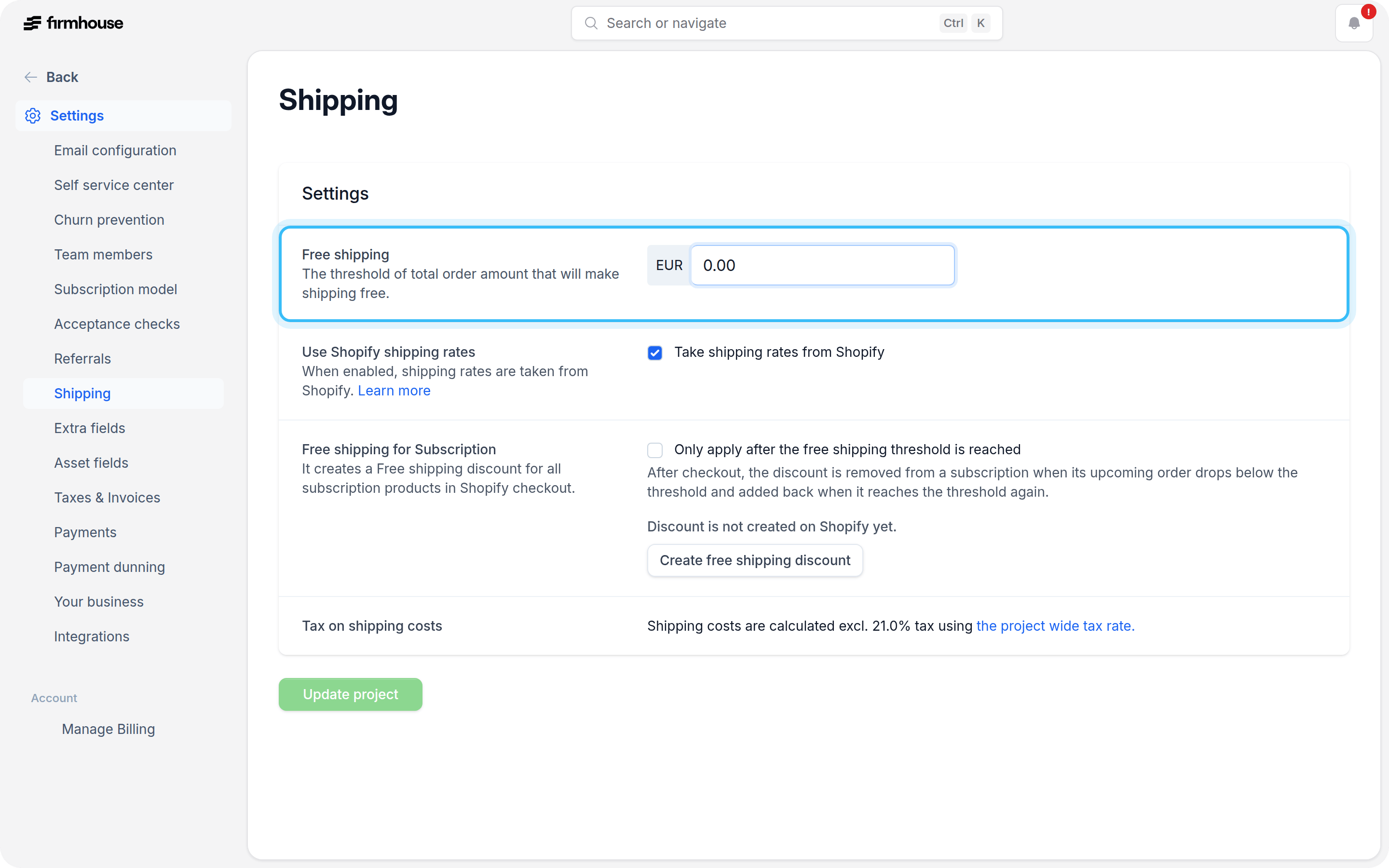 3. If you use Shopify shipping rates, make sure **Take shipping rates from Shopify** is enabled.
4. Click **Update project** to save the threshold.
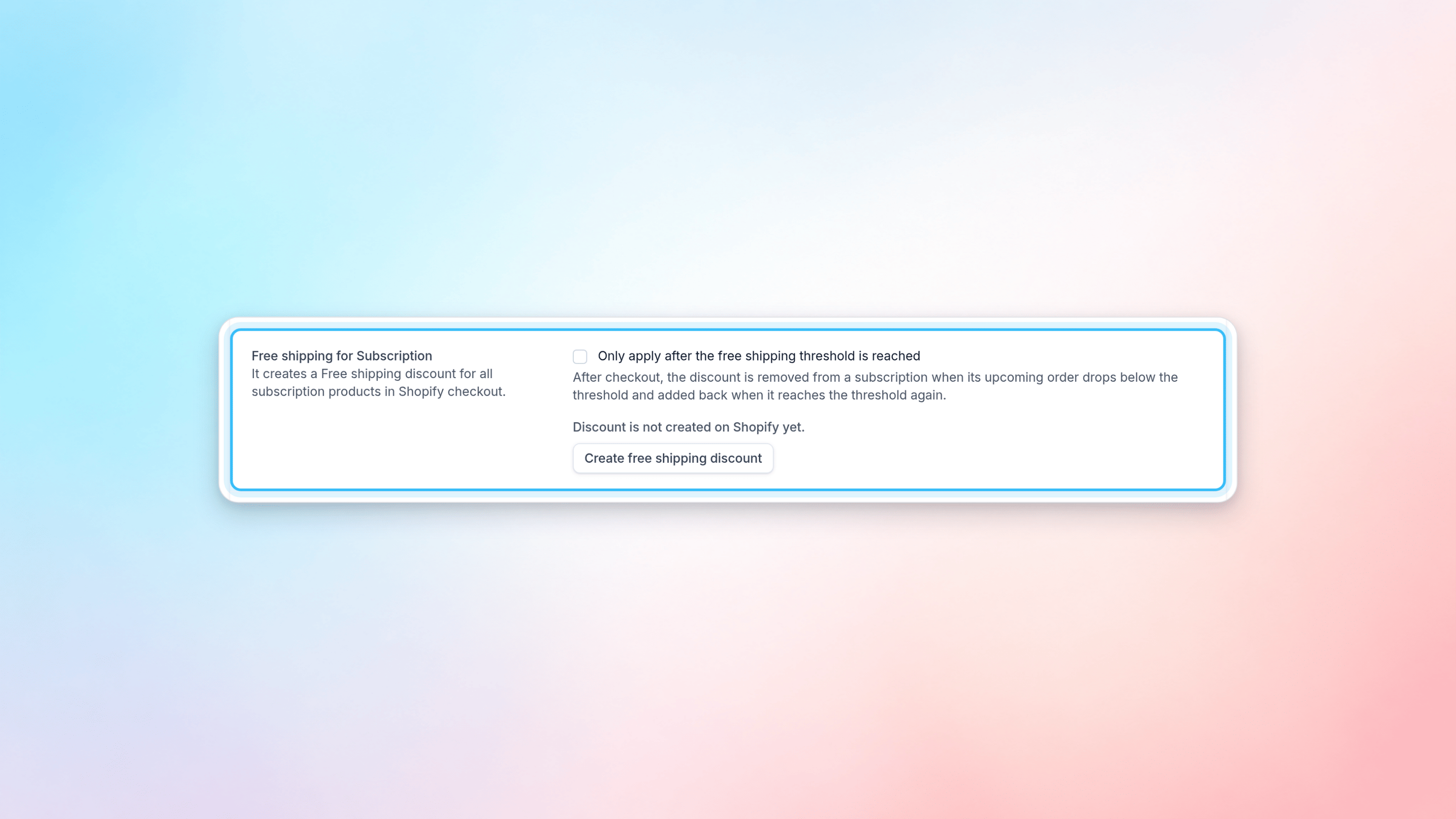
5. In the **Free shipping for Subscription** section on the same page, click **Create free shipping discount**.
Firmhouse creates an automatic free shipping discount in Shopify for subscription products. After it is created, the status changes to **Discount is enabled on Shopify**.
3. If you use Shopify shipping rates, make sure **Take shipping rates from Shopify** is enabled.
4. Click **Update project** to save the threshold.
5. In the **Free shipping for Subscription** section on the same page, click **Create free shipping discount**.
Firmhouse creates an automatic free shipping discount in Shopify for subscription products. After it is created, the status changes to **Discount is enabled on Shopify**.
 ## Requirements
Make sure your Shopify app permissions are up to date before creating the discount. You can check this in Firmhouse under **Apps > Shopify**.
Firmhouse needs the required Shopify permissions to create and manage the automatic free shipping discount in your Shopify store.
## Managing the Shopify Discount
After the discount is created, you can manage it from **Settings > Shipping** in Firmhouse.
* If the discount is active, the page shows **Discount is enabled on Shopify**.
* To stop applying it, click **Deactivate free shipping discount**.
* If the discount was deactivated, click **Activate discount** to enable it again.
Once done with the above steps, your free shipping setup for subscriptions should be complete.
## Requirements
Make sure your Shopify app permissions are up to date before creating the discount. You can check this in Firmhouse under **Apps > Shopify**.
Firmhouse needs the required Shopify permissions to create and manage the automatic free shipping discount in your Shopify store.
## Managing the Shopify Discount
After the discount is created, you can manage it from **Settings > Shipping** in Firmhouse.
* If the discount is active, the page shows **Discount is enabled on Shopify**.
* To stop applying it, click **Deactivate free shipping discount**.
* If the discount was deactivated, click **Activate discount** to enable it again.
Once done with the above steps, your free shipping setup for subscriptions should be complete.