> ## Documentation Index
> Fetch the complete documentation index at: https://docs.firmhouse.com/llms.txt
> Use this file to discover all available pages before exploring further.
# Let customers add products from the portal
> Allow subscribers to add new products to their existing subscription through the Self Service Center without going through checkout again.
The self service center is the place where your customers can manage their subscription. This article explains how to set up your project so your customers can manage the products on their subscription, meaning customers can add new products to their subscription without having to go through checkout again, and customers can remove any products from their subscription.
Before proceeding, make sure you are familiar with the [self service center](/configure/my-account-portal/let-customers-manage-subscription).
## Enable the feature for your customers
By default your customers will not be able to manage the products on their subscription.
### Steps
1. Go to **Self Service Center** in the sidebar
2. Scroll down to **Settings**
3. Check the box for **Add and remove products**
4. Click **Update project**
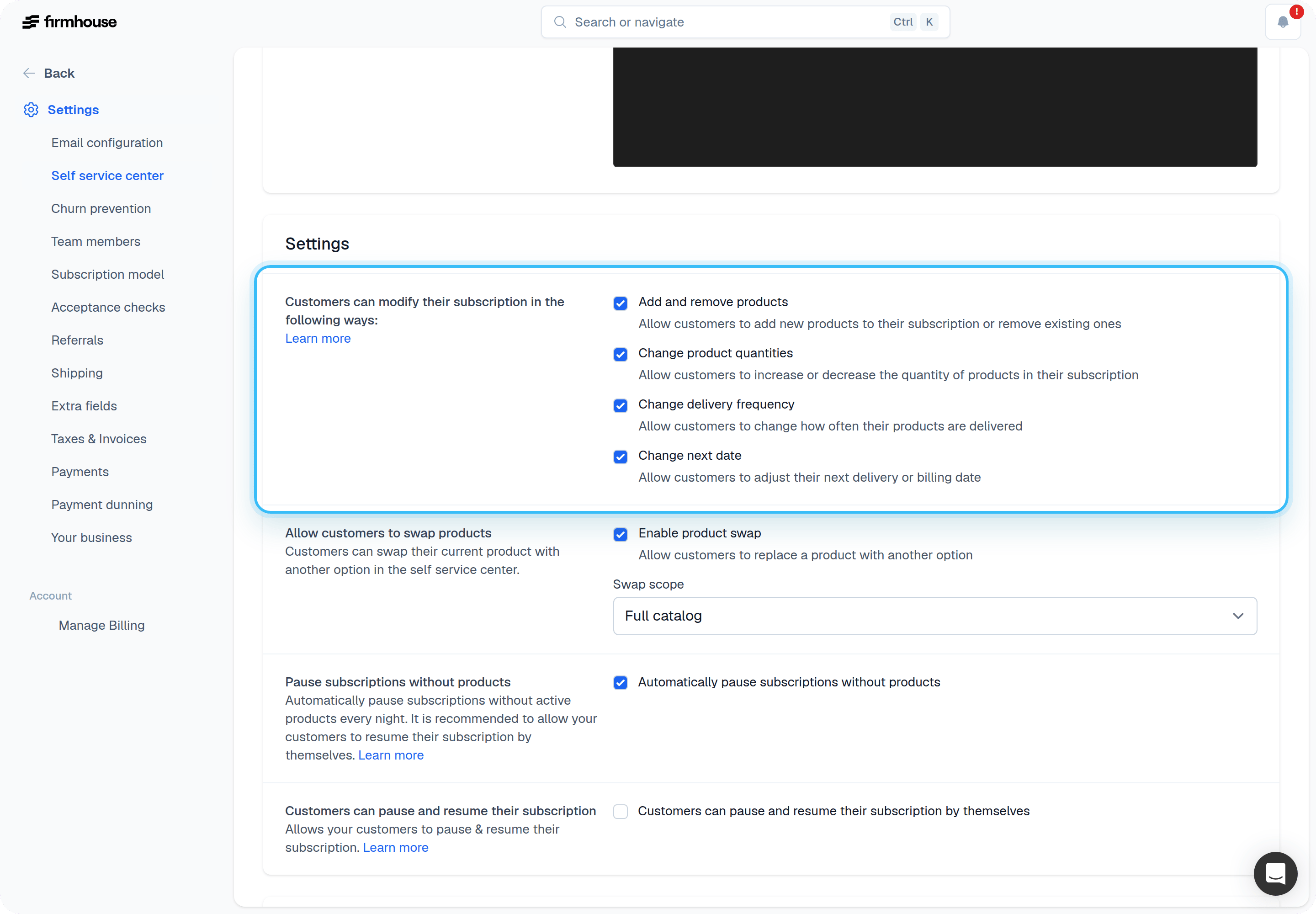 Products that are available in SSC are now available for your customers to add.
## Exclude certain products (optional)
In case you want to exclude certain products from being ordered via the Self Service Center, you can disable this on a per-product basis.
### Steps
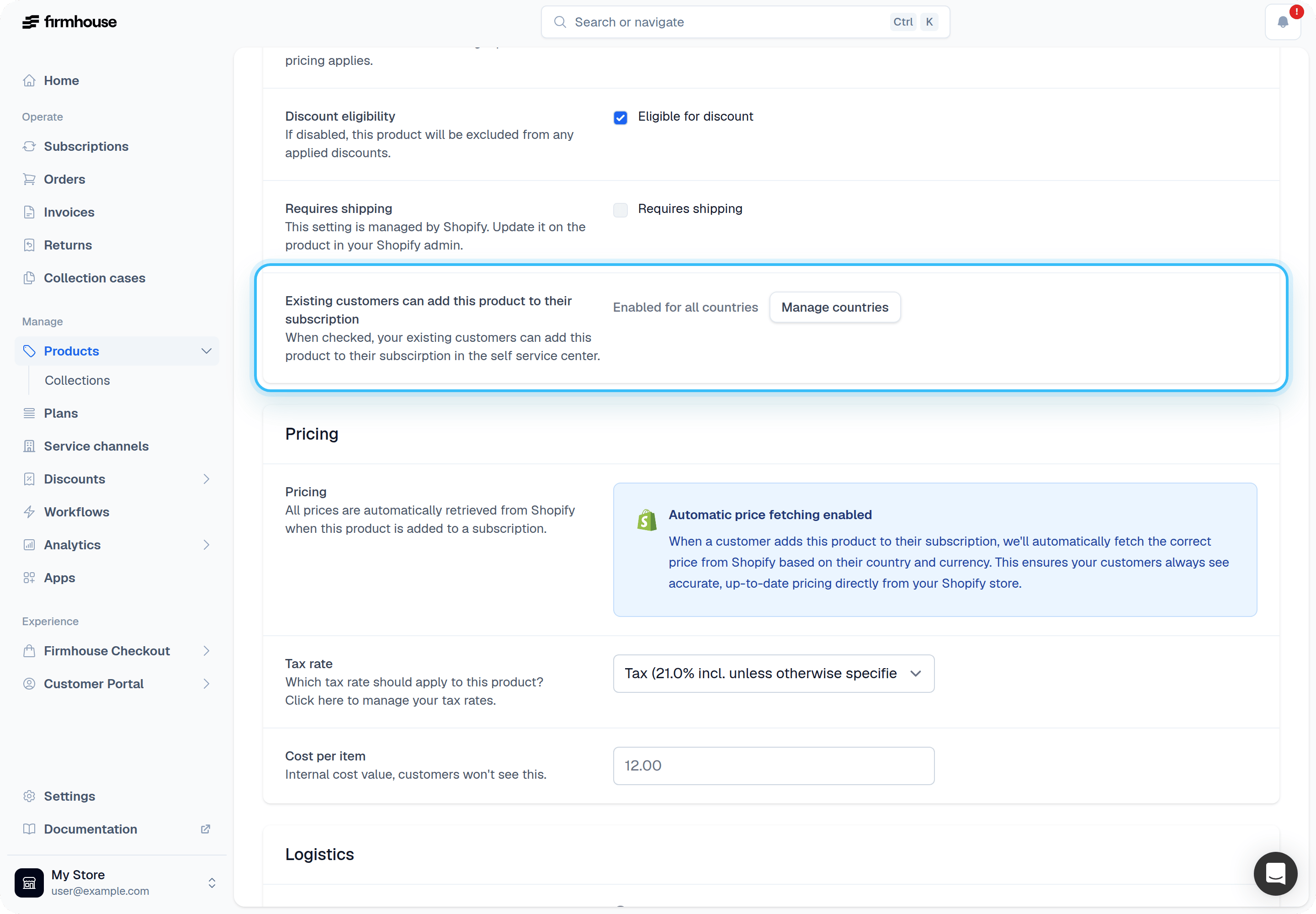
1. Find the product you want to exclude
2. Scroll down to "Existing customers can add this product to their subscription"
3. Uncheck the box
4. Click **Save**
Products that are available in SSC are now available for your customers to add.
## Exclude certain products (optional)
In case you want to exclude certain products from being ordered via the Self Service Center, you can disable this on a per-product basis.
### Steps
1. Find the product you want to exclude
2. Scroll down to "Existing customers can add this product to their subscription"
3. Uncheck the box
4. Click **Save**
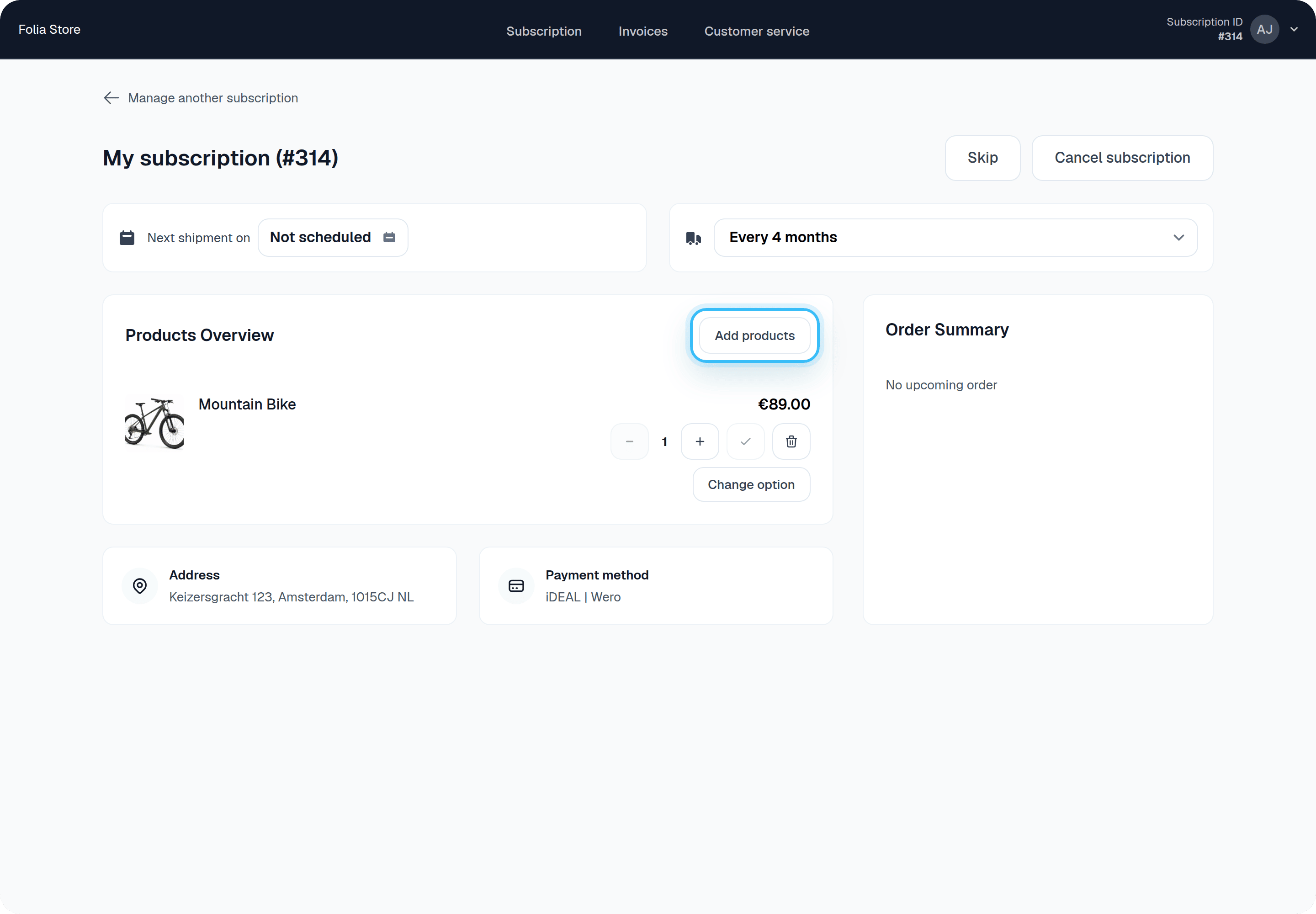
 Once set up, customers will see a new button to add a product to their subscription in the Self Service Center.
 ## Using Shopify collections to control orderable products
If your project uses **Shopify Product Collections**, the Self Service Center only shows products from collections where **Allow ordering products from this collection** is enabled.
Products not assigned to any synced collection (or only assigned to collections where ordering is disabled) will not appear in the add/manage products catalog.
This is applied on top of your existing SSC product eligibility settings.
See [Configure collection visibility](/configure/my-account-portal/allow-customers-add-products#configure-collection-visibility) to learn how to manage collections and ordering settings in the admin.
### Configure collection visibility
1. Go to **Portal > New Features**
2. Enable **Shopify Product Collections**
3. Go to **Products > Collections**
4. Enable **Allow ordering products from this collection** for each collection customers can order from
The **Collections** menu item is shown after **Shopify Product Collections** is enabled.
## Frequently asked questions
### When is a newly added product billed and shipped?
The new product gets bundled with the customer's next shipment. That's also when it will be billed.
### I am using Shopify, can I use this feature as well?
Yes! This works with Shopify and also supports product variants. Get in touch with us if you want to use this in combination with Shopify.
### Can customers order a product as a one-off?
Customers will be able to order products as you set them up in the Firmhouse platform. If you set a product to ship every 4 weeks, it is not possible yet to order it as a one-off and vice versa.
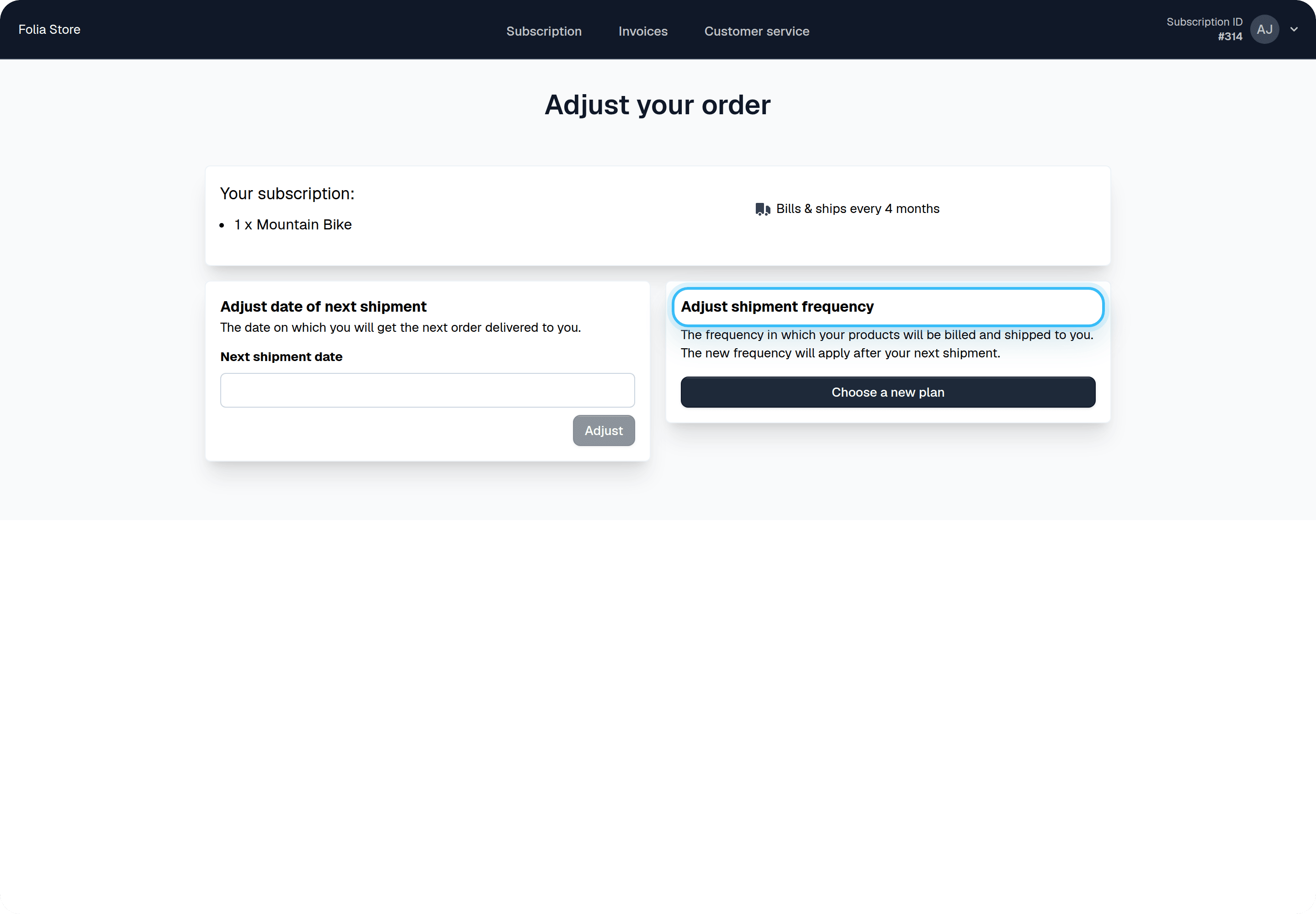
Customers can adjust shipment frequency for their recurring products (for example, change it from every 4 weeks to every 15 days). For one-off products, it is not possible to adjust frequency in the self service center.
## Using Shopify collections to control orderable products
If your project uses **Shopify Product Collections**, the Self Service Center only shows products from collections where **Allow ordering products from this collection** is enabled.
Products not assigned to any synced collection (or only assigned to collections where ordering is disabled) will not appear in the add/manage products catalog.
This is applied on top of your existing SSC product eligibility settings.
See [Configure collection visibility](/configure/my-account-portal/allow-customers-add-products#configure-collection-visibility) to learn how to manage collections and ordering settings in the admin.
### Configure collection visibility
1. Go to **Portal > New Features**
2. Enable **Shopify Product Collections**
3. Go to **Products > Collections**
4. Enable **Allow ordering products from this collection** for each collection customers can order from
The **Collections** menu item is shown after **Shopify Product Collections** is enabled.
## Frequently asked questions
### When is a newly added product billed and shipped?
The new product gets bundled with the customer's next shipment. That's also when it will be billed.
### I am using Shopify, can I use this feature as well?
Yes! This works with Shopify and also supports product variants. Get in touch with us if you want to use this in combination with Shopify.
### Can customers order a product as a one-off?
Customers will be able to order products as you set them up in the Firmhouse platform. If you set a product to ship every 4 weeks, it is not possible yet to order it as a one-off and vice versa.
Customers can adjust shipment frequency for their recurring products (for example, change it from every 4 weeks to every 15 days). For one-off products, it is not possible to adjust frequency in the self service center.
 ### Can I prevent customers from removing their products?
No. Once you enable the option to let customers add products to their subscription, you also give them the option to remove products.
### Can I prevent customers from removing their products?
No. Once you enable the option to let customers add products to their subscription, you also give them the option to remove products.