> ## Documentation Index
> Fetch the complete documentation index at: https://docs.firmhouse.com/llms.txt
> Use this file to discover all available pages before exploring further.
# Let customers manage their subscription
> Enable the Self Service Center so subscribers can log in and manage their subscription, including pausing, cancelling, and updating payment details.
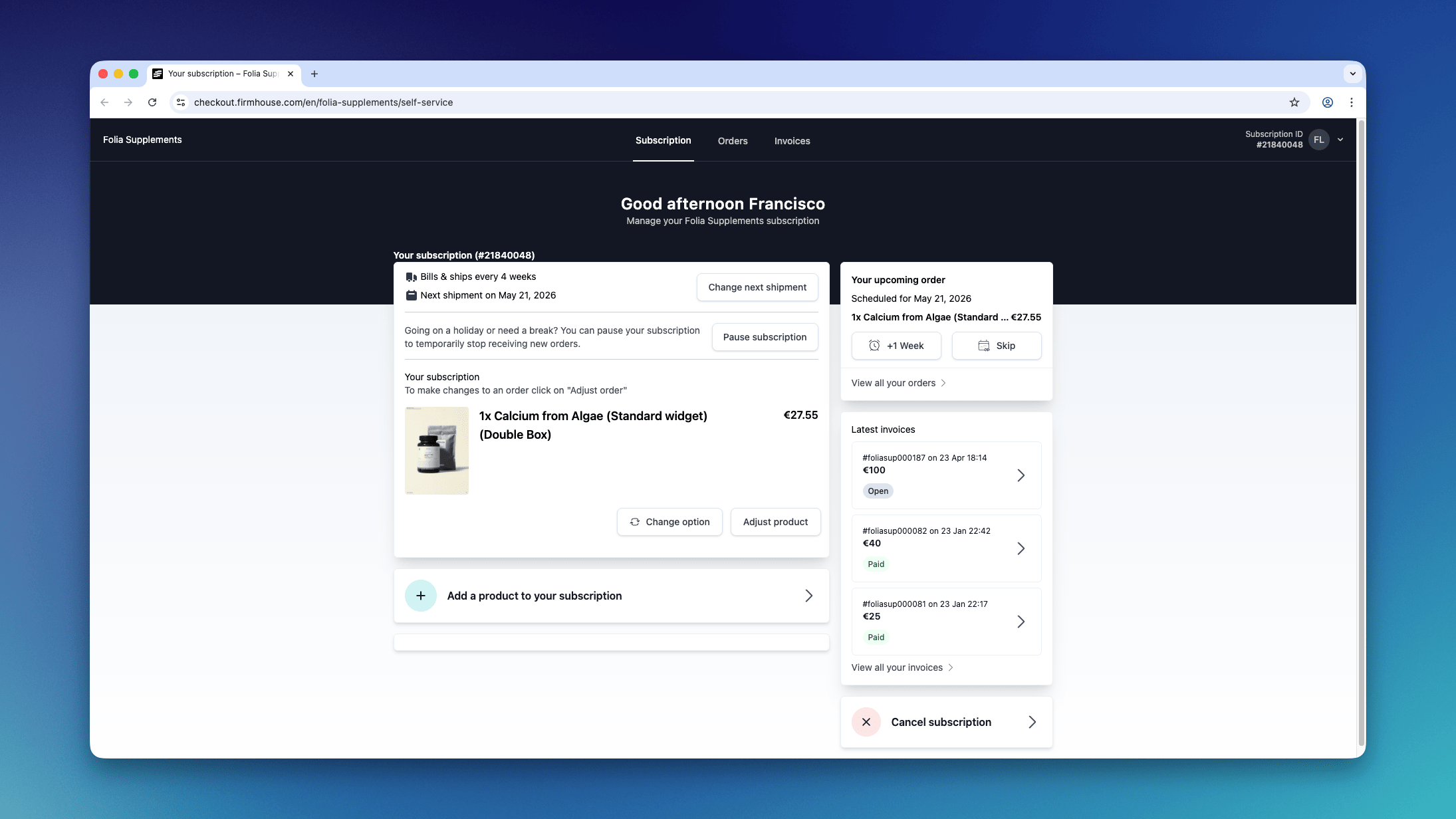
The Firmhouse platform offers your subscribers a way to manage their subscription through the Self Service Center. It works out of the box with no configuration needed, and customers that signed up for your subscription will be able to log in and manage their subscription.
 ## What customers can do
Once logged in, your customers can:
* See a breakdown of their monthly costs
* Adjust the shipping date of their next order and update shipping frequency (for Smart order based subscriptions)
* Find all receipts
* View previous orders (for Smart order based subscriptions)
* Cancel their subscription
## How customers can access it
We recommend that you include the link to the Self service center in every email conversation. You will find the link in **Settings > Self Service Center**.
## What customers can do
Once logged in, your customers can:
* See a breakdown of their monthly costs
* Adjust the shipping date of their next order and update shipping frequency (for Smart order based subscriptions)
* Find all receipts
* View previous orders (for Smart order based subscriptions)
* Cancel their subscription
## How customers can access it
We recommend that you include the link to the Self service center in every email conversation. You will find the link in **Settings > Self Service Center**.
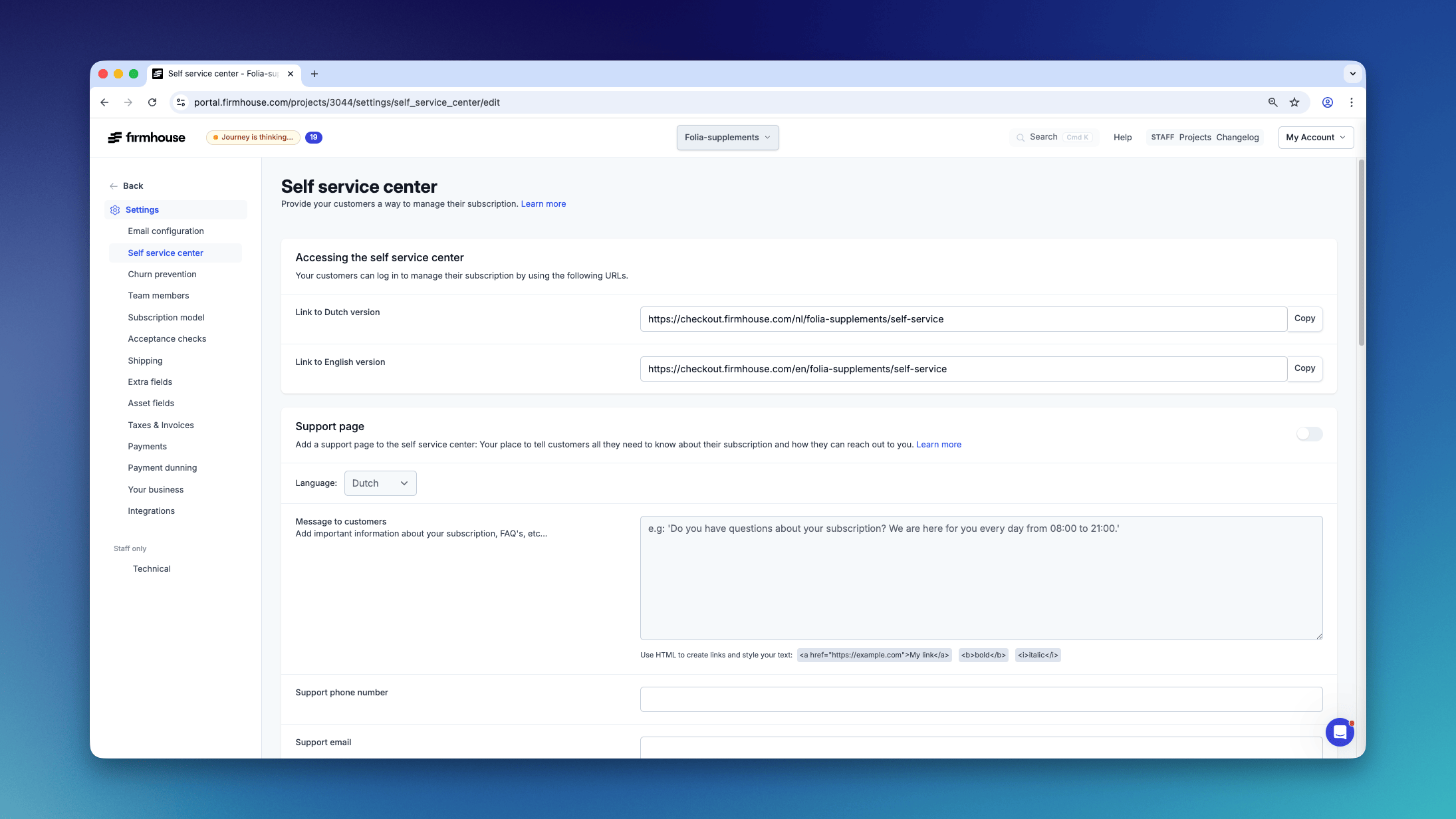 This will give you the log in link. Customers can log in using the same email address they used to sign up for your subscription. They don't need to create a password - login happens via email (magic link).
Copy the link and include it on your website or in any email conversation.
### Automatically add the login link in an email
You can include the link in any email that gets sent by Firmhouse. For example, if you want to include it in the welcome email that a customer receives after signing up, go to **Settings > Email configuration > Subscription signup confirmation**.
This will give you the log in link. Customers can log in using the same email address they used to sign up for your subscription. They don't need to create a password - login happens via email (magic link).
Copy the link and include it on your website or in any email conversation.
### Automatically add the login link in an email
You can include the link in any email that gets sent by Firmhouse. For example, if you want to include it in the welcome email that a customer receives after signing up, go to **Settings > Email configuration > Subscription signup confirmation**.
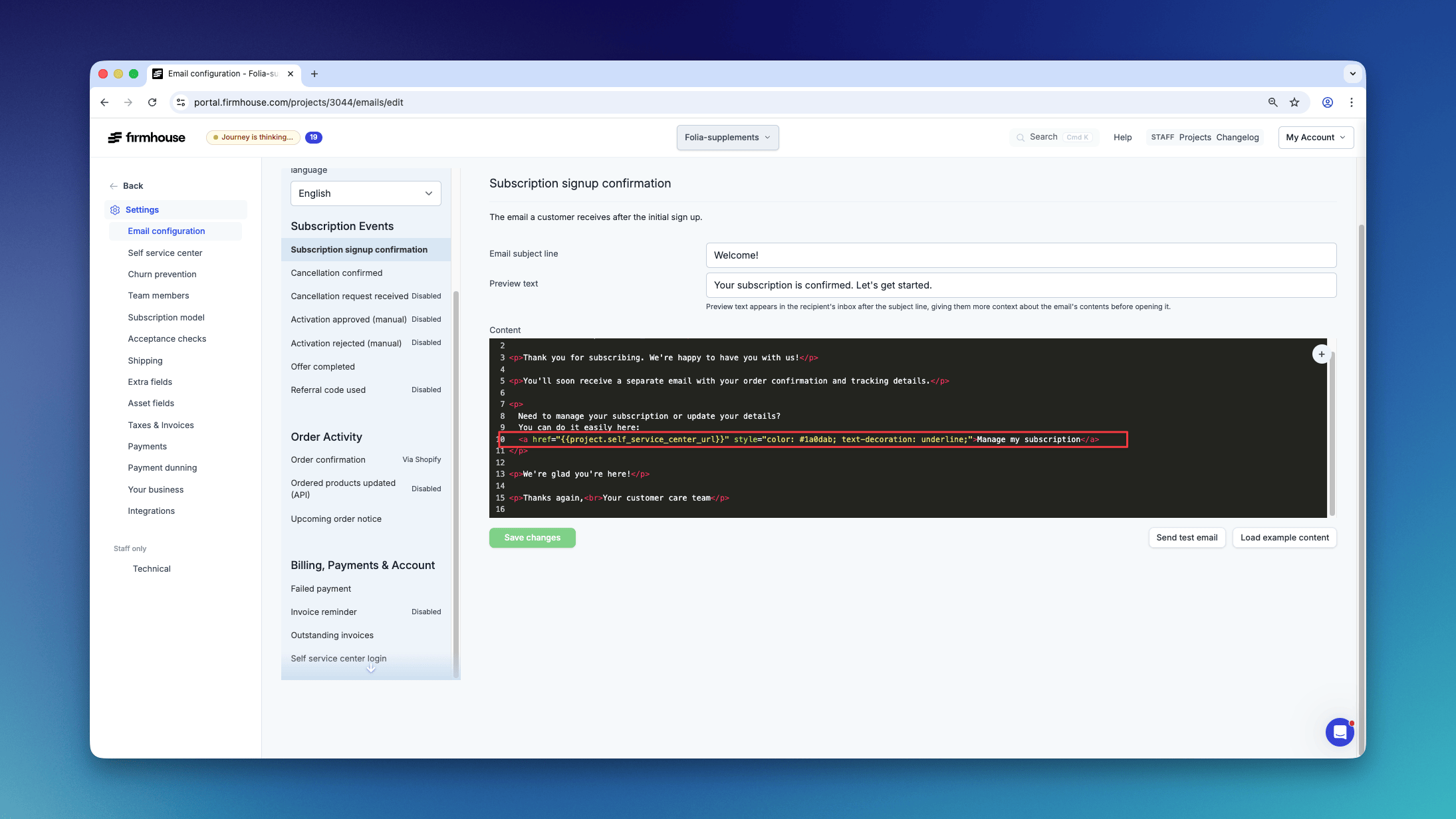 There you can include the link to your Self Service Center. You can also copy this code block directly into your email template:
```html theme={null}
Manage my subscription
```
## How to customize the Self service center
You are able to upload a logo and set an accent color. To do that, go to **Settings > Your Business** and scroll down to "Branding".
The logo will be shown at the top of the Self service center. The accent color is currently only being used on the log in screen.
For heavier customization requirements, please get in touch with us.
There you can include the link to your Self Service Center. You can also copy this code block directly into your email template:
```html theme={null}
Manage my subscription
```
## How to customize the Self service center
You are able to upload a logo and set an accent color. To do that, go to **Settings > Your Business** and scroll down to "Branding".
The logo will be shown at the top of the Self service center. The accent color is currently only being used on the log in screen.
For heavier customization requirements, please get in touch with us.