> ## Documentation Index
> Fetch the complete documentation index at: https://docs.firmhouse.com/llms.txt
> Use this file to discover all available pages before exploring further.
# Disable charging non-paying customers
> Stop Firmhouse from triggering new charges on subscriptions marked as non-paying to avoid expensive chargeback fees on repeatedly failing accounts.
To prevent expensive chargeback fees, you can configure your Firmhouse project so that it will not attempt to trigger charges for subscriptions that have the **Non Paying** status.
Especially when using a payment method like SEPA direct debit, costs could add up to between €7.50 - €15 per initiated transaction if your customer turns out to be out of funds or the customer or bank deliberately declines your SEPA transaction.
When your project is configured in this mode, all billing and invoicing processes will still run as normal. Your customer will still get an email on every billing cycle, and Firmhouse will still generate an invoice in your project. From a revenue and service standpoint, the customer is still entitled to pay and the invoice will still be generated. The payment status of the invoice will be marked as "open" and will be treated as an outstanding invoice. Instead of charging the customer's payment method, Firmhouse will skip this step.
In this mode, Firmhouse will not initiate the transaction at the PSP during the billing cycle. Thus your customer will be required to pay for their invoices manually via payment link.
## How to Disable Automatic Charging
### Steps
1. From the **Settings** section in your Firmhouse project sidebar, go to **Payment Dunning**.
2. Scroll down to the **Non-paying status** section.
3. Under **Recurring payments**, disable the checkbox to **Attempt to charge non-paying customers**.
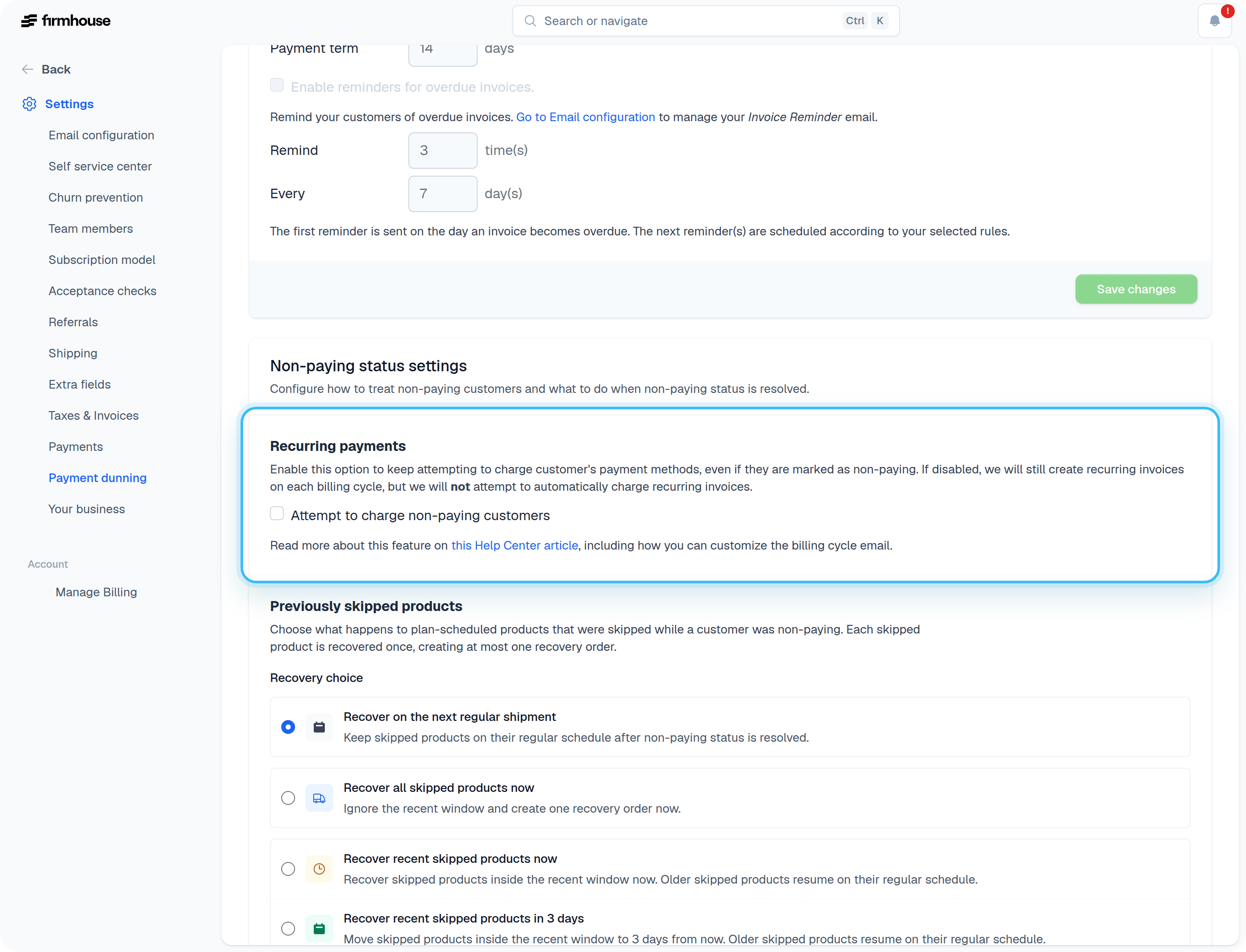 4. Click **Save changes**.
## Adding Content to Your Email for Non-Paying Customers
Every billing cycle email will still be generated as normal. However, it might be wise to explicitly inform the customer in the billing cycle email that you will not automatically debit the invoice from the customer's bank account or card.
You can use the `{{subscription.marked_as_non_paying?}}` Liquid tag to add an additional piece of content to your emails. For instance:
```liquid theme={null}
{% if subscription.marked_as_non_paying? %}
4. Click **Save changes**.
## Adding Content to Your Email for Non-Paying Customers
Every billing cycle email will still be generated as normal. However, it might be wise to explicitly inform the customer in the billing cycle email that you will not automatically debit the invoice from the customer's bank account or card.
You can use the `{{subscription.marked_as_non_paying?}}` Liquid tag to add an additional piece of content to your emails. For instance:
```liquid theme={null}
{% if subscription.marked_as_non_paying? %}
We will not automatically attempt to charge your payment method for this invoice as we've been unable to collect previous payments from you.
Please pay for this invoice manually via the following link: {{invoice.pay_now_url}}.
{% endif %}
```