> ## Documentation Index
> Fetch the complete documentation index at: https://docs.firmhouse.com/llms.txt
> Use this file to discover all available pages before exploring further.
# Ship orders only when paid
> Configure Firmhouse with Shopify Native Checkout to only generate and ship orders once the subscription payment has been confirmed as successful.
When using Shopify Native Checkout, Firmhouse defaults to only generating and shipping orders once the payment has succeeded. This ensures orders are only fulfilled when payment is confirmed.
If you're using Firmhouse Checkout or want to change this behavior, you can configure the order confirmation settings as described below.
## How to Change the Order Confirmation Setting
### Steps
1. Go to **Settings > Payment dunning**
2. Switch the **Order confirmation settings** to **Paid payment**
3. Click **Save changes**
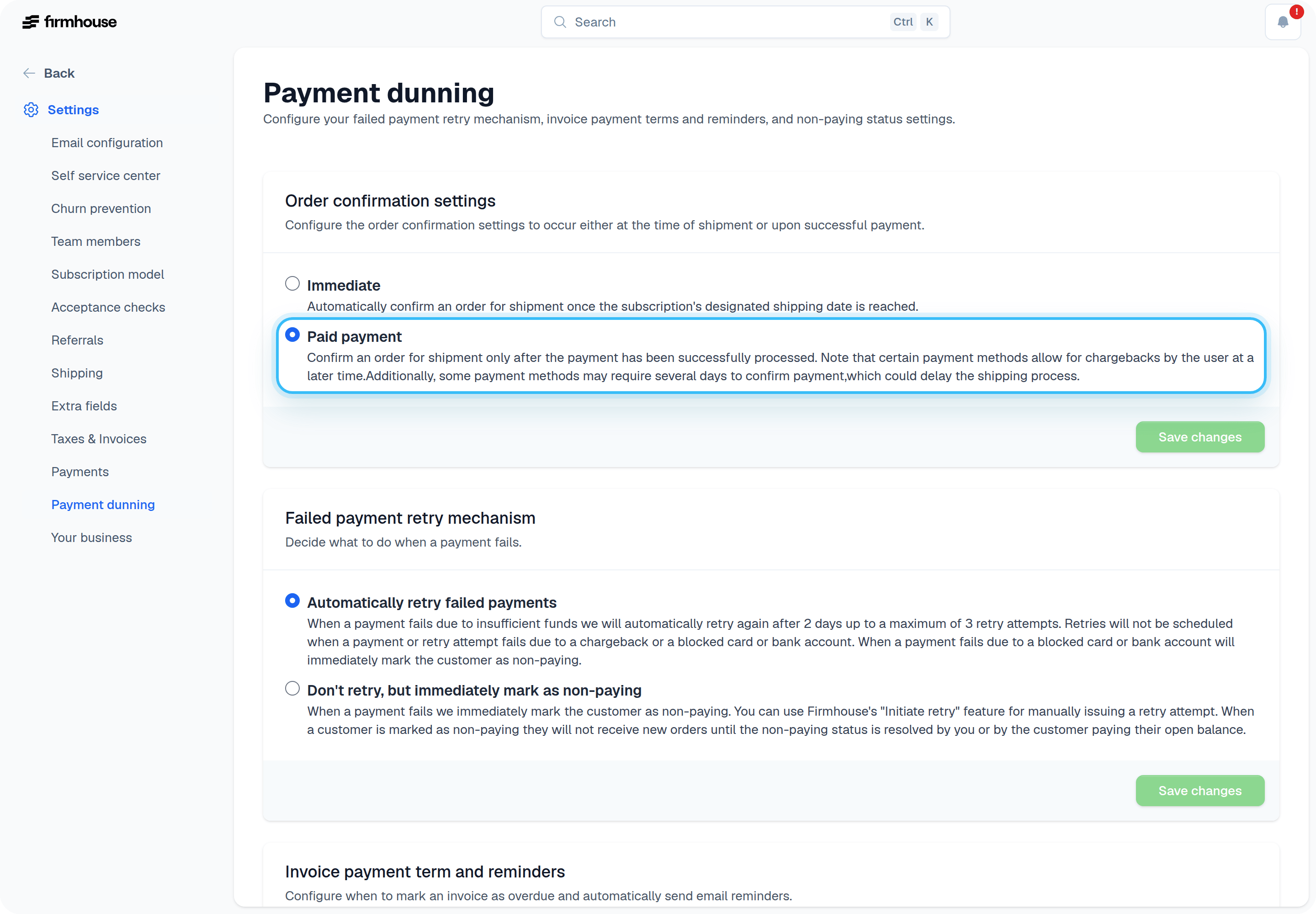 After saving changes, Firmhouse will only send orders to Shopify once the payment is successful.
## How It Works
Upon the product's shipment date, Firmhouse first creates a pending order. The order will stay pending until the payment is successfully captured.
After saving changes, Firmhouse will only send orders to Shopify once the payment is successful.
## How It Works
Upon the product's shipment date, Firmhouse first creates a pending order. The order will stay pending until the payment is successfully captured.
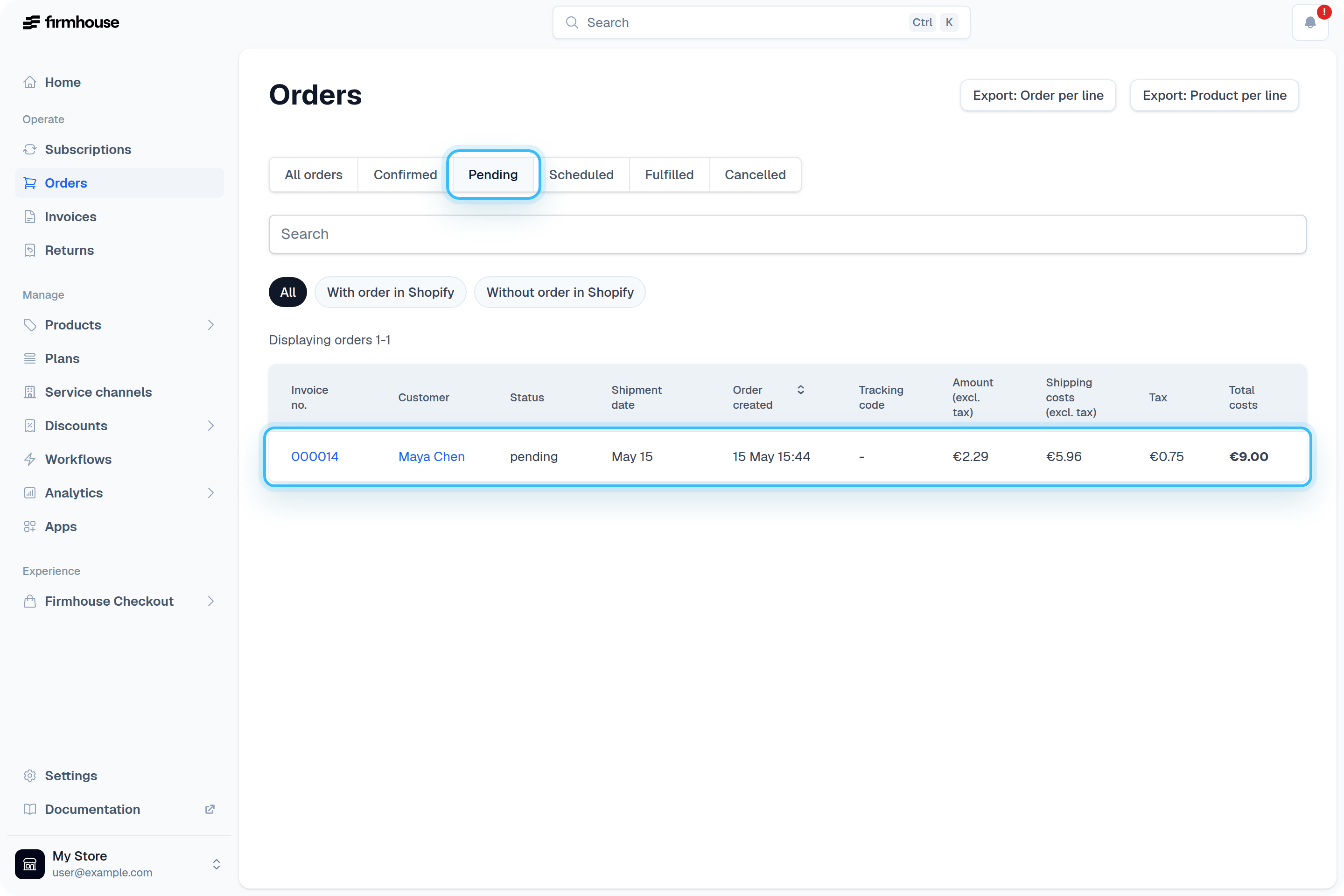 Once the payment is captured by your Payment Service Provider, Firmhouse confirms the order and:
* Sends it to other platforms, such as Shopify
* Creates an invoice for the order
## How Customers Can Pay Manually for an Unpaid Order
Depending on the configured retry logic within your project, Firmhouse will typically retry a failed payment three times in case of insufficient funds. You can review all payment dunning settings in the [Overview of Payment Dunning Options](/configure/payment-dunning/overview-of-payment-dunning-options) article.
If after retrying the payment still cannot be captured, the customer can pay for their order manually via a direct payment link. Firmhouse can automatically send a failed payment email with a direct payment link.
Include the `payment.pay_now_url` tag in your failed payment email template. See an example of such email below.
Once the payment is captured by your Payment Service Provider, Firmhouse confirms the order and:
* Sends it to other platforms, such as Shopify
* Creates an invoice for the order
## How Customers Can Pay Manually for an Unpaid Order
Depending on the configured retry logic within your project, Firmhouse will typically retry a failed payment three times in case of insufficient funds. You can review all payment dunning settings in the [Overview of Payment Dunning Options](/configure/payment-dunning/overview-of-payment-dunning-options) article.
If after retrying the payment still cannot be captured, the customer can pay for their order manually via a direct payment link. Firmhouse can automatically send a failed payment email with a direct payment link.
Include the `payment.pay_now_url` tag in your failed payment email template. See an example of such email below.
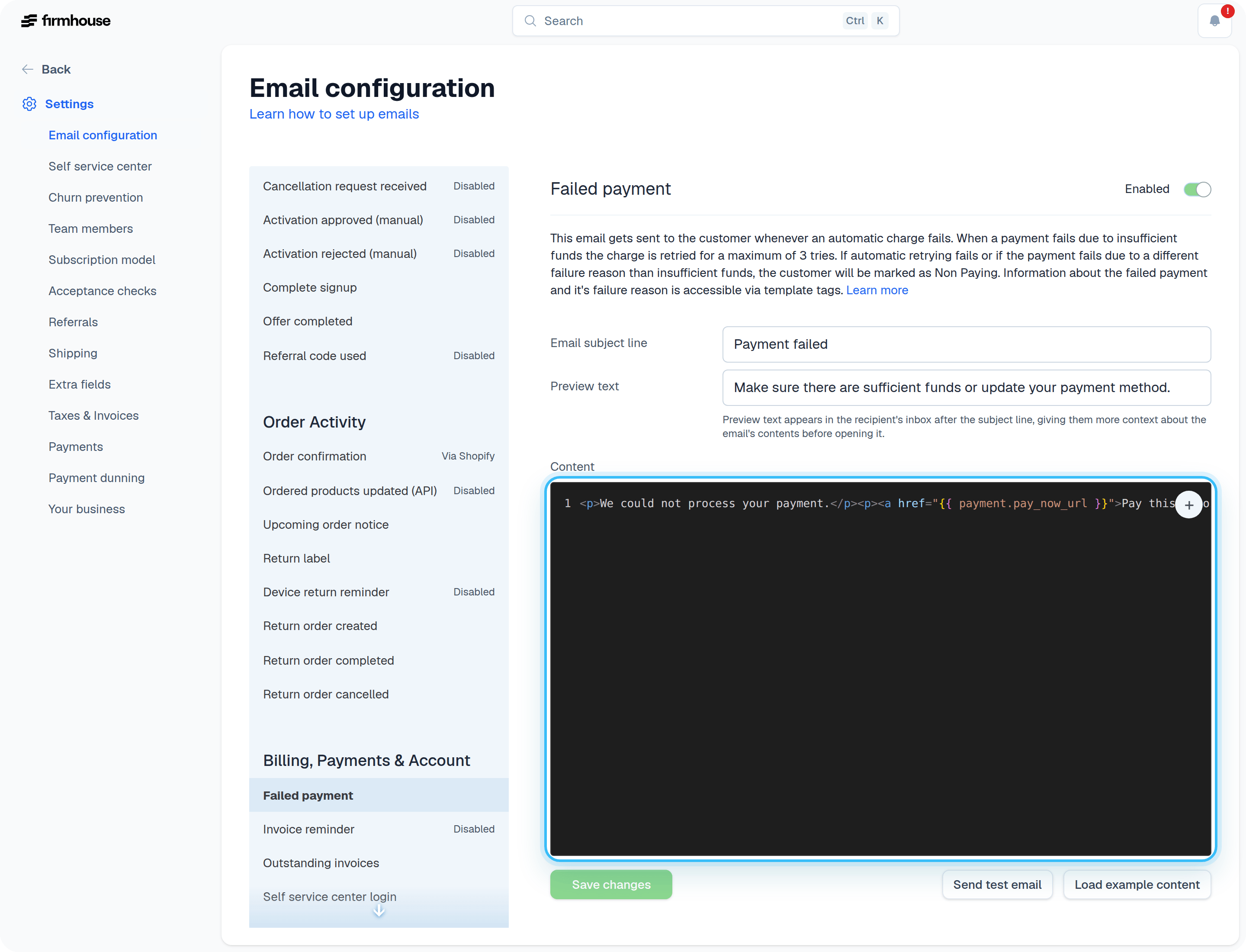 You can share the payment link with the customer by clicking **Show invoice payment link** in the order dropdown on a customer's subscription page.
## Manually Confirming an Order
If you've resolved a payment outside the normal flow—for example, the customer paid via bank transfer or you've processed payment manually—you can confirm the pending order yourself. Click **Confirm** in the order dropdown on a customer's subscription, or on the order detail page. See [Orders](/manage/orders) for more details.
## What Happens If an Order Is Paid but Later Charged Back
Because the payment was initially paid, there is an outstanding invoice. For these open invoices, you can use different reminder emails like the outstanding invoices email to follow up with customers.
## Old Pending Orders Are Automatically Cancelled
Previous pending orders are automatically cancelled if a new order gets generated. This prevents duplicate orders from accumulating when payment issues occur.
You can share the payment link with the customer by clicking **Show invoice payment link** in the order dropdown on a customer's subscription page.
## Manually Confirming an Order
If you've resolved a payment outside the normal flow—for example, the customer paid via bank transfer or you've processed payment manually—you can confirm the pending order yourself. Click **Confirm** in the order dropdown on a customer's subscription, or on the order detail page. See [Orders](/manage/orders) for more details.
## What Happens If an Order Is Paid but Later Charged Back
Because the payment was initially paid, there is an outstanding invoice. For these open invoices, you can use different reminder emails like the outstanding invoices email to follow up with customers.
## Old Pending Orders Are Automatically Cancelled
Previous pending orders are automatically cancelled if a new order gets generated. This prevents duplicate orders from accumulating when payment issues occur.