> ## Documentation Index
> Fetch the complete documentation index at: https://docs.firmhouse.com/llms.txt
> Use this file to discover all available pages before exploring further.
# Customize the referral banner
> Customize the referral banner, buttons, and page in the Self Service Center so your referral program matches your brand and motivates more shares.
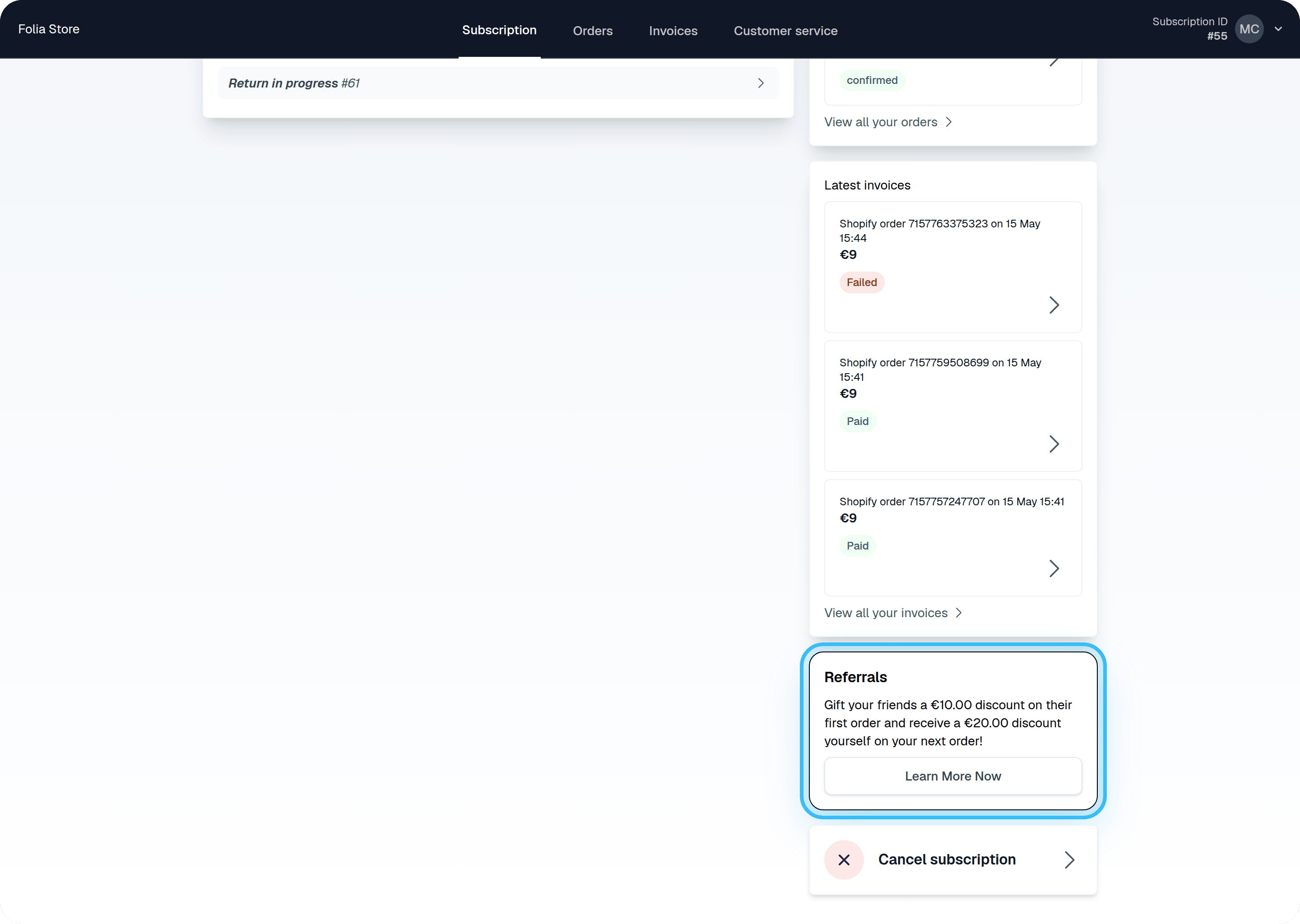
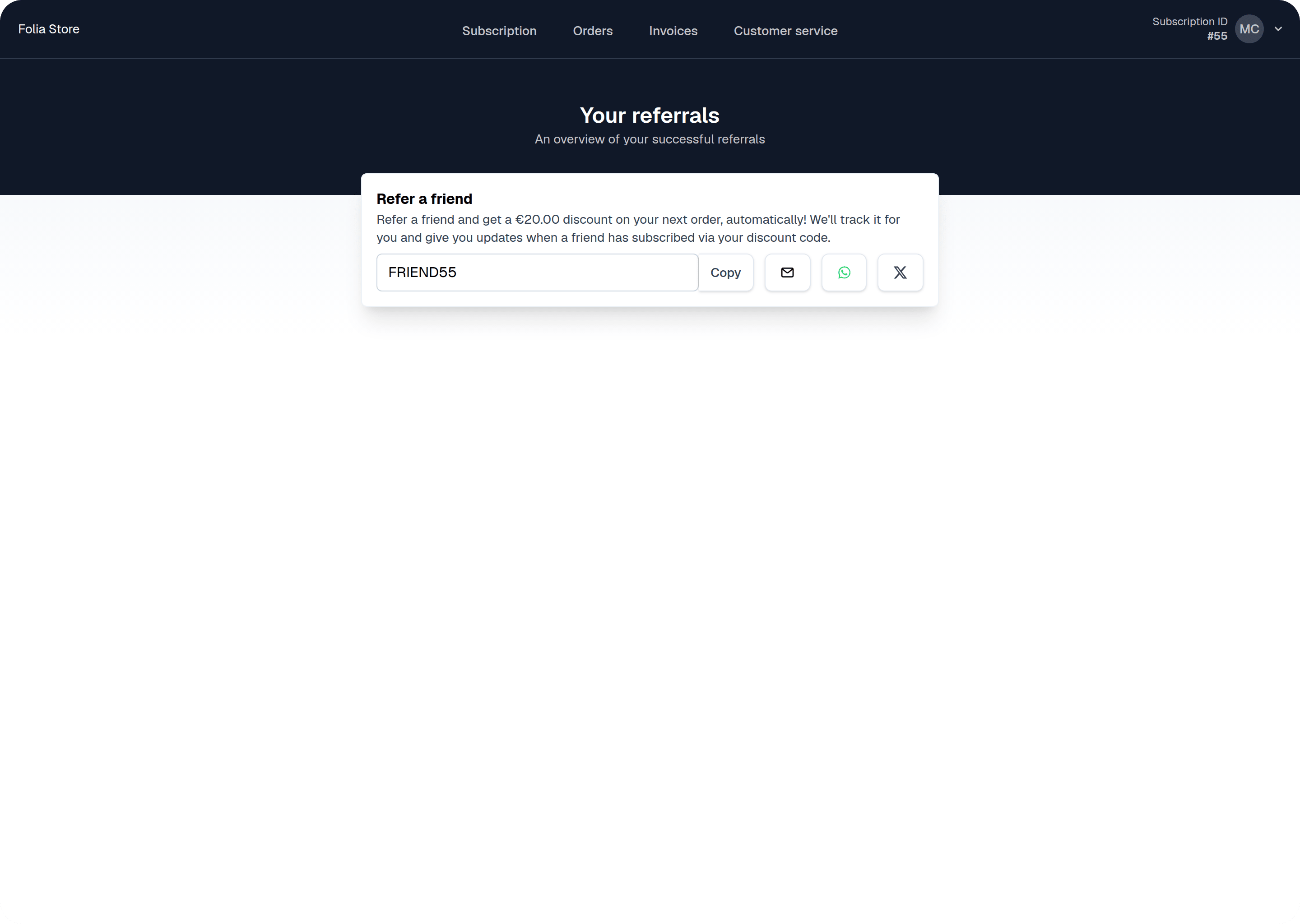
If you have enabled Referrals, as well as the referral banner for the Self-Service Center, your customers will see a default referral banner and referrals page. Read on to learn how to customize the banner and buttons.
 ## Change the banner text
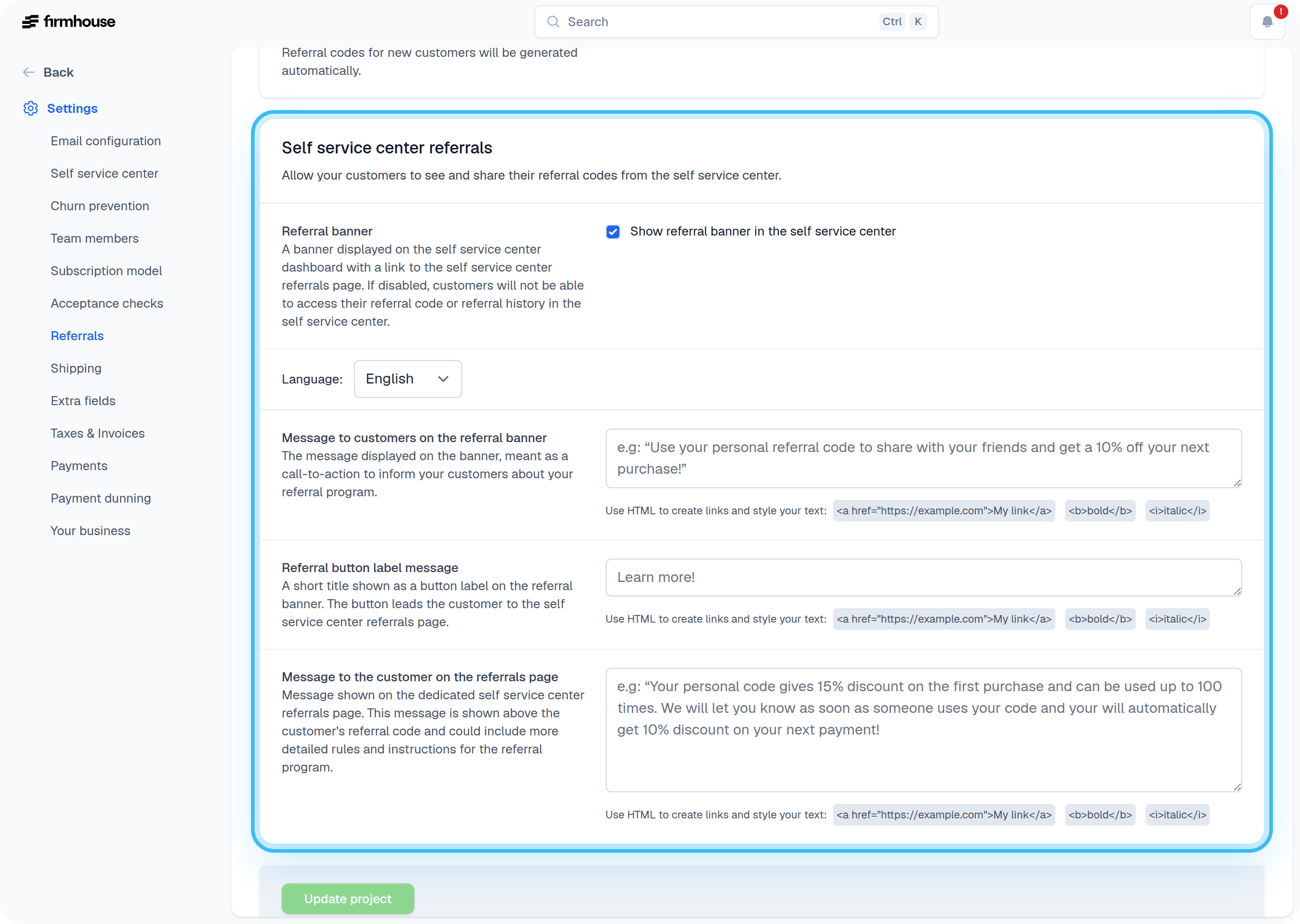
In the Referrals settings, you can adjust the text for the banner that appears in the SSC home page, as well as the text on the dedicated Referrals page. Note that you can use HTML to format the text to your liking.
## Change the banner text
In the Referrals settings, you can adjust the text for the banner that appears in the SSC home page, as well as the text on the dedicated Referrals page. Note that you can use HTML to format the text to your liking.
 ## Add a custom style to match your brand
If you want to add some extra color to go with your recognizable branding, you can use custom code to apply CSS and JavaScript. To do this, go to **Settings** > **Self-Service Center** and scroll down to **Custom code**.
## Add a custom style to match your brand
If you want to add some extra color to go with your recognizable branding, you can use custom code to apply CSS and JavaScript. To do this, go to **Settings** > **Self-Service Center** and scroll down to **Custom code**.