> ## Documentation Index
> Fetch the complete documentation index at: https://docs.firmhouse.com/llms.txt
> Use this file to discover all available pages before exploring further.
# Compatible Shopify plugins
> List of Shopify plugins confirmed compatible with Shopify Native Checkout and Firmhouse subscriptions, plus how to request a compatibility review.
This article covers a list of Shopify plugins with which we have confirmed compatibility. If you're looking into using a plugin that is not in this list, please reach out for our team to advise on compatibility and potential extra steps.
## Cart Plugins
### Upcart—Cart Drawer Cart Upsell
[Upcart—Cart Drawer Cart Upsell](https://apps.shopify.com/upcart-cart-builder) is compatible with Firmhouse.
To make sure your setup works correctly:
1. Add `.upcart-checkout-button,button[name='checkout']` to the **Original Checkout Button Selector** setting on the Checkout Button Injector app embed.
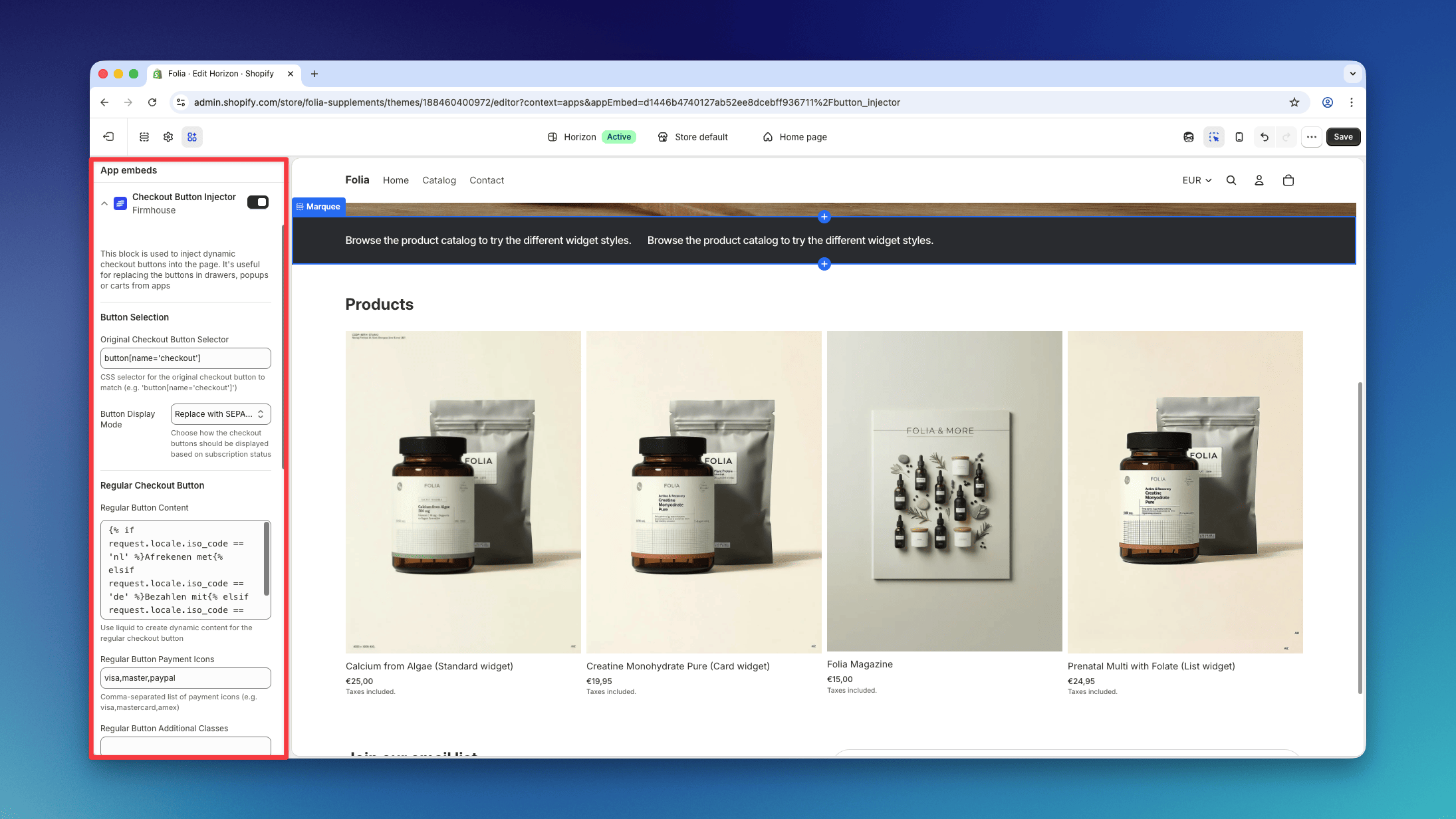 2. Disable the [Render Cart in Shadow DOM](https://intercom.help/as-upcart/en/articles/126) setting for the Upcart Cart, under **Upcart → Settings → Advanced Settings**.
### Monster Cart Upsell+Free Gift
[Monster Cart Upsell+Free Gift](https://apps.shopify.com/monster-upsells) is compatible with Firmhouse.
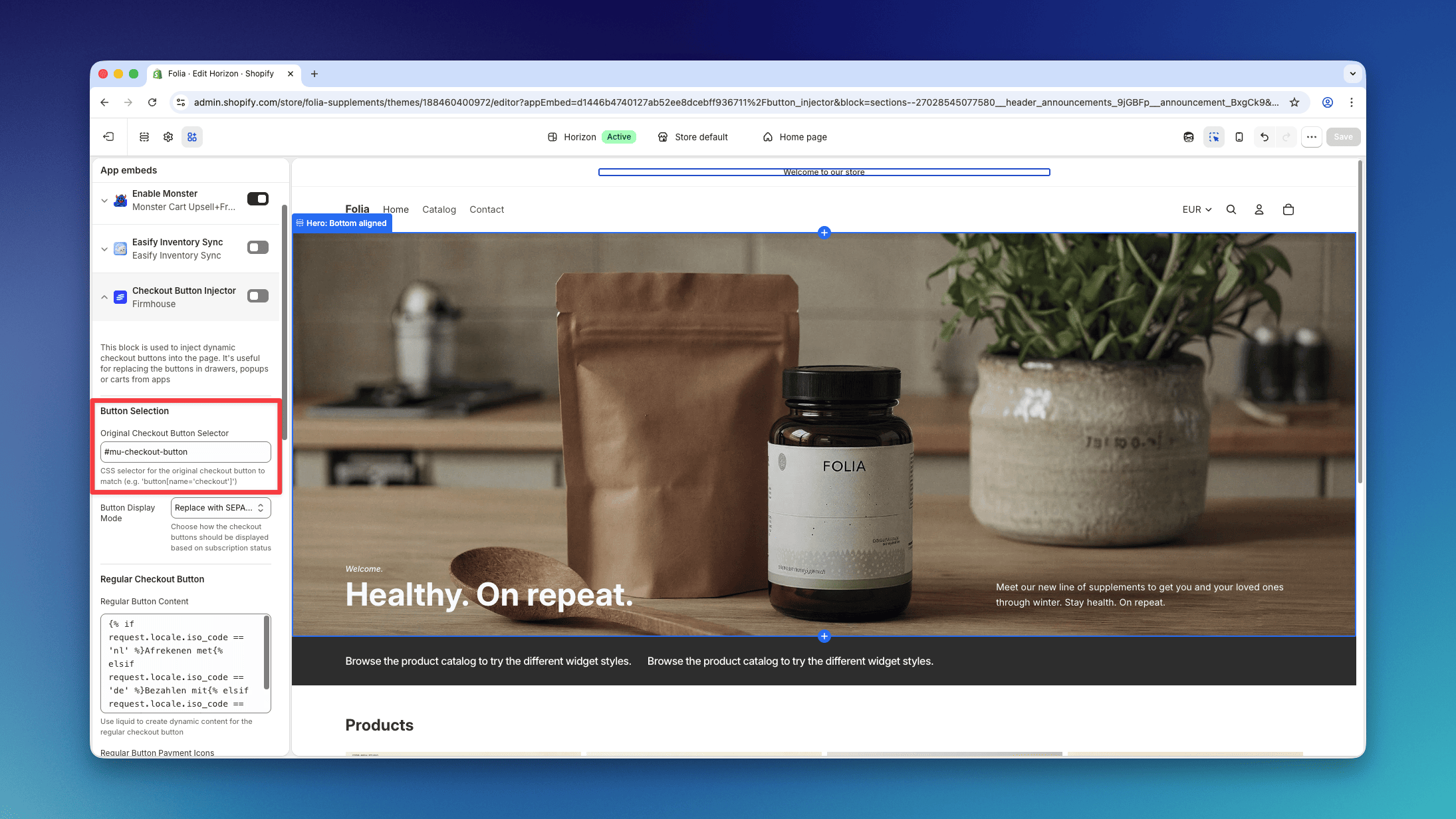
To make sure your setup works correctly, add `#mu-checkout-button` to the **Original Checkout Button Selector** setting on the Checkout Button Injector app embed.
2. Disable the [Render Cart in Shadow DOM](https://intercom.help/as-upcart/en/articles/126) setting for the Upcart Cart, under **Upcart → Settings → Advanced Settings**.
### Monster Cart Upsell+Free Gift
[Monster Cart Upsell+Free Gift](https://apps.shopify.com/monster-upsells) is compatible with Firmhouse.
To make sure your setup works correctly, add `#mu-checkout-button` to the **Original Checkout Button Selector** setting on the Checkout Button Injector app embed.
 ## Product Bundles for Subscriptions
### Bundles.app — Inventory Sync
[Bundles.app — Inventory Sync](https://apps.shopify.com/bundles) allows you to offer product bundles on subscription and is fully compatible with Firmhouse.
## Add a Free Gift to the First Subscription Order
### EG Auto Add to Cart Free Gift
[EG Auto Add to Cart Free Gift](https://apps.shopify.com/gifter-cart-auto-inclu) allows you to add a free gift to the checkout order. Due to its capability to select products and selling plans configurations, this will enable you to add a free gift on subscription checkouts (and not on one-time purchases).
## Add an Additional Fee to the Checkout Order
### UpCharge Fees Addons Surcharge
[UpCharge Fees Addons Surcharge](https://apps.shopify.com/product-fees) allows you to add a one-time extra fee on the checkout order and is fully compatible with Firmhouse. Recurring orders will not get a surcharge.
## Product Bundles for Subscriptions
### Bundles.app — Inventory Sync
[Bundles.app — Inventory Sync](https://apps.shopify.com/bundles) allows you to offer product bundles on subscription and is fully compatible with Firmhouse.
## Add a Free Gift to the First Subscription Order
### EG Auto Add to Cart Free Gift
[EG Auto Add to Cart Free Gift](https://apps.shopify.com/gifter-cart-auto-inclu) allows you to add a free gift to the checkout order. Due to its capability to select products and selling plans configurations, this will enable you to add a free gift on subscription checkouts (and not on one-time purchases).
## Add an Additional Fee to the Checkout Order
### UpCharge Fees Addons Surcharge
[UpCharge Fees Addons Surcharge](https://apps.shopify.com/product-fees) allows you to add a one-time extra fee on the checkout order and is fully compatible with Firmhouse. Recurring orders will not get a surcharge.