> ## Documentation Index
> Fetch the complete documentation index at: https://docs.firmhouse.com/llms.txt
> Use this file to discover all available pages before exploring further.
# Credit invoices fully or partially
> Generate full or partial credit notes for Firmhouse invoices to correct billing errors, issue refunds for canceled orders, or adjust subscription charges.
You can generate credit notes for invoices in Firmhouse, either for the full amount or a partial amount.
## Fully credit a single invoice
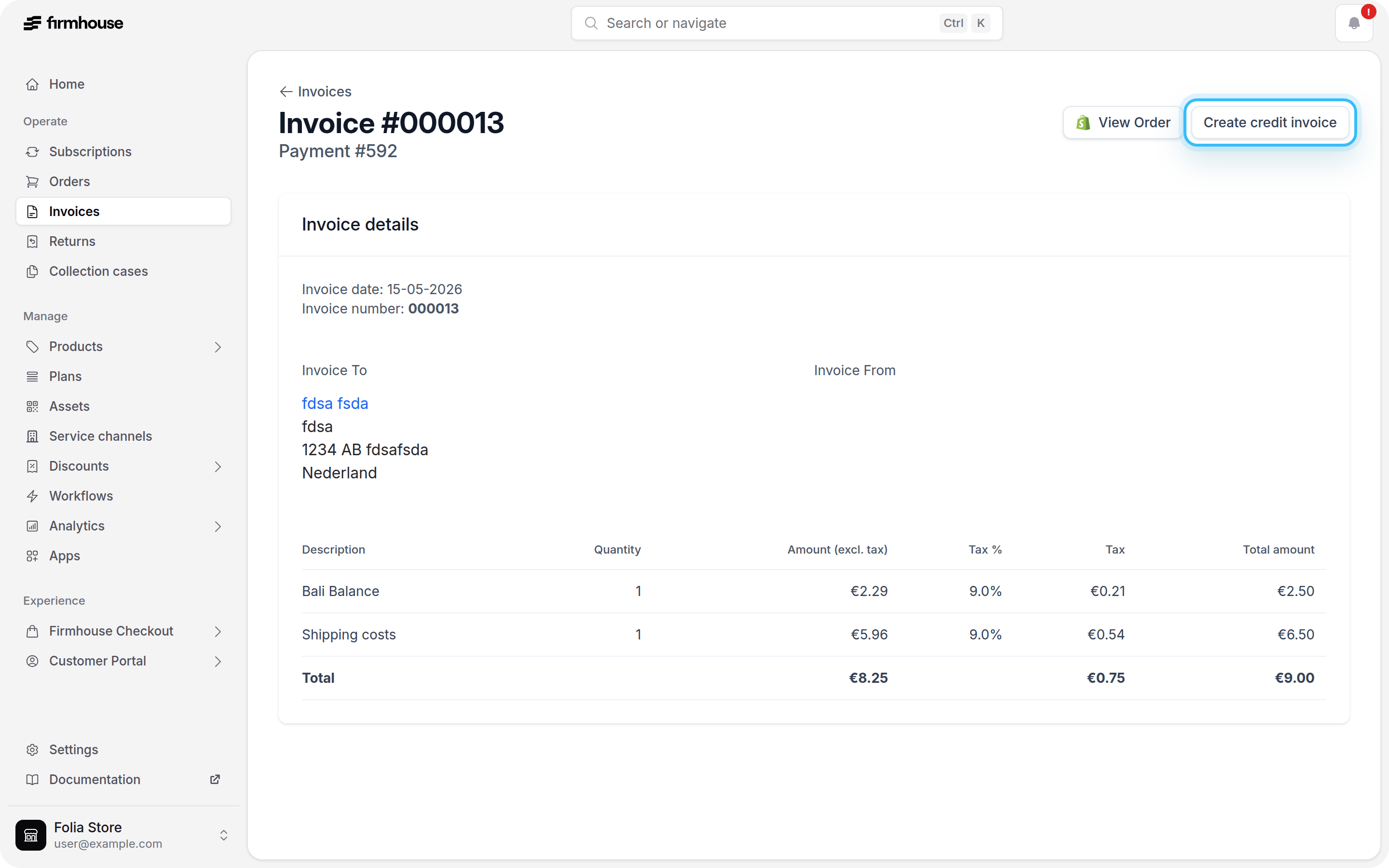
To generate a credit note for the full amount of an invoice, you can do so directly from the invoice detail page.
### Steps
1. Navigate to the invoice you want to credit
2. Click the **Create credit invoice** button in the upper right corner
3. Keep **Full remaining amount** selected
4. Optionally add a note and select **Create refund** if you also want to refund the payment
5. Click **Create credit invoice**
 ## Partially credit an invoice
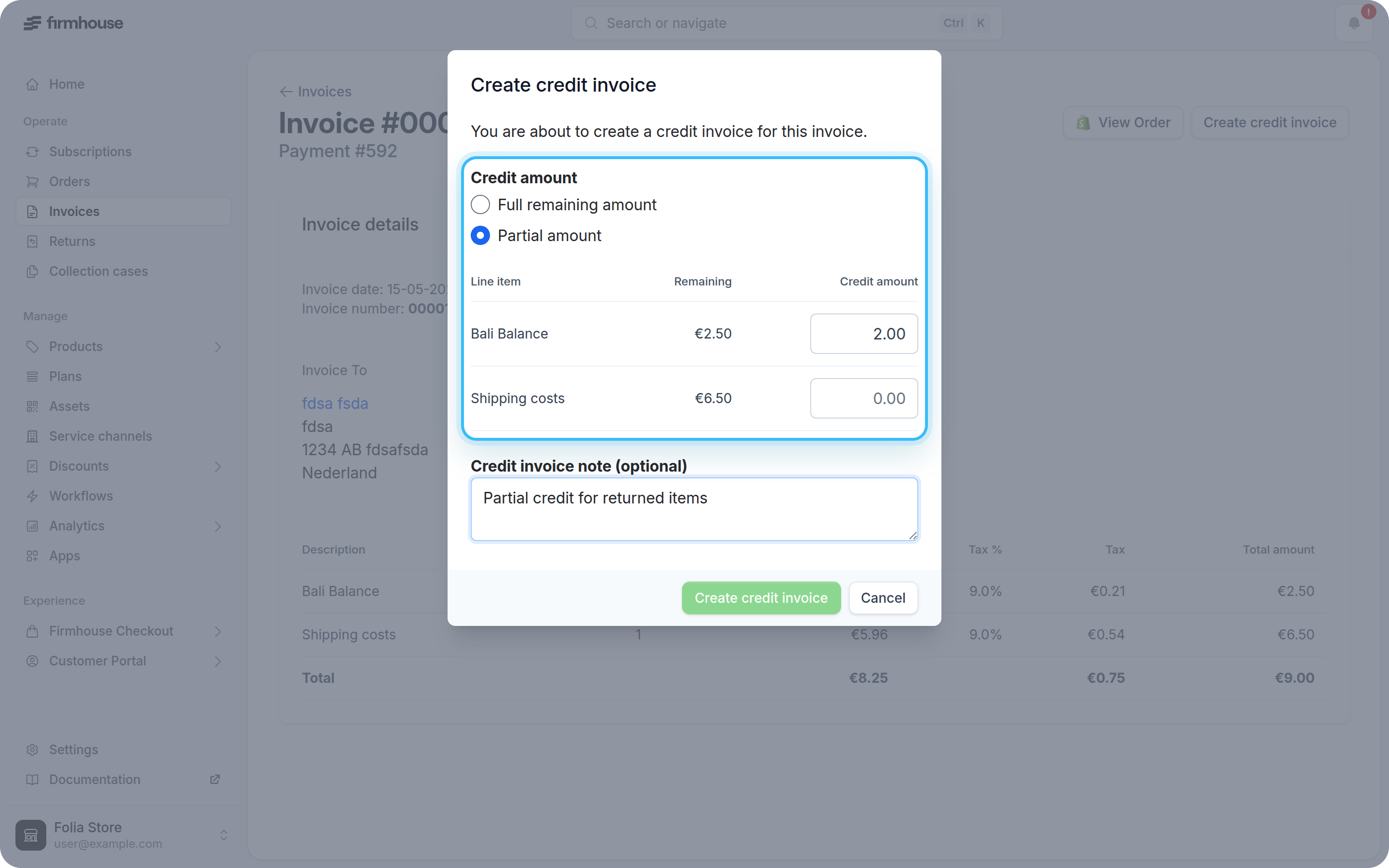
If you only want to credit part of a paid invoice, you can select specific amounts from its line items.
### Steps
1. Navigate to the paid invoice you want to partially credit
2. Click **Create credit invoice**
3. Select **Partial amount**
4. Enter the credit amount for each line item you want to credit
5. Optionally add a credit invoice note
6. Click **Create credit invoice**
## Partially credit an invoice
If you only want to credit part of a paid invoice, you can select specific amounts from its line items.
### Steps
1. Navigate to the paid invoice you want to partially credit
2. Click **Create credit invoice**
3. Select **Partial amount**
4. Enter the credit amount for each line item you want to credit
5. Optionally add a credit invoice note
6. Click **Create credit invoice**
 ## Refunding payments
If you are looking for information on how to issue refunds to customers, please see [Issuing Refunds](/manage/payments/issuing-refunds).
## Refunding payments
If you are looking for information on how to issue refunds to customers, please see [Issuing Refunds](/manage/payments/issuing-refunds).