> ## Documentation Index
> Fetch the complete documentation index at: https://docs.firmhouse.com/llms.txt
> Use this file to discover all available pages before exploring further.
# Mark invoices paid externally
> Mark Firmhouse invoices as paid directly from the Portal when payments are made outside the platform, like bank transfers or in-person payments.
You can easily mark invoices as paid directly from the Portal, simplifying the management of payments made outside the Firmhouse platform.
## How It Works
### Steps
1. Navigate to the invoice overview on the subscription detail page
2. Find the dropdown menu for outstanding invoices and select **Mark invoice as paid**
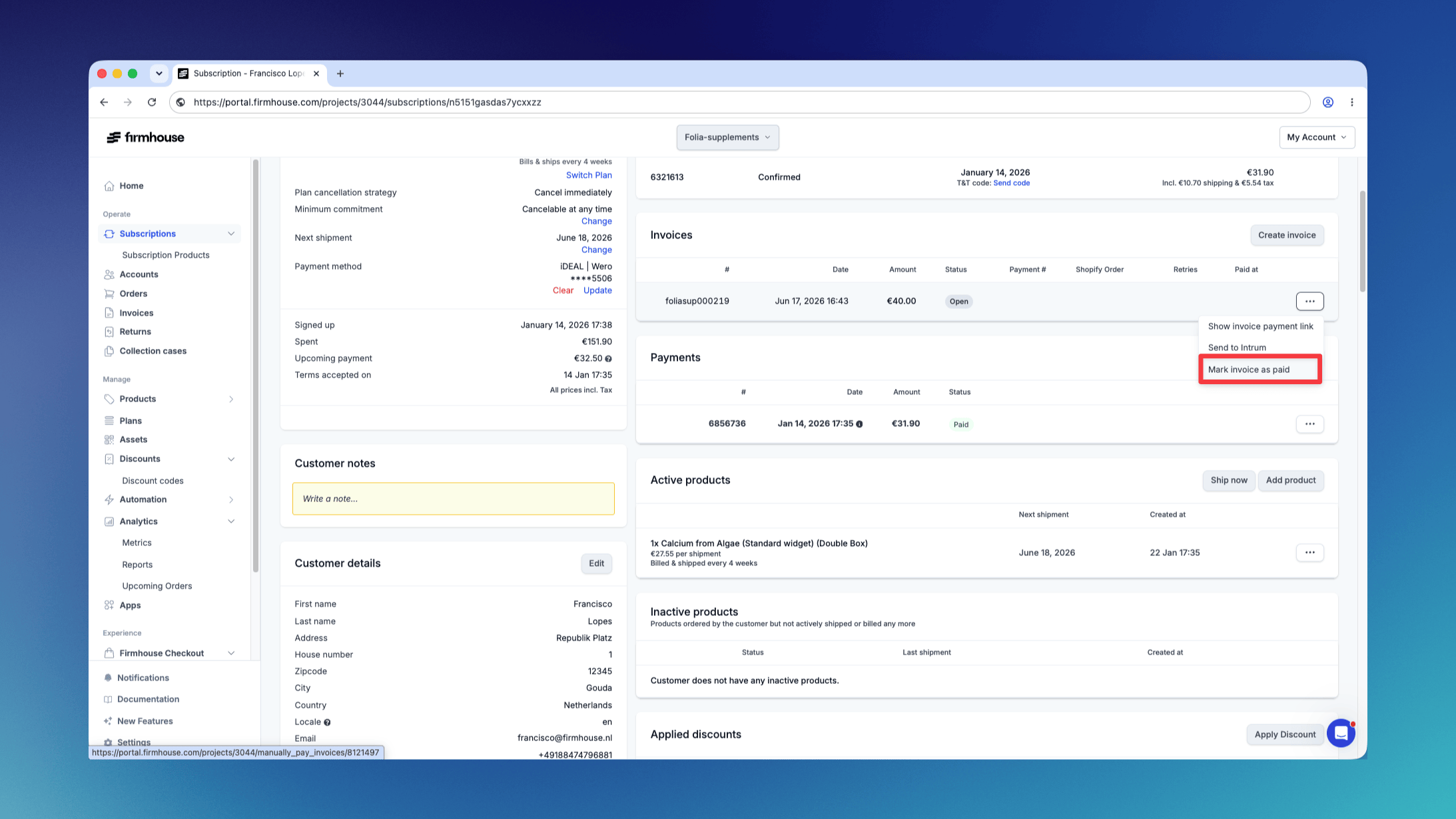 3. Confirm the action when prompted to ensure the action is intentional
## What Happens Next
Once you confirm the action:
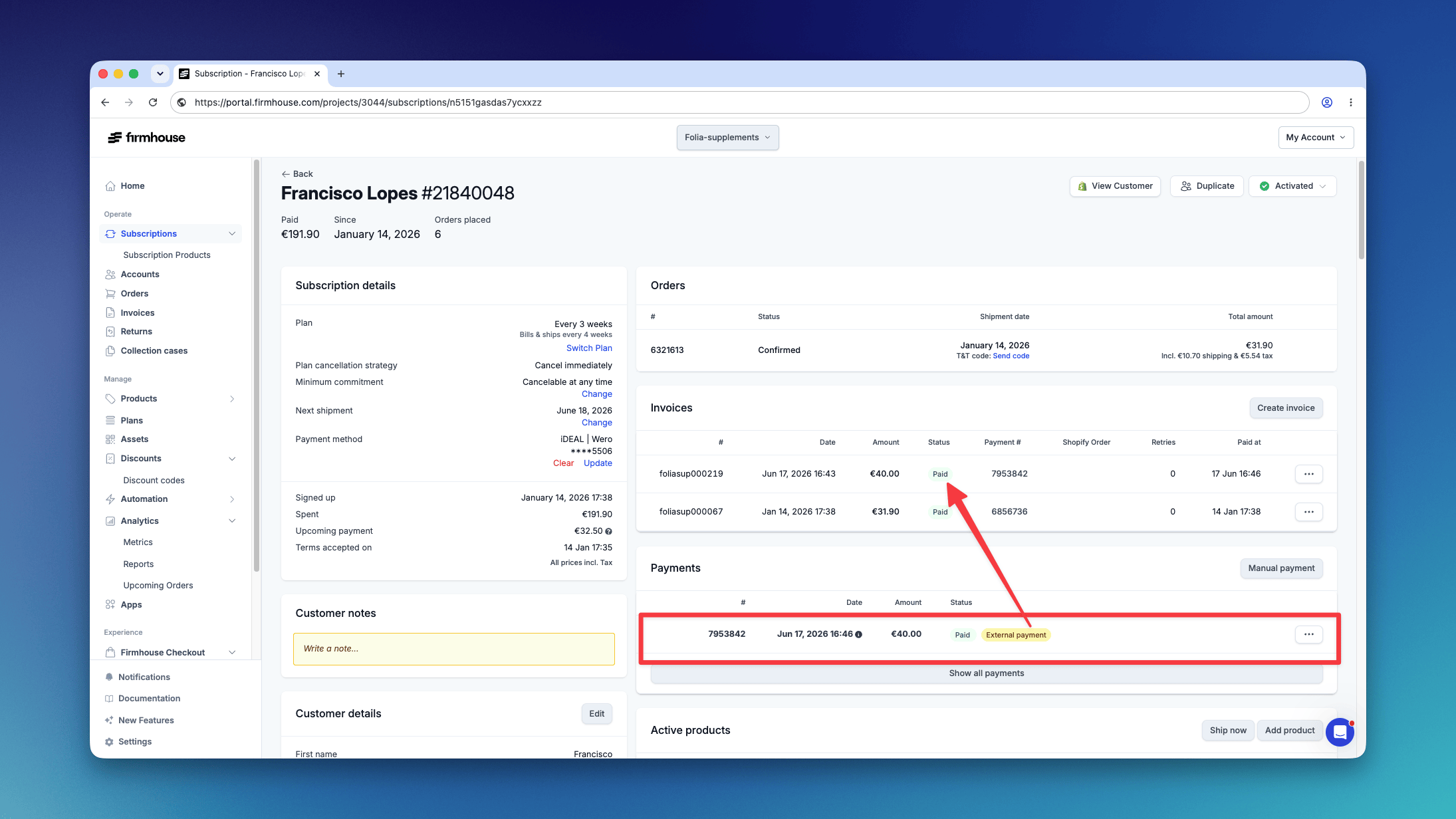
**Paid Payment Recorded**: A "Paid" payment record is automatically generated, and the invoice is immediately marked as paid. This clearly reflects that the payment was made outside of Firmhouse.
**External Payment Label**: An "External payment" label is added to the payment record, making it clear that this payment was processed outside of the Firmhouse platform.
3. Confirm the action when prompted to ensure the action is intentional
## What Happens Next
Once you confirm the action:
**Paid Payment Recorded**: A "Paid" payment record is automatically generated, and the invoice is immediately marked as paid. This clearly reflects that the payment was made outside of Firmhouse.
**External Payment Label**: An "External payment" label is added to the payment record, making it clear that this payment was processed outside of the Firmhouse platform.
 This feature enhances transparency and gives you more control over your invoices, ensuring a smooth and efficient workflow when handling payments made through external channels.