> ## Documentation Index
> Fetch the complete documentation index at: https://docs.firmhouse.com/llms.txt
> Use this file to discover all available pages before exploring further.
# Charge a one-off payment
> Create a one-off payment in Firmhouse to charge a customer for an ad-hoc cost outside their subscription, like an extra service or replacement part.
Sometimes you need to charge a customer for something outside of their regular subscription billing. Whether it's an additional service, a replacement part, or any other ad-hoc charge, you can create a one-off payment directly from the customer's profile.
## How to Charge a One-Off Payment
You can initiate a one-off payment from the Payment History section on any customer's details page.
 ### Steps
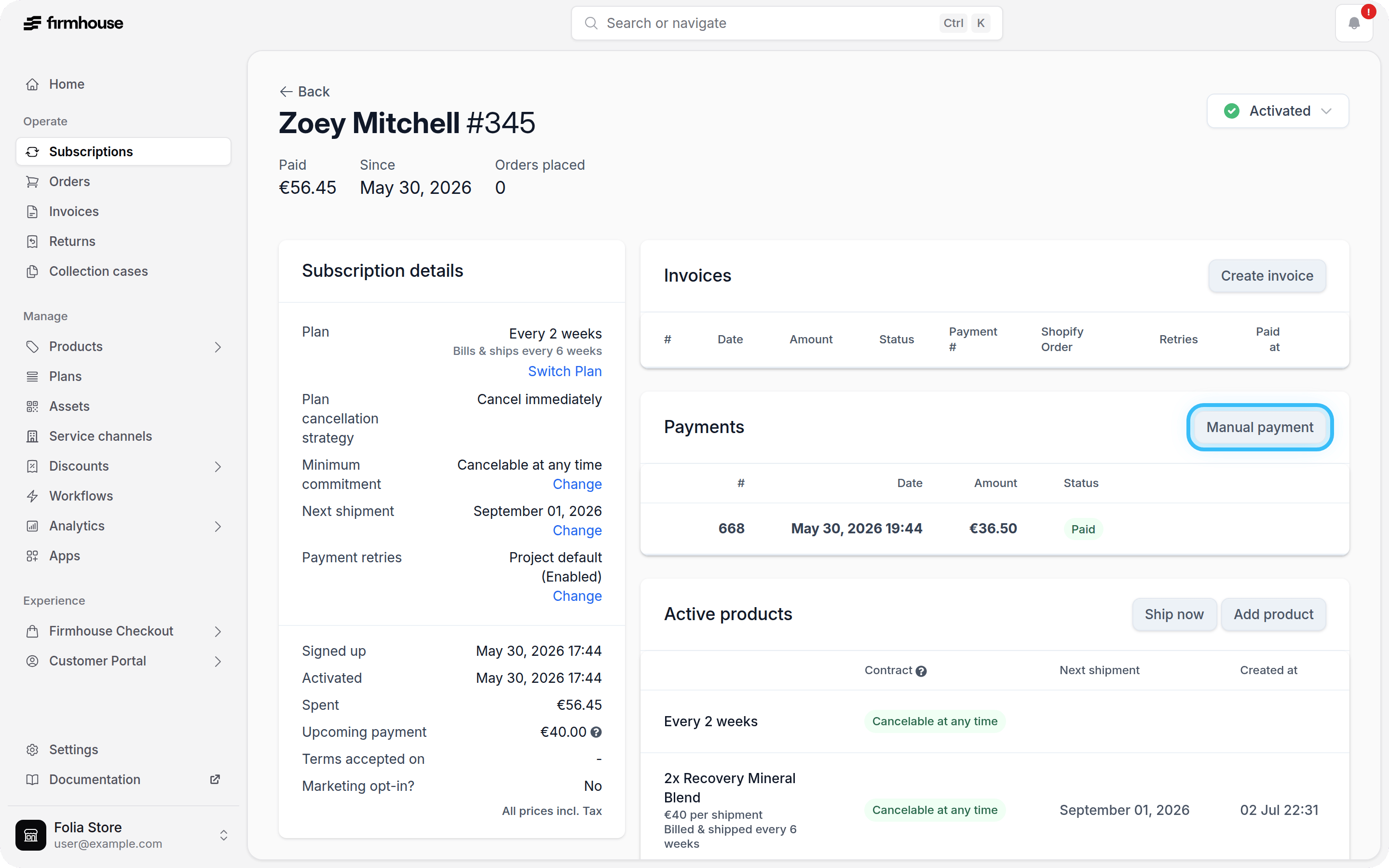
1. Navigate to the customer's details page in Firmhouse Portal.
2. Scroll down to the **Payment History** section.
3. Click the **Manual Payment** button in the top right corner of the section.
A dialog will appear where you can specify the amount and provide a description for the charge. The description you enter will appear on the customer's bank statement, so make it clear what the charge is for.
### Steps
1. Navigate to the customer's details page in Firmhouse Portal.
2. Scroll down to the **Payment History** section.
3. Click the **Manual Payment** button in the top right corner of the section.
A dialog will appear where you can specify the amount and provide a description for the charge. The description you enter will appear on the customer's bank statement, so make it clear what the charge is for.
 ### Steps
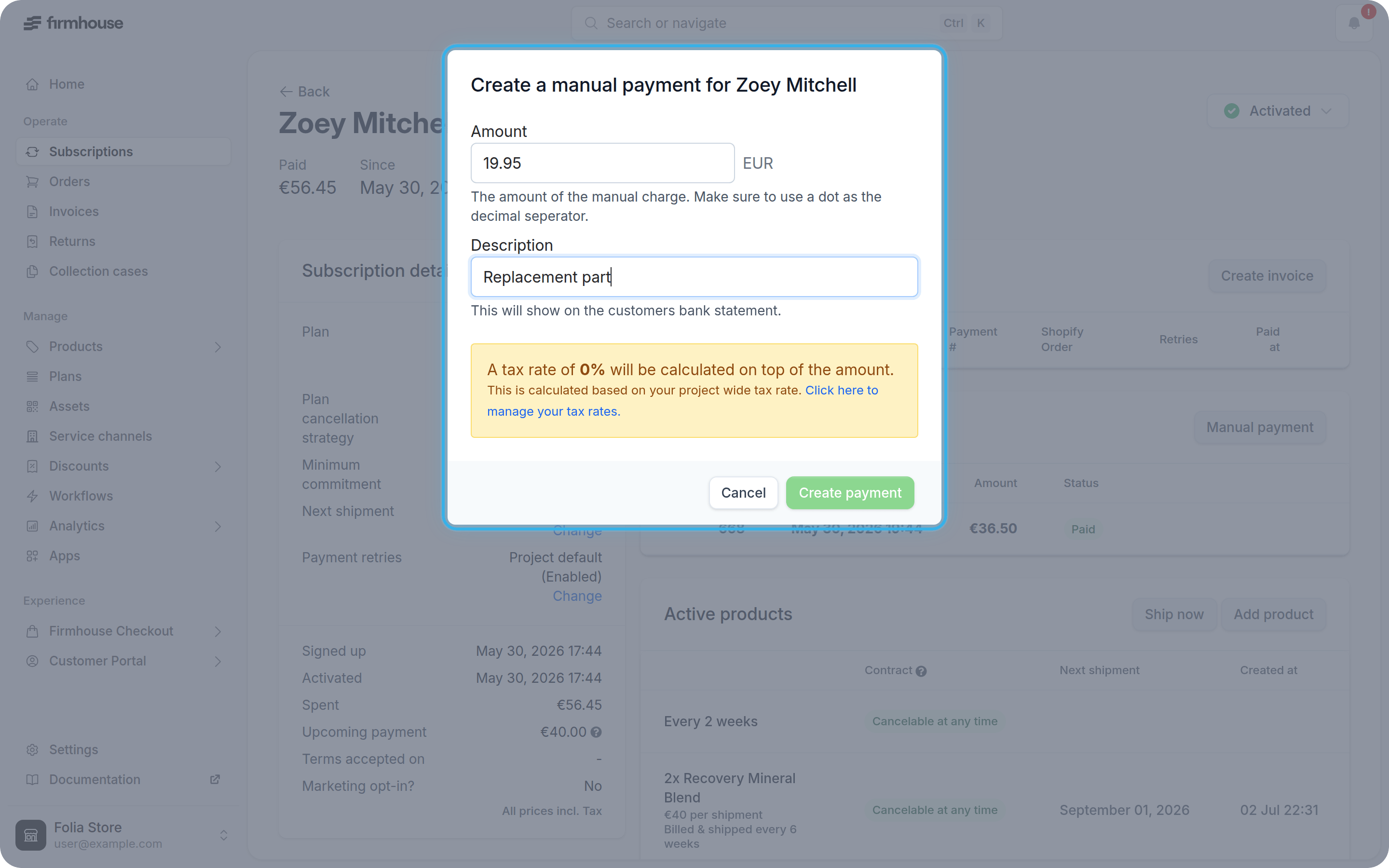
1. Enter the amount you want to charge in the **Amount** field.
2. Add a description that explains what the charge is for (this will appear on the customer's bank statement).
3. Click **Create** to process the one-off payment.
Once created, the one-off payment will appear in the customer's payment history alongside their regular subscription payments.
### Steps
1. Enter the amount you want to charge in the **Amount** field.
2. Add a description that explains what the charge is for (this will appear on the customer's bank statement).
3. Click **Create** to process the one-off payment.
Once created, the one-off payment will appear in the customer's payment history alongside their regular subscription payments.