> ## Documentation Index
> Fetch the complete documentation index at: https://docs.firmhouse.com/llms.txt
> Use this file to discover all available pages before exploring further.
# Change a customer's subscription plan
> Change a customer's active subscription plan from the Firmhouse portal to handle upgrades, downgrades, or switches and update their monthly charge.
When a customer who subscribed to one plan wants to change their subscription to a different plan, such as upgrading to a more expensive plan or downgrading to a less expensive one, you can easily change their active plan and their monthly charge directly from the Firmhouse portal.
## Changing a customer's plan
### Steps
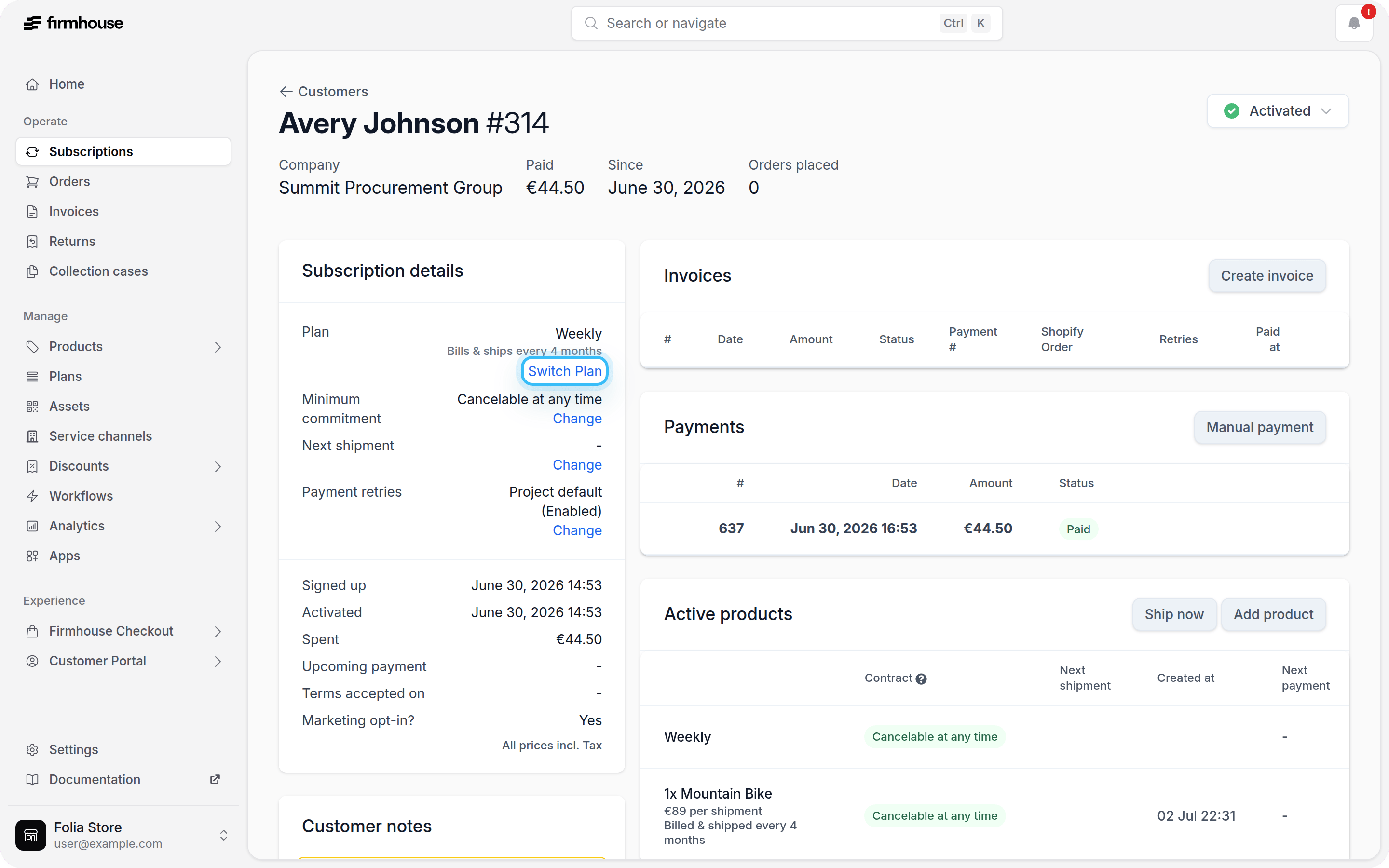
1. Navigate to the subscription detail page for the customer whose plan you want to change.
2. In the **Subscription details** section, click **Switch Plan**.
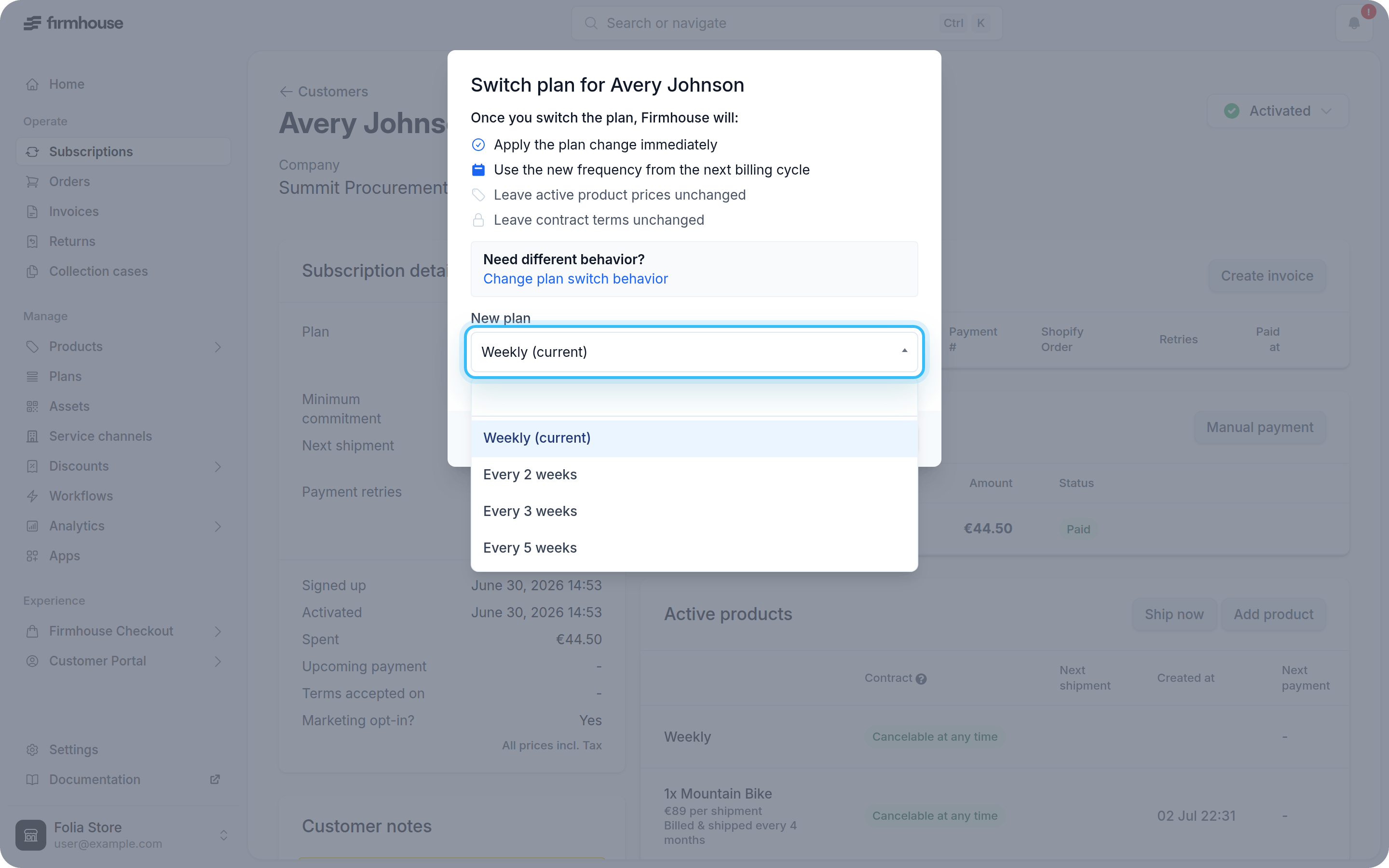
 3. In the modal, select a new plan from the **New plan** dropdown.
 4. Review the current and new plan details. The preview shows changes to the billing or shipment frequency and, when configured, price changes for active products.
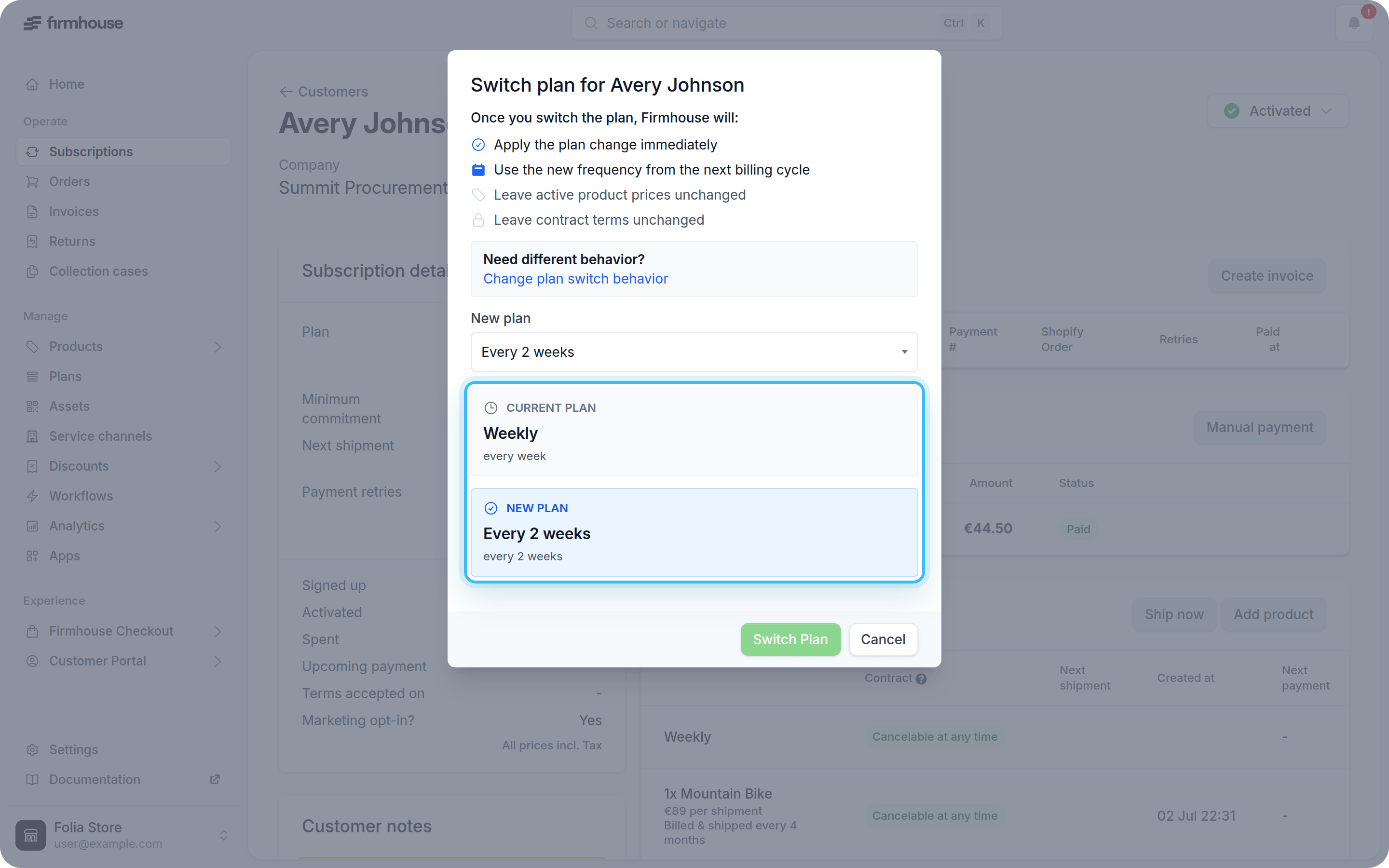 5. Click **Switch Plan** to confirm the change.
## Billing considerations
The new plan price will be charged on the next regular scheduled billing moment. For example, if a plan changes from €10/month to €20/month five days in advance of your regular billing moment, the regular billing moment will become €20.
## Informing the customer
There is no automated email that informs the customer about a change in plan. Make sure to contact the customer manually and confirm the change to their subscription.
5. Click **Switch Plan** to confirm the change.
## Billing considerations
The new plan price will be charged on the next regular scheduled billing moment. For example, if a plan changes from €10/month to €20/month five days in advance of your regular billing moment, the regular billing moment will become €20.
## Informing the customer
There is no automated email that informs the customer about a change in plan. Make sure to contact the customer manually and confirm the change to their subscription.