> ## Documentation Index
> Fetch the complete documentation index at: https://docs.firmhouse.com/llms.txt
> Use this file to discover all available pages before exploring further.
# Add products to Plan Groups
> Add Shopify products to an existing plan group in the Firmhouse portal.
Add products to a plan group in the Firmhouse portal. The plans in that group are then available for the products you select.
To create a plan group or add plans to it, see [Shopify selling plans and selling plan groups](/shopify/selling-plans-and-groups).
## Add products to a plan group
1. Go to **Manage > Plans**.
2. Find the plan group you want to update and click **Manage group**.
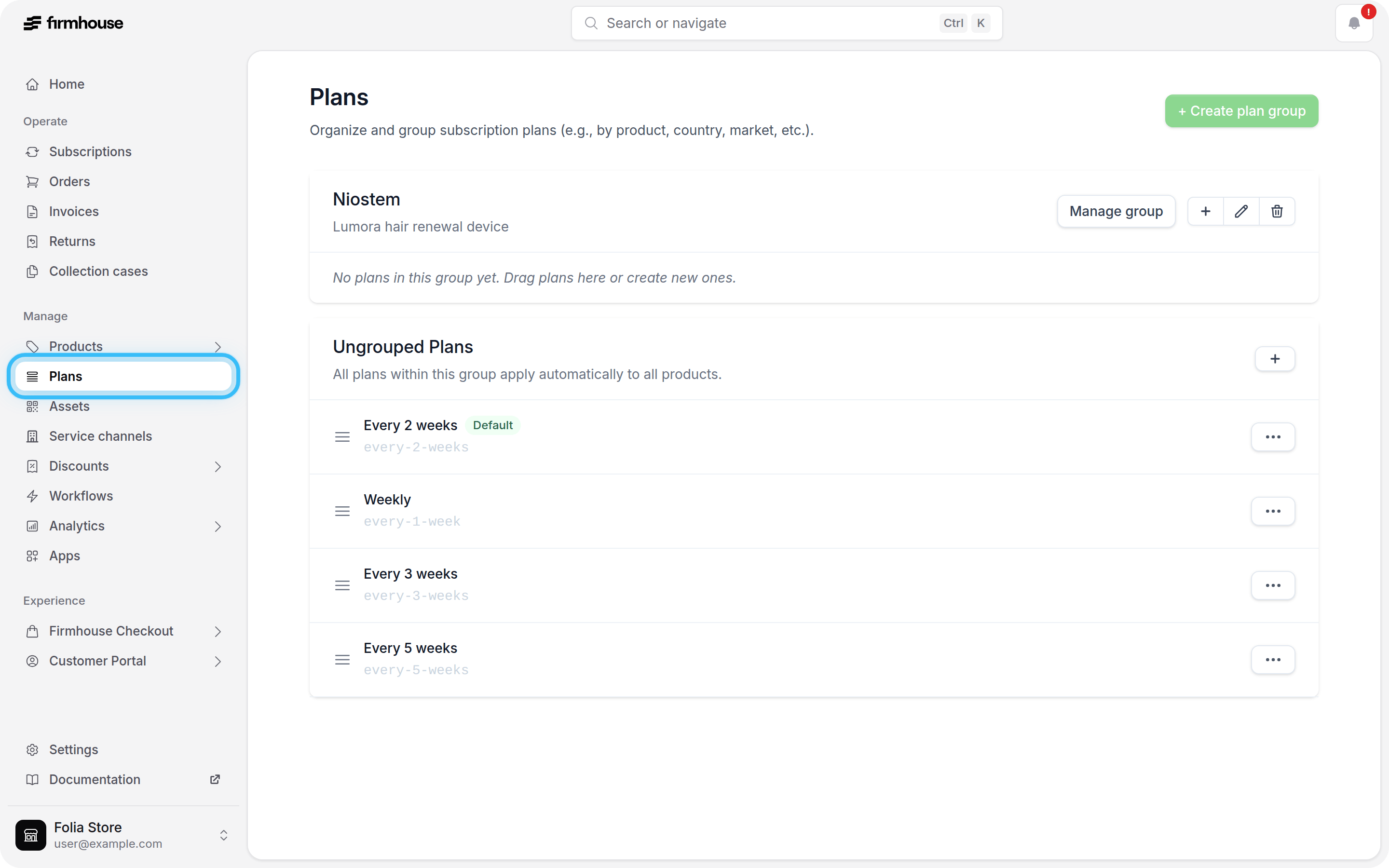 3. Under **Products**, search for the product by name, SKU, or Firmhouse product ID.
4. Click **Select** next to the product.
5. Click **Save changes**.
3. Under **Products**, search for the product by name, SKU, or Firmhouse product ID.
4. Click **Select** next to the product.
5. Click **Save changes**.
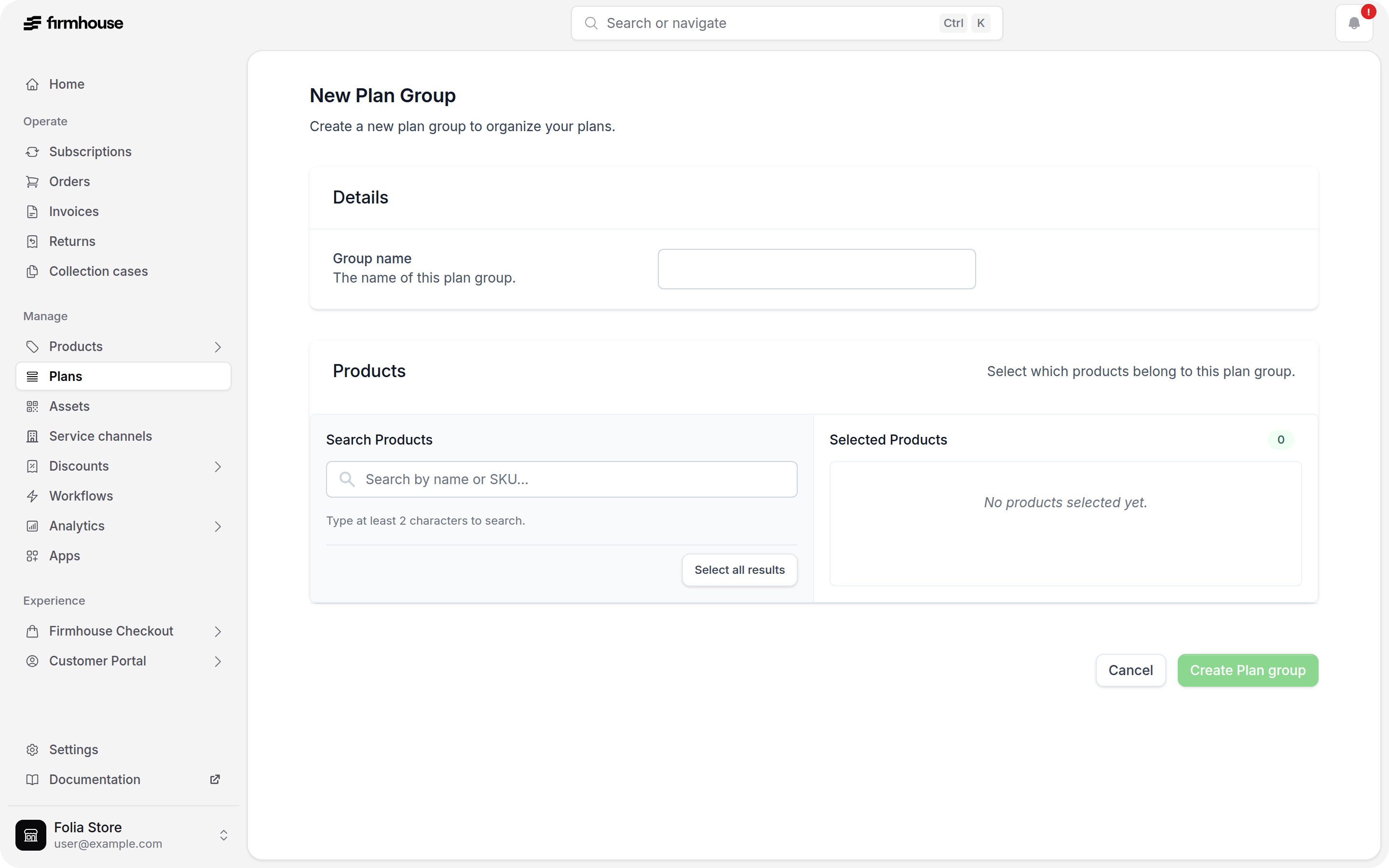 The search starts after you enter at least two characters.
## Do not manage plan-group products in Shopify
We do not recommend adding products to a plan group from a product's configuration in Shopify. Add and remove products from the plan group in the Firmhouse portal instead.
## Related articles
* [Shopify selling plans and selling plan groups](/shopify/selling-plans-and-groups)
This documentation is built and hosted on [Mintlify](https://mintlify.com), a developer documentation platform.
The search starts after you enter at least two characters.
## Do not manage plan-group products in Shopify
We do not recommend adding products to a plan group from a product's configuration in Shopify. Add and remove products from the plan group in the Firmhouse portal instead.
## Related articles
* [Shopify selling plans and selling plan groups](/shopify/selling-plans-and-groups)
This documentation is built and hosted on [Mintlify](https://mintlify.com), a developer documentation platform.