Before You Begin
Before setting up Try & Buy, make sure you have completed the regular Firmhouse project setup steps. This includes configuring your products, payment provider, and checkout flow. Once your basic subscription setup is working, you can use this guide to enable the Try & Buy feature, which allows your customers to purchase their device or asset for a calculated price directly through the My Account Portal.Note: A project manager can enable this feature from the New Features page in Firmhouse.
Overview
To set up a try and buy with Firmhouse, a few things have to happen:- Create an asset for each customer as soon as you ship your product out
- Define a formula or framework to calculate a customer’s purchase price
- Set up an automation that will set the purchase price for each individual asset and customer based on the formula
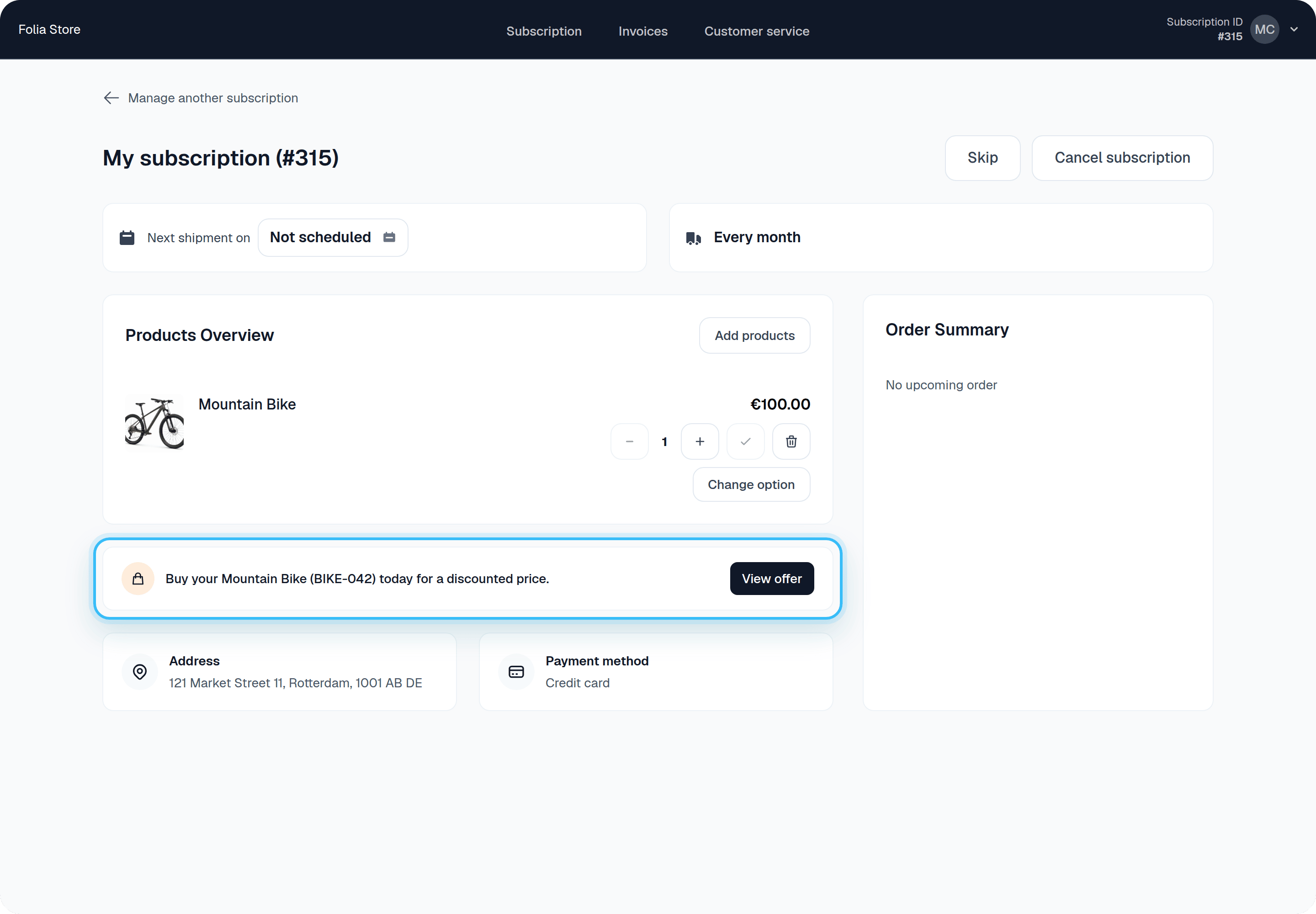
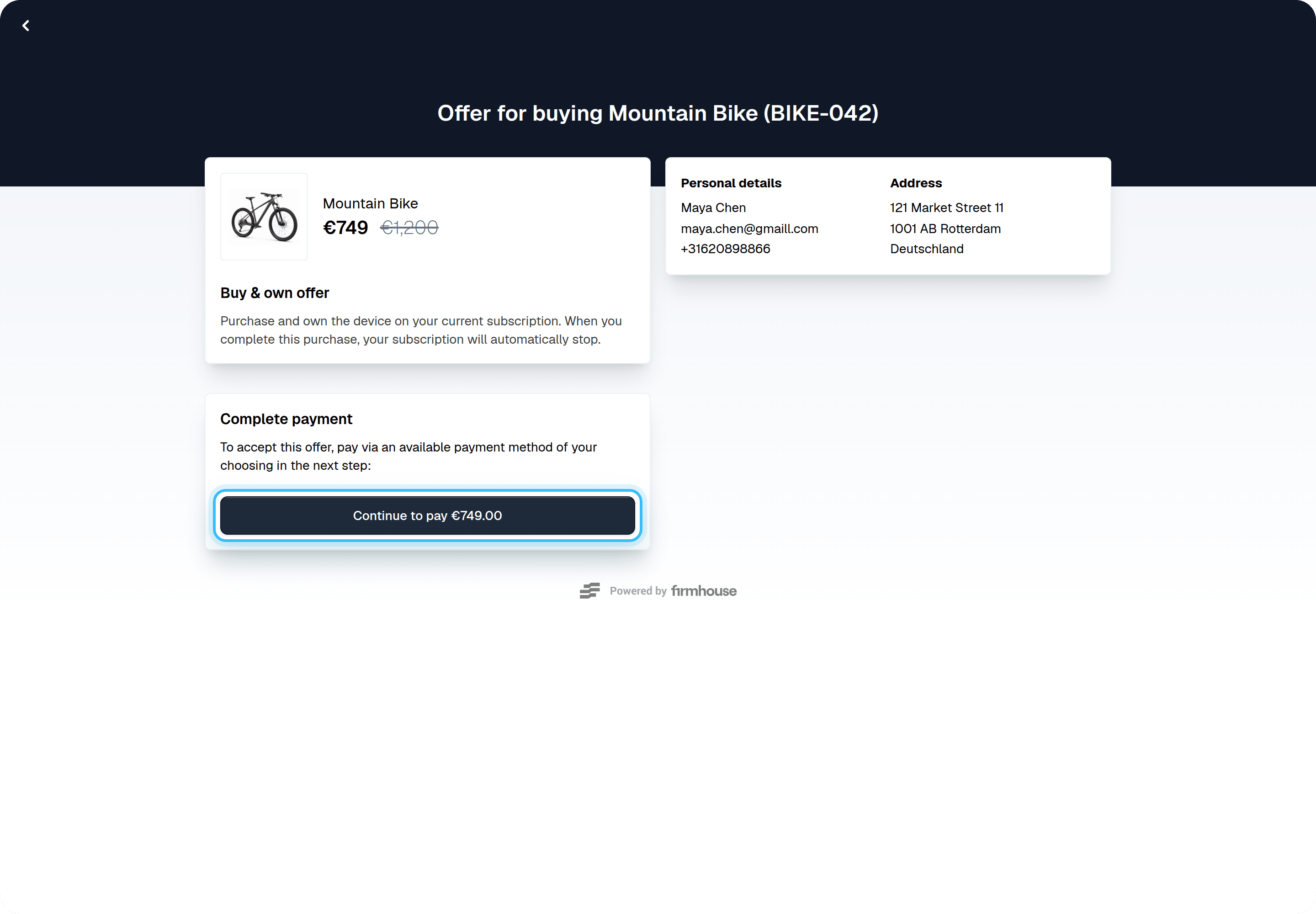
- Enable Firmhouse’s purchase offer flow, which customers will use to turn their trial subscription into a purchase
Creating Assets for Each Customer
Assets are required to set up a try and buy purchase flow. This is because the purchase price for a customer is stored on an asset in Firmhouse. You can create assets in two ways.Manually Creating Assets
After your customer signs up, you can create an asset and assign it to the customer. See Adding, Updating, and Deleting Assets and Assigning Assets to Customers to learn more about managing assets and assigning them to customers.Automatically Creating Assets
You can also create assets via the API. This way you don’t have to manually create an asset for each customer, but you can have your warehouse management or order system take care of creating assets. See the createAsset mutation in the API documentation to learn more about creating an asset and immediately assigning it to a Subscription.Define a Formula or Framework for the Asset Purchase Price
After successfully trying out your product, your customers want to purchase them. In a try and buy model they can typically purchase the product they already have for a discounted calculated price. The simplest formula could be: retail price - months tried x amount. For example, if your product typically costs €800 over the counter, after three months you could offer your customer to purchase their product for €500. So the formula would be €800 - 3 x €100. You could decide on a minimum value as well so that the purchase offer will never be lower than €50, even after months of trying. Another alternative is that you have fixed amounts per months tried, without conforming to a certain linear formula. This means you set up some kind of mapping table from the number of months someone tried to the purchase price you want to offer in that month. For example:
The above formula or mapping table is currently not something you can configure directly in Firmhouse. The next section explains how to set up an external integration that will automatically update an asset’s purchase price at every charge the customer gets.
Set Up Automation to Calculate and Set an Asset Purchase Price
To allow your customer to go through the try and buy purchase flow, a purchase price needs to be set on the asset for the customer. This purchase price is used to show in the purchase offer flow that the customer can complete. This means that on certain important events this purchase price needs to be recalculated and updated. For example, right after checkout or shipping, and on every recurring invoice generated. You can write your own automation and build on top of Firmhouse webhooks and API to frequently recalculate and set the purchase price for a customer. Please see the GraphQL API reference in the Firmhouse Developer Docs to learn how.Enable the Asset Purchase Flow
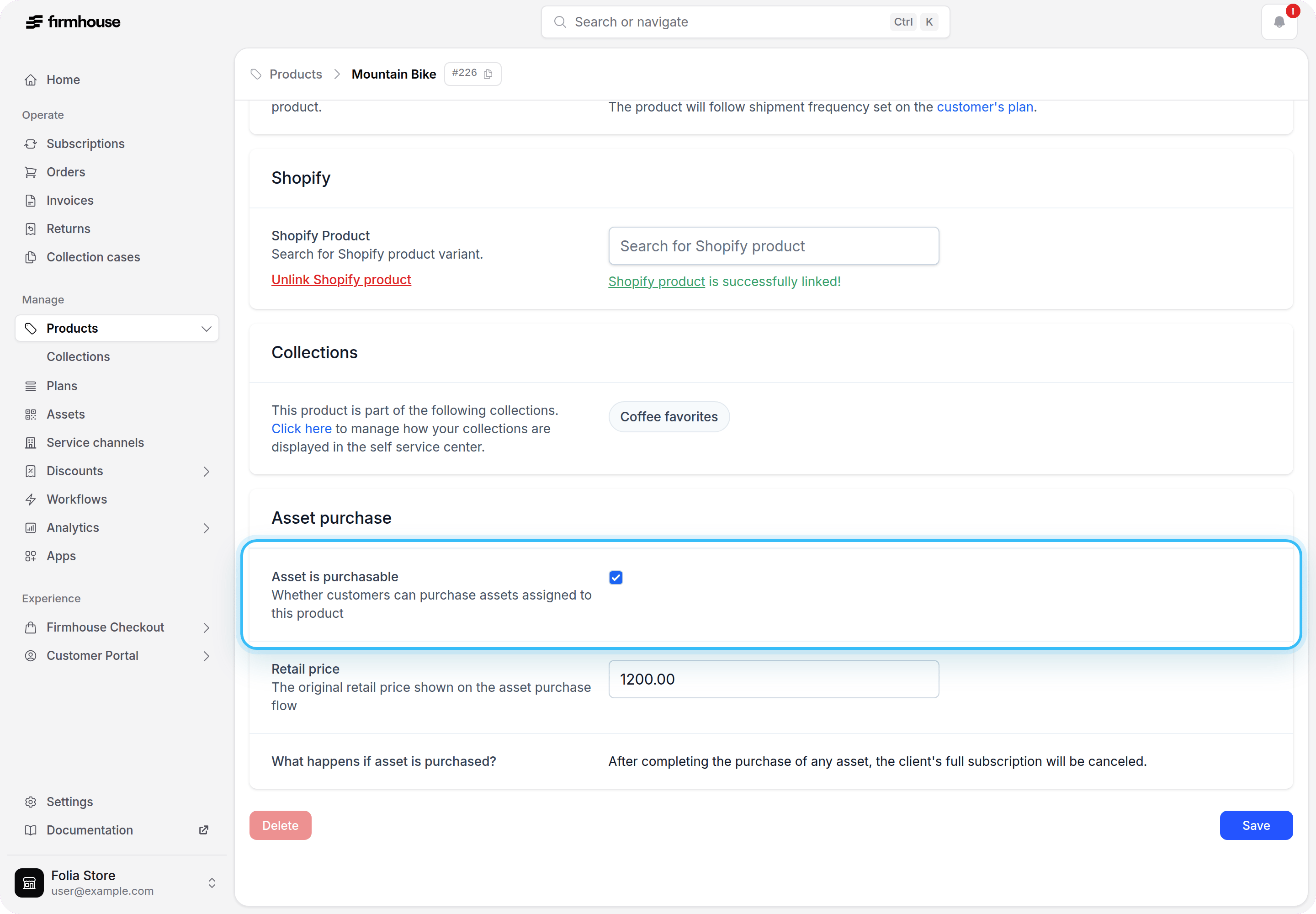
Enable Asset Purchase from the New Features page before configuring products.Steps
- Open the account menu for your project and select New Features
- Find Asset Purchase and enable it
- For each product you’d like to offer as try and buy, enable the Asset is purchasable checkbox in the product edit page