

Show delivery dates in the Customer Portal date picker
Configure the Customer Portal date picker to show delivery dates using your project’s delivery offset while Firmhouse saves the corresponding billing date. Enabledisplay_delivery_date: true on the simple_next_billing_date_with_confirm Liquid tag; existing templates and admin date controls keep their current behavior.Monta pickup address matching gets a second chance
We now recheck the original Shopify order after importing a Monta pickup subscription. If the pickup address was not matched on the first attempt, Firmhouse tries again and only alerts you when it still cannot be verified after both checks.Stopped subscriptions stay stopped after payment replays
Stopped subscriptions now remain stopped when an old successful signup-payment callback is replayed. Firmhouse no longer reactivates the original subscription or creates a new recurring payment method unless you explicitly activate it.Prepaid follow-up shipping stays free
Prepaid follow-up shipments now keep free shipping when the subscription stores a zero-priced shipping rate. Positive shipping overrides still apply, while customers avoid unexpected charges on free prepaid shipments.Discount requirements stay editable after plans are archived
Discount requirements remain editable after a required plan has been archived. The discount editor keeps the requirement visible, clearly labels the archived plan, and preserves it when you make unrelated changes.Billing-only renewals skip delivery charges
Billing-only rental and instalment renewals no longer add delivery charges when no new shipment is created. Firmhouse recognizes these renewals from their plan and delivery history, so customers are billed only for the items being renewed.Paid scheduled deliveries continue after a subscription stops
Scheduled prepaid deliveries can continue to Shopify after a subscription stops when the related invoice was paid. This keeps a final paid delivery from being skipped while still blocking orders with unpaid, refunded, or charged-back invoices.Shopify native billing requires an available plan
Manual subscription creation now blocks invalid Shopify native billing selections when no plan is available and explains the requirement in the form. Direct imports with one-time-purchase customers enabled can remain planless, so adding recurring products later may still require a plan before activation.Completed one-time purchases stay read-only
The Customer Portal now keeps completed one-time-purchase accounts read-only by preventing product changes, plan switches, and new shipment or billing dates. Customers can still view their product and plan details.Find products by tax rate
See each product’s assigned tax rate directly in the Products overview and filter the list by tax rate. This makes it easier to review which products use each tax category when you work with multiple tax rates.Open the matching Shopify order to complete a refund
For paid or partially refunded Shopify-native subscription payments with a linked Shopify order, Refund payment now opens a dialog with a direct link to that order. Follow the link to complete the refund in Shopify.New tagged Shopify purchases appear in search reliably
We fixed missing search results for newly imported Shopify purchases taggedFIRMHOUSE_ONE_TIME. These purchases now appear in the Subscriptions search when you look them up by ID, customer name, email, or token.Offer fixed-amount tiered discounts
Build quantity-based offers with a different fixed saving at each tier. Choose Amount off to subtract the tier’s amount once, or Amount off each to apply it to every eligible unit. Both options are also available for Buy X Get Y rewards in Discount Templates.Fixed-amount tiers support automatic discounts and discount codes at Shopify checkout and on recurring orders, provided the cart or recurring order uses the discount’s configured currency. Tiered discounts are a preview feature; contact the Firmhouse team to enable them.Learn how to choose a fixed-amount discount.Require a minimum spend for percentage order discounts
Set a Minimum cart amount under Requirement on a percentage order discount to make it apply only when the order subtotal reaches your chosen threshold in the configured currency. This gives you a spend-based alternative to quantity tiers for recurring orders.When you sync the discount to Shopify, the same minimum-spend requirement is enforced at Shopify checkout.Subscription discount choices match the subscription currency
The Apply discount picker now filters out fixed-amount discounts that use a different currency from the subscription. Percentage discounts remain available across currencies.If a fixed-amount discount with a mismatched currency is submitted, the error now identifies the required subscription currency. Fixed amounts are not converted between currencies.Review and accept our Terms of Service when you install from the Shopify App Store
When you install Firmhouse from the Shopify App Store, you’ll now review and accept our current Terms of Service before continuing to your admin. We keep a record of who accepted and when, so you always have a clear record of consent for your store.Add subscriber names to your Forecast Shipment Date report
The Forecast Shipment Date report now includes subscriber first, last, and full name fields for both ordered products and scheduled orders. Use them to personalize shipment communications or match report rows to customers without a separate lookup.Product catalog pages line up correctly when loading more items
When customers loaded more products in the additions or replacement catalog beyond the first page, those extra products could break out of the grid instead of lining up with the rest. Later pages now render inside the same grid as the first, so the catalog layout stays consistent no matter how many pages customers load.View deleted churn reasons in your churn reports
You can now delete a churn reason that’s already used in past churn requests or cancellation flow activity without losing it from your churn history. The reason is archived instead: it disappears from your reasons list, the Customer Portal, and cancellation flow options for new selections, while your churn reports and exports keep showing its original name.Reasons with no churn history are still deleted permanently, as before.Filter subscriptions by promotion
You can now narrow the Subscriptions list down to a specific promotion. The new Discount filter searches by promotion name and matches every subscription it’s applied to, including subscriptions where the promotion has since been deactivated.The filter works together with your other subscription filters, and your selection stays in place as you page through the results.Filter subscriptions.Retry a failed script execution from its notification
Failed script execution notifications now include a Retry script execution button, so you can rerun the script for the same trigger without leaving the notification. Review the script’s output in the linked outgoing webhook, make any needed fixes, and retry directly from there. The button disappears once the retry succeeds.Find which customers received an offer through the API
You can now identify exactly which customers received, accepted, or declined a promotional offer through the API. UseofferDefinitions to discover your offer configurations, then filter subscriptions or promotionalOffers by offer, event type (issued, accepted, rejected, or viewed), and a date range, including subscriptions that have since cancelled. Viewed events reflect only offers where a first view was recorded, so treat that signal as partial rather than a complete view history. promotionalOffers also works without any offer filter, so you can pull the full offer history for a single subscription on its own.Query offer interactions through the API.Query a subscription’s assigned assets through the API
You can now find which assets are currently assigned to a subscription through the API. Filter theassets query by subscriptionId, or fetch a subscription’s assets directly through getSubscription or subscriptions. Only assets that are currently assigned are returned; assets that have been returned or unassigned are excluded automatically.Filter subscriptions by service channel
You can now filter the Subscriptions overview by service channel directly from the filter menu, on projects that use service channels. Like any other filter, it appears as an active filter and carries through to saved views and CSV exports. Previously the only way in was through a service channel’s own menu.Filter subscriptions by service channel.Reliable Shopify sync when a selling plan’s billing policy changes
Shopify doesn’t allow an existing selling plan to switch between fixed and recurring billing or delivery. When a plan changed policy type this way, the update was previously rejected and the entire selling plan group, including its product associations, stopped syncing. Firmhouse now recreates the selling plan when its policy type changes instead of updating it in place, so the rest of your Shopify sync keeps working.Ensure correct invoice numbers in Mollie payment descriptions
Mollie payment descriptions now always show the real invoice number, instead of occasionally showing a placeholder like #000000 when an invoice was finalized before its number was assigned. Firmhouse now waits for the actual invoice number before updating Mollie, and repairs the stored description for any invoices this already happened to.Track retention outcomes from your own Customer Portal cancellation flows
If you’ve built a custom cancellation flow in Customer Portal v2, you can now record when it retains a customer so the outcome shows up in Firmhouse’s Churn Prevention reporting. Two authenticated endpoints let your flow start or reuse a cancellation request and mark it as prevented with an optional feedback note, and a smallwindow.Firmhouse.churnRequests helper handles the calls for you.This only records the outcome after your own retention action succeeds. It doesn’t change the subscription or apply anything on Firmhouse’s behalf.Record a save in a fully custom cancellation flow.Preview what Clear non-paying status actually does
The manual action to resolve a non-paying subscription is now called Clear non-paying status, and it shows a preview before you confirm. The preview explains that clearing the status only removes the flag and recovers any skipped products. It doesn’t settle outstanding invoices, cancel queued reminder emails, or prevent a later payment failure from marking the subscription non-paying again. It also shows the next order Firmhouse will attempt.Clear a subscription’s non-paying status.See when subscriptions were paused from the overview
When you filter the Subscriptions overview to paused subscriptions, you can now see and sort by a Paused at column, so you don’t need to open each subscription to check how long it’s been paused.Correct tax treatment on Shopify renewal order prices
Shopify renewal orders with a price override could previously be priced incorrectly, because Firmhouse relied on a shop-wide tax setting instead of checking each order, which could make Shopify treat a net price as tax-inclusive and undercharge the customer. Firmhouse now checks the actual tax treatment of each renewal order before applying a price override, so the customer is always charged the correct total.More accurate payment failure details for invalid mandates
When Mollie rejects a payment because it can’t find a suitable mandate for the customer, Firmhouse now classifies it with the specific invalid-mandate reason instead of a generic payment failure. Thepayment_failed webhook also always includes the retry date now, instead of sometimes sending it empty.Order previews now work for external checkout subscriptions with promotions
Order previews for subscriptions created through external checkout now load correctly when a percentage-based promotion is applied, instead of failing with an error.Clearer alerts with fewer repeated notifications
Notification errors are now easier to read in your admin and high-severity emails. Shopify shipping alerts name unavailable products so you can reconnect or replace them; View full payload remains available for technical details.Bulk Shopify shipping-rate refreshes no longer send a separate failure email for every unresolved subscription. Those subscriptions stay in the review list, and notifications for renewals, order generation, billing attempts, and manual recovery are unchanged.Order release follows payment and subscription status
If a payment retry succeeds after a subscription has been cancelled, the linked pending or snoozed order now stays pending. You receive an alert about the payment and can confirm the order manually if you choose to ship it.For projects configured to confirm orders only after successful payment, Shopify billing attempts that exhaust their retries now leave the invoice as a draft without creating an order. Projects using immediate order confirmation keep their existing behavior.More reliable Ship now orders
Using Ship now advances the shared shipping schedule correctly for single-product subscriptions, so the next regular shipment is not sent separately as an extra order.Sending selected products from a multi-product subscription continues to create an extra order without changing the regular schedule, and now avoids creating a duplicate Shopify subscription.Add custom headers to outgoing webhooks
You can now add custom HTTP headers to an outgoing webhook, such as an authentication token your receiving system expects. Add one header per line under Custom HTTP headers when you configure the webhook. This works for standard HTTP, Shopify Admin, and Shopify Flow deliveries; Klaviyo metric webhooks don’t support custom headers.Header values are encrypted at rest and hidden once saved, so you’ll need to reveal the field to edit them. Headers that Firmhouse manages itself, like the signature and content type, can’t be overridden.Configure custom webhook headers.Recovered recurring orders keep their original shipment details
Recovering a recurring order after a Shopify shipping cost error now creates the order with its original date and products, helping you fulfill the shipment as planned.Offer Pay by Bank through Adyen
You can now offer Pay by Bank as a payment method through Adyen, on both hosted checkout and Sessions checkout. Turn it on in your Adyen payment method settings to let customers pay directly from their bank account.This update also fixes the Shopify SEPA workaround, so bank details from a Pay by Bank payment now carry over correctly for later recurring charges, even when Adyen doesn’t return an account holder name or BIC.Set up Pay by Bank with Adyen.Clearer payment retries and recovery
Payment recovery now handles more retry situations with clear next steps:- Shopify retries finish with an actionable notification when the subscription contract cannot be billed. Subscriptions moved away from Shopify billing show guidance instead of leaving a pending retry.
- Customers paying by card can complete draft-invoice payments when the latest retry is still open. View draft invoice is available on open and failed retry rows in your admin.
- Failed-payment emails and Klaviyo notifications show Shopify retry amounts, invoices, and retry dates only once Shopify provides the real figures, avoiding misleading zero amounts.
Churn feedback remains visible for archived subscriptions
Review feedback from archived subscriptions in Analytics > Metrics > Churn Prevention, including the products recorded with that feedback. CSV exports continue to exclude archived subscriptions.Replace multiple subscription products in one API request
The GraphQL API’sreplaceSubscriptionProducts mutation lets you replace up to 100 active products on a subscription in a single request, so several products on the same subscription can be swapped together instead of one call at a time.Each replacement keeps its quantity, plan, and any custom price. Shipment cadence follows the retained interval settings, which can inherit the replacement product’s frequency. If any product in the batch can’t be replaced, none of the changes go through, and a successful batch triggers just one product-change notification rather than one per product.Replace subscription products through the API.Manage and recover payment methods
When you record a manual invoice payment for a subscription with an unhealthy payment method, Store this payment method for future payments is checked by default. A successful payment replaces the unhealthy method, helping the next recurring charge succeed.Finance team members can also use Clear payment method directly. Set to pay by invoice remains limited to project managers.Offer your own snooze durations on upcoming-order links
You can now choose which snooze durations customers see on an upcoming-order snooze link by adding asnooze_options parameter with comma-separated day counts, for example 7, 14, and 28. Links without this parameter keep the default seven-day option.Each option also shows a duration hint next to its date, such as “+1 week” or “+2 weeks” for seven-day multiples, or the exact number of days otherwise, so customers can compare their choices at a glance.Configure custom snooze durations.Let customers swap across your full product catalog
The Swap scope setting in your Customer Portal settings now lets you offer your entire product catalog for swaps, including catalogs with more than 100 available products.Customers can search and browse paginated results to find a replacement product more easily.Choose your product swap scope.More flexible Shopify order tags
You can now use payment details and full Liquid logic in custom Shopify order tags, including conditions, filters, and arithmetic. Tag orders by payment provider or method to help organize fulfillment and accounting exports.The order tag editor includes syntax highlighting, autocomplete, and shortcuts to insert available fields.Configure custom Shopify order tags.More reliable Customer Portal order details and quantity updates
Customer dashboards and order details now load reliably, including orders containing deleted products. Order details retain the original product title, and upcoming-order previews display correctly in the Customer Portal and your admin.Customers can also update product quantities in succession reliably. Quantity controls wait for each update to finish, keeping subscription details in sync with Shopify.Minimum invoice amounts apply to Shopify subscription discounts
Your configured minimum invoice amount for discounts now also applies to Shopify-billed subscriptions. Discounts stay in sync as subscription products change, with automatic retries if a billing attempt starts before the update is complete.You receive a notification if Shopify reports a sync failure, so you can review the affected subscription.Set a minimum invoice amount for discounts.Create fixed-amount discounts in any Shopify store currency
You can now create fixed-amount discounts in any currency your Shopify store supports, in addition to your project’s existing currencies. The discount form automatically adds your Shopify store’s available currencies to the list, so newly supported Shopify currencies show up without extra setup.Percentage discounts are unaffected, since they already work independently of currency.Choose a fixed-amount discount currency.Checkout prevents duplicate payments from overlapping attempts
When a customer submits checkout more than once for the same subscription—for example, from two browser tabs—only the first attempt can proceed while it is in progress. This prevents overlapping attempts from creating duplicate payments and orders. A new checkout can start once the original attempt finishes.Set a separate billing address for Shopify-native checkout subscriptions
If your project uses Shopify-native checkout, you can now set a billing address on a subscription that’s different from its shipping address, the same option already available to non-Shopify projects. It’s available from customer details in your admin, and in the Customer Portal.Saving a billing address in Firmhouse doesn’t change the customer’s address in Shopify. Shopify checkout still controls the shipping address on its side.Manage separate billing details.Trace invoice and payment history through the API
The GraphQL API now exposes more detail about an invoice or payment’s history. Invoices include achargedBackAt timestamp alongside paidAt, so you keep a record of when an invoice was paid even after it’s later charged back.Payment now exposes originalPayment, retriedPayment, and an ordered retryAttempts list, making it easier to trace a payment’s retries in either direction. Invoice line items also carry the full custom attributes from the originating Shopify order line, available in metadata as shopify_custom_attributes, which is useful if you tag Shopify order lines with details like the physical SKU behind a virtual billing product.Existing invoices aren’t backfilled with the new Shopify attributes, and normal product, pricing, and tax behavior is unchanged.Query payment and invoice history.Set free shipping thresholds per country
You can now set a different free shipping threshold for each country instead of one threshold for your whole shop. For example, offer free shipping from €19 in the Netherlands and €35 in Belgium, or turn off threshold-based free shipping for specific countries entirely. Any country without an override keeps using your existing shop-wide threshold. You’ll find this under Settings > Shipping.Both shop-wide and country-specific thresholds are converted into the checkout currency before comparison, so customers checking out in another currency receive free shipping when their cart qualifies.Configure country-specific free shipping.Send customers straight to the right Customer Portal page
You can now link customers directly to a subscription by addingsubscription_id to the Customer Portal login URL or passing it when generating a login token through the API. Customers must already have access to that subscription; invalid or inaccessible targets use the normal login flow.Customers signing in through Shopify also arrive at their intended Customer Portal page after login.Link customers to a specific subscription.Customer content uses the correct language
Emails, webhooks, Customer Portal pages, and other templated content now consistently use the language of the relevant subscription or request. This also keeps translated promotion names in the customer’s language when templates use a fallback language setting.Smoother payments with Adyen checkout
Adyen checkout now shows the payment methods available for the customer’s country, currency, and amount, filtered by your configured selection. This restores eligible methods such as iDEAL and Bancontact; SEPA Direct Debit remains available for initial payments only.Customers returning to an iDEAL payment after more than an hour now receive a fresh payment attempt, so they can continue without an expired-redirect error.Choose whether to bill when confirming an order
When confirming an order in your admin, you can choose to confirm it only or Confirm and process billing. Billing runs only when you select that option and the order is eligible and has not yet been billed.For API integrations,confirmOrder continues to confirm and bill eligible, unbilled orders. Setting the status to confirmed through updateOrder changes the status only.Add house number suffixes on any project
Every project can now record a house number suffix, such as “A” or “2 hoog,” using the house number addition field in the API or subscription preferences in your Firmhouse Portal. Useaddress2 for other additional address details.Maximum and fixed commitment terms for order-based plans
Order-based plans can now use maximum commitments and fixed terms, the same options already available for plan-based subscriptions. A calendar maximum ends the subscription once its configured term has run its course, while a billing-cycle maximum counts the paid signup invoice as the first cycle and each paid recurring invoice afterward toward the limit. If the subscription has a matching Shopify subscription contract, Firmhouse cancels that contract before ending the subscription.You can turn on billing-cycle maximums for order-based plans from the New Features page in your admin.Configure plan contract terms.Shopify orders carry their matching Firmhouse references
Shopify orders now use their own Firmhouse order, invoice, subscription, and payment IDs, even when imported subscription metadata contains references from an earlier order. This helps you match orders with the correct records in Firmhouse.Custom attributes you added yourself are preserved.Free shipping discounts apply correctly to Shopify draft orders
Eligible customers now receive free shipping on Shopify draft orders for projects without a Shopify selling plan group, typically older projects not using Shopify’s native subscription billing. Firmhouse-generated free shipping codes apply correctly, allowing these orders to proceed with the intended shipping discount.Turn off checkout availability for a product without hiding it elsewhere
You can now turn off a product’s availability in checkout separately from its availability in the Customer Portal. This is useful when you want to retire an old or direct checkout link for a product while keeping it available to existing customers, or while it stays visible in the Customer Portal.The setting lives on the product itself and defaults to on, so nothing changes for your existing products until you turn it off.Manage product checkout availability.Required Extra Fields appear when creating subscriptions manually
The manual subscription creation form in your admin now includes your project’s required Extra Fields, so you can enter the necessary information and complete the subscription.More accurate and reliable upcoming-order notices
Upcoming-order emails and webhooks now include active one-off add-ons alongside scheduled products, giving customers a complete preview of their next shipment. Add-ons leave the preview once the order is created.Notices for other subscriptions continue to be sent even if one subscription encounters a processing error.Product ownership stays in sync with Shopify
When a customer takes ownership of a one-time product, the subscription’s ownership status now stays aligned between Firmhouse and Shopify. Affected subscriptions pause when the last remaining product is owned, or continue with the other products kept in sync.Custom cancellation and pause pages can skip the extra confirmation step
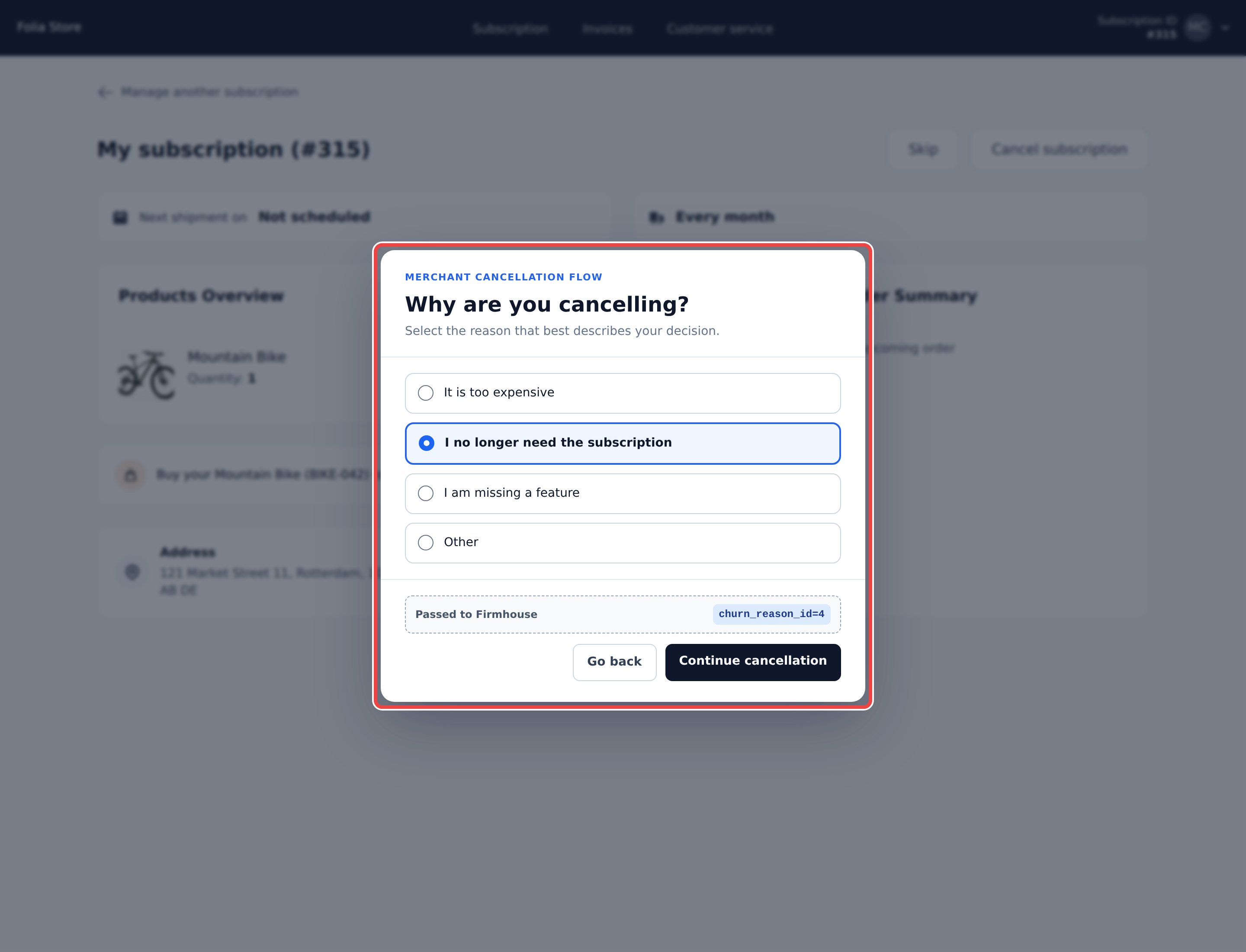
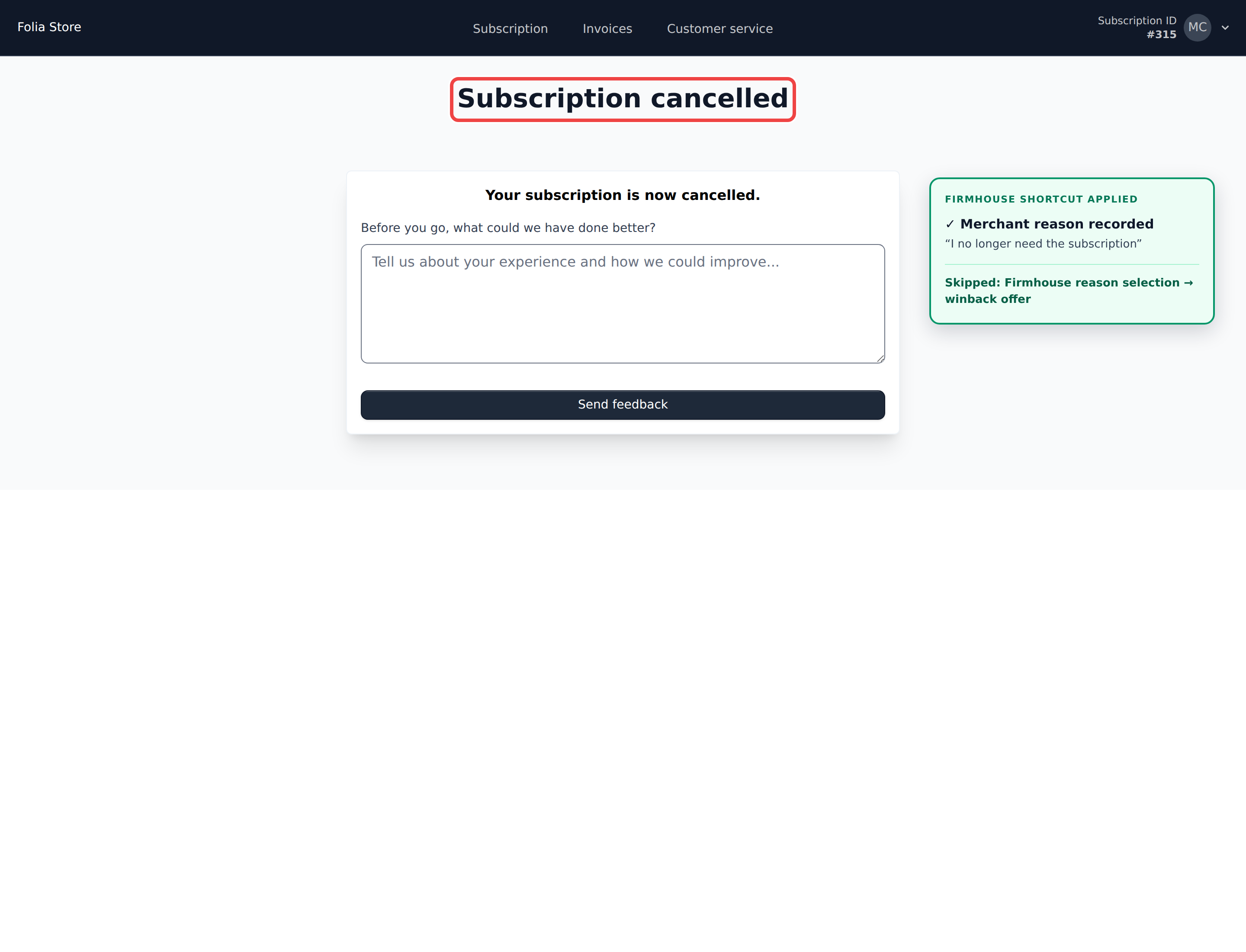
If you’ve built a custom cancellation or pause page for Customer Portal v2 that already confirms the customer’s choice, it can now complete the request directly instead of sending the customer through an additional Firmhouse confirmation step.Standard, Firmhouse-hosted cancellation and pause flows are unchanged.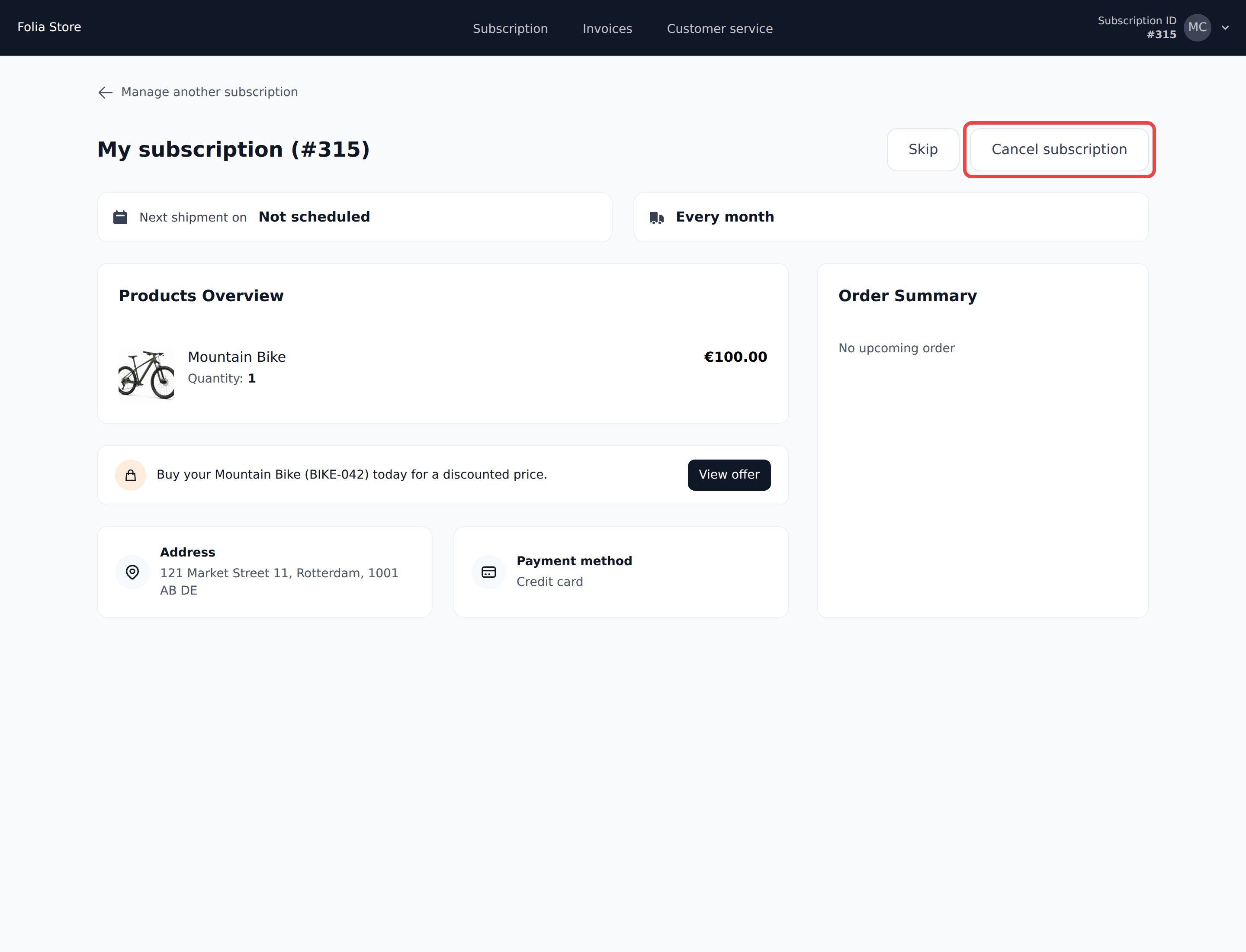
See cohort history all the way back to your project’s start
Cohort Analyses and Lifetime Value in Insights can now show data going all the way back to when your project started, instead of stopping after a fixed number of months.Lifetime Value still opens on the last 12 months by default for speed. Use Show all cohorts to load the full history.Find subscriptions and cases by collections status
You can now filter subscriptions by Sent to collections, alongside Marked as non paying, to find customers who still need follow-up.Open a subscription’s collections warning to see only its collection cases, or filter the Collection Cases list by subscription ID.Filter subscriptions by collections status.Customer Portal template edits stay visible after saving
Your Customer Portal template edits stay visible after saving, including when a validation error needs your attention.Show one clear reactivation offer in the Customer Portal
The Customer Portal dashboard no longer shows a duplicate reactivation prompt when a customer already sees a reactivation offer. When an eligible offer would reactivate a cancelled subscription or resume a paused one, the standard reactivation or resume prompt stays hidden until that offer is no longer available.If you use a custom Customer Portal template, you can build the same behavior with the newoffer.reactivates_subscription property on subscription.eligible_promotional_offers, so future reactivation campaigns hide the standard prompt automatically, without checking specific offer IDs or names.Learn more about the promotional offer Liquid tags.Clearer status for Script Execution webhooks
Script Execution webhook runs that succeed on the first try no longer show a misleading retry label. You can still check each run’s Queued, Completed, or Failed status and view its output to see exactly what happened.View paused and cancelled subscriptions from the Customer Portal switcher
Customers with only one active subscription can now open the subscription switcher in the Customer Portal to see their paused or cancelled subscriptions too. Logging in still takes them straight to their active subscription, so nothing changes about how customers land in the portal.If your custom templates use{{ subscription.subscription_selection_url }}, that link now opens the switcher for manual selection by default, even for customers with only one active subscription.View subscribed products in churn feedback
Churn Prevention feedback now shows each customer’s current subscribed products alongside their feedback, so you can connect what customers say to specific products. Product names, quantities, IDs, and SKUs are included, with a View all products option for the full list. These reflect the subscription today, which may differ from what the customer had when they shared their feedback.The cancellation feedback export includes the same product details, making it easier to spot patterns tied to specific products across many cancellations.Learn how to read the product details.Exclude customers from an offer
Offer eligibility conditions can now exclude customers, not just require a match. Each condition lets you choose to require it or to exclude customers when it matches.Use this to keep prepaid customers out of an offer by excluding their plan, or to hide an offer from customers who already have the promoted product on their subscription.Learn about excluding subscriptions from an offer.Show product information when choosing a replacement
You can now add a product information icon to your Customer Portal v2 replacement catalog through your custom template. With an information panel configured, customers can check details like ingredients before picking a replacement. The same setup also works for the add-products catalog.Learn about the catalog template.Fixed missing orders for anchored Shopify signups below the minimum
Paid Shopify signups for plans with anchors now import correctly even when the recurring portion of the order falls below your minimum order amount. Previously, these signups could leave a subscription with a paid invoice but no order in Firmhouse. Plans without anchors already worked correctly.Your minimum order amount still applies to future recurring orders.Catalog variants now default to the cheapest option
When customers add or replace a grouped product in the Customer Portal without an existing selection, the catalog now starts with the cheapest available variant instead of the one with the lowest ID. Existing customer selections are preserved, and variants with the same price keep a stable, consistent order.Learn about the catalog template.Customize the Customer Portal orders overview and order pages
You can now fully customize the Customer Portal orders overview and individual order pages using the dedicatedorders.liquid and order.liquid templates, with full access to order, product, status, price, shipping, and invoice data in Liquid.Learn how to customize the orders overview and individual order pages.Require a reason for team cancellations and pauses
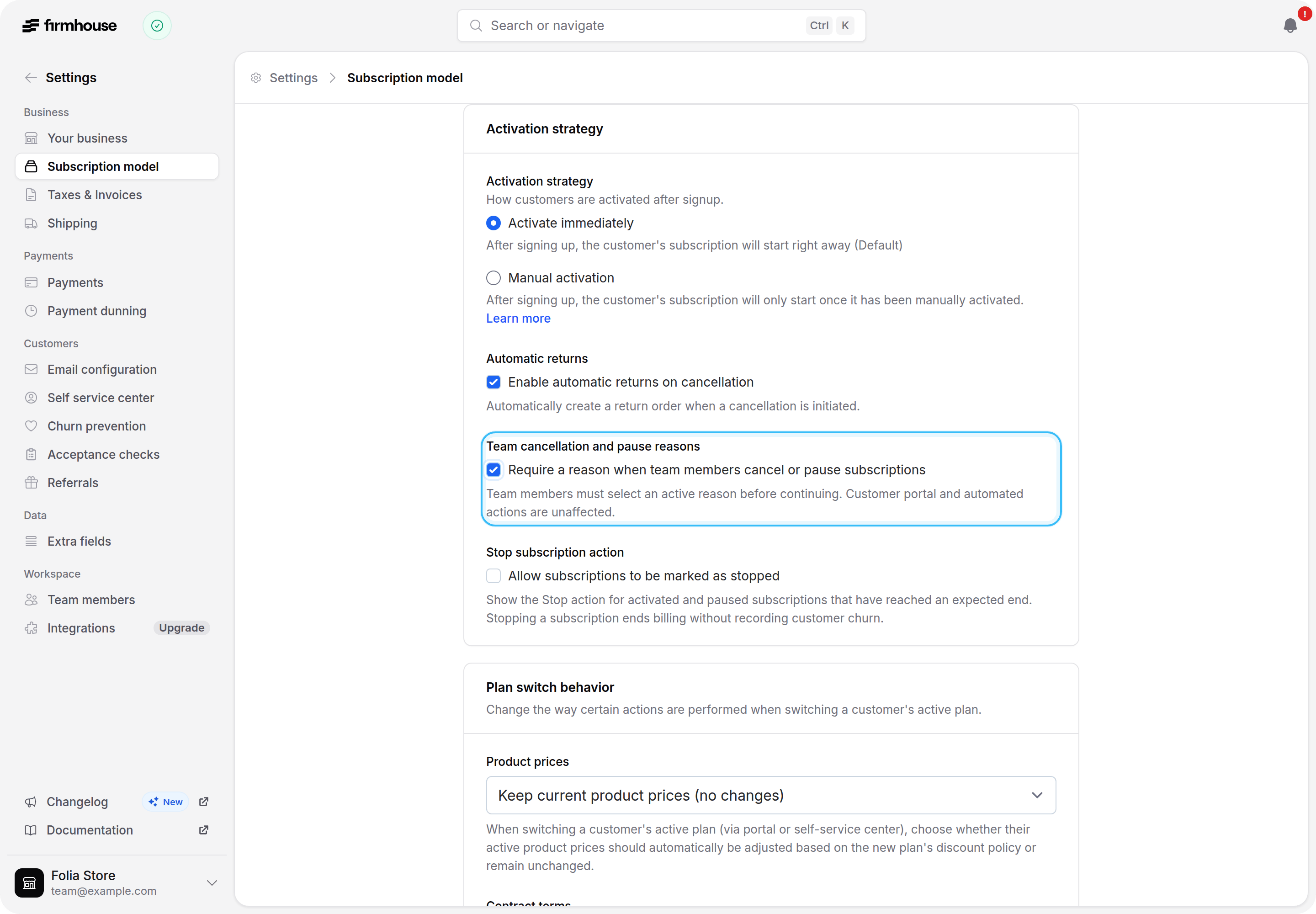
You can now require your team to select a reason before cancelling or pausing a subscription from admin. Turn on Require a reason when team members cancel or pause subscriptions under Settings > Subscription model to make reason selection mandatory for both flows instead of optional.Set up your cancellation and pause reasons first, and keep at least one active for each flow; the reason picker explains what is missing if the setting is turned on too early. When a pause is not about a customer reason, such as holding a subscription during a plan switch, an Internal pause option remains available alongside your configured reasons. A cancellation that is already in progress can still be confirmed without selecting another reason, and this setting does not change the Customer Portal, the API, or automated cancellations.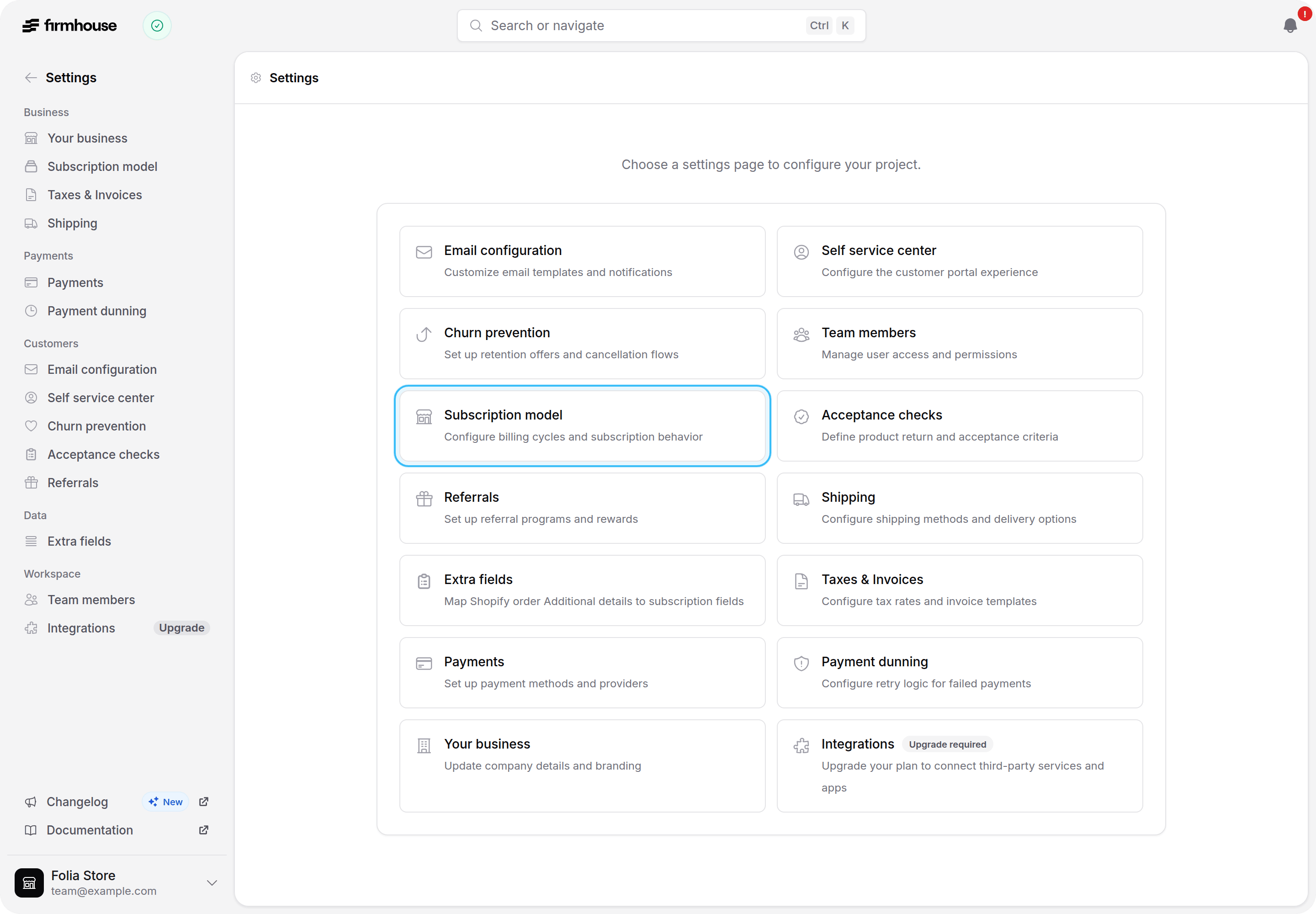
Full order price breakdown available in Customer Portal v2 templates
Custom Customer Portal v2 templates can now read the full price breakdown of a customer’s upcoming order, not just the final total. Product subtotal, discount, subtotal after discount, shipping, and the final amount are all available as separate template attributes.This makes it possible to build custom messaging that reacts to a specific part of the order, such as a minimum order threshold based on the product subtotal rather than the amount after shipping is added. See the Customer Portal dashboard component reference for the full list of available attributes.Keep subscriptions linked after a Shopify customer merge
When you merge two customer profiles in Shopify, Firmhouse now moves any linked subscriptions to the surviving customer as soon as the merge completes. Shopify Flow triggers, order creation, and other customer-based automations keep working right away instead of pointing at the deleted profile until the next order.Existing stores need to grant the additionalread_customer_merge permission for this. Look for the Update app permissions prompt in your Shopify Subscriptions App settings and grant it to enable relinking.Readable subscription statuses in shipment forecast exports
Shipment forecast CSV exports now show subscription statuses such asactivated in plain text instead of numeric codes. This makes it easier to read and filter your forecast without having to look up what each code means.Recognize duplicate webhook deliveries
Every outgoing webhook request now includes anIdempotency-Key HTTP header that stays the same across automatic retries. Use it to recognize deliveries your integration has already processed, so you can avoid duplicate actions when a response is lost or a request needs to be retried.Learn how to prevent duplicate webhook processing.Trigger integrations when an order and its invoice are ready
Use the new Order and invoice ready webhook event when your integration needs both an order and its final invoice together. Firmhouse sends this event once the order is confirmed or fulfilled and its final invoice is available, so yourorder and invoice Liquid objects are both ready to use in the payload. Credit invoices are excluded.Learn how to configure the event.Configure percentage plan discount rounding
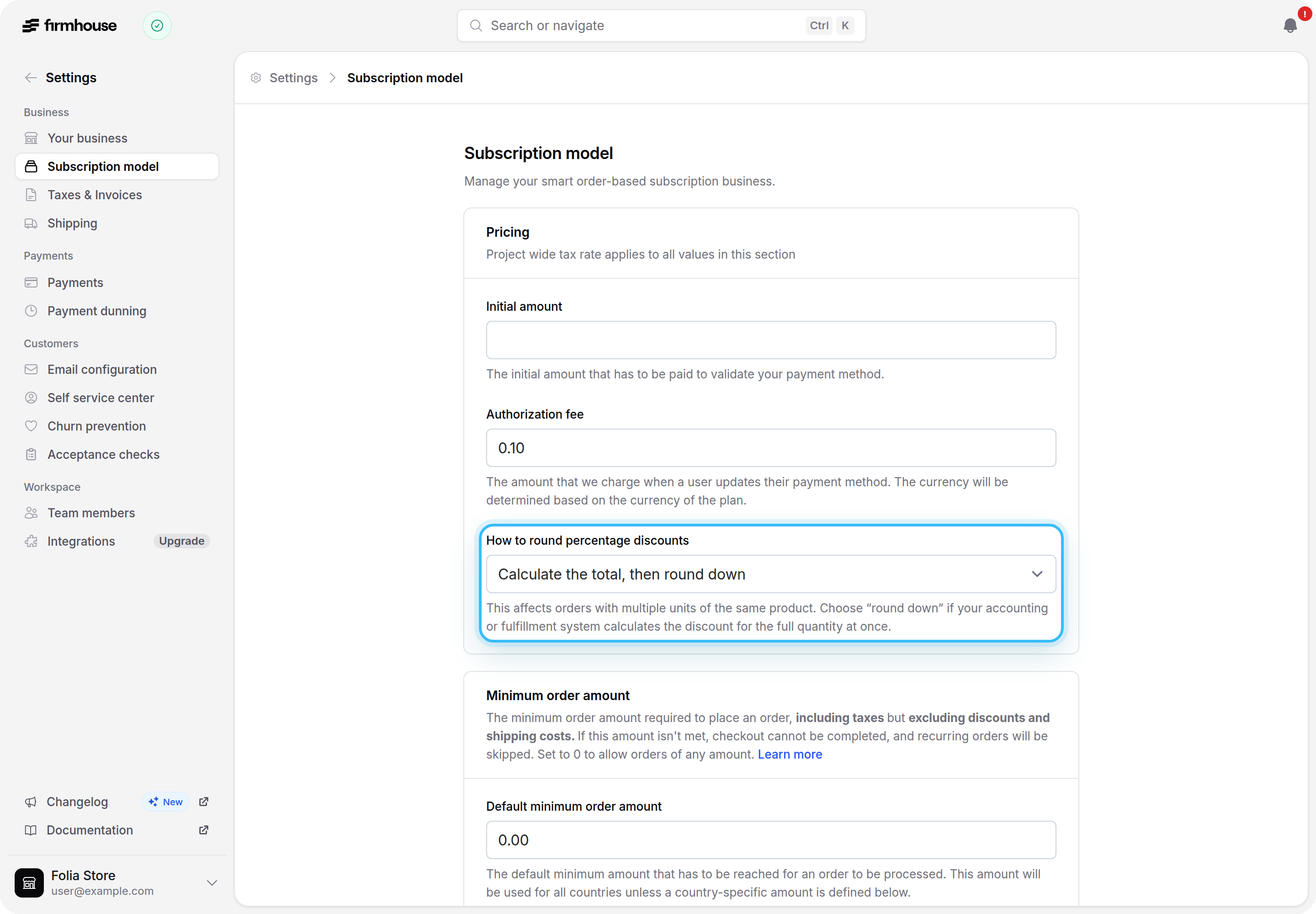
For projects without Shopify Subscriptions, you can now choose whether percentage plan discounts round per product unit or floor across the whole order line. Shopify-backed projects continue to use per-unit rounding. Line-level flooring helps keep your invoice totals aligned with external accounting systems that calculate discounts at the line level.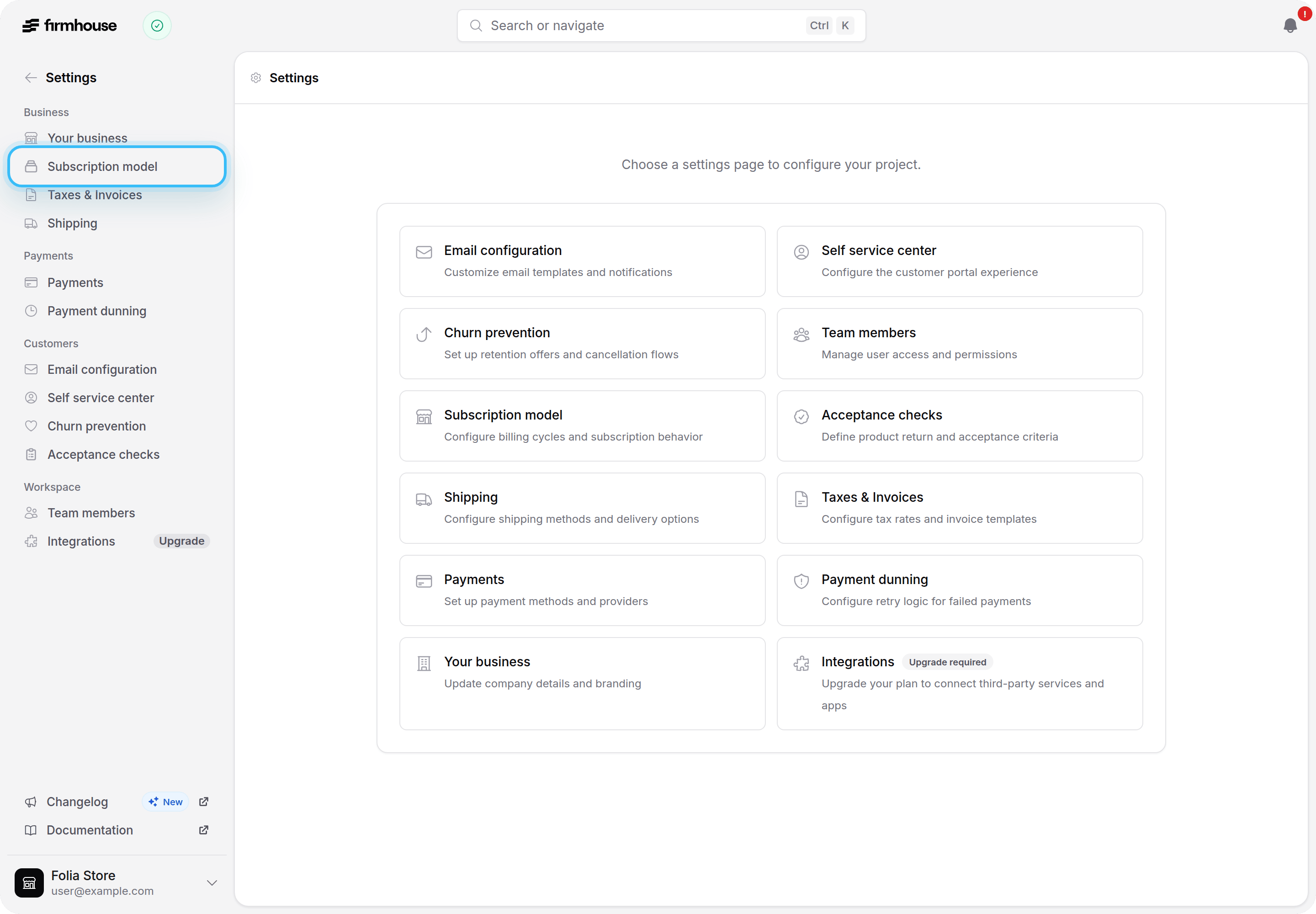
Single active subscriptions log in directly to the dashboard
When a customer has exactly one active subscription choice, they now land straight on their subscription dashboard after logging in to the Customer Portal, without a subscription chooser in the way. Older or inactive subscriptions and orders linked to the same email address are ignored for this, and subscriptions grouped under one account count as a single choice. Customers with more than one active subscription choice still see the chooser so they can pick which one to manage.Customize Shopify subscription frequency text
You can now override the billing and delivery frequency text shown in the Shopify Subscription Options widget without losing its automatic checkout price. Separate placeholders for the billing and delivery cadence let you keep your own wording and translations around the recurring schedule.Learn how to customize the frequency description.Shopify customers keep Customer Portal access after an email change
Customers who sign in through Shopify now reliably keep access to their subscription in the Customer Portal even after changing their email address. Firmhouse identifies their subscription by their stable Shopify customer ID first, while preserving email matching for older subscriptions that do not have that ID yet. This also prevents an email address from exposing a subscription that belongs to a different Shopify customer.Find target plans faster in checkout swap automations
When configuring a checkout product-swap automation, target plans are now grouped by plan group and each option shows its plan ID. This makes it easy to pick the right plan even when multiple plans share the same name.Retry failed notifications with a visible confirmation
You can now reliably retry a failed recurring-order notification through a visible confirmation step. The warning explains that a retry may create and charge an order, and once confirmed, immediately shows that the retry is underway.Switch subscription plans and products together
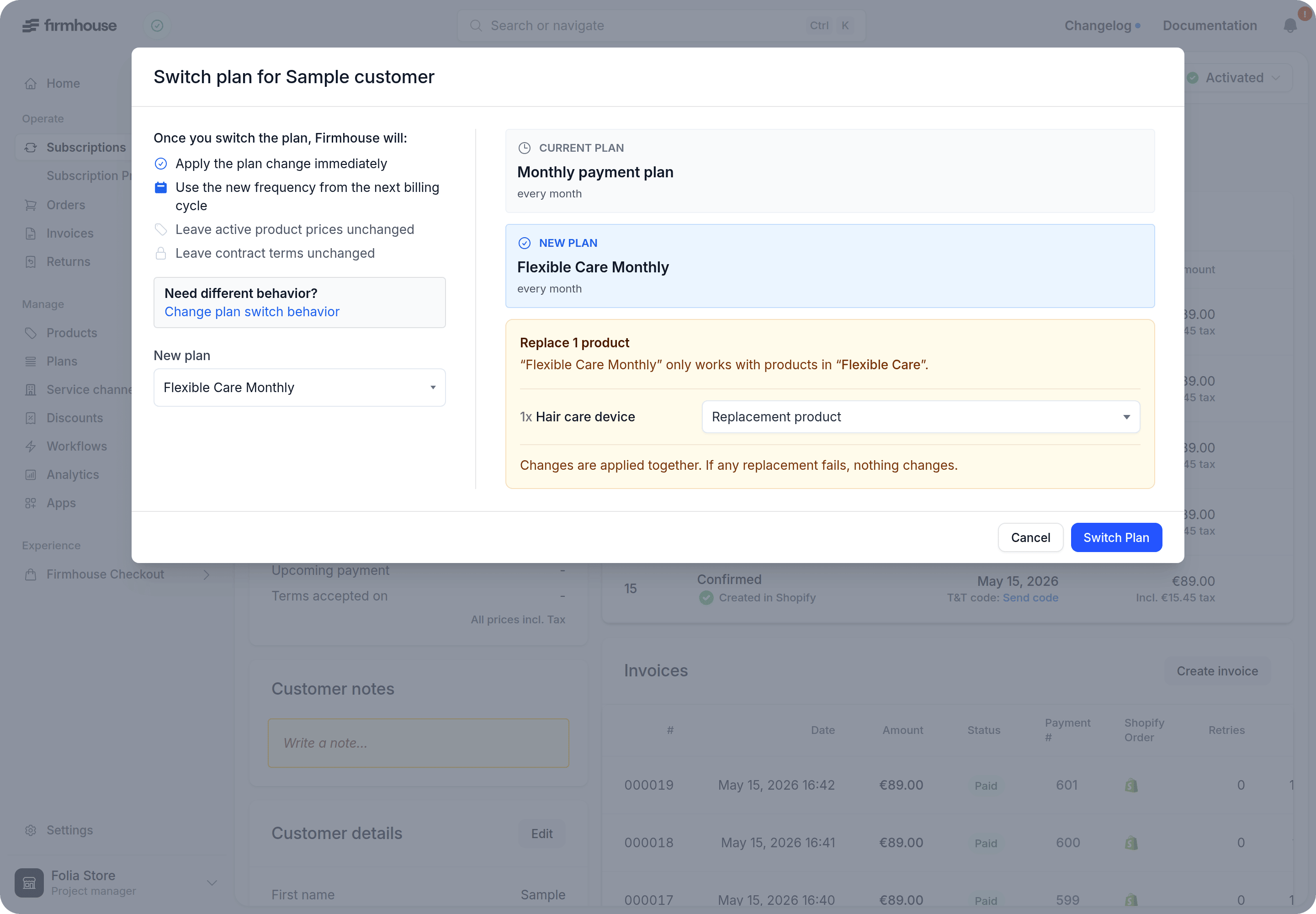
You can now switch a subscription to a different plan and replace any products that are not available in the new plan in the same step. Firmhouse checks the subscription’s current products against the new plan group and only asks you to choose a replacement for the ones that do not fit.Products that are already compatible stay untouched, and the plan and product changes are saved together. Complimentary products stay free after being replaced.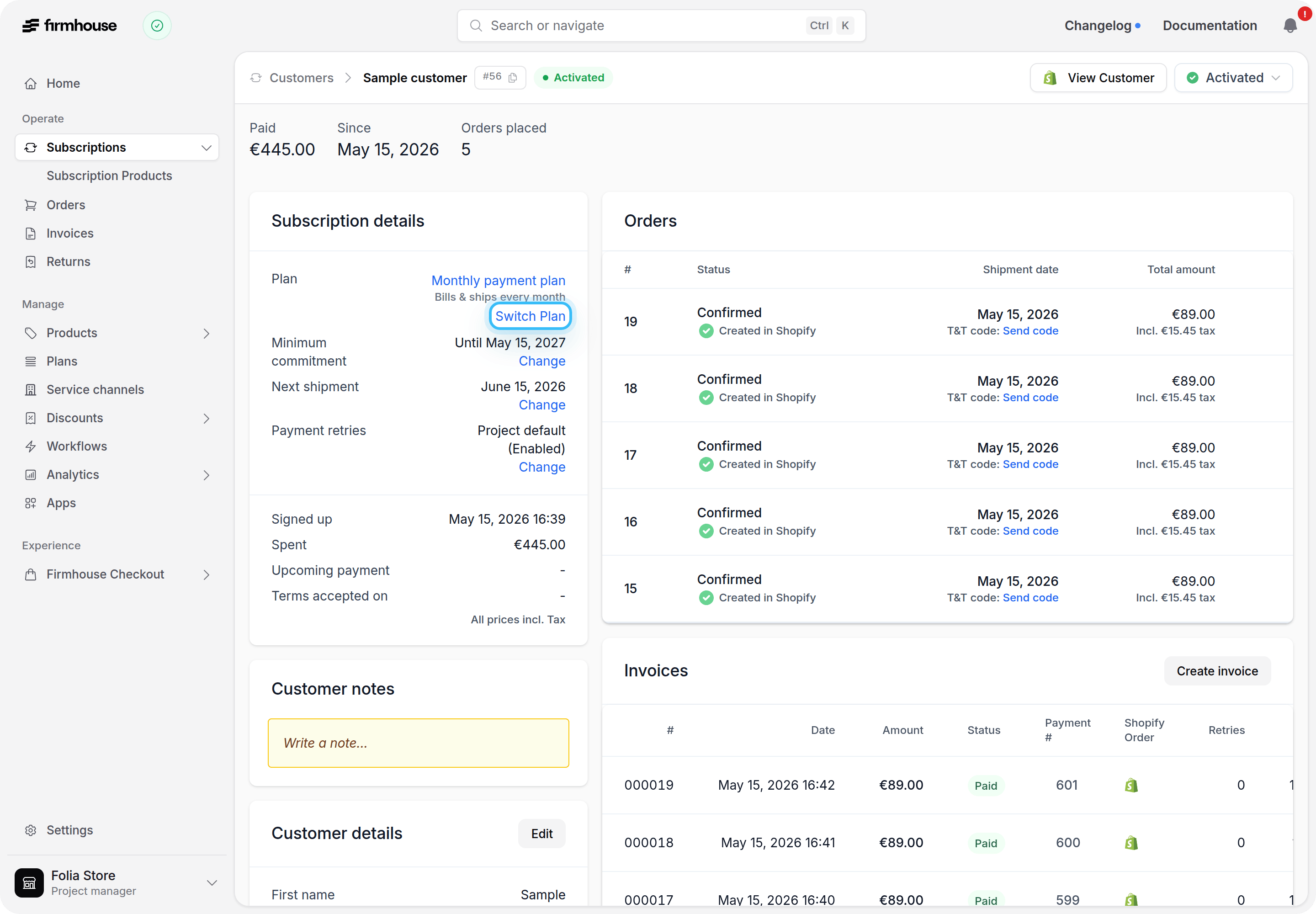
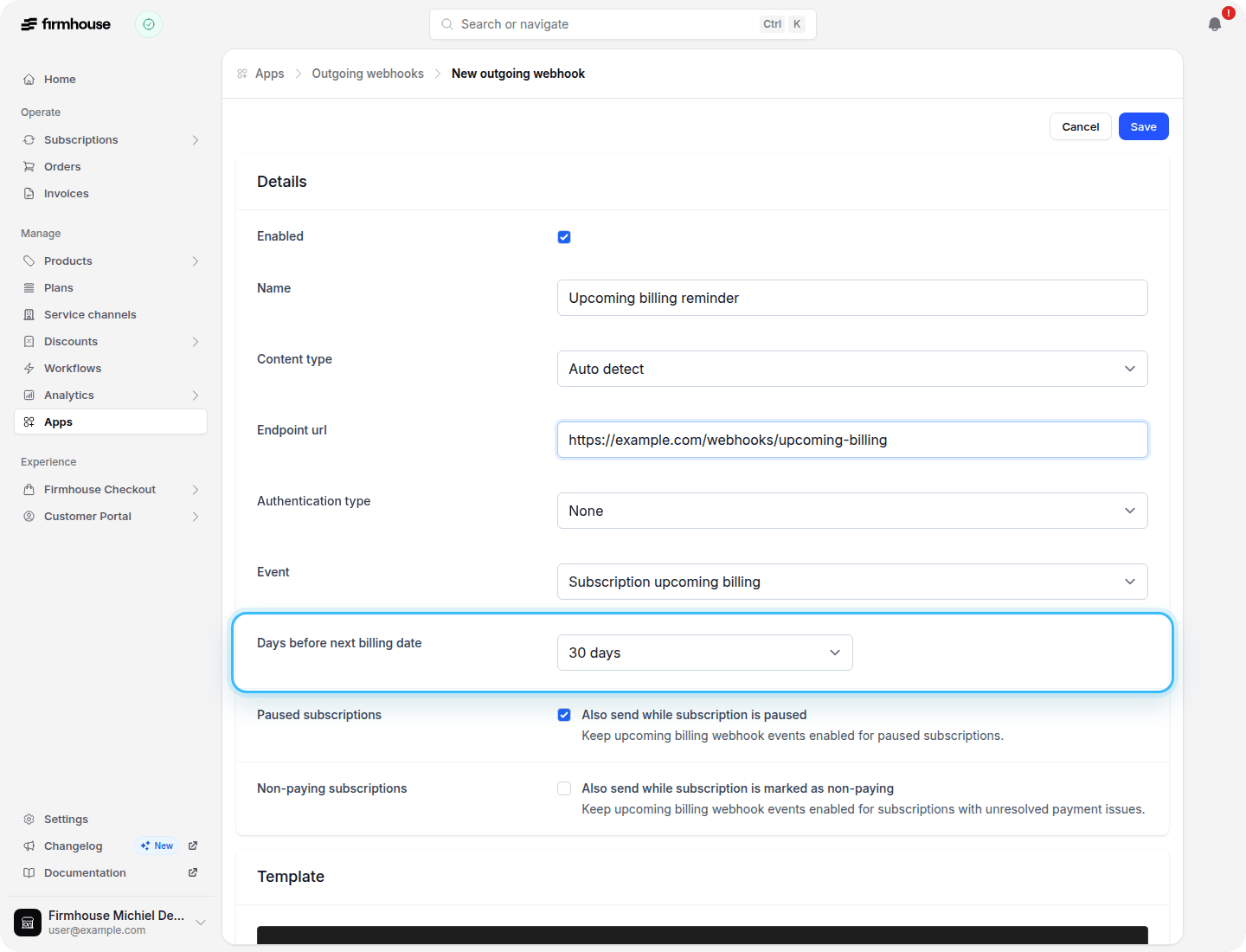
Schedule upcoming billing webhooks up to 30 days ahead
You can now configure the Subscription upcoming billing webhook to fire between 1 and 30 days before the next billing date, up from a maximum of 5 days. Use the extra range to send earlier reminders or start an integration well before the charge.This webhook is also now available for opt-out order-based projects without plans. For those subscriptions, Firmhouse uses the closest upcoming shipment as the next billing date.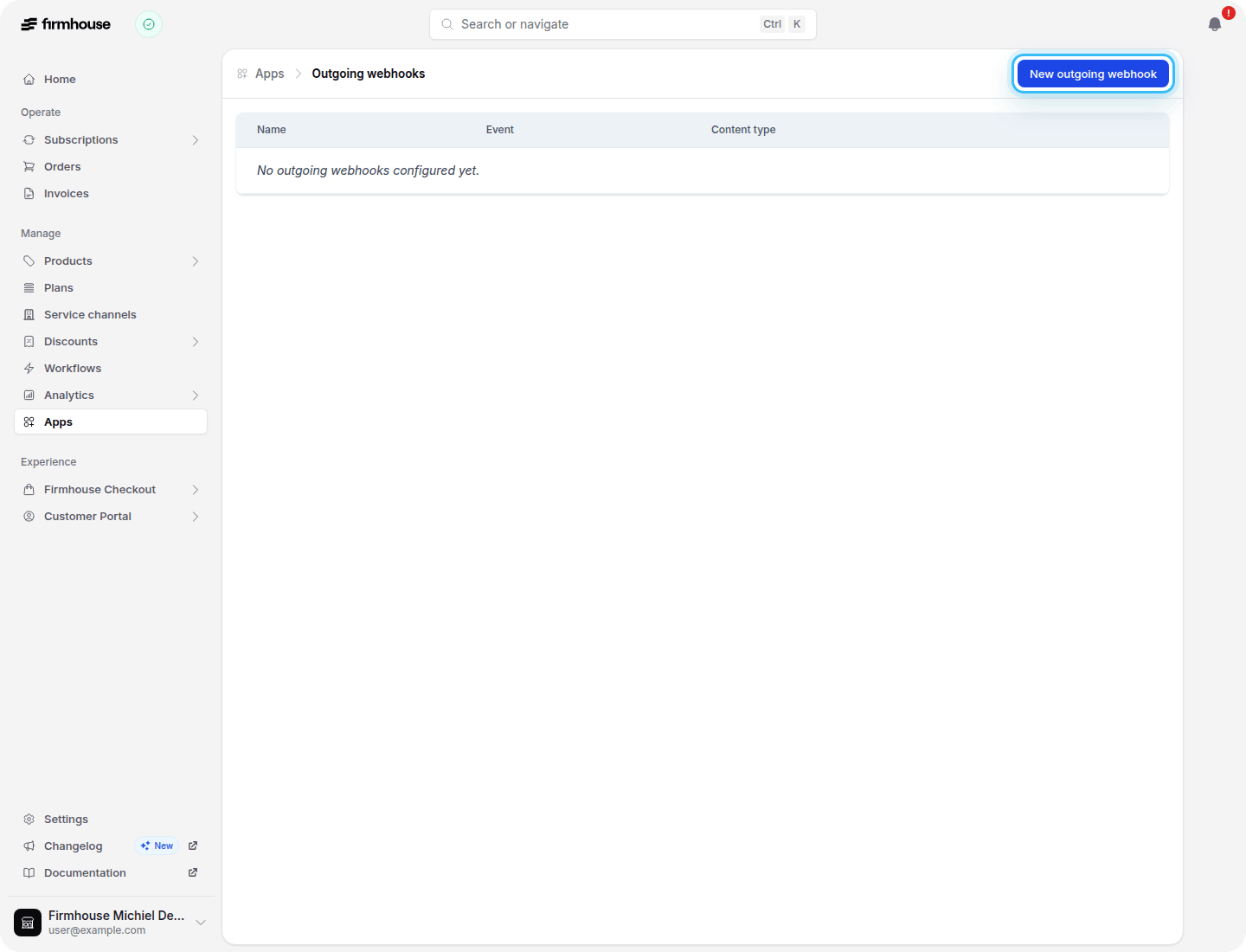
Clearer reasons for failed Adyen payments
Failed Adyen payments now record the reason they were refused. Common cases such as insufficient funds, an expired or blocked card, a failed 3D Secure authentication, or a payment the customer cancelled are recognised and shown on the payment itself, so you can tell at a glance what went wrong.The failed payment notification names the reason as well, and thepayment.failure_reason_translated tag shows it in your customer’s own language in your email templates. Every reason is translated in all supported languages, and it is also available on the Payment type in the API as the failureReason field.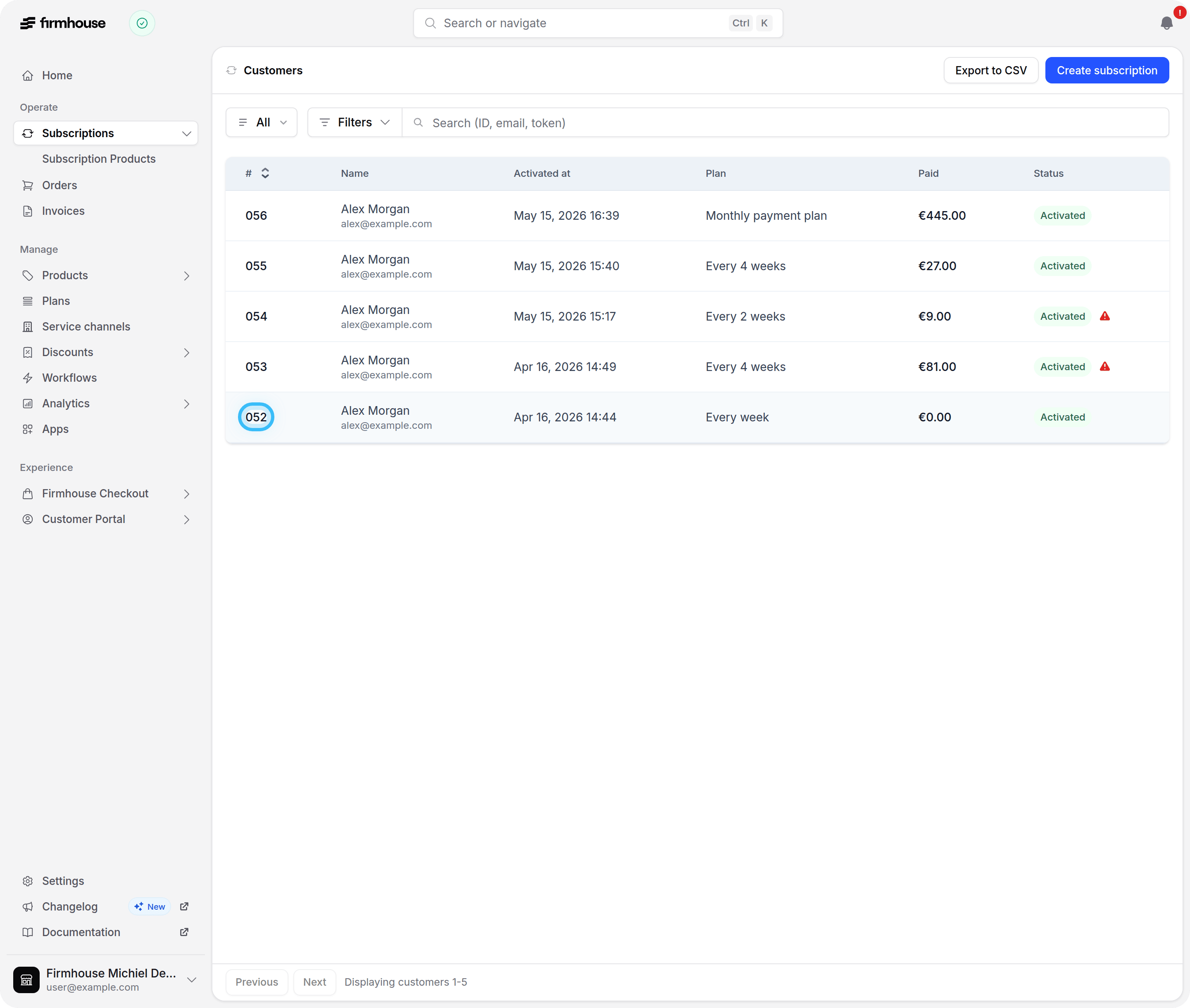
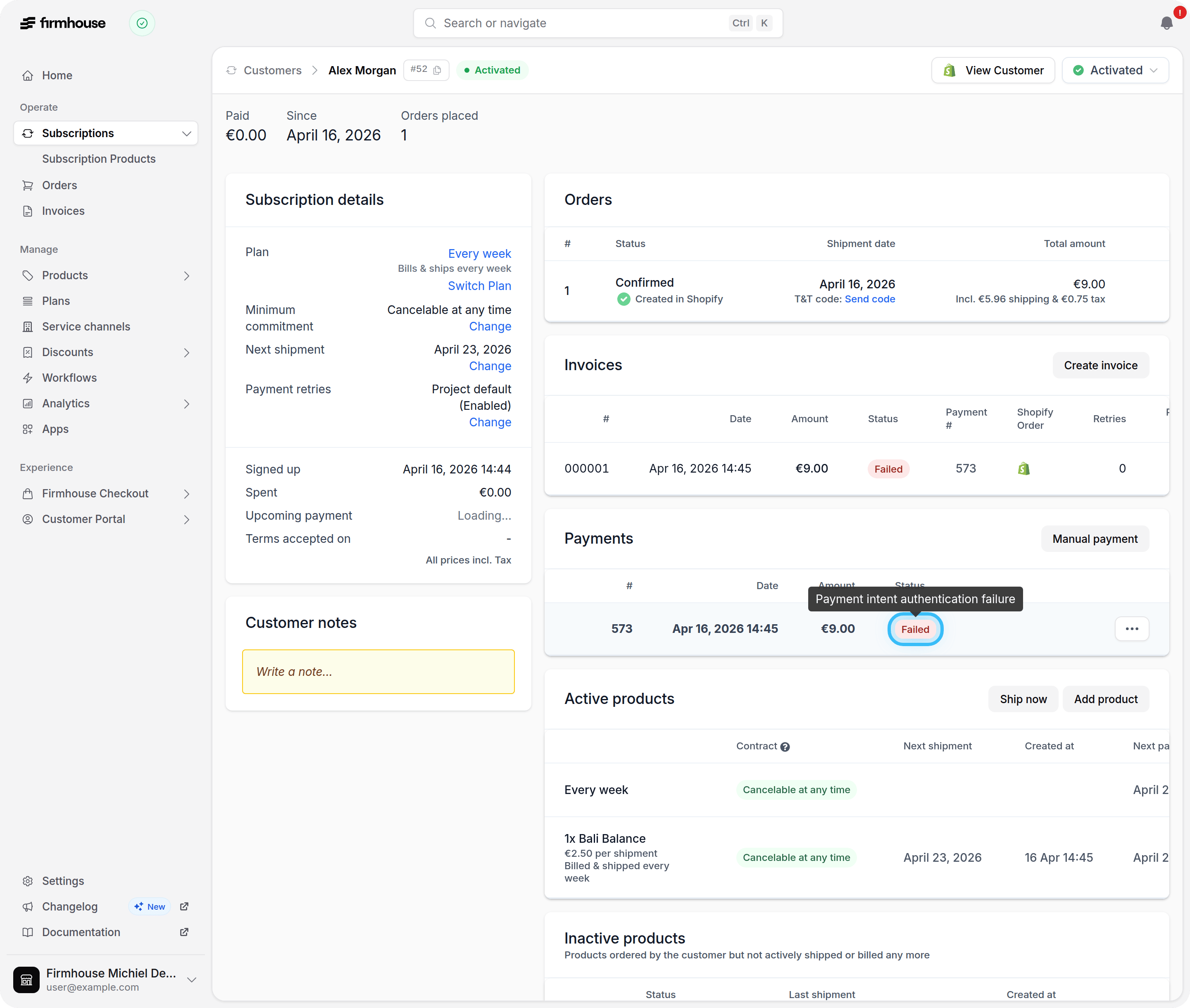
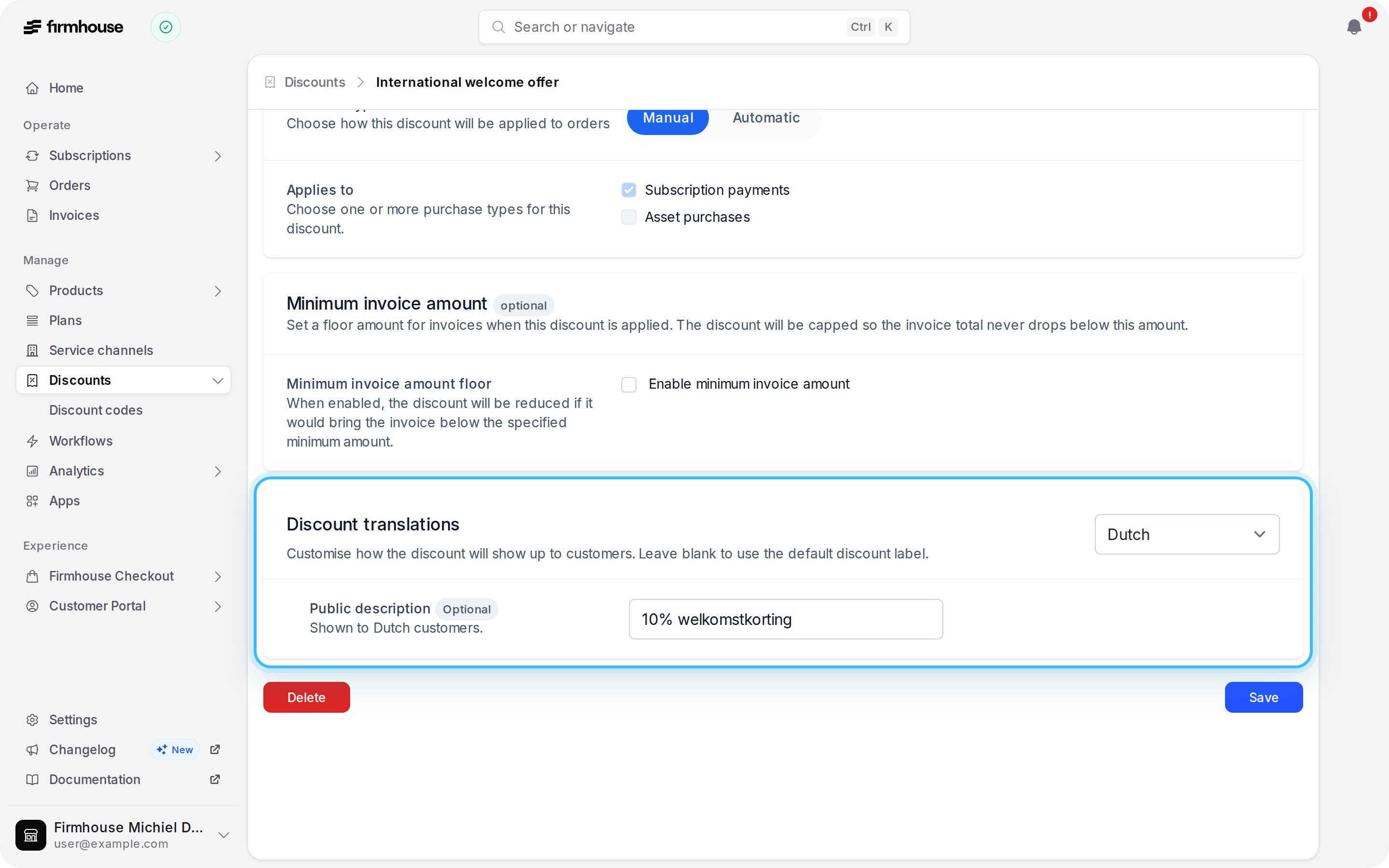
Give each language its own discount description
You can now write a separate public discount description for every language enabled in your project. New invoice lines always show the description that matches the subscription’s language. In the Customer Portal, that description replaces the default discount label when a subscription has exactly one active discount; with multiple active discounts, the portal keeps using the default label.Existing discounts keep working as before: languages without their own translation yet fall back to your original description.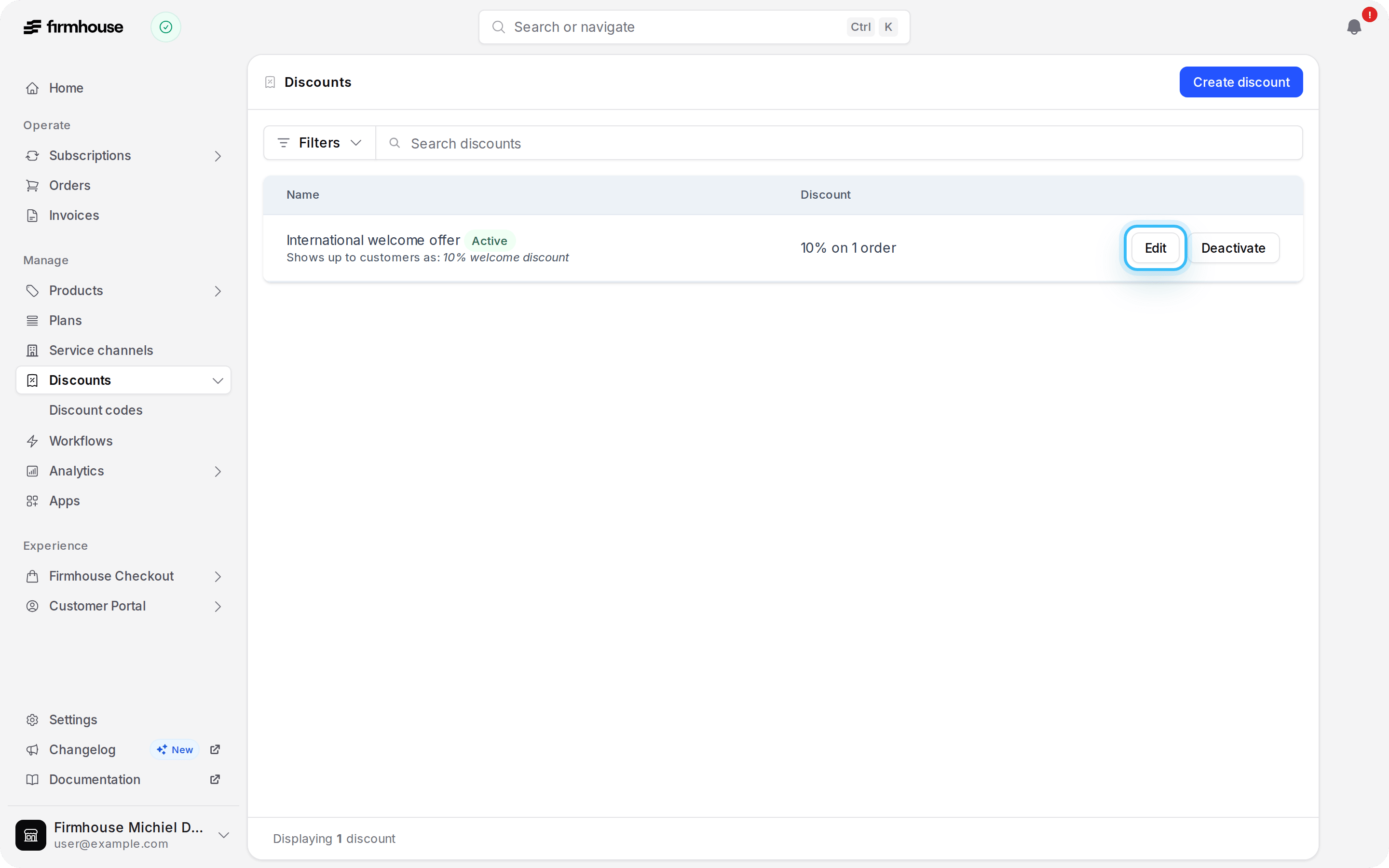
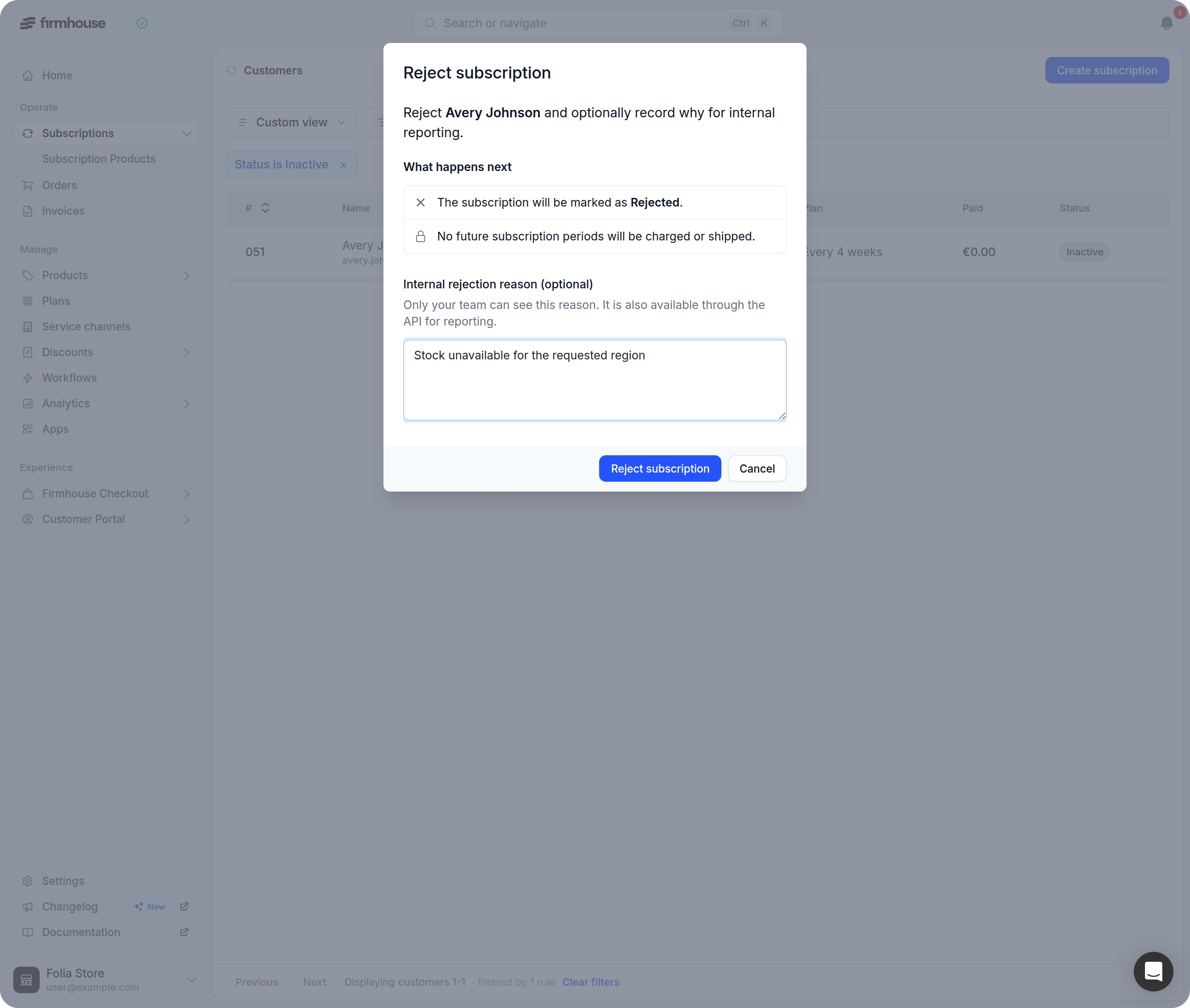
Add a private reason when you reject a subscription
When you reject a subscription from the Firmhouse Portal, you can now add an optional internal reason. It stays private to your team and shows on the rejected subscription, making it easier to classify and report on rejections without exposing details to customers.If you use the API,rejectionReason is available on Subscription and through the updateSubscription mutation so your integrations can set or read it. Subscriber and storefront API tokens cannot access this field.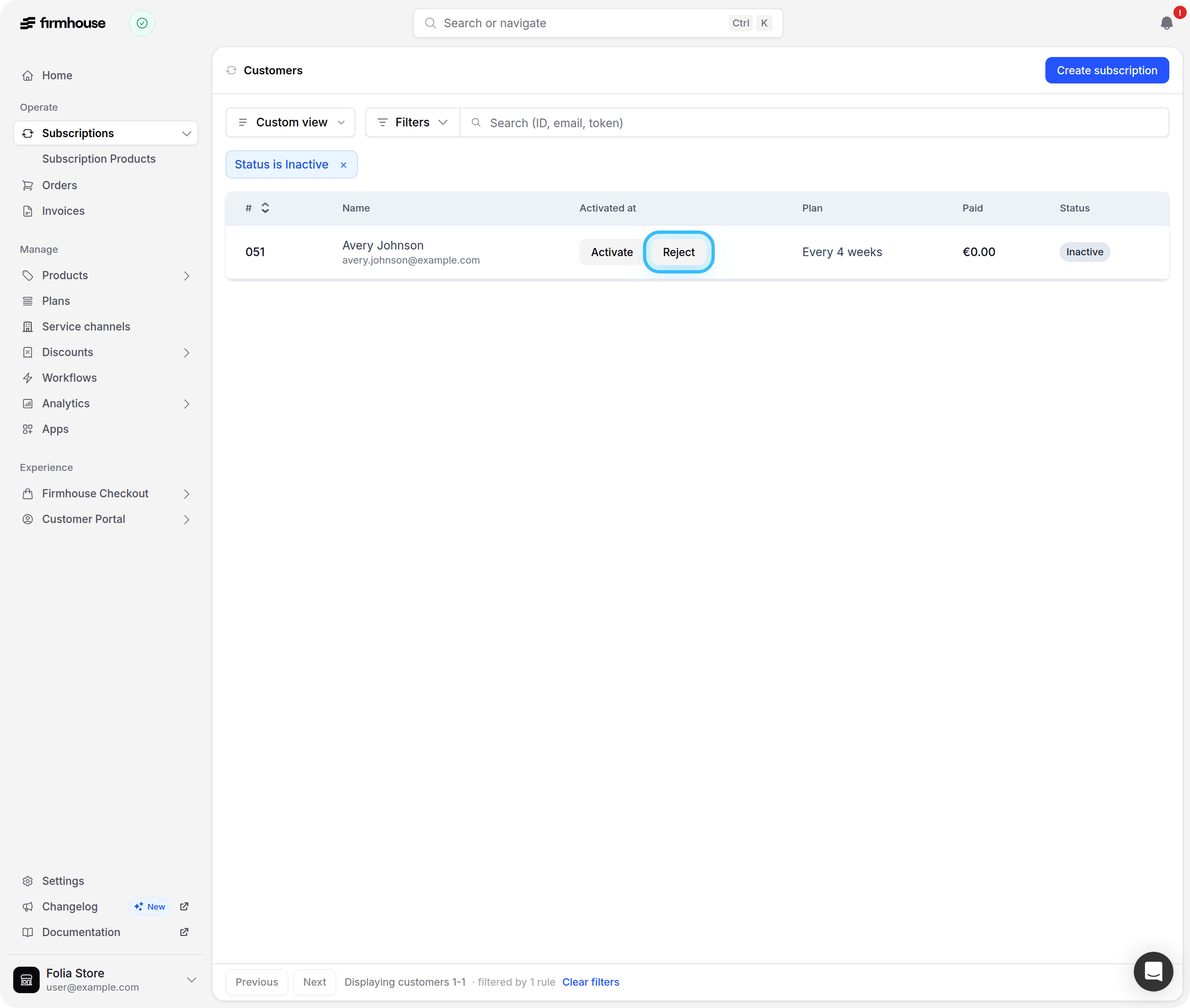
Control when Adyen payments are captured
You can now choose whether Adyen credit card and Klarna signup payments are held until the subscription activates. Configure each payment method separately in your Adyen payment provider settings when you want to review a subscription before its initial payment is collected.Existing behavior is unchanged by default: Klarna payments stay held until activation, and credit card payments continue to be captured immediately.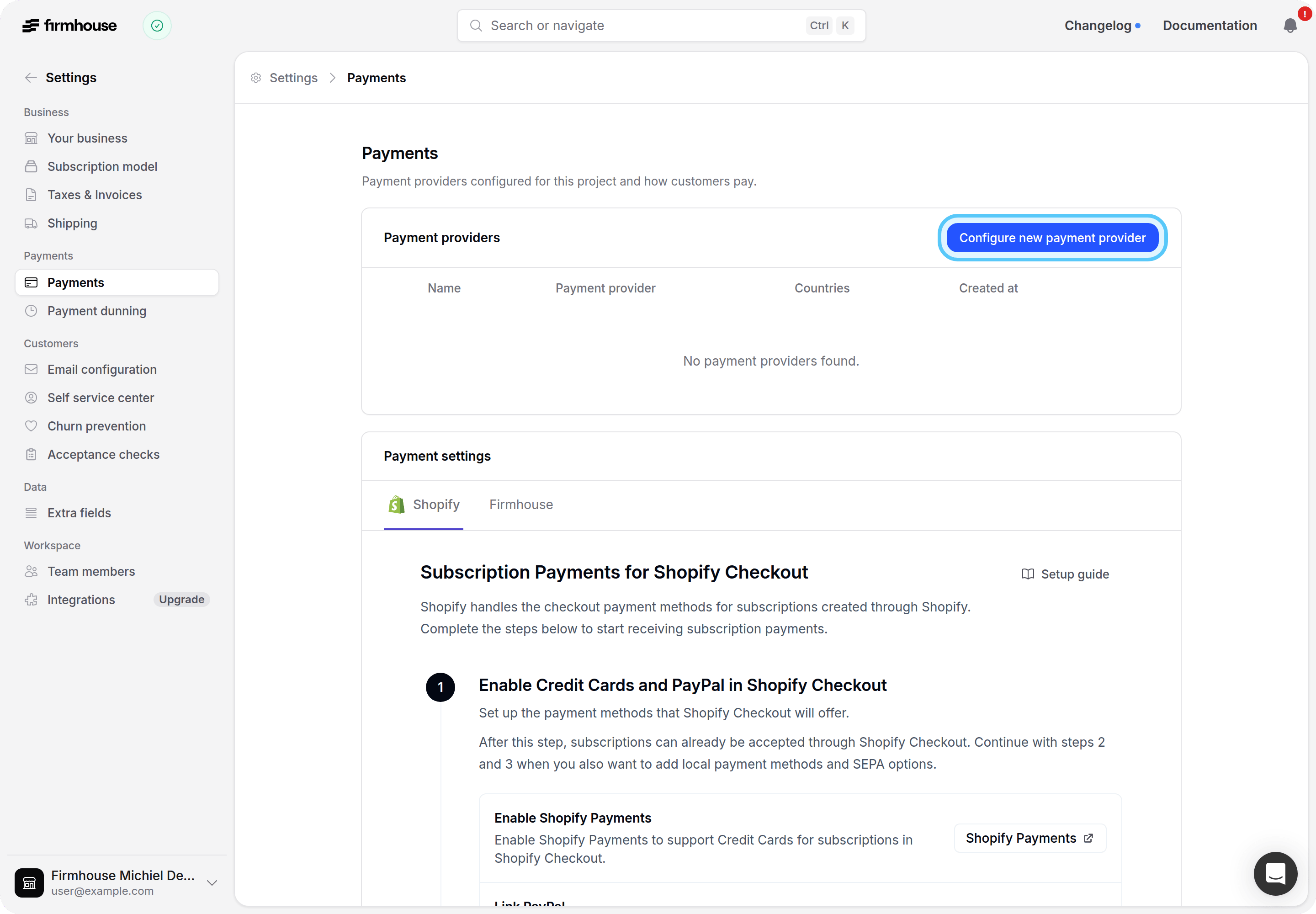
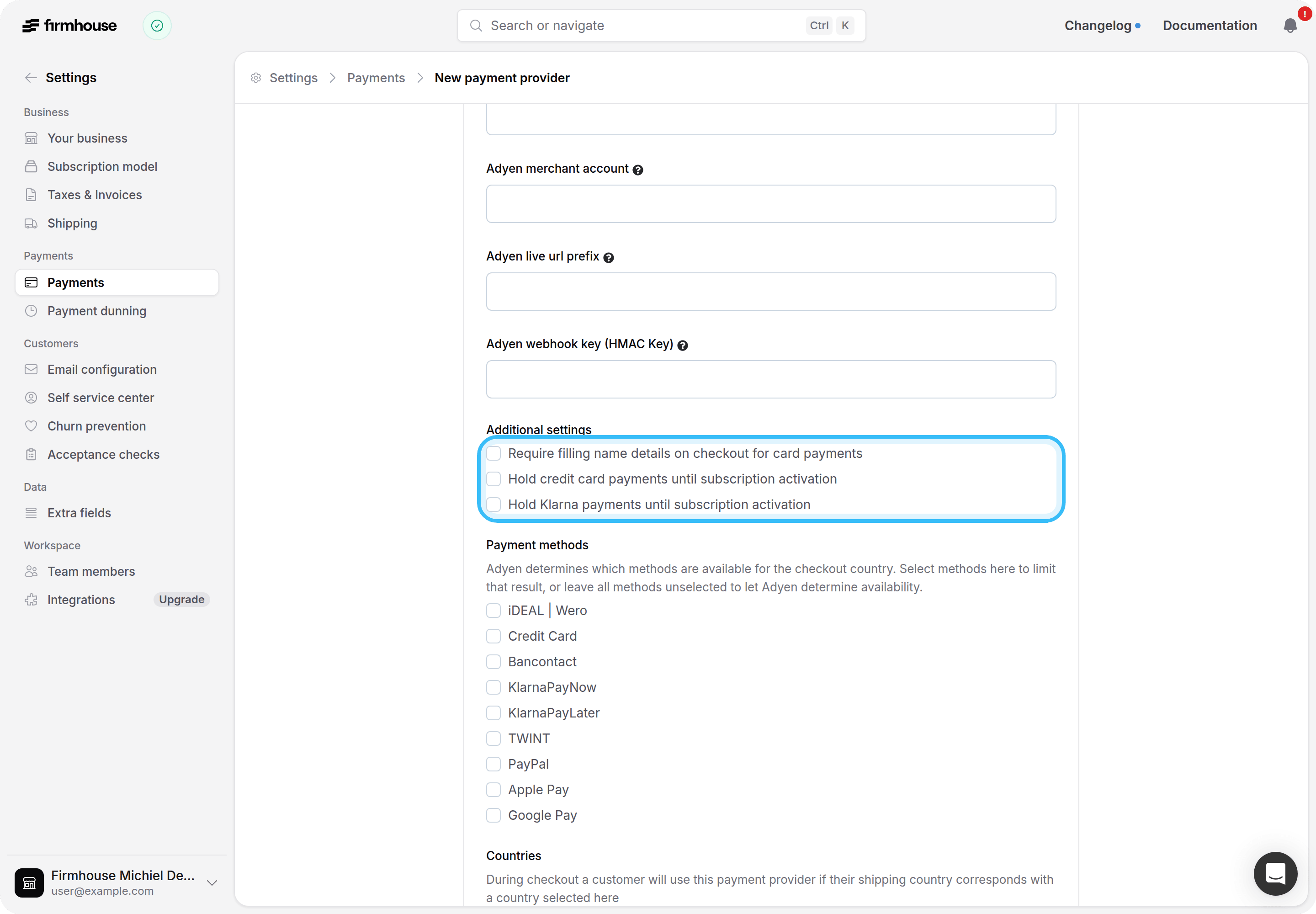
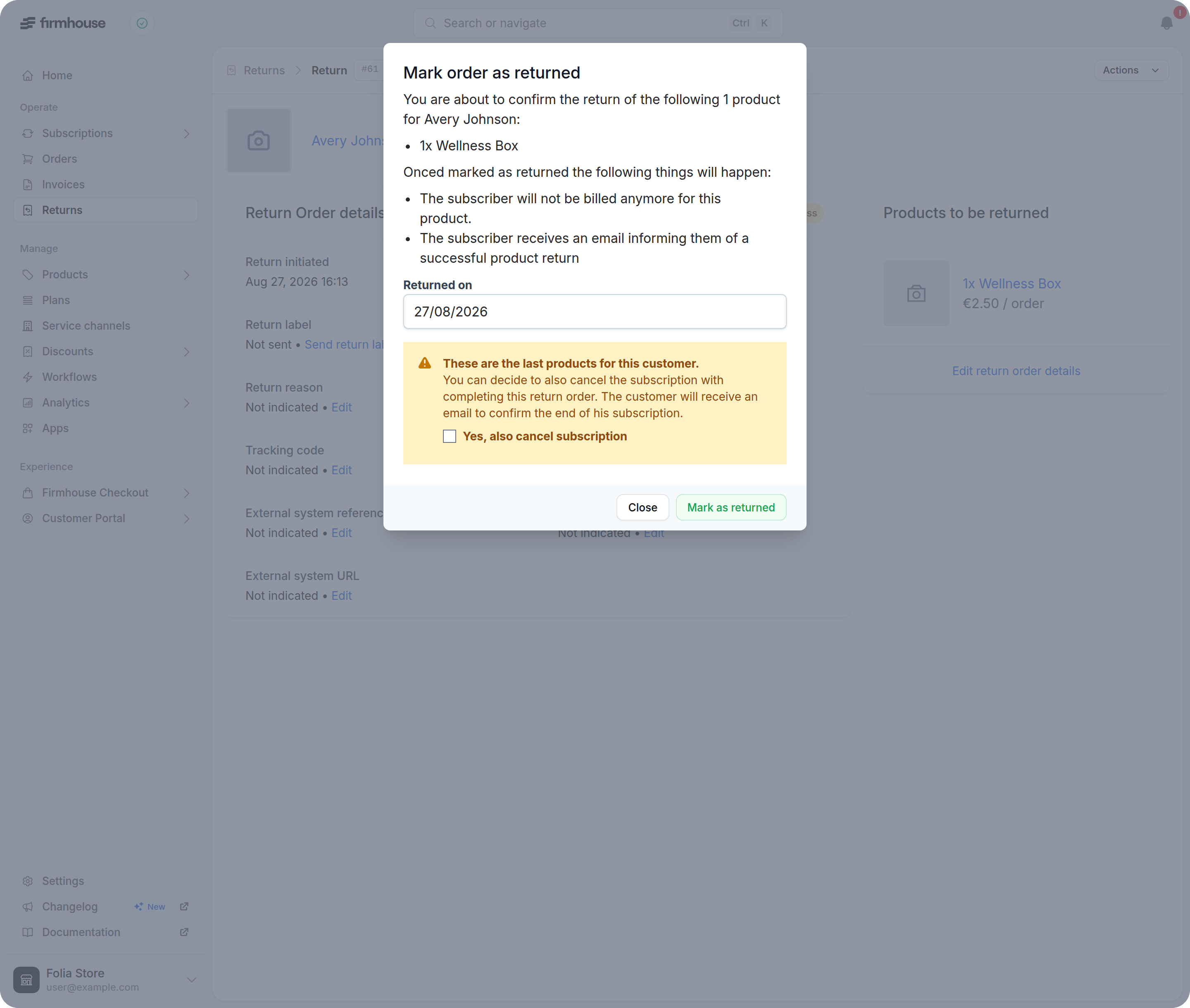
Completing a return for your last Shopify product now asks you to cancel
Completing a return for the final active product on a live Shopify subscription used to fail, because a Shopify contract cannot be left without any lines. You now get a clear message asking you to cancel the subscription as part of the same return, and nothing changes until you confirm.If you complete returns through the API,completeReturnOrder returns the same validation error with a null return order, so send cancelSubscription: true when the return covers every remaining active product.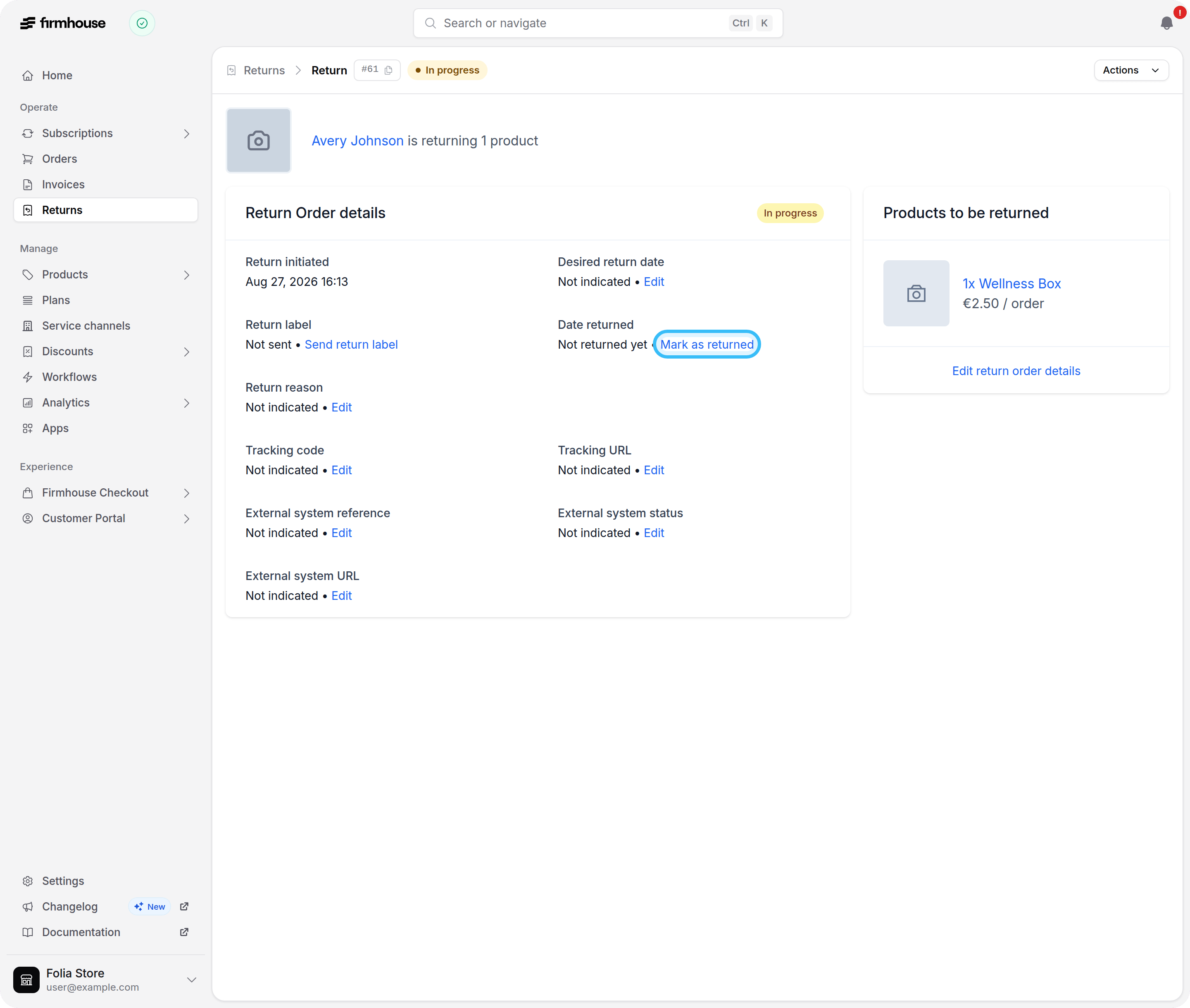
Won Adyen chargebacks now restore payments automatically
When Adyen confirms that you won a chargeback dispute, Firmhouse now marks the payment paid again and recalculates the invoice automatically, so the subscription leaves its non-paying state without a manual correction. Reversals that Adyen still lists as pending stay charged back until the dispute is final.Learn how non-paying status is resolved automatically.Loading a default Klaviyo payload no longer resets your metric name
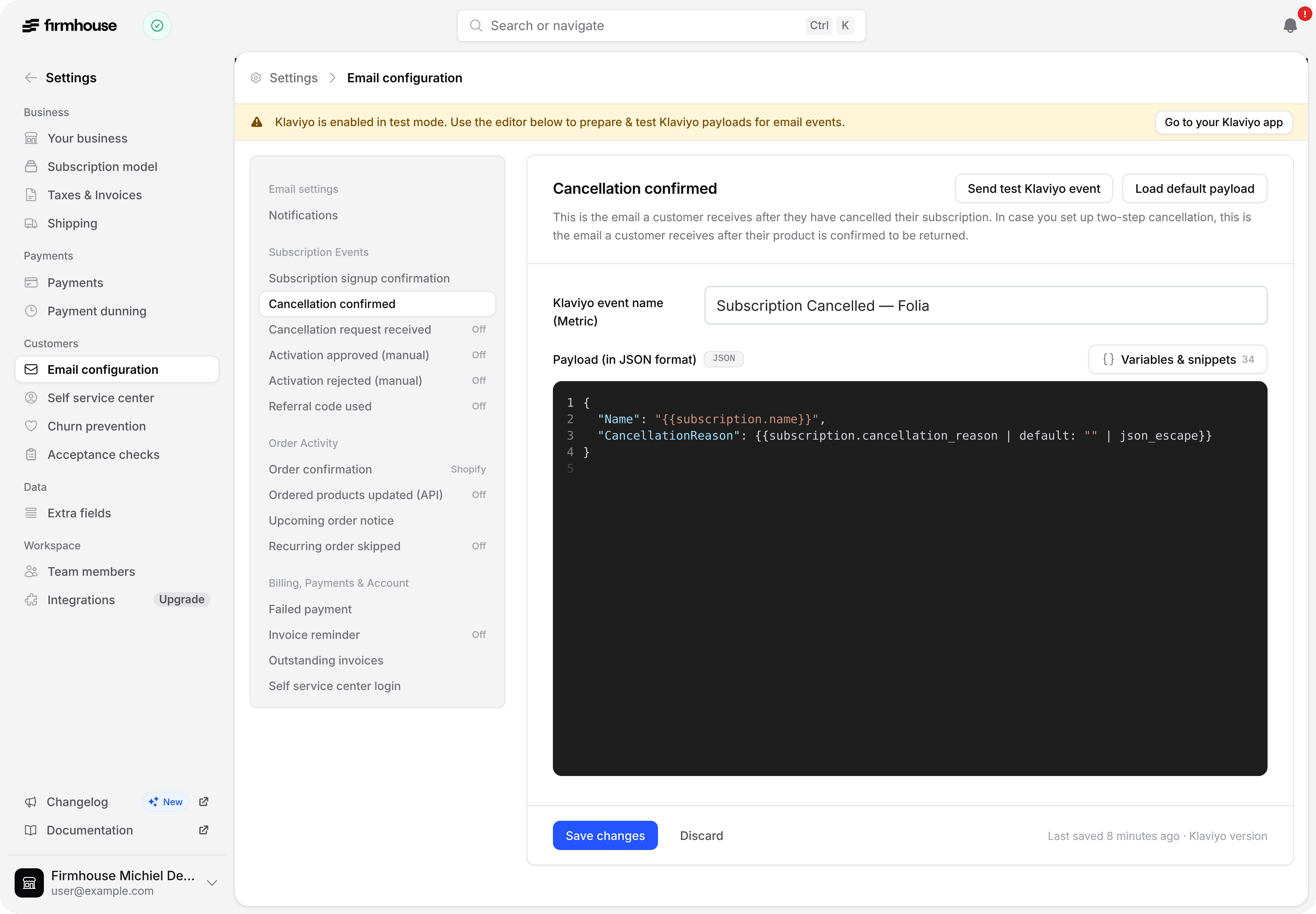
Using Load default payload on a Klaviyo email template now only replaces the JSON payload, keeping your configured Klaviyo metric name in place. Previously it also reset the metric name to the Firmhouse default, so events kept arriving under a new metric while you were still watching the old one.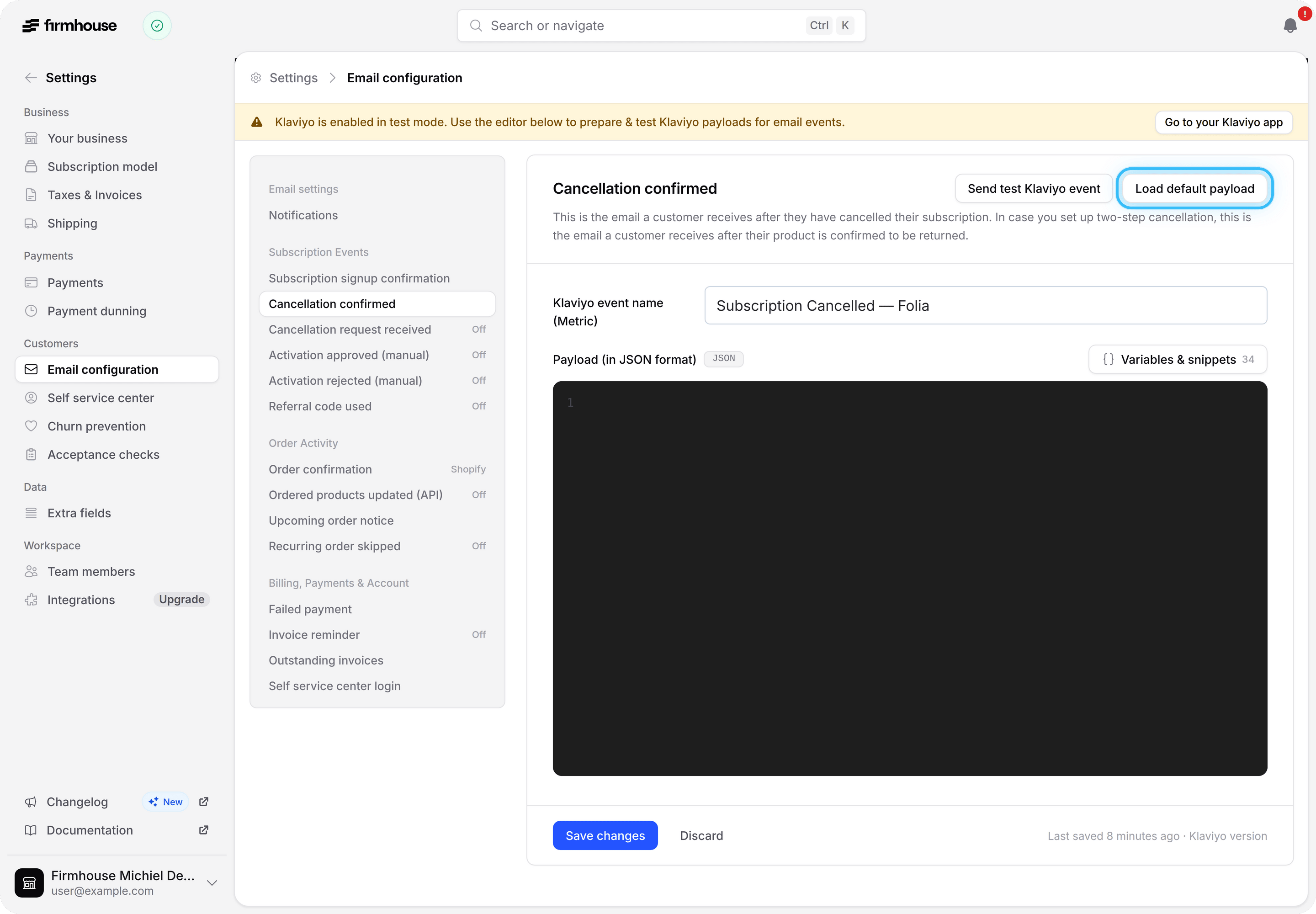
Customer Portal swaps can now include products already on another line
When a customer swaps or replaces a product in the Customer Portal, they can now choose a product that’s already active on a different line of the same subscription. Previously that product was hidden from the list.The product on the line they’re changing stays excluded, and your existing availability, stock, and interval rules still apply.Learn how product swap works.Complimentary add-ons now reach already-scheduled prepaid orders
Adding a free Next order only product to a prepaid subscription now places it directly into the next scheduled delivery when that delivery has already been generated. Previously it stayed on the subscription with no future order to attach to.This applies to free products on prepaid deliveries you still manage locally. Chargeable products and Shopify-managed deliveries continue to use Ship now to create a separate order.See and manage applied Shopify discounts at a glance
The applied discounts table on a subscription is easier to scan: a green or red status dot shows whether a discount is active, and usage count and its recurring-cycle limit are combined into a single column. Removing a discount is now a visible trash icon instead of a text link tucked at the far edge of the table.On smaller screens the table switches to a compact two-row layout so the remove action stays visible without scrolling sideways.Checkout stays reliable when Shopify shipping rates are busy
Firmhouse now reuses a recent Shopify shipping calculation for five minutes when nothing about the order has changed, instead of recalculating it on every request. This reduces load on your Shopify shipping rates and keeps checkout responsive during busy periods.If Shopify genuinely can’t return shipping rates in time, customers now see a clear message asking them to try again, instead of a failed checkout.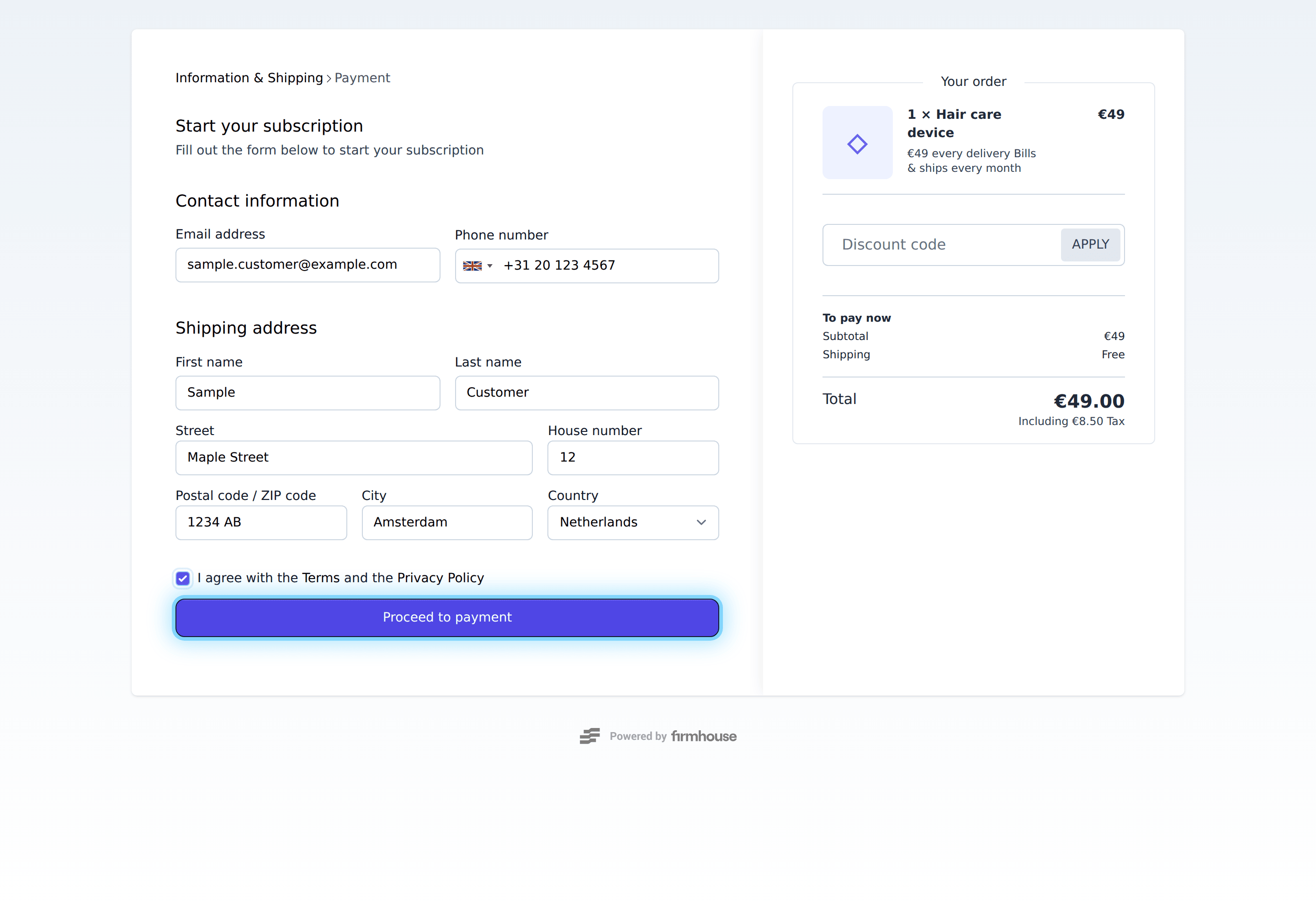
Notify customers when a recurring order is skipped
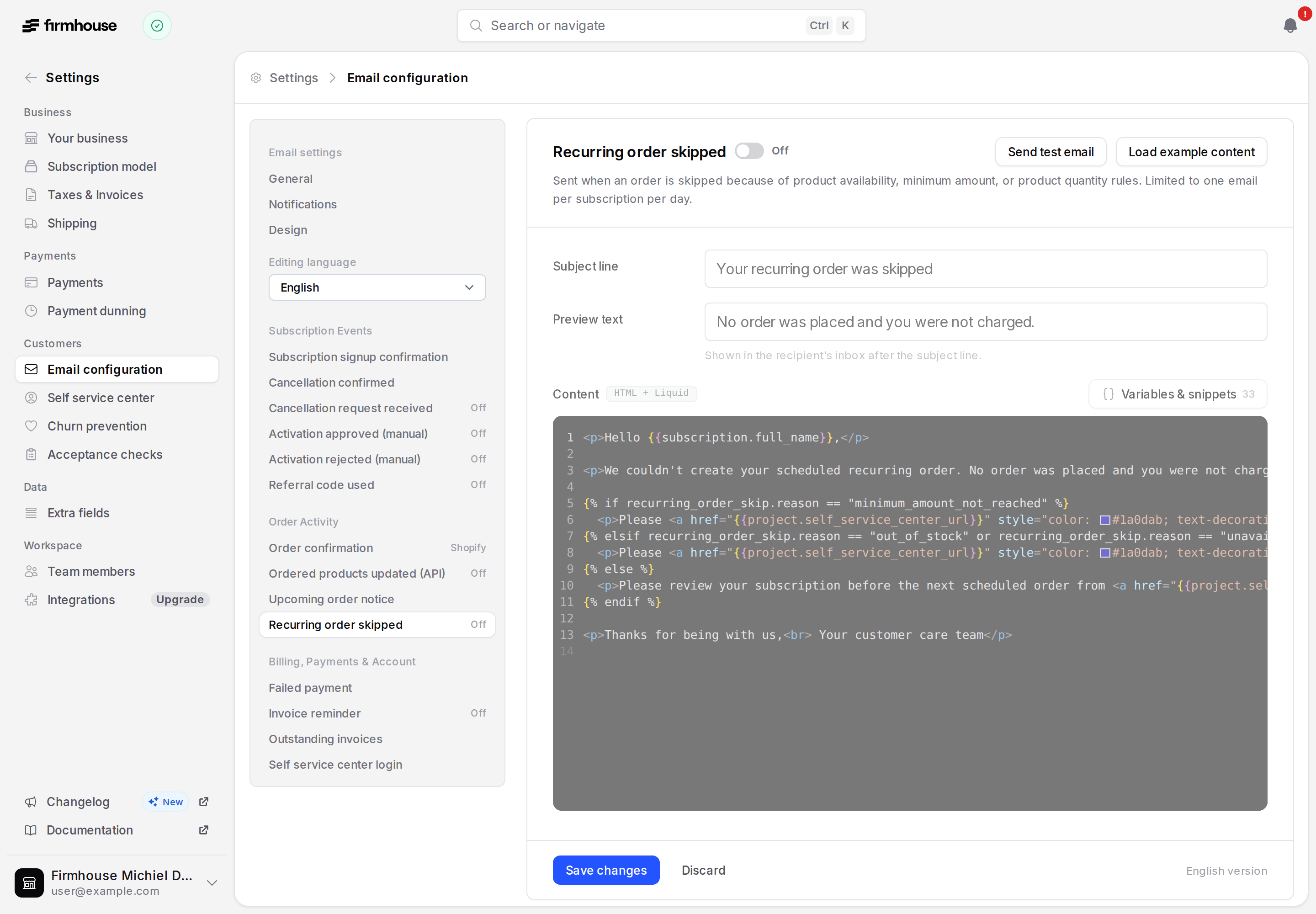
You can now turn on a Recurring order skipped notification that lets customers know when their scheduled order wasn’t placed and they weren’t charged. The default message points them to the right next step, whether that’s adding products if the order fell below the minimum amount, or swapping out anything unavailable or out of stock, and custom templates can use{{recurring_order_skip.reason}} to tailor their own copy. Each subscription gets at most one of these notifications per day. Learn how to enable and customize the email.The unavailable and out-of-stock reasons apply to projects that skip orders with unavailable products.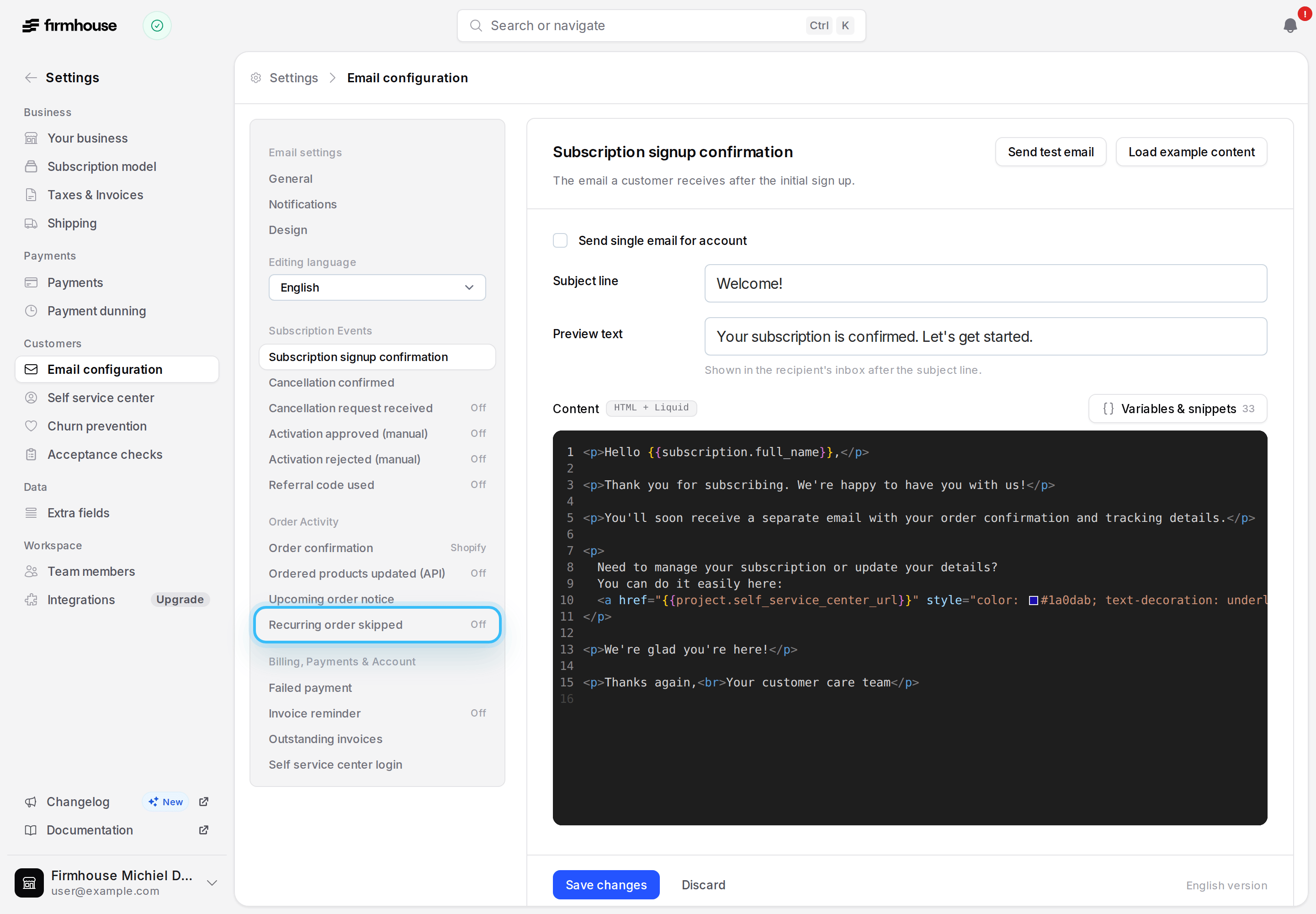
Shopify subscription contracts stay in sync automatically
Shopify-billed subscriptions now stay in sync automatically, including subscriptions imported into Firmhouse. Activating or resuming one creates its Shopify subscription contract if it doesn’t exist yet, or reconciles the contract against the subscription’s current billing lines if it already does.Upcoming order shipping costs now display correctly
Upcoming order previews in the Customer Portal and admin no longer show free shipping when the shipping cost hasn’t been calculated yet — that row now stays hidden until a real cost is available. Reloading a scheduled prepaid order also keeps its saved shipping and discount amounts.Customize translations in Customer Portal templates
You can now edit translated copy directly in the Customer Portal template editor, for every language enabled in your project. Select any template text and choose Create translation from selection to make it translatable without writing Liquid translation tags by hand.Translations are saved with each template version, so you can preview your design and copy together before publishing. Learn about template translations.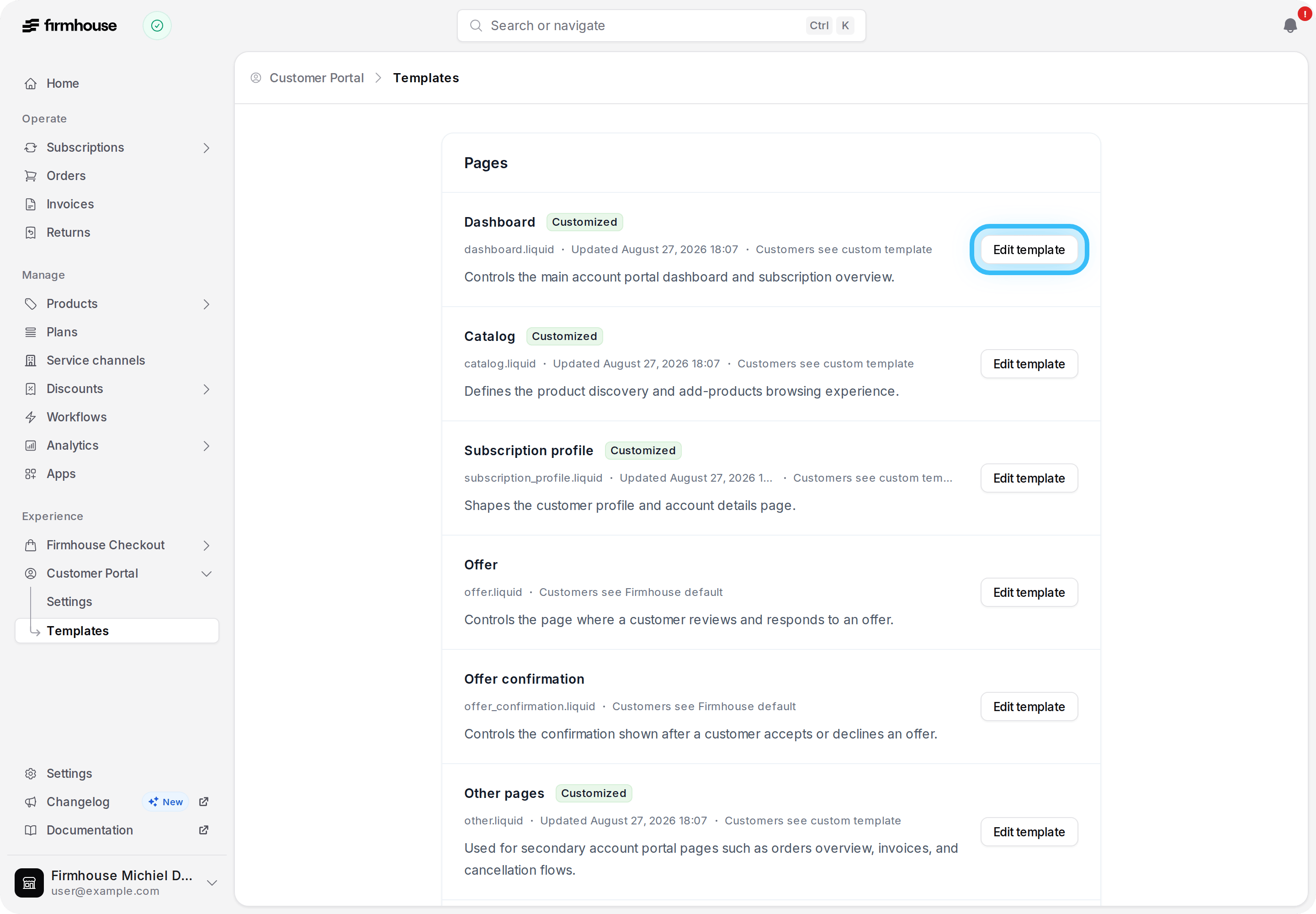
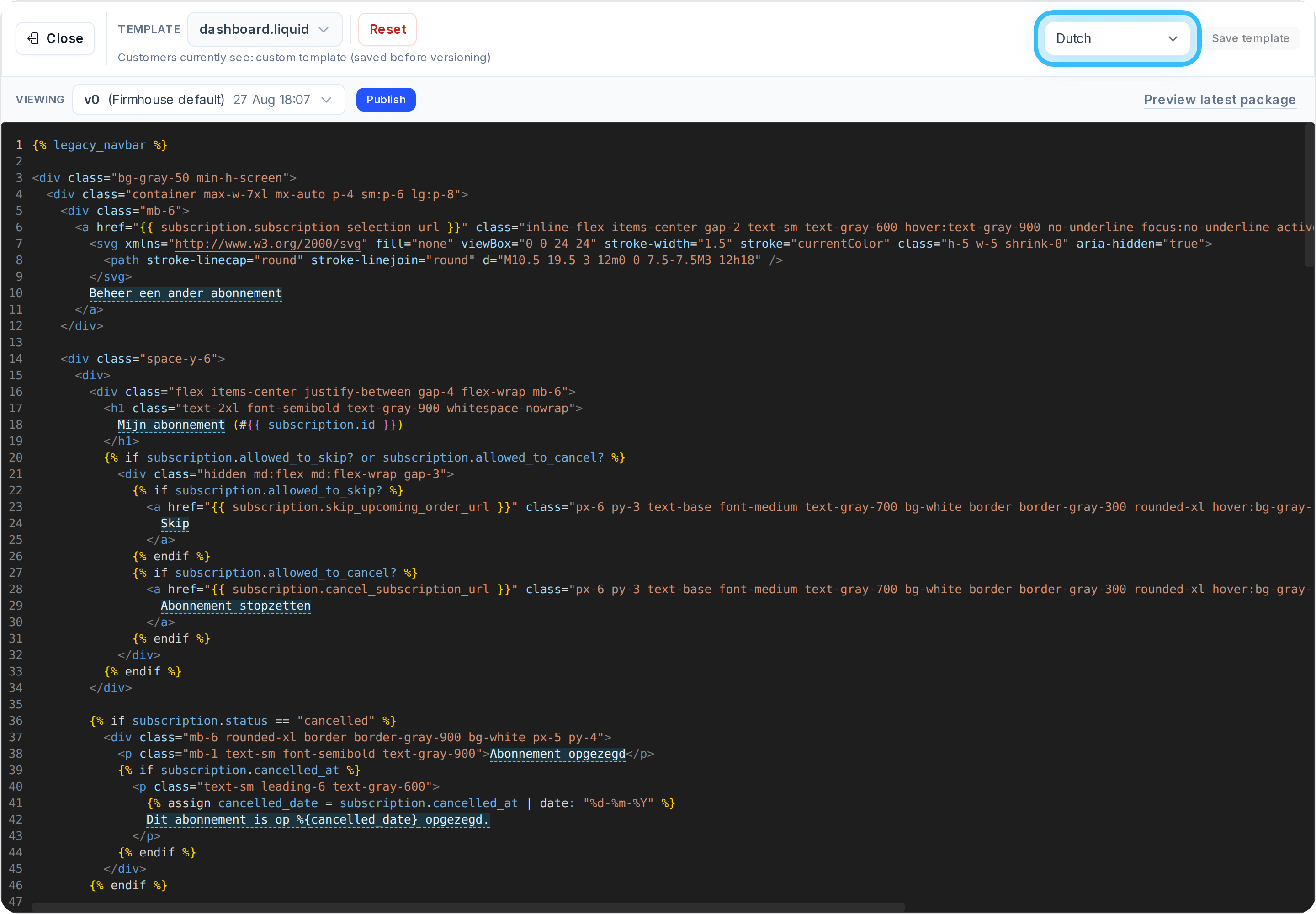
Customize your Customer Portal login form text
You can now customize the submit button label and hint text on the Customer Portal v2 login form using thesubmit_label and hint options on the {% login_form %} tag. Leave hint blank to hide it entirely, so the login screen matches your brand’s voice while Firmhouse continues to manage the secure login flow. Learn how to customize the login form.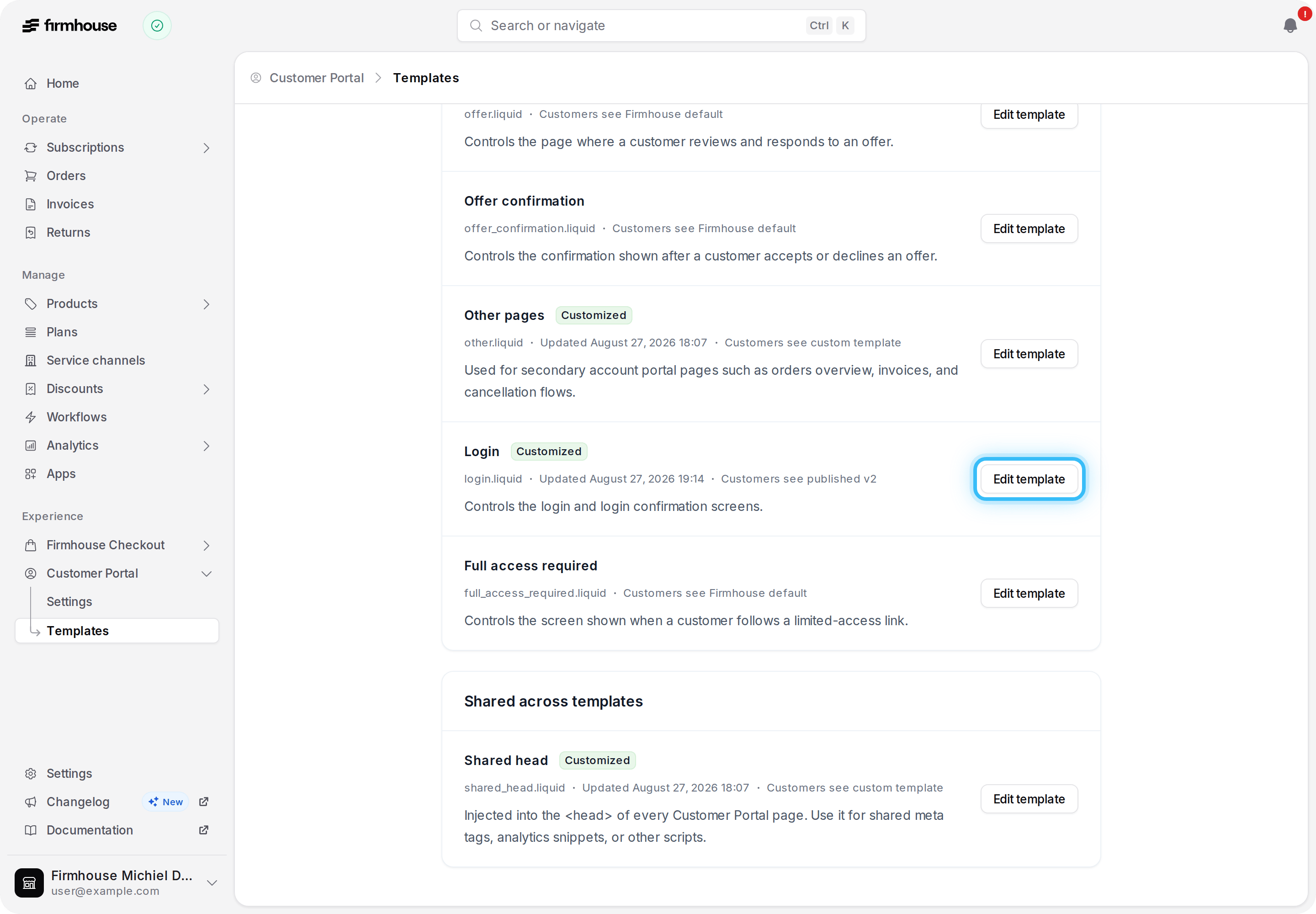
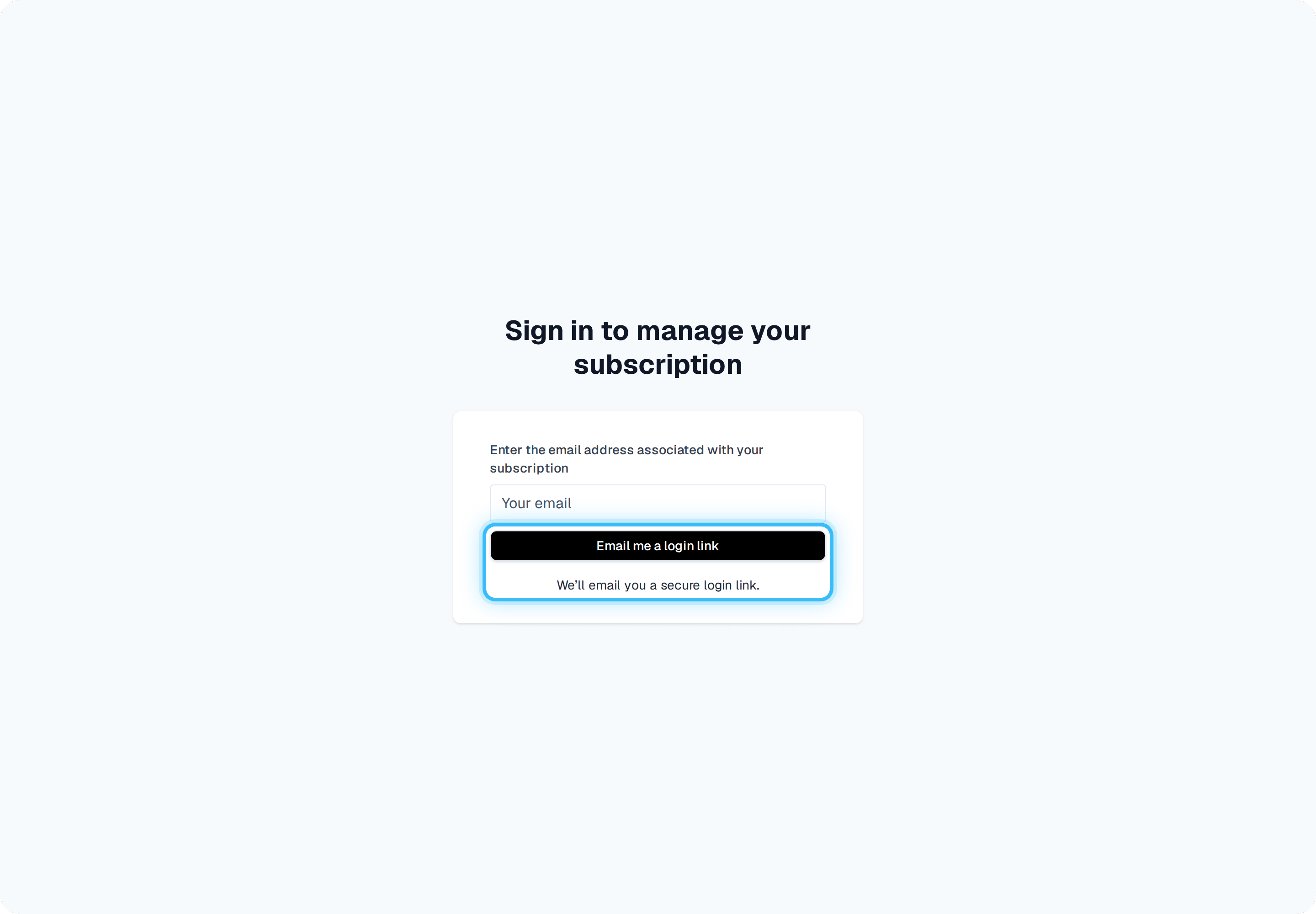
Customize Customer Portal login and access screens
You can now customize the login, email confirmation, and full-access-required screens in Customer Portal v2, using thelogin.liquid and full_access_required.liquid templates. Firmhouse continues to securely manage the login form itself, so you can adjust the surrounding layout and messaging without touching authentication. See the template reference for the available Liquid variables.Match Shopify percentage discount rounding
Percentage discounts on Shopify-backed subscriptions now use the same per-unit rounding as Shopify checkout, so upcoming order previews and recurring orders stay aligned with the subscription contract, including cases where fractional cents previously caused a small difference.Add one-time products across plan groups
One-time products configured to ship only once are now available to customers from the Customer Portal regardless of their subscription’s plan group, instead of being hidden outside the group they were added in. Recurring products remain correctly limited to the active plan group. Learn how portal product availability works.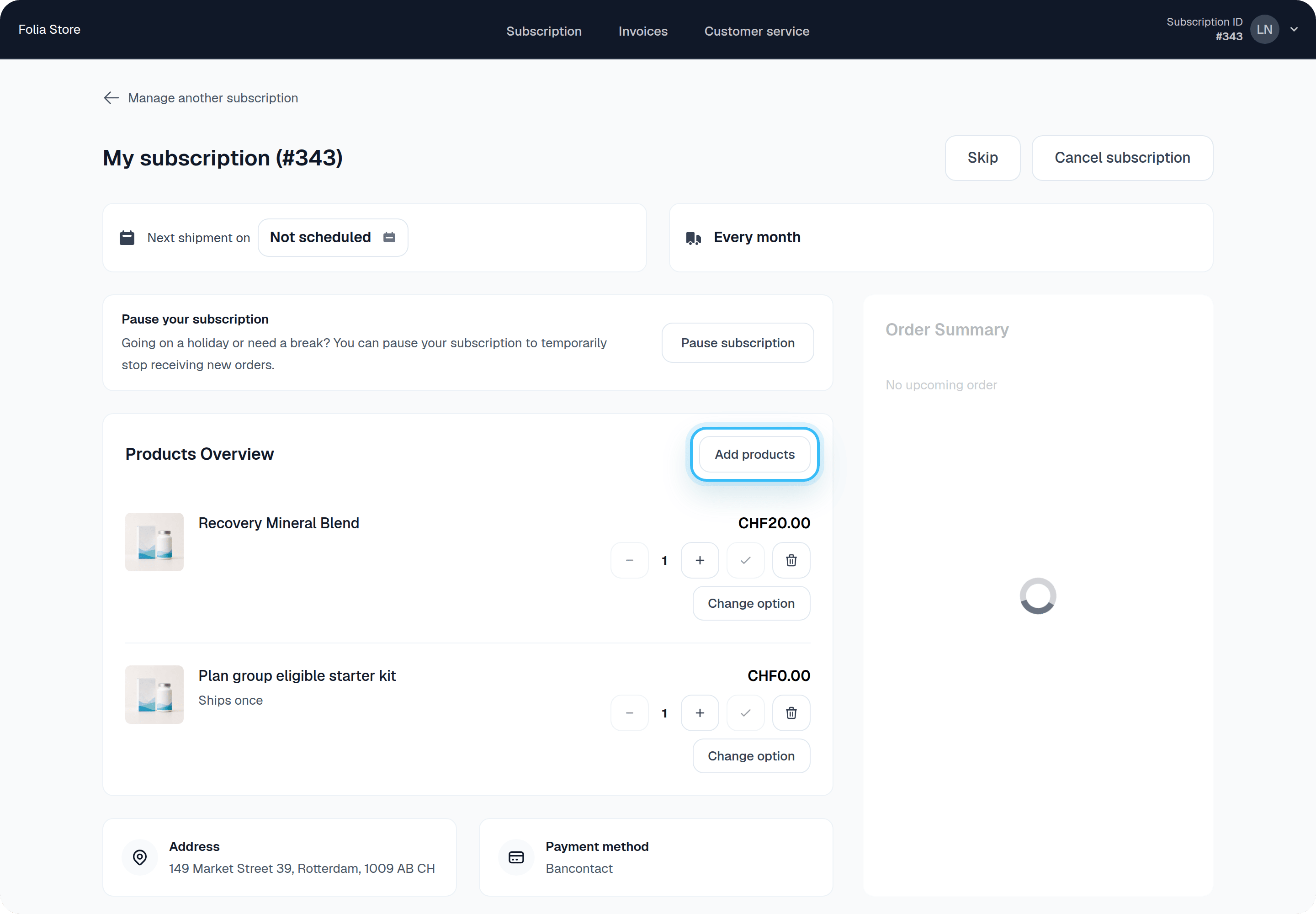
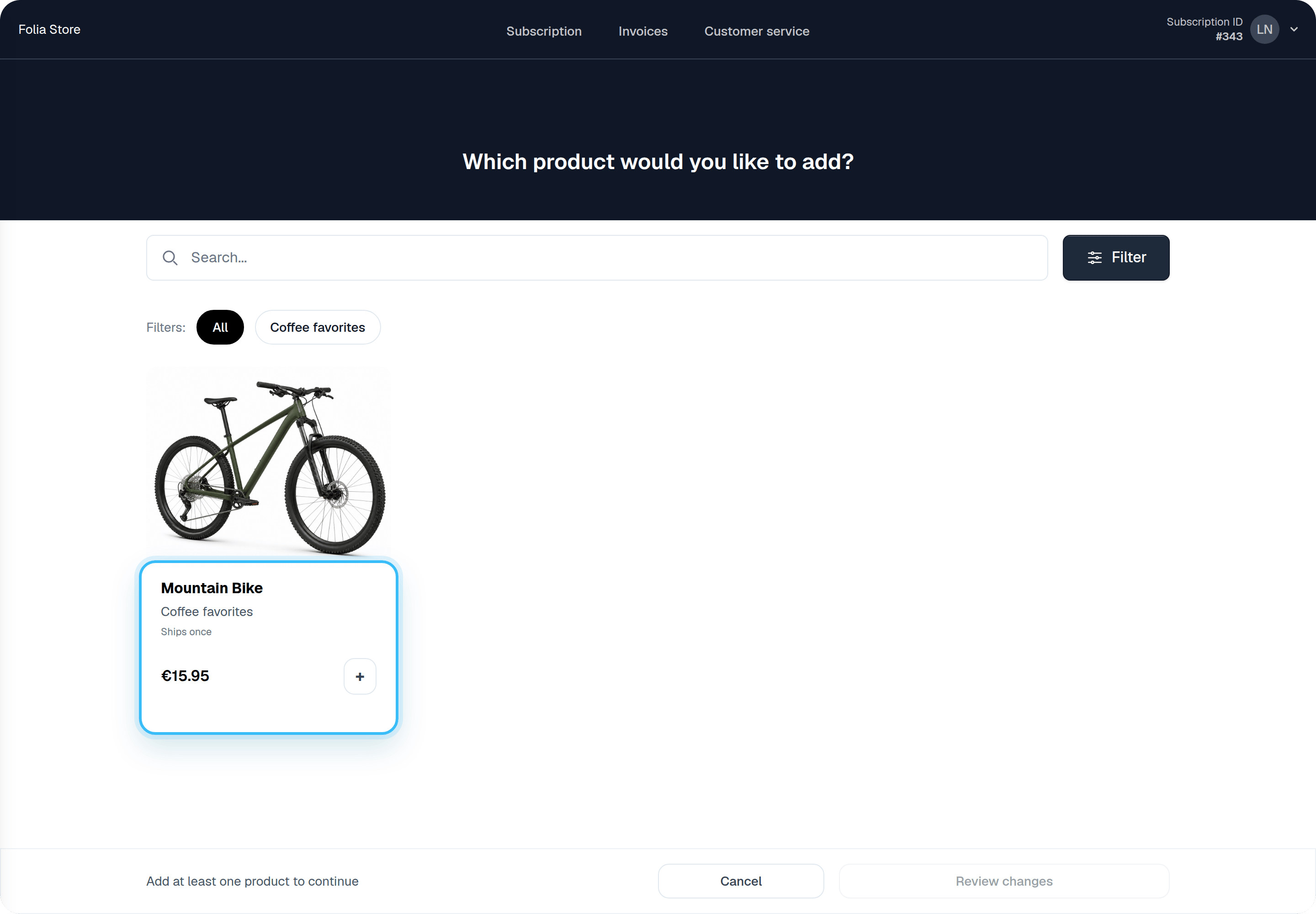
Use cancellation reasons in Klaviyo flows
Cancellation-confirmed Klaviyo events now include the customer’s selected cancellation reason, so you can segment customers and build reason-specific flows. Free-text feedback remains available through thechurn_request_feedback_updated metric webhook. Learn how to use cancellation data in Klaviyo.Clearer guidance for paused shipment dates
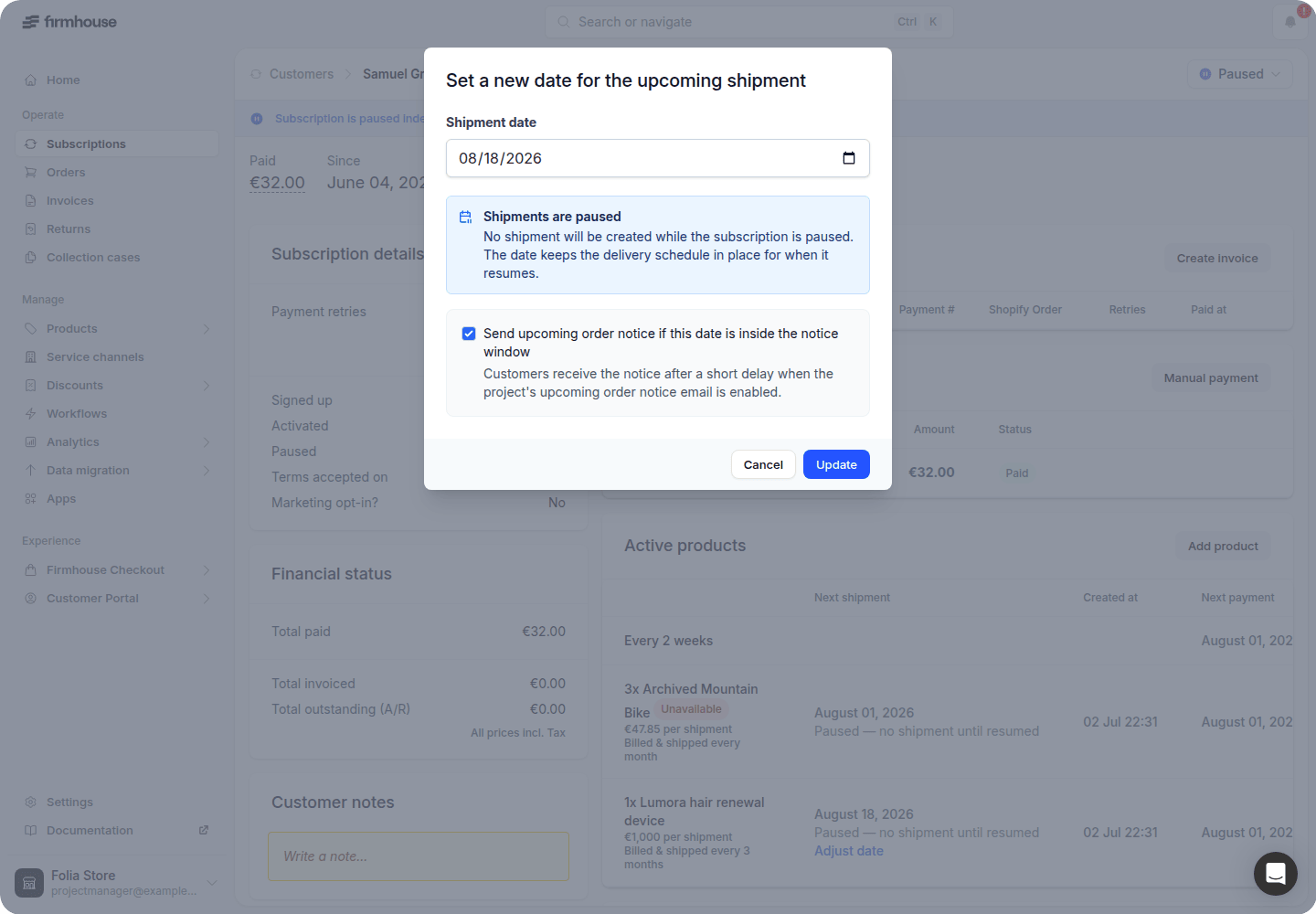
You can now see that no shipment will be created while a subscription is paused, even though its scheduled delivery date stays visible so the schedule is preserved. Shipment dates can still be changed, but they can no longer be cleared in a way that caused a technical error.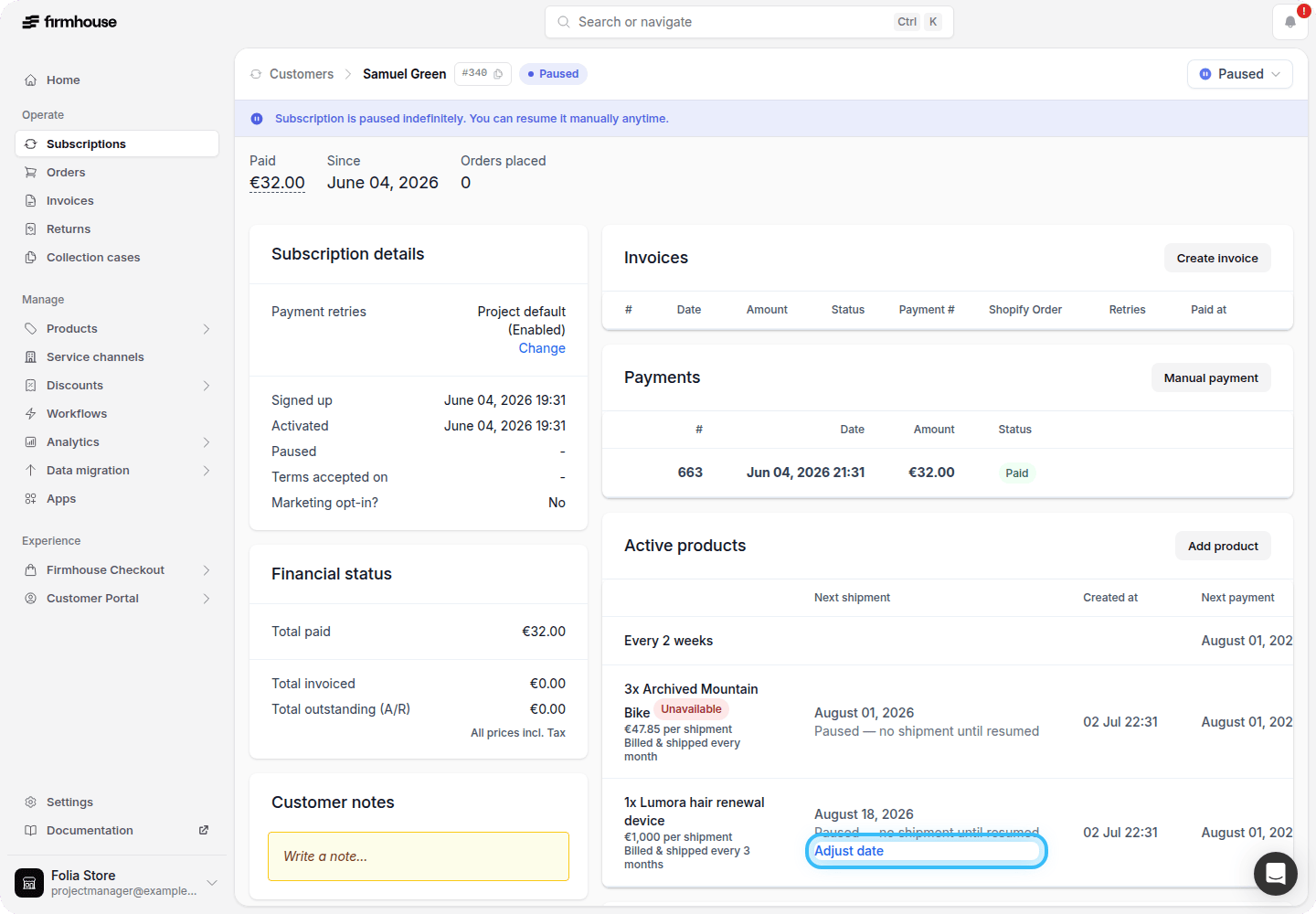
Track your estimated monthly recurring revenue
You can now see Estimated MRR on the Metrics dashboard: a monthly run-rate built from the current recurring charges across your actively charging subscriptions, shown separately for each currency.Weekly, monthly, multi-month, and yearly charges are converted to an average monthly amount excluding tax. Paused subscriptions, one-time products, and shipping stay out of the estimate. Learn more about the calculation.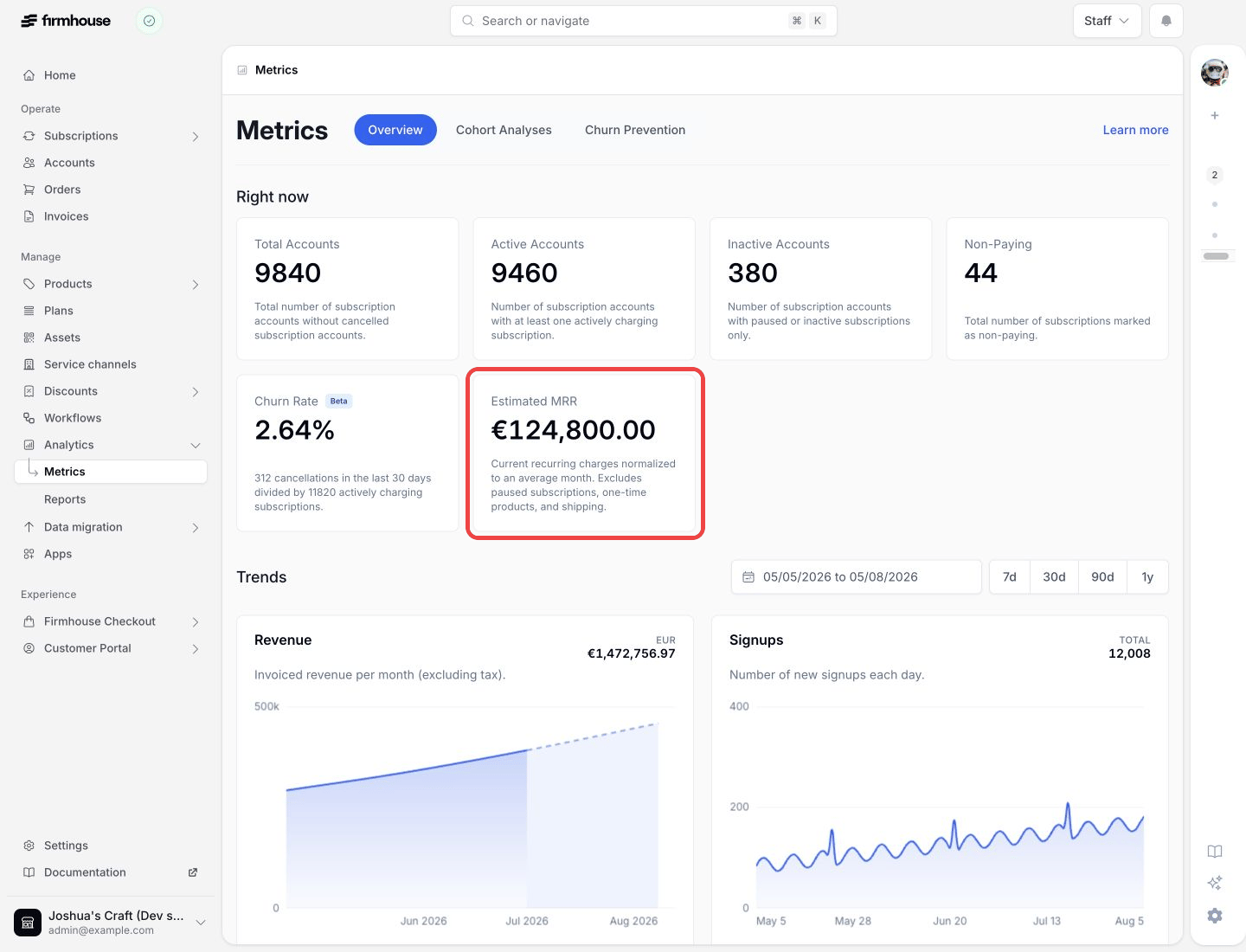
Show product-scoped discounts correctly in the Customer Portal
Customers now see a promotional price in the Customer Portal only for products the promotion actually applies to. Promotions limited to specific required products no longer make unrelated products appear discounted.Include invoice references in the Payments report
You can now include the invoice ID when exporting the Payments report, making it easier to reconcile each payment with its invoice. The export also now includes the complete final day of the date range you select.Load large Customer Portal catalogs faster
Customers can now start browsing large add-product and replacement catalogs immediately instead of waiting for every product to render. Firmhouse loads products progressively in responsive groups, keeping catalogs with thousands of products quick and usable.Record products a customer already owns
You can now choose Already owned when adding a product to a subscription. The product stays on the customer’s record for reference without being shipped, billed, counted toward monthly value, or added to a Shopify subscription contract. Learn about product behavior when adding products.Use ordered product status and recurrence in Liquid
You can now useordered_product.status and ordered_product.recurring in Liquid templates, so emails, webhooks, and Customer Portal templates can distinguish active, returned, and already-owned products and check whether an item recurs. Learn how to use ordered product fields in Liquid.Compare before and after values in extra field webhooks
You can now see which extra field answer triggered anextra_field_answer_updated webhook and compare its previous and updated values. Use extra_field_answer.parameterized_name, change_set.value.before, and change_set.value.after in your webhook template. See the webhook example.Send Shopify customers to a specific Customer Portal page
You can now send customers from Shopify directly to a specific page in the Firmhouse Customer Portal instead of the portal root. Add an encoded, relativeredirect_to path to your /a/firmhouse bridge link, and Firmhouse preserves it through both single- and multi-subscription login. Learn how to configure Shopify portal login.Fix Shopify fulfillment matching from a notification
When missing Shopify app permissions prevent Firmhouse from matching a fulfillment, you now get an actionable project notification. Choose Update app permissions to start Shopify’s permission flow for the affected shop, then retry the fulfillment.Select an existing Mollie mandate for a subscription
You can now select an existing, valid Mollie mandate for a subscription instead of asking the customer to complete the payment-method flow again when they already authorized one.Firmhouse updates the subscription’s payment method and uses the selected mandate for future Mollie charges. Learn how to select a mandate.Retry failed Shopify subscription imports yourself
When a Shopify subscription import fails, you now receive a project notification you can act on directly. After correcting the customer or order data in Shopify, choose Retry subscription import to import the missing subscription without contacting Firmhouse support.Retry Shopify imports when contracts take too long
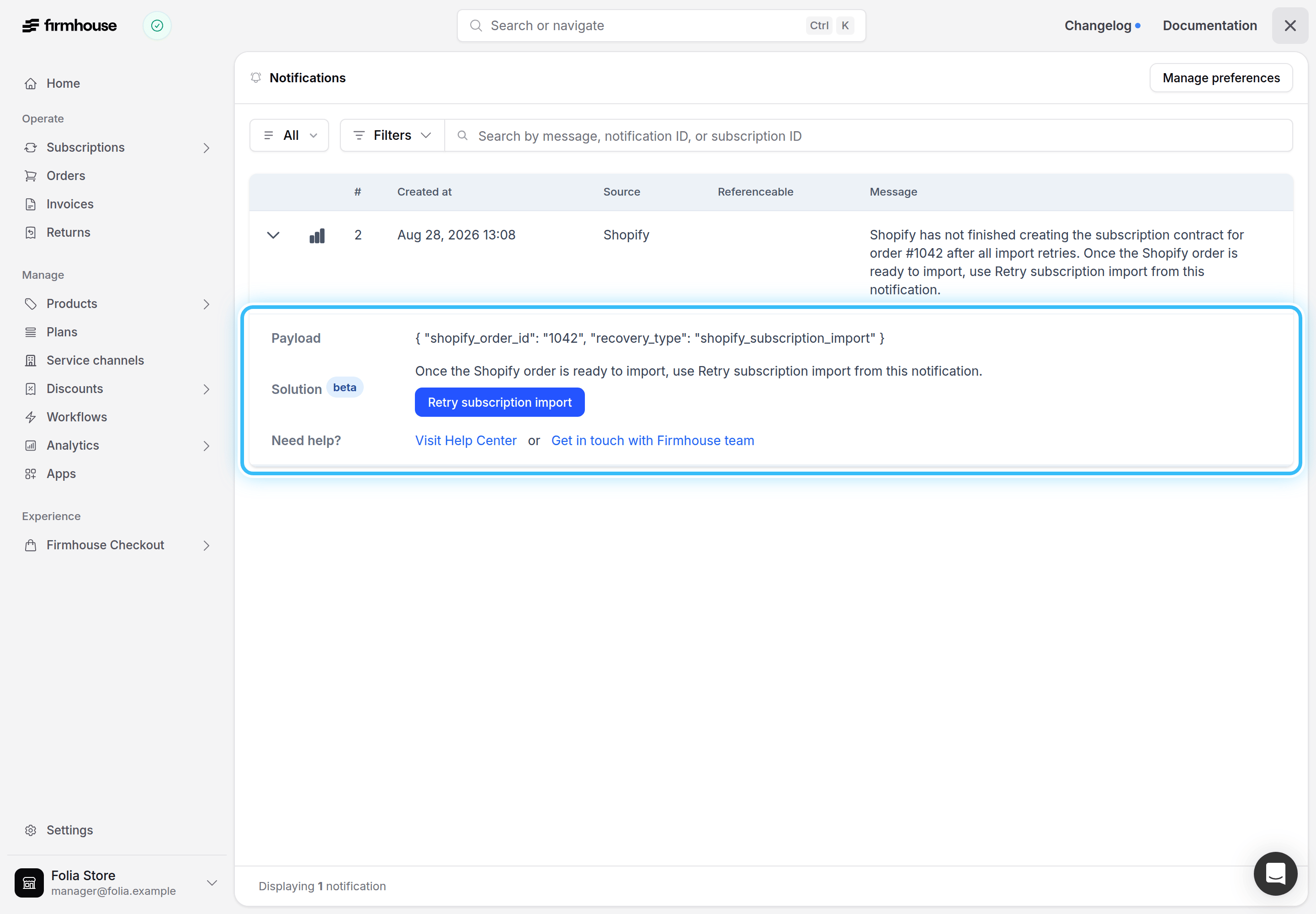
You now also get a project notification when Shopify has not finished creating a subscription contract before Firmhouse’s import retries run out. Once the Shopify order is ready, choose Retry subscription import from the notification to recover the missing subscription.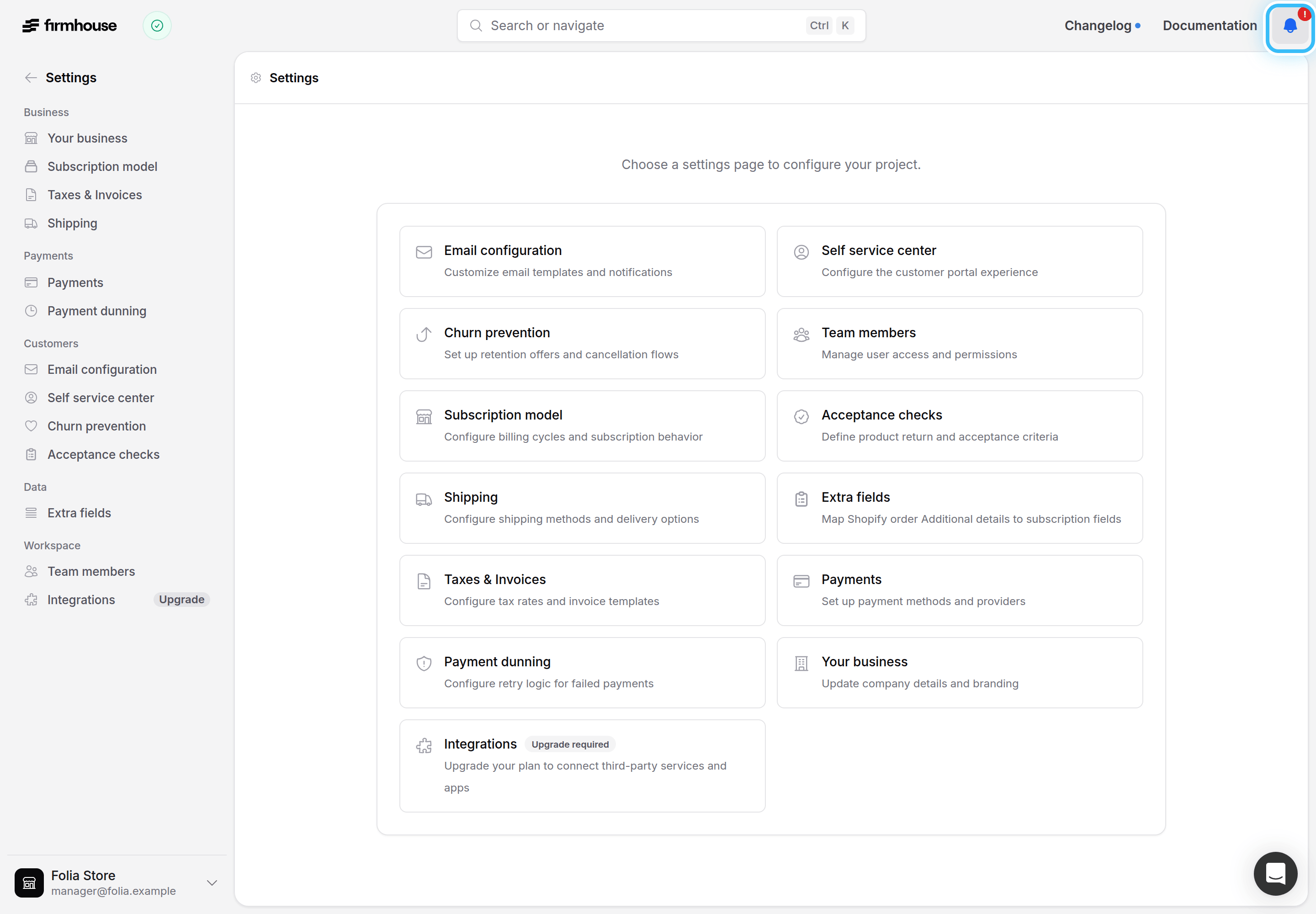
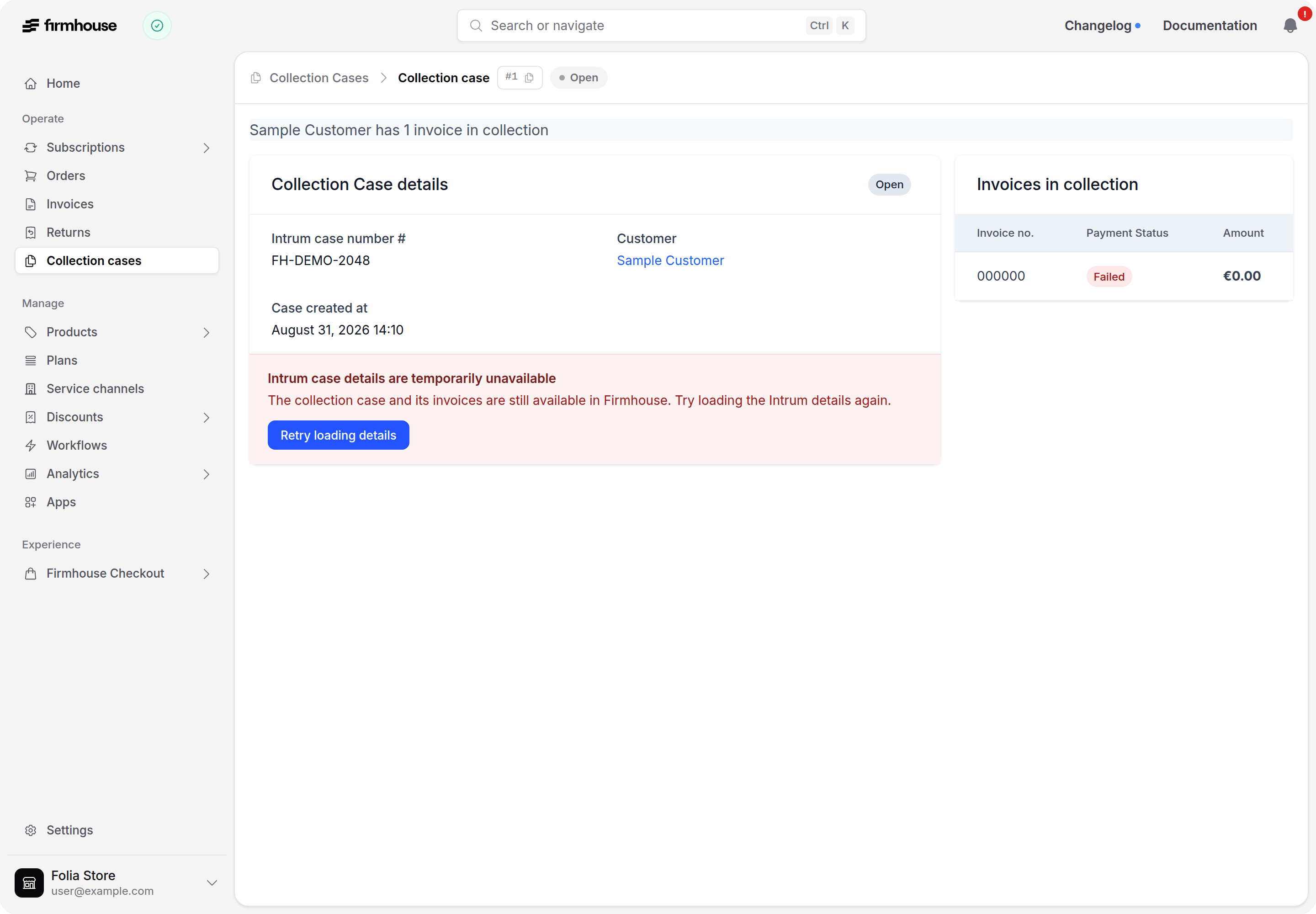
Collection case details stay visible when Intrum is unreachable
We fixed an issue where the collection case page redirected you away when Intrum was slow or briefly unreachable. It now shows a retry notice instead, so your local case details and invoices stay visible while you wait to try again. Learn about accessing collection cases.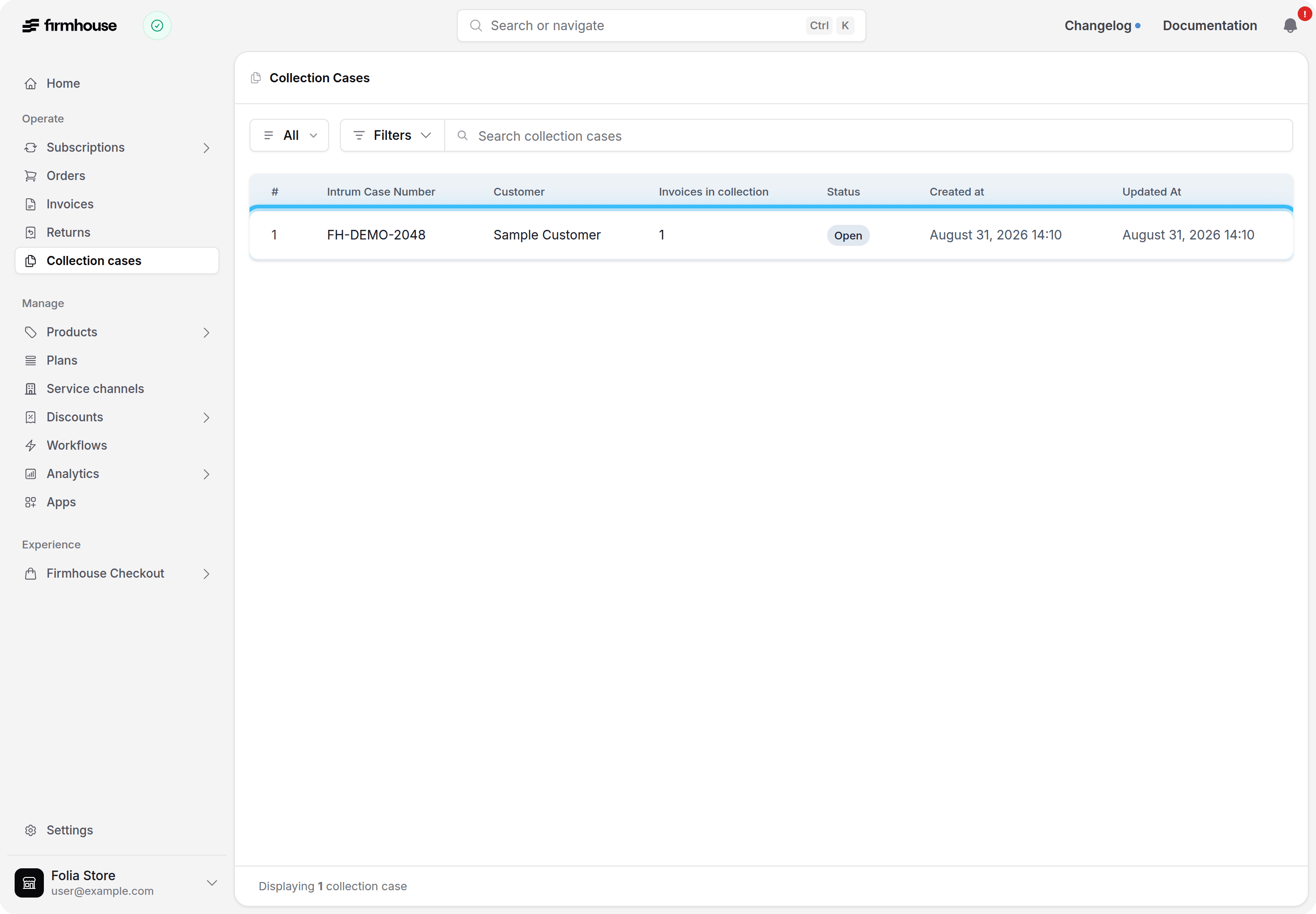
Keep future order addresses up to date
Changing a subscription’s shipping address now automatically applies to every future scheduled order, including Shopify orders with native scheduled fulfillments. Past and already-fulfilled orders keep their original address.Let customers change their Shopify shipping method
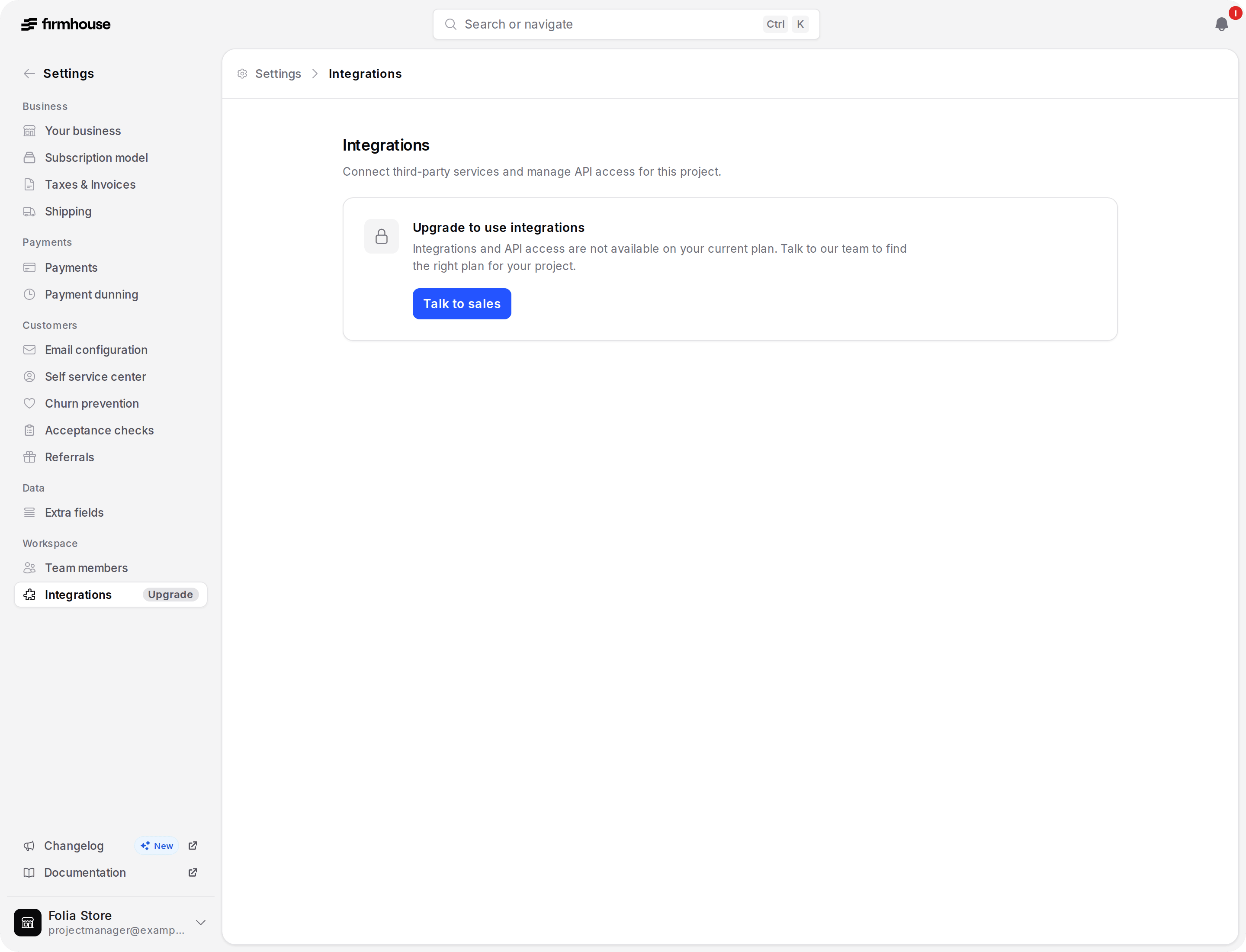
You can now let subscribers choose another currently available Shopify shipping method from the Customer Portal or Customer Portal v2. Turn on Change shipping method under Settings > Self service center > Customer permissions to make this available.For stores using Shopify Delivery Options, customers can select shipping options only — pickup and local-delivery options remain unchanged.Find Integrations in settings on every plan
You can now find Integrations in settings regardless of your plan. If your current plan does not include integrations, Firmhouse explains that an upgrade is required and lets you contact support directly.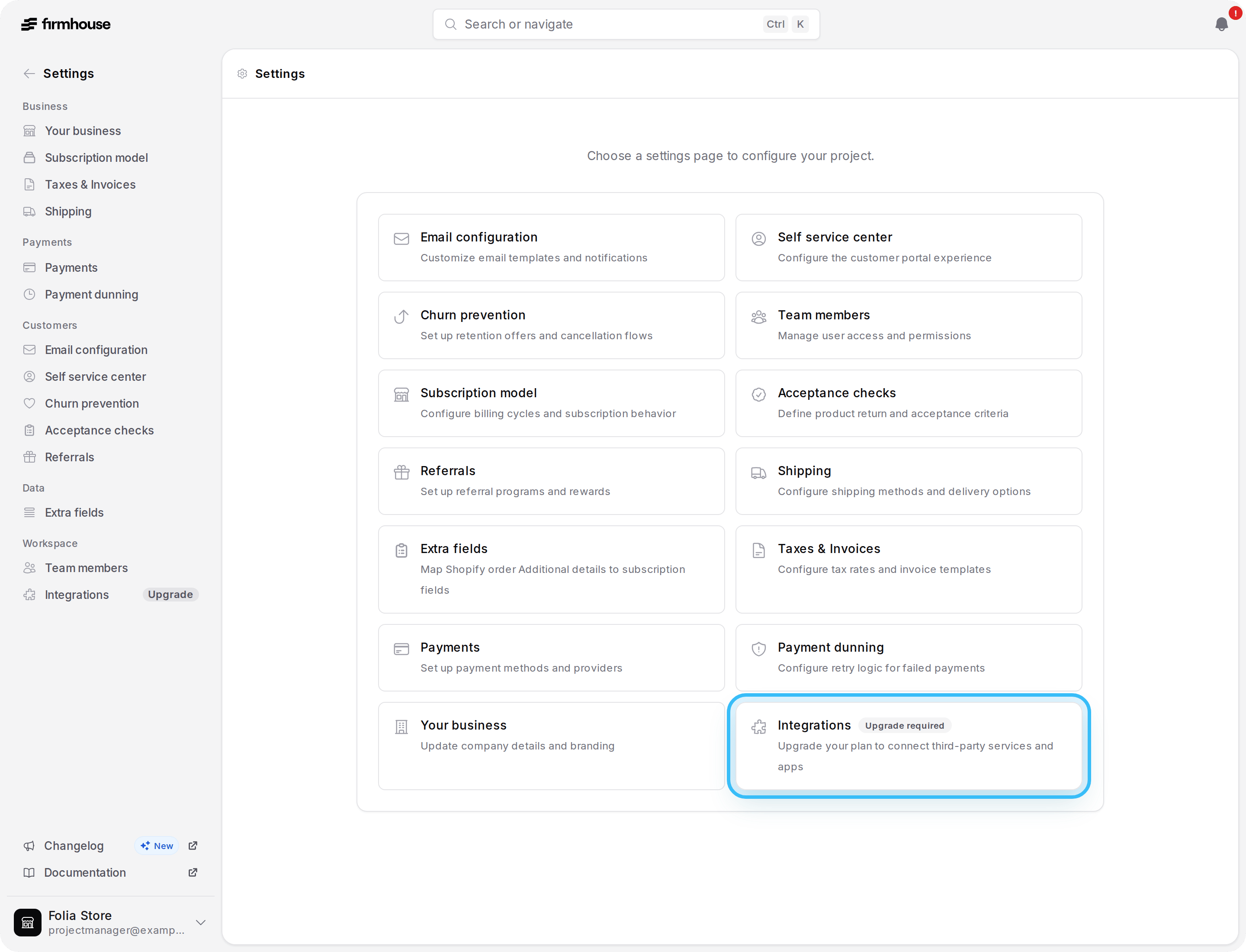
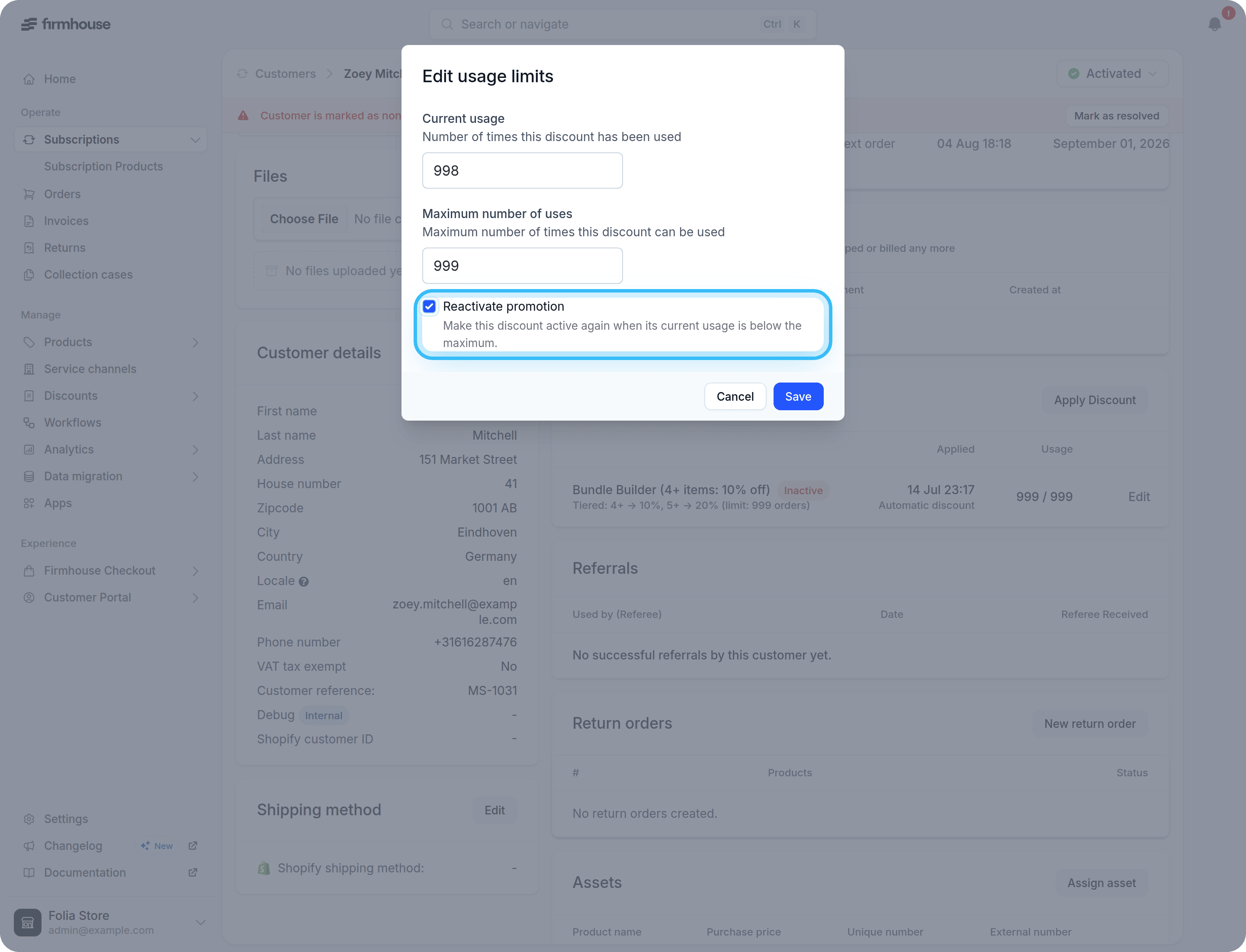
Reactivate promotions after correcting usage
You can now reactivate an inactive, times-based promotion while lowering its current usage below the maximum, right from the subscription’s Edit usage limits screen — in one step, without reactivating a promotion that is still at its usage limit.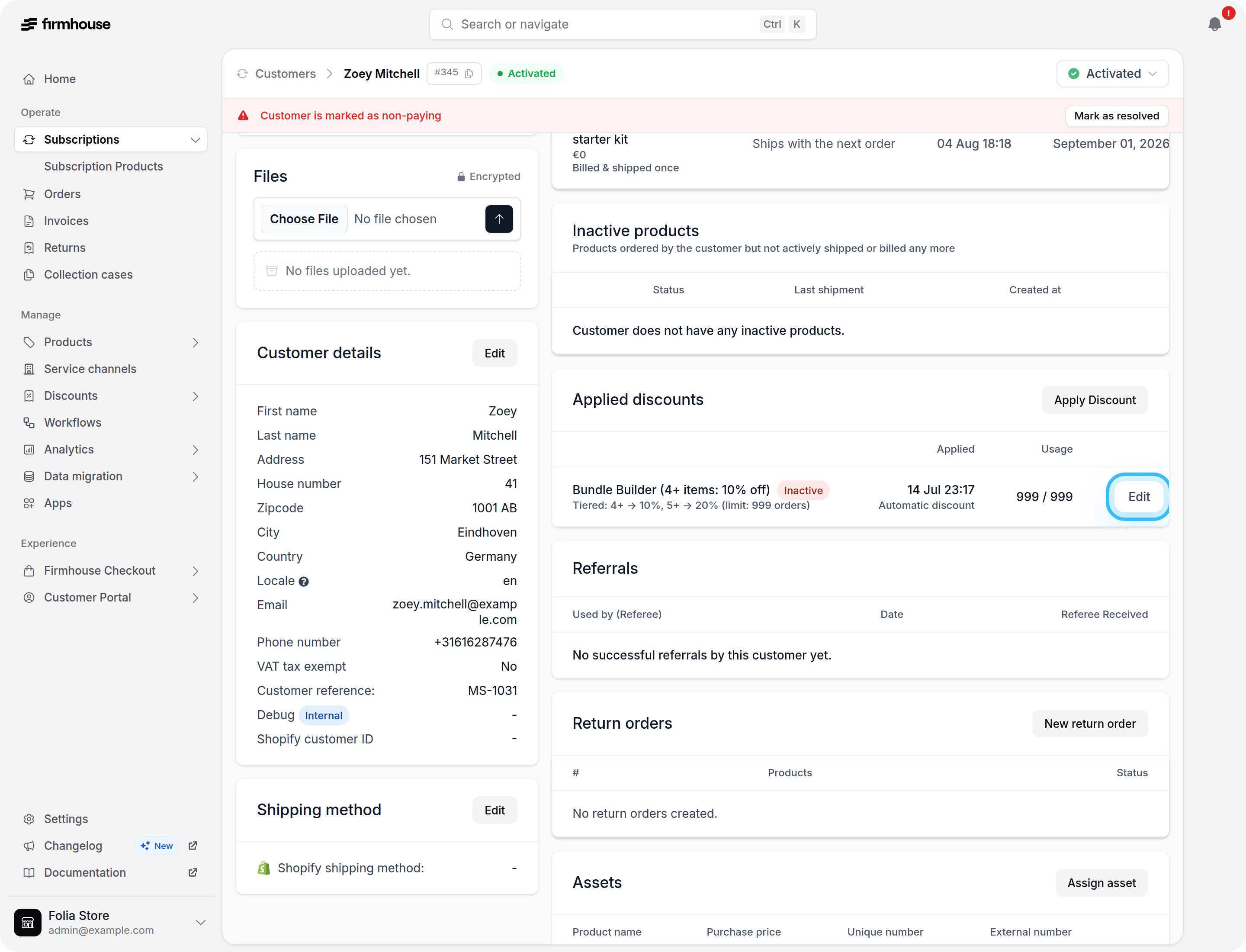
Review invoice reminder delivery history
You can now review every reminder sent for an invoice directly in its history, including the reminder number, scheduled date, and whether delivery was sent, skipped, queued, unconfirmed, scheduled, or not sent. Learn more about invoice reminders.Clearer details for stopped subscriptions
Stopped subscriptions now clearly show that no payment or shipment is upcoming. The customer details page no longer displays retained scheduling information as though another charge or shipment were still planned.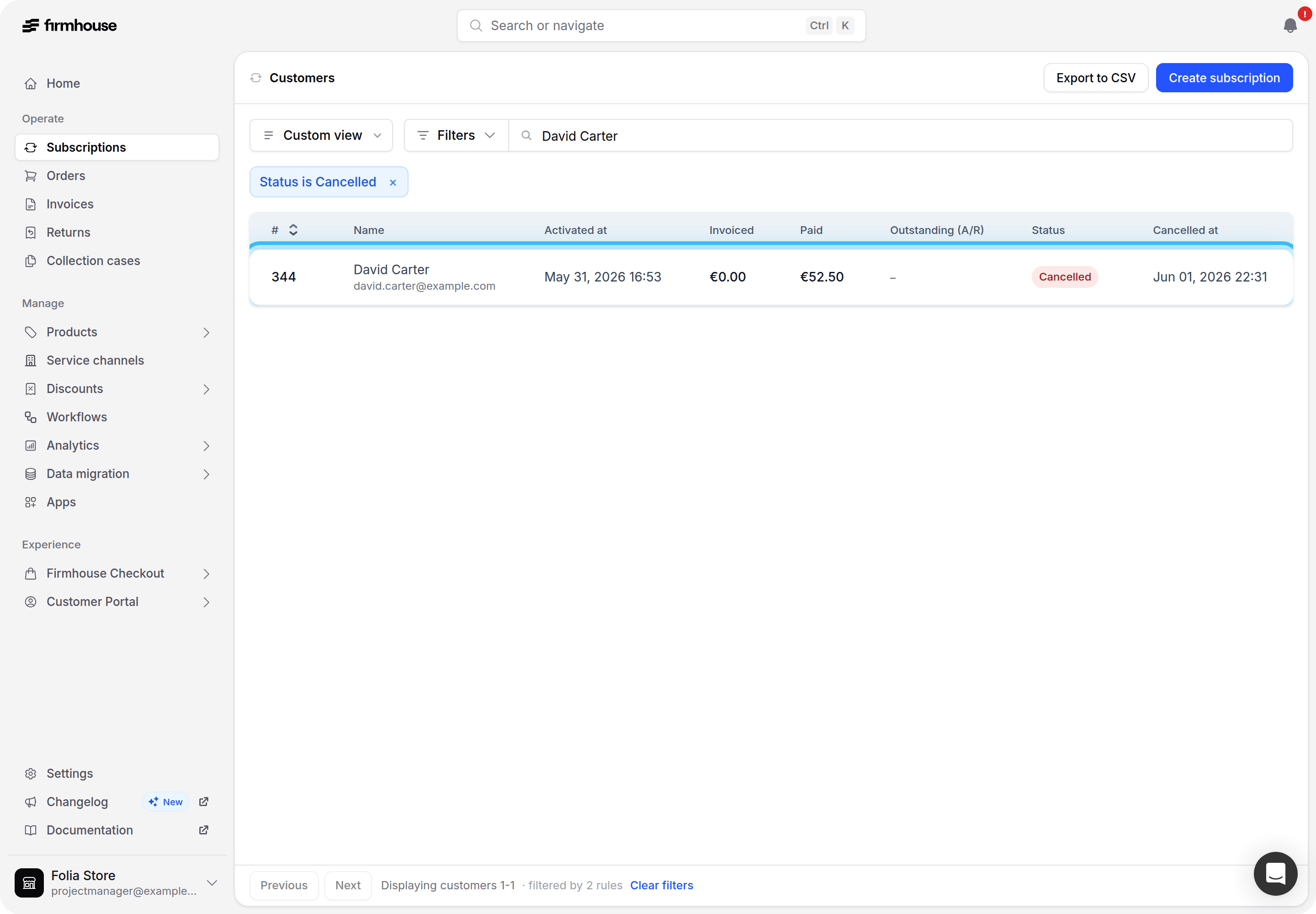
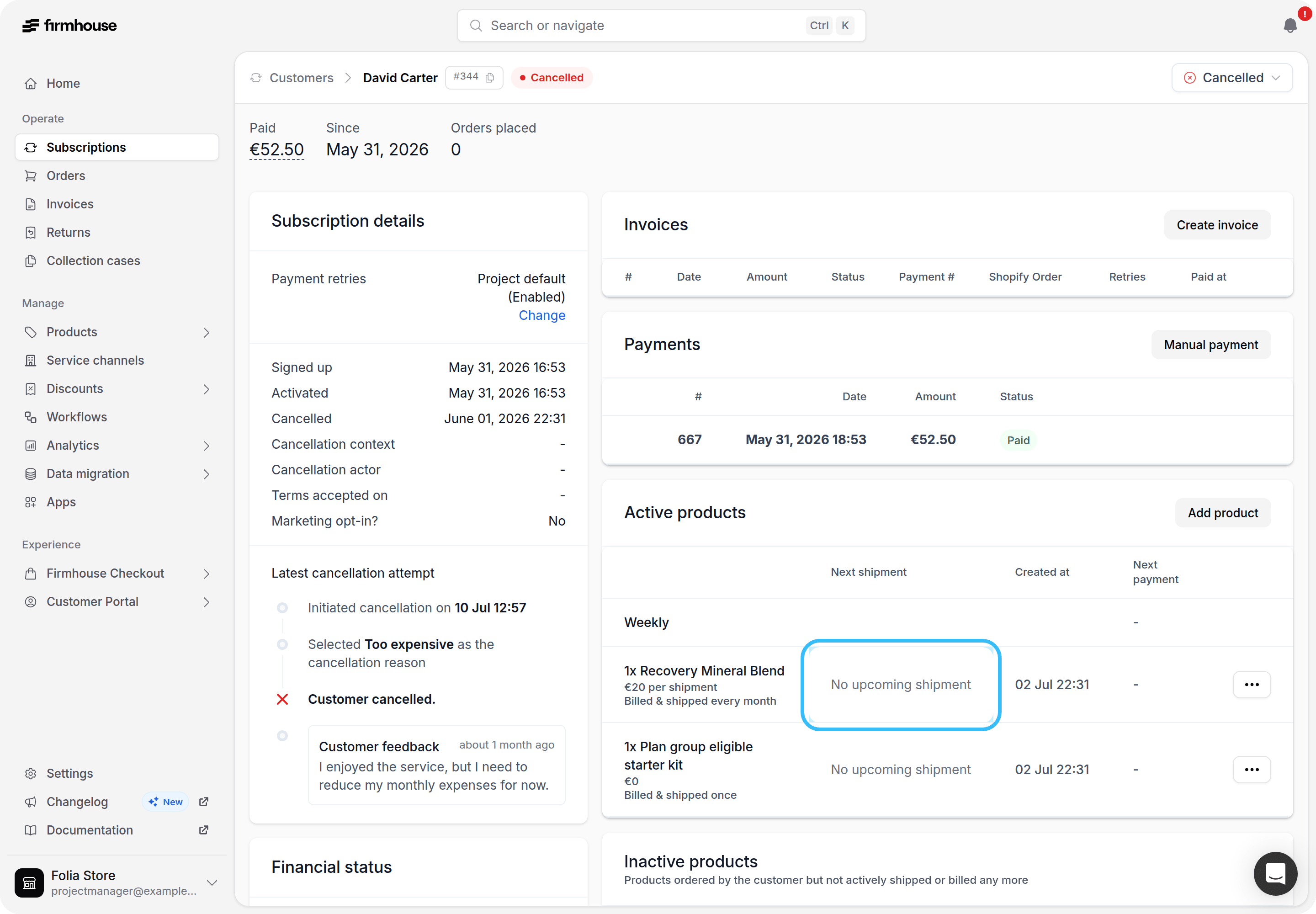
Track chargeback rate over time
You can now follow your rolling 30-day chargeback rate on the Metrics dashboard. The graph shows the share of completed payments that are currently charged back, grouped by when each payment was created, so you can compare payment cohorts over time. Learn how the metric is calculated.Add references when marking invoices paid externally
You can now add an internal reference when marking an invoice as paid outside Firmhouse, such as a bank-transfer date, bank account, or bookkeeping reference.The reference appears with the external payment in the portal and is never shown to the customer. Learn how to mark an invoice paid externally.Use exact Shopify totals for initial invoices
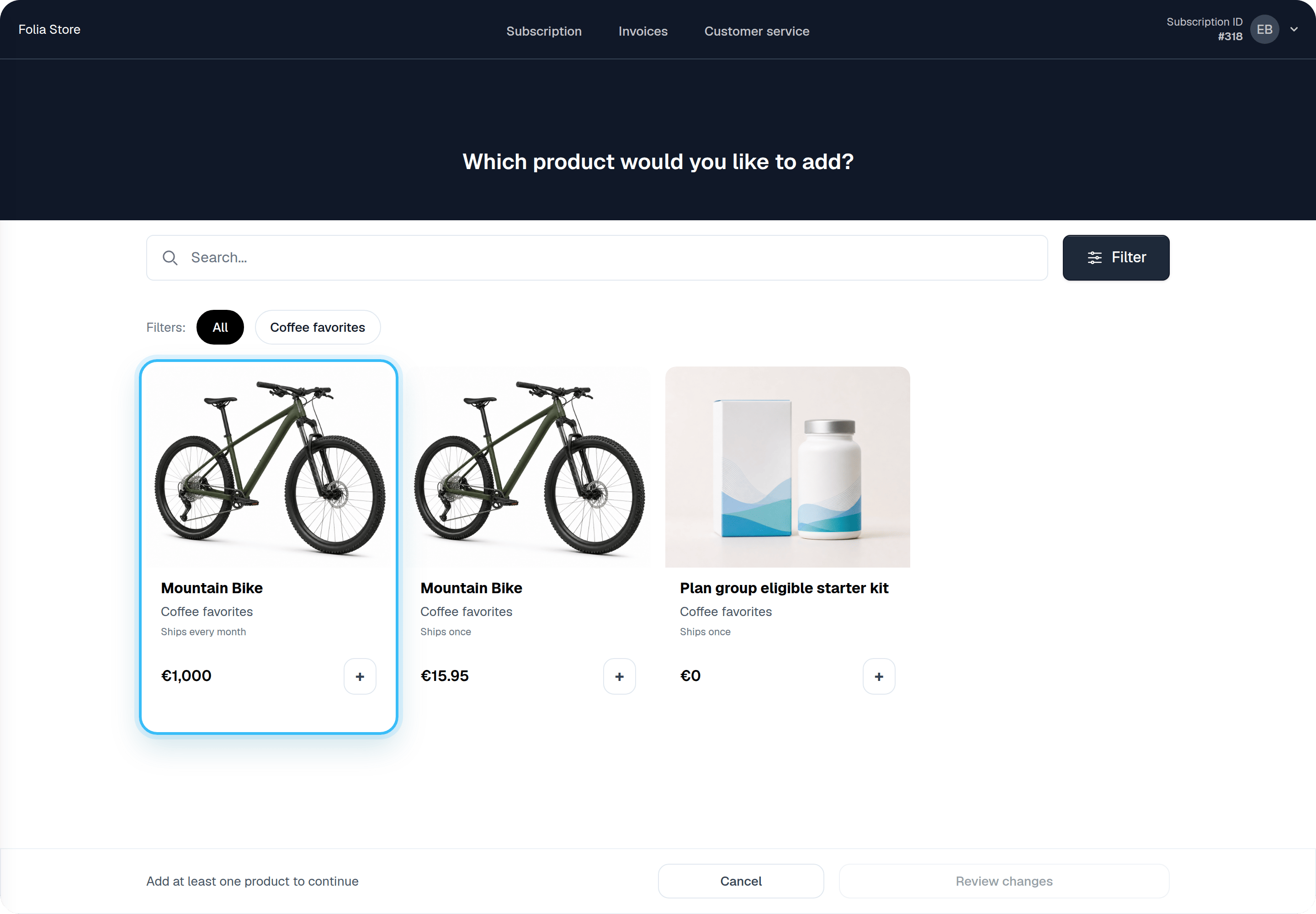
Initial invoices imported from Shopify now use Shopify’s exact charged line totals and allocated discounts, preventing one-cent reconciliation differences that could occur when recalculating a total from Shopify’s rounded unit price.Simpler product cards when a product has only one option
Product cards in the add-products and replacement catalogs no longer ask customers to pick from a list when a product has only one available option. The selector now only appears when there’s an actual choice to make; products with multiple variants keep their existing selection experience.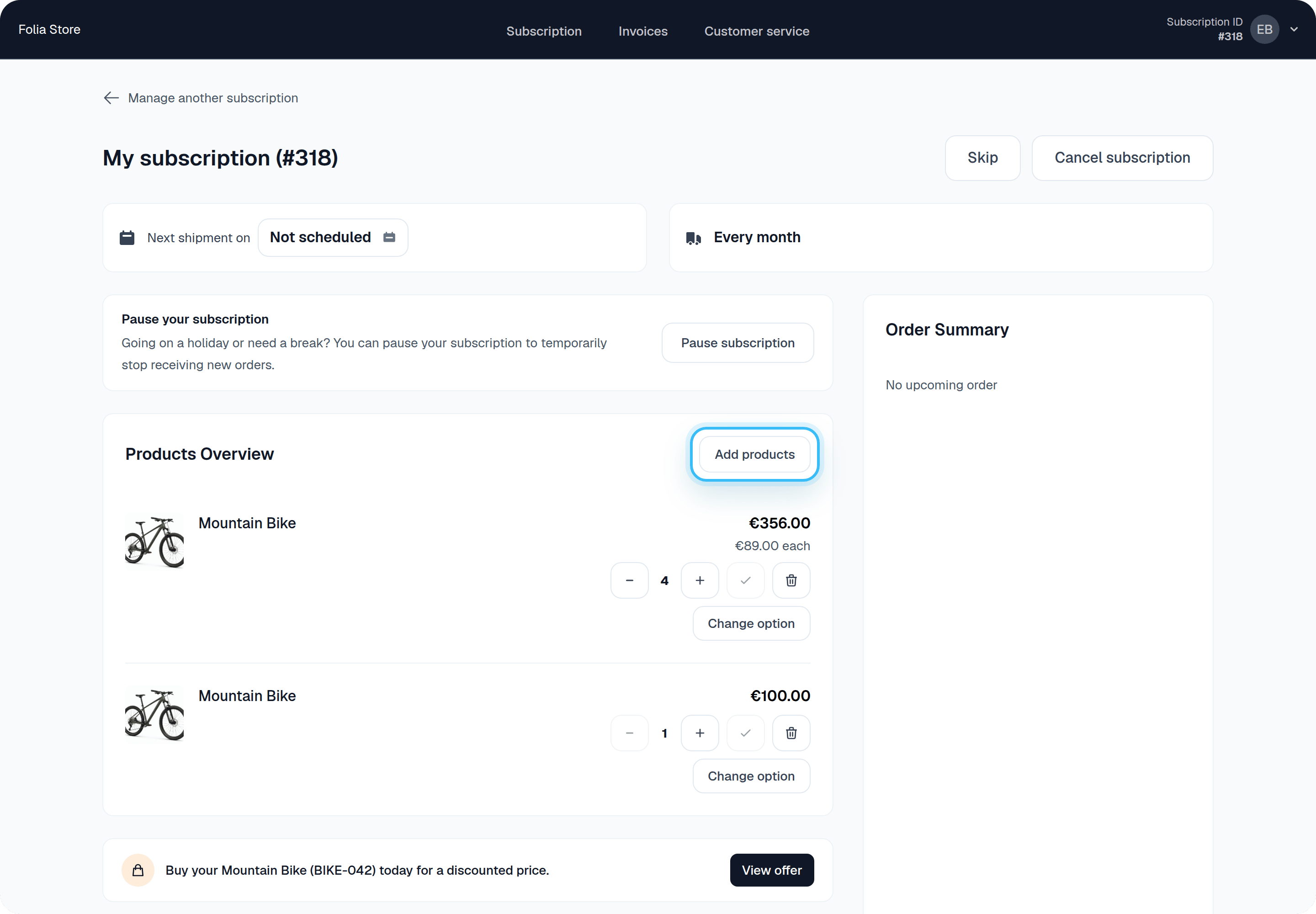
Ship an individual product without changing your shipment schedule
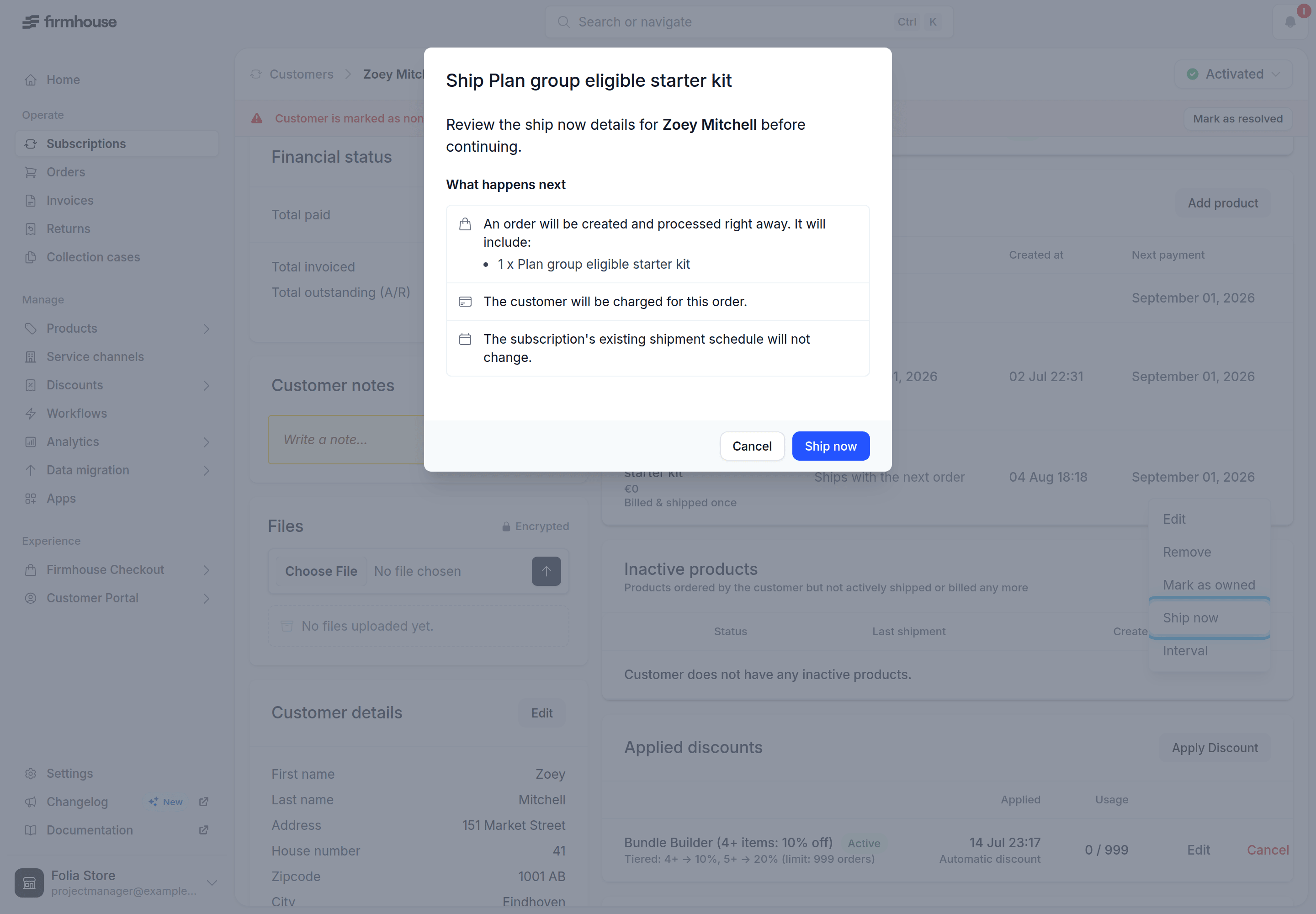
You can now use Ship now on an individual subscription product — including products marked Next order only — to create an extra order containing just that product. The product’s shipment date and the subscription’s next billing date stay exactly where they were.Use Ship now at the top of the Active products section instead when you want to ship every active product and pull the whole billing cycle forward.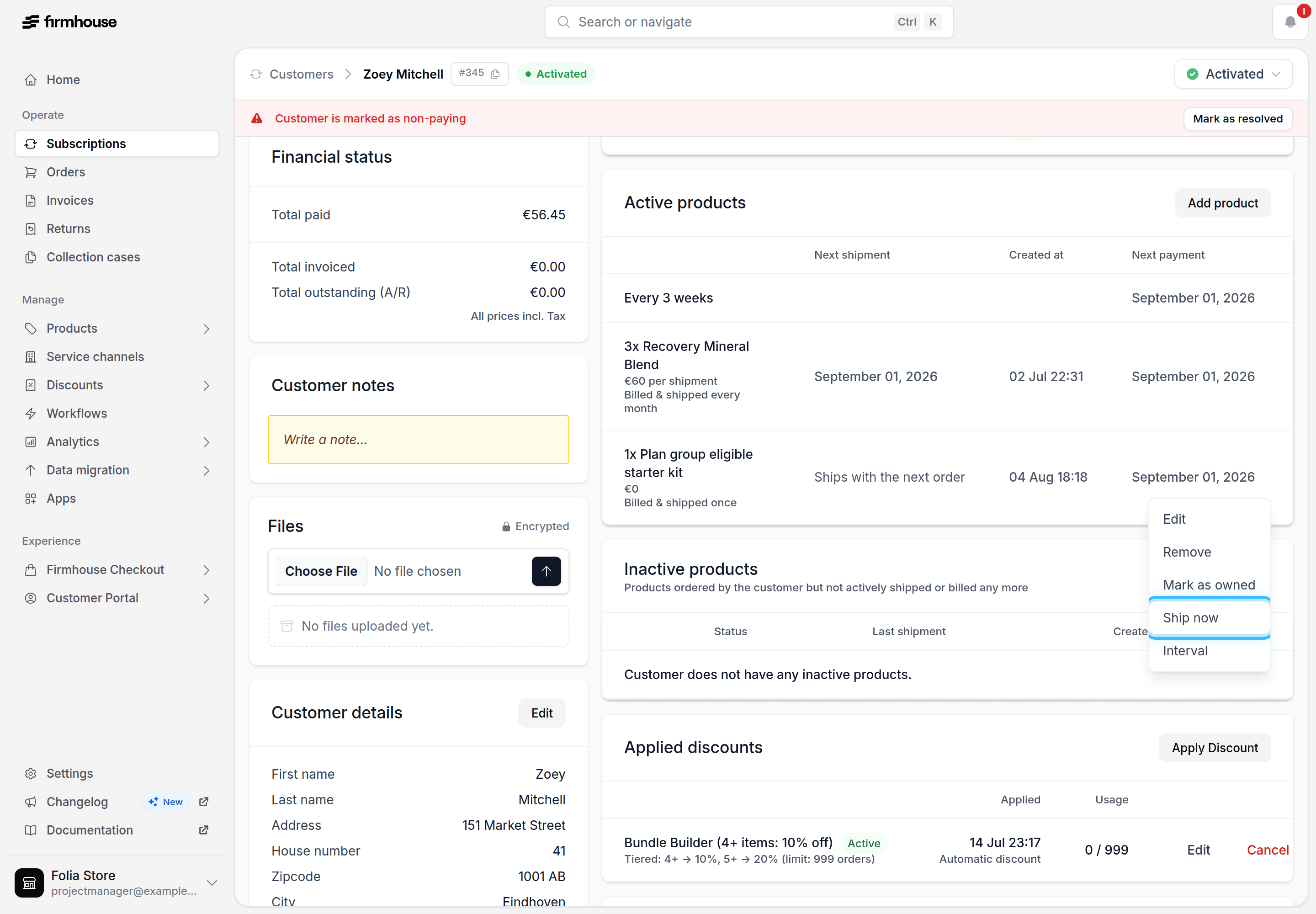
Shopify Pay by Bank retries now activate the subscription
Retrying the first payment on a Shopify Pay by Bank subscription no longer leaves the customer stuck inactive. When the retry succeeds, Firmhouse now marks the Shopify order as paid so Shopify’s own paid-order flow activates the subscription as expected.We also fixed a related mix-up: customers who cancel Pay by Bank and complete checkout with Apple Pay or another card are no longer mistaken for Mollie Pay by Bank payments, which was causing false payment-not-found errors.Auto-refresh the order summary in Customer Portal v2
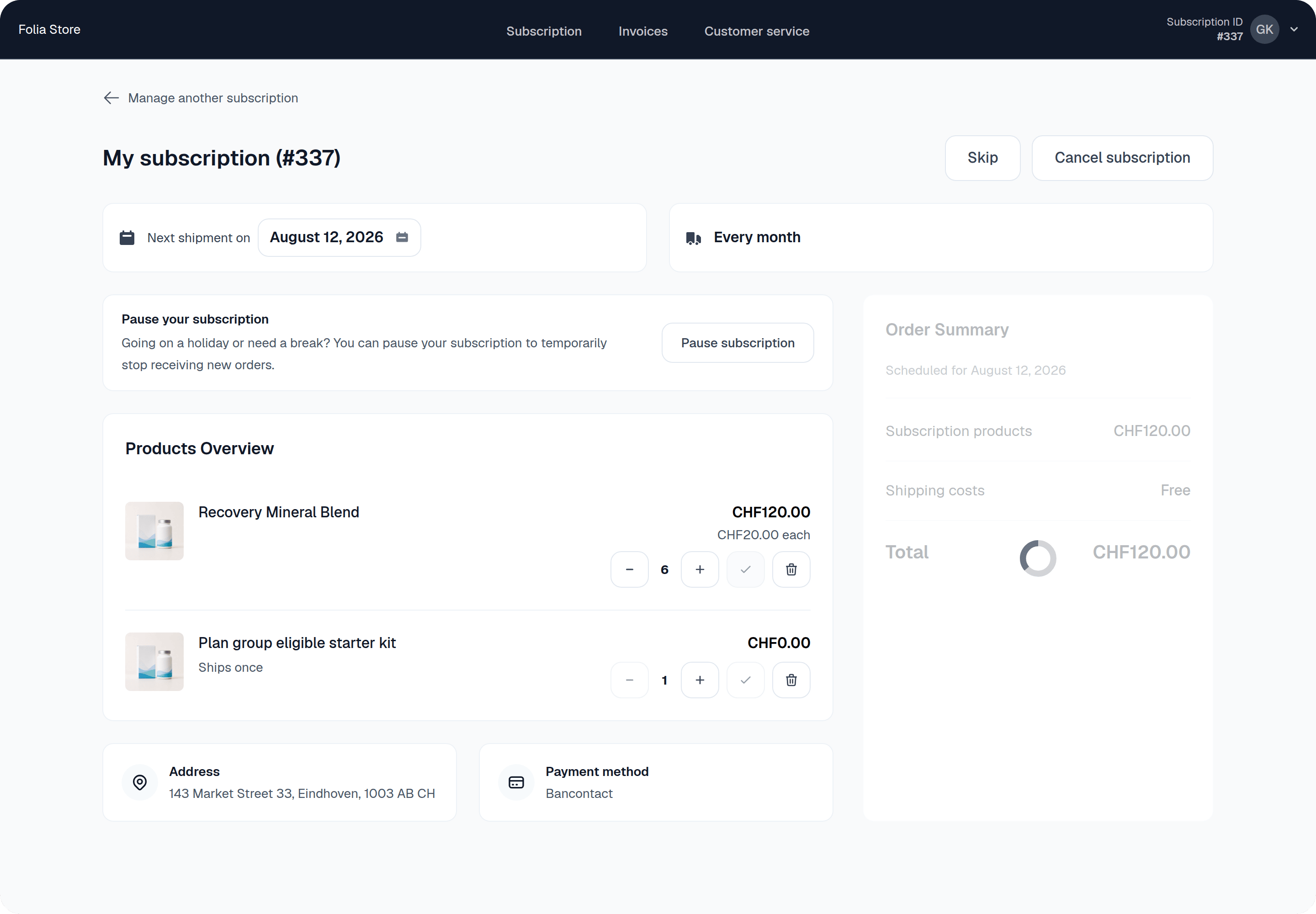
The{% next_order_price_overview %} component in Customer Portal v2 dashboard templates supports two new options: auto_refresh and auto_refresh_delay. With auto_refresh: true, the order summary reloads itself after the configured delay (3 seconds by default) — once after the dashboard loads and again after each product or discount change — with a loading spinner covering the summary until the refreshed totals arrive.Use it when prices can still change a few seconds after the order summary renders, for example while shipping costs are recalculated in the background.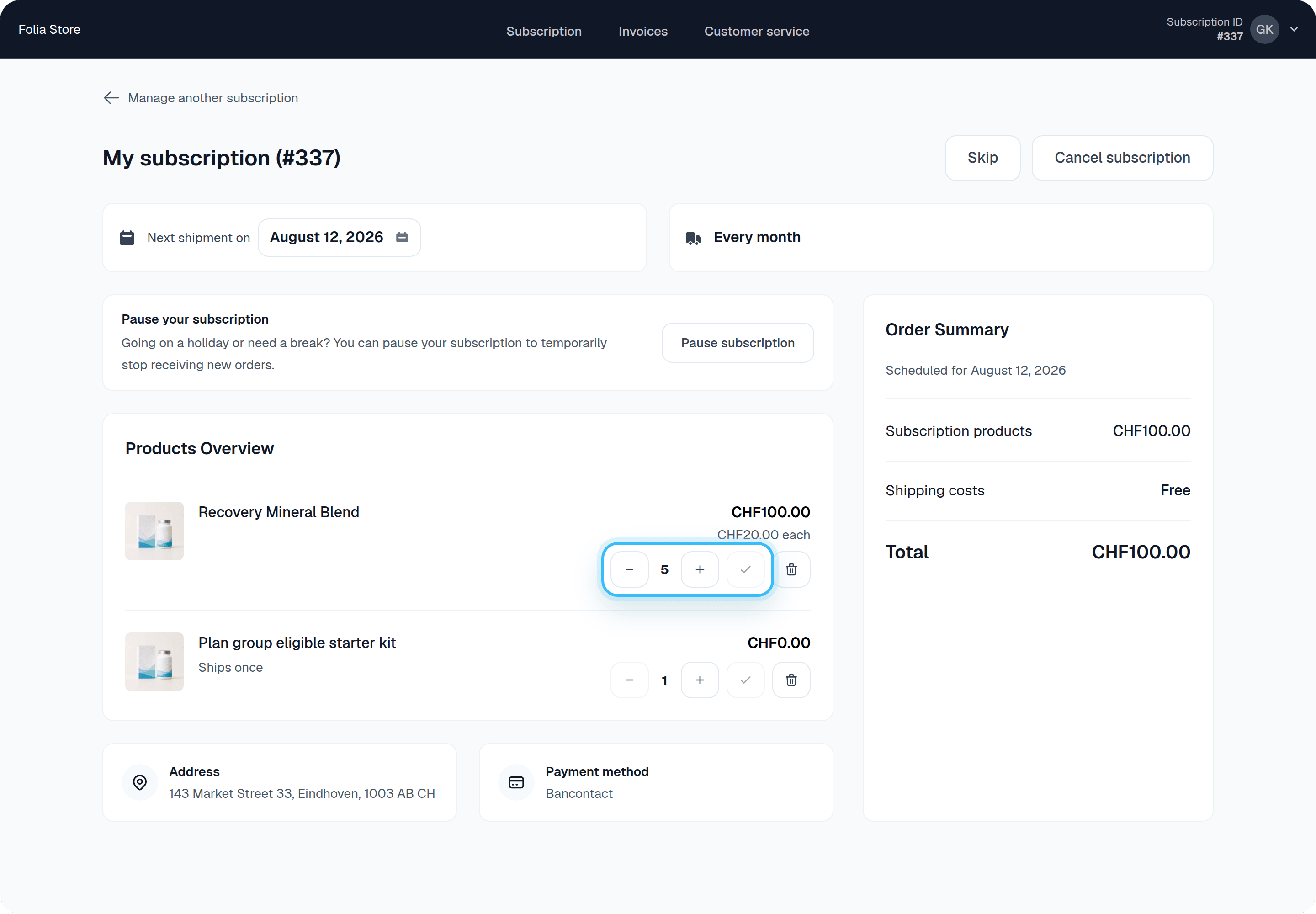
Track Shopify inventory and skip orders with out-of-stock products
For Shopify-connected projects with automatic product sync, Firmhouse can now track each product’s Shopify inventory level and treat it as out of stock once its tracked quantity runs out, without changing the product’s own availability setting. To get started, enable Product availability & stock rules from the New Features page in your account menu, then turn on Treat out-of-stock Shopify products as unavailable for new orders under Settings → Subscription model to hide out-of-stock products from the customer portal’s add and swap flows. When your order creation behavior for unavailable products is set to Skip order and advance billing date, recurring orders or Shopify billing attempts that include an out-of-stock product move to the next cycle instead of failing. Products with untracked inventory or a “continue selling when out of stock” policy in Shopify always stay in stock.Customers already subscribed to an affected product see a clear “Out of stock” badge on their dashboard and in the admin’s Active Products list, and the default upcoming order notice email now warns them ahead of their renewal with a one-click link to swap the product. You can filter out-of-stock products from the admin’s products and subscriptions overviews, and outgoing webhooks fire whenever a product goes out of stock or comes back in stock, so you can trigger your own notifications.Learn more about using Shopify stock levels.Let customers reorder one-time products
Customers can now reorder select one-time products from the Customer Portal after their previous order has shipped — handy for consumables like filters, refills, or recycling bags that need restocking from time to time. Once a customer places a new order, the product becomes unavailable again until that order ships, while earlier purchases stay visible in their order history.Enable Customers can reorder this product after it ships on each product you want to offer this way. Hardware, starter kits, gifts, and other genuinely one-time items stay limited to a single purchase per subscription unless you turn this on.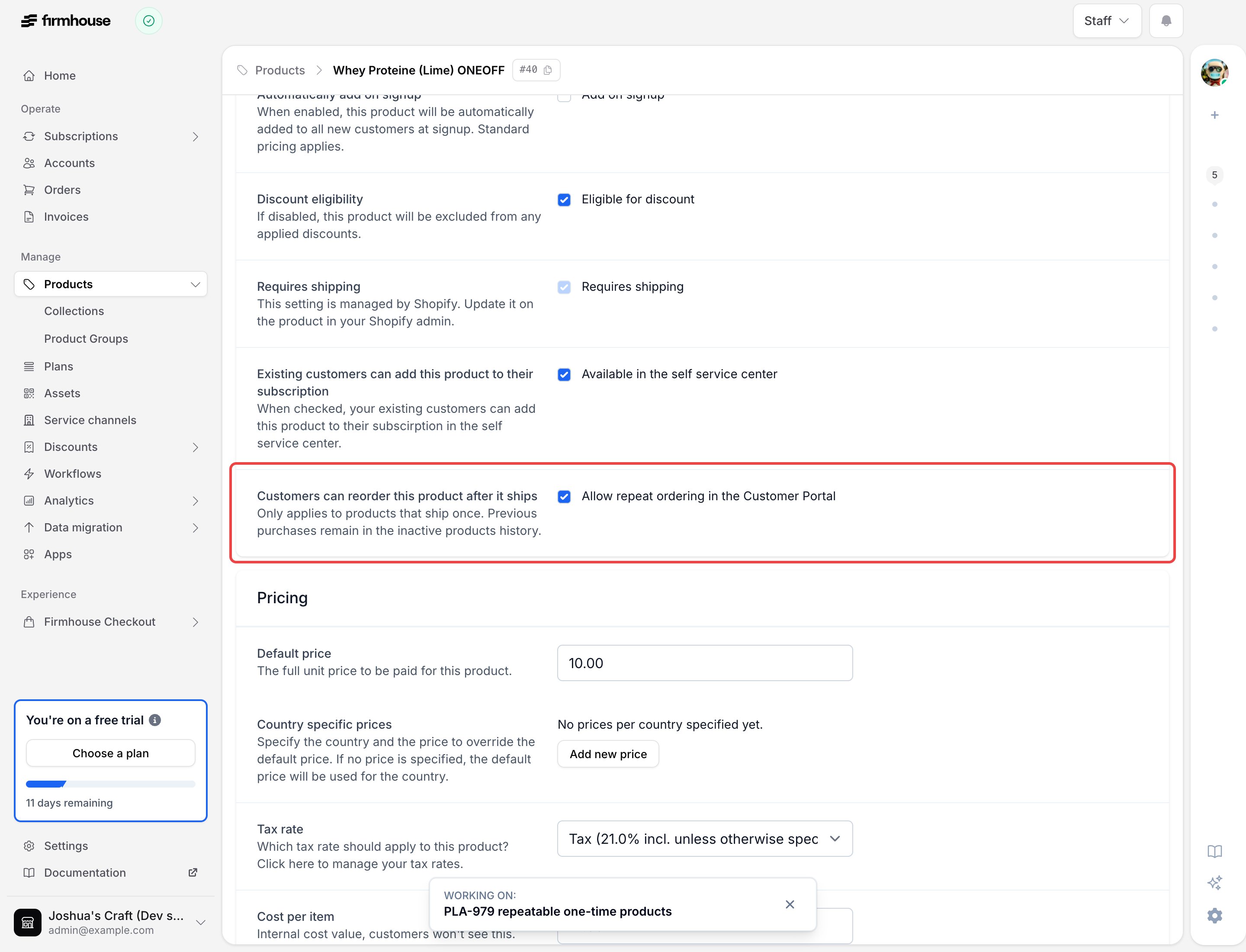
Shopify subscription payments now follow your dunning flow
Shopify subscription payments that fail from insufficient funds are now retried through your Firmhouse dunning flow — up to three times, two days apart — while invoice reminders wait for the retries to finish. If a retry succeeds, billing continues through Shopify as usual. If it still fails, Firmhouse creates the invoice for the correct amount so the customer can pay it and your configured invoice reminders can take over.Learn more about payment dunning.Send test outgoing webhook events
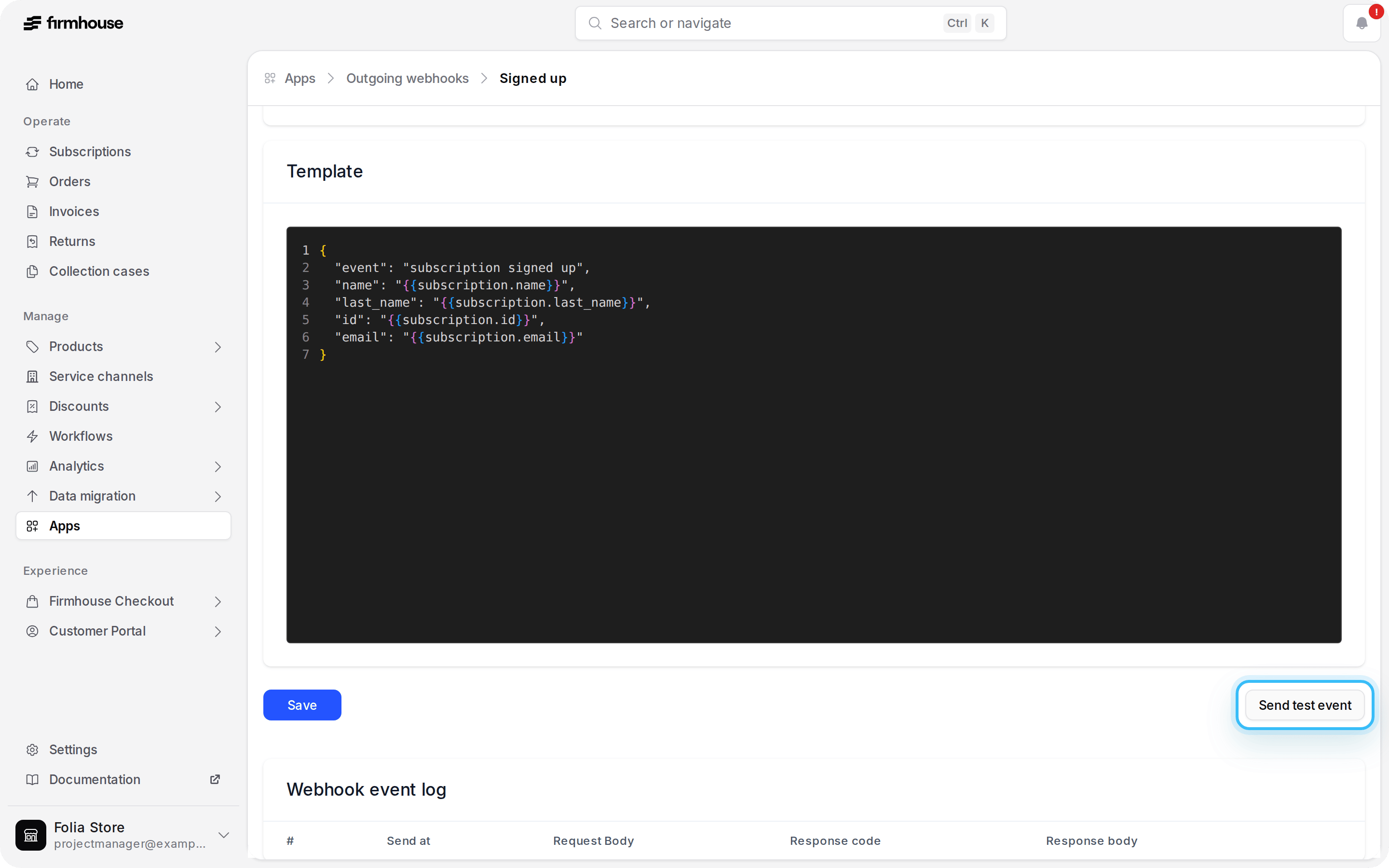
You can now send a manual test event for any outgoing webhook. The test uses your saved webhook configuration with sample Firmhouse data and records the request and response in the Webhook event log, making it easy to check a template, endpoint, Shopify Flow trigger, or Klaviyo metric setup without waiting for a real customer event.For Klaviyo metric webhooks, test events use the same request format as production deliveries and send tojohn.doe-klaviyo-test@firmhouse.com so they’re easy to find in Klaviyo.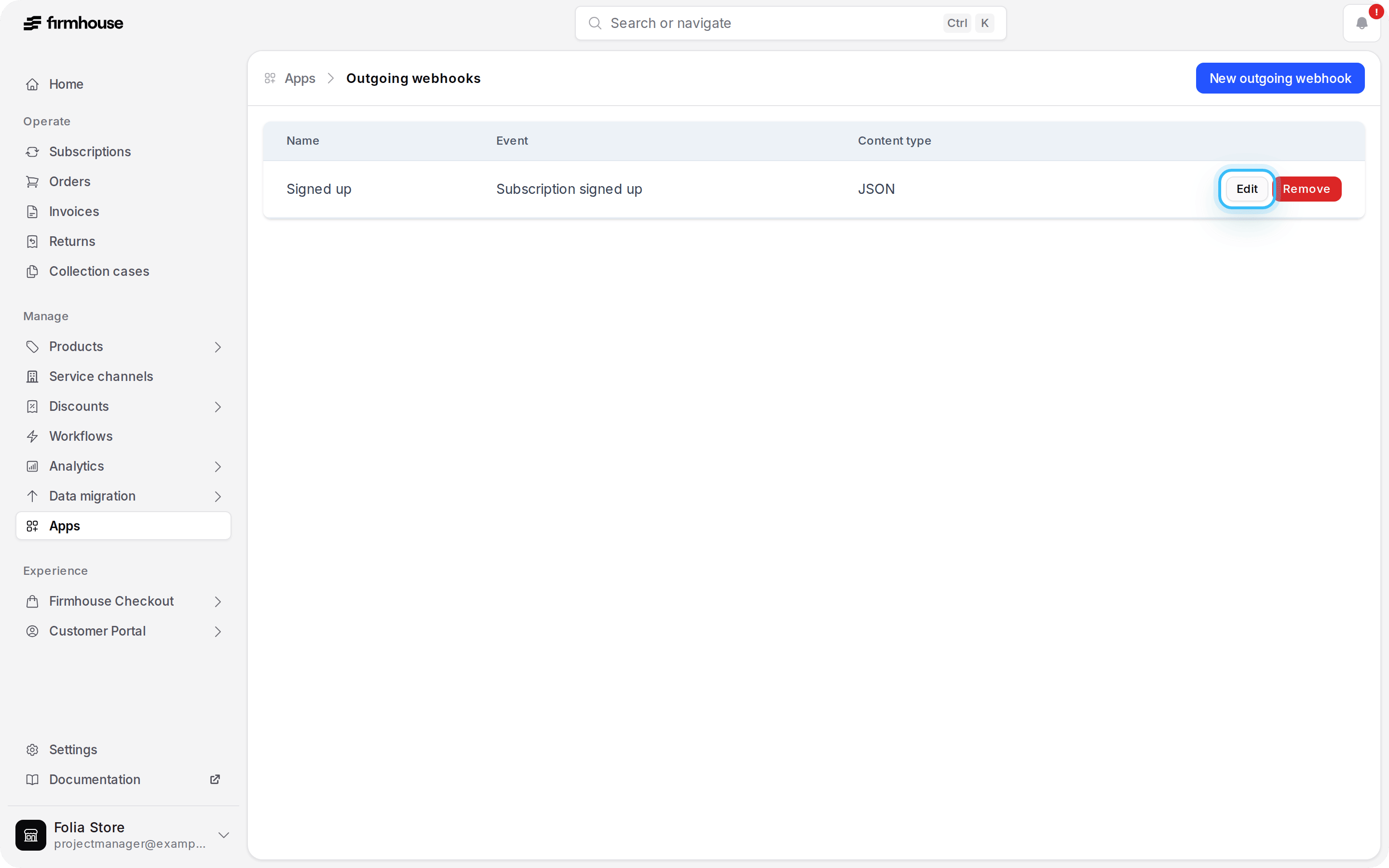
Send outgoing webhook events directly to Klaviyo
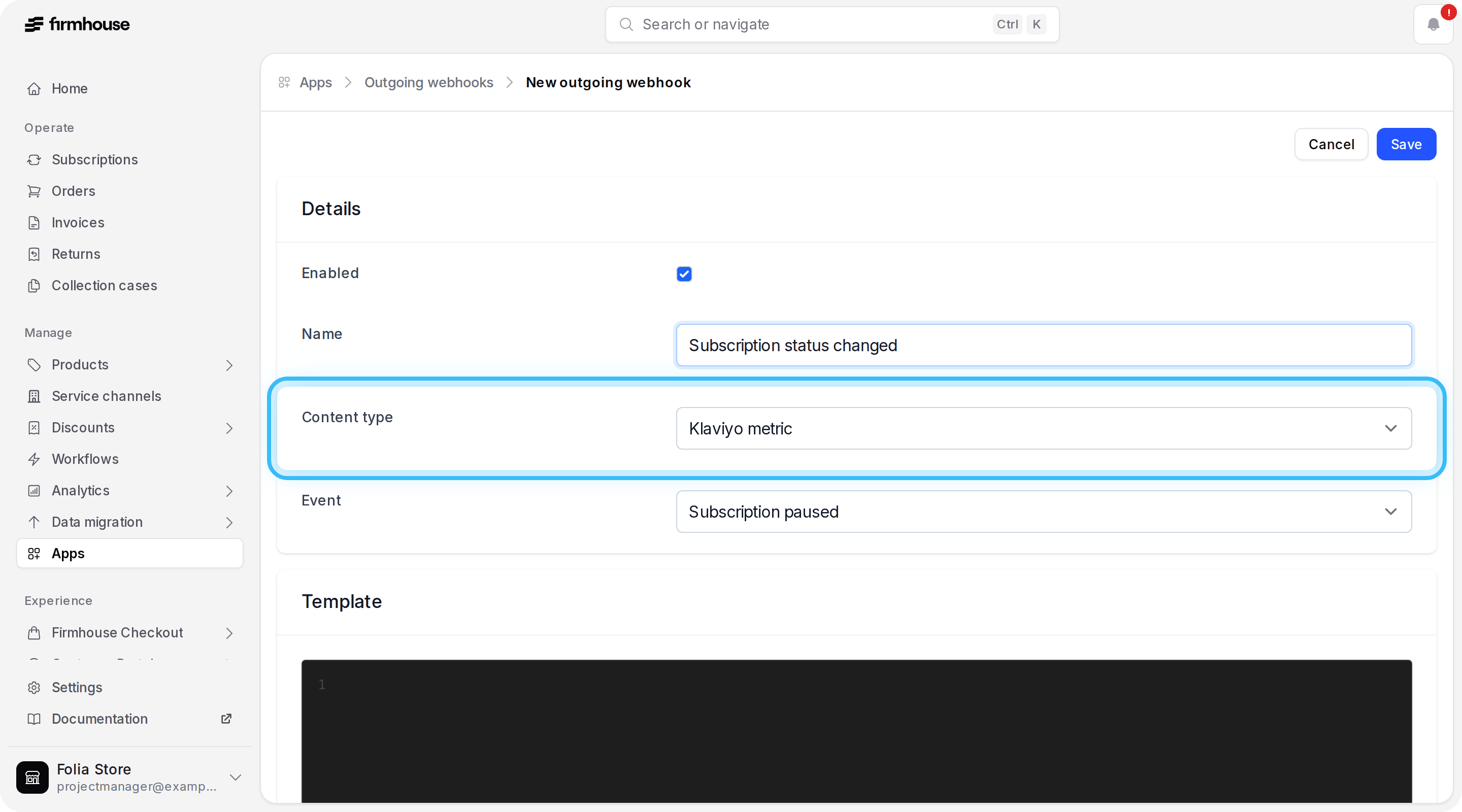
You can now configure outgoing webhooks to deliver as Klaviyo metrics, using your connected Klaviyo app credentials. Send any supported Firmhouse webhook event to Klaviyo — including events without a matching Firmhouse email type, such as subscription status changes. The webhook name becomes the Klaviyo metric name, and the webhook template becomes the metric properties.A healthy connected Klaviyo app is required to use this feature.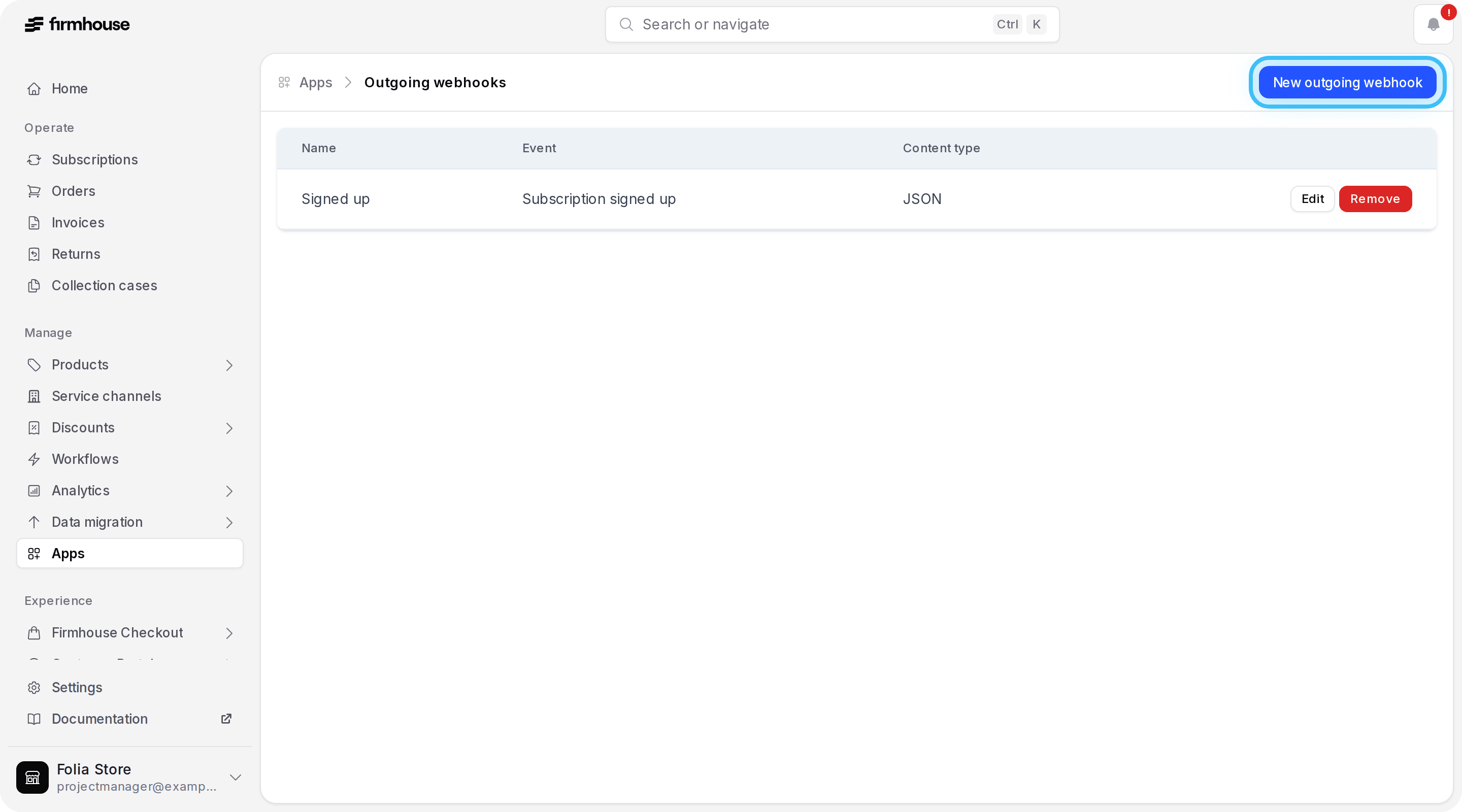
Mark subscriptions as Stopped instead of churned
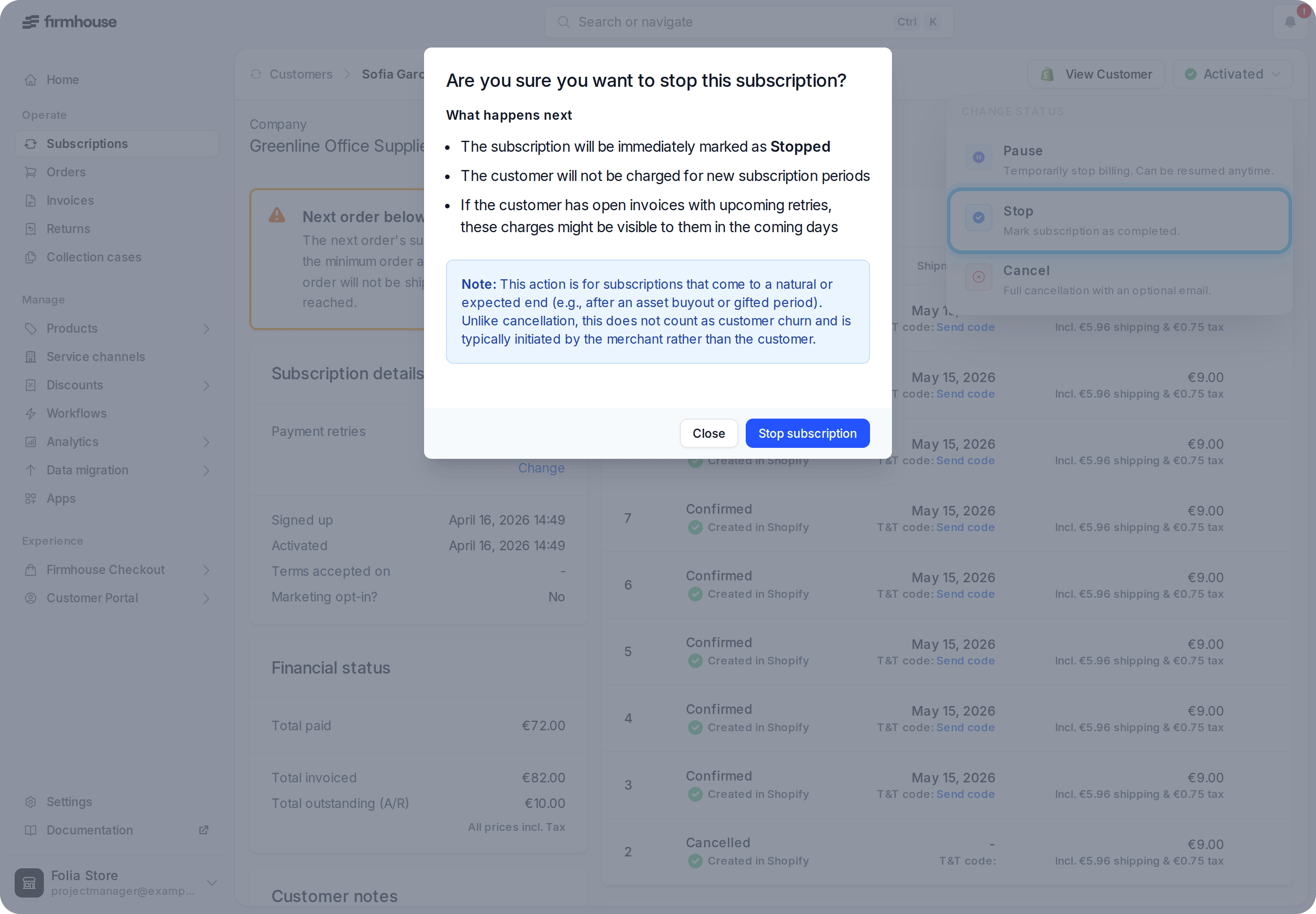
You can now enable a Stop subscription action in a project’s Subscription settings. Once turned on, activated and paused subscriptions can be marked Stopped from their status menu — useful for wrapping up an instalment plan, asset buyout, gifted period, or another expected end without counting it as churn.Team members need permission to use the action, and a confirmation explains the immediate billing impact before anything changes. A stopped subscription can always be reactivated later.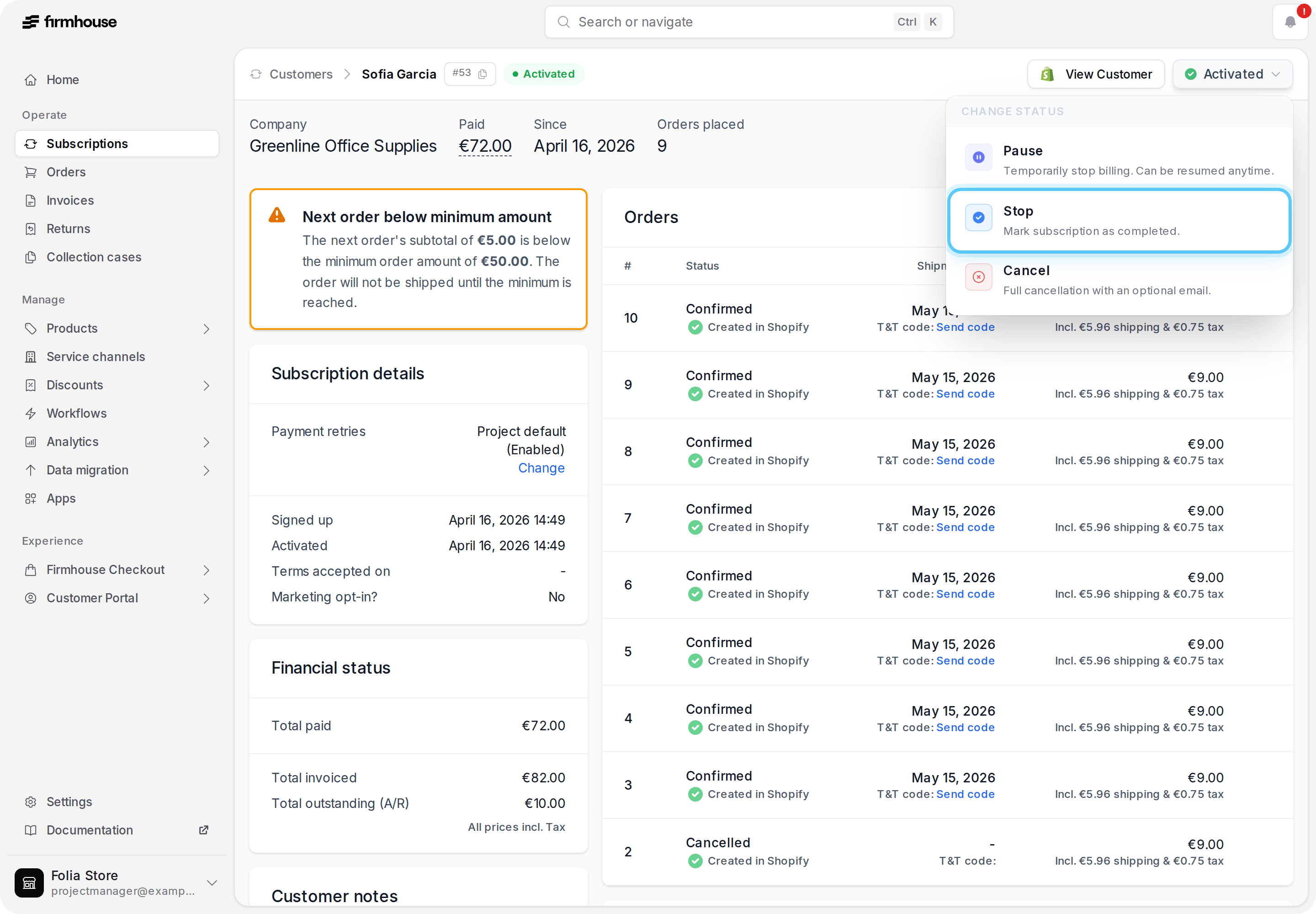
See unavailable products at a glance in a subscription
Each product listed in a subscription’s active products section now shows when it’s unavailable or out of stock, so you can spot what’s blocking a shipment without opening the product page.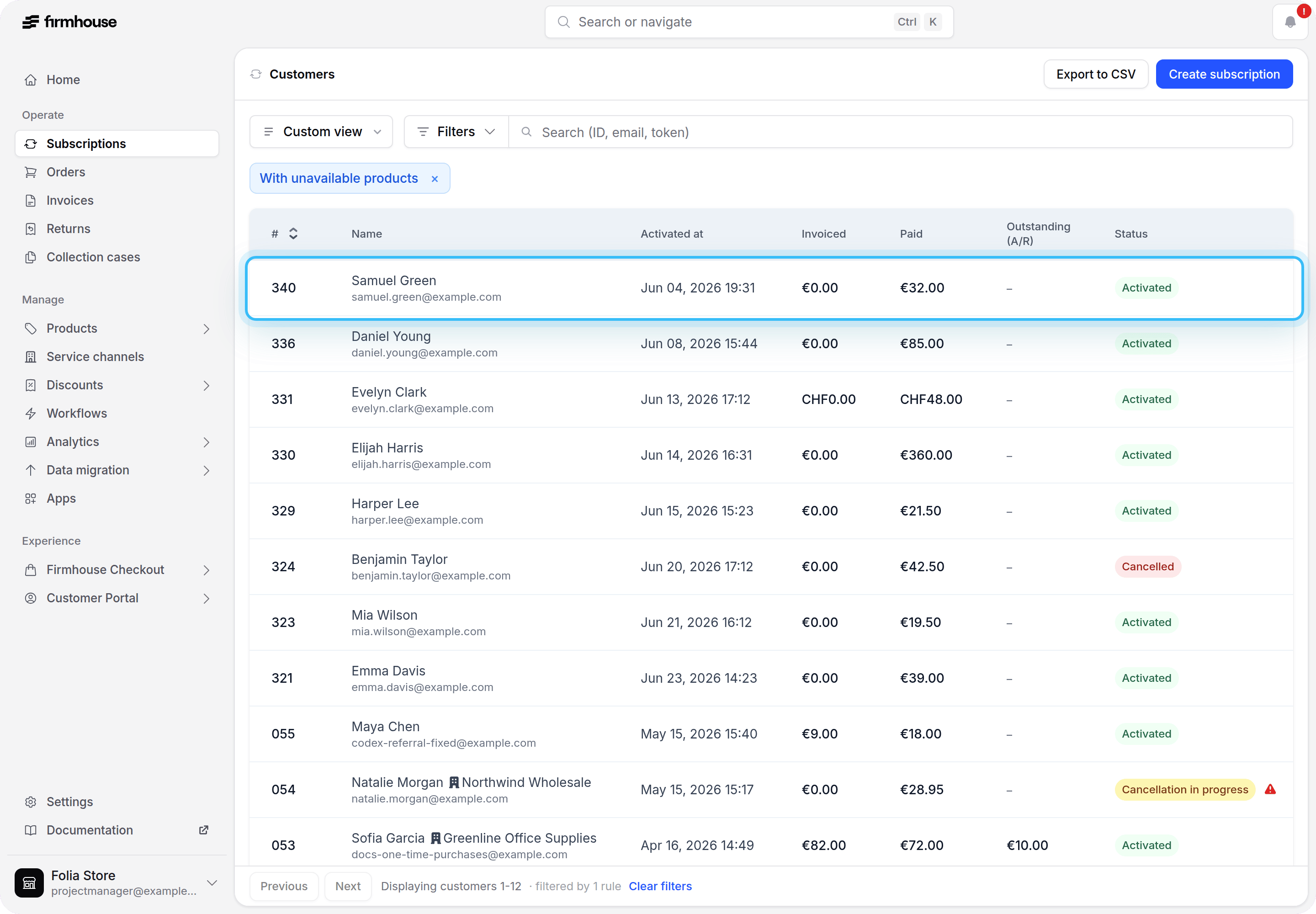
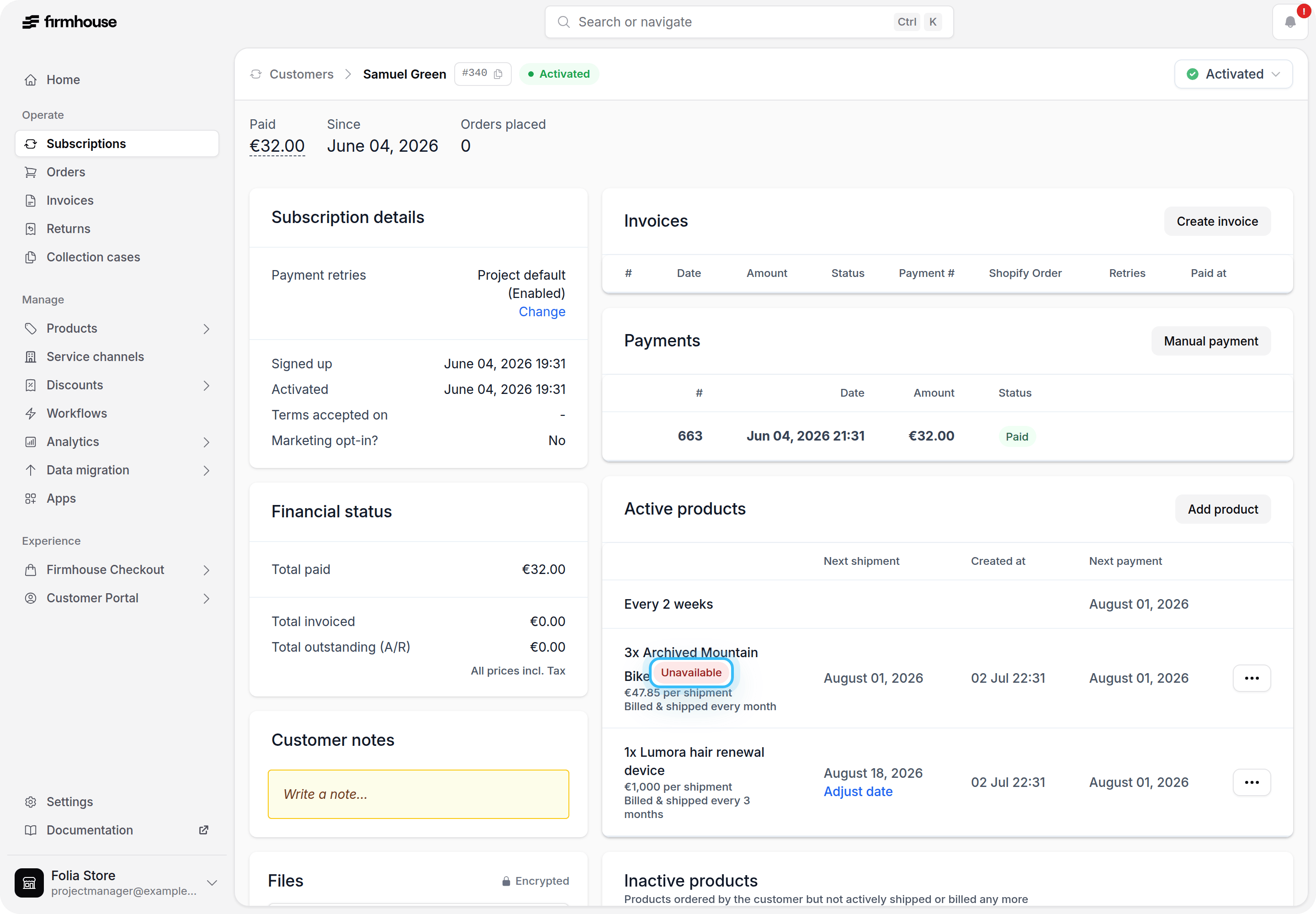
Scheduled orders only include active products
Scheduled orders for anchor-date plans and prepaid renewals now only include a subscription’s active products. One-time products that were already shipped, or that were returned, are no longer pulled into newly generated orders.Ship now automatically includes pending next-order add-ons
Products marked Next order only can no longer be shipped on their own. Use Ship now on a regular subscription product when you need the order right away — any pending next-order-only add-ons are now included automatically. The updated Ship now modal lists everything the order will include, so you can see the full contents before confirming.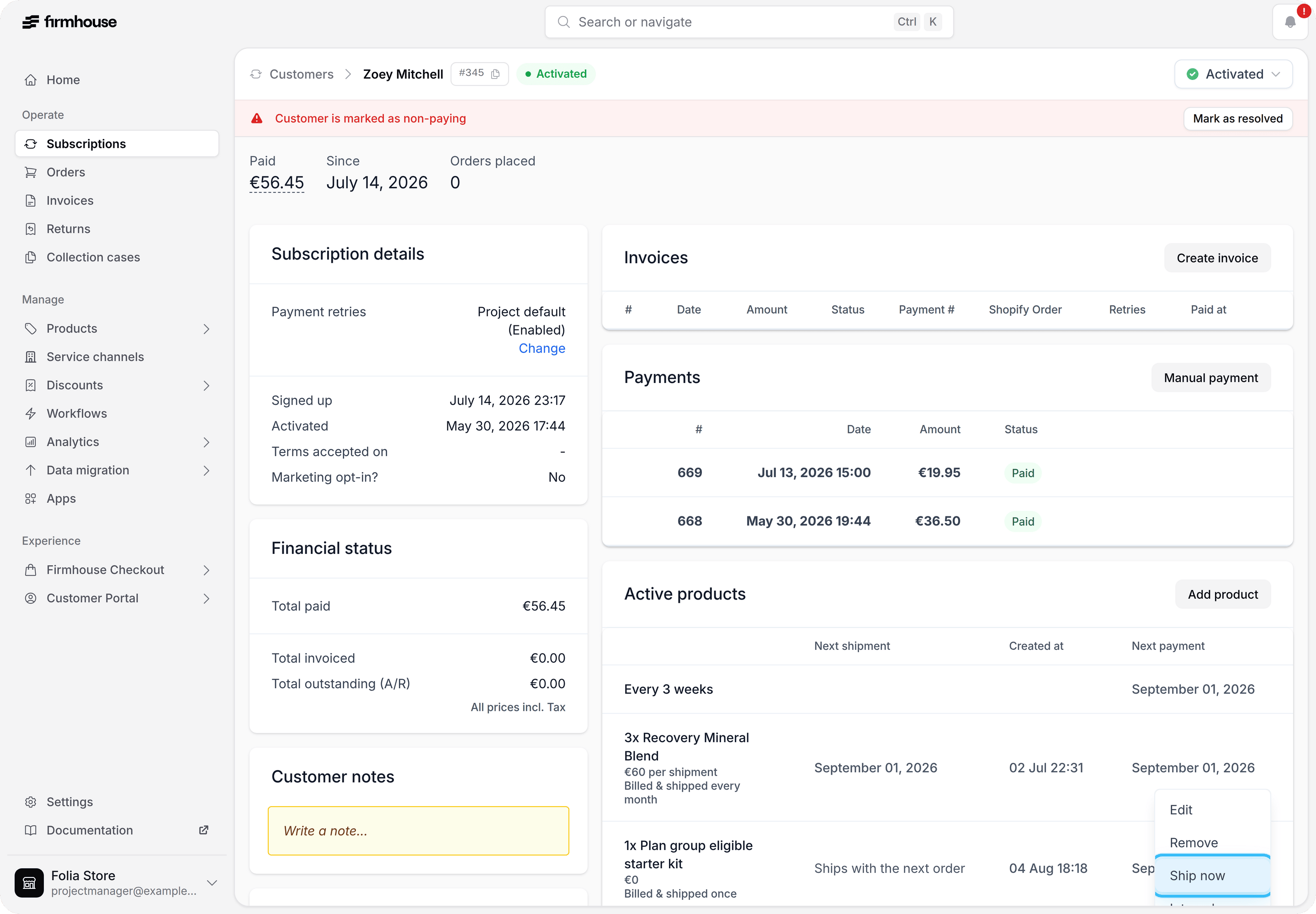
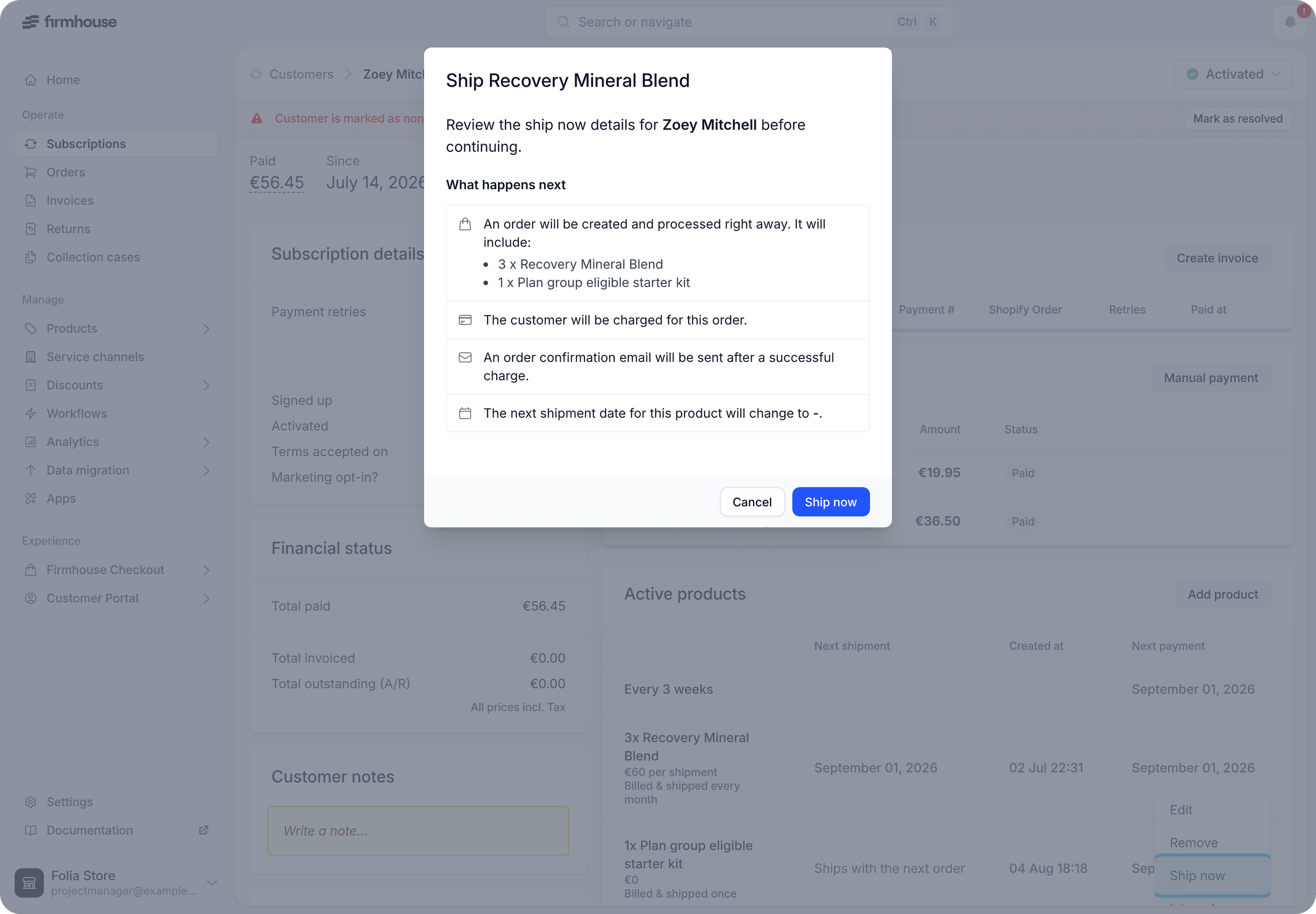
Paused subscriptions no longer skew the shipment forecast
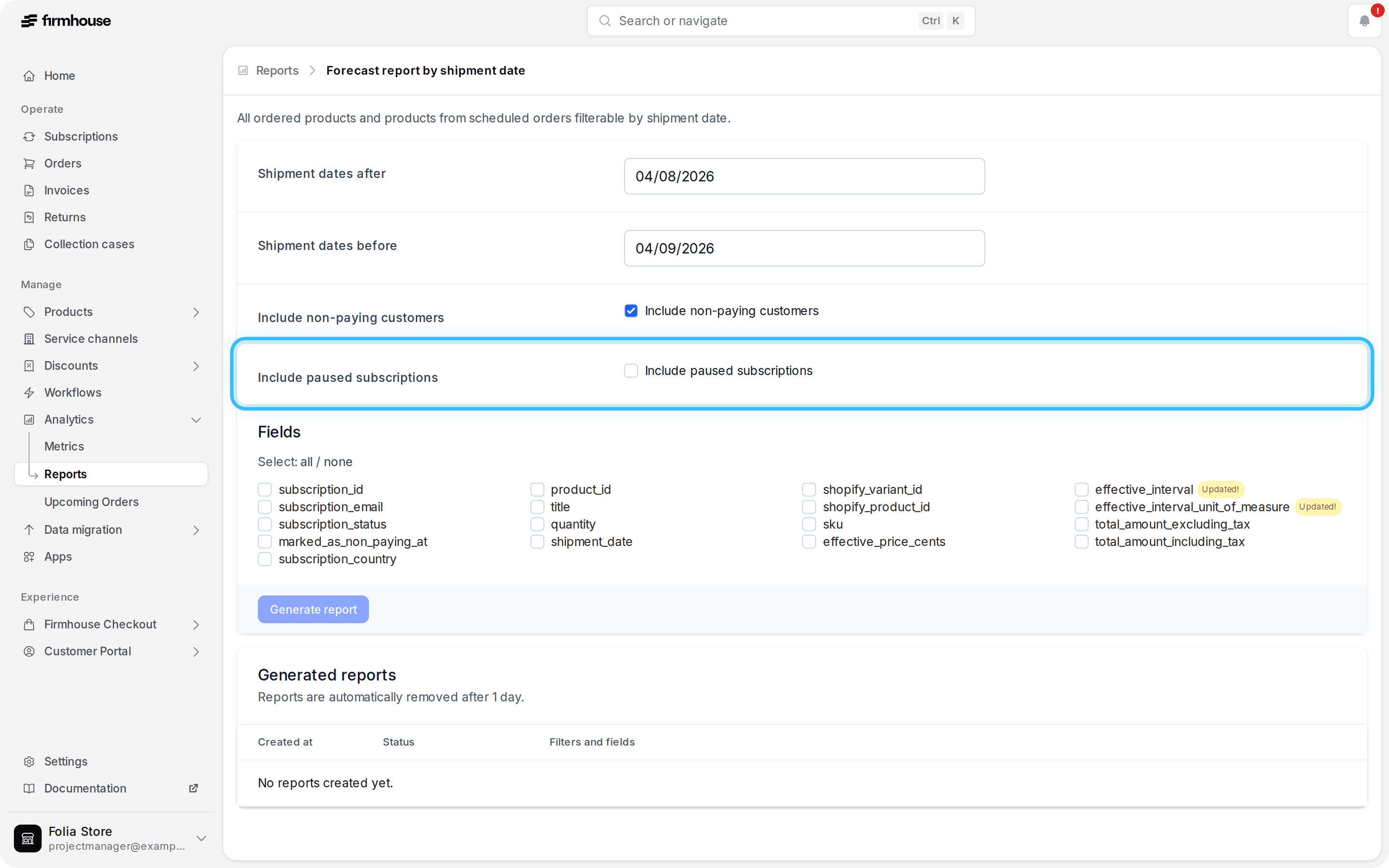
The Forecast Report by Shipment Date now excludes paused subscriptions by default, so the forecast isn’t thrown off by shipment dates that keep rolling forward while a subscription is paused. Need them anyway? Tick the new Include paused subscriptions checkbox to bring them back into the report.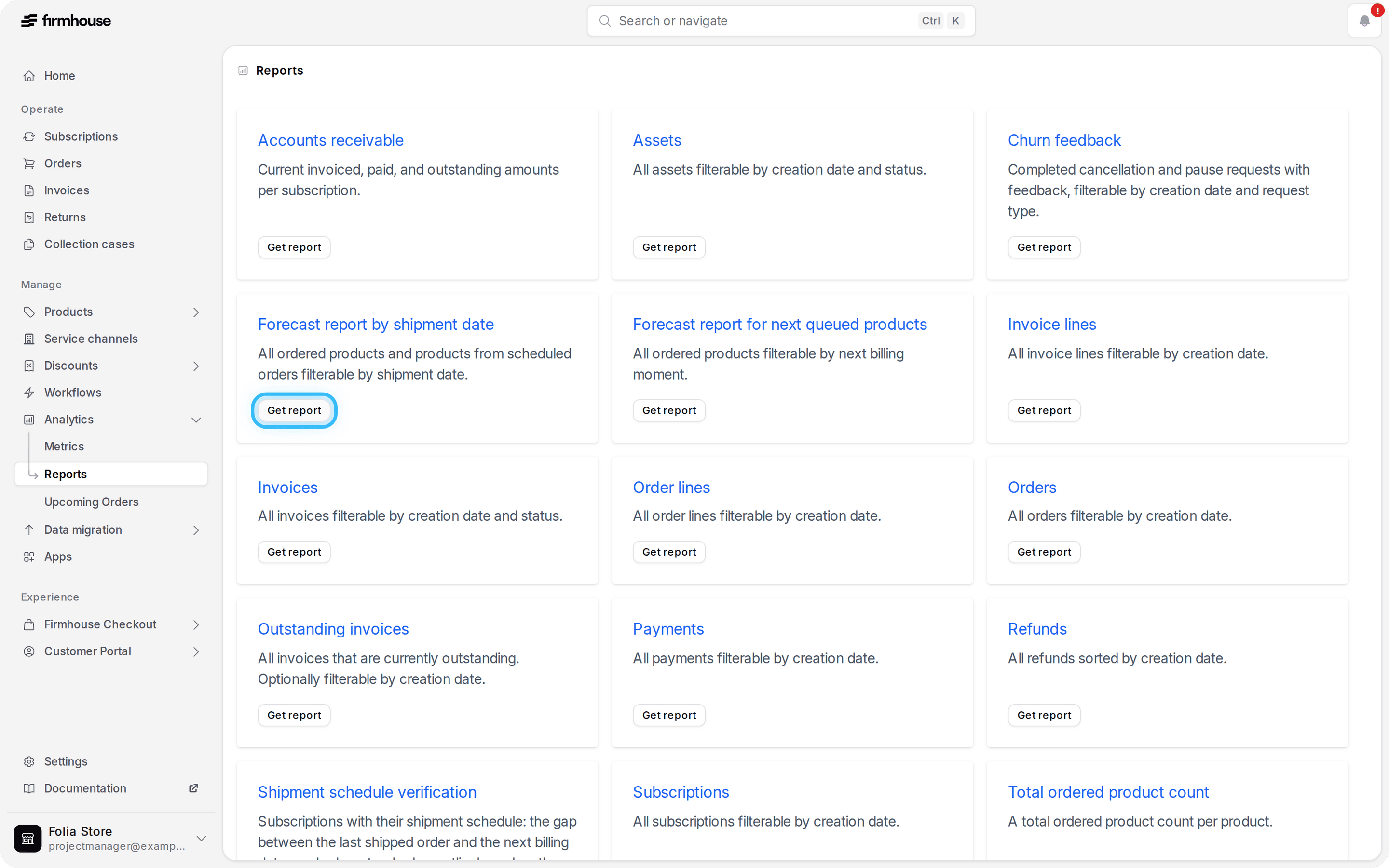
Use the event name in webhook templates
Webhook templates can now use the{{event}} Liquid tag to identify the event being sent. The event name is available in deliveries, test events, and the template preview, making it easier to reuse templates while tailoring their content to events such as subscription_activated or payment_succeeded.Split Shopify checkout products into separate subscriptions
Products bought in one Shopify checkout now stay in the subscriptions where they belong. For example, monthly coffee that can be cancelled at any time can become a separate subscription from monthly filters with a three-month minimum commitment. Customers can then manage each subscription independently.For most merchants, nothing changes: products with the same plan rules continue to stay together. Advanced storefronts can also separate products by a checkout value such as a chosen shipment date.Learn how to split Shopify checkout products into separate subscriptions.Send one-off subscription messages through GraphQL
Send a Liquid message to a specific subscription with the newsendSubscriptionNotification GraphQL mutation. Use it for purpose-specific messages such as delivery instructions, manual-review outcomes, or one-off customer exceptions. Firmhouse routes the message through the project’s configured customer communication channel, so the same integration can send a standard Firmhouse email or create a Klaviyo event.Learn how to send a subscription message.Include upcoming payments in subscription exports
Add Upcoming payment to subscription exports for order-based projects to see the next scheduled charge amount. This references the same next-order calculation as the portal, including the products due next, their quantities, discounts, shipping, and tax.Track subscription churn on the Metrics dashboard
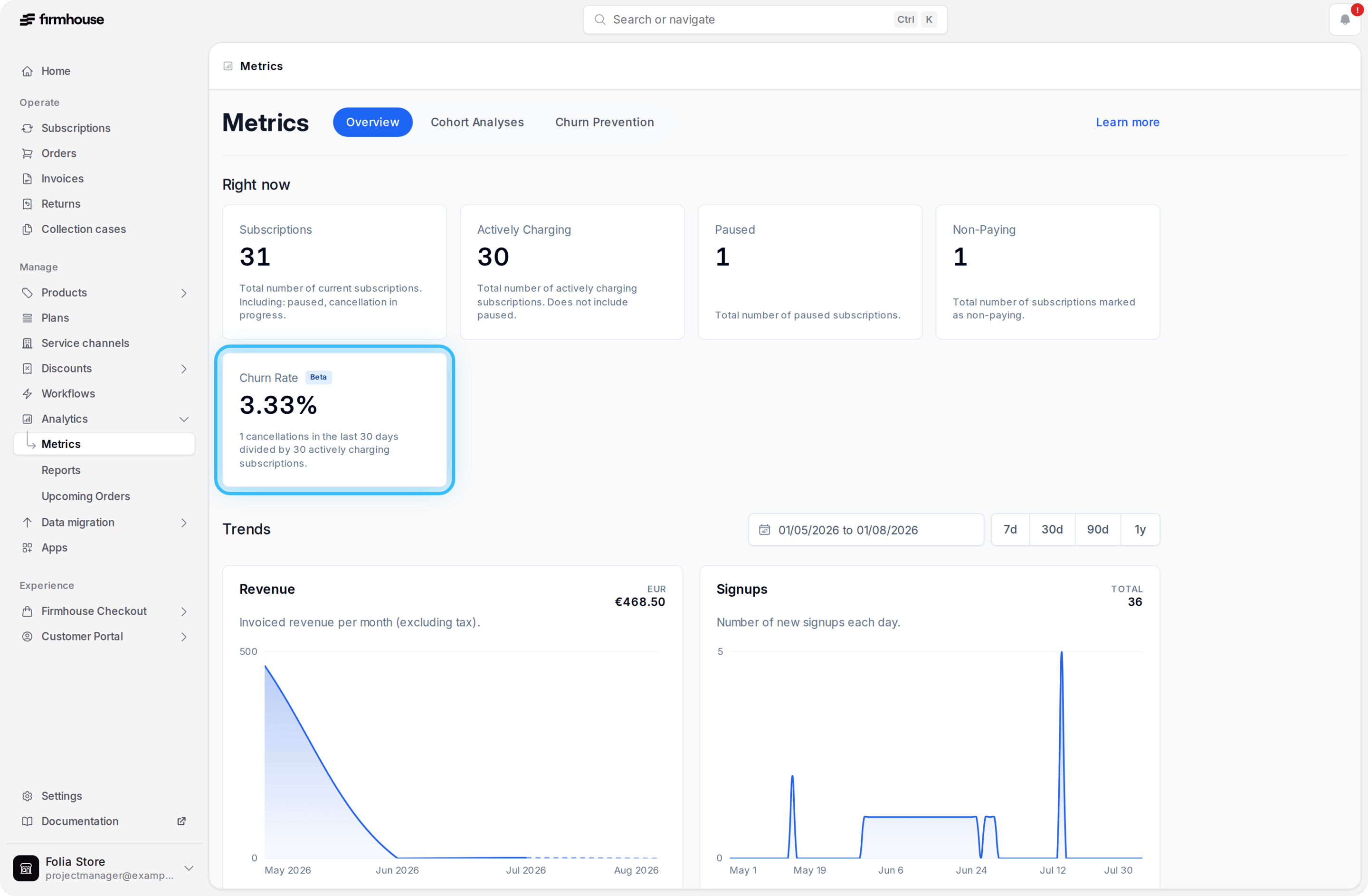
See subscription churn as cancellations from the last 30 days divided by actively charging subscriptions. The trend graph shows how that percentage changes over time, helping you understand whether retention is improving.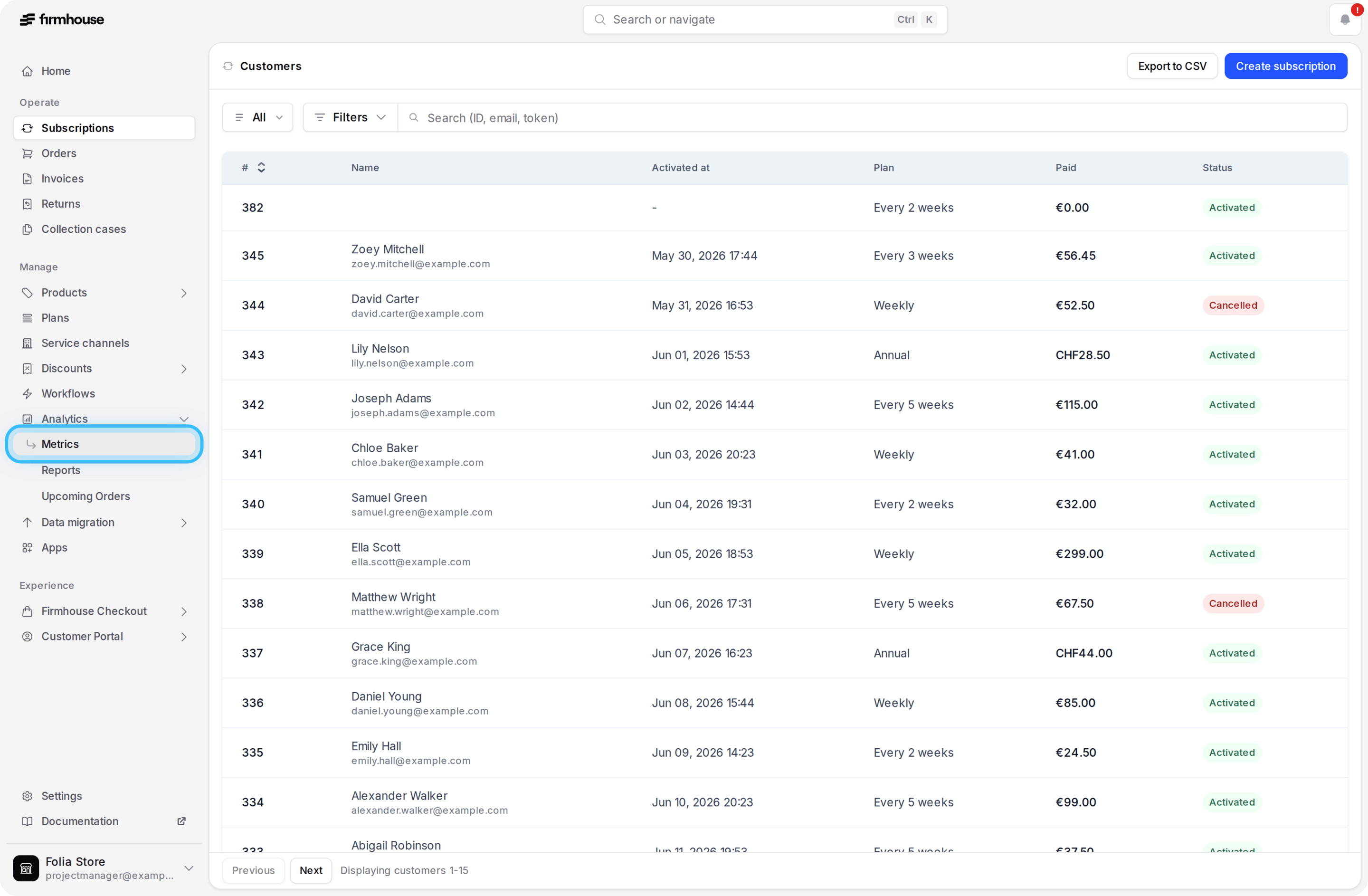
Spot non-paying subscriptions at a glance
Subscriptions marked as non-paying now show an indicator beside their current status in the Subscriptions overview. Your team can identify payment issues without opening each subscription or applying a separate filter.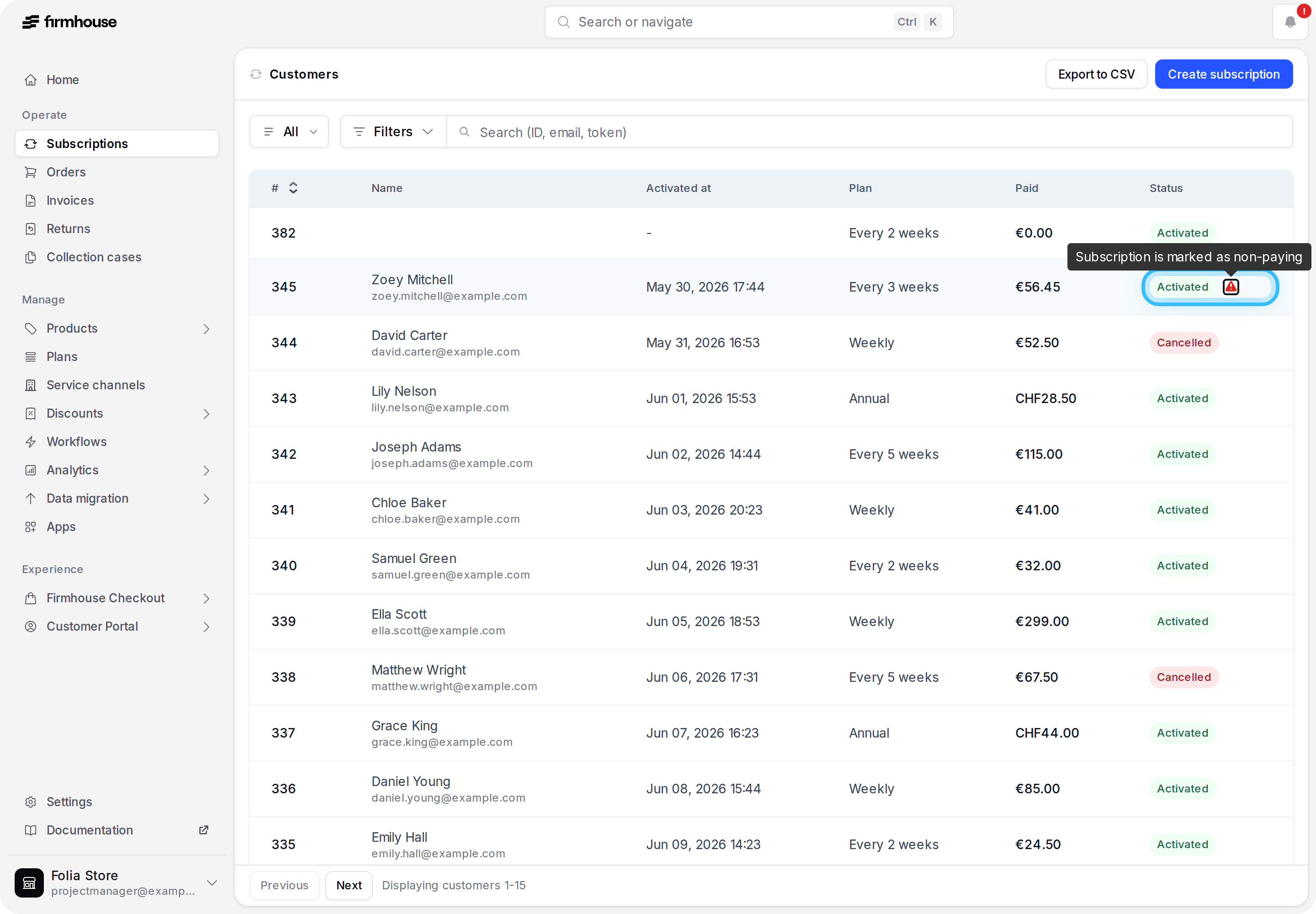
Find subscriptions with no upcoming shipment
Use the Missing future shipment date filter to find active subscriptions that do not have another shipment scheduled. This helps operations and support teams catch stalled schedules before a customer reports a missing delivery.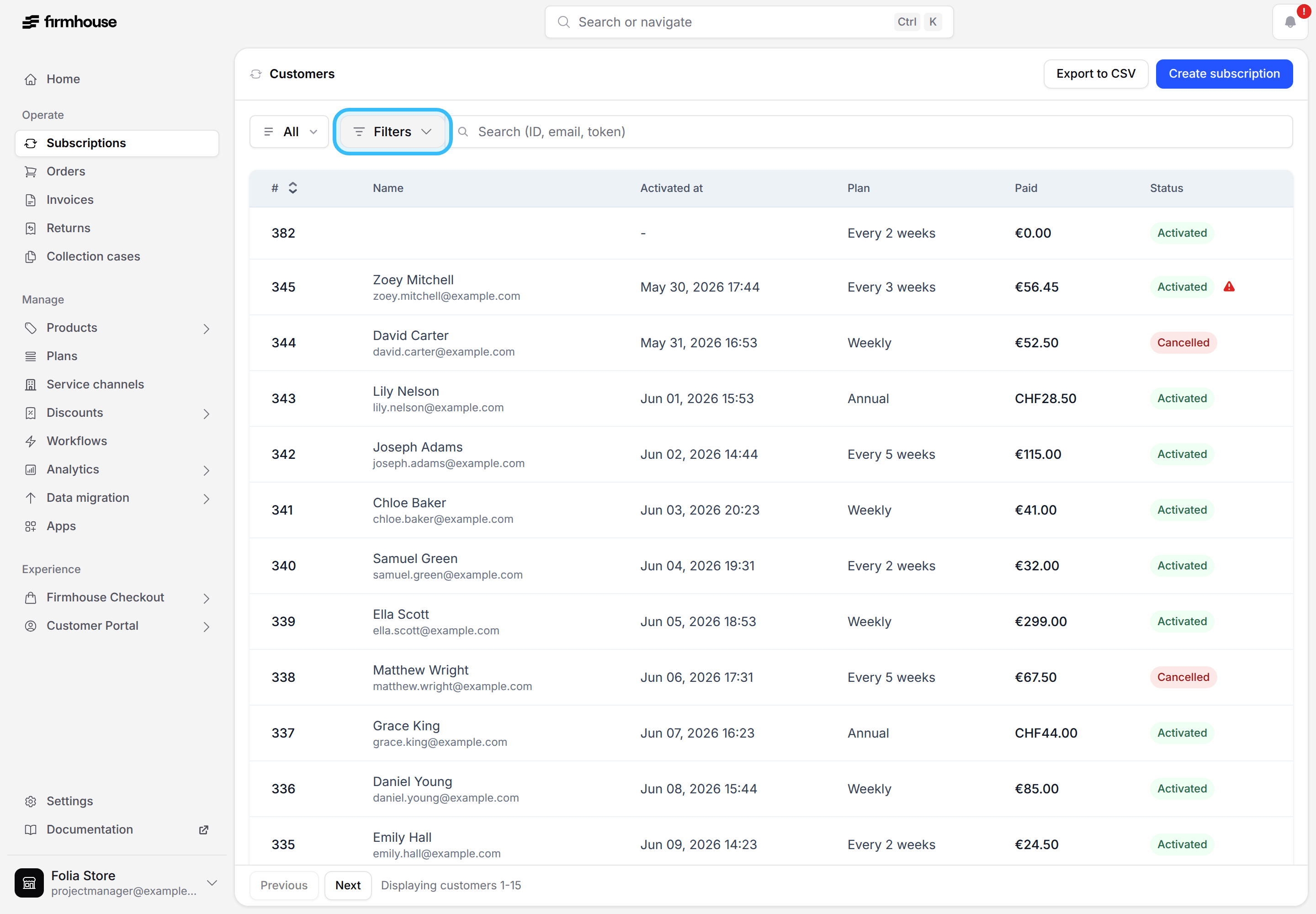
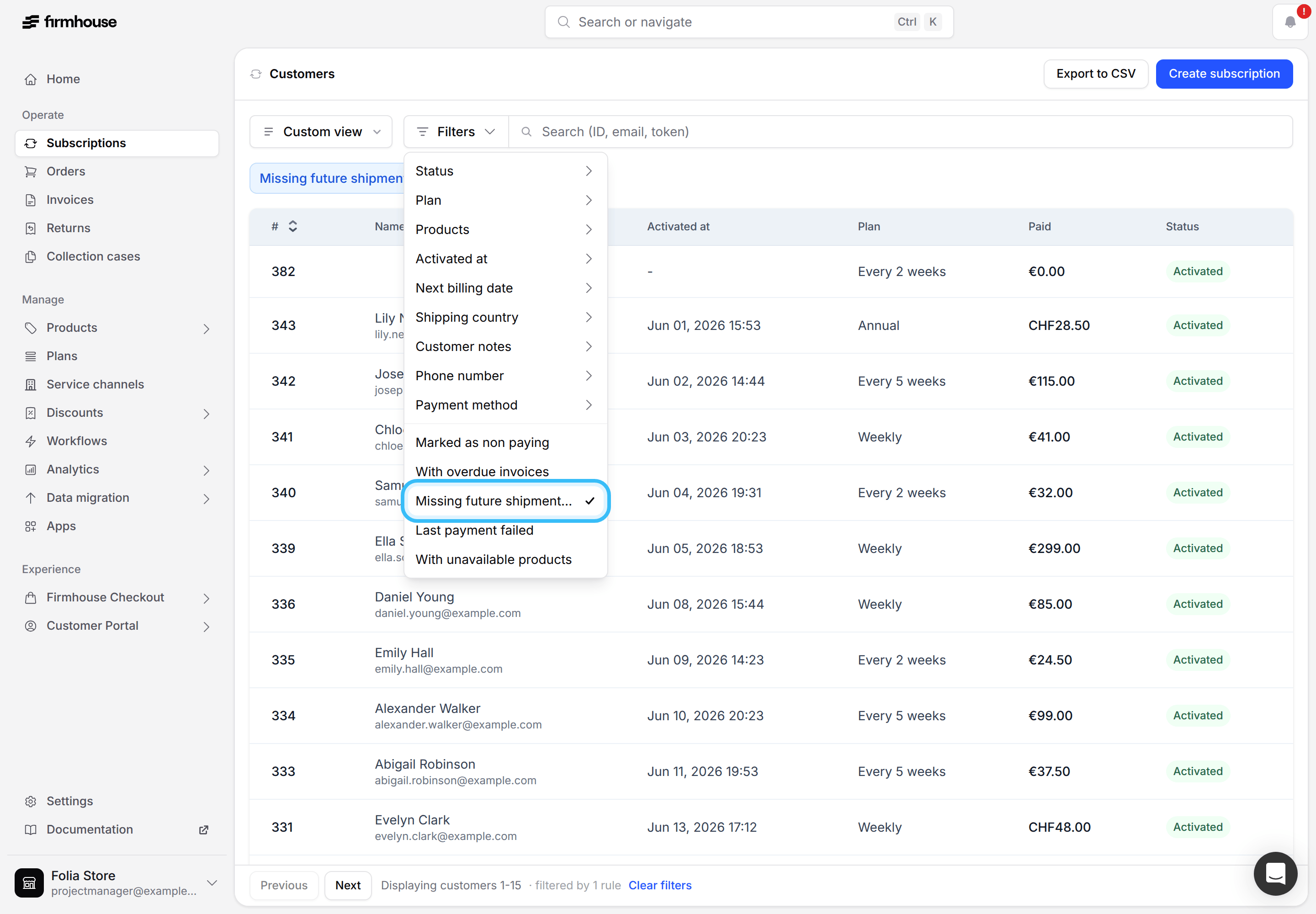
Reactivate cancelled subscriptions
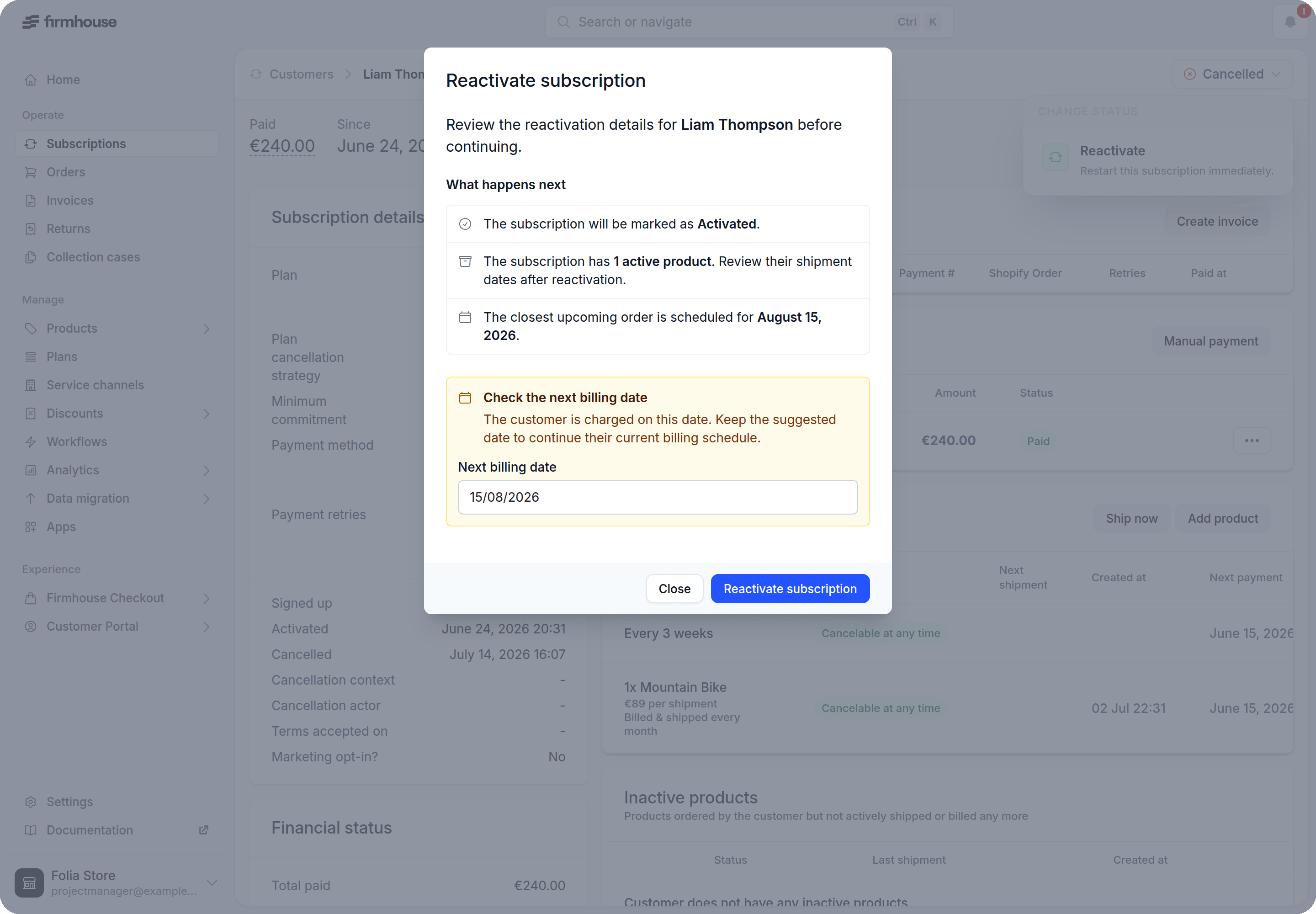
Recover a cancelled subscription without creating a replacement. Customers can reactivate in Customer Portal v2, while merchants can reactivate from the Firmhouse Portal or connect the flow to custom workflows through the GraphQL API.When a new billing date is needed, choose when billing resumes. Plan-based subscriptions can restart today, while order-based and Shopify subscriptions can restart tomorrow at the earliest.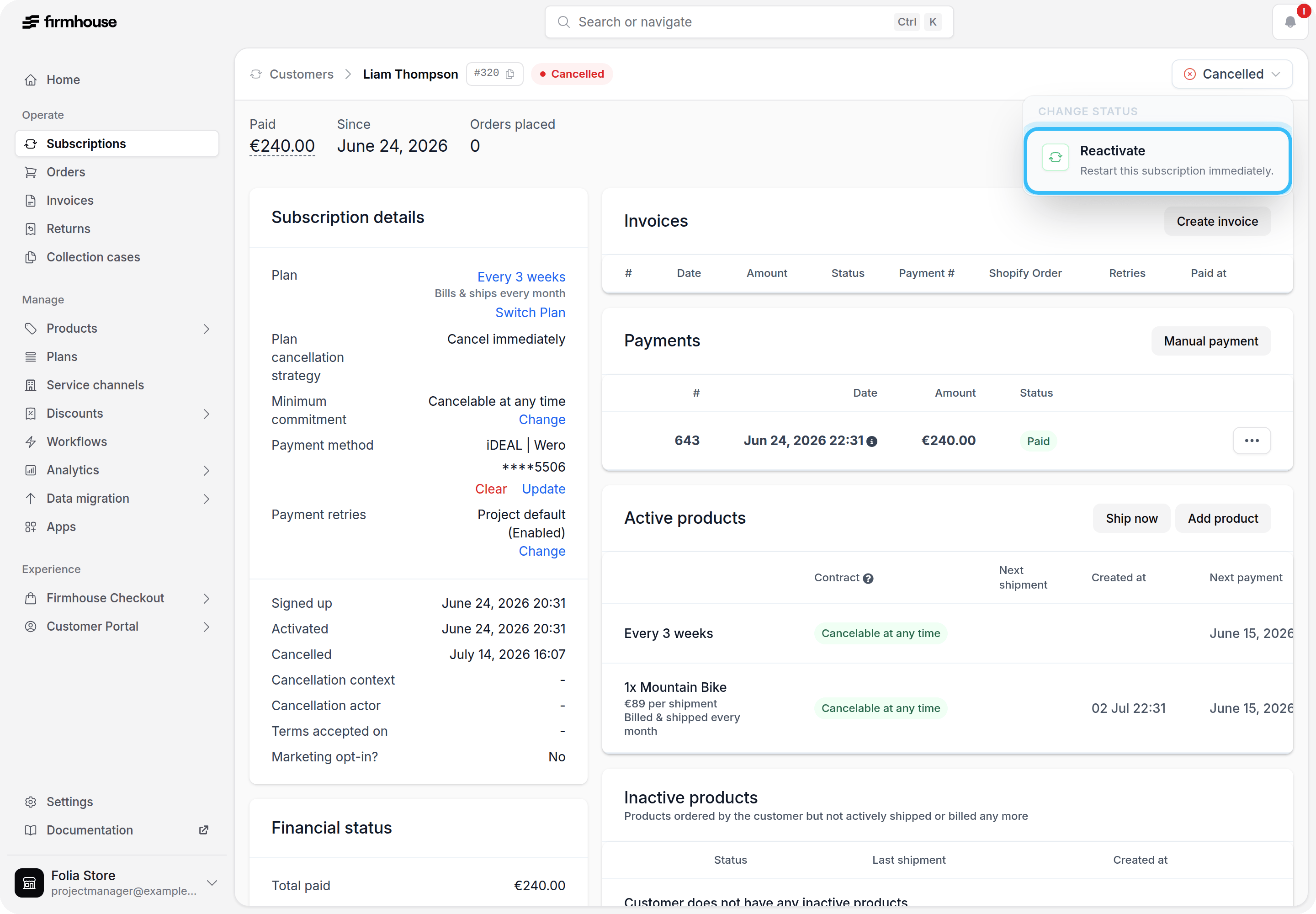
Track cancellation and pause journeys with webhooks
Connect integrations to four new outgoing webhook events for cancellation and pause journeys:churn_request_initiated, churn_request_prevented, churn_request_completed, and churn_request_feedback_updated. Their Liquid payloads include the request, flow, lifecycle status, selected reason, winback action, and customer feedback.Completion and feedback events are sent after a short delay so feedback submitted on the completion page can be included. Existing subscription cancellation and pause webhooks continue to work as before.Learn more about churn request lifecycle webhook events.Push scheduled orders to Shopify from the admin
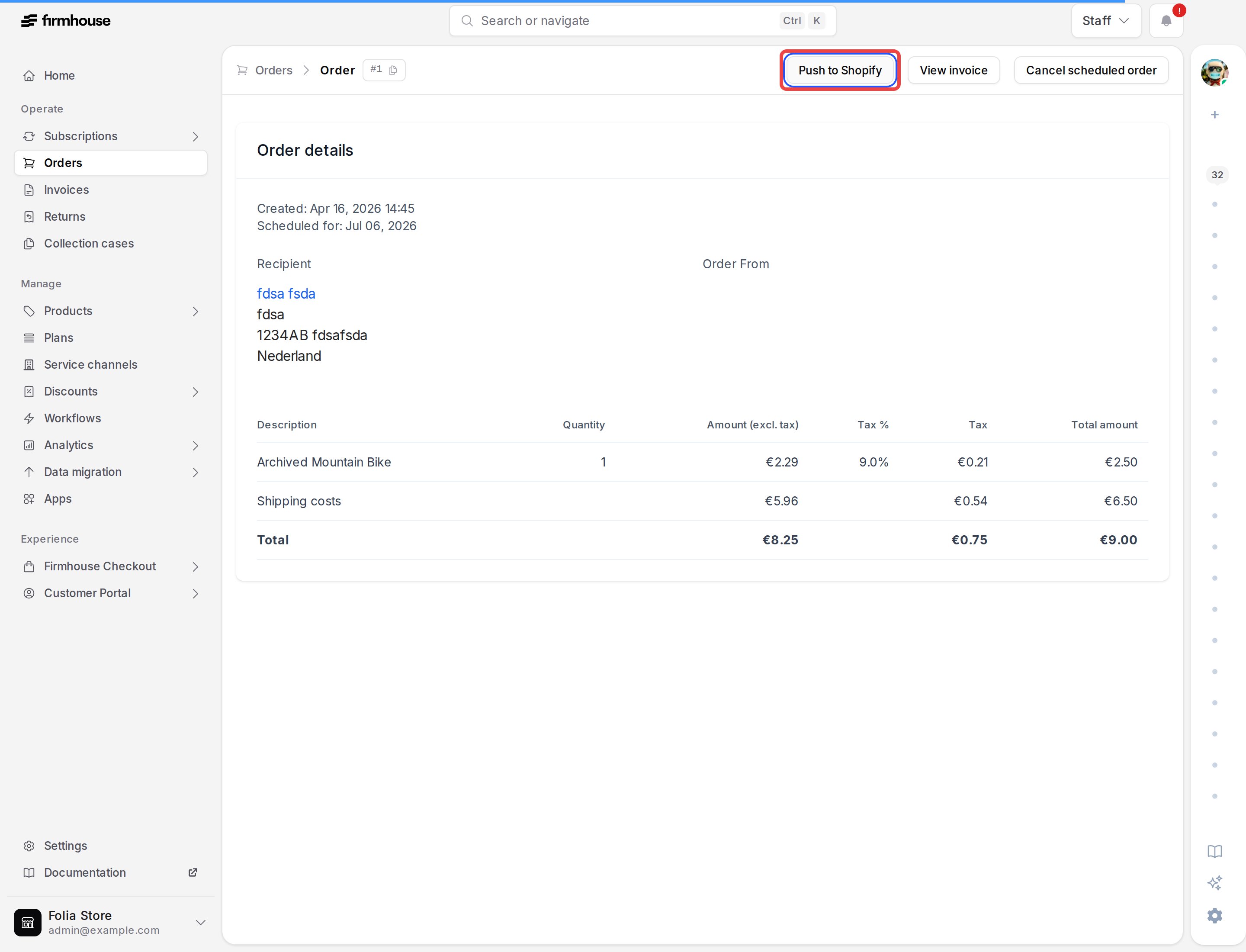
You can now push scheduled orders to Shopify directly from Firmhouse, without using the API. Open the order page or the order actions menu on the customer’s subscription, then select Push to Shopify.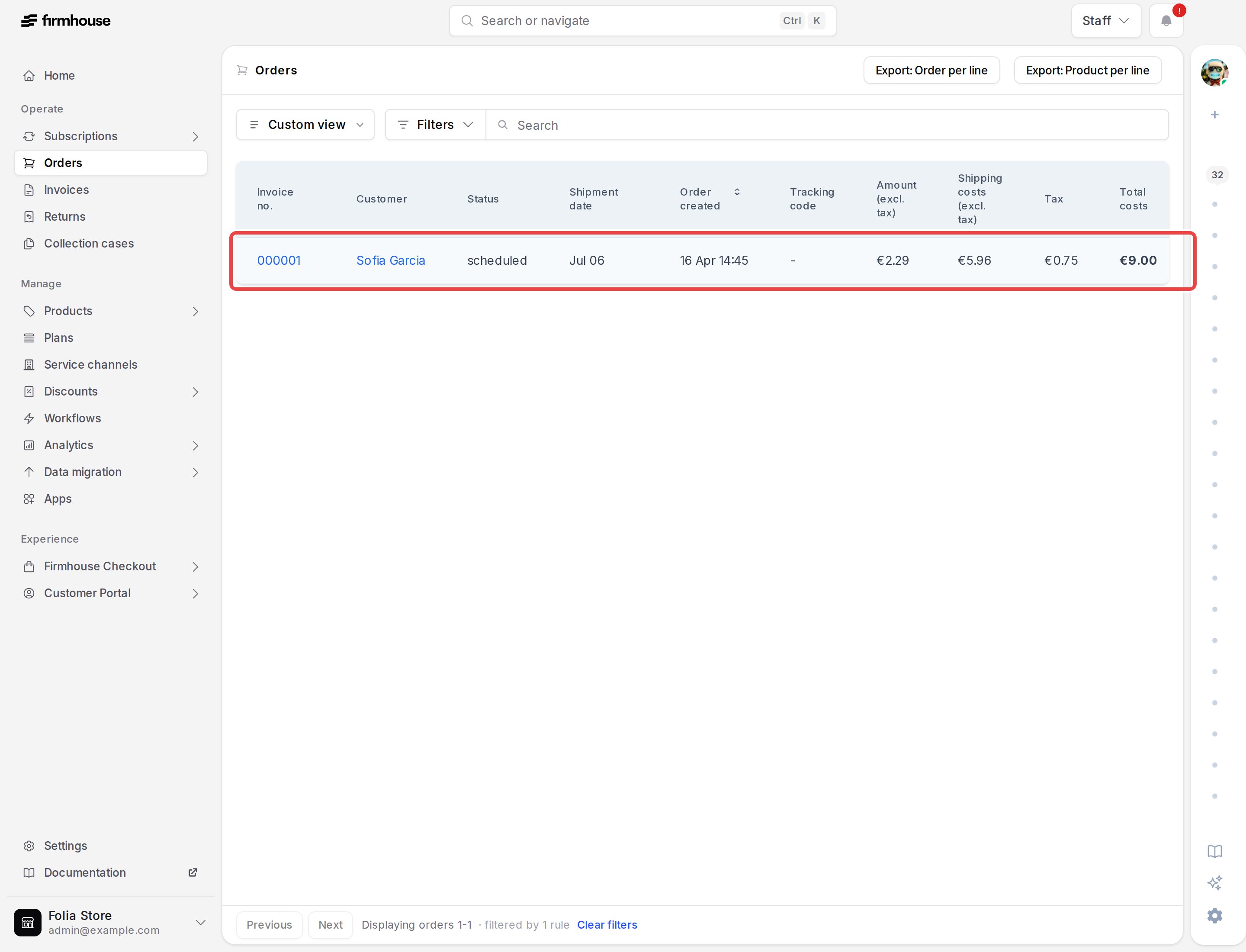
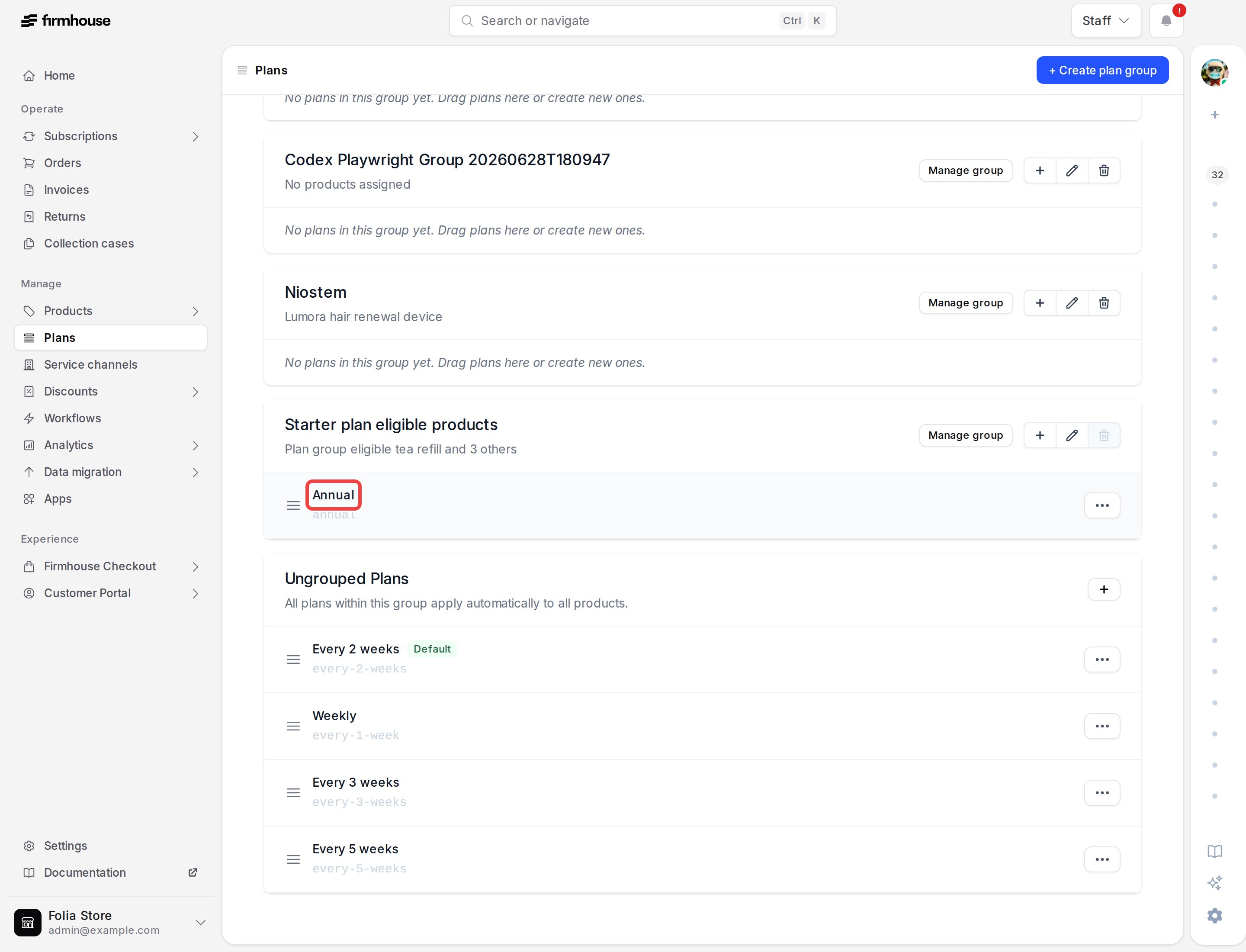
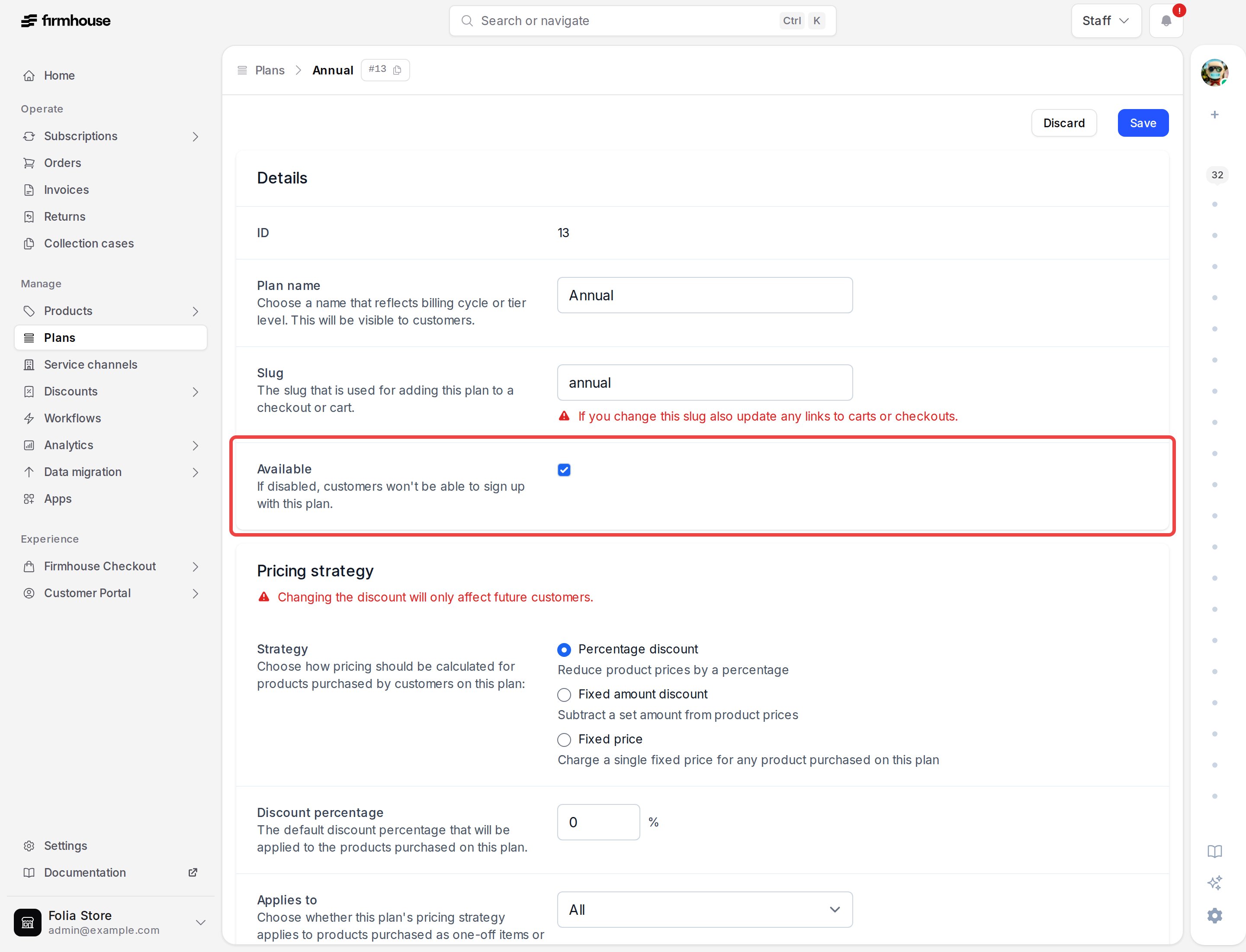
Control plan and product availability
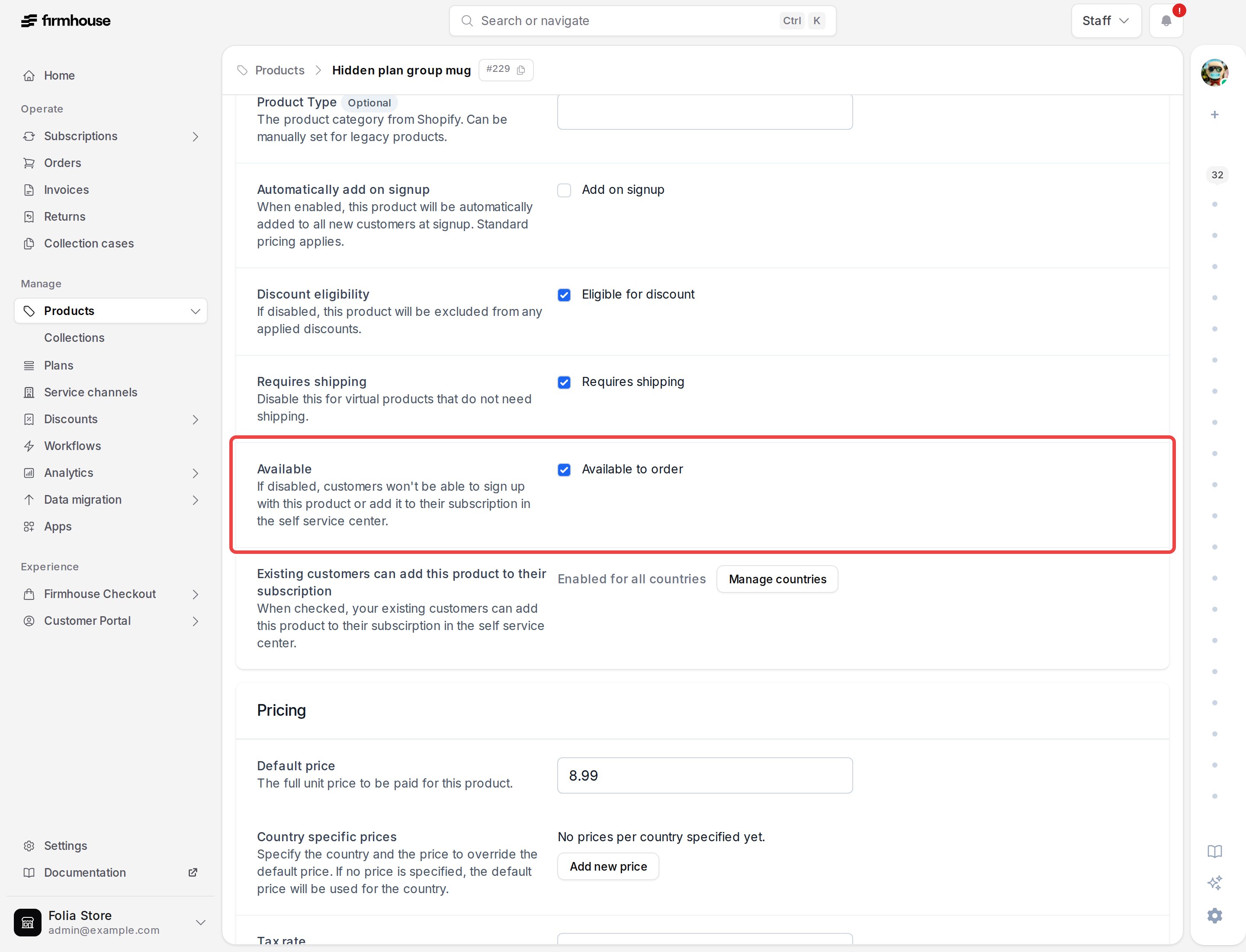
You can now mark plans and products as unavailable from their settings in every project. This prevents new signups or product additions while keeping them available to existing subscriptions.For projects with automatic Shopify product sync, product availability continues to follow the Shopify product status and Firmhouse product tags. Firmhouse identifies the setting as managed by Shopify.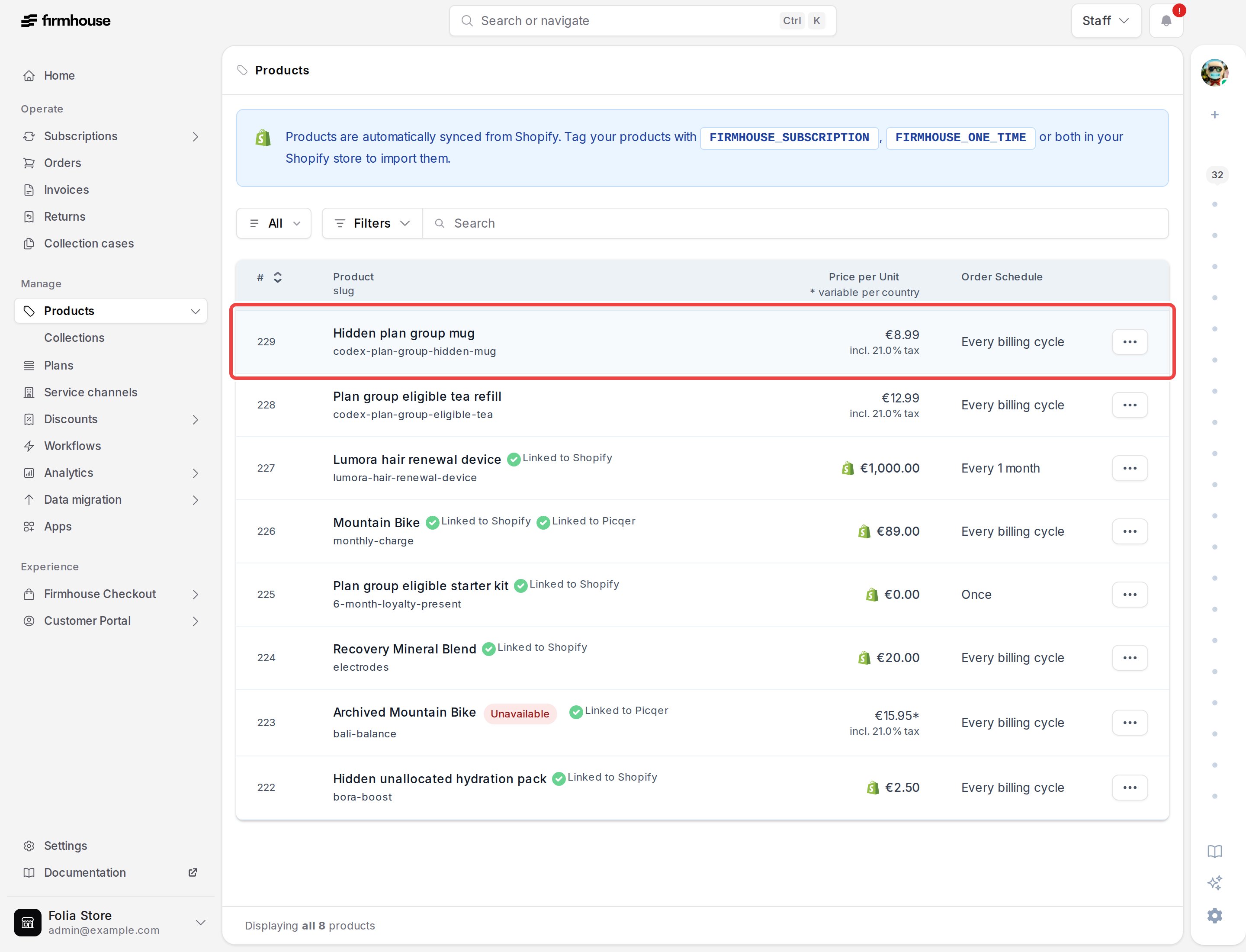
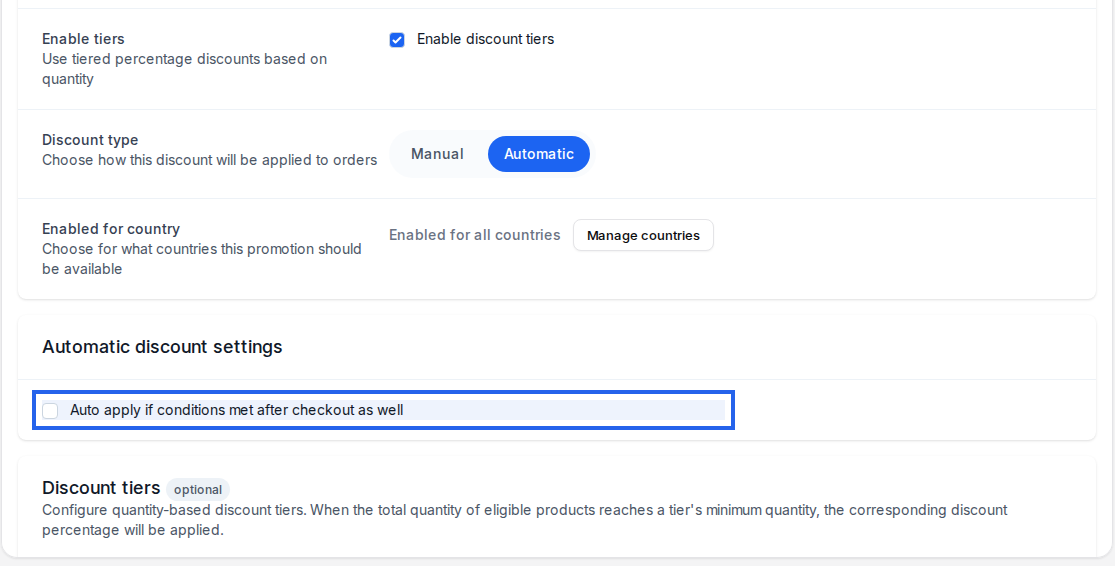
Apply eligible discounts after checkout
Tiered automatic discounts can now be applied after checkout when a subscription later meets the discount conditions. Customers can receive the eligible discount after products are added, even if their subscription did not qualify during checkout.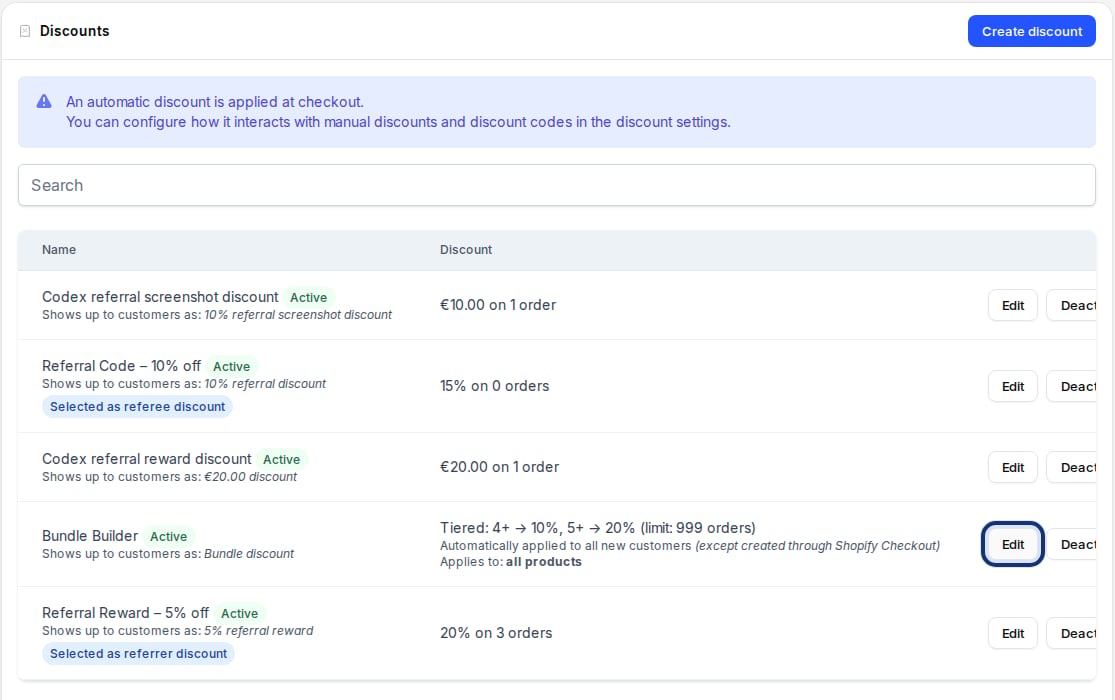
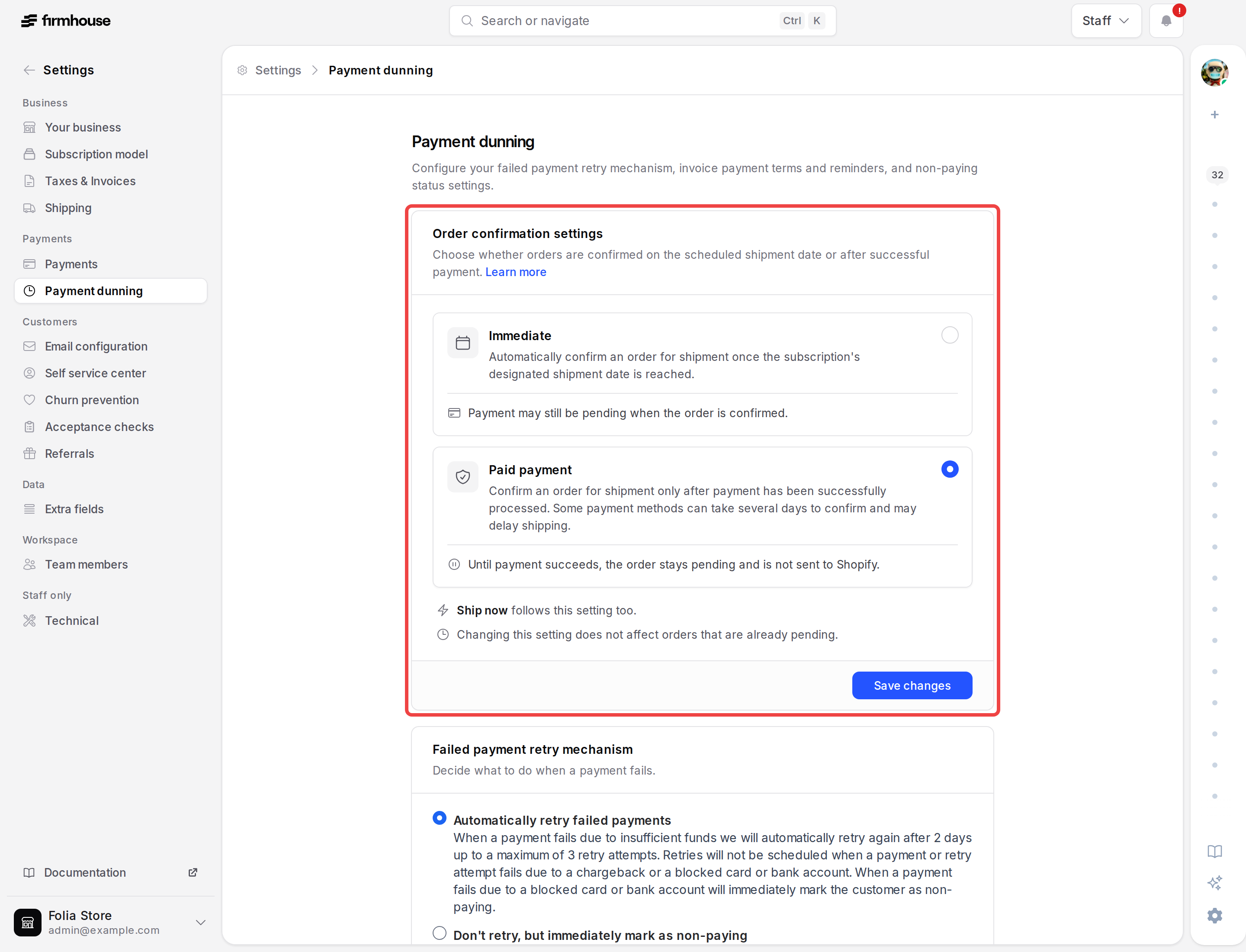
Choose when orders are confirmed
Order-based projects can now confirm orders immediately on the scheduled shipment date, or keep them pending until payment succeeds. The setting is available under Settings → Payment dunning and also applies when you use Ship now.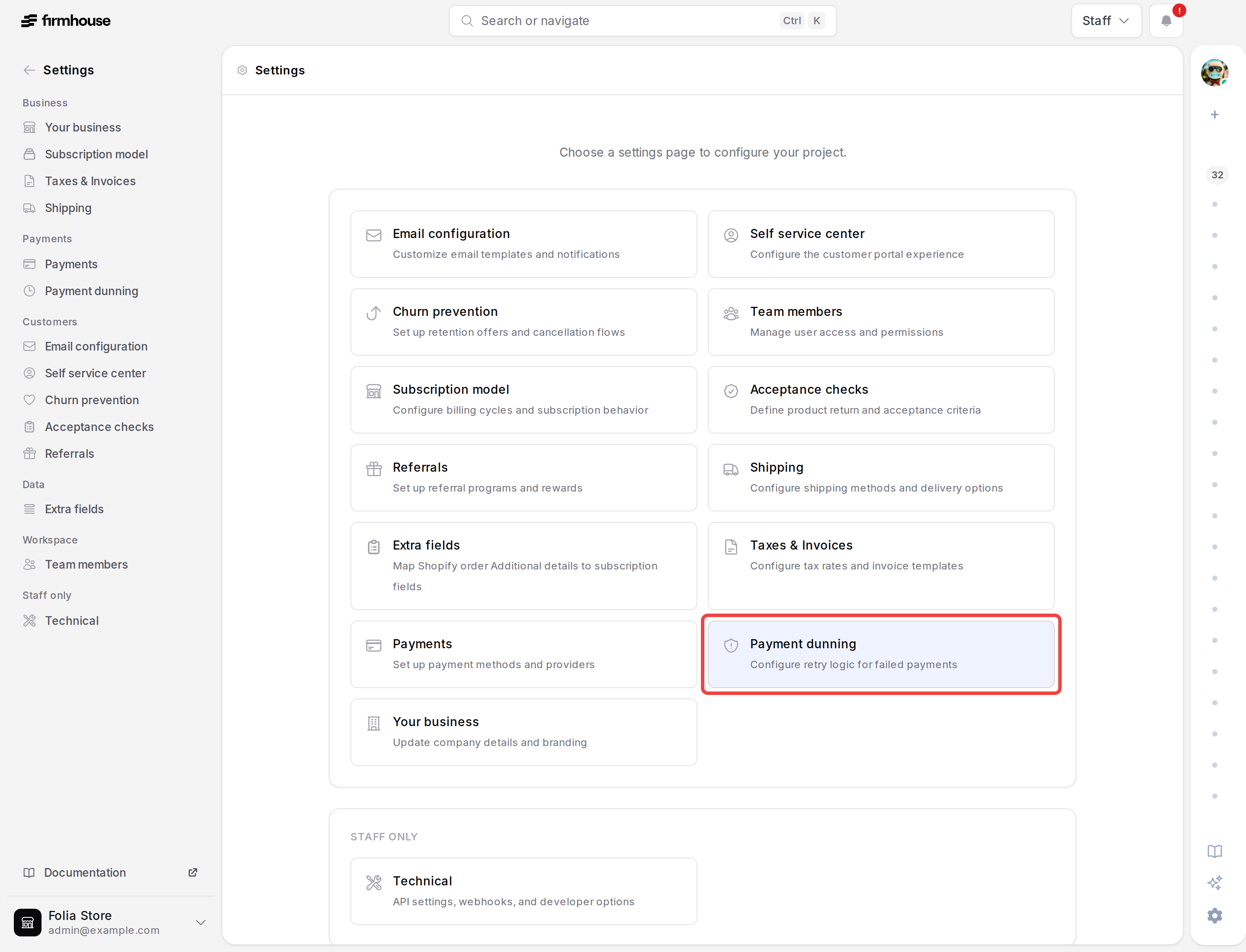
More subscription lifecycle timestamps in Liquid
Custom templates and webhook payloads can now usesubscription.paused_at, subscription.paused_until, subscription.rejected_at, and subscription.stopped_at. These timestamps make it easier to tailor messages and automations to a subscription’s current lifecycle state.For fixed-period pauses, paused_until contains the automatic resume date; it remains blank when a subscription is paused indefinitely. The other fields record when the subscription entered their respective states.Show the Checkout Button Injector for selected currencies
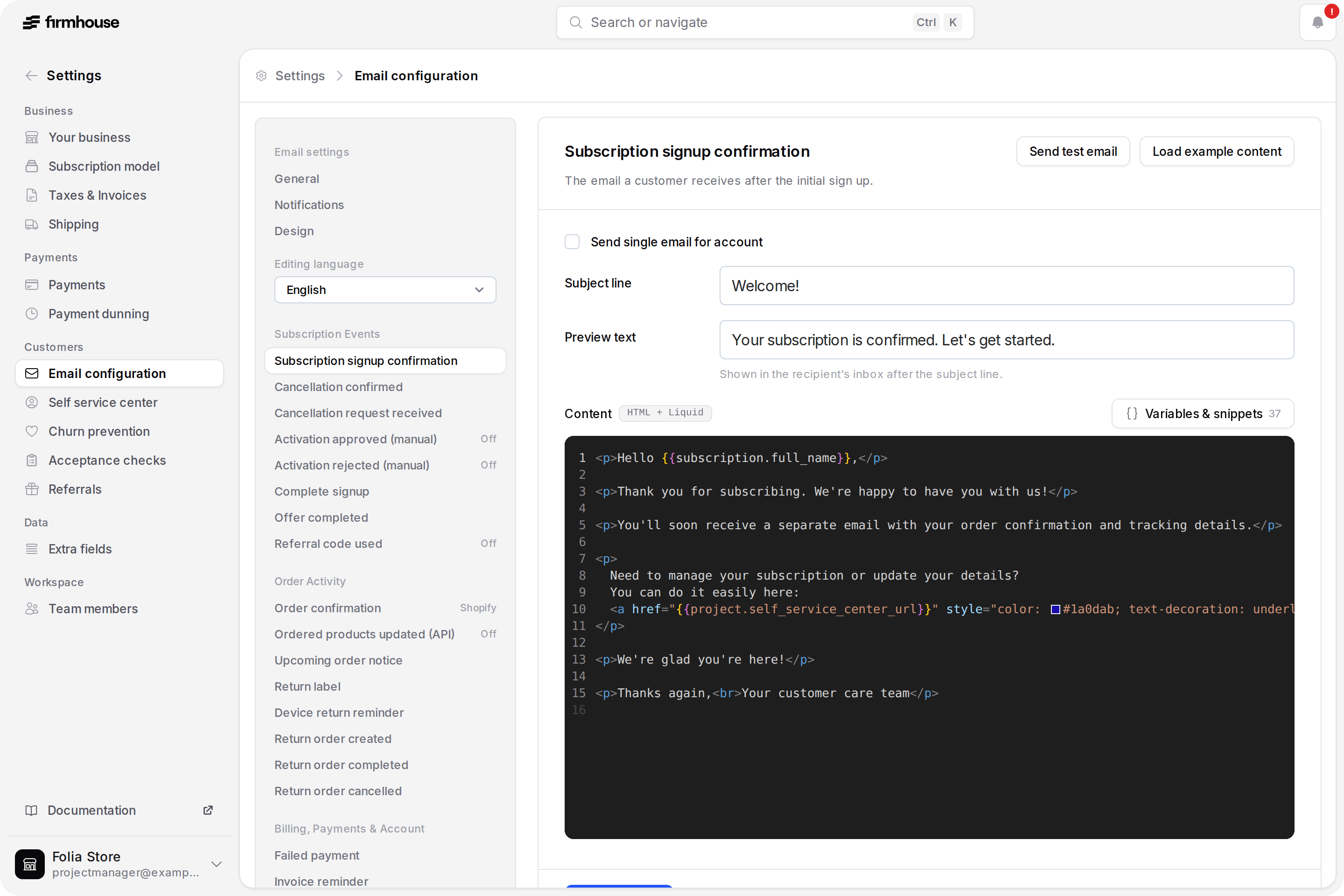
Multi-currency stores can now choose which cart currencies display the Checkout Button Injector. Add comma-separated currency codes such asEUR,CHF, or leave the setting empty to keep the checkout route available for every currency.Learn more about enabling the Checkout Button Injector for selected currencies.Edit customer emails faster in the redesigned editor
Managing customer emails is now faster and easier in a redesigned two-pane editor. Browse emails by activity with clear on/off states, then edit the selected email without navigating a long list of templates.Each language version saves independently, and a searchable Liquid variables panel makes personalization easier. Test-email and example-content actions stay close at hand, while an unsaved-changes warning helps protect work in progress. Klaviyo-connected projects keep their event and JSON payload workflow in the same refreshed layout.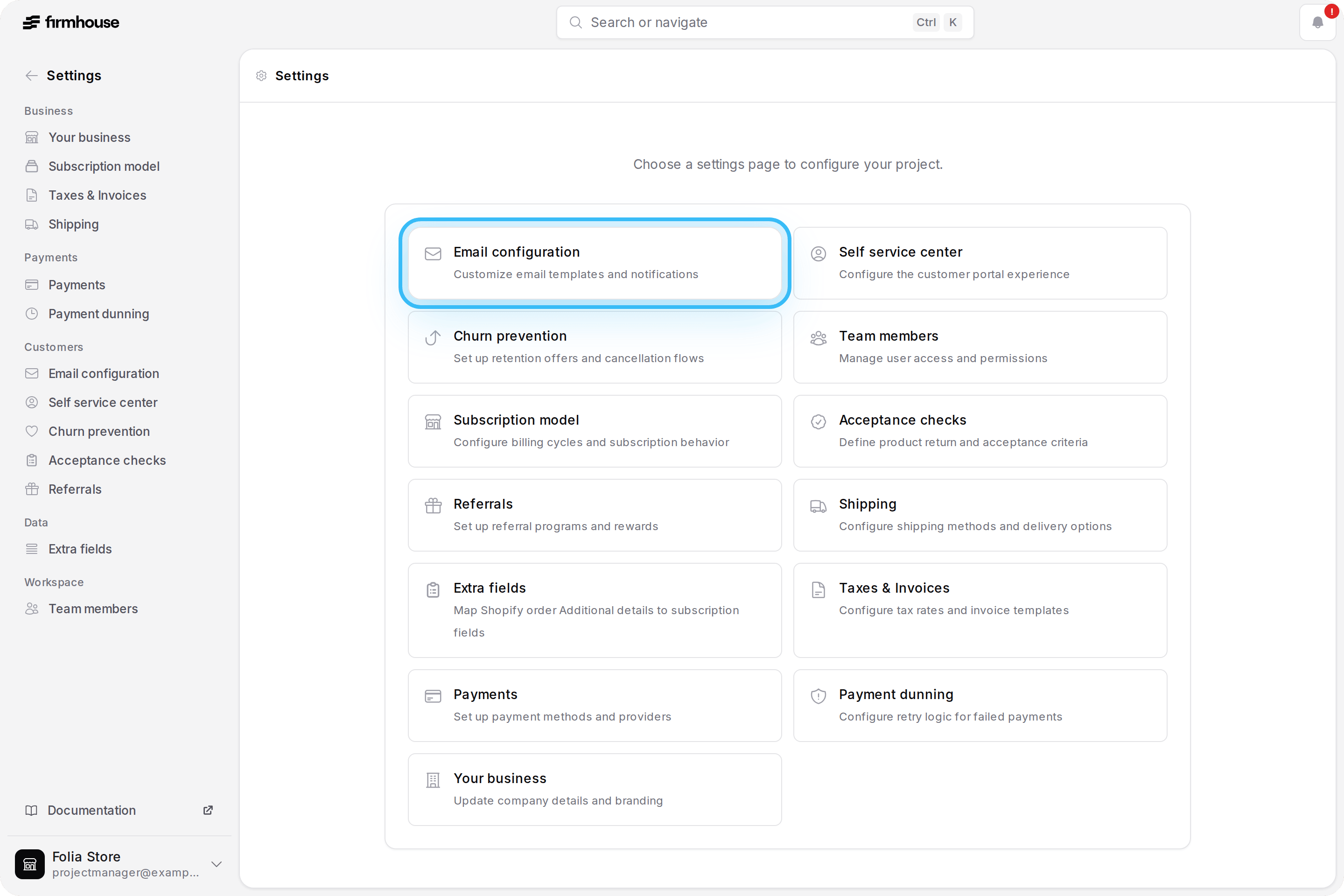
Understand why a tiered discount is inactive
Applied tiered discounts remain visible on subscription details when the subscription no longer meets a tier’s requirements. The discount is clearly marked as deactivated with an explanation, so merchants can see why it is not currently applied.Switch projects easily on large accounts
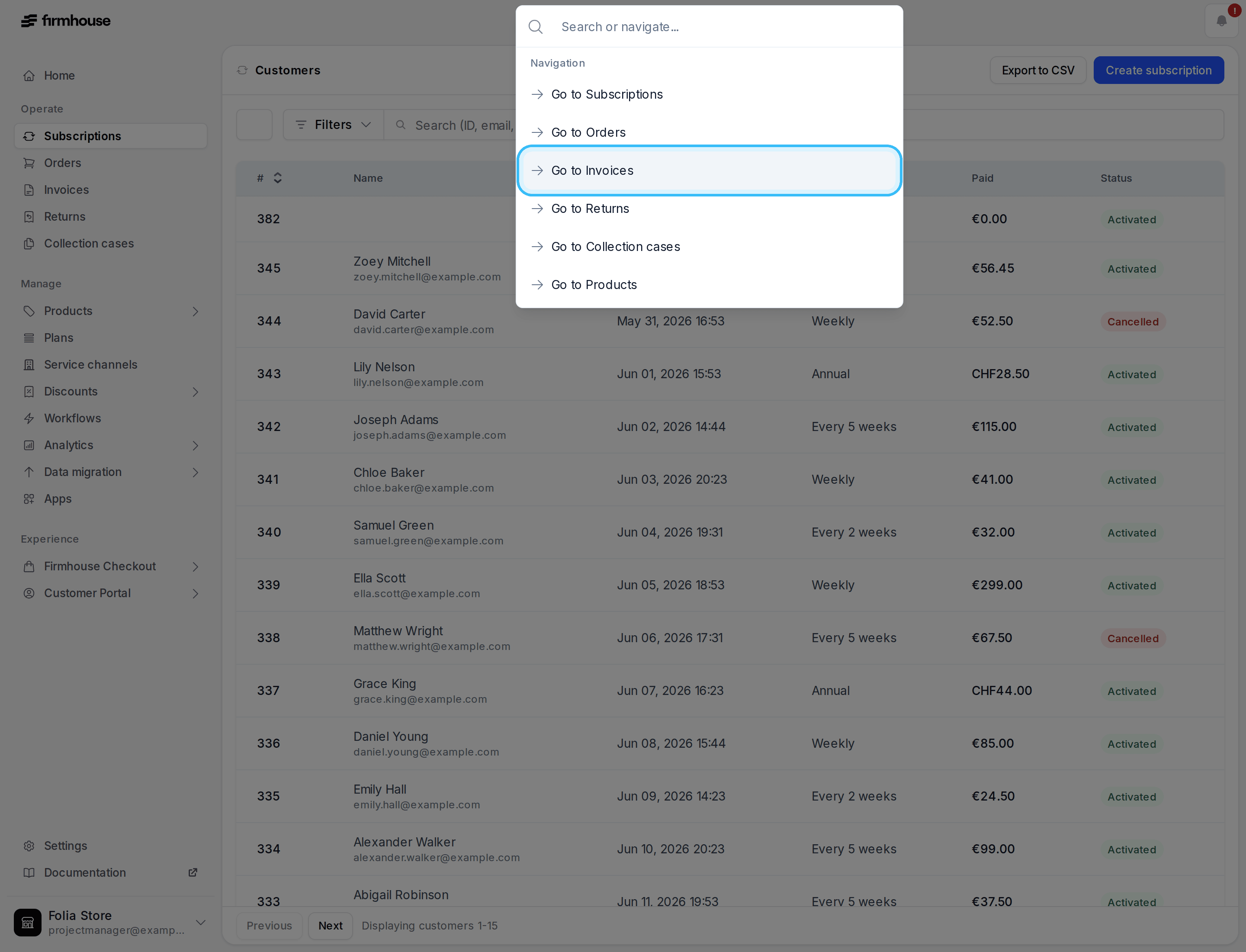
The project switcher now stays compact for accounts with access to many projects. It shows up to five projects, then provides a clear link to the complete project list with the number of additional projects available.Select command palette results reliably with the mouse
Moving the pointer over command palette results now updates the active selection. The highlighted result always matches the page or action that will open when clicked.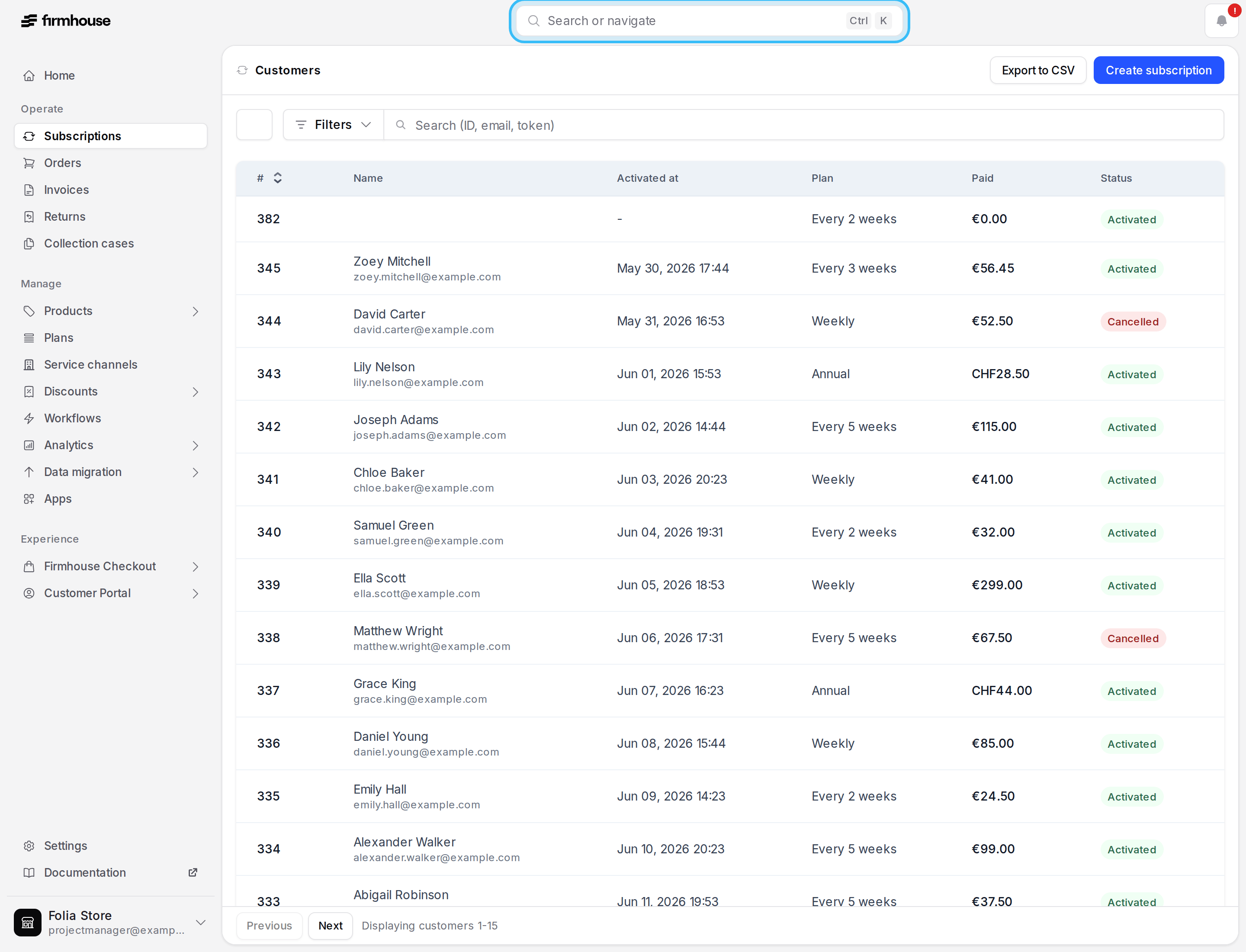
Navigate the admin portal with a consistent new layout
The admin portal now has a consistent page layout with breadcrumb navigation, sticky headers, and table footers that keep key actions, status notices, result counts, and pagination within reach while you work.Subscription and invoice views also show status counts directly in the view switcher, while refreshed buttons and spacing make pages easier to scan across the portal.Search projects from the command palette
Search for projects directly from the command palette and jump to the right workspace faster. Matching projects are ordered by when you last visited them, keeping the projects you use most close at hand.Pause and resume links open smoothly in Customer Portal
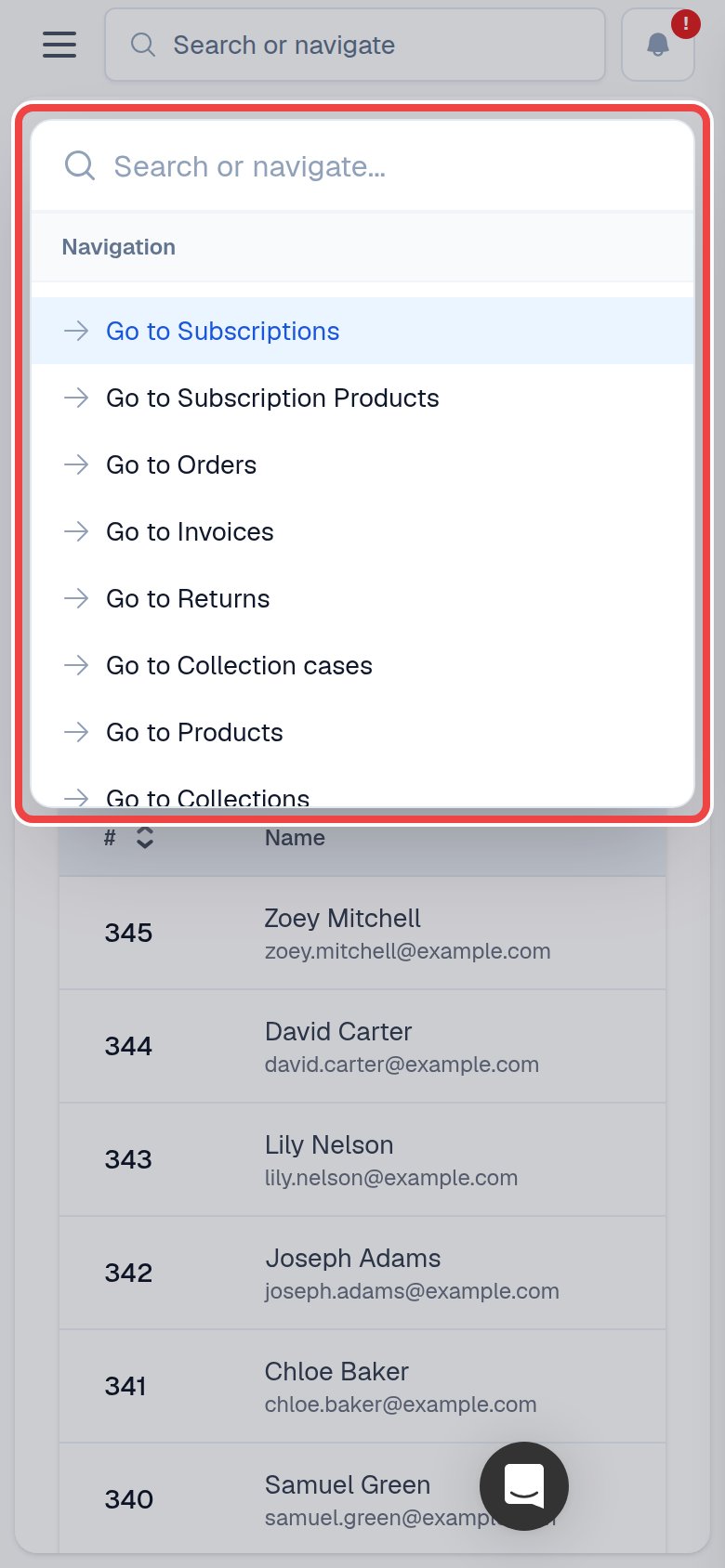
Customers can open pause and resume links directly in Customer Portal without extra URL tokens. This keeps the subscription journey clean and consistent.Navigate the admin faster on mobile
The mobile admin top bar now includes the same search and navigation entry point as desktop. Open the command palette alongside notifications to search records or jump directly to common project pages without opening the sidebar first.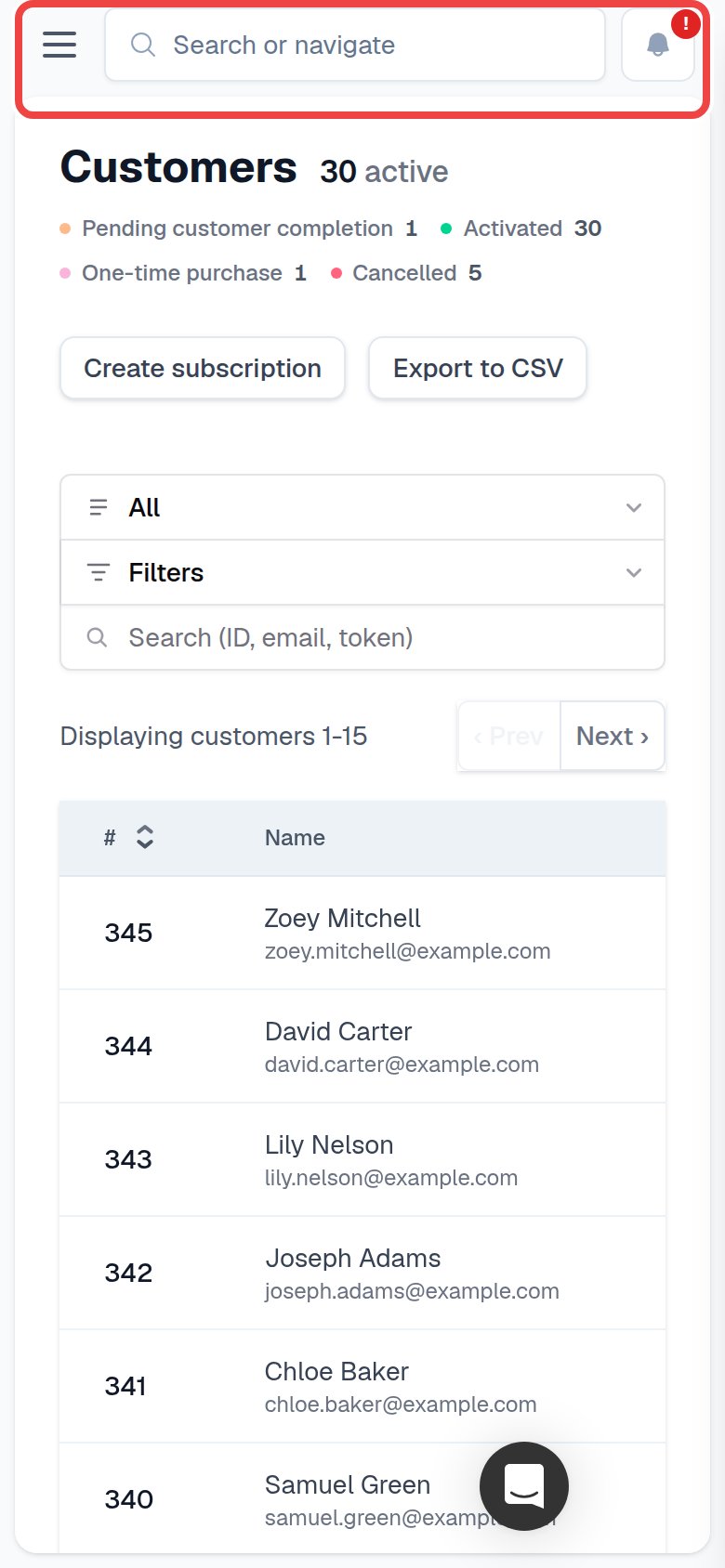
Trigger recovery workflows when subscriptions become non-paying
Merchants can respond faster to payment issues with a newsubscription_marked_non_paying webhook event. Use it to start timely recovery workflows as soon as the status changes.The same event is available as a Shopify Flow trigger for projects using Firmhouse Flow triggers.Target Shopify discounts by customer segment
Merchants can offer Shopify checkout discounts to selected customer segments, making promotions more relevant for groups such as VIP or churn-risk customers. Everyone outside the chosen segments remains ineligible for the discount.Remove subscription products in bulk
Merchants can remove selected products from active subscriptions in one batch, making product delisting faster when no replacement is needed. Shopify synchronization and commitment checks remain consistent with removals from an individual subscription.Learn more in the subscription products documentation.Keep product availability aligned with Shopify deletions
When a product is deleted in Shopify, Firmhouse now updates the matching product automatically. Products are archived when possible or kept clearly unavailable when active subscriptions still depend on them, helping merchants maintain an accurate catalog without manual cleanup.Learn more in the Shopify product sync documentation.Clearer contract details for order-based projects
Order-based projects now show contract details that match their actual commitment terms. When no maximum commitment is configured, customers no longer see an inapplicable contract end date.See period totals directly in Insights graphs
Merchants can now see a summed total for the selected period directly on Insights trend graphs. Cancellation, signup, order, and revenue reporting is easier without manually adding daily values.Learn more in the metrics dashboard documentation.See VAT exemption status on subscription details
Merchants can see a customer’s VAT exemption status directly on subscription details. This makes B2B tax checks quicker after information such as a VAT number is added or corrected after checkout.Consistent product access for Firmhouse checkouts
Projects using Firmhouse checkout now follow their intended product-access settings. Product availability stays consistent with each merchant’s checkout configuration instead of adopting Shopify-specific access rules.Set ordered product type when adding products through GraphQL
ThecreateOrderedProductV2 GraphQL mutation now accepts the ordered product type. API integrations can choose whether a newly added product should be recurring or a one-off add-on without switching to a separate mutation.Learn more in the storefront app guide.Prevent stale Adyen payment responses from being reused
Firmhouse now ignores stale Adyen payment responses when a checkout switches payment methods or retries an active payment. This prevents an older response from being reused for a different payment attempt.Fix Adyen invoice error notifications
Adyen invoice charges now handle error notification details more reliably. This prevents payment-processing errors from producing confusing or incomplete invoice error notifications.Workflows can update plan commitment dates
Script execution workflows can now update a subscription plan’s minimum commitment, maximum commitment, and grace cancellation dates. This makes it possible to automate cases like 6-month commitment cycles with monthly billing, where workflows already update related subscription dates but also need to keep commitment dates in sync.Learn more in the script execution documentation.Skip usage tracking for capped order promotions
Order promotions that are already capped no longer record extra usage when scheduled orders are generated. This prevents valid one-time-per-customer Shopify discounts from blocking subscription creation after the checkout order has already used the discount.Skip failed-payment notifications for on-session payment attempts
Firmhouse no longer sends failed-payment notifications for on-session payment attempts that are still being handled in checkout. This avoids confusing emails while the customer is actively completing the payment.Send accurate order values for SEPA renewal Shopify orders
Shopify orders created for SEPA renewals now receive the correct order values from Firmhouse. This keeps Shopify order totals aligned with the Firmhouse invoices behind those renewals.Send accurate order values for prepaid follow-up Shopify orders
Shopify follow-up orders for prepaid subscriptions now receive the correct prorated order values from Firmhouse, instead of only showing shipping costs. This keeps Shopify and connected accounting exports aligned with the prepaid subscription invoices behind those shipments.Cancel orders after a failed payment from the admin portal
Merchants can now cancel a pending order directly from Firmhouse after its payment fails, when the order should no longer be shipped or retried.Firmhouse cancels the order and failed payment, then creates a credit invoice for the failed invoice. This helps teams clean up orders that will not be retried and can clear non-paying status once no other outstanding invoices remain.Learn more in the orders documentation.Split imported Shopify subscriptions by order line attribute
Merchants can now split imported Shopify subscriptions using a configurable order-line custom attribute. This keeps products with the same selling plan in separate Firmhouse subscriptions when their attribute values differ—for example, when each line has its own shipment date.Leave the setting empty to keep the existing import behavior. Learn more in Shopify app settings.Allow replacements between product variants
Customers can now replace a subscription product with another variant from the same Shopify product group.Previously, the replacement flow hid the whole product group when one variant was already selected. It now only excludes the current variant, so the other available variants remain selectable.Control Shopify scheduled order holds
Merchants using Shopify Subscriptions can now disable fulfillment holds for scheduled Shopify orders from the app configuration.Holding scheduled Shopify orders stays enabled by default, so existing setups keep working the same way. Disable the setting when your Shopify fulfillment flow should handle scheduled orders without Firmhouse placing a hold.Learn more in Shopify app settings.Configure shipment recovery after non-paying status is resolved
Payment Dunning settings now let merchants with plan-based projects, or order-based projects with plan support, choose whether missed products should ship immediately, whether only recently missed products should ship immediately, or whether recently missed products should be scheduled for tomorrow once a subscription’s payment issue is resolved. Merchants can also configure how many days after a subscription becomes non-paying still counts as recent.For longer non-paying periods, missed products resume from their next regular shipment date instead of sending an old shipment right away. This helps merchants recover recent missed orders while avoiding surprise shipments after a long payment gap.Ordered product metadata on Shopify line items
Ordered product metadata is now sent to Shopify as line item custom attributes when Firmhouse creates Shopify orders. This helps teams pass product-level details such as bundle, profile, or fulfillment metadata through to Shopify order lines.For native Shopify subscriptions, editing ordered product metadata also updates the matching Shopify subscription contract line, so future Shopify billing attempts keep the same metadata in sync.Script Execution can update ordered product metadata
Script Execution workflows can now update metadata on active ordered products.The newupdate_ordered_product_metadata action lets scripts store product-specific values such as fulfillment metadata, warehouse or ERP references, and configuration copied from order events directly on the subscribed item. This makes it easier to connect Script Execution workflows with downstream processes that need item-level context instead of only subscription-level data.Read more in the docs: Script Execution.Report generation progress for large exports
Large reports now give clearer feedback while Firmhouse prepares the export. Instead of waiting on an open-ended spinner, merchants can see when a report is being generated and follow progress for larger exports from the Generated reports table.This makes long-running reports feel less like a black box: merchants can refresh the page without losing progress, understand that the export is still moving forward, and download the file once it is ready.We’ve also updated the Generate reports and exports documentation with what to expect when larger reports take longer to prepare.Export large GraphQL query results with bulk operations
Integrations can now use GraphQL bulk operations to run large connection-based queries in the background and download the completed result as a JSONL file.This helps with exports, reporting jobs, and external syncs where a normal paginated API request is not the right fit. Firmhouse can also send agraphql_bulk_operation_finished webhook when the operation is ready. See the GraphQL bulk operations guide for the supported query shape and JSONL processing tips.Customer Portal v2 minimum order amount warning
Customer Portal v2 now has a native minimum order amount warning for order-based projects. When the next order preview subtotal is below the configured minimum order amount, customers see a clear message explaining that the order needs more products before it can ship.The default dashboard template includes the warning, and custom templates can place it with{% minimum_order_amount_warning %}. See the dashboard template documentation for details.Keep anchor-based billing dates on cadence after order generation
Anchor-based subscriptions now keep their next billing date on the expected cadence when recurring orders are generated.This prevents the next billing date from moving an extra interval forward when a generated order’s shipment date is adjusted before the billing date is recalculated.New invoice Liquid fields for order templates
Order Liquid objects now include the related finalized invoice throughorder.invoice. When an order has an invoice, templates can use existing invoice fields from the order context, such as the invoice number, status, and customer-facing payment link.This gives teams more flexibility in custom Liquid templates, including Customer Portal v2 order pages, order-based messages, and webhook payloads, without changing the default Customer Portal template.Assign plans to existing subscriptions
Teams can now add a plan to an existing subscription that does not have one yet, as long as the project supports plans.This makes it easier to clean up subscriptions that were created before plans were required, without recreating the subscription or changing customer details. For one-frequency projects, recurring products must already ship on the billing cycle before a plan can be assigned.Warn when important notification emails are not configured
The Notifications page now shows a warning when a project has no email address configured for important alerts.Merchants also see a small warning hint in the sidebar, making it easier to spot that high severity notifications are visible in Firmhouse but are not being sent by email yet.Show discount values on order previews
Customer Portal v2 and the admin portal now show the discount percentage or fixed amount when a single discount is applied to an upcoming payment or order preview.This makes the customer’s savings clearer before the order is placed. When multiple discounts apply, the label stays unchanged to avoid showing an ambiguous combined value.Project-specific default sender addresses for subscriber emails
Transactional emails sent to subscribers now automatically use the project name and a project-specificstore+PROJECT_ID@mail.firmhouse.com sender address whenever no custom sender domain is configured.This gives every project a clear default sender without extra setup. Existing projects that only had a From handle configured, such as notifications, now also use the project-specific Firmhouse sender. Custom handles are only used together with a custom sender domain; without one, subscriber emails use the project-specific Firmhouse sender while any configured From name is still respected.Customer Portal dashboard exposes Shopify product IDs for templates
The Customer Portal v2 dashboard{% product_listing %} and {% product_listing_filtered %} Liquid components now render data-shopify-product-id and data-shopify-variant-id on each ordered product row when those IDs are available. Custom dashboard templates can use these attributes to fetch Shopify product details without relying on title matching, which can break when Firmhouse and Shopify titles differ.Cancel Shopify orders in Firmhouse
When an order is cancelled in Shopify, the matching Firmhouse order is now marked as cancelled too.This keeps order status in sync and helps teams avoid acting on orders that were already cancelled in Shopify.Filter products by order schedule
Merchants using order-based subscriptions with plan support can now filter Products by order schedule.This makes it easier to find products that ship once, follow the billing cycle, or use a custom schedule.Keep signup-based billing dates when activating subscriptions
When teams activate subscriptions from the admin portal, the next billing date now keeps the cadence from the customer’s signup date.This fixes Shopify checkout subscriptions that are created before their first delivery and activated later, so the activation form shows the correct upcoming billing date instead of reusing an outdated signup-time date.Template editor confirmations now respect Cancel
Publishing, deleting, resetting, or starting from the default Customer Portal v2 template now stops correctly when you choose Cancel in the confirmation dialog.This prevents accidental changes from going through after a merchant decides not to continue.Control payment retries per subscription
Merchants can now choose whether failed payments should be retried for a specific subscription. Each subscription can use the project default, always allow automatic retries, or disable retries.This helps teams handle higher-risk payment situations where repeated retry attempts can lead to costly chargebacks, while keeping normal retry behavior unchanged for everyone else.Split mixed Shopify fulfillment orders
Shopify orders that contain both subscription items and regular one-off items now keep those items in separate fulfillment orders.This prevents a scheduled subscription hold or reschedule from also blocking one-off items that should ship right away.Add dynamic dates to Shopify order tags
Merchants using Shopify can now include Liquid date filters in the custom Shopify order tag setting. This makes it possible to generate tags like18-06-26 firmhouse-plants for recurring orders when they are created in Shopify.The validation message now matches the Liquid syntax that can be saved, so tags using date filters can be configured from the Shopify (Legacy) configuration page.Filter invoices by payment status
Merchants can now see invoice counts by payment status and overdue state directly on the Invoices page and click a filter to update the list.This makes it quicker to find invoices that need attention, such as failed, pending, or open invoices.Fix hidden variant selector across the Customer Portal catalog
Catalog templates that sethide_variant_selector now hide variant options everywhere in the Customer Portal catalog, including both the add-products and replacement flows.Search subscriptions by customer details in GraphQL
Merchants and integrations can now search the GraphQLsubscriptions connection by customer details such as name, email, token, customer reference, or company name.This makes it easier to find the right customer record in phone-driven support and logistics workflows without needing the subscription ID first.Keep anchor-based signup orders on the right cadence
Anchor-based Shopify signups now allow the next delivery anchor when its billing cutoff date is today, while still skipping deliveries scheduled for today.This keeps anchored plans on the correct cadence when customers sign up on an anchor cutoff date.Customer Portal v2 replacements keep quantity by default
Customer Portal v2 replacement flows now focus on swapping the product while keeping the existing quantity. Customers can select a replacement or remove their selection, but they no longer change the quantity during replacement.Templates can also hide replacement prices from the catalog and confirmation step withhide_replacement_price on product_listing_filtered. See the dashboard template documentation for details.Configure Intrum settings per country
Merchants using Intrum can now override key Intrum settings per country, while keeping one default value for all other countries.This makes it easier to use the right creditor reference, credentials, service, and customer type for each market. Password values are masked by default in the admin and can be revealed when needed.Show empty state in filtered product listing component
The Customer portal v2product_listing_filtered liquid tag now supports a show_empty_state parameter. When set to true, the component renders even when there are no matching products, allowing you to display a custom empty state message to customers.By default the parameter is false, preserving the existing behaviour where the component is hidden when the product list is empty.Block Firmhouse checkout while keeping the Customer Portal available
Projects can now disable the Firmhouse checkout without turning off the Customer Portal. This is disabled by default for Shopify installations, helping those merchants keep the Customer Portal available while blocking checkout pages and cart endpoints that should no longer be used.When Firmhouse checkout is disabled, admin checkout shortcuts are hidden too, so product and plan menus no longer point merchants to blocked checkout or cart URLs.Confirm orders through the GraphQL API
Merchants and integrations can now confirm an order through the GraphQL API with the newconfirmOrder mutation.The mutation uses the same confirmation flow as the admin action, records the confirmation timestamp, and returns the updated order with validation errors when confirmation cannot be completed.Customer Portal v2 dashboard pause and resume actions
The default Customer Portal v2 dashboard now includes pause and resume actions for eligible subscriptions when subscription pausing is enabled for the project.Active subscriptions show a pause callout near the subscription products, while paused subscriptions show a clear paused state with a resume action near the top of the dashboard. On mobile, the pause action stays compact and appears with the other subscription actions.See the dashboard template documentation for the Liquid tag and customization options.Hide Firmhouse invoice numbers for Shopify customers
Merchants using Shopify Subscriptions can now hide Firmhouse invoice numbers from customer-facing invoice lists.When this setting is enabled, customers see the Shopify order reference instead of the Firmhouse invoice number where one is available. The Firmhouse invoice number stays available internally and on the invoice detail page.Group Customer Portal products by shipment schedule
Customer Portal v2 dashboard templates can now split active products into recurring and one-time groups with theproduct_listing_filtered tag. This makes it easier to build dashboards where subscription products and one-time products are shown separately.The filter is optional and based on the product’s shipment schedule, so existing filtered product lists keep working unless shipment_schedule is added.Control upcoming order notice webhooks for paused subscriptions
Merchants can now choose whether upcoming order notice webhooks should also be sent for paused subscriptions.The option is enabled by default, so existing webhooks keep their current behavior. Merchants can turn it off per webhook when paused subscriptions should be skipped.Delete Customer Portal template versions
Merchants can now delete saved Customer Portal Liquid template versions from the template editor when they are no longer needed.Published versions are protected from deletion, so merchants need to publish another version first before removing an older live version.Clear paused date when cancelling subscriptions
Cancelling a paused subscription now clears its paused date at the same time. This keeps cancelled subscriptions from showing stale pause information.Control upcoming billing webhooks for paused subscriptions
Merchants can now choose whether subscription upcoming billing webhooks should also be sent for paused subscriptions.The option is enabled by default, so existing webhooks keep their current behavior. Merchants can turn it off per webhook when paused subscriptions should be skipped.More reliable next billing date updates
Merchants can now update a subscription’s next billing date even when unrelated subscription details need attention.The customer portal also shows clearer validation feedback when a date change cannot be saved.Script Execution can mutate recurring orders before confirmation
Script Execution workflows can now mutate recurring orders before they are confirmed.Projects can use scripts to confirm an order, skip it, or update its order lines by adding, removing, or replacing products before the order continues through the normal recurring order flow.Read more in the docs: Script Execution.Forecast reports can exclude non-paying customers
Forecast reports now include an option to exclude customers marked as non-paying.This helps merchants compare their regular forecast against a more conservative view that leaves out subscriptions that are currently not paying.Customer Portal v2 add products opens the new catalog
Customer Portal v2 now always sends customers to the newer catalog-style add products flow, so they get the same browsing experience without needing an extra feature flag enabled.Stale Adyen redirects no longer overwrite paid payments
Adyen redirect callbacks that arrive after a payment already succeeded no longer change the payment back to failed or cancelled.This keeps invoices and orders in the correct paid state when an old customer redirect is received after the successful payment update.Show the latest retried payment status in payment history
The subscription payment history now shows the latest retry attempt as the main payment row.When an original payment failed but a retry later succeeded, merchants can immediately see the successful status without expanding the retry history first.Option to recalculate plan billing dates during API activation
The API activation mutation can now recalculate the subscribed plan’s next billing date from the activation date when needed.This gives API integrations a way to keep delayed activations aligned with the expected billing cycle length while leaving the default activation behavior unchanged. See Activate a subscription with a recalculated billing date in the developer docs for setup details.Search notifications by message content
Merchants can now search project notifications by words in the notification message, not only by notification or subscription ID.This makes it easier to find related payment, integration, or order issues when the exact record ID is not at hand.Keep paused anchor-based plans on correct cadence
Paused anchor-based subscriptions now skip to the next full billing cycle instead of rescheduling to the closest available anchor date.Create SEPA mandates via GraphQL API
You can now create SEPA Direct Debit mandates for existing subscriptions through the GraphQL API with the newcreateSepaMandate mutation.This helps backend integrations attach known SEPA mandate details to subscriptions without manual admin work. The mutation updates the subscription payment method to SEPA Direct Debit when mandate creation succeeds and returns a validation error when the subscription’s payment provider does not support SEPA mandate creation.Upcoming order notices for rescheduled shipments
When enabled in Email configuration, Firmhouse can now send an upcoming order notice when an active product is rescheduled into the upcoming order notice window.In the admin shipment date form, teams can still skip the notice for special cases where they plan to contact the customer another way.Preview Customer Portal template packages
Customer Portal template editors can now preview the latest saved versions of all templates together before publishing. The preview runs in the current browser for one hour, shows a preview banner when it differs from the live portal, and makes it easier to review changes that span multiple portal pages.The Customer Portal Agent can also share the package preview link, rename saved template versions, and publish a confirmed template version from chat. See the Customer Portal templates documentation for details.Fixed next delivery date in Shopify customer accounts
Shopify customer accounts now show the customer-facing delivery date for anchor-based subscriptions. This keeps the subscription card aligned with the Customer Portal when billing happens a few days before delivery.Customer Portal template updates can set version titles
Developers using the GraphQL API can now pass atitle to updateSelfServiceCenterTemplate. The mutation still saves and publishes the template body in one step, and the new title is stored on the published template version so it is easier to recognize later in Firmhouse.See the Customer Portal templates documentation for details.Preview unpublished Customer Portal templates
Customer Portal template versions can now be previewed before they are published. This lets teams open a saved draft in the portal, including its generated styling, and check the result before making it visible to customers.This builds on Customer Portal template versioning, where templates can be saved as drafts, given clear titles, reviewed later, and published only when ready. See the Customer Portal templates documentation for details.Customer Portal template versioning
Customer Portal templates can now be saved as versions before they are published. This lets teams prepare template changes, give versions clear titles, review older drafts, and publish a chosen version only when it is ready for customers.The template editor also makes it clearer what customers currently see, and templates can be reset to the Firmhouse default without deleting saved versions. Developers can manage versions through the GraphQL API withsaveSelfServiceCenterTemplateVersion, publishSelfServiceCenterTemplateVersion, and resetSelfServiceCenterTemplateToDefault.See the Customer Portal templates documentation for details.Clearer progress and details for generated reports
Generated reports now show clearer progress while exports are being prepared. The generated reports table shows row-based progress, an estimated time to finish, and the filters and fields used for the export without expanding the row or hiding the action buttons.Once a report is ready, the table shows how many rows were exported and keeps the download and delete actions available in the same row. Filters and fields are shown as compact pills, with longer values available on hover.Customer Portal v2 shows public discount description
When a subscription has one active discount, Customer Portal v2 shows that promotion’s public description in the order summary instead of a generic label. Merchants can set this label in a new Public description field on Discounts. Multiple active discounts, or a promotion without a public description, still use the default discount label.Notifications are now visible on subscription details
Subscription detail pages now show related Notifications above the audit log.This gives support teams a quicker way to spot payment, order, and invoice errors that are linked to a subscription without opening separate project error pages first. Each error includes the key details and links back to the related records, making subscription troubleshooting easier from one place.Keep Firmhouse discounts in sync when removing Shopify discounts from subscriptions
When an applied discount is removed from a Shopify subscription, we now also clean up the matching Firmhouse applied promotion and unused discount code (if any).This keeps subscription discounts consistent after admin portal changes, and the order preview now recalculates correctly once a Shopify promotion is removed.Customer Portal v2 shows shipment schedules for legacy subscriptions
Customers managing legacy subscriptions without a plan can now see each product’s shipment frequency on the Customer Portal v2 dashboard and update the next shipment date for each active product directly from the product row.The product-level controls are only shown when the subscription has no plan and the product is not following a plan schedule, keeping plan-based subscriptions on the existing shared date controls.Hide empty Customer Portal v2 plan cards for subscriptions without a subscribed plan
The Customer Portal v2 dashboard no longer shows empty delivery date and delivery frequency cards for subscriptions that do not have a subscribed plan.Rental subscription guide
We’ve published a new Rental subscriptions guide in our documentation.The guide explains how to set up rental propositions for durable physical products with monthly billing and minimum rental periods. It covers two common setup scenarios:- A small rental catalog where each product can have its own exact monthly prices per commitment period.
- A large rental catalog where each rental product uses its Shopify product price as the monthly rental price, with Firmhouse plans applying percentage or fixed-amount discounts for longer commitments.
Edit grace cancellation dates from subscriptions
Teams can now adjust the grace cancellation end date directly from a subscription, making it easier to extend a customer’s try-out period or account for delayed shipments.The GraphQL API also acceptsgraceCancellationEndsAt on updateSubscribedPlan, so integrations can keep the grace cancellation date aligned with admin portal changes.Choose the ReferralCandy campaign used by Firmhouse
ReferralCandy integrations can now be configured with a specific Campaign ID when you have multiple campaigns. When no campaign is selected, Firmhouse keeps using ReferralCandy’s default campaign selection.Read the ReferralCandy setup documentation.Set a minimum invoice amount for order discounts
Order discount promotions can now keep invoices above a configured minimum amount. Firmhouse still applies the discount, but caps it so the final invoice total does not drop below the configured floor.This is separate from the existing minimum order amount rule, which only decides whether a discount is eligible to apply based on the checkout subtotal.Current Customer Portal v2 locale is now available in Liquid templates
Custom Customer Portal v2 Liquid templates can now use the current rendered portal locale through thelocale variable.This makes it easier to customize text or conditional template sections based on the language the customer is currently viewing, instead of relying on the subscription’s stored locale.For example:Ensure configured billing cadence for anchor-based plans
For anchor-based plans with cutoff days, next billing dates now follow the plan’s configured billing interval after each order.This prevents billing from drifting to anchor frequency while still using anchors to schedule shipments and cutoff timing.Customers can choose a prepaid renewal payment date in the Customer Portal
The Customer Portal now gives customers with an upcoming prepaid renewal a clearer renewal flow.Customers see the prepaid renewal reminder on the Customer Portal v2 dashboard, where it is placed alongside the main subscription details instead of spanning the full page. From the Customer Portal v2 renewal options page, customers can either keep the automatic prepaid renewal as-is or update the renewal payment date without changing their renewal option.The date picker updates the prepaid renewal payment date directly from the renewal flow, while regular prepaid dashboard date changes remain unavailable outside this context.Customer Portal v2 respects delivery frequency change settings
Customer Portal v2 now respects project settings and subscription restrictions when showing delivery frequency changes. When customers cannot switch frequency, the dashboard shows their current delivery frequency in a read-only state instead of offering a selector.Customer Portal v2 dashboard now includes a ReferralCandy sharing banner
The default Customer Portal v2 dashboard template now includes a ReferralCandy banner when a subscription has a personal ReferralCandy invite link.Customers can open their ReferralCandy invite page from the dashboard or copy their personal sharing link directly. When Firmhouse can determine the configured advocate reward for the subscription, the banner also shows the reward amount. Otherwise, it falls back to a generic referral message.Custom dashboard templates can usesubscription.referral_candy.url and subscription.referral_candy.advocate_reward_discount to add a similar referral block.Customer Portal v2 dashboards now have a dedicated state for prepaid subscriptions
Customer Portal v2 dashboard templates now better reflect what customers can do when their subscription is on a prepaid plan by default. You can also also usesubscription.on_prepaid_plan? to tailor prepaid dashboard states in your custom Liquid template.For prepaid subscriptions, the dashboard no longer shows customer actions that are not available for prepaid plan type, such as skipping deliveries, changing the next billing date, swapping, replacing, deleting or changing changing product quantities.Address and payment method cards show the customer information in read-only state.Edit subscription metadata in admin
Teams can open Edit in the Metadata section of a subscription detail page to update supported metadata, including Shopify shipping notes.Clarified shipment vs billing dates in admin subscription details
Subscription details now clearly separate shipment and billing timing for all subscriptions with plans.- We now show both Next shipment and Next billing for anchor-based plans.
- We updated the date-change modal wording to use consistent billing labels for billing-based cases, and shipment wording where the date is truly shipment-based.
Edit commitment dates from the admin portal and API
Teams can now adjust plan and product commitment dates directly from a subscription, making contract corrections and extensions straightforward.For products with commitments, the contract-term labels now open the edit flow when the product is eligible. The GraphQL API also accepts commitment end dates on subscription plan and ordered product updates, so integrations can keep those dates aligned with portal changes.Keep subscription assets linked to the right product
Asset updates through the API now reliably preserve the subscription owner while linking the asset to the intended ordered product. Invalid reassignments continue to return a clear validation error, keeping asset data consistent.Prepare for upcoming subscription billing with a new webhook
Order-based projects with plan management can now use thesubscription_upcoming_billing webhook to prepare customer communications or operational workflows before the next charge. Choose a lead time from one to five days; Firmhouse checks eligible subscriptions nightly.Customer Portal v2 dashboard now shows a payment issue banner for non-paying subscriptions
The Customer Portal v2 dashboard now shows a dedicated banner when a subscription is marked as non-paying, explaining what happens next and linking customers to their invoices to settle the outstanding payments.When recurring orders are disabled for non-paying subscriptions, the banner explicitly states that new recurring orders will not be created until the payment issue is resolved.For custom Customer Portal v2 templates, the{% non_paying_banner %} tag also supports optional customizations:Subscription audit log now includes extra field answer changes
Updates to subscription extra field answers are now visible in the subscription audit log so it’s now easy to view history of all changes.Case-insensitive email matching for Shopify customer account extension
The Shopify customer account extension now matches subscriptions to the logged-in customer even when the email stored on the subscription and the email returned by Shopify differ only by letter casing (for examplecustomer@example.com vs Customer@Example.com).Before this fix, those addresses were treated as different, so customers could see an empty subscription list in the extension even though their subscription used the same address with different capitalization.More filters for subscription products batch operations
Subscription product batch operations now support extra filters for subscription status, products without a custom price, and an Added At date range.The selected filters also stay in place when you use select all matching or start a batch operation, so it is easier to review and process the right set of subscription products in one go.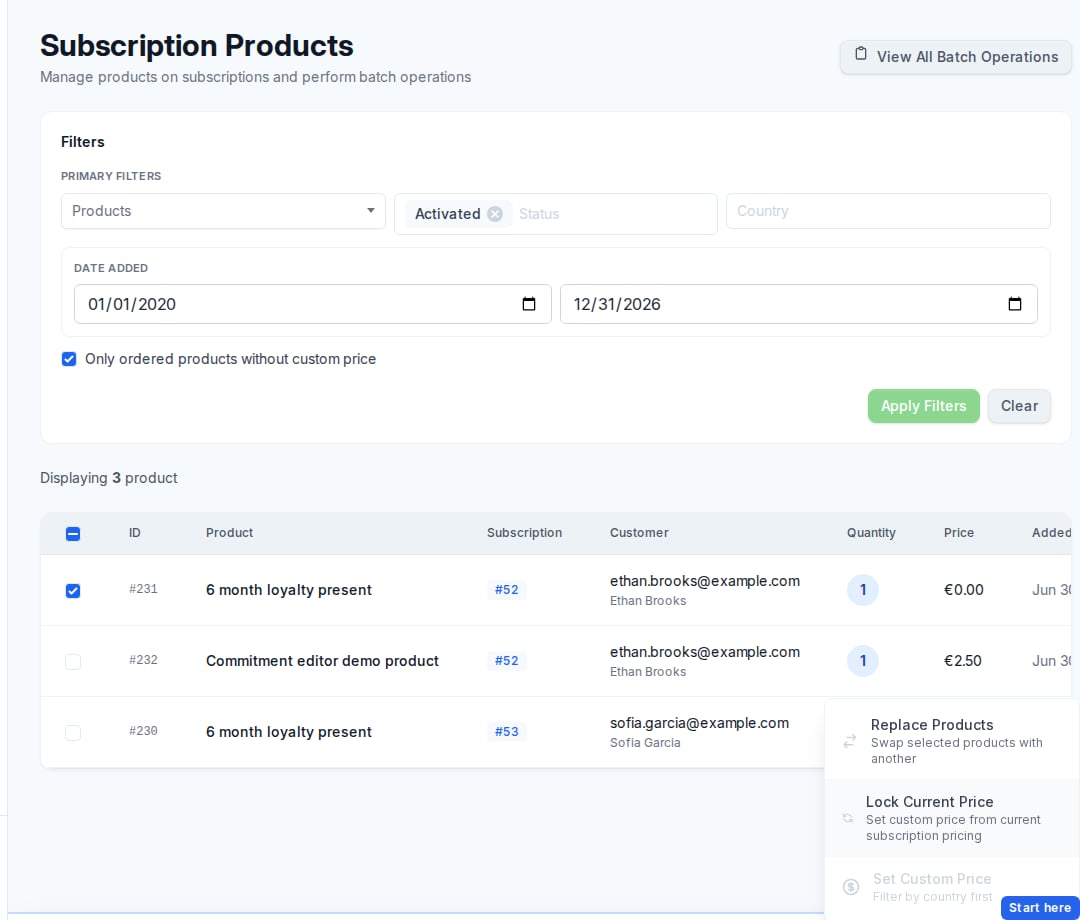
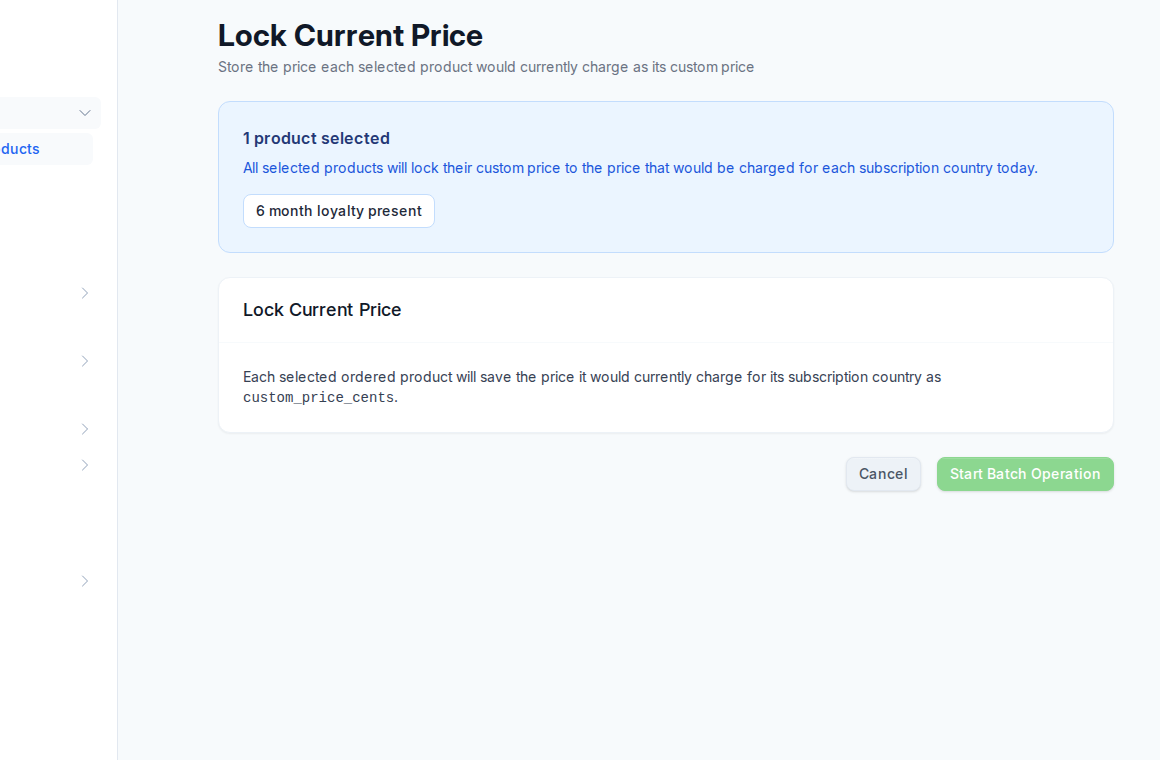
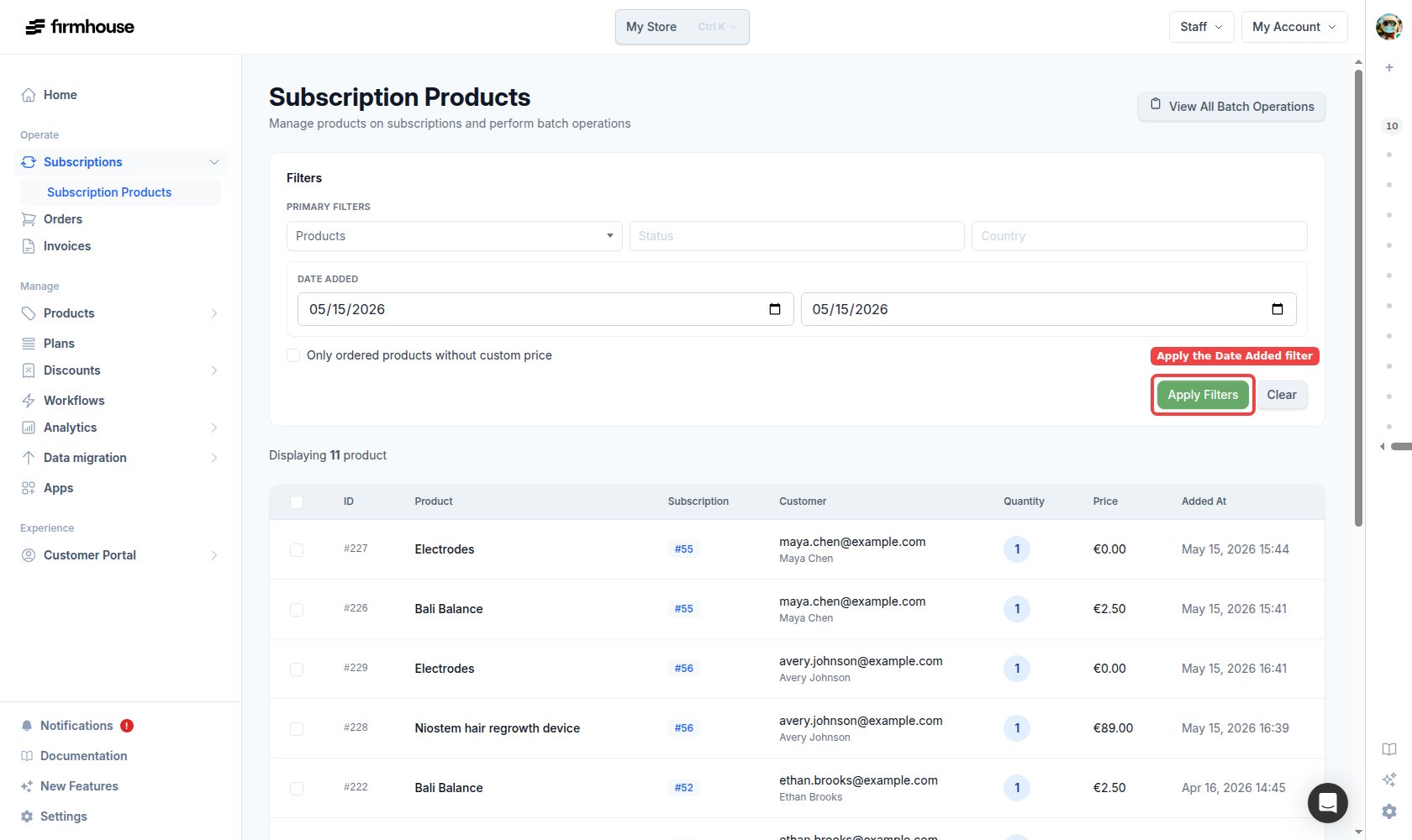
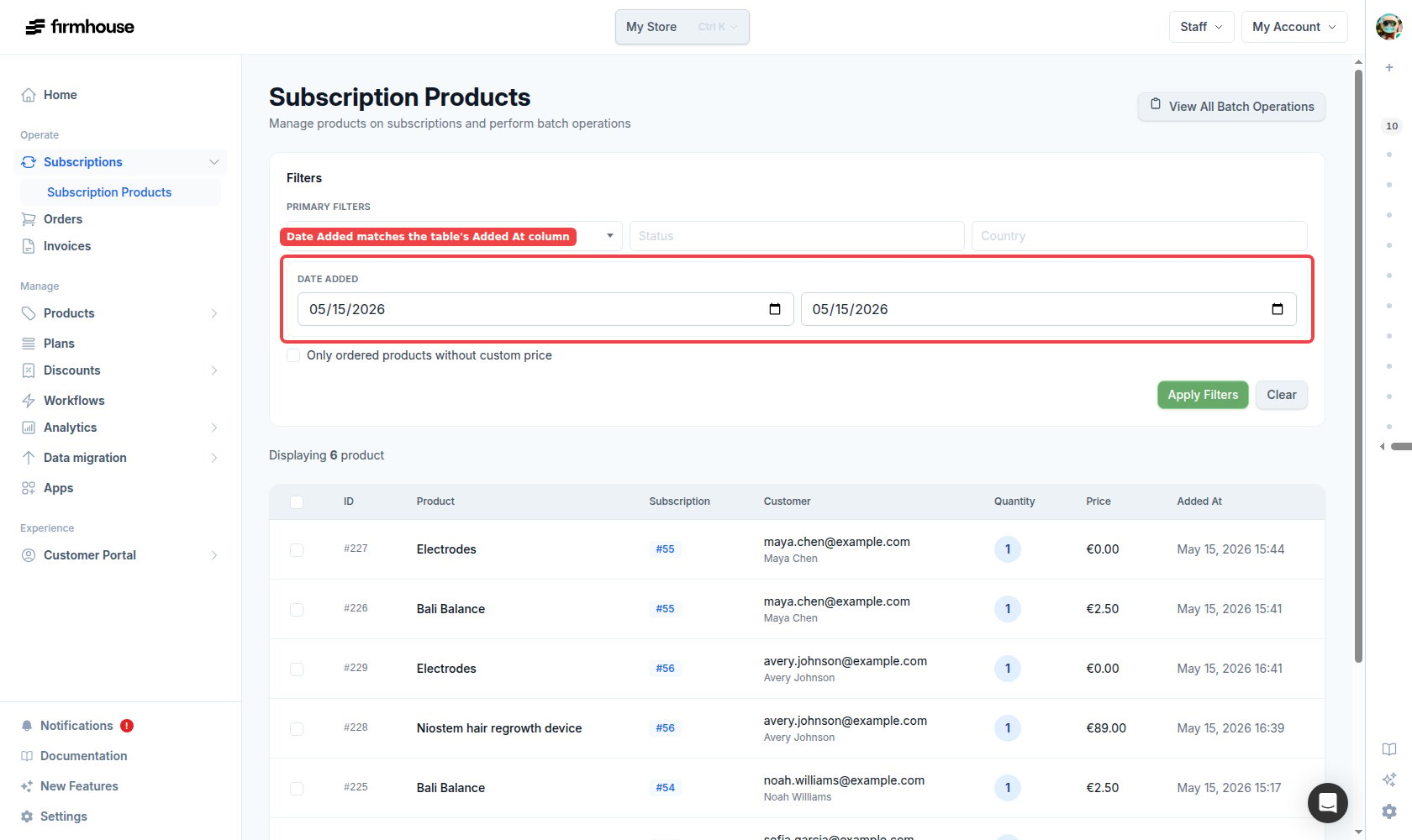
Refresh outdated Shopify draft orders from Firmhouse
Teams can now recreate an outdated Shopify draft from the Firmhouse order page so checkout uses the latest order details. Firmhouse removes the old draft and queues an up-to-date replacement in Shopify.The option only appears when the draft is past a safe age and the order is not already being sent to Shopify, so you are less likely to interrupt work in progress.Added order_scheduled outgoing webhook event
Firmhouse now supports a neworder_scheduled outgoing webhook event.This event is triggered whenever an order enters the scheduled state, including new orders created as scheduled and existing orders that transition to scheduled later.Full Shopify checkout support for Pay by Bank and Trustly through Mollie
Pay by Bank and Trustly are now fully supported for subscription checkouts on Shopify when you use Mollie as your payment provider.This makes it easier to offer more local bank-based payment methods in Shopify checkout while keeping the recurring subscription flow working correctly.Added subscription discount applied, updated, and deleted webhook events
Three outgoing webhook events are now available:subscription_discount_applied, subscription_discount_updated, and subscription_discount_deleted.Use subscription_discount_applied when a discount is first added to a completed subscription. Use subscription_discount_updated for subsequent discount changes, including deactivation (active=false) and usage updates. Use subscription_discount_deleted when a discount is removed, including Shopify subscription discount removals from the Applied discounts section.Bundles & Boxes documentation
We’ve published a new Bundles & Boxes guide in our documentation. It explains how to set up a box builder proposition using three Firmhouse features:- Tiered Discounts — automatically increase discounts when customers add more items to their subscription.
- Fixed Bundle Sizes — configure minimum and maximum product quantities on a plan so orders are only generated when the box is complete.
- Billing Cutoff & Delivery Anchors — set fixed delivery dates and a deadline for customers to finalize their selection.
Shopify shipping rate selection now prefers the best available match
When Firmhouse refreshes shipping costs for a subscription, it now keeps the best matching Shopify shipping rate instead of dropping the selection when there is a low-confidence title match.For subscriptions with no previous shipping-rate title to compare against, the first available rate is still used as a safe default.Products page now uses dropdown filters for availability and collections
The admin portal Products page now uses compact dropdown filters instead of filter-pill rows for both Availability and Collection.This keeps the page UI consistent and easier to use, while preserving the same filtering behavior.Pay by invoice now cleanly migrates Shopify subscriptions
Support teams can now switch native Shopify subscriptions to Pay by invoice from the payment method update flow.When this happens, we now try to cancel the Shopify contract and still continue the migration to Firmhouse billing if Shopify returns an error. Any Shopify cancellation error is logged as a project notification so teams can follow up without blocking the customer move.iDEAL and Bancontact checkout button skips Shop Pay
When shoppers used the iDEAL or Bancontact subscription checkout button on a Shopify storefront, Shopify could still send them into the Shop Pay accelerated flow—even when they were already logged in to Shop Pay. That made it impossible to reach the standard Shopify checkout where local payment methods (iDEAL, Bancontact) show up as expected.That same button now opens regular Shopify checkout with Shop Pay skipped, including for customers who are signed in to Shop Pay, so they can choose local payment methods instead of being routed through Shop Pay.This applies to the SEPA Plan Support theme extension. Available payment options continue to follow each store’s payment settings.Workflows now also run on order confirmation
Journeys and workflows now evaluate on both subscription activation and order confirmation events.This means a workflow can start when a subscription is activated, and it can also run again when a later order is confirmed. Existing Journey instances are reused, so the workflow executes on the new event without creating a duplicate Journey instance for the same subscription.Any workflows that are currently active in a merchant project will now also run on order confirmation events.One-off add-ons are now included in the next order preview calculations
Next order preview now includes active one-off add-on product lines, counted as part of the one-time subtotal. Customers see amounts that match what will be charged on the upcoming order correctly.Configure Shopify Flow triggers from outgoing webhooks
You can now configure Shopify Flow trigger deliveries directly from the Firmhouse outgoing webhooks UI.This allows merchants to enable Flow triggers per webhook event and send their own trigger payload values through the existing outgoing webhook setup.Previously, a common workaround was to listen to Shopify’s order created trigger and add a fixed delay before checking whether Firmhouse metadata or tags had been added to that order.With this update, merchants can trigger flows directly from Firmhouse webhook events instead. This makes Flow automations easier to implement and less brittle, because they are no longer dependent on timing assumptions or fixed wait periods.Product search keeps availability and collection filters
On the admin products index, search could drop or misapply your availability and collection filters compared to what the filter pills showed. Search now keeps those filters applied correctly when you search.Shopify selling plans now include bundle size as an extra option when configured
When Shopify plans in a plan group have a minimum bundle size configured, Firmhouse now adds that bundle size as an extra option on both the Shopify Selling Plan Group and the individual Shopify Selling Plans. For example, a storefront can now receive option pairs likeDelivery Frequency and Minimum bundle size instead of only the frequency.This is mainly relevant for merchants and developers who use Shopify selling plan groups and selling plan options in custom storefront logic or theme integrations. It makes plan combinations with the same frequency but different bundle sizes distinct in Shopify, and keeps the option data closer to the actual plan setup in Firmhouse.Exempt Shopify subscriptions now keep shipping free on generated orders
Subscriptions that are marked as exempt from shipping costs already stay shipping-free in Firmhouse, even when the selected Shopify shipping rate would normally charge shipping.Firmhouse now also applies a free shipping discount code during order generation so the Shopify order matches that exemption and shows free shipping too.Merchants can now share an authorization payment link to recover stuck Shopify subscriptions
Merchants can now copy an authorization payment link from the admin when a Shopify subscription needs a little extra help moving forward.This is designed for support moments where the Shopify contract payment method cannot be updated, or when a customer wants to move from Shopify billing to a local payment method in Firmhouse. Once the verification payment succeeds, the subscription continues in Firmhouse with the customer’s local payment method.Faster, smoother report exports
CSV reports now prepare related information more efficiently, helping larger exports complete more smoothly when they include subscriptions, plans, invoices, or project settings.Keep cart quantities correct after iDeal or Bancontact checkout
Customers who return to their cart from an iDeal or Bancontact checkout now keep the intended item quantities, even when other Shopify apps update the cart at the same time. Firmhouse processes the related cart changes in sequence to prevent duplicate line items.Collections management moved to a separate admin page
Shopify Product Collections settings have a dedicated Collections page under Products in the project sidebar. Manage which collections customers can order from in one clear place, next to your product catalog.The Collection link on the Products page points to the new page for quick access. If you use this feature, follow the updated steps in Allow customers to add products.Filter products that are not in any collection on the Products page
When your project uses Shopify product collections for the portal, the admin Products page now includes a Not in any collection filter next to your other collection filters. Use it to quickly list products that are not part of any synced collection—handy for housekeeping and for catching products that would not be orderable in the Customer Portal through those collection rules.It works together with search and availability filters like the other collection pills.Keep Shopify collection membership synchronized
Product collection membership now stays aligned with Shopify even when several collection changes arrive close together. This keeps collection-based catalog availability current without manual correction.Ensure firmhouse-order-id is synced on initial Shopify orders
Initial Shopify subscription orders now consistently include theirfirmhouse-order-id custom attribute. This makes the related order and invoice easier to identify across Firmhouse and Shopify.Show only orderable collection products in the customer catalog
For projects using Shopify Product Collections, the Customer Portal now offers products only when they belong to a collection with Allow ordering products from this collection enabled.This is applied in addition to existing eligibility checks like product availability in the Customer Portal and plan eligibility. If the Shopify collections feature is disabled for a project, or if no collections are synced yet, catalog behavior remains unchanged.Read more in the docs: New add products flow in Self Service Center.Manage scheduled orders via GraphQL API
You can now manage scheduled orders through the GraphQL API with two new mutations:cancelScheduledOrder and rescheduleScheduledOrder.This lets integrations cancel scheduled orders or move their shipment date without using the admin portal, while keeping behavior in sync with existing scheduled-order flows.Set a display label for extra fields
Extra fields now support a dedicateddisplay_name.This lets you keep an internal field name for operational use, while showing a cleaner label to customers in checkout and Customer Portal flows.See one-off add-ons across the Customer Portal and admin portal
Merchants and customers can now see active one-off add-ons alongside other subscription products in both the Customer Portal and admin portal. Once an add-on has shipped and is removed from the subscription, it no longer appears.Customer Portal v2 dashboards now show a dedicated cancelled subscription state
Customer Portal v2 dashboard templates now include a simple dedicated cancelled-subscription state.When a subscription is cancelled, customers now see a clear cancelled status with localized messaging and cancellation date instead of the active-subscription controls and product management blocks.This keeps the dashboard state consistent with the subscription lifecycle and avoids showing actions that are no longer relevant after cancellation.Replace product flow in Customer Portal v2 dashboard is now available as opt-in
The Customer Portal v2 dashboard replace-product action is now opt-in: customers will only see it when their project theme explicitly enables it.Useshow_replacement_button on product_listing and product_listing_filtered to turn the button on; it still renders only when replacement options exist for that line item.Delete unused discounts from the admin edit screen
Merchants can now delete unused discounts directly from the discount edit screen in the admin.If a discount has already been used, is linked to discount codes or plans, or is configured for referrals, the delete button stays visible but disabled so it is clearer why that discount cannot be removed.Update payment method from Shopify draft invoice page
Customers can now update their payment method directly from the public invoice page when a Shopify subscription payment fails. If a draft invoice charge doesn’t go through (e.g. card declined or expired), the invoice page shows clear options: retry the payment right away, or send themselves an email with a link to update their card in Shopify. After updating their payment method, they return to the invoice page and retry—no need to contact support or hunt for a separate payment settings page.The flow works the same for any failure reason, with a straightforward layout that highlights the retry action and keeps the “need to update your card?” option easy to find. We’ve also added translations for all supported languages.Display product images with accented filenames reliably
Product images whose filenames contain accented characters now load reliably instead of returning an access error. This keeps catalog and subscription visuals available without requiring merchants to rename existing files.Subscription options card layout now supports required plan selection
The Subscription Options widget card layout now supports a required plan selection flow with a placeholder option in the plan selector.When Require plan selection confirmation is enabled, customers must select a plan before they can subscribe. Until a plan is selected, clicking Add to cart shows an inline error message in the subscription card and highlights the plan selector.After a valid plan is selected, the error state is cleared and checkout can continue normally.You can configure this flow with the Required plan selection placeholder text and Required plan selection error message block settings.Show skipped timestamps in subscription email overview
The subscription email overview now showsSkipped at <timestamp> (in italic) when an email notification has skipped_at set.This makes it clear that an email was intentionally skipped (for example through SKIP_EMAIL) instead of simply not sent.If an email notification has neither sent_at nor skipped_at, the table still shows Not yet sent.Access extra field answer and field IDs in subscription Liquid templates
Subscription Liquid templates now expose a newsubscription.extra_fields_v2 array that includes each extra field answer with both its answer ID and related extra field ID.This makes it easier to build integrations that need stable identifiers in addition to values, while keeping the existing subscription.extra_fields mapping available for simple key/value lookups.Clear feedback when a Shopify product cannot be removed
When a subscription product cannot be removed from Shopify, Firmhouse now shows the reason clearly so teams know what to resolve next.Admins now see the underlying Shopify error details when available, which makes it easier to understand why the removal failed and what to fix next.Remove Shopify subscription products even when line data is missing
Merchants can now remove an ordered product from a Shopify subscription when its stored Shopify line ID is missing. Firmhouse safely completes the local update instead of leaving the product stuck on the subscription.When there is no Shopify line to remove, Firmhouse now completes the local removal instead of failing the action.See payment retry progress immediately
The payments table now refreshes as soon as a retry starts and prevents another retry while the current attempt is processing. Teams get immediate feedback and avoid accidental duplicate payment attempts.The admin now updates immediately after a retry starts, and the same payment can no longer be retried multiple times by accident.Protect checkouts while payments are processing
Checkout reset actions are now unavailable while a payment is still processing, keeping the active payment flow intact and reducing the risk of conflicting payment attempts.This prevents unnecessary checkout rebuilds and avoids edge cases where orders or invoices could go missing during confirmation.Search project records from the command palette
You can now search a project’s subscriptions, orders, invoices, products, and plans from anywhere in the admin. Open the command palette with Cmd+K or the Search button, type a few characters, and jump directly to the matching record.Results are grouped by type and include details such as email addresses, formatted numbers, and SKUs. Search stays scoped to the current project, so the results remain relevant.Manage Shopify free shipping app discount from Shipping settings
Previously, merchants had to contact Firmhouse support to enable the Shopify free shipping discount for subscription products. Now they can enable and manage that discount themselves directly from Shipping settings.Skip showing plan switch option for subscriptions without a plan
The Customer Portal and Customer Portal v2 dashboards no longer show the plan switch block for subscriptions without a plan, so the view no longer breaks if the flow is enabled for legacy subscriptions without a plan assigned.Manual order confirmation for order-based projects
You can now manually confirm pending orders from the admin portal interface. The “Confirm” action is available on the order detail page and in the order dropdown on a customer’s subscription when an order is pending.This helps when an order-based project has a pending order that needs to be confirmed manually—for example after resolving a payment issue or completing manual processing.Previously it only appeared for plan-based projects; it now appears for all project types. See Manual order confirmation in the docs for more details.Hide duplicate iDeal | Wero when iDeal is shown at checkout
When both iDeal and iDeal | Wero payment methods were available during one-time purchase checkouts on Shopify, customers would see both options—which are essentially the same payment method. We now display only the first available method and hide the later one, so only one option is shown. This makes the payment selection less confusing.Allow merchants to add products to subscriptions outside the assigned plan group
When adding a product to a subscription from the admin portal, merchants can now select and add products that are not allocated to the subscription’s plan group. Previously, only plan-group-eligible products appeared in the search. The same exception is now supported forcreateOrderedProductV2 mutation with skipPlanGroupCheck: true option.Products outside the plan group are labeled “Not eligible for this subscription’s plan” in the product search dropdown. When a user selects such a product, a warning explains that customers cannot add it in the Customer Portal, but it can still be added manually. The warning includes a link to update plan group eligibility if needed.This gives merchants flexibility to add one-off or exceptional products without changing plan group configuration or guides them to adjust assignment if necessary.Customer Portal v2 swap button now follows swap scope and project setting
We aligned swap button visibility in Customer Portal v2 with the same swap eligibility rules used by the swap flow itself.This includes two fixes:- Swap scope alignment: for projects using
full_catalog, the Customer Portal v2 “Change option” button now appears when any swap-eligible product exists, even if there are no alternatives in the current product group. - Project setting alignment: Customer Portal v2 now also respects the Allow customers to swap products setting (
self_service_center_product_swap_enabled). If this setting is disabled, the swap button is hidden.
Subscription options and subscription first widgets now support HTML in Shopify currency format
Both the subscription options and subscription first theme widgets now properly render HTML tags in the Shopify currency format. Previously, HTML (e.g. for bold text, strikethrough, or custom styling) would appear as raw markup instead of being rendered. Merchants can now use HTML in their currency format settings and have it display correctly in the theme preview and on the storefront.Updated iDEAL payment method to iDEAL | Wero branding
All user-facing references to “iDEAL” have been updated to “iDEAL | Wero” to reflect the new payment method branding. This includes display names, descriptions, tooltips, onboarding copy, and documentation across all supported languages. The payment method icon has also been replaced with the official iDEAL | Wero lockup.Subscription First block now supports matching variants by commitment period via variant metafields
The Subscription First theme block now supports matching variants to selling plans that include minimum commitment terms. This is done by configuring the Firmhouse Minimum Commitment variant metafield (firmhouse.min_commitment). When set on a variant (e.g. 12_months), the block matches it to plans whose minimum commitment period matches this value.This is particularly useful for rental merchants where variants represent different minimum commitment periods (e.g. 3 months, 12 months) and the variant’s price reflects the monthly amount to pay. By setting the minimum commitment metafield on each variant, the block automatically links each variant to the correct selling plan.Plan metadata (including minimum commitment) is synced to Shopify. See the Subscription First setup documentation for full configuration steps.Important: After deploying this update, you must force-sync your plans via the Shopify subscriptions settings (Sync Plans button) so the minimum commitment data is included in the plan metadata synced to Shopify. Without re-syncing, the commitment matching will not have the data it needs.Scheduled orders filter on Orders page
The Orders page in the admin now includes a Scheduled status filter tab. You can quickly filter for orders with the scheduled status, in the same way you filter by Confirmed, Pending, Fulfilled, or Cancelled.The Scheduled tab is only shown when the project has scheduled orders.Products available to order now respect plan group eligibility
When a subscription has an active plan that belongs to a plan group, the products available to order (including add and swap flows in the Customer Portal) are now filtered to only include products allocated to that plan group. This prevents customers from adding or swapping to products that are incompatible with their current plan.If the subscription has no plan or the plan has no plan group, behavior remains unchanged.Price column and subscription links in subscription products batch operations
In subscription product batch operations, the table now shows a Price column and each subscription ID links directly to the subscription details page.This makes it faster to validate pricing context and jump into a subscription when reviewing large product lists.Keep repeated Shopify line items separate on subscriptions
Shopify subscriptions can now include the same product more than once while preserving each line item’s quantity, metadata, and identity. Firmhouse creates a separate ordered product for every Shopify contract line, keeping fulfillment and subscription management accurate.Subscription creation now correctly handles each Shopify line item as a separate subscription ordered product, matching by line item ID first, then metadata, and falling back to product-only matching. This fix is scoped to Shopify flows and does not affect other subscription creation paths (i.e. legacy Firmhouse checkout).Retry failed payments via GraphQL API
You can now retry failed payments through the GraphQL API with the newretryFailedPayment mutation.This helps you recover failed charges directly from your own systems without manual steps in the dashboard.When a payment cannot be retried, the API now returns a clear validation error so your integration can handle it gracefully.Refund payments by invoice ID in GraphQL
TherefundPayment GraphQL mutation now supports invoiceId as an alternative lookup key.If you provide id (payment ID), that value is used and invoiceId is ignored. If you only provide invoiceId, the API looks up the latest refundable paid payment for that invoice, which also covers payment retry flows where the final paid attempt has a different payment ID.If neither id nor invoiceId is provided, the mutation returns a validation error.Human-readable shipping rates in audit log
Shipping rate changes in the subscription audit log now display human-readable values like the shipping title and price instead of raw encoded identifiers.This makes it much easier to review shipping rate changes when looking at subscription history in the admin.Set subscriptions to Pay by invoice from payment method updates
Support teams can now set a subscription to Pay by invoice directly from the payment method update flow in admin.This helps when a customer should move to invoice-based billing but doesn’t complete a payment method update link themselves. This option is only available for projects where the Shopify Subscriptions app is configured, and it is hidden when the subscription is already on Pay by invoice.Note: this currently does not support native Shopify subscription contracts (shopify_subscription), so the action is hidden for those subscriptions.Ordered product type option in Add product form
When adding products to a subscription in the admin, you can optionally set the product as “One-off add-on”. For one-off add-ons, the shipment date field is no longer available since these products are automatically included in the next order and then removed from the subscription.This makes it easier to add one-off add-ons manually without needing to pick an arbitrary shipment date. See One-off add-on products in the docs for more details.Sync Shopify products that share the same name
Shopify product sync now completes reliably when multiple products have the same or similar names. Firmhouse assigns each product a unique identifier during creation and updates, so the full catalog stays synchronized without naming conflicts.Skip adding mandatory products for Shopify Checkout subscriptions
We now skip automatically adding mandatory products for customers who sign up via Shopify Checkout, since these products aren’t visible during checkout.Additionally, when “Automatically add on signup” is enabled, we now show a clear note explaining that this setting does not apply to subscriptions created through Shopify Checkout.Shopify plan fixed discounts no longer create negative product prices
When a Shopify plan uses a fixed-amount discount that is higher than a product price, ordered product prices are now capped at €0 instead of becoming negative.This prevents invalid negative order line prices from being sent to Shopify contracts.Order preview in Customer Portal and skip/snooze are now generally available as New Feature
Customers can now preview their upcoming order in the Customer Portal before choosing to skip or snooze it. Merchants can enable these controls for any project from the New Features menu, giving customers clearer context and more control over their subscription schedule.Add invoice_reminder_sent webhook event
A new outgoing webhook eventinvoice_reminder_sent is available. It fires when an invoice reminder email is sent, so you can react in your own systems—for example to track reminders or sync with a CRM. See Invoice reminder sent in the webhook documentation.Manual position sorting for Cancellation Reasons
You can now reorder Cancellation Reasons by dragging the handle on the left of each row. The order you set is used when showing reasons to customers in the Customer Portal, so you can put the most common or important options first.See accurate actors in audit logs
Audit logs now identify the responsible team member for administrative console changes instead of attributing them to System, giving teams a clearer and more dependable change history.Direct links for active products on subscription details
In subscription details, Active and Inactive products sections now let you click the product title to jump straight to that product’s edit page.This keeps the same link look and hover behavior as product links on order details, so navigation is faster without changing the table’s visual style.Applied promotions now auto-deactivate when usage is manually set to the maximum
When editing an applied promotion’s usage through the admin UI, setting the current usage equal to the maximum usage now automatically deactivates the promotion. Previously, this only happened when the promotion reached its limit through the normal order or invoice flow.Subscription first widget now works on any page with a product form
The subscription first widget can now be used within a product form on any page, not just the product details page. This gives you more flexibility in where you surface subscription options—whether that’s on collection pages, landing pages, or custom layouts—so customers can choose to subscribe or buy one-time from wherever they add products to cart.Allow to filter by all relevant subscription statuses for project
The Status filter on the subscriptions overview now only shows statuses that exist in your project. Statuses with zero subscriptions are hidden, so you see a shorter, relevant list. For example, if you only have Activated, One-time purchase, and Cancelled subscriptions, those are the only options in the filter.More dependable custom styling across customer experiences
Custom utility classes now remain available across the Portal, Customer Portal, and checkout after the styling pipeline upgrade to Tailwind 4. Firmhouse also detects classes used in custom head and body content, helping merchant themes render consistently after updates.Reliable invoice processing for imported one-time purchases
Invoices for imported customers with one-time purchase subscriptions now process reliably, keeping their payment records on track.Better timeout errors for GraphQL API requests
GraphQL API requests that hit a server timeout now return a clearer, structured timeout response instead of a generic server error.Timeout responses now use HTTP408 Request Timeout and include the TIMEOUT error code in GraphQL extensions, so API clients can detect timeout failures reliably and handle retries or fallbacks more predictably.Shopify order status filter on Orders page
The Orders page in the admin includes pills to filter whether an order exists in Shopify.You can switch between All, With order in Shopify, and Without order in Shopify to quickly find orders that are still pending sync. Orders that still need to be pushed to Shopify — including those created as draft orders — appear under Without order in Shopify.These pills are shown below the search bar for Shopify-connected projects (legacy or Subscriptions app). The pills are self-descriptive and shown without a separate Shopify label for a cleaner filter row.Referral banner and page in Customer Portal now available for fixed amount discounts
The referral banner in the Customer Portal now appears when you use fixed amount referral discounts, not only percentage-based ones. The default copy on the referral page has also been updated so it correctly describes fixed amount rewards.Automatic recovery for interrupted Mollie signups
Paid Mollie signups on the legacy checkout can now recover automatically when checkout is interrupted, helping customers receive their order and subscription without waiting for manual support. Firmhouse restores the related payment and order data and resumes normal invoice and webhook processing when the records can be recovered safely.Updating next billing date from portal is now generally available
Changing a subscription’s next billing or shipment date is now available for all projects (for users with permission to update subscriptions).We’ve also improved the modal to clearly explain the impact of the date change. For example, if applicable, the minimum commitment date or planned cancellation date will be updated based on your project setup.Keep one-time Shopify checkout choices intact
The Credit Card and PayPal checkout button now reliably keeps regular selling plans when redirecting customers to Shopify checkout. This also works when Use Ajax API for cart updates is disabled in the SEPA Plan Support app embed.The checkout button injector now correctly converts SEPA subscription plans back to regular plans when the regular checkout button is used.Sync Shopify product type to Firmhouse
Products now include a “Shopify product type” field that syncs the product type from Shopify’s Product organization settings. This is useful for categorizing products.The field is automatically populated during Shopify product sync and can also be manually edited in the admin product form for legacy products. It’s available through the GraphQL API as well.Shopify line item custom attributes are now preserved on imported products
When subscriptions or one-time purchases are created from Shopify orders, custom attributes on each Shopify line item are now copied into Firmhouse and stored onordered_products.metadata as key-value pairs.For developers, this metadata is available through the OrderedProduct metadata field in the GraphQL API, and in Customer Portal templates through subscription.ordered_products where each ordered product exposes metadata. In Customer Portal v2 components, this can be used directly for behavior like metadata-based filtering (for example with ProductListingFilteredComponent and filter_by/filter_value).In the admin UI, this metadata is now shown on the subscription detail page in the Active products section, directly underneath each product title and price, so support teams can see line item context like delivery preferences or gift notes.Availability filter on products index
The products index in the admin now has an availability filter. You can quickly switch between viewing all products, only available products, or only unavailable ones.The filter works alongside the existing search and collection filters—when you change availability, your current search term and collection selection stay in place. By default, the list shows available products only, so you see the most relevant products first when opening the products index.Import one-time purchases from tagged products (Shopify Subscriptions)
You can now automatically import Shopify orders as one-time purchases when they contain products tagged withFIRMHOUSE_ONE_TIME. This is controlled by a new setting in the Shopify Subscriptions app configuration: “Import one-time purchases from tagged products”.When enabled, each time an order is created in Shopify that includes line items with the FIRMHOUSE_ONE_TIME tag (and no selling plan), a one-time purchase subscription is created in Firmhouse. This works well for add-on products, one-off purchases, or buyback items that you want to track alongside subscriptions.The setting is disabled by default, so you can opt in per project when you’re ready to use it.Keep subscription options in sync with dynamic product forms
The subscription options widget now follows variant changes when a Shopify theme replaces the product form after the page loads. Customers continue to see the correct subscription choice and price as they switch variants.Upgraded code editor for templates and config in admin
The code editor for HTML, JSON, and Liquid templates has been upgraded across the admin. You’ll notice improved syntax highlighting, better formatting, and a smoother editing experience when working with Customer Portal content, preferences, webhook templates, Picqer config, and similar fields.Prevent duplicate product groups during Shopify sync
Product groups are now unique per Shopify product per project. Now we ensure we don’t create duplicate product groups which previously could sometimes result in variants of the same product grouped in separate product cards in the Customer Portal product catalog.Enhanced subscription filters with multiple status selection and additional options
The subscriptions overview now supports more flexible filtering options. You can select multiple subscription statuses at once using the new multi-select dropdown, making it easier to view subscriptions across different statuses in a single view.Additionally, two new checkbox filters are available: “Marked as non paying” and “With overdue invoices”. These filters can be combined with status filters to quickly find subscriptions that need attention, whether you’re looking for payment issues or overdue invoices across any subscription status.Subscriptions can no longer have future signup dates
Subscriptions now validate that thesignup_completed_at date cannot be set to a future date. This makes sense in general since a signup can only be completed in the past or present, not in the future.This validation also prevents unwanted side-effects like skewed metrics. A subscription with a future signup date was causing the metrics rollup to break, resulting in incomplete signup data in dashboards.Fresh Shopify prices are now fetched when creating orders
When creating orders for subscriptions with Shopify prices enabled, the system now fetches fresh prices from Shopify before calculating order line amounts. This prevents orders from showing incorrect prices (like €0) when the Shopify price hasn’t been cached yet.This fix applies to ordered products that don’t have a custom price set and where Shopify prices are enabled for the project.Company favicon now generally available
You can now upload a custom favicon for your project in the Branding settings. The favicon appears in browser tabs and bookmarks, helping customers identify your brand when they visit your checkout and Customer Portal.To upload your favicon, go to Settings > Your business and scroll to the Branding section. Upload a square PNG image (max 1MB), with a recommended size of 96x96 to 256x256 pixels. Note that a custom favicon requires a custom domain to be set up for your project.Use the correct address in billing templates
Billing template fields now return the shipping address when a subscription uses the same address for billing and shipping. Templates can use thebill_to_* fields directly, while different_billing_address remains available when custom logic needs to distinguish the two cases.SEPA checkout now preserves cart line item properties
The SEPA checkout redirect flow now preserves cart line item properties when redirecting customers to checkout. Previously, any custom properties added to cart items (like gift messages, personalization options, or custom attributes) would be lost during the SEPA plan swap process.Line item properties are now properly URL-encoded and included in the cart update URL, ensuring all custom data attached to cart items is maintained throughout the checkout flow.Find all subscription notifications in one search
Searching notifications by subscription ID now returns every related notification, including messages primarily associated with an order. Teams can review the full communication history without needing to know how each notification was recorded.Update price when swapping products in the Customer Portal
Swapping a product in the Customer Portal now refreshes the ordered product price based on the replacement. This keeps the price in sync with the new product without requiring any extra steps.Product swap now generally available in Customer Portal
Product swap is now generally available for all order-based projects. Customers can swap products in their subscription directly from the Customer Portal, choosing between different variants in the same product group or from your full catalog depending on your configuration.You can enable this feature in Settings > Self Service Center by checking “Allow customers to swap products”. When enabled, customers will see a swap option next to their products, and the price automatically updates to reflect the new product they select.Fixed price pricing strategy for plans
You can now set a fixed price for products purchased on a plan, regardless of their original price. This is ideal for membership propositions where customers pay the same amount each billing cycle to access your services or products.To use this, go to the Pricing strategy section when editing a plan and select “Fixed price”. Then enter the amount you want to charge for all products on this plan.Cancellation reason available in Liquid templates
You can now access the cancellation reason in Liquid templates for webhooks and emails. This is useful when you want to customize your cancellation confirmation messages based on why the customer cancelled.A new Liquid tag is available on the subscription object:cancellation_reason returns the title of the churn reason selected by the customer.Add change set data to subscription address changed webhook
The subscription address changed webhook now includes a change set that exposes the before and after values for each updated attribute. This makes it easier to build precise notifications or audits without additional lookups.You can iterate over the change set or access specific fields to show exactly what changed in webhook-based workflows.Example liquid:Minimum overdue invoices threshold for Intrum auto-collections
You can now set a minimum number of overdue invoices required before a subscription is automatically pushed to Intrum for debt collection. This helps reduce noisy or premature collection pushes by only sending accounts with a meaningful number of overdue invoices.The new “Minimum overdue invoices” setting is available in the Intrum settings page when automatic invoice push is enabled. Set it to 3, for example, to only send subscriptions to Intrum once they have at least 3 eligible overdue invoices. Set to 0 to disable the threshold entirely.If a subscription already has an active collection case, new eligible invoices will still be pushed regardless of the threshold setting. The “Push all overdue invoices” option continues to work as before: when enabled, once a subscription meets the threshold, all overdue invoices for that subscription will be sent together.Add product quantity and custom price when adding products to subscriptions
You can now set the quantity and override the price when adding products to subscriptions from the admin interface. The add product form now includes quantity controls with increment/decrement buttons and an optional custom price field that lets you override the default product price for that specific order.This makes it easier to add multiple units of a product or apply special pricing for individual orders without needing to modify the product’s base price.Match Adyen transactions to Firmhouse payments more easily
Adyen merchant references now consistently include the Firmhouse payment ID, making reconciliation and payment lookup more dependable.The merchant reference now always includes the payment ID, ensuring merchants can easily identify and reconcile payments with their corresponding Adyen charges.Create one correct order when activating on a shipment date
Manually activating a subscription on its planned shipment date now creates only the intended order. This keeps fulfillment accurate when activation happens exactly one billing cycle after signup.We will no longer create automatic orders during manual activation if subscription already has an initial order, preventing duplicate order creation.Keep successful Adyen retries correctly marked as paid
Successful Adyen retries now remain paid even when an earlier failed-attempt webhook arrives afterward. Customers can switch payment methods after an unsuccessful attempt with confidence that Firmhouse will retain the final successful result.Manual subscription import now available
Merchants can now manually create subscriptions directly in the Firmhouse portal. The “Create subscription” button is now always visible in the subscriptions page, making it easy to import existing customers, handle phone orders, or set up subscriptions for customers who signed up through alternative channels.Documentation for manually creating subscriptions is available in the product docs under Manage > Subscriptions.Default Shopify activation next billing date to tomorrow when needed
When activating Shopify subscriptions with a start date of today, we now default the next billing date to tomorrow. This is because Shopify contracts need a start date in the future.Non-Shopify subscriptions still default the next billing date to the start date, so existing behavior stays the same.Auto-recovery for SEPA selling plans paid with Shopify Payments
In edge cases, customers could checkout with SEPA selling plans using their credit card (via Shopify Payments). Previously, this would create a subscription without a Shopify contract, leaving it in an inconsistent state.We’ve added an auto-recovery path that detects when a SEPA selling plan order was paid via Shopify Payments and automatically converts the subscription to a native Shopify subscription with a proper contract. This ensures these subscriptions are properly managed and billed through Shopify’s subscription system.The recovery happens automatically when the SEPA workaround job runs and detects that no payment can be found in the payment provider (because it was actually paid via Shopify Payments), and the original order used Shopify Payments as the gateway.Fix customer ID handling when switching Mollie payment provider accounts
When customers update their payment method and the system switches to a different Mollie payment provider account (for example, when their country changes), we now properly clear the old customer ID before creating a payment. This prevents errors where Mollie would reject the payment because it doesn’t recognize the customer ID on the new account.The system now creates a new Mollie customer for the new payment provider account and updates the subscription’s customer ID when the payment is successfully processed. This ensures customers can seamlessly switch between different Mollie accounts without encountering payment errors.Clone subscription when importing
You can now clone an existing subscription when importing a new one using theimportSubscription mutation. Pass cloneFromSubscriptionId to copy customer details like name, address, billing information, and contact details from the source subscription.Any values you explicitly pass to the mutation will override the cloned values, so you can easily create variations of existing subscriptions. The cloned subscription will be associated with the same subscription account as the source subscription.This is especially useful for merchants who want to create multiple subscriptions for the same customer with different products or plans.Filter source products to recurring only in product swap automation
When setting up product swap automations, the source product search now only shows recurring products. This makes it easier to find the right products to swap, since product swaps are typically used to replace recurring products with other products.The target product selector still shows all products, so you can swap recurring products with any product type as needed.Product groups admin interface for non-Shopify merchants
Non-Shopify merchants can now create and manage product groups directly from the admin interface. Product groups bundle variants of the same product together in the Customer Portal, making it easier for customers to see and compare different options.You can access product groups from the sidebar, create new groups with a title, and assign products using the multi-product search selector. A product can only belong to one group at a time—if you assign it to a new group, it’s automatically removed from the previous one.For Shopify merchants, product groups continue to be automatically created and managed during product syncs, so no manual setup is needed.Fix default next billing date calculation during subscription activation
When activating a subscription, the default next billing date now correctly uses the subscription’s plan’s trial period to calculate the correct default start date, instead of using the reactivation logic (which rightfully uses the current date by default).Remove Shopify subscription discounts from admin portal
Teams can now remove discounts from a Shopify subscription directly from its subscription detail page. Each discount in Applied discounts has a Remove action that updates the Shopify subscription contract.This makes it easy to clean up discounts that were applied incorrectly or are no longer needed.Default multi-country taxes configuration for new Shopify stores
New projects created from the Shopify app installation now get a multi-country tax rate with common EU VAT rates pre-configured instead of a static 21% Netherlands rate. The default includes rates for Netherlands (21%), Germany (19%), France (20%), Belgium (21%), Austria (20%), Spain (21%), and Italy (22%).This means tax rates on Firmhouse-generated invoices are automatically applied based on the customer’s country, reducing the need for manual tax rate configuration after installation. Note that for orders placed directly in Shopify, the Shopify tax engine still determines the applicable tax rates.Show warning when subscription next order is below minimum order amount
We now display a warning banner on subscription detail pages when the next scheduled order’s subtotal is below the project’s minimum order amount. This helps you quickly identify why certain subscriptions haven’t received orders yet—the order won’t ship until the minimum threshold is reached.The warning shows both the next order’s subtotal and the required minimum amount, making it easy to see how much more needs to be added to the order before it can ship.Update Shopify payment method from admin
Customer support can now update the payment method used for Shopify subscriptions directly from the admin portal. On the subscription detail page, a new “Payment method” section shows the current payment method (card brand, last 4 digits, expiry date) and lets you switch to any other payment method the customer has on file in Shopify.Keep cancellation offers available without an upcoming order
Customers can now continue through the cancellation flow even when their subscription has no products or next shipment date. Firmhouse offers the pause option in that situation instead of interrupting the experience.Product group API mutations for non-Shopify merchants
Product groups can now be created and managed via the GraphQL API, making them available to merchants who aren’t using Shopify. Previously, product groups were only created automatically during Shopify product syncs.You can now create product groups withcreateProductGroup, update them with updateProductGroup, and remove them with destroyProductGroup. When creating or updating a product group, you can optionally associate products by passing their IDs. Products can also be assigned to product groups using the productGroupId argument in createProduct and updateProduct mutations.The ProductGroup type includes fields for id, title, imageUrl, products, and project. The Product type now also exposes a productGroup field so you can see which group a product belongs to.Payment retries continue even when invoice reminders are sent
Payment retries for insufficient funds now continue even after invoice reminders are sent. Previously, sending an invoice reminder would cancel all scheduled retries, which prevented customers from being marked as non-paying and broke downstream processes like debt collection and non-paying customer overviews.Customers can now manually pay their invoice when a retry is scheduled for a future date. However, manual payment is still blocked when a retry has already been initiated and is waiting for bank confirmation (like SEPA payments that take 1-2 days to process). If a customer pays manually, any scheduled retries are automatically cancelled.Fixed amount discounts now available for referral programs
Referral programs can now use fixed amount discounts for both referee and referrer rewards. Previously, only percentage-based discounts were available for referral settings. This gives you more flexibility in how you reward referrals—for example, offering a flat €10 off instead of a percentage discount.When you select a fixed amount discount, you’ll see a warning reminding you to check that the discount doesn’t exceed your product prices. This helps prevent accidentally creating orders that end up being free if the discount is larger than the order total.Review prices safely when changing a subscription country
Teams can change a subscription country when country-specific pricing is enabled and receive a clear reminder to review the affected products and prices.The warning only appears when the country is actually changed, and disappears if the admin changes it back to the original value. This helps prevent accidental price mismatches while still allowing necessary country updates when needed.Product type API field now reflects actual behavior
TheproductType field in the GraphQL API now consistently reflects whether a product is recurring or one-time, regardless of project type.For plan-based projects, it follows the configured product type. For order-based projects, it reflects the product’s shipping schedule. Integrations can rely on one consistent value across project types.