

Changing a customer’s plan
Steps
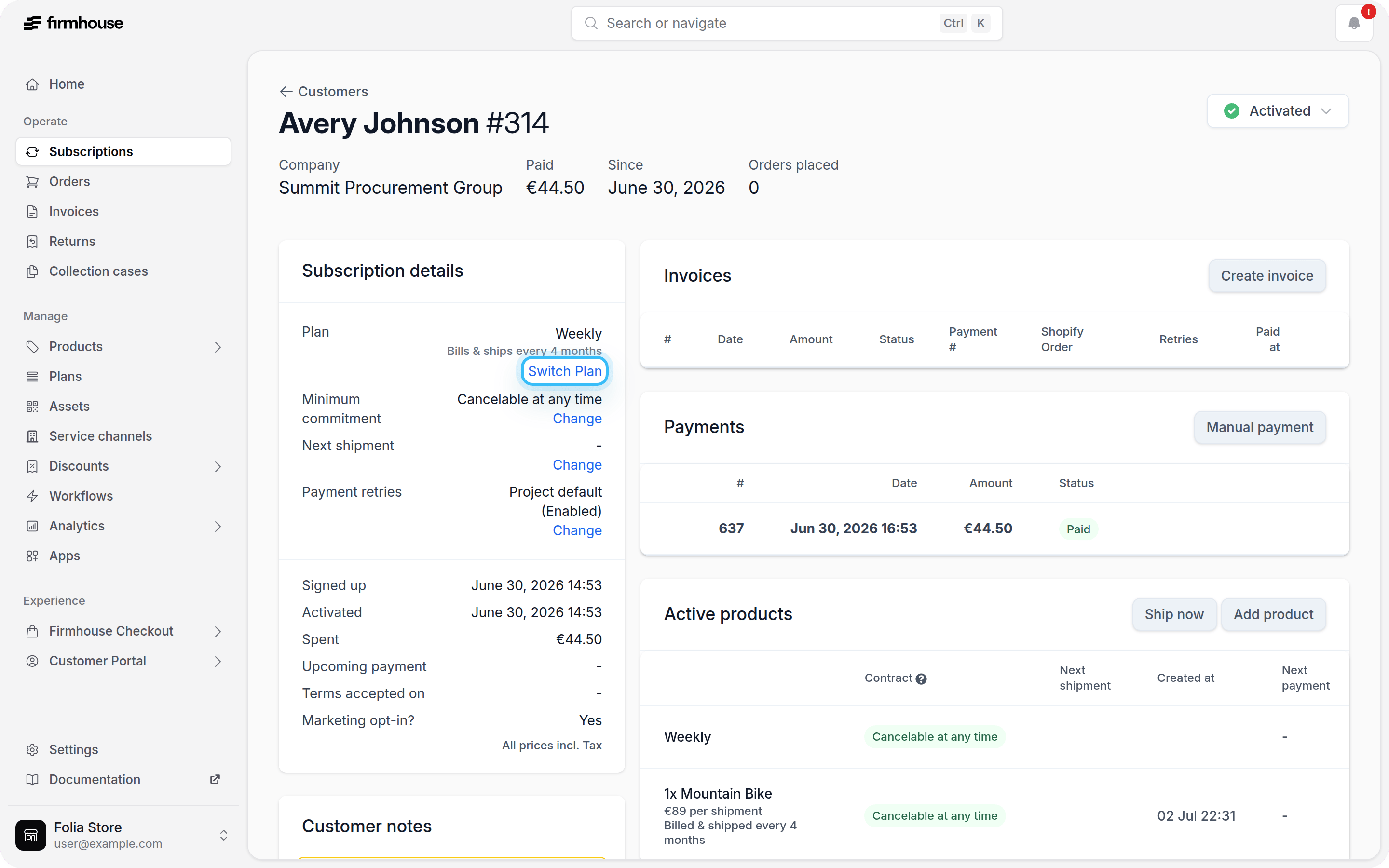
- Navigate to the subscription detail page for the customer whose plan you want to change.
-
In the Subscription details section, click Switch Plan.
-
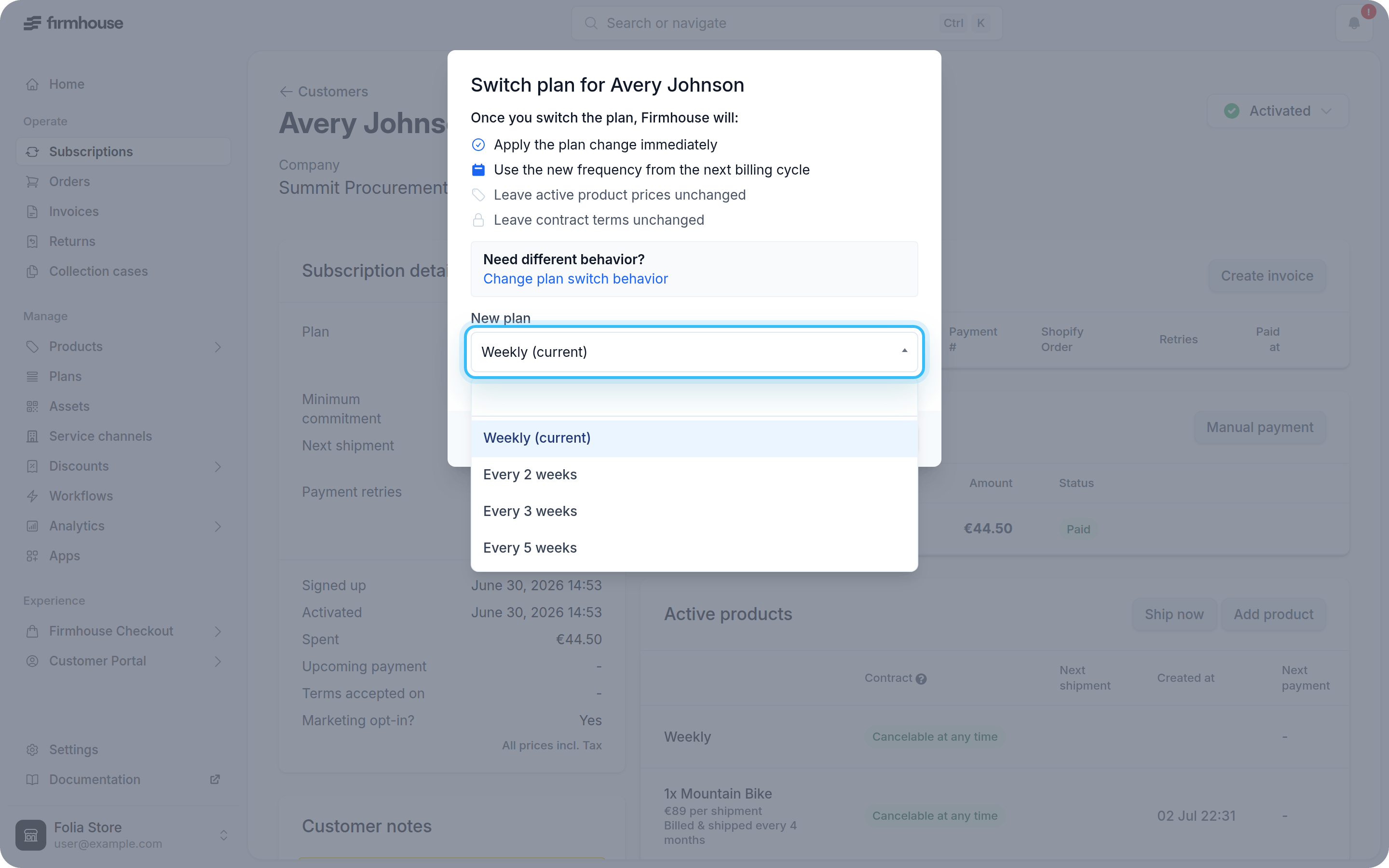
In the modal, select a new plan from the New plan dropdown. Plans are grouped by plan group.
-
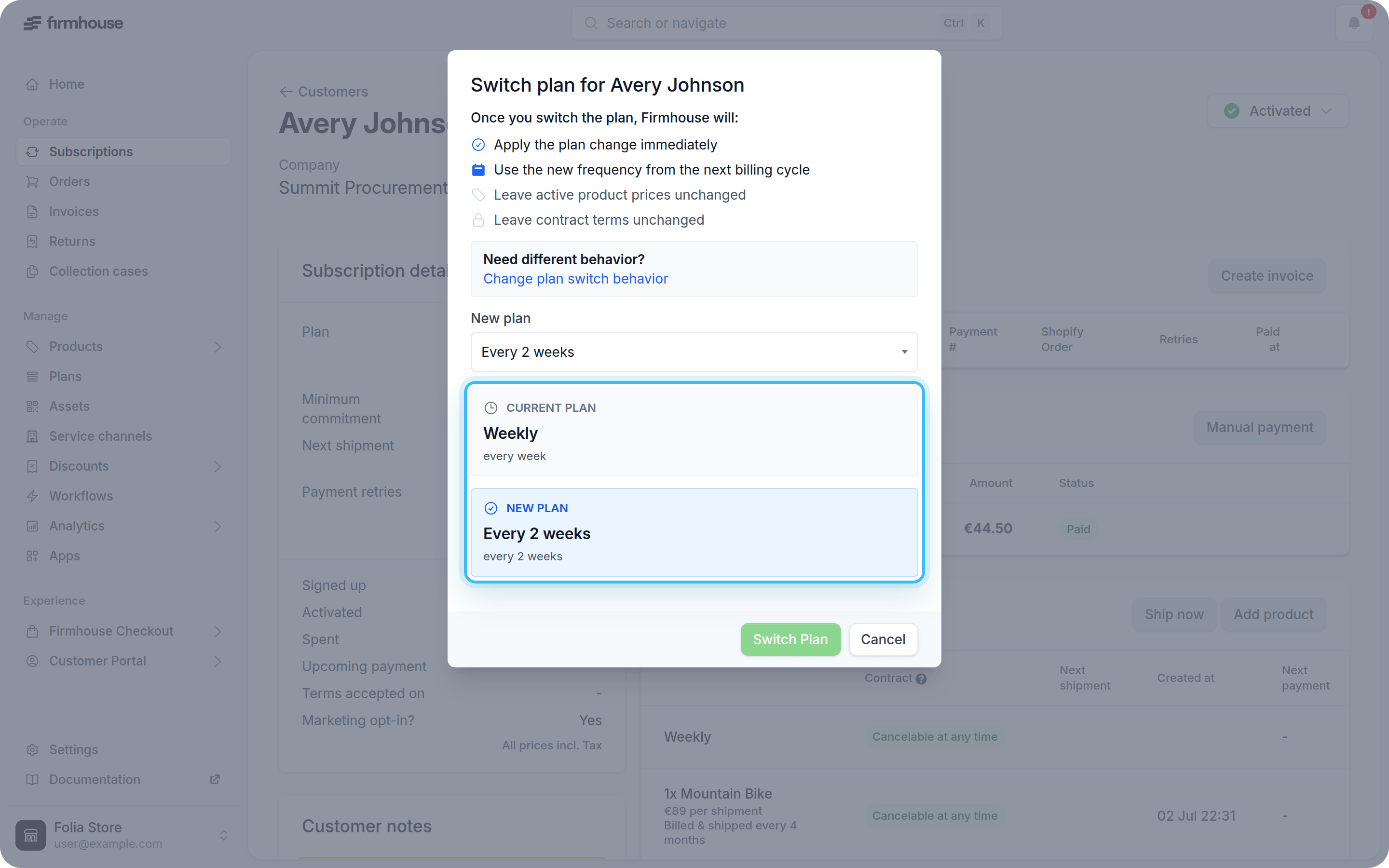
Review the current and new plan details. The preview shows changes to the billing or shipment frequency and, when configured, product prices.
- If any current products are unavailable in the new plan group, choose a replacement for each one. The dropdown only shows compatible products, and the preview updates with the selected product and its new price.
- Click Switch Plan to confirm the change.