Subscription details
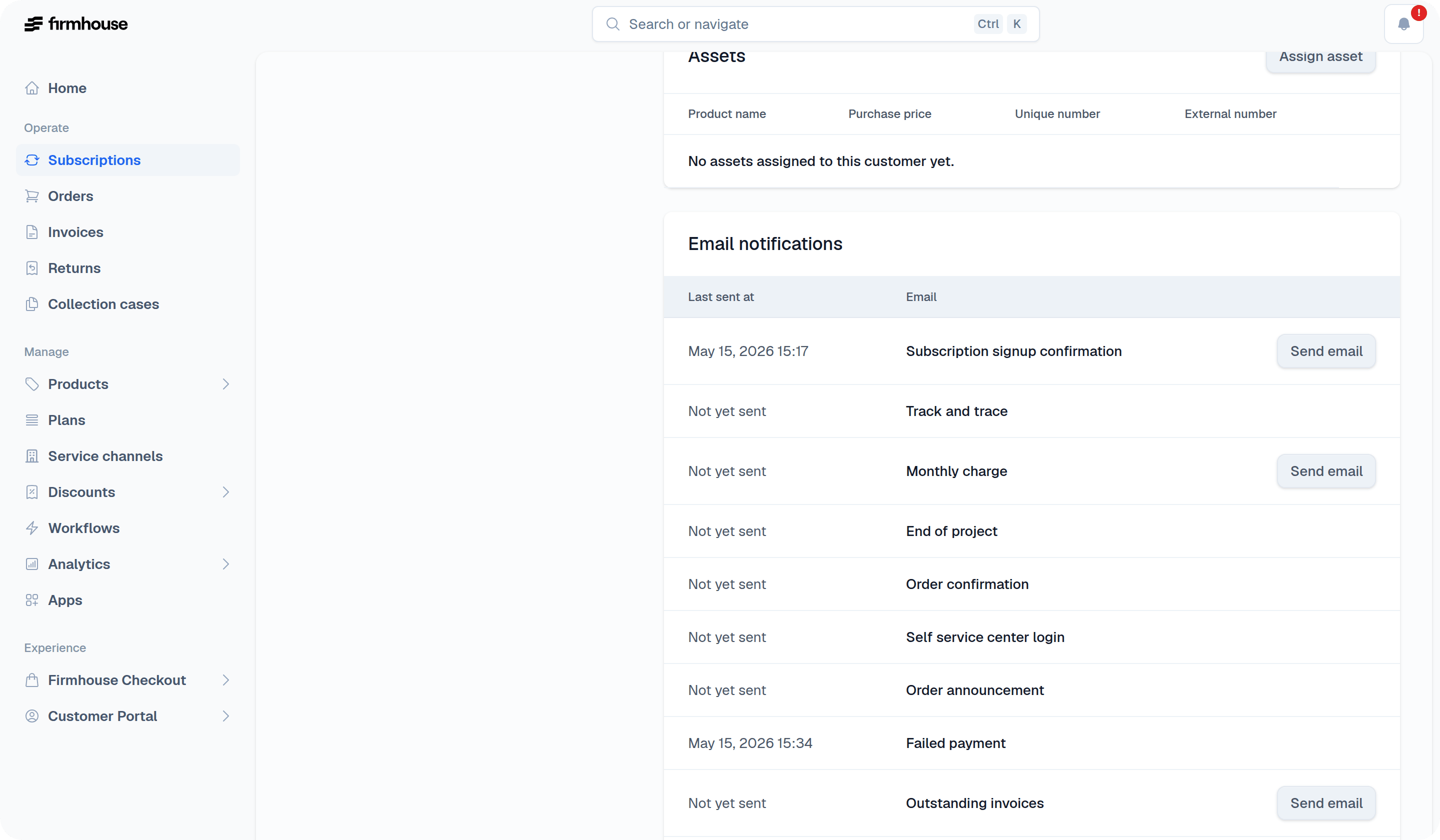
The subscription details section displays all information about the customer’s subscription, including the current status, how long they’ve been subscribed, and the total amount they’ve paid so far. You can see key dates like when they signed up, when their subscription was activated, and any cancellation-related timestamps if applicable.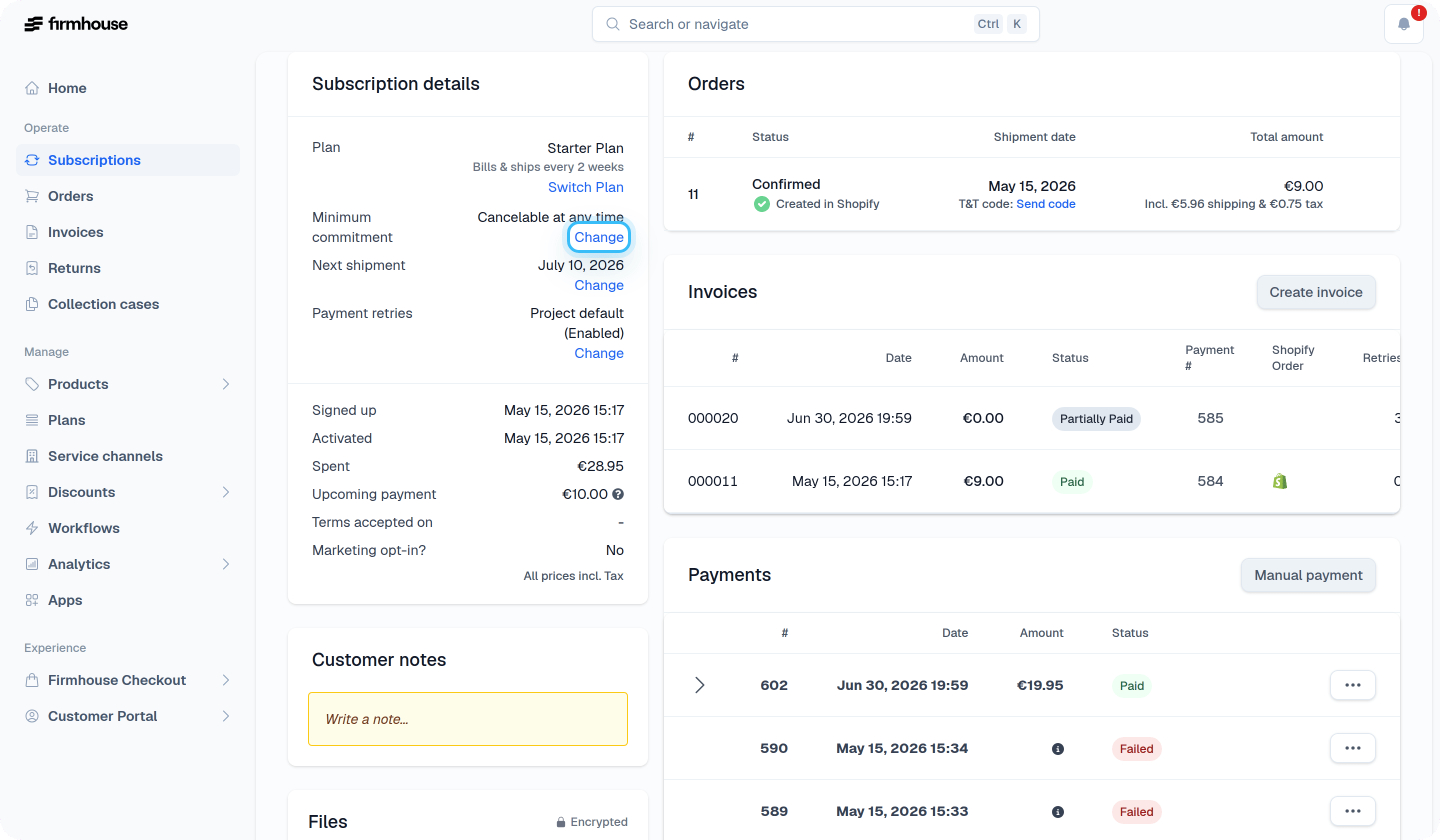
- Minimum commitment
- Cancellation period
- Contract end date
Customer details
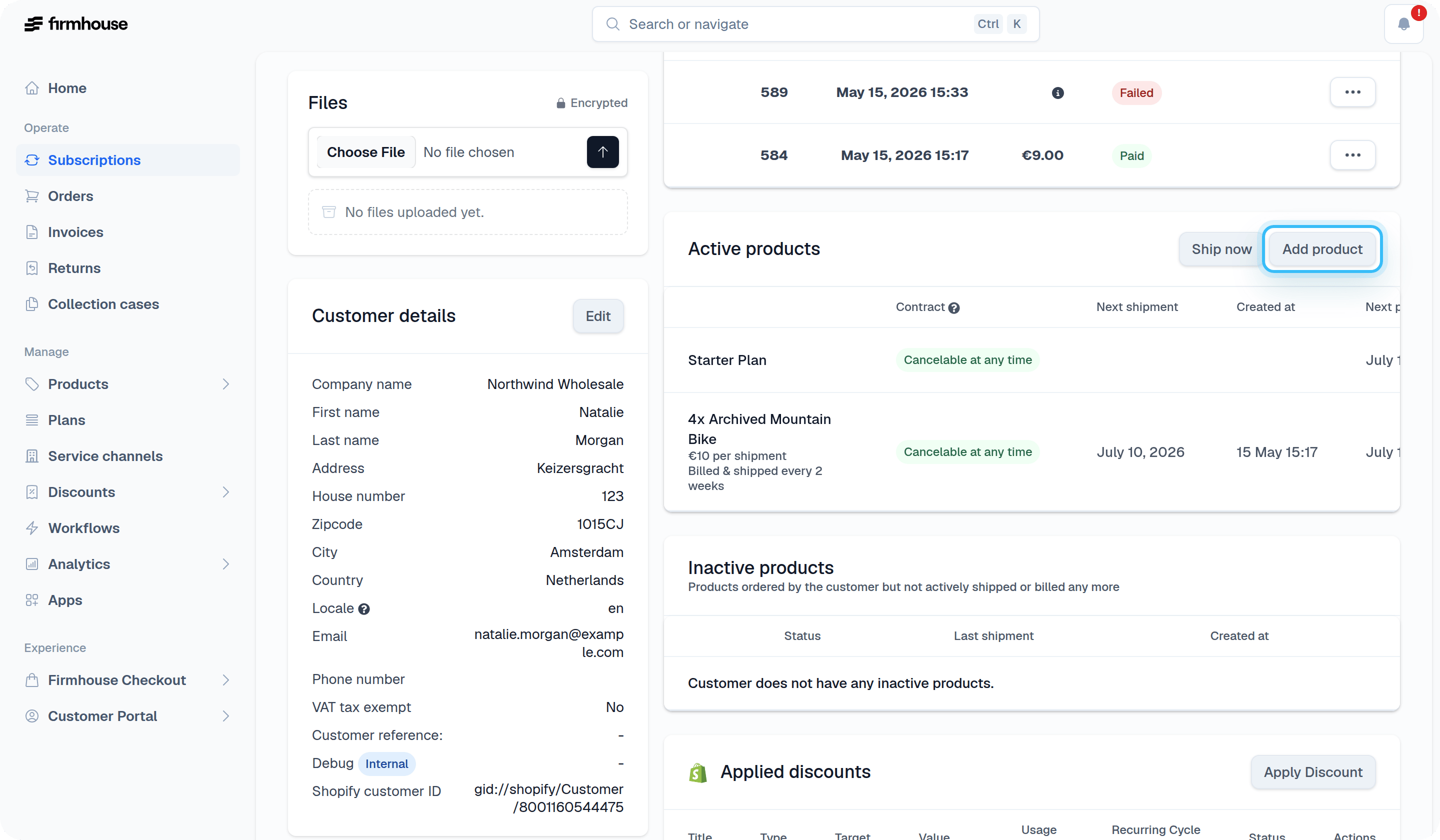
This section contains all personal details about the customer, including their full name, email address, phone number, and complete address information (street, zipcode, city, and country). You can edit these details by clicking the Edit button.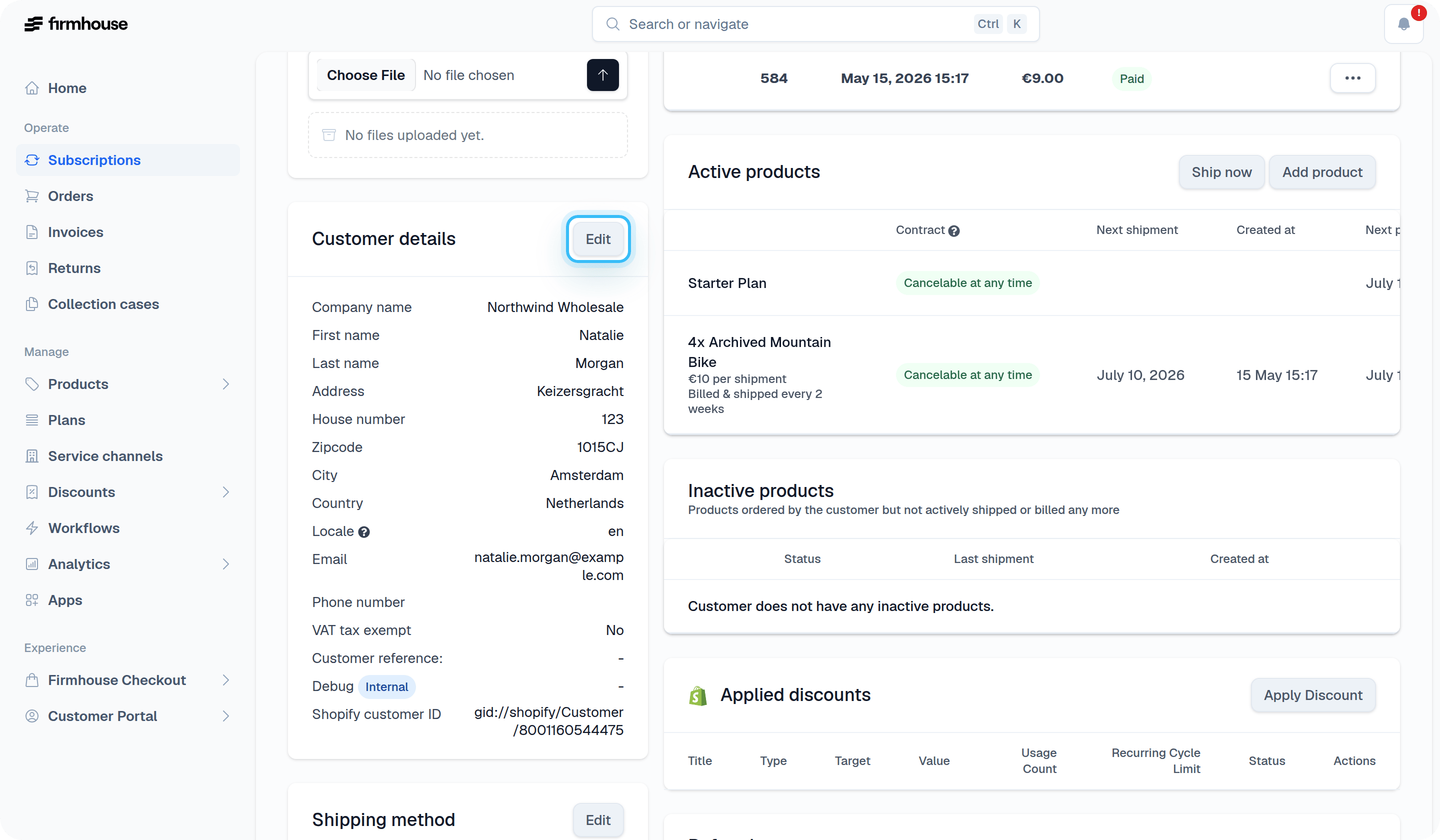
Metadata
If the subscription has stored metadata, a Metadata section appears on the customer detail page. If the section is visible, click Edit to update the metadata values shown there. Clearing a field and saving removes that value from the subscription metadata.Payment history
The payment history section shows an overview of all planned and completed payments by the customer. Each entry displays the date, amount, status (such as Paid or Pending), and the associated invoice reference.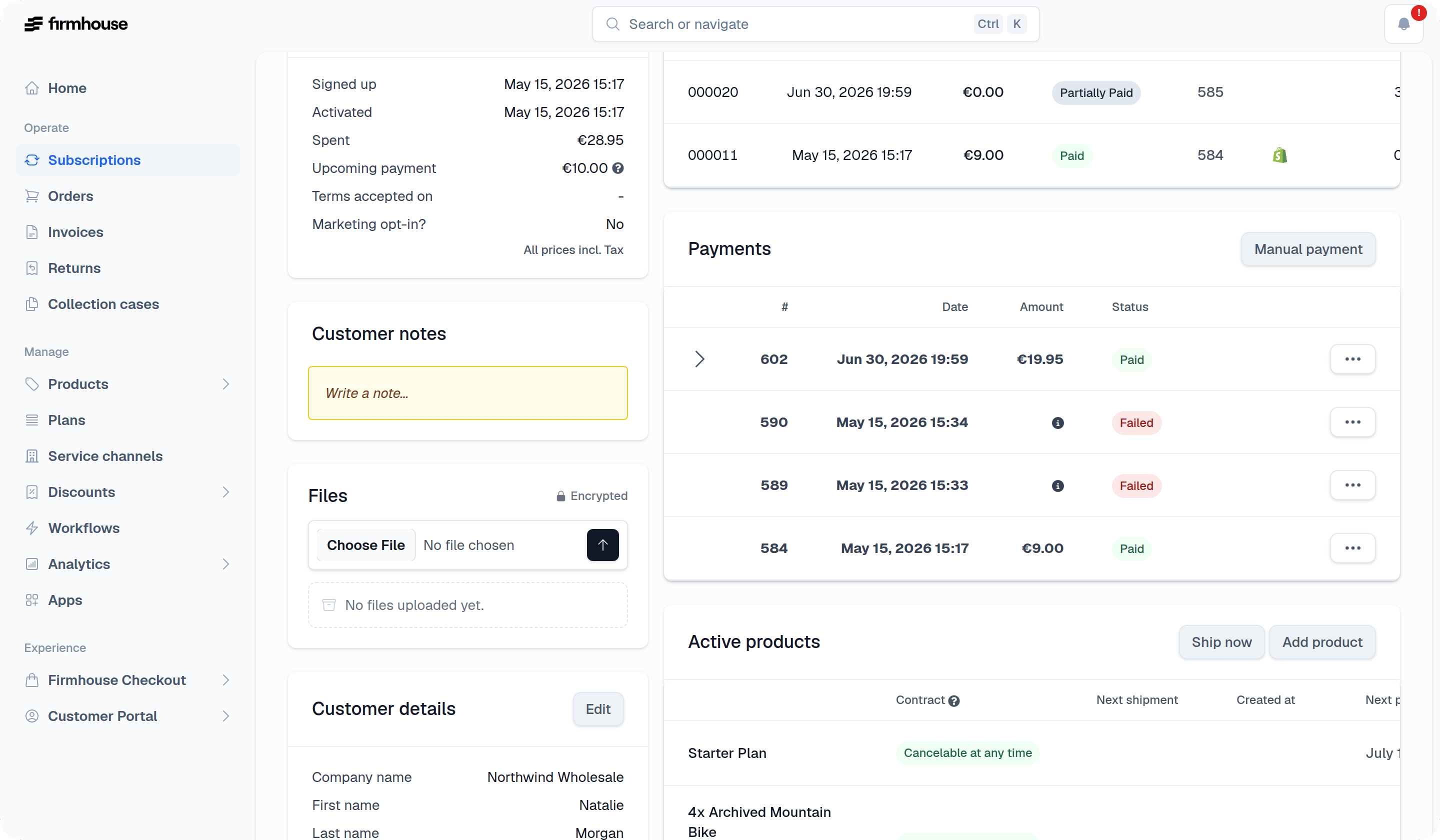
Invoices
Here you can find an overview of all invoices created for the customer. The table shows the invoice number, customer name, creation date, amount, payment status, number of retries, and whether a retry is pending.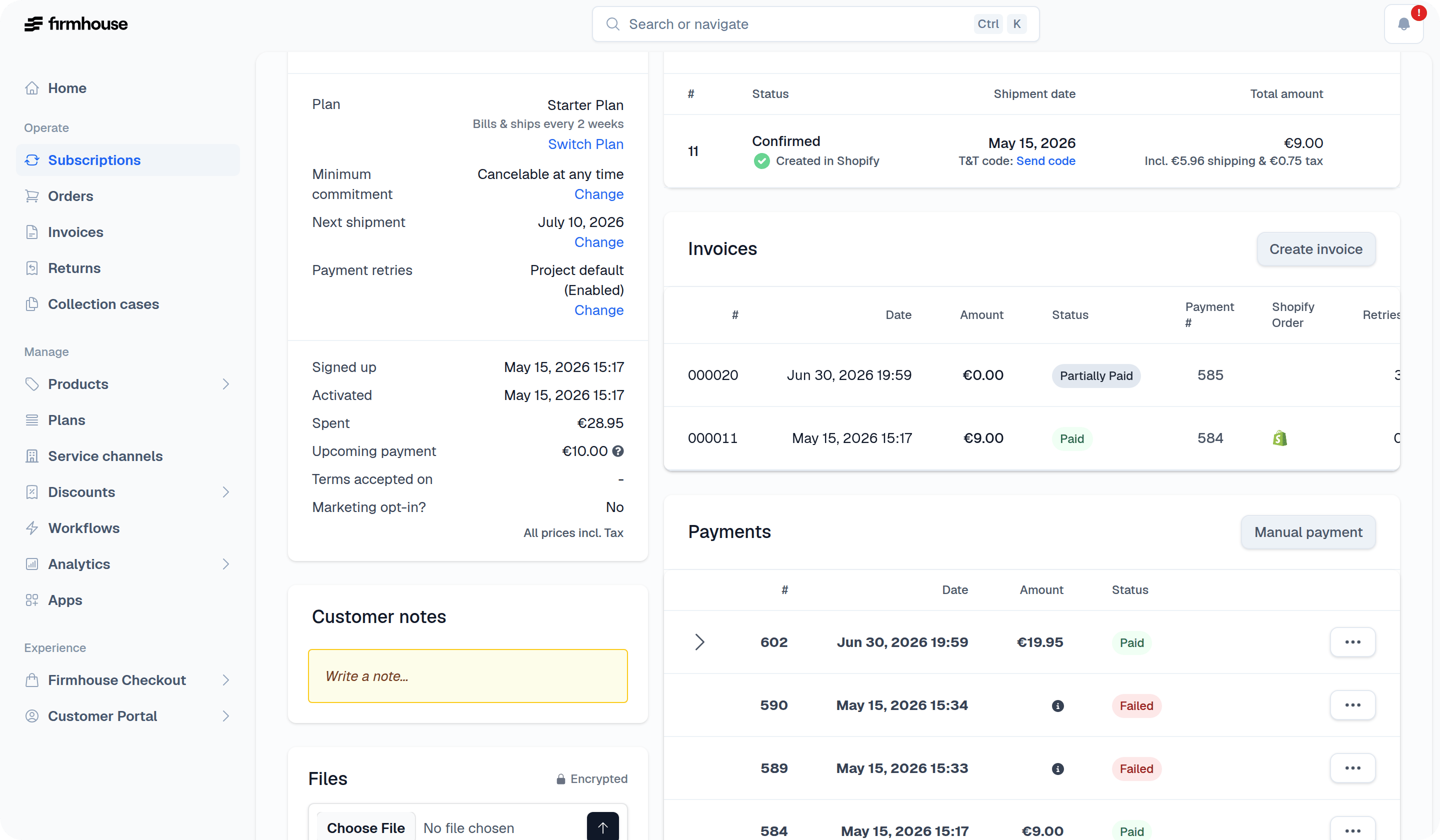
Active products
This section displays all the products a customer has subscribed to. You can:- Ship all active products now and move the subscription’s billing cycle forward
- Ship an individual recurring product now and, when it has its own schedule, choose whether to advance that schedule on non-Shopify subscriptions
- Add product to include an additional product in the subscription
- Edit the product to update: Quantity and Custom price (overriding the default product price)
- Remove the product from the customer’s subscription
Ship now
Use Ship now at the top of the Active products section when you want to ship all active products and pull the customer’s billing cycle forward. The confirmation shows the products in the order and the new next shipment date. To create an order for one product, open that product’s actions menu and select Ship now. The order contains only the selected product. For a recurring product with its own schedule on a non-Shopify subscription, select Move the schedule forward to replace its next recurring shipment, or Send an extra shipment to leave the schedule unchanged. For non-Shopify subscriptions using One frequency for all products, you can move the shared schedule forward when the selection includes all products due to ship together, such as a subscription with one recurring product. Shipping only part of that group creates an extra shipment and leaves the shared schedule unchanged. Shopify individual shipments always leave the existing schedule unchanged. Review the confirmation to see the schedule effect before sending the order. For Shopify subscriptions, Firmhouse charges the customer through Shopify before creating the order. For other subscription types, the confirmation explains whether the customer will be charged before you continue.One-off add-ons
One-off add-on products are automatically included in the next order when it’s created. These products don’t have a shipment date since they’ll be included whenever the next order is generated. After an order containing a one-off add-on is created, the product is automatically removed from the customer’s subscription. This is useful when you want to add a product to a customer’s next order without scheduling it for a specific date. For example, you might want to include a free sample or promotional item that should go out with their next scheduled shipment. You can also use the product’s Ship now action to create an order containing only that one-off add-on. Other active products and pending one-off add-ons are not included, and the subscription’s existing shipment schedule does not change. For Firmhouse-managed prepaid subscriptions, a complimentary Next order only product is added directly to the earliest scheduled order that has not yet been sent to Shopify. The next-order preview continues to show the actual earliest scheduled delivery. The prepaid delivery has already been paid, so products added this way must be marked Free gift or included product. To charge for the product, add it as a one-off product and use its Ship now action to create a separate order. Use the same one-off shipment flow for native Shopify prepaid subscriptions because Shopify already manages their generated deliveries.Email history
The email history section shows all emails that have been planned or already sent to the customer. This includes confirmation emails, track and trace notifications, monthly charge reminders, order confirmations, and failed payment notifications. Click “Show full email history” to see the complete list.