Firmhouse Docs home page
Documentation
Website
Portal
Search...
Navigation
Search or ask...
⌘K
Get Started
Introducing Firmhouse
Shopify or Headless
Get Started on Shopify
Quick install on Shopify
Local payment methods
Selling Plans and Groups
Customer account extension
Continue your project setup
Business Details
Languages and Countries
Email Notifications
Shipping Methods
Payment and Order Handling
Tax Rates
My Account Portal
Churn prevention
Subscription Management Portal
Overview
Changing Plans and Frequencies
Snoozing and skipping orders
Changing product quantity
View and pay for invoices
Use Cases
Local Payment Method Subscriptions
Pay by Invoice
Magazine subscriptions
Try and buy
Pay on Account for B2B
Manage
Customer Import
Subscriptions
Products
Plans
Orders
Invoices
Payments
Returns
Team Members
Assets
Reporting & Metrics
Metrics dashboard
Reports
Configure
Shipping Rates
Discounts
My Account Portal
Extra fields
Prepaid plans
Acceptance Checks
Activation and Cancellation
Payment Providers
Customer Communication
Service Channels
International and Markets
Firmhouse Checkout
Payment Dunning
Debt Collection
Tax
Assets
Integrations
Referrals
Workflows
Shopify
Billing and Account
Manage account billing
Offboarding Checklist
Two factor authentication
Changing your password
Legal
Explained
Supported Payment Methods
Recurring Charges (SEPA)
Compatible Shopify Plugins
Troubleshooting
Customers not receiving emails
Subscribers not receiving login emails
Enterprise
Audit logs
On this page
Steps
Password requirements
Billing and Account
Changing your password
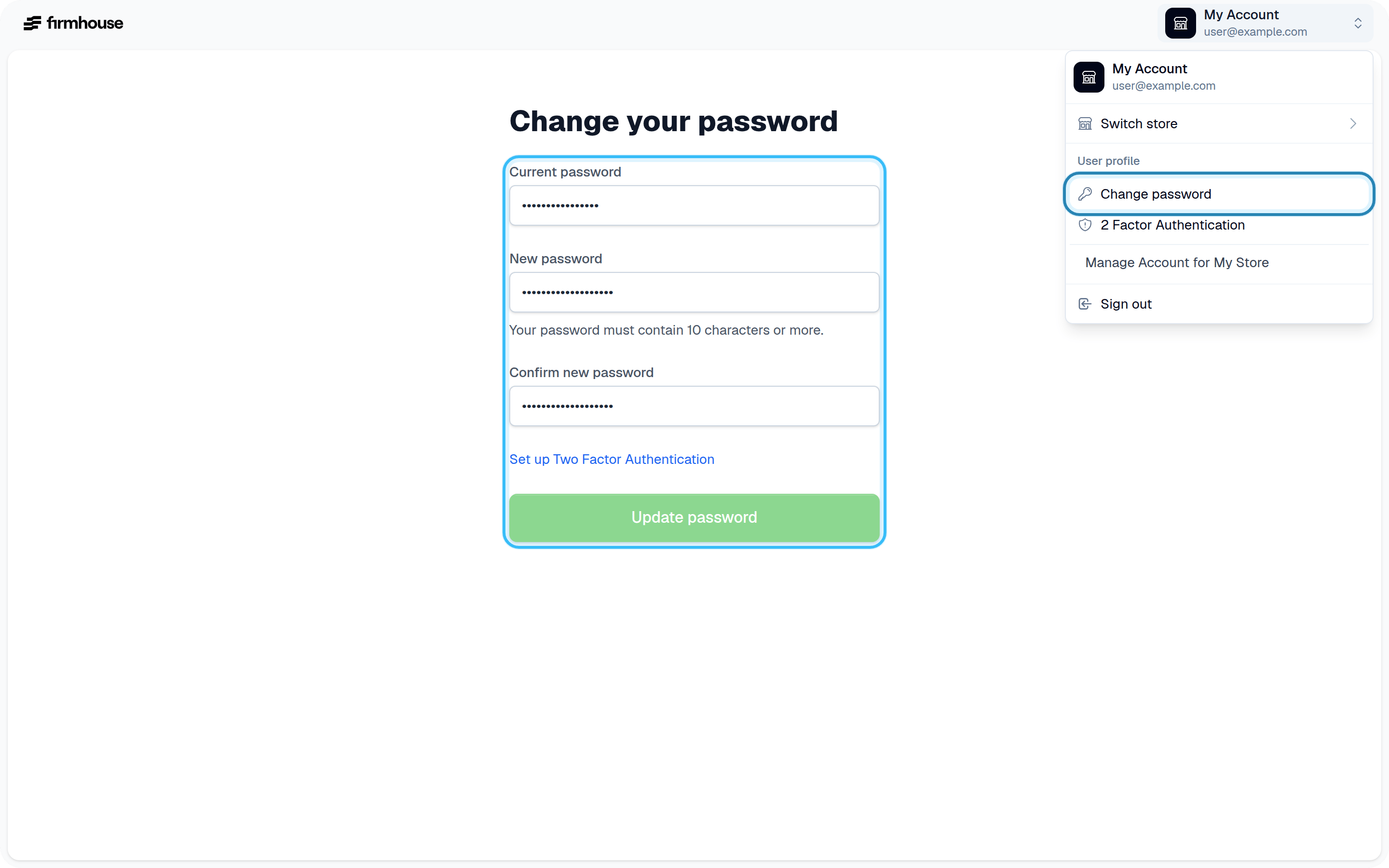
If you want to change your Firmhouse password, you can do so from your profile settings.
Steps
Click on
Profile Settings
in the top right corner of the Firmhouse dashboard
Enter your current password
Enter the new password you want to use
Save your changes
Password requirements
Your password must be longer than 10 characters. If you have trouble thinking of a good password or keep forgetting them, consider using a password manager like
1Password
. macOS and iOS also have a native password manager built in.
Was this page helpful?
Yes
No
Previous
Next
⌘I
Assistant
Responses are generated using AI and may contain mistakes.
Contact support