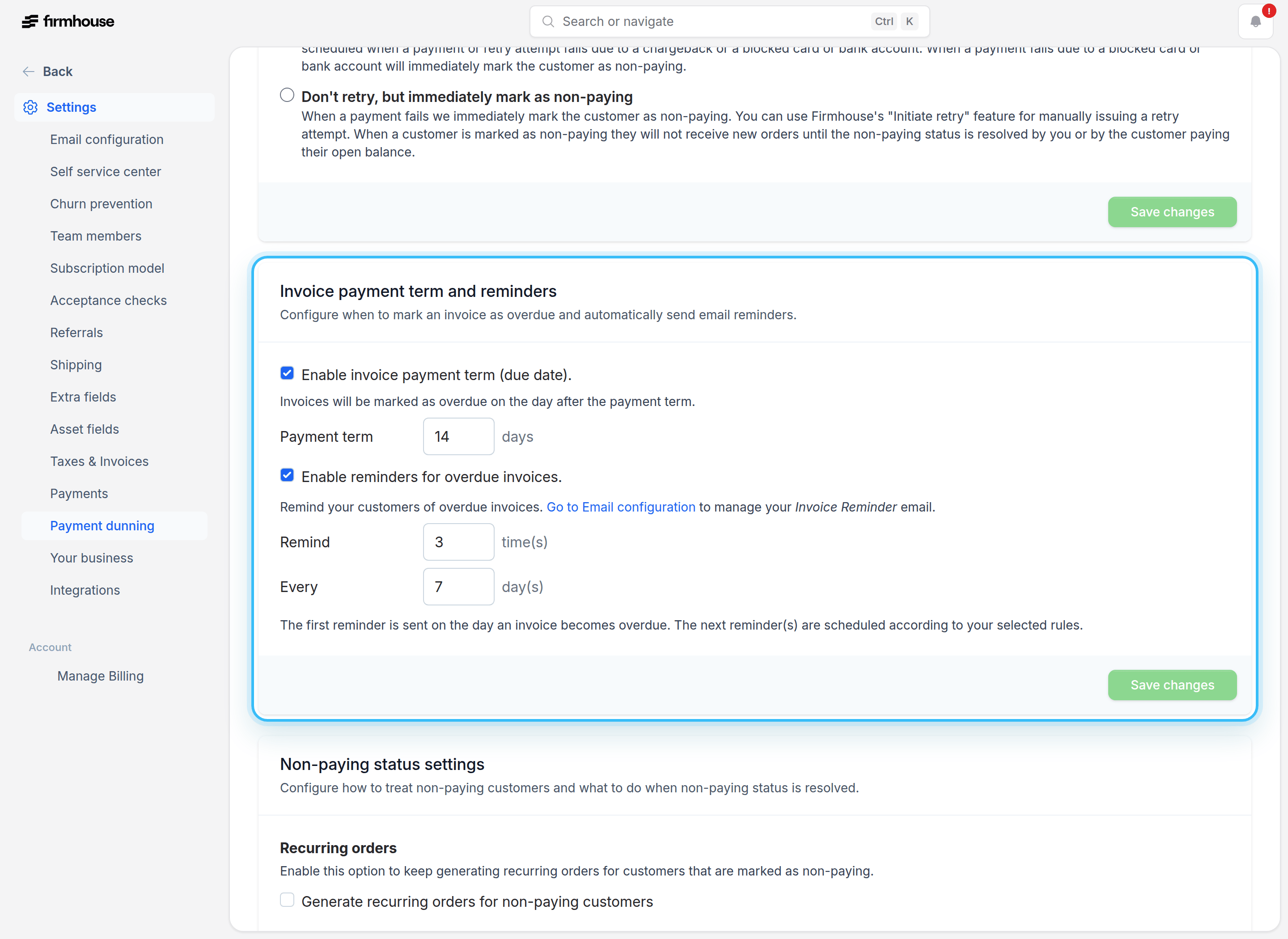
When Should Orders Be Shipped?
When working with subscriptions, you need to decide how you want to handle shipping for recurring orders in relation to payment status. This is especially important when using payment methods like SEPA Direct Debit, where payments can take 2 business days on average to reach their final state (and up to 2 weeks in certain periods). You have two options: Ship the order immediately, on payment generation. This results in the customer always getting their order on a predictable schedule, but exposes you as a merchant to the risk of sending stock without being paid. Ship the order on payment confirmation. You can wait for the payment to be confirmed before shipping the order to the customer. This eliminates the risk of sending out stock without a payment, but it creates a poorer customer experience, since the orders will be shipped with a variable delay caused by the payment processing time. There is no right or wrong approach here. Each business should choose for themselves what works best for their company size, industry, and customer base.What Happens When a Payment Fails?
When a payment fails, Firmhouse can automatically handle the situation for you. You have control over what happens next: Automatic retry: Firmhouse can automatically retry the payment several times before taking further action. This gives customers a chance to resolve temporary payment issues (like insufficient funds) without manual intervention. Mark as non-paying: After retries are exhausted (or immediately, if you prefer), Firmhouse marks the customer with a non-paying status. When a customer is marked as non-paying, further orders are blocked from being generated, so you don’t ship products to a customer with payment issues.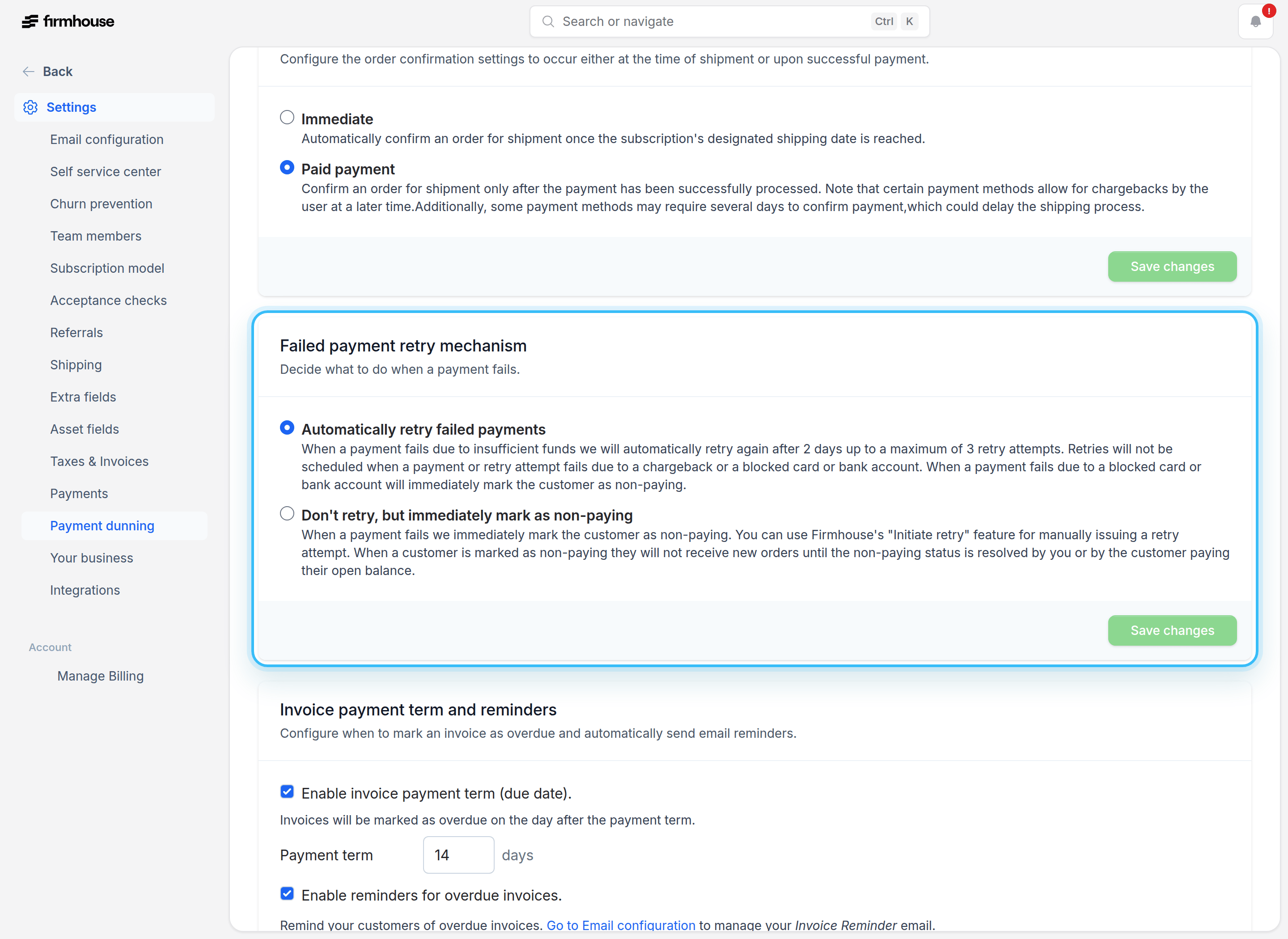
Invoice Payment Terms and Reminders
If you work with invoice payment terms, you can configure automatic reminders to ensure that your customers are aware of each outstanding invoice. This helps reduce the number of overdue payments and keeps your cash flow healthy.