

Before you begin
Make sure you have:- A subscription product synced from Shopify to Firmhouse and tagged with
FIRMHOUSE_SUBSCRIPTION. - Prepaid plans enabled in your Firmhouse project. See Prepaid subscription plans.
- A supported recurring payment method enabled in Shopify. See Supported subscription payment methods.
Shopify requirement for physical gifts
Set the Shopify product as a physical product so Shopify Checkout collects the recipient’s shipping address. If the product is set tonot a physical product, Shopify Checkout will not collect a shipping address for the recipient. In that case, the buyer cannot enter a separate recipient address, and the gift will ship to the buyer’s own address instead.
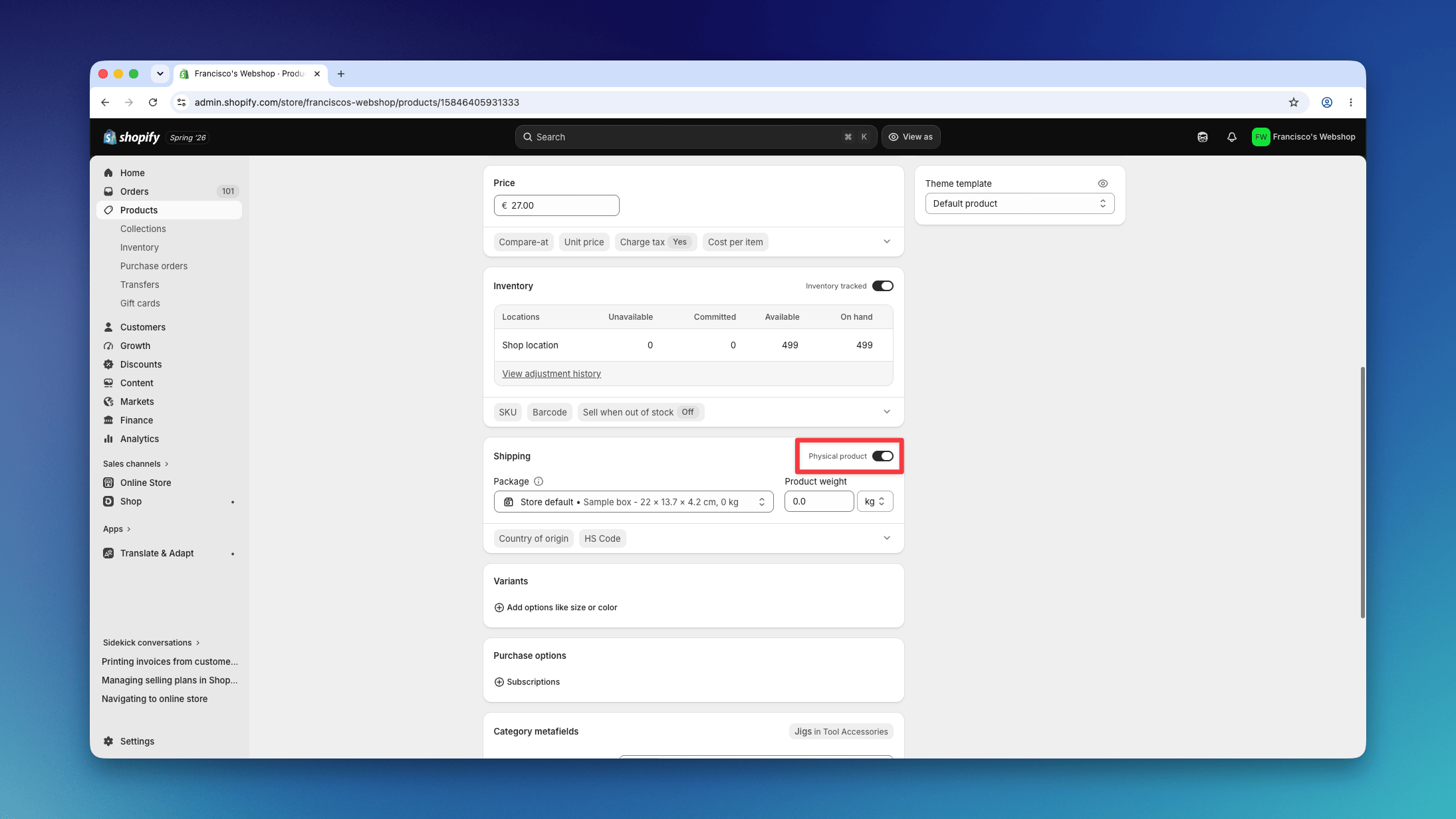
Set up a gift subscription
1. Create or choose the Shopify product
Use the Shopify product customers will buy as the gift subscription. Make sure it:- is tagged with
FIRMHOUSE_SUBSCRIPTION - is configured in Shopify as a product that
requires shippingfor physical gifts
2. Create the prepaid plan
In Firmhouse, create a prepaid plan for the gift duration, for example:- 3 months prepaid
- 6 months prepaid
- 12 months prepaid
- Stop after the first billing cycle ends the prepaid subscription automatically with no renewal. This is the right choice for most gift subscriptions.
- Renew for the next billing cycle continues the subscription under the same conditions after the prepaid period ends.
3. Recipient shipping address and buyer billing details
In Shopify Checkout, the buyer enters the recipient’s shipping address and can provide separate billing details. Firmhouse then imports those addresses from the Shopify order automatically.4. Set up free shipping if needed
If the gift subscription should not charge shipping, set up free shipping for subscriptions. This setup includes setting the Free shipping threshold in Firmhouse and creating the Shopify free shipping discount from the same shipping settings page. See Free shipping for Shopify Native subscriptions.5. Test the checkout
Place a test order and confirm that:- Shopify Checkout shows the shipping address fields
- the recipient’s address can be entered as the shipping address
- the buyer can use separate billing details
- the prepaid plan behaves as expected