Common Reasons for Non-delivery
There are several reasons why a subscriber may not receive Firmhouse notification emails: The email address is not known to Firmhouse. Either the customer made a typo when entering their email address (for instance.con instead of .com) or they used a different email address for signup (work vs personal).
The email address is invalid. This would mean the customer made a typo when registering their email address. Firmhouse is sending emails to this invalid email address, but they cannot be delivered. An example of a common typo would be name@gmail.con instead of name@gmail.com.
The email bounces at our email provider. There are several technical reasons that this happens. For instance, when an email address has bounced a few times previously, it will be blocked immediately and subsequent emails will not be sent.
Previous emails were marked as spam. When previous emails were sent correctly to a subscriber but marked as spam by the receiver, our mail system will not send subsequent emails. This is to prevent affecting the mail deliverability score of your sending domain.
The notification template has errors. Make sure the email notification you’re sending has the correct template language. If the template fails to create a correct email due to typos or incorrect Liquid syntax, no mail will be sent for that email type.
How to Resolve Email Delivery Issues
Find the customer
In the Firmhouse portal you can find a customer based on their email address, subscription ID (if known) or part of their name.Check email details
Under Subscription details the email address is shown. In the example below, it shows that the customer entered @gmaill.com (double L) and therefore didn’t receive any emails. Use the Edit button to correct the email address.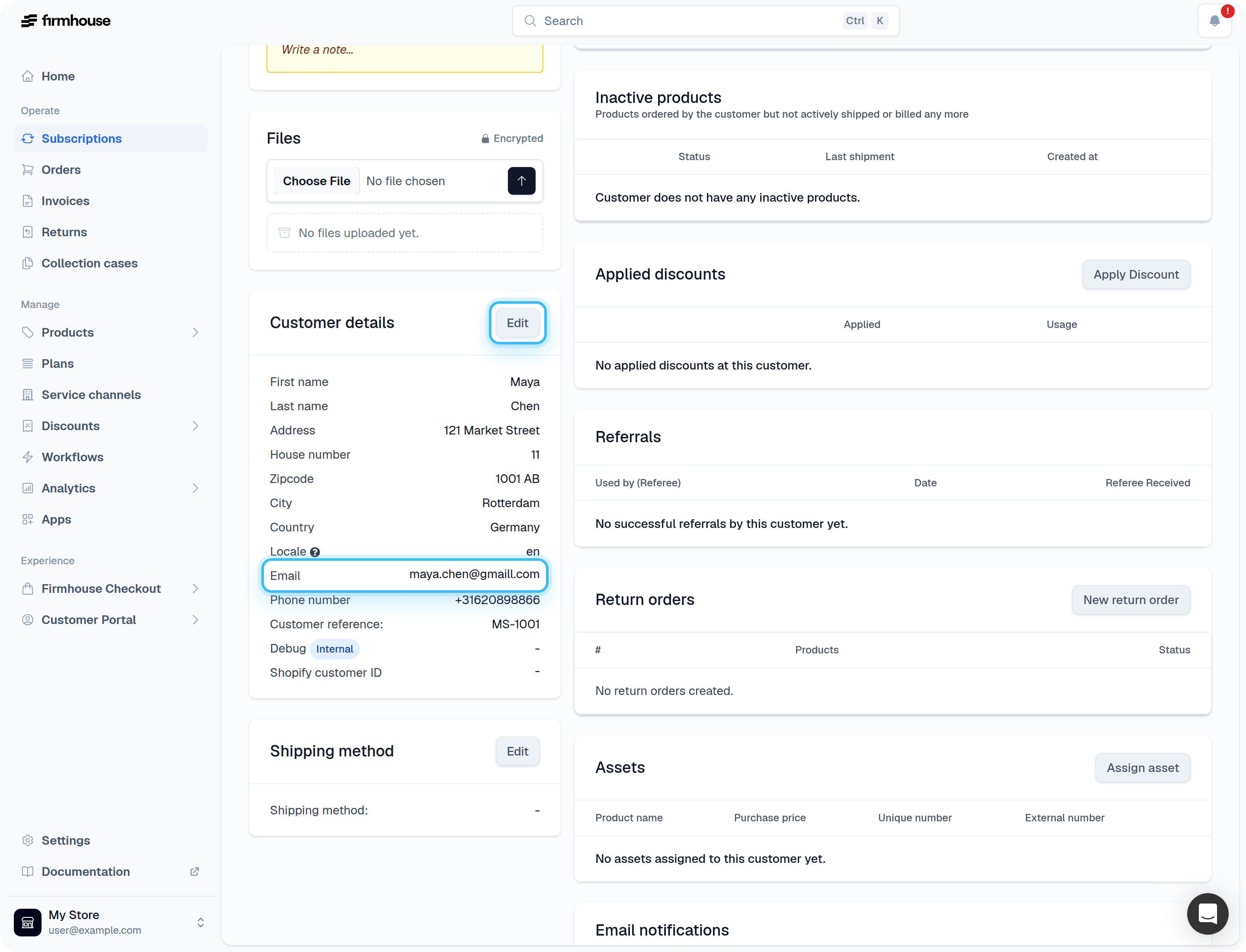
Re-send email notification
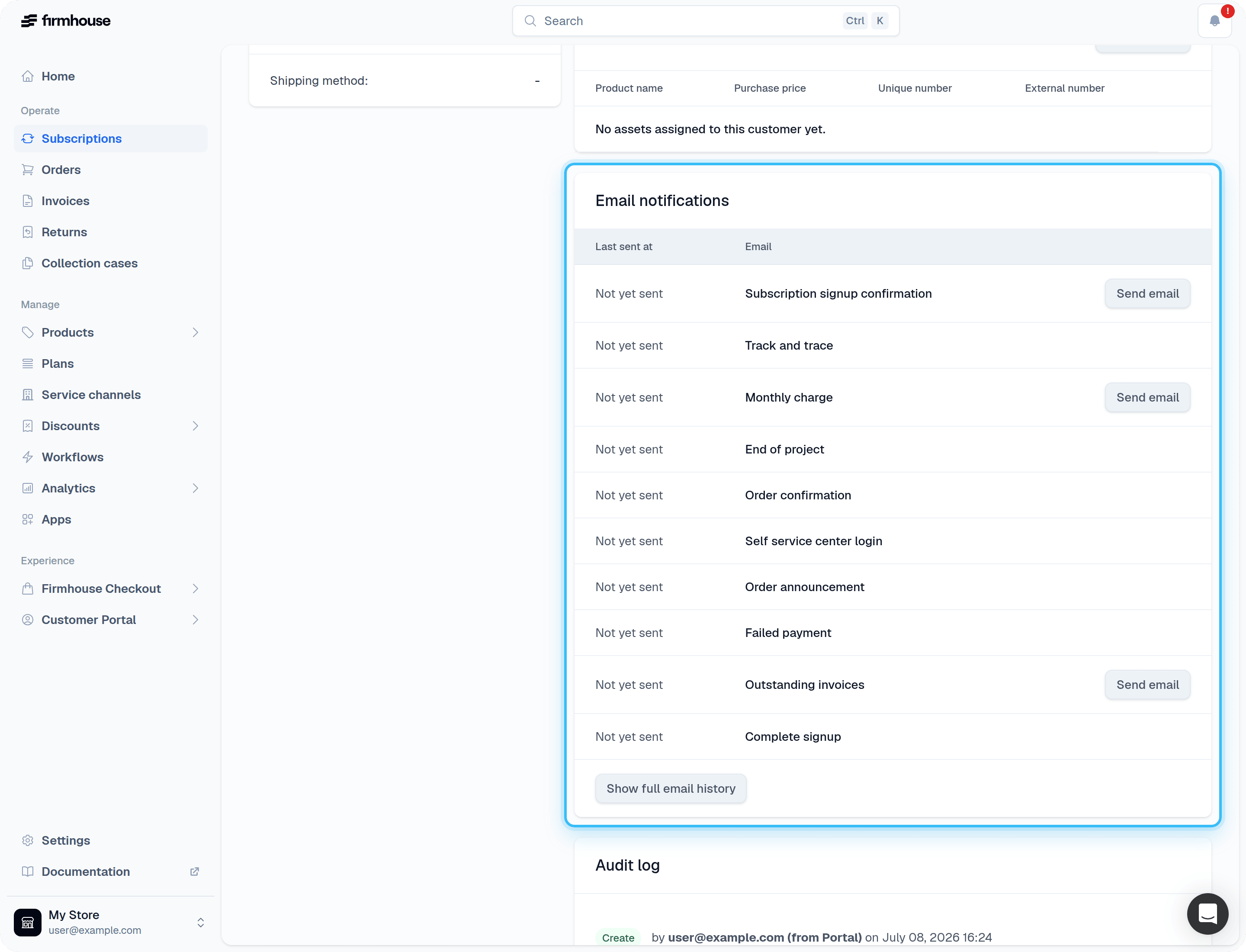
If the customer contacted your customer support because they didn’t receive an email, you can resend them via the subscription profile under Email notifications.