

Setting Up the Customer Account Extension for Subscription Management
If you are using the new Shopify Customer accounts, which is the new standard and default for new stores, you can’t use custom code to update those screens anymore. Firmhouse provides a widget for adding subscription management directly to the customer account order page, allowing customers to see all their subscriptions and access the Firmhouse Self Service Center.Getting started
Setting up the Customer Account Extension is straightforward and involves just a few steps in the Shopify checkout customization interface.Step 1: Navigate to Checkout Settings
Steps
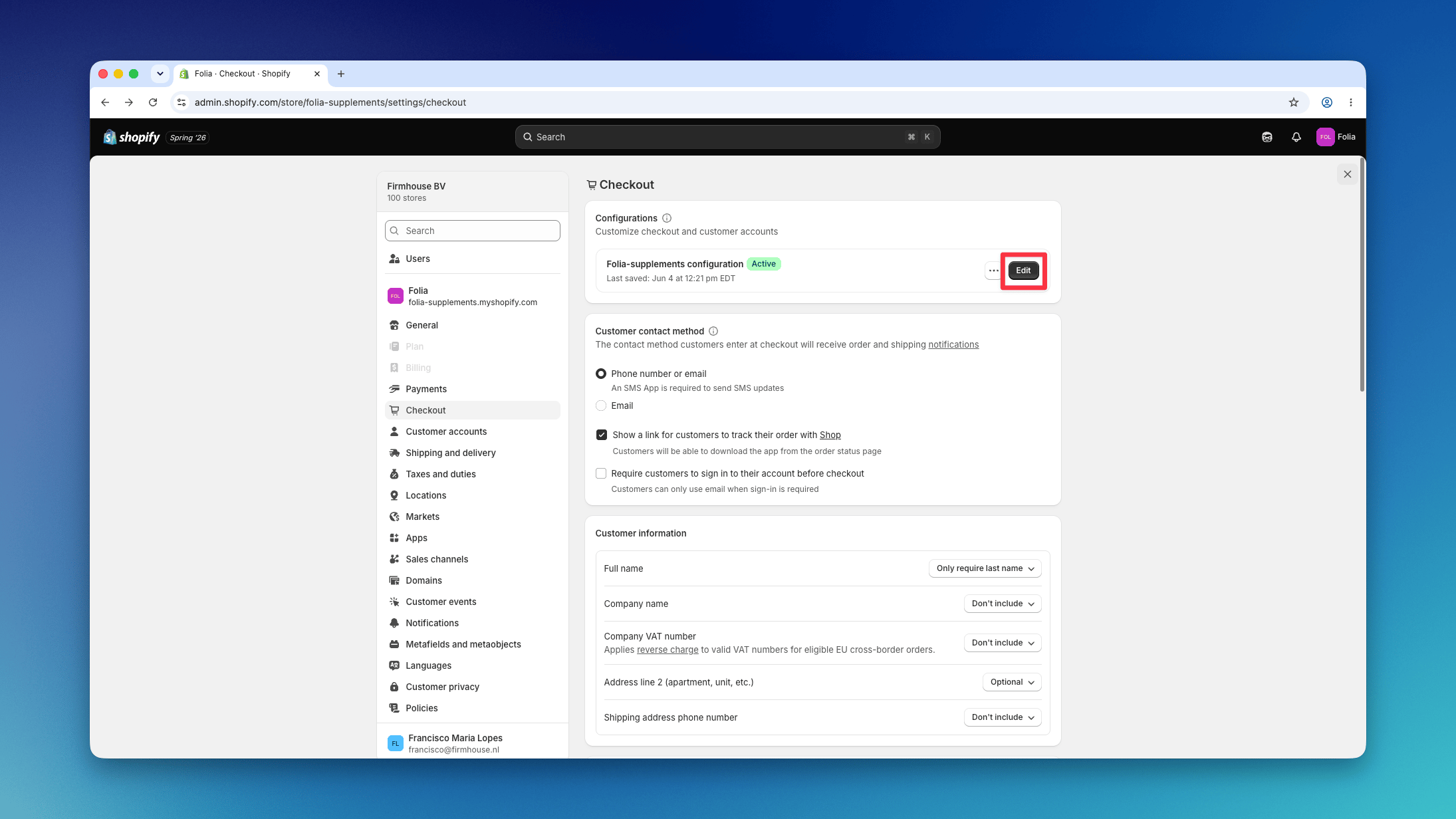
- Go to Settings > Checkout in your Shopify admin
- Click Edit on your current checkout configuration
Step 2: Open the Orders Page
In the checkout customization interface, open the Orders page from the page selector in the left sidebar.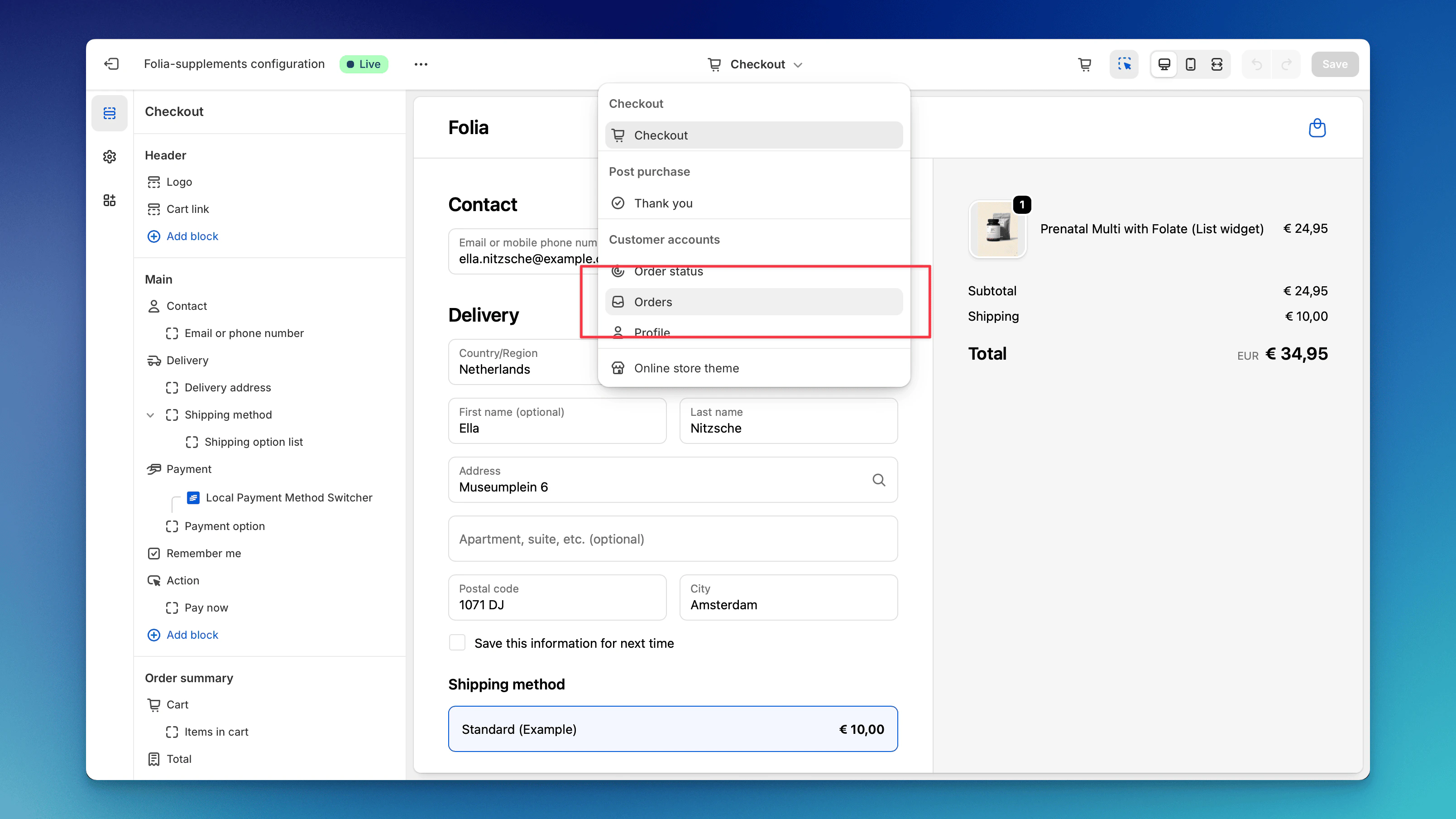
Step 3: Add the Firmhouse Subscription Widget
Steps
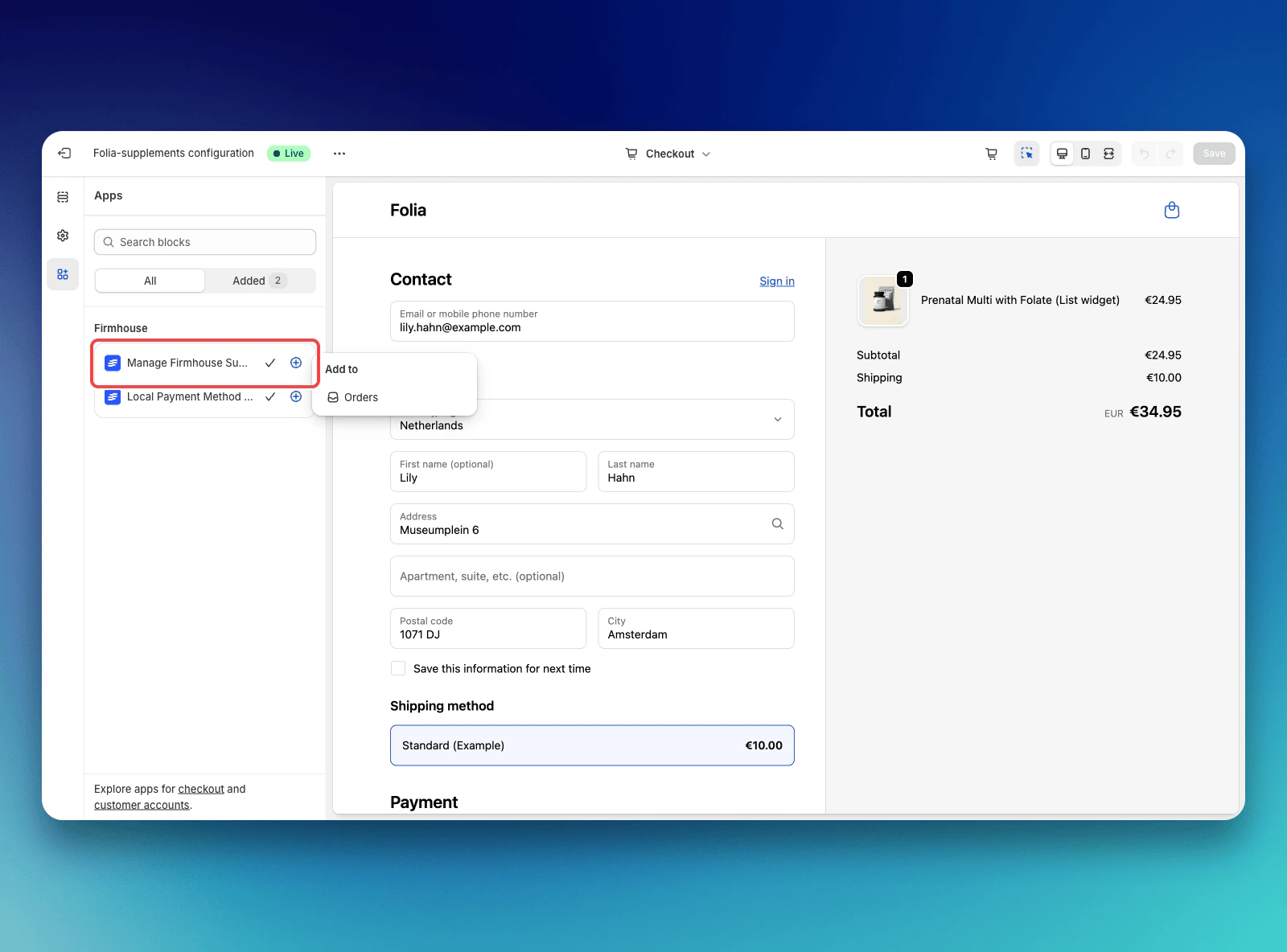
- Open the Apps tab in the left sidebar
- Find Manage firmhouse subscription in the list
- Click on the plus icon (+) next to it
- Select Orders from the popup menu
Step 4: Preview and Save
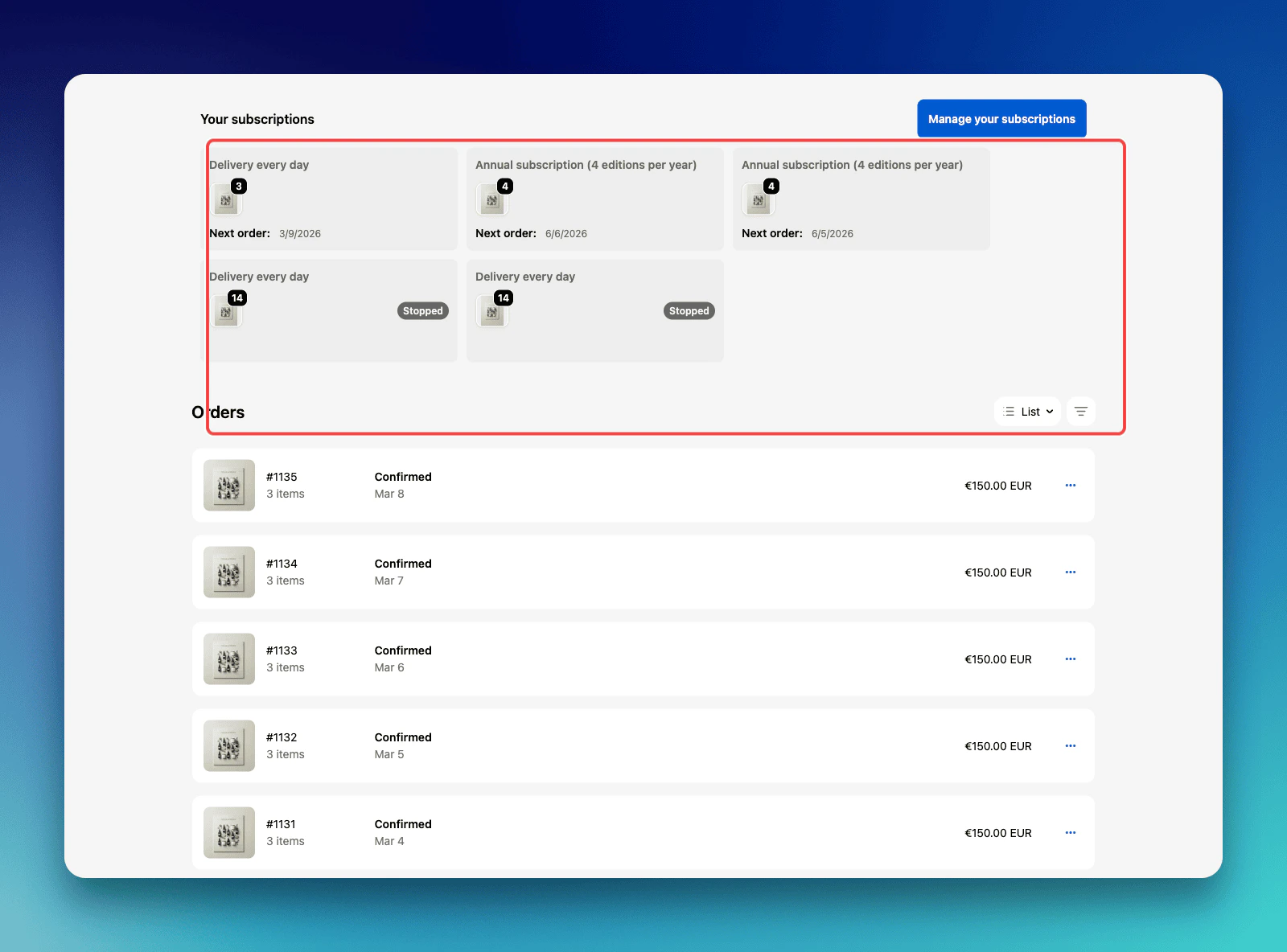
You will now be able to see a preview of the widget in the customization interface. Review the widget to ensure it appears as expected, then click Save to apply the changes. The widget is now active on your customer account order page.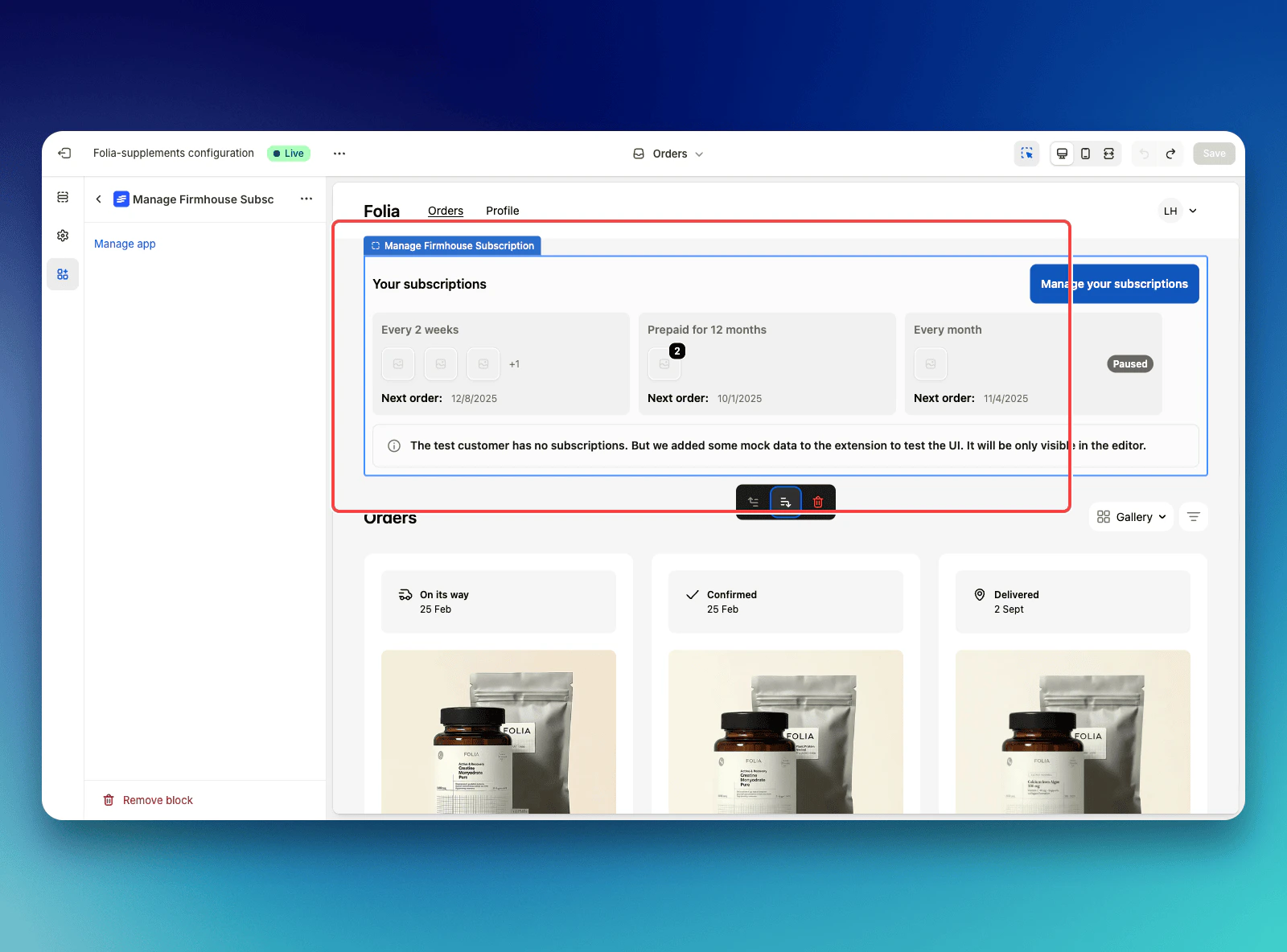
Step 5: Test the Widget
To verify that everything is working correctly:Steps
- Go to your store and log in with an account that has an ongoing subscription
- Navigate to the customer account area
- You should see your subscriptions listed on the order page
- Click on the Manage your subscriptions button to verify it leads directly to the Firmhouse Self Service Center
Automatic Translation
The widget will be translated automatically based on the language being used by the customer. No additional configuration is needed for multi-language support.Troubleshooting
If you don’t see the widget after saving:- Ensure you’re logged in with a customer account that has active subscriptions
- Verify that the widget was saved correctly in the checkout customization interface