

How to Set Up a Product to Be Shipped Only Once
When creating or editing a Product in Firmhouse, you can configure various order generation and shipment settings in the Logistics section. In the Logistics section, you can set the product to be shipped Only once.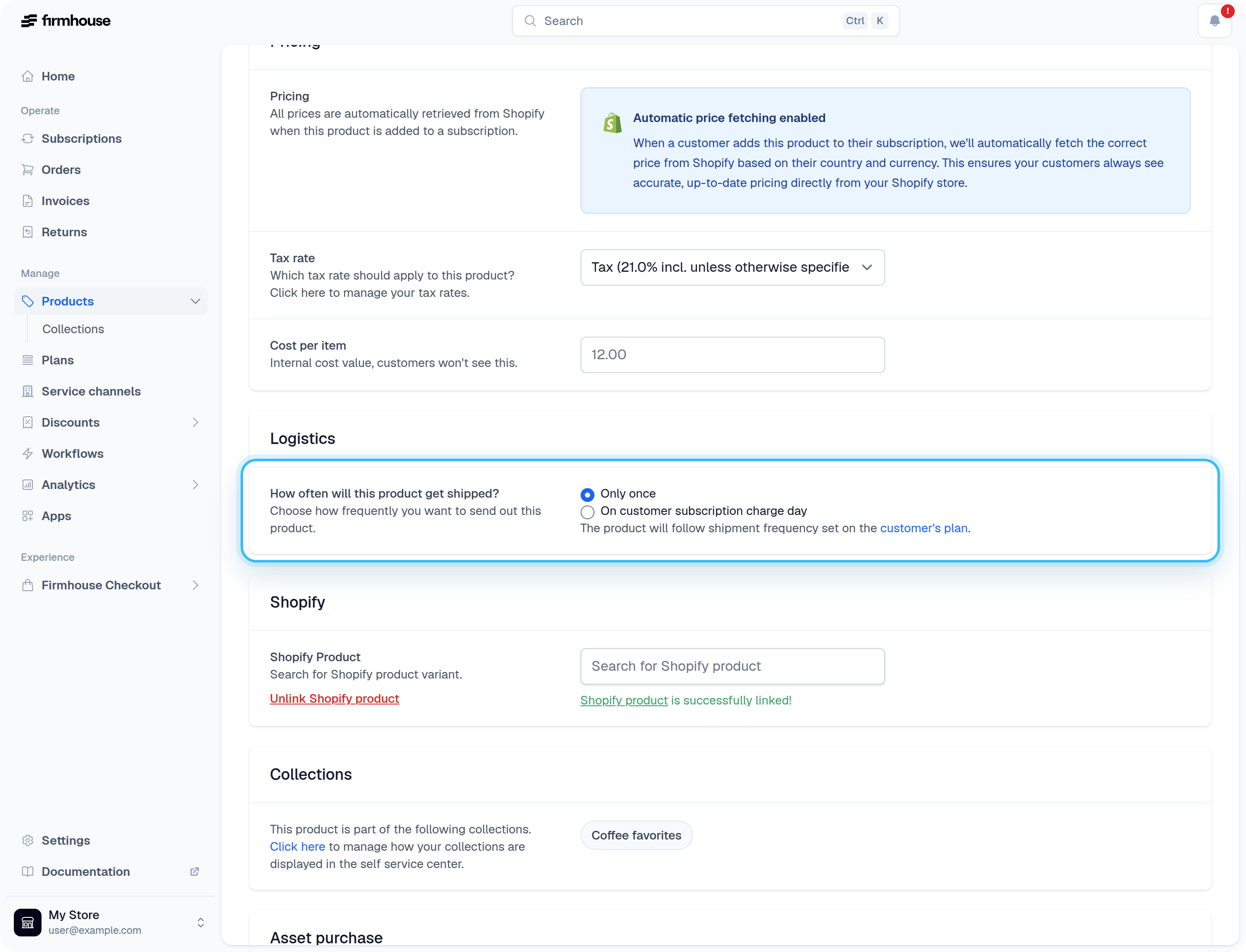
One-Time Products Become Inactive After Order Generation
Note: This is currently available only on Smart Order-based projects.Whenever Firmhouse generates an order for an only once product, it will be removed as an active product from the customer. By default, the product will no longer be available in the Customer Portal and will not be taken into account for any shipping cost calculation. You can make selected consumables available to add again by enabling repeat ordering as described below. In the Firmhouse Portal, these products will show up in the inactive products list and will get the status owned.
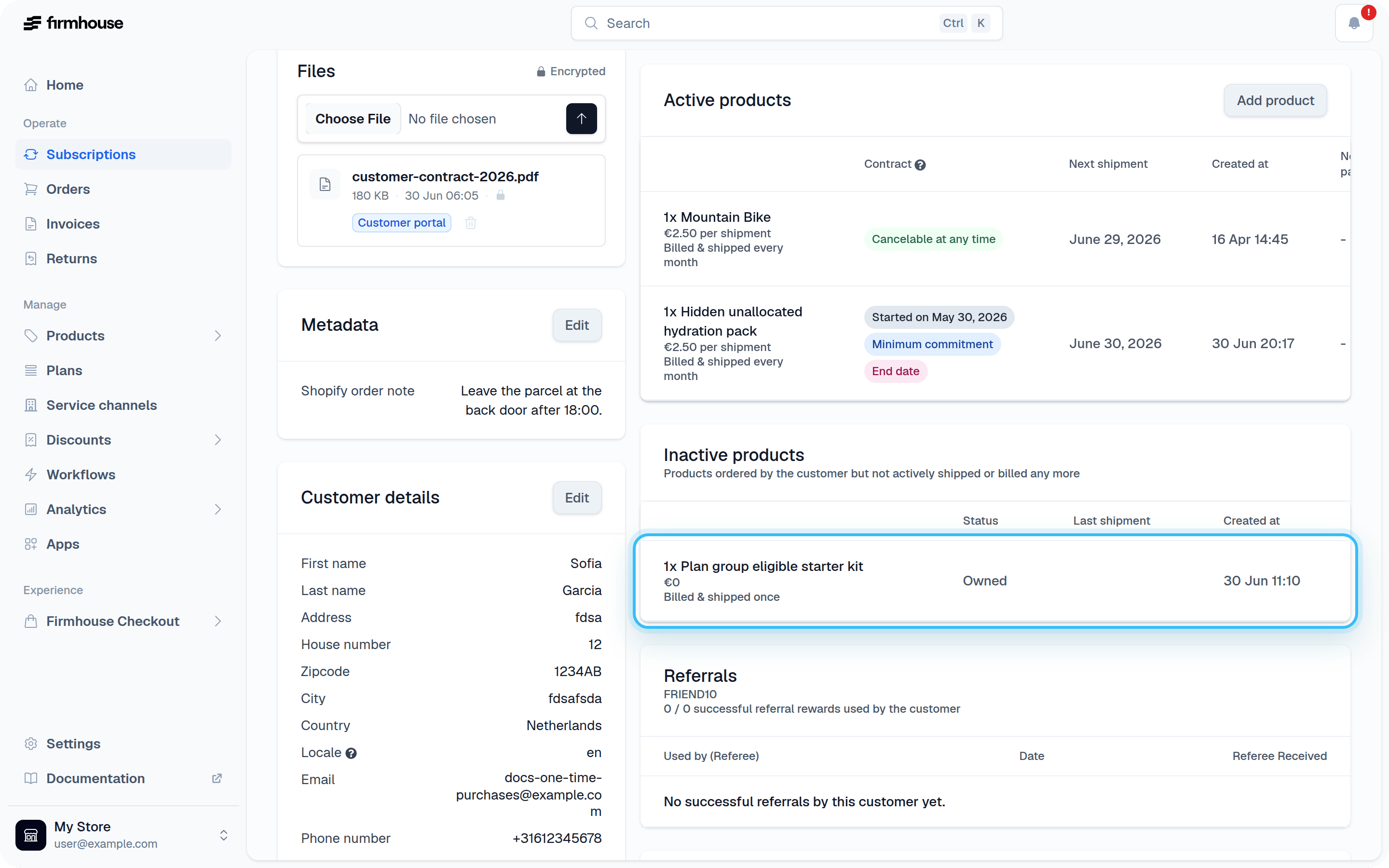
Allow Customers to Reorder a One-Time Product
By default, an only once product can be ordered once per subscription. For consumables that customers may need again, such as filters, refills, or recycling bags, you can allow repeat ordering:- Open the product in the Firmhouse Portal.
- Enable Customers can reorder this product after it ships.
- Make sure the product is also available in the Customer Portal.
This setting differs from an SSCv2 one-off add-on. A one-off add-on lets a catalog product ship with the next generated order and then removes that addition. The repeat-order setting controls whether an only once product becomes available to add again after it has shipped.