

Good to know: The minimum order amount includes taxes, but excludes discounts and shipping costs. Set the amount to 0 if you want to allow orders of any amount.
You can use the minimum order amount to make sure that:
- customers using Firmhouse Checkout can only complete checkout once the threshold is met
- recurring orders are skipped until the threshold is met
Setting it up in the Portal
You can configure the minimum order amount in Settings > Subscription model > Minimum order amount.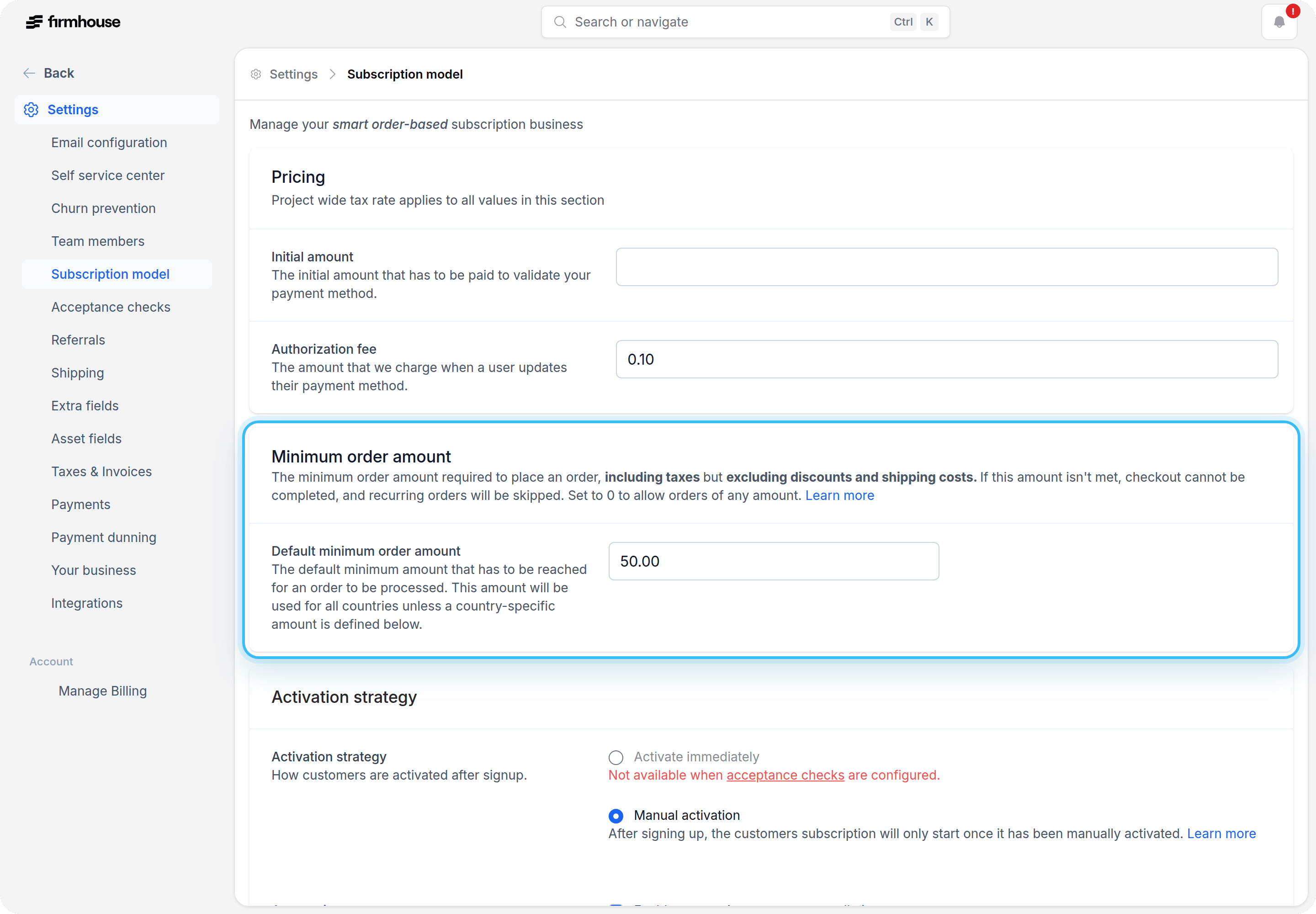
Default minimum order amount
The Default minimum order amount is used for all orders unless a country-specific amount is configured for the subscription’s country.- Go to Settings > Subscription model
- Find the Minimum order amount section
- Enter the default minimum amount
- Click Update project
Country specific minimum order amounts
If your project uses country-specific prices, you can also override the default minimum order amount per country.- In the same section, find Country specific minimum order amounts
- Click Add new minimum order amount
- Select the country you want to override
- Enter the minimum amount for that country
- Click Update project
The experience in Checkout
If you are using Firmhouse Checkout, customers will see a warning in the checkout price breakdown when the initial order total does not reach the configured minimum. In that case, checkout cannot be completed until the threshold is met. If you are using Shopify Checkout, this checkout-specific warning is not shown there.The experience in the Self Service Center
If an active subscription’s next order does not reach the minimum, the recurring order will be skipped until the threshold is met. Customers will see a warning in the Self Service Center so they know they need to add more products before the next order can go out. If you allow customers to manage products on their own subscription, they can use the Self Service Center to add more products and reach the minimum order amount. See Allow customers to add products.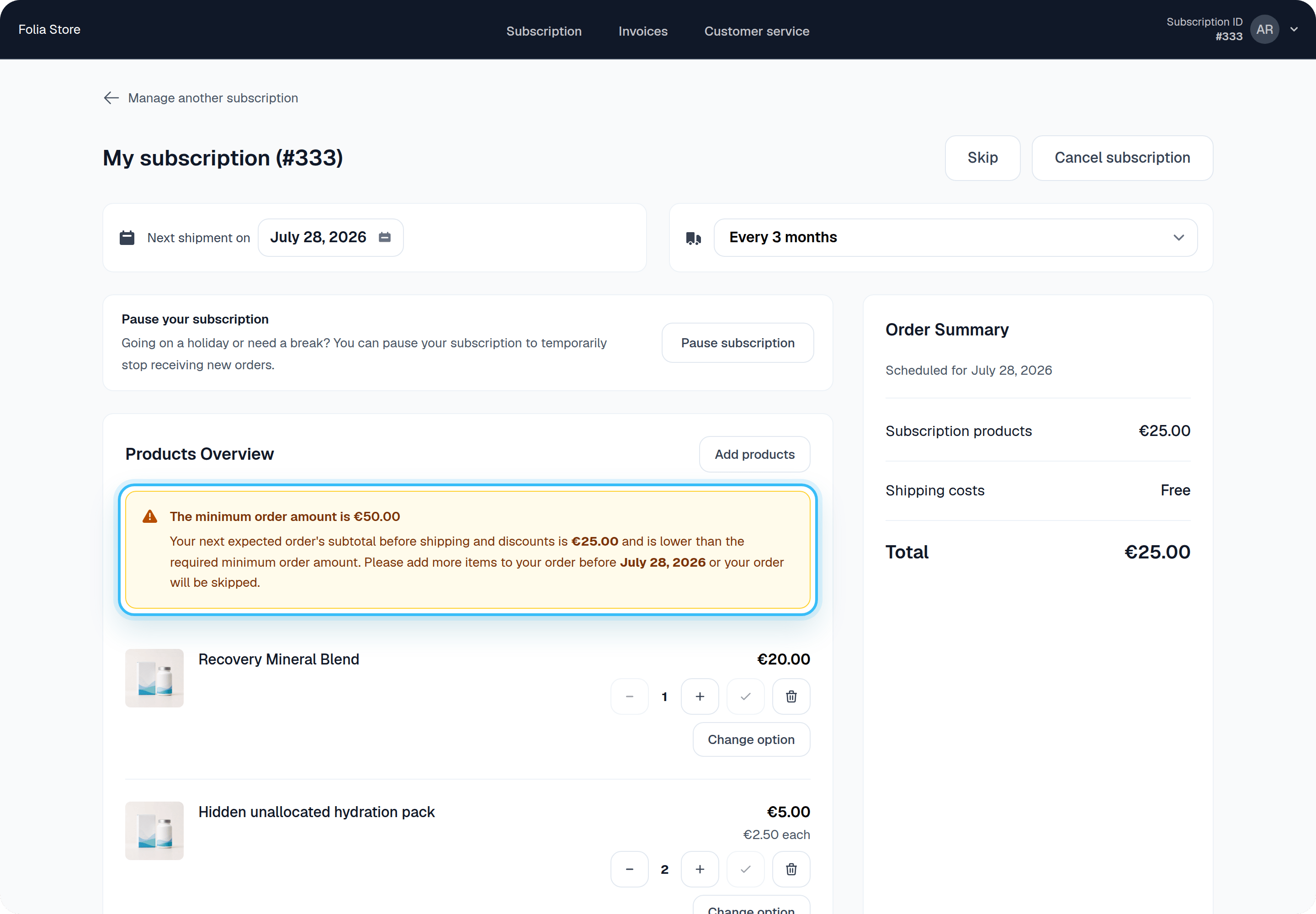
The experience in the Firmhouse Portal
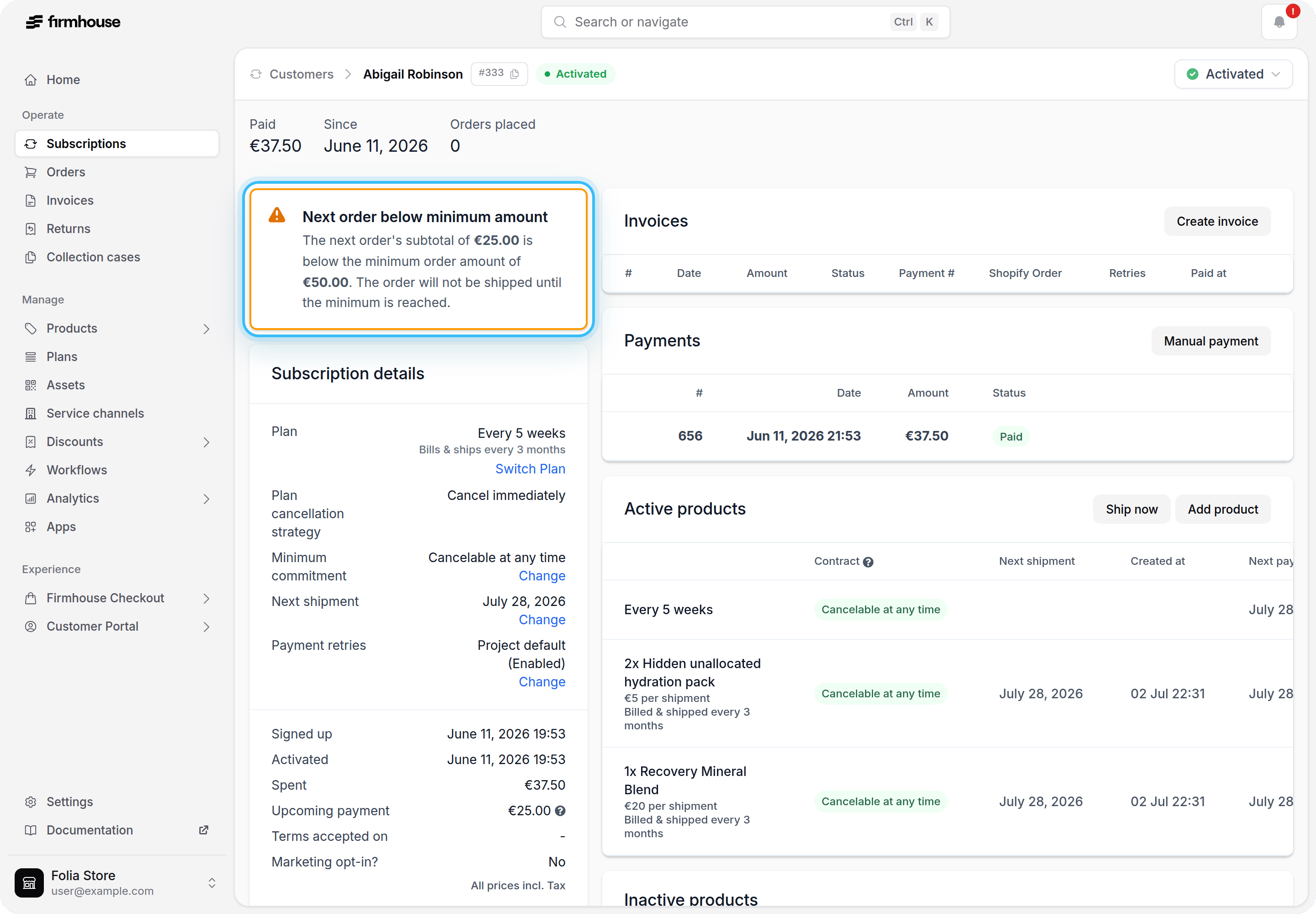
If a subscription’s next scheduled order is below the configured minimum, Firmhouse shows a warning on the subscription detail page in the Portal. The notification looks like this:Next order below minimum amountThe amounts shown in the warning depend on the subscription and the configured minimum order amount for that country.
The next order’s subtotal of €27.55 is below the minimum order amount of €50.00. The order will not be shipped until the minimum is reached.
Emails
Firmhouse sends the Upcoming order notice email even when the minimum order amount has not been reached yet. In the email configuration for this email, Firmhouse shows a reminder that you can use Liquid tags to adjust the copy for orders that are still below the threshold.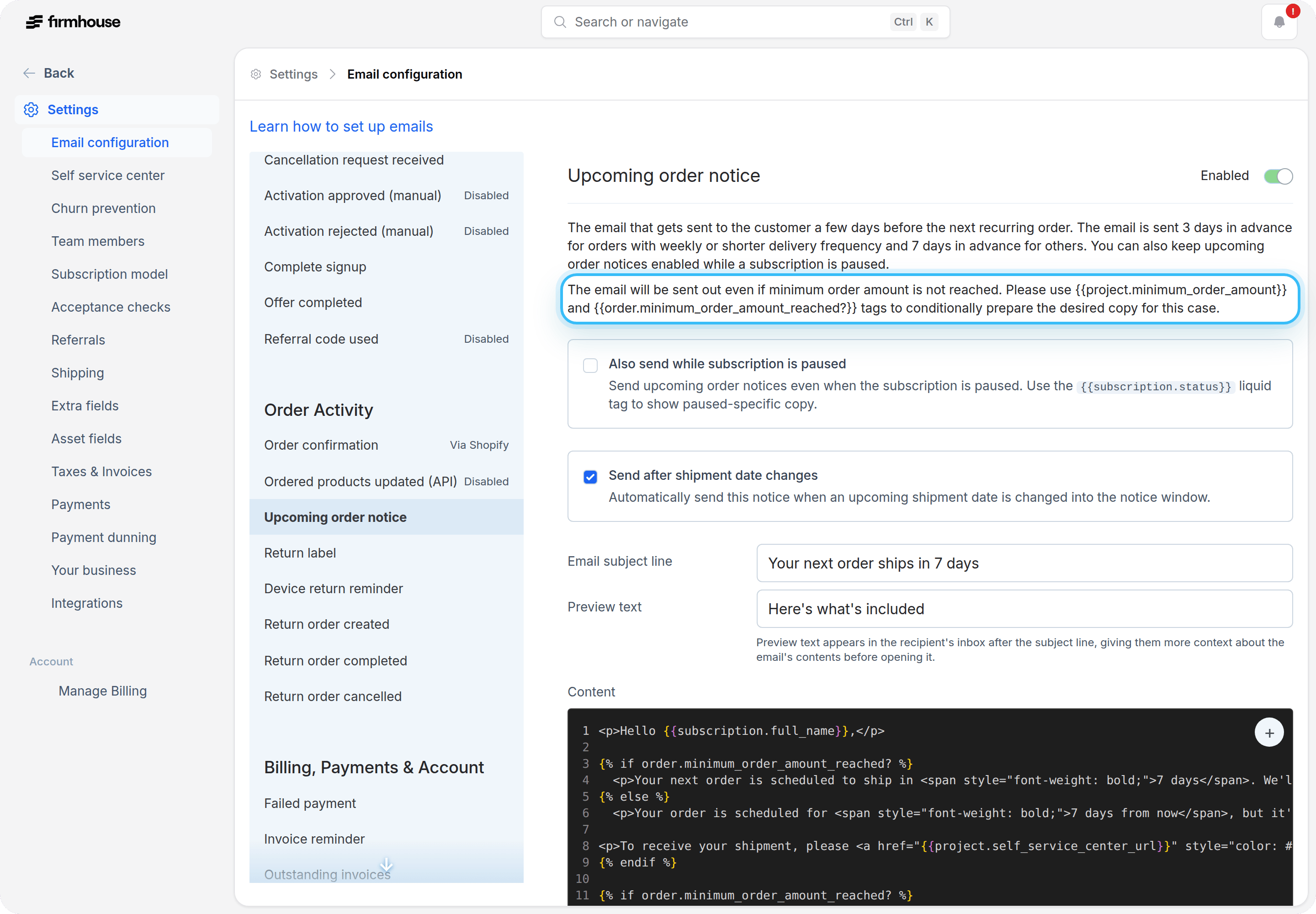
{{project.minimum_order_amount}} together with {{order.minimum_order_amount_reached?}} in your email templates to show different copy depending on whether the threshold has been met: