

Note: This feature is available to all Pro and Enterprise customers. To activate it, please contact support through the chat widget.
Important: This functionality is not fully compatible with the Minimum Order amount threshold or Advanced discount rules for minimum/maximum order amount options, which use the project default currency. Multi-currency options will follow at a later date.
Using Shopify Markets
If you are using Shopify Markets, see Shopify Markets. That article explains how to run international pricing through Shopify Markets, how Firmhouse uses those market-specific prices automatically, and what to expect when you transition an existing project to Shopify Markets.Setting Up Country-Specific Prices in the Portal
If you are not using Shopify Markets for international pricing, you can configure country-specific prices directly in Firmhouse.Steps
- Contact Firmhouse support through the chat widget to request this feature be enabled for your project.
- Once enabled, navigate to any of your Products and find the Pricing section. You will see a new Country specific prices option.
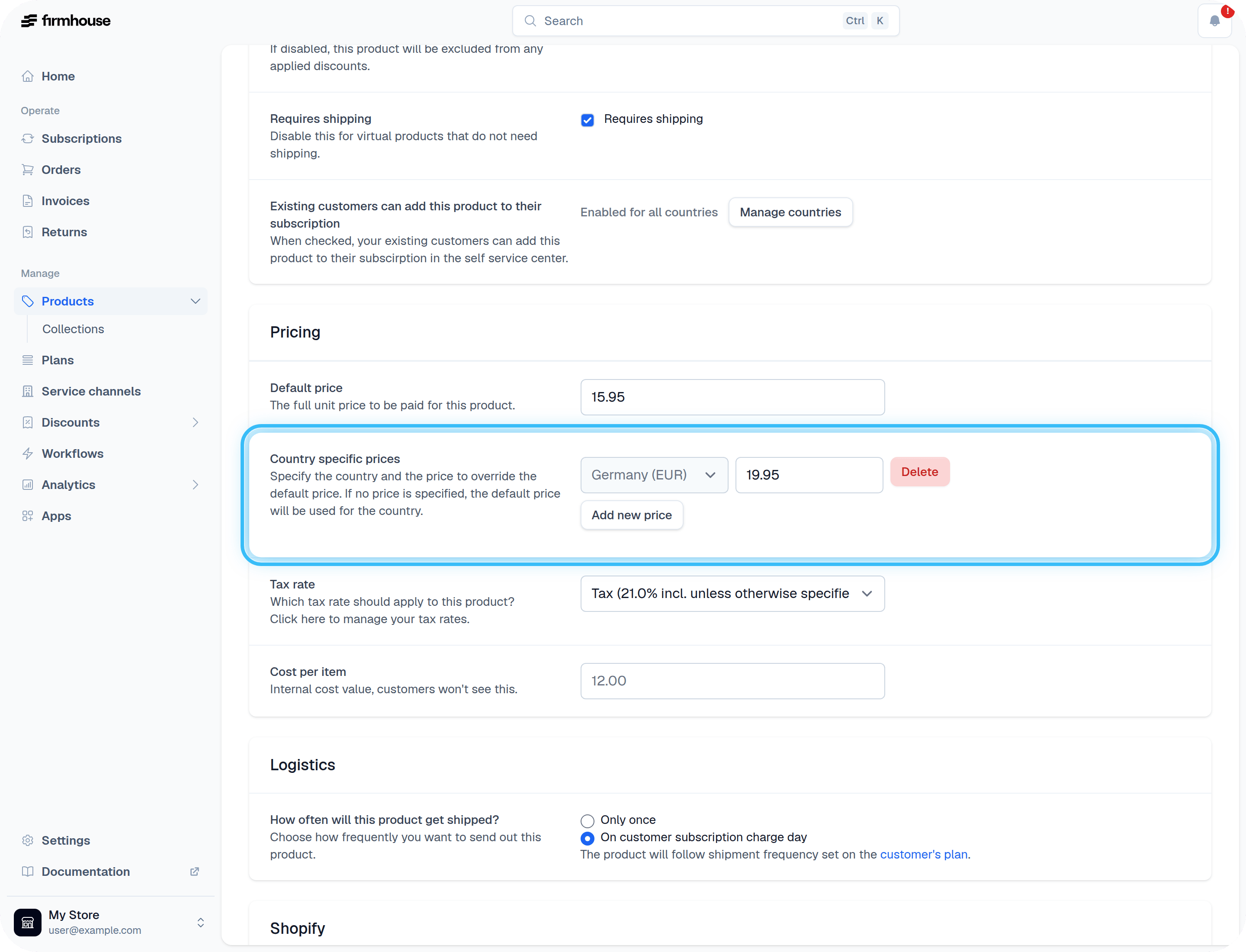
- Click Add new price to select a price for each of the countries you want to support. You can add as many country-specific prices as needed.
Viewing Products with Variable Prices
In your Product Overview, products that have variable pricing per country are indicated with an asterisk (*) next to their price. This makes it easy to identify which products have country-specific pricing configured.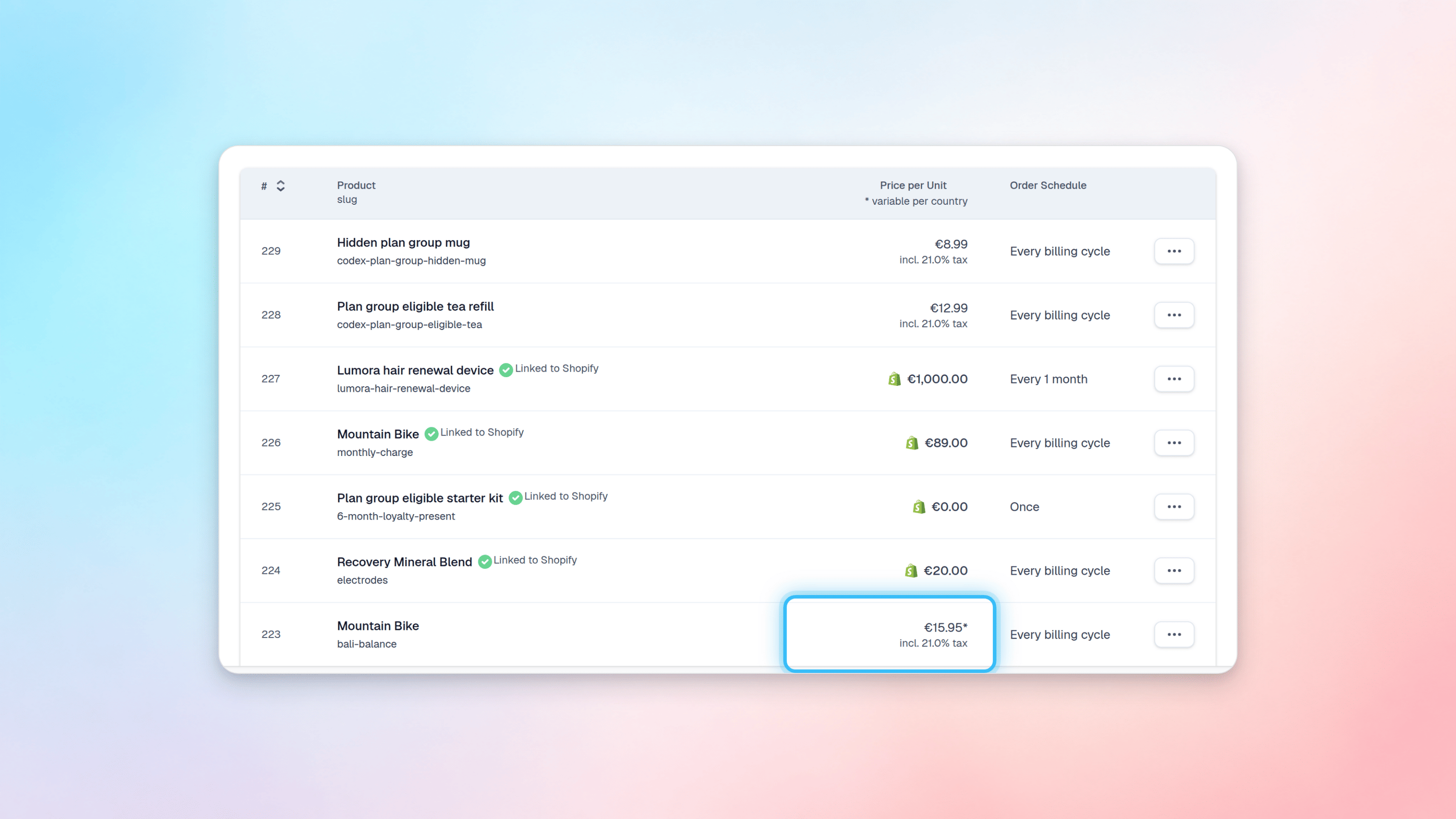
Managing Prices via the API
You can also manage product prices per country programmatically using the GraphQL API. The updateProduct and createProduct mutations support adding, updating, or removing country-specific prices. The supported arguments areprices (to add new price points) and pricesDelete (to remove existing price points). Each price requires two arguments: the country code and the amount in cents.