Steps
- Navigate to your Shopify shop settings and find the Languages section.
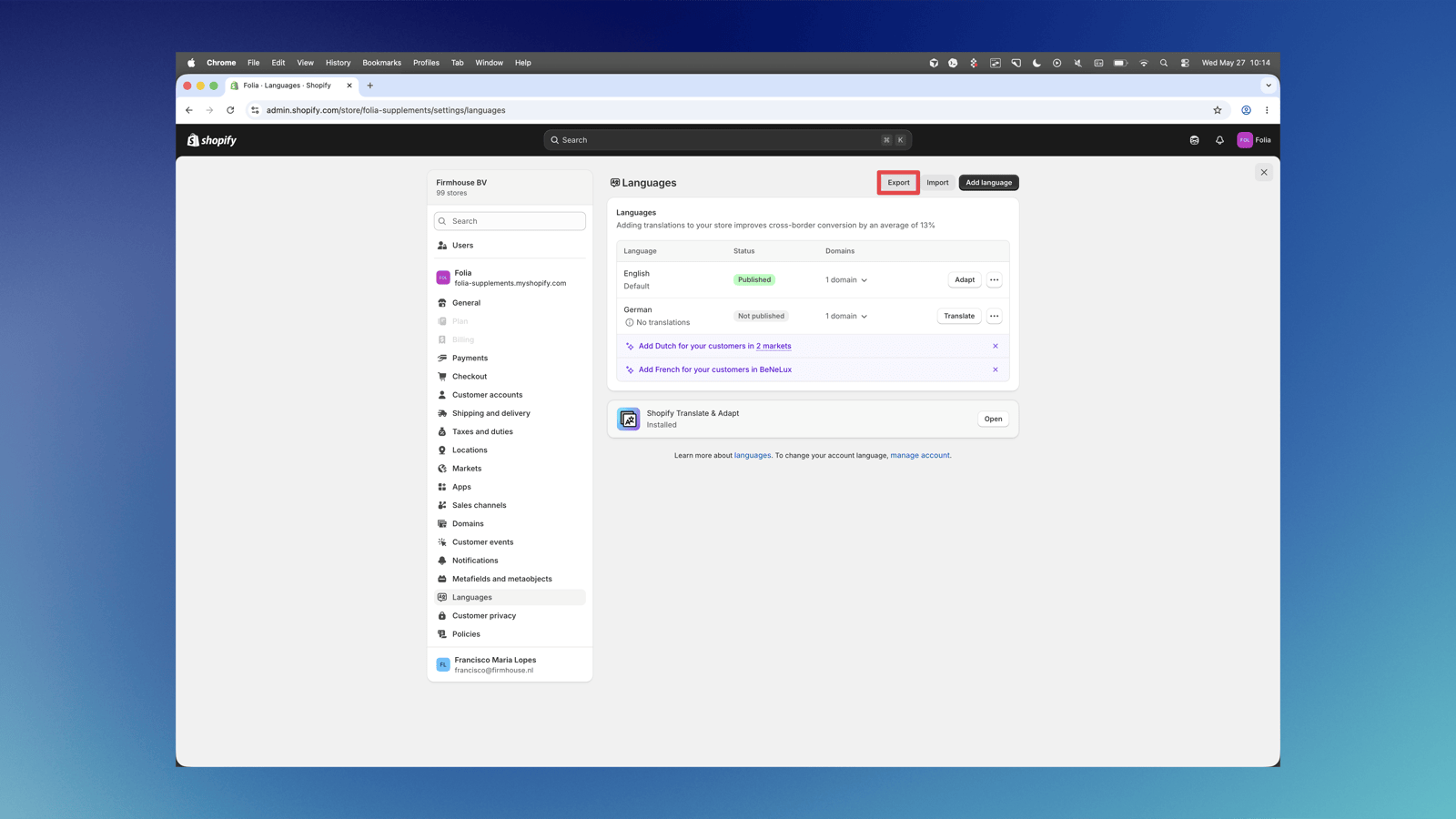
- Click on Export in the top right corner of the screen.
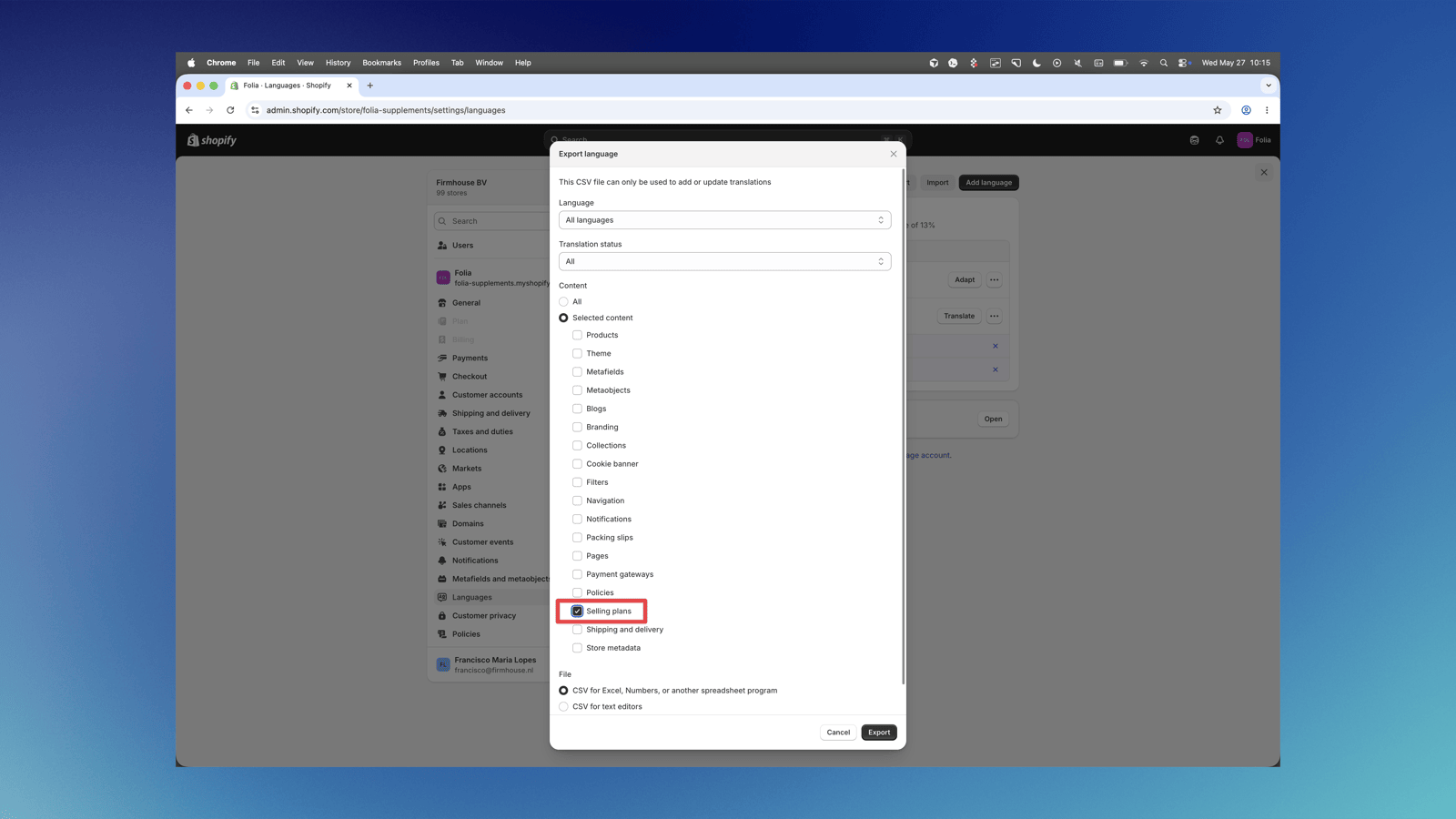
- A popup will appear where you should select the specific content you want to download. Select Selling plans from the content list.
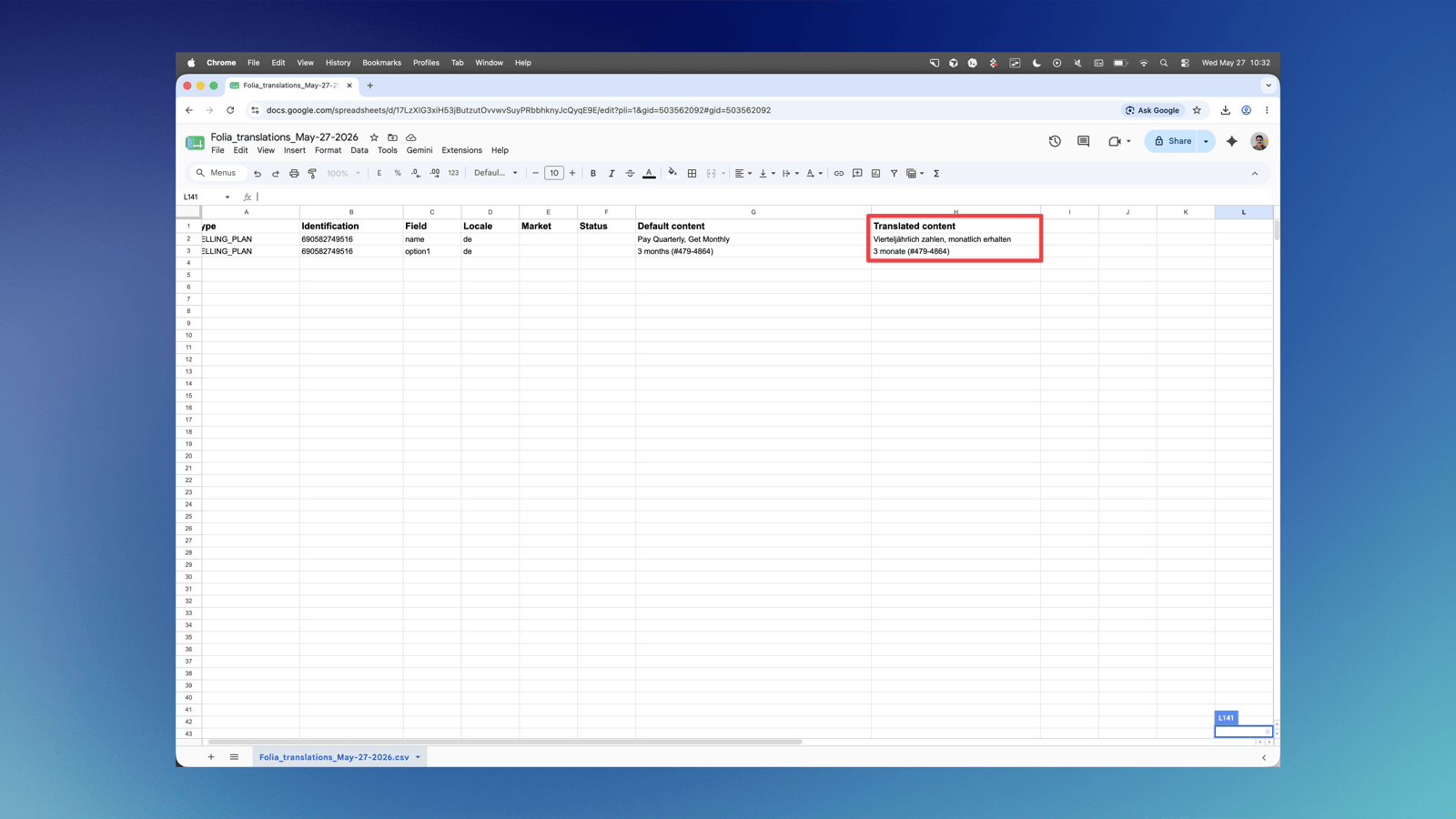
- Download the CSV file and open it in a spreadsheet application.
- Fill in the Translated content column with your translations for each selling plan name.
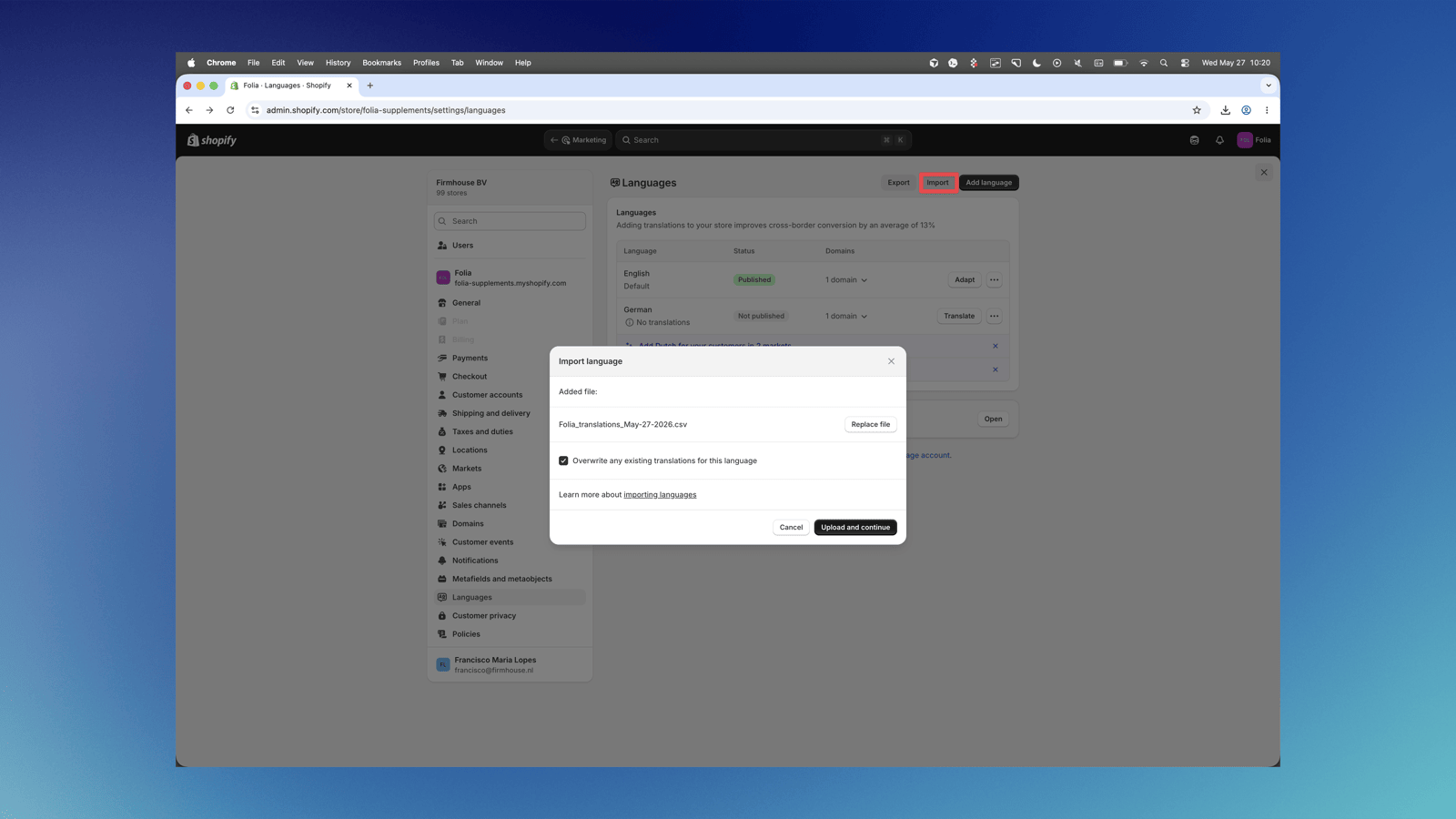
- Go back to the Languages section in Shopify and click Import to upload the translated file.