Configure Your Checkout Fields
Steps
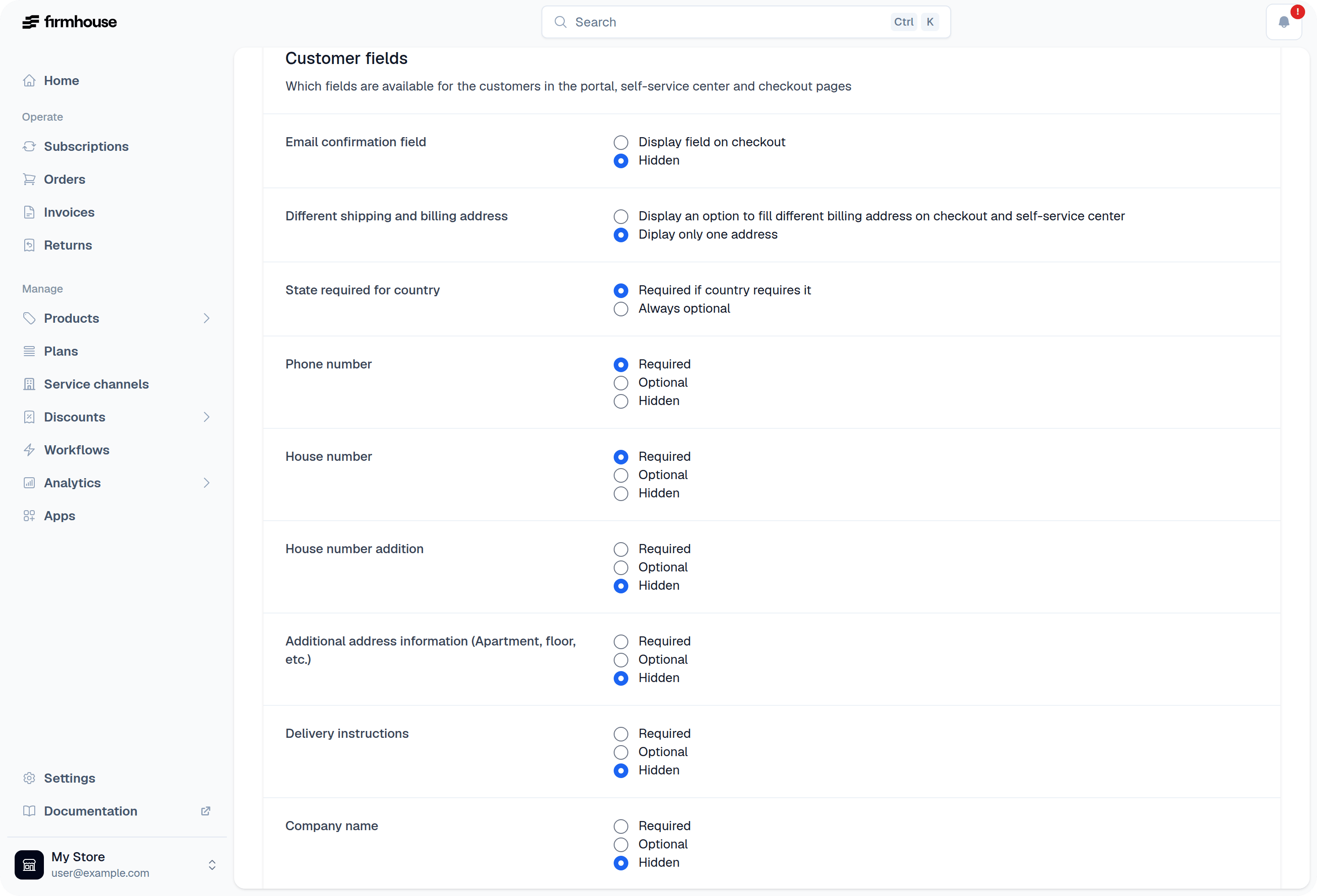
- In your Firmhouse project, navigate to Checkout > Preferences from the sidebar
- Scroll down to the section Customer fields
- For each field, select if you want to make the field required, optional, or hidden
House number addition
Use House number addition for a suffix such as A or 2 hoog. This keeps the addition separate from the house number. Use the secondary address line for other address details rather than combining the suffix with it. Under Checkout > Preferences > Customer fields, set House number addition to required, optional, or hidden. You can configure House number addition in billing address separately. These fields are available for all projects; no New Features setting is needed. On an existing subscription, the address editor shows the addition when the field is enabled or the customer already has a saved value.Special Fields
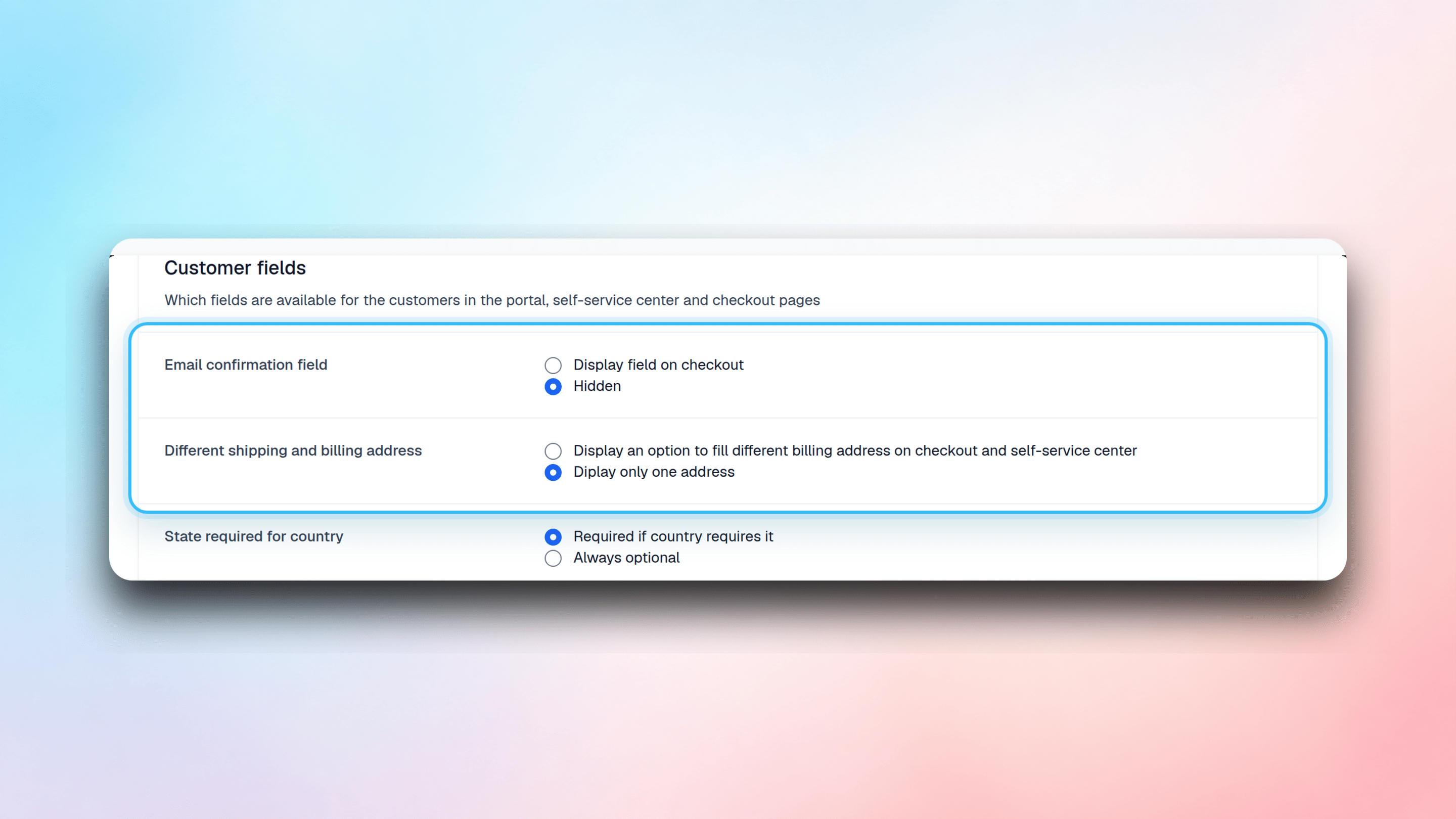
There are two special field settings which you will find at the top of the Customer fields list: Email confirmation field allows you to ask your customer to enter their email address again. This is useful for preventing typos and mistakes in email addresses. Different shipping and billing address gives your customer the option to provide separate billing and shipping addresses. When enabled, customers can specify a different address for billing purposes than where their products are shipped.