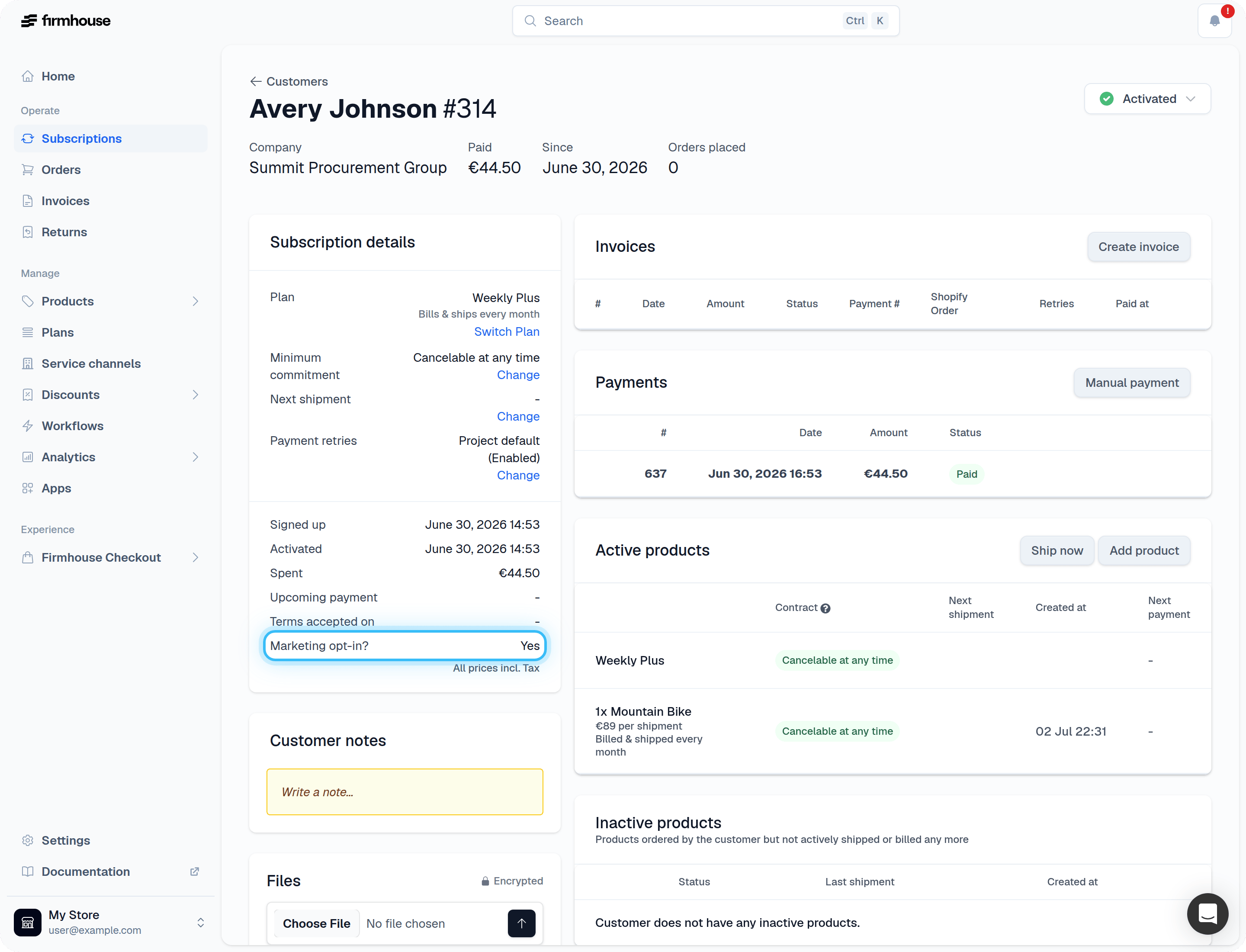
Enable the marketing opt-in on your checkout
Steps
- Navigate to Checkout > Preferences in your Firmhouse dashboard
- Find the Marketing opt-in section
- Check the box to enable Show marketing opt-in consent on checkout
- Save your changes
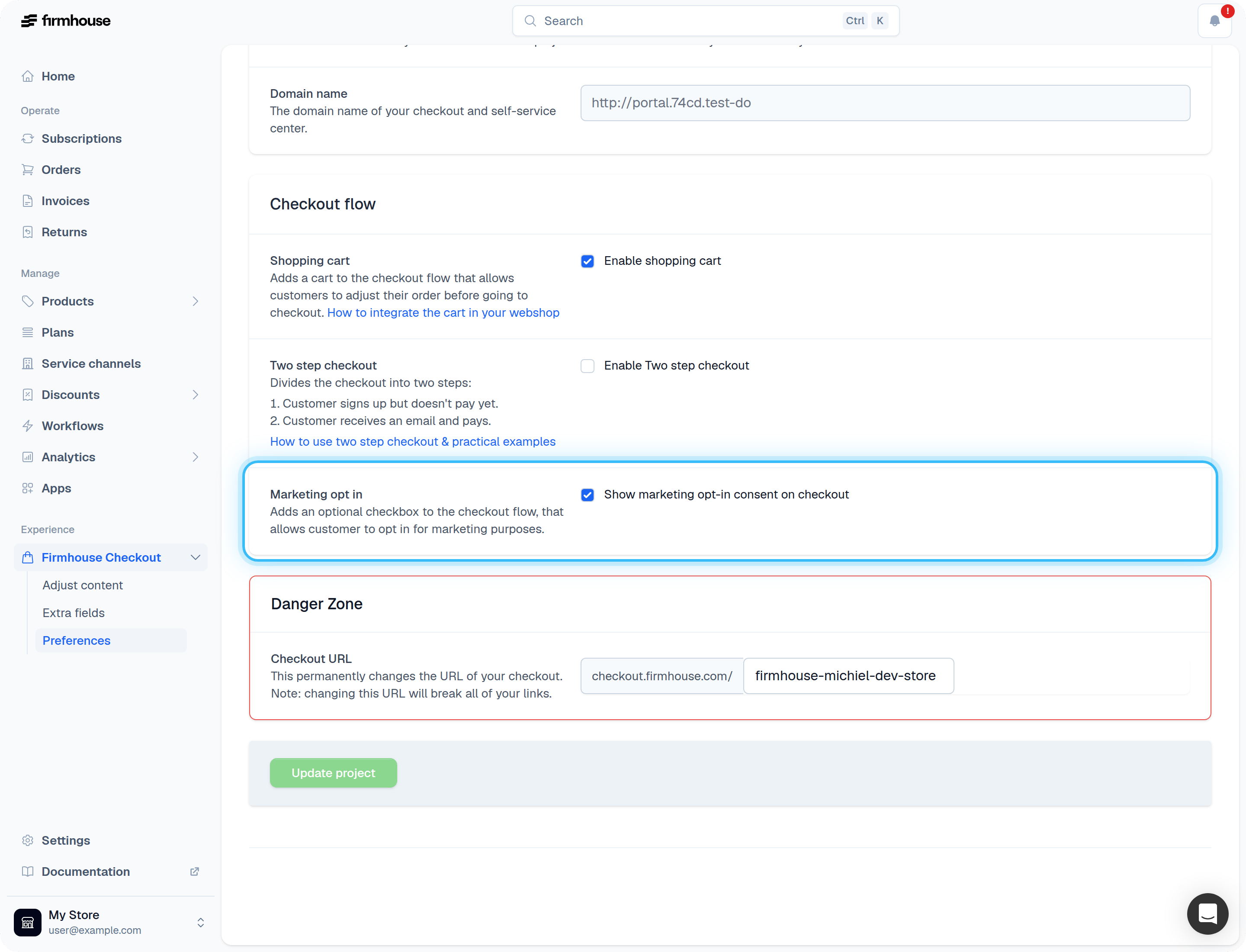
Adjust the content of the opt-in
You can customize the text that appears next to the checkbox. The text field supports HTML, so you can include links to your privacy policy or promotional offers page.Steps
- Navigate to Checkout > Adjust content
- Find the Marketing opt-in field
- Enter your desired text (HTML is supported)
- Save your changes
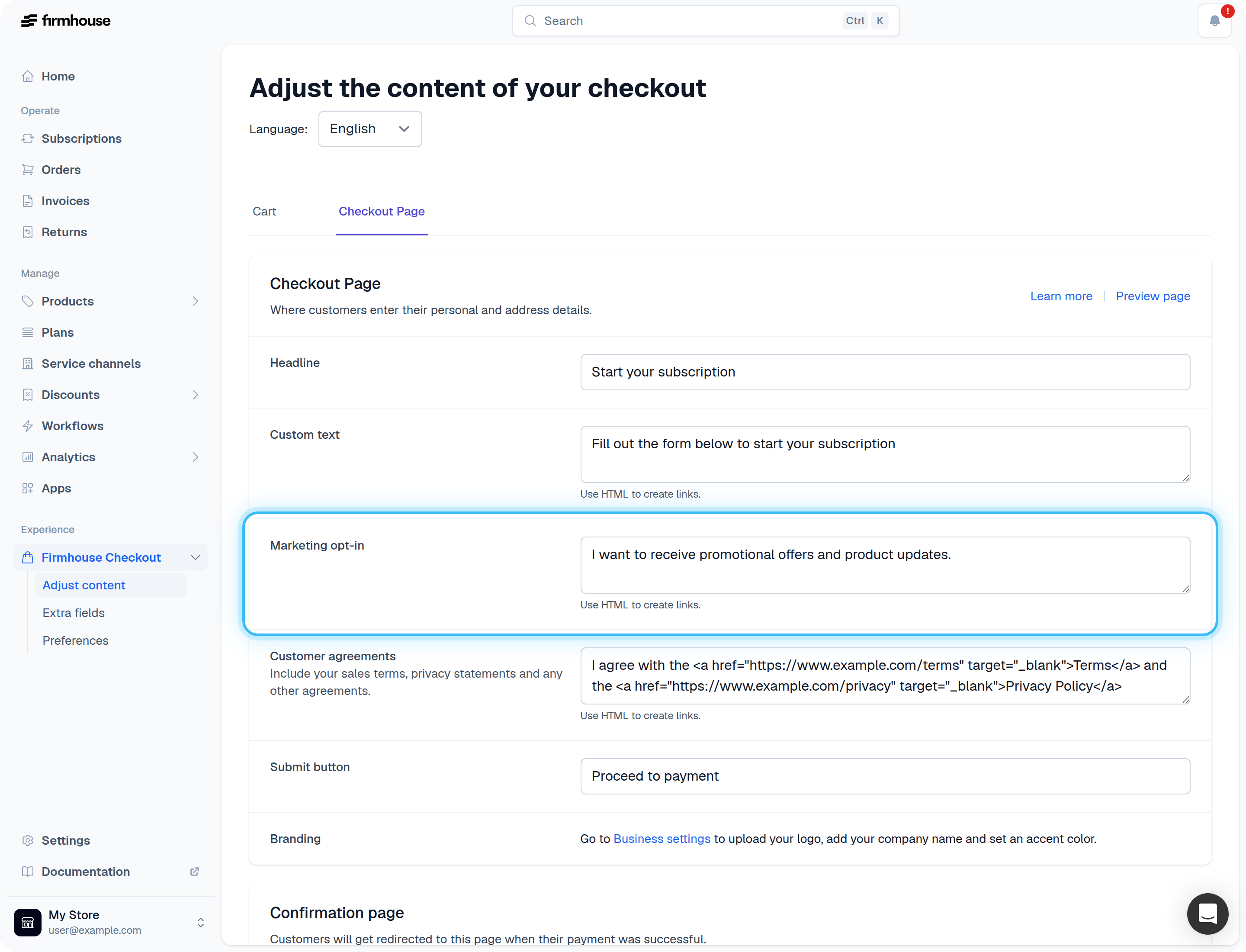
How to check if a customer opted-in to marketing offers
You can see whether a customer has opted in to marketing communications on their subscription detail page.Steps
- Navigate to Customers in your Firmhouse dashboard
- Click on the customer you want to check
- Look in the Subscription details section
- Find the Marketing agreed? field which shows “Yes” or “No”