

Note: This is a preview feature that has to be enabled by the Firmhouse team on your project. Please get in touch if you’d like to set up Tiered Discounts.
1. Create a Tiered Discount in Firmhouse Portal
- Go to Discounts in your Firmhouse portal.
- Create a new Discount (or edit an existing one).
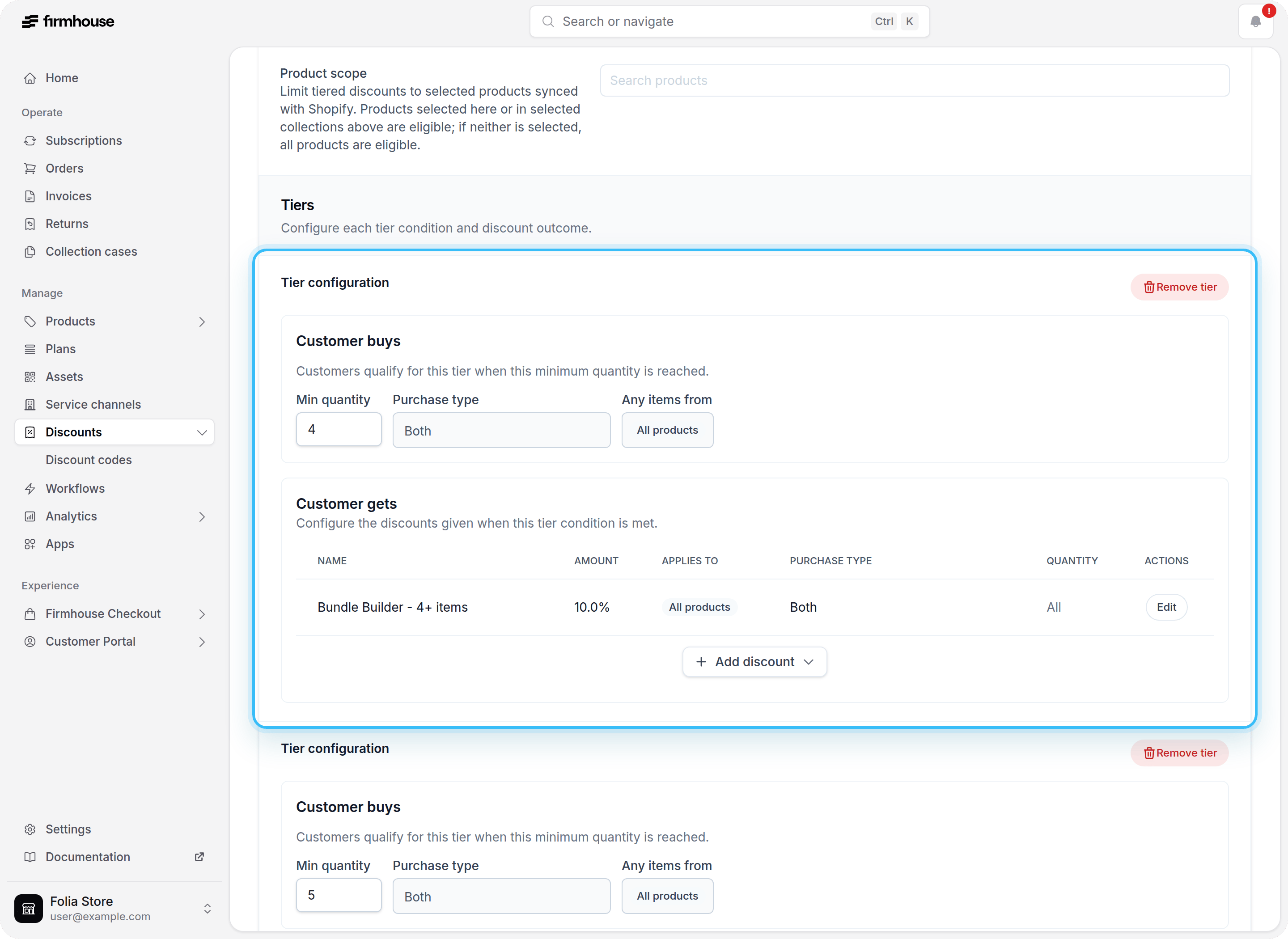
- Enable Enable discount tiers.
- Under Discount tiers, choose Discount type: Percentage, Amount off, or Amount off each. This type is shared by every tier.
- For fixed-amount discounts, choose the currency. You can select from your project’s currencies and those supported by your connected Shopify store.
- Add one or more tiers:
- Set Minimum quantity.
- Set the percentage or fixed amount for that tier.
- Optionally add a Collection scope to limit which products count toward the tier quantity.
- Optionally select one or more Customer segments to limit the Shopify checkout discount to specific Shopify customer segments.
- Save the discount.
Choose how a fixed amount applies
- Amount off subtracts the tier’s amount once from the eligible items’ total. For example, a tier with a minimum quantity of
3and an amount of€5gives €5 off in total. - Amount off each subtracts the tier’s amount from each eligible unit. With 3 eligible units and an amount of
€5, the total discount is €15.
EUR discount applies to a cart in EUR; it does not apply to a cart in USD.
If you use Discount Templates, choose Volume discount and set the type and currency in Tier ladder. For Buy X Get Y, choose Amount off or Amount off each under Customer gets, then enter the amount and currency for the reward.
2. Choose how customers should receive the discount
Tiered discounts can work in two ways:- Automatic: Enable Automatic so the discount applies as soon as the cart quantity matches a tier. Customers do not need to enter a code.
- Manual with a discount code: Keep the discount Manual if you want customers to enter a discount code at checkout. After saving the tiered discount, create a Firmhouse discount code for it from Discount Codes. The code is synced to Shopify, but it only becomes redeemable after the tiered discount is activated.
Add one-time gifts to a tier
Each tier can also include one-time purchase gifts. When you add a gift row to a tier, you can target:- specific one-time purchase products
- one or more collections
Test a tiered discount with a Shopify customer segment
You can use Shopify customer segments to test a tiered discount with a limited group before opening it to every customer.- Create a customer segment in Shopify that includes only your test customers.
- Select that segment in the Customer segment field on the Firmhouse tiered discount.
- Save and activate the tiered discount.
- Test checkout with a customer account that belongs to the selected Shopify segment.
3. Discount Added as Deactivated
When you first create or save a tiered discount, it is added in a deactivated state. This allows you to review the configuration before making it available to customers.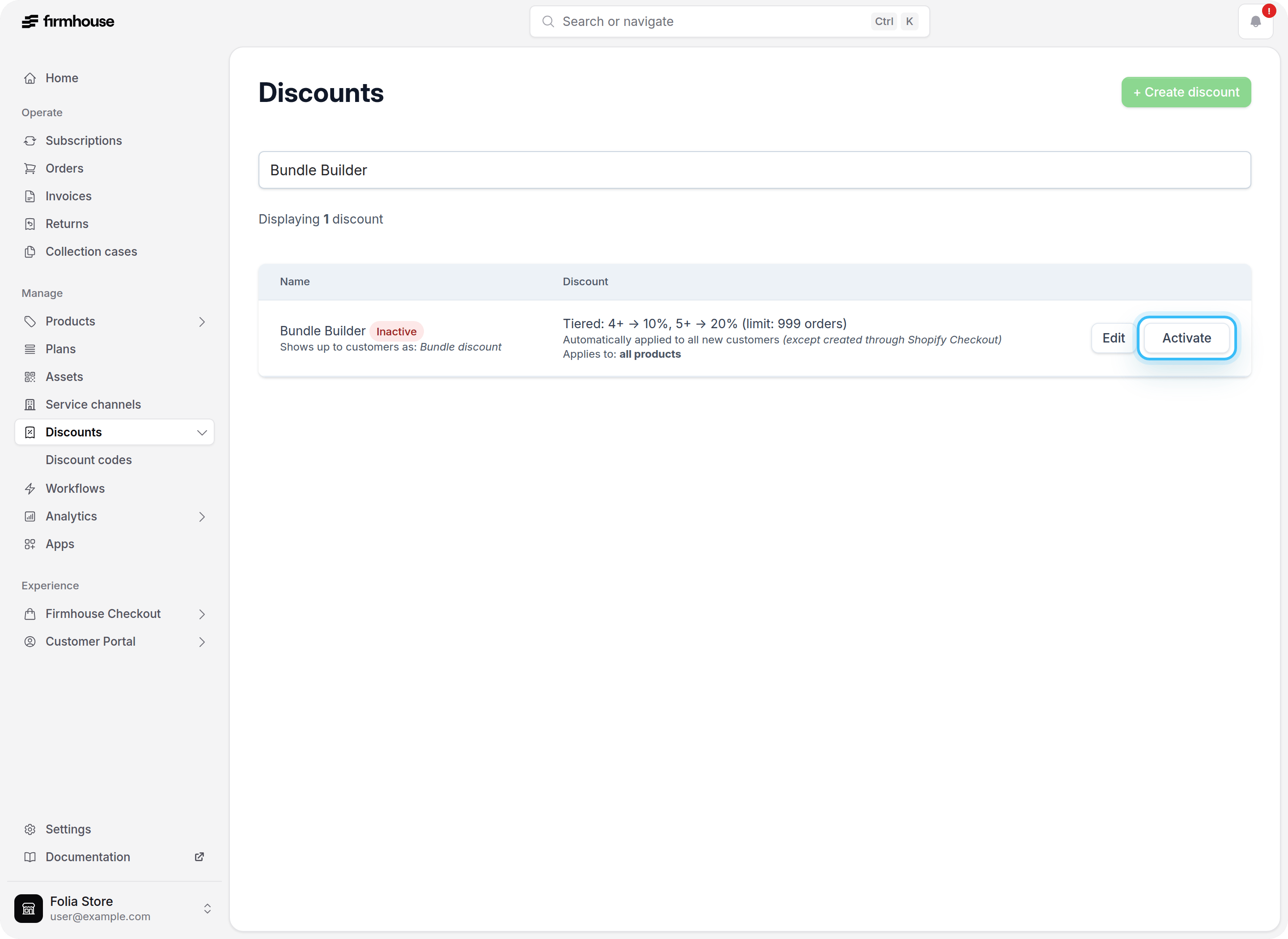
4. Deactivated Discount Synced to Shopify
Firmhouse syncs tiered discounts to Shopify as automatic discounts. The deactivated discount is synced to Shopify and appears there in a disabled state, keeping the two systems in sync.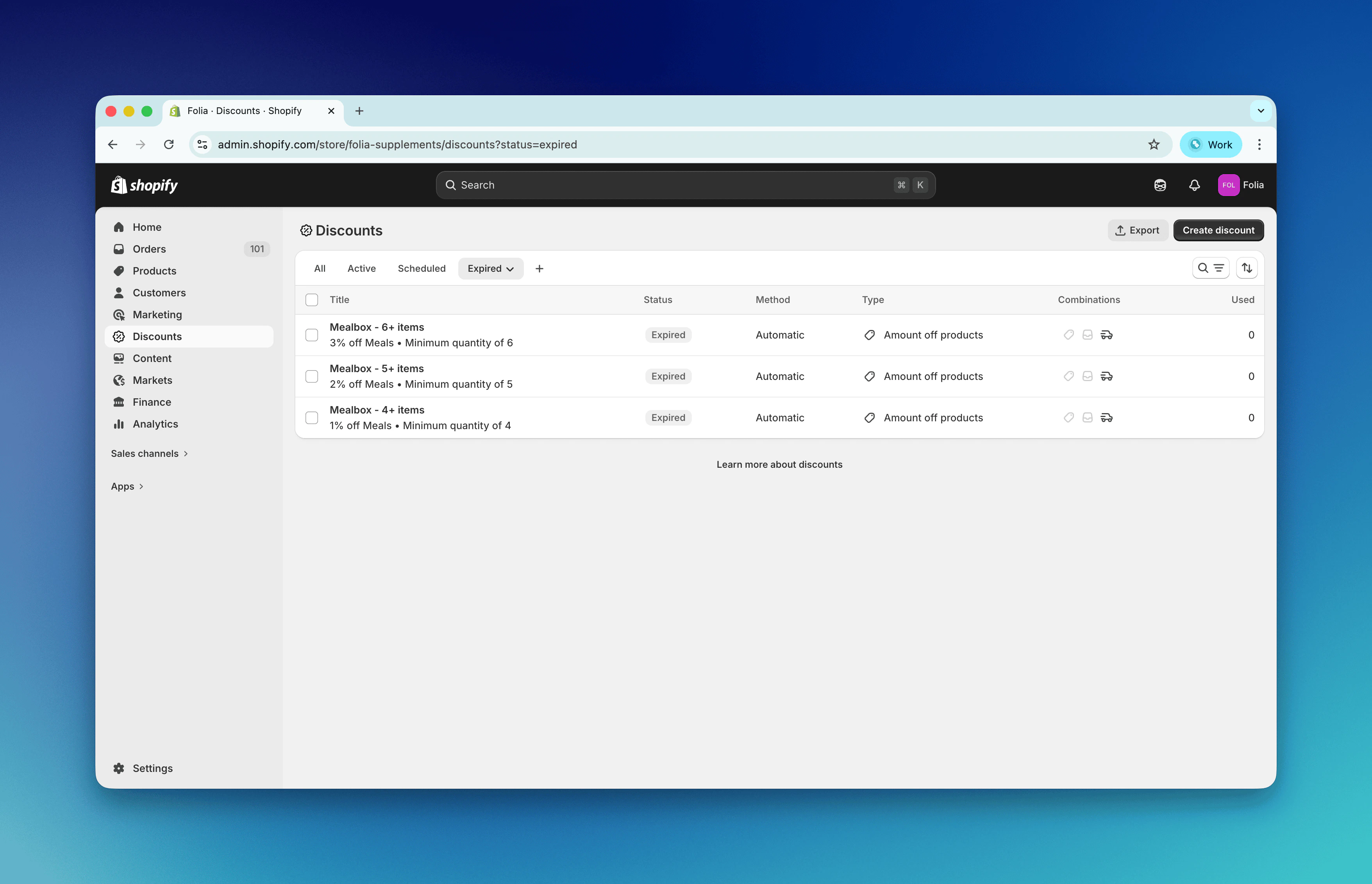
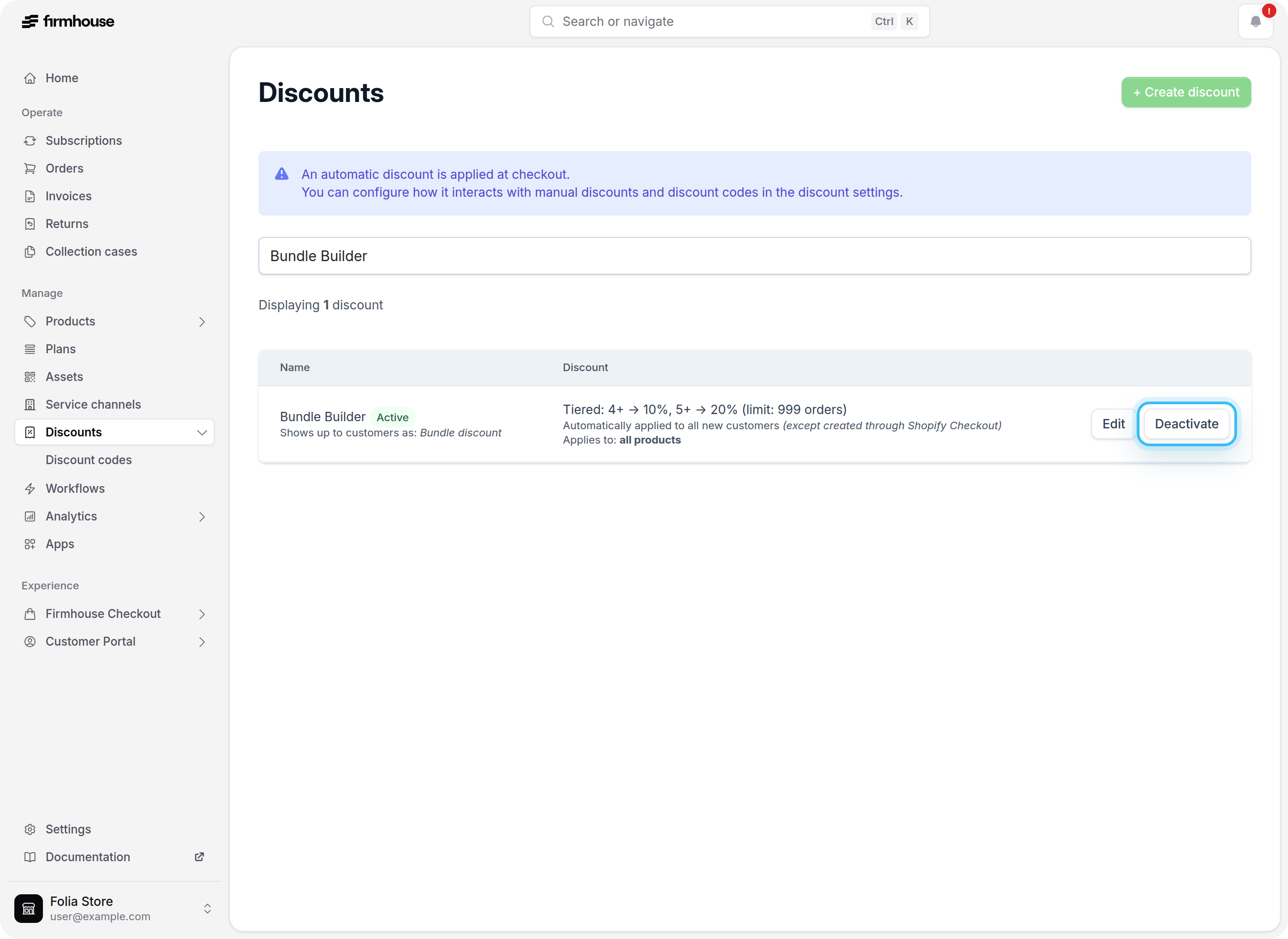
5. Activate the Discount in Firmhouse Portal
When you are ready to make the tiered discount available to customers:- Go to Discounts in your Firmhouse portal.
- Find the tiered discount and click Activate.
6. Activated Discount in Shopify
Once activated in Firmhouse, the discount becomes active in Shopify as well. Each tier is synced with its percentage or fixed amount, how that amount applies, minimum quantity, and collection targeting.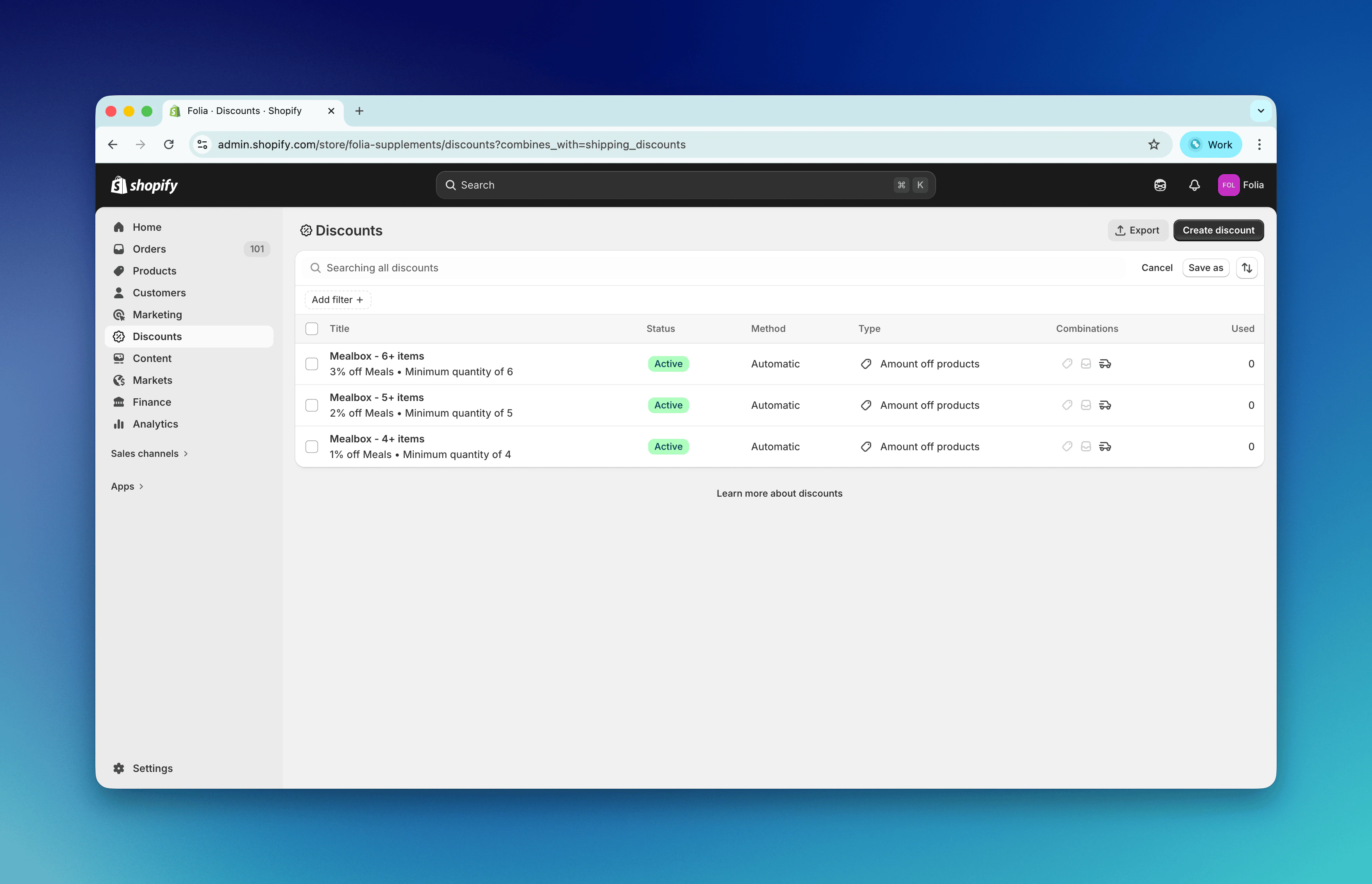
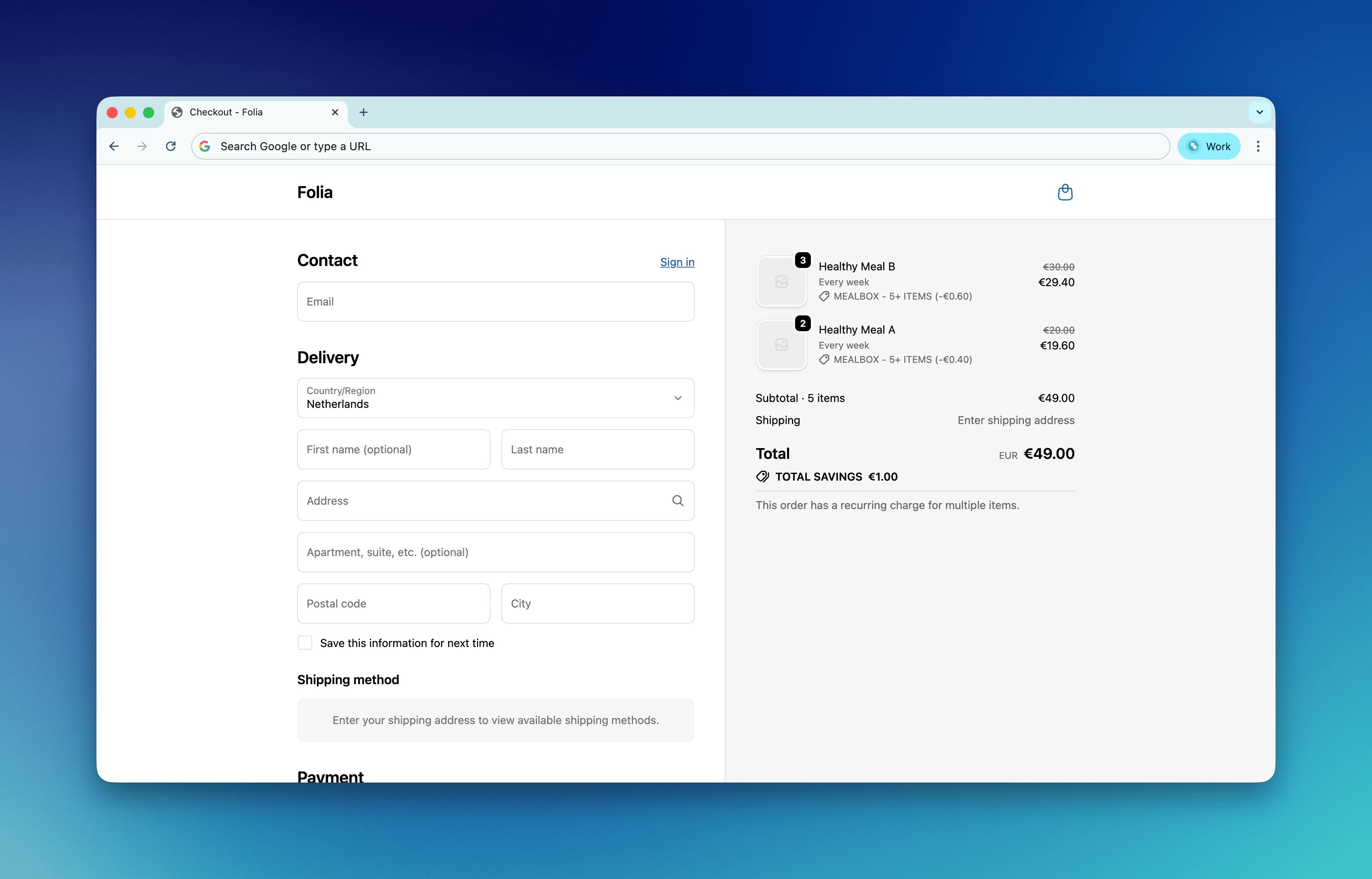
7. Discount Applied at Shopify Checkout
When customers add eligible subscription products to their cart and the quantity meets a tier threshold:- Automatic tiered discounts are applied automatically at Shopify checkout.
- Manual tiered discounts are applied when the customer enters the Firmhouse discount code linked to that tiered discount.
8. Discount Shown on Subscription Page After Checkout
After checkout, the subscription appears in your Firmhouse portal. The subscription page shows the discount that was applied, including the tier and percentage or fixed amount. How the calculation works: In this example, the subscription contains 5 eligible units. That quantity reaches the 5+ item tier, so the Bundle Builder discount applies 20% off.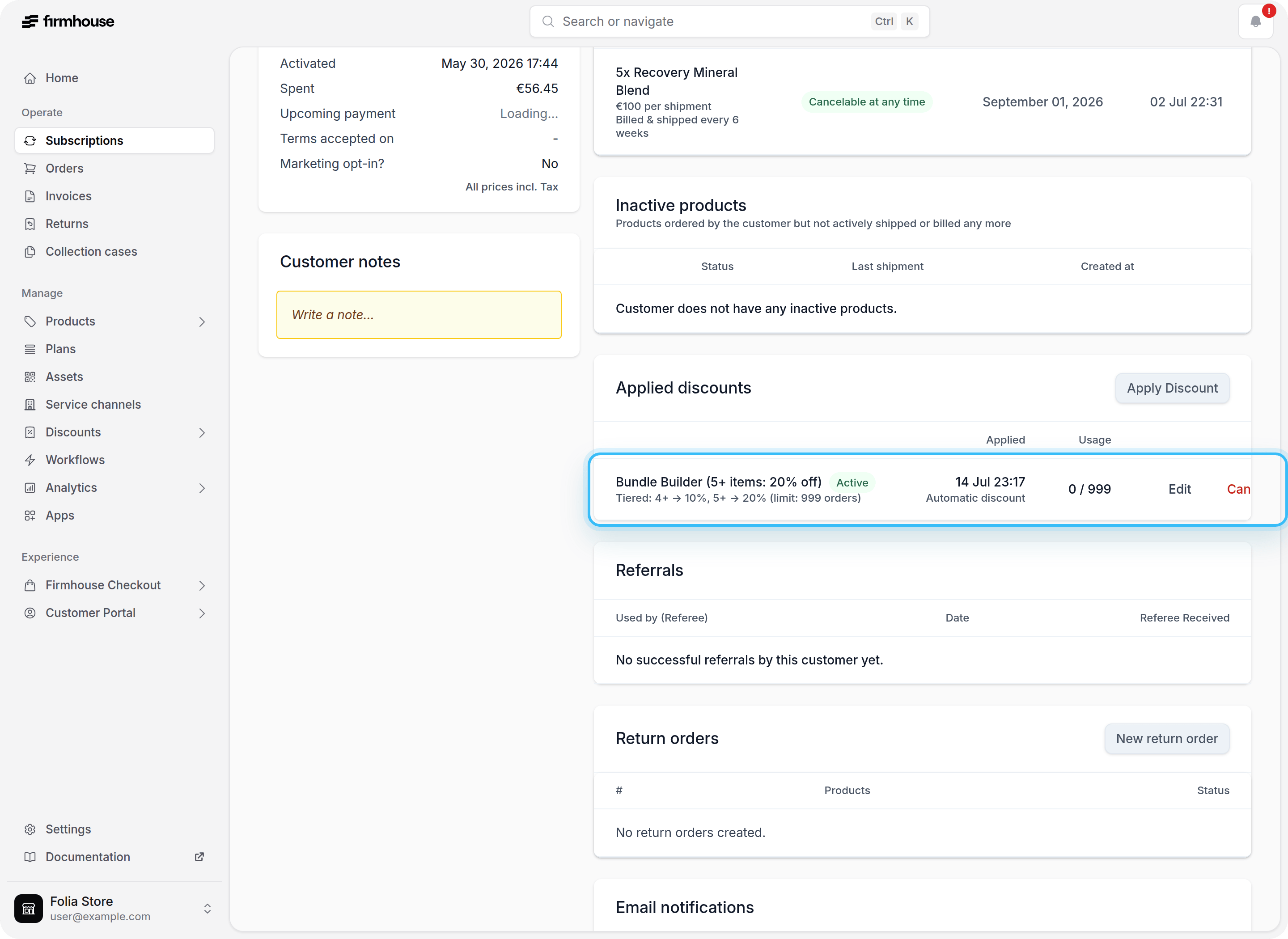
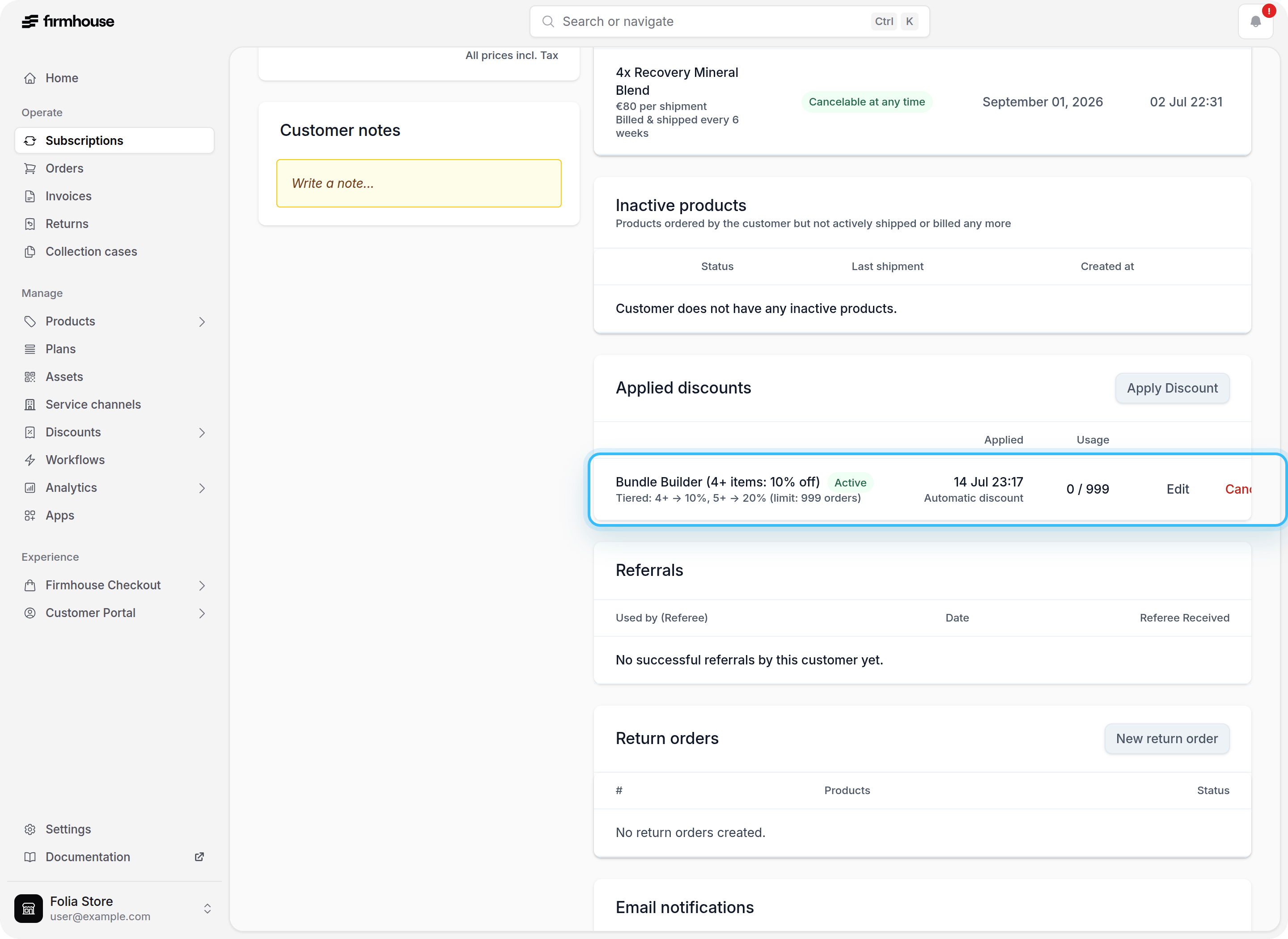
9. Discount Tier Updates When Quantity Changes
When a customer adds, removes, or updates the quantity of subscription products, Firmhouse recalculates the active tier. If the quantity now qualifies for a different tier (higher or lower), the discount is updated accordingly:- If the subscription drops below the first tier, the discount is removed.
- If the quantity qualifies for a different tier, the discount is updated to that tier’s percentage or fixed amount.
Limitations and Notes
- Tiered discounts support Percentage, Amount off, and Amount off each. All tiers in the editor use the same type.
- Tiered discounts can be configured as automatic or manual with a discount code.
- Quantities are calculated from eligible products only.
- If no tier matches, no tier discount is applied.
- Shopify customer segments can be used to limit tiered discounts to specific customer groups. Leave the customer segment field empty to allow all customers.
- Shopify automatic tier discounts are configured for both one-time purchase and subscription checkouts.
- Fixed-amount tiers apply only when the cart or recurring subscription order uses the same currency as the configured discount. Use a percentage discount if you need one discount to work across currencies.
- Fixed-amount tiers do not support a monetary value limit. Loyalty discounts by order number remain percentage-based.