

Background
Firmhouse uses a special type of selling plan to power checkouts with local payment methods. Shopify does not recognise this special selling plan type as a subscription selling plan. As a result, subscriptions with iDEAL | Wero and Bancontact are considered as one-time purchases by Shopify, making promotions at checkout a bit more complex to configure.Using a third-party Shopify discount app? Most third-party discount apps create one-time discounts that only apply to the first Shopify order. To make sure the same discount also applies to the recurring subscription orders, see Apply third-party Shopify discounts to subscriptions.
Checkout discounts and recurring discounts
A discount on the checkout order does not always carry over to recurring orders. For native Shopify subscriptions, configure Recurring payments for subscriptions on the Shopify discount to choose how many payments receive the discount. Firmhouse imports supported Shopify order-level percentage and fixed-amount discount codes, preserving their recurring-cycle limit. It also supports product-scoped percentage discount codes when Shopify includes the eligible subscription lines in the subscription contract. Other product-scoped discounts and third-party app discounts may need a separate Firmhouse discount setup. After a test checkout, check the subscription’s Applied discounts and its next scheduled order in Firmhouse. Test native and local-payment checkouts separately if your store offers both.Discount Options at Checkout
Site-wide Promotion
The most straightforward option for building a campaign is to offer a site-wide promotion at checkout. This would apply the discount you configure to both customers who check out with subscriptions and one-time purchase checkouts. To configure this type of campaign, set the Purchase type to “Both” on the Shopify discount configuration page.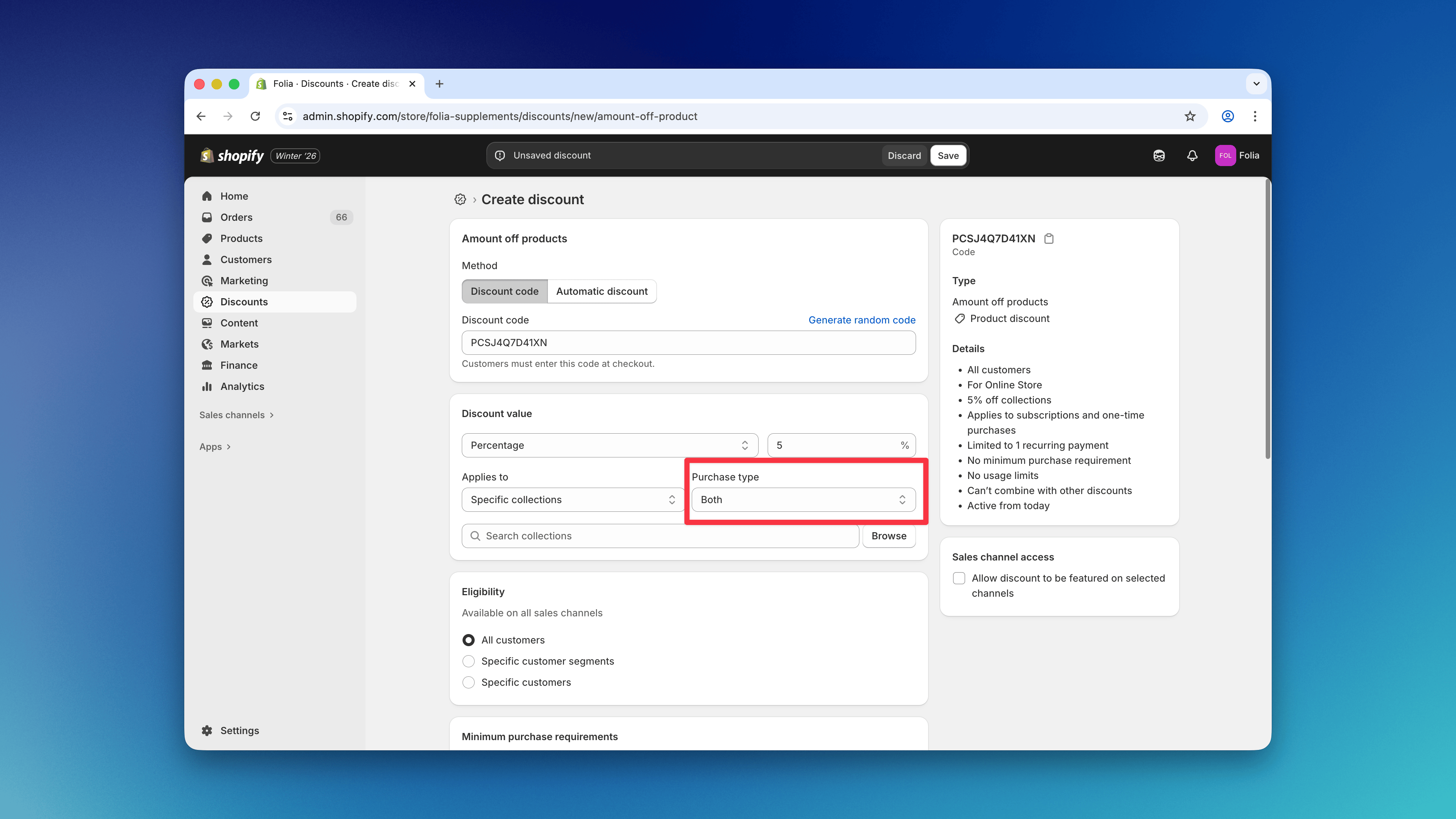
- Amount off products: Automatic & Discount Code
- Amount off orders: Automatic & Discount Code
Promotions for One-time Purchases
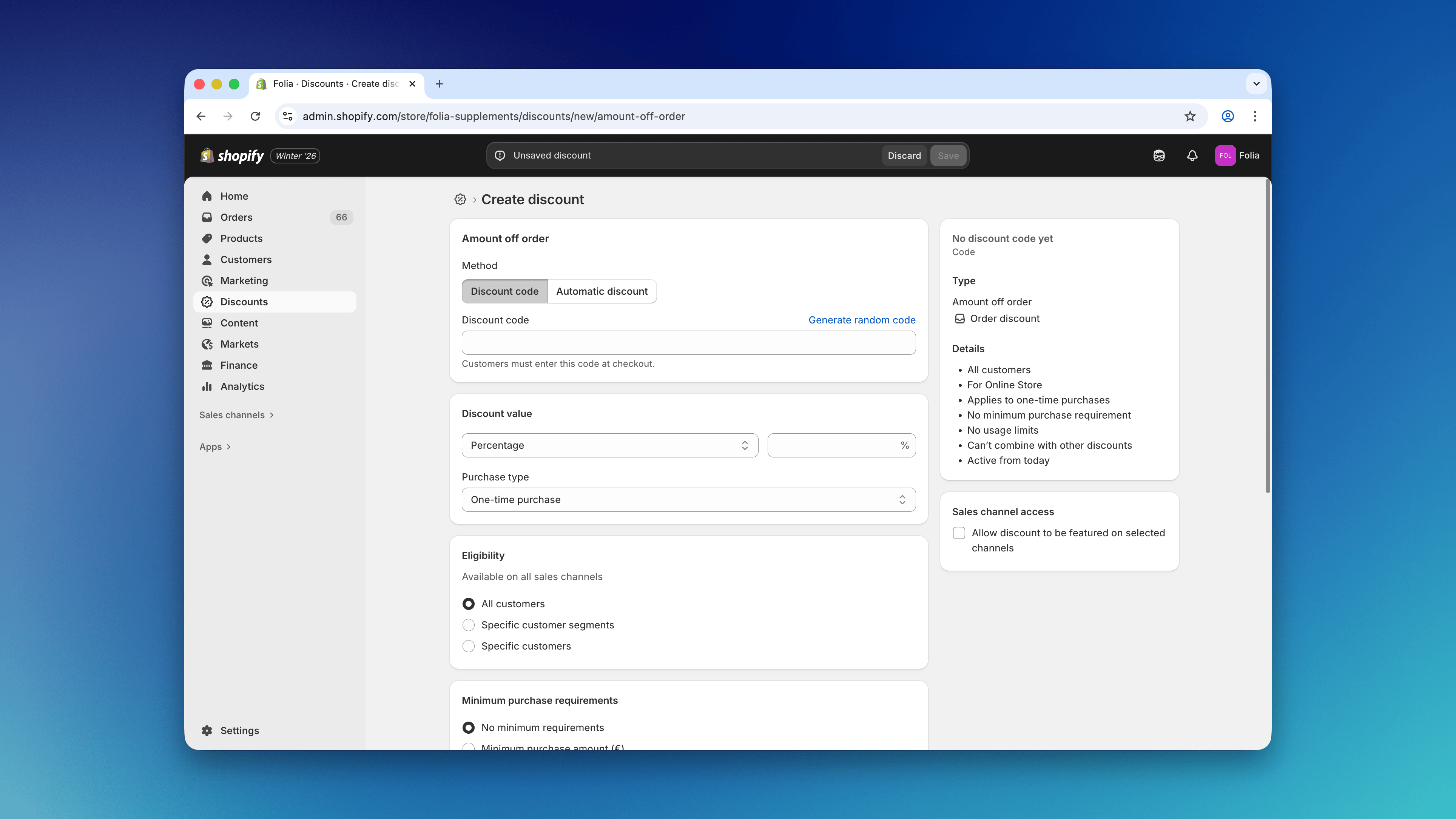
Most merchants offer their best price for subscriptions, and when running a campaign, they prefer only to offer checkout discounts to one-time purchase customers. With this discount type, subscriptions remain at their current price point, and only customers checking out with one-time products get a discount. This type of campaign can be configured with the Purchase type “One-time purchase” on the Shopify discount configuration page. Shopify treats Firmhouse’s local-payment selling plans as one-time purchases, so this setting alone does not exclude iDEAL | Wero/Bancontact subscriptions. To prevent discounts on those subscriptions, enable the Disallow all discounts for subscription products checkout rule. Despite its name, this rule targets Firmhouse’s local-payment selling plans. It blocks checkout when one of those subscription lines is discounted, or when a cart-level discount is detected in a cart containing one of those lines. It does not block a discount solely because a native Shopify subscription is in the cart.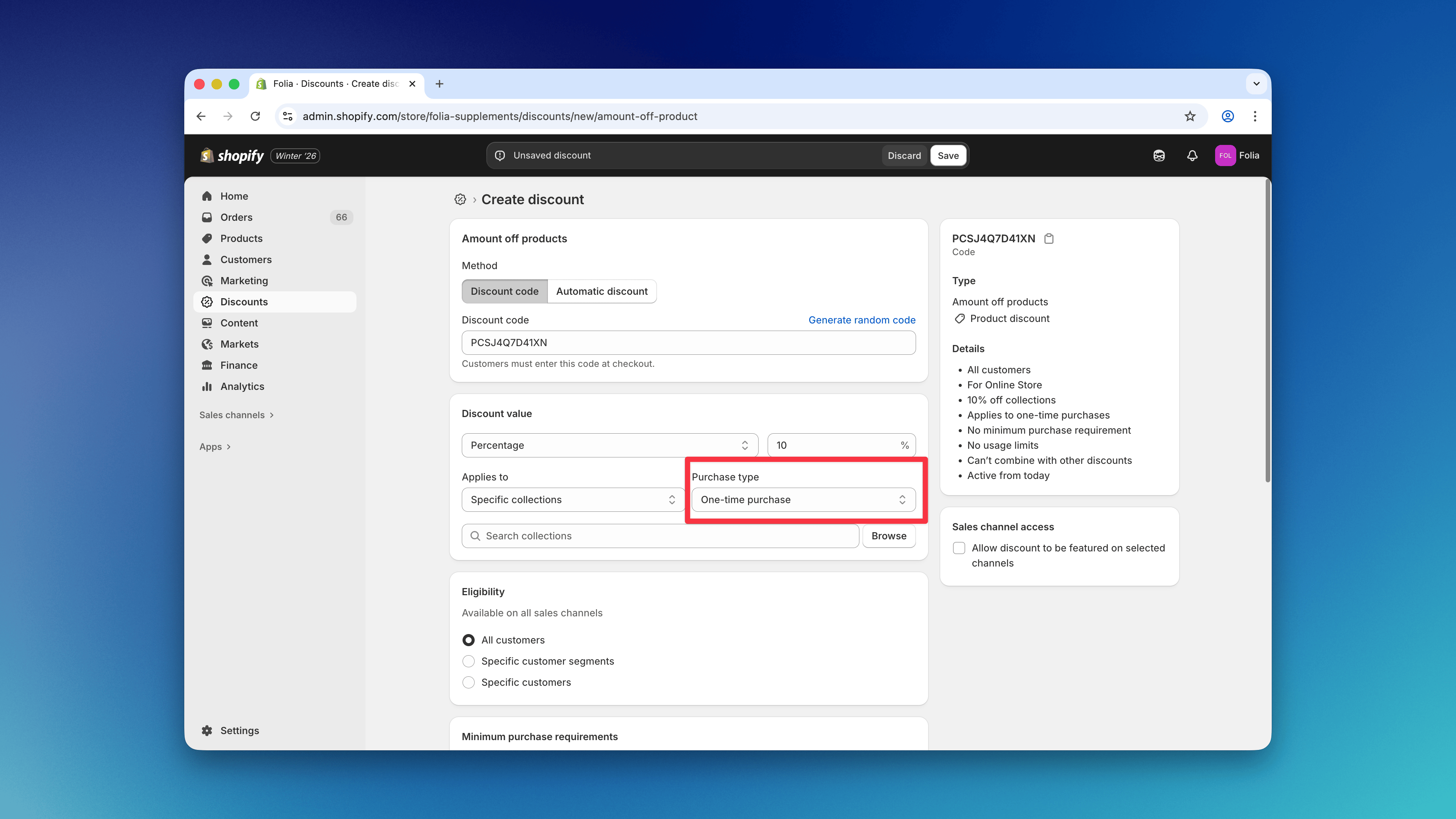
- Amount off products: Automatic & Discount Code
Warning: If another campaign discounts a local-payment subscription line or applies a cart-level discount, the checkout rule can prevent the customer from completing checkout. Review active campaigns and their Shopify discount combination settings, and test mixed carts containing subscriptions and one-time products.
Promotions for CC/PayPal Subscriptions
Shopify’s native Subscription purchase type targets native Shopify subscriptions, such as CC/PayPal subscriptions. It does not target Firmhouse’s local-payment selling plans. This type of campaign can be configured with the Purchase type “Subscription” on the Shopify discount configuration page.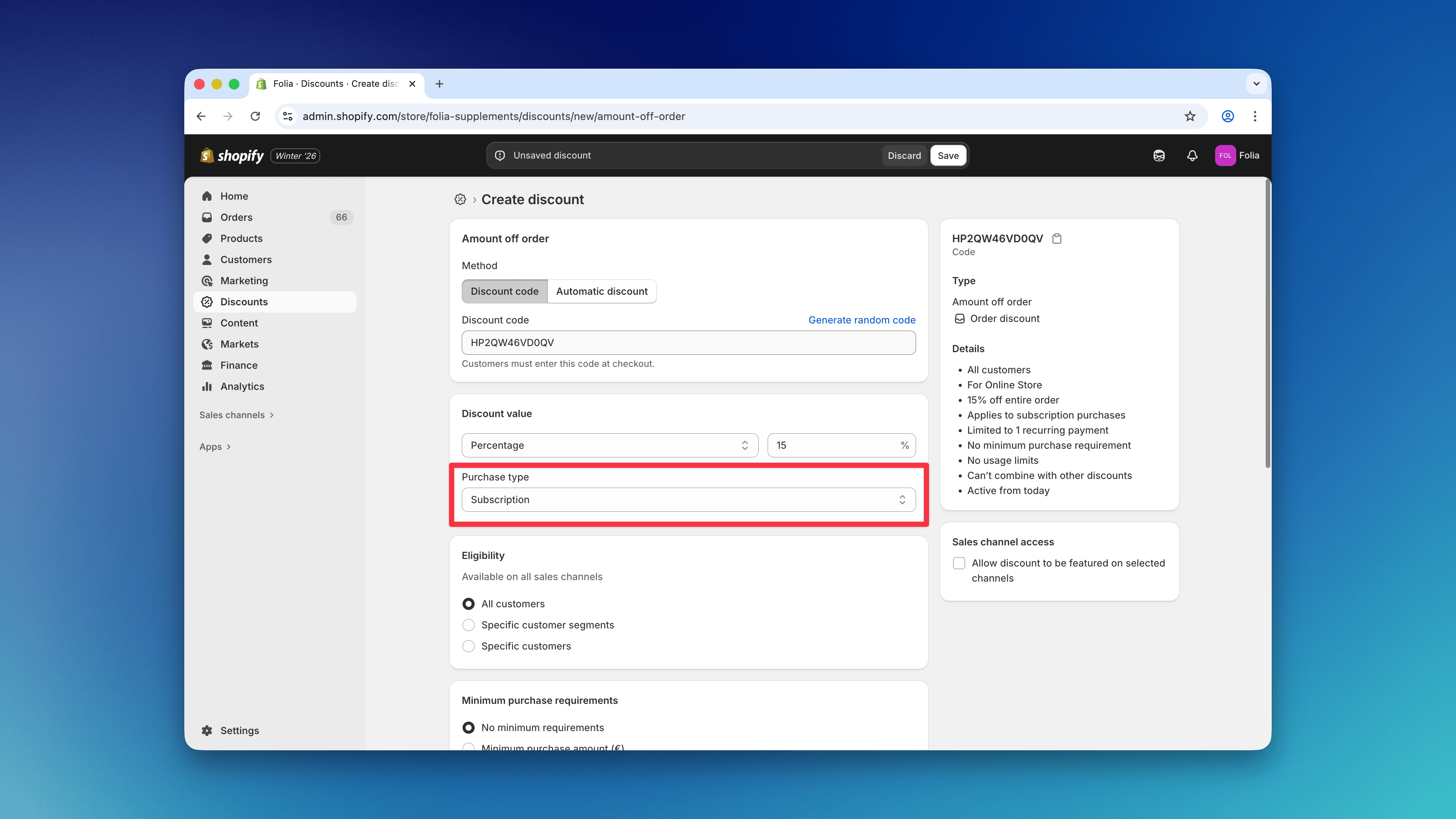
- Amount off products: Automatic & Discount Code
- Amount off orders: Automatic & Discount Code
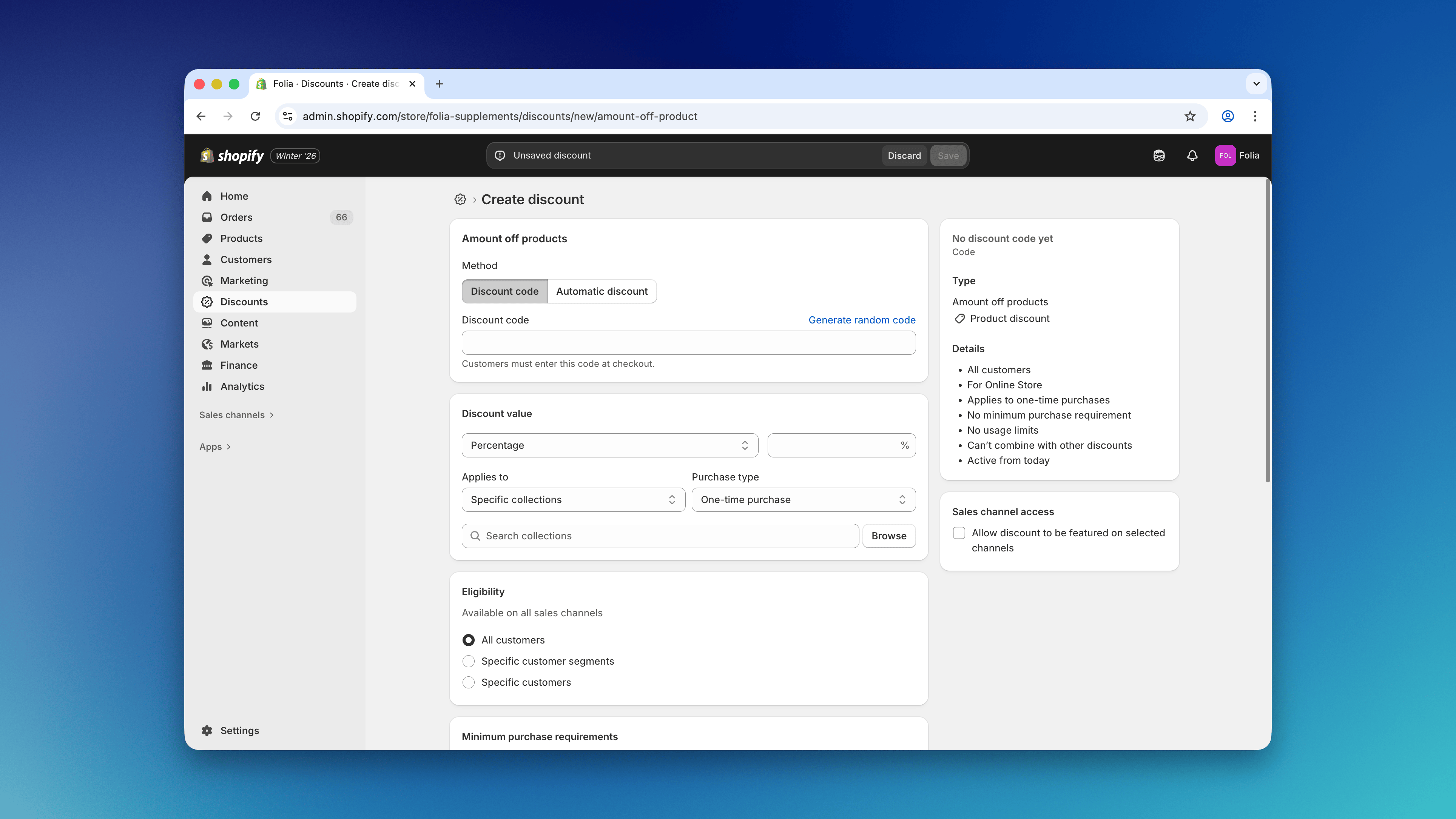
Note: A campaign configured with Shopify’s Subscription purchase type will not discount iDEAL | Wero/Bancontact subscriptions. If your campaign should cover both checkout types, use a promotion that targets both selling-plan types, as described below.
Promotions for All Subscriptions (CC/PayPal and iDEAL | Wero/Bancontact)
Firmhouse’s tiered discounts can target subscription products with either native Shopify or local-payment selling plans. You can offer these discounts automatically or through a Firmhouse discount code synced to Shopify. Eligible discounts are also applied to the Firmhouse subscription, and the tier is recalculated when subscription quantities change.Preview feature: Tiered discounts must be enabled by the Firmhouse team on your project. Contact us to set them up.Tiered discounts can also include one-time purchase gifts. Customers must have the eligible gift products in their cart; configuring a discount does not add the products automatically. Third-party apps that target selling plans are another option for checkout promotions. Check whether their discounts carry over to recurring orders, and test both subscription checkout types before launching the campaign. Do not enable the discount-blocking checkout rule if you want to allow discounts on local-payment subscription products.