Understanding tags and metafields
Tags and metafields are used to provide information about how a product should appear in Firmhouse. They can be used both for creating new products as well as for updating existing products.Tags
In Shopify, tags are used to categorize a variety of objects. In this article we’ll focus only on product tags but you can read about other uses in Shopify’s article on Creating and using tags in Shopify. Most tags are valid only for specific project types (Plan-based or Smart order-based).Tags for Plan-based projects
The following tags work with Plan-based projects:FIRMHOUSE_ONE_TIME- creates a one-time sale product in FirmhouseFIRMHOUSE_SUBSCRIPTION- creates a monthly/recurring product in Firmhouse
Tags for Smart-order-based projects
The following tags work with Smart order-based projects:FIRMHOUSE_SHIPMENT_ONE_TIME- creates a product that will be shipped only onceFIRMHOUSE_SHIPMENT_INTERVAL_<number>_<UNITS>- creates a recurring product that will be shipped according to the specified interval (note that the<UNITS>part is plural and capitalized, e.g.,1_WEEKS)FIRMHOUSE_SHIPMENT_ON_BILLING_CYCLE- creates a recurring product that aligns with the subscriber’s unified shipment schedule (only relevant for setups where all recurring products are shipped together)
Tags for both project types
The following tags can be applied to both project types:FIRMHOUSE_SUBSCRIPTION_DISCOUNT_<number>- applies a discount percentage to products with recurring shipping created viaFIRMHOUSE_SHIPMENT_INTERVALor theshipmentmetafield (products with one-time shipping will not be affected)FIRMHOUSE_SHOPIFY_PRICE_FOR_ONE_TIME- the price of the product or variant in Shopify will be used for one-time products, overriding thesubscription_pricemetafield (use this tag together with the metafield to set different prices for one-time and recurring products)
Tips for using tags
If a tag is applied to a Shopify product with multiple variants, the setting will be applied to all variants (can be overridden by variant metafields). If multiple tags for shipment or billing are applied to a Shopify product, this will create multiple Firmhouse products. For example, adding bothFIRMHOUSE_SHIPMENT_ONE_TIME and FIRMHOUSE_SHIPMENT_INTERVAL_1_MONTHS to a product will create a one-time product and a recurring product. If the Shopify product has variants, two Firmhouse products will be created for each variant.
Metafields
Just like tags, metafields can be added to many kinds of objects. In this article we’ll focus on product and variant metafields. You can read about other uses in Shopify’s article on Metafields. First, learn how to create custom metafield definitions. All metafields used by Firmhouse use thefirmhouse namespace. After you create a metafield, it will be “pinned” by default, meaning it will be visible in products and variants and you can directly set a value for it.
The following metafields are available:
Note that the
<units> part in metafields is plural and not capitalized (e.g., 1_weeks).
Tips for using metafields
Metafields can be applied to both products and variants. If the same metafield is applied to a product and a variant at the same time, the value of the variant metafield will take priority. Metafields override tags. If you add aFIRMHOUSE_SUBSCRIPTION_DISCOUNT tag and a subscription_discount metafield simultaneously, the metafield will take priority. There’s one exception to this: FIRMHOUSE_SHOPIFY_PRICE_FOR_ONE_TIME overrides metafields.
Do not use tags and metafields that set product schedules simultaneously. This can lead to new products being created every time you sync. For example, if you have a Smart order-based project and you add the tag FIRMHOUSE_SHIPMENT_1_WEEKS and the metafield shipment with value 2_months, every time you sync a new Firmhouse product will be created because metafields take priority.
Performing a product import or sync
Steps
- In your Firmhouse project, go to Apps.
- Click Configure on the Shopify app.
- Click on the Product sync tab.
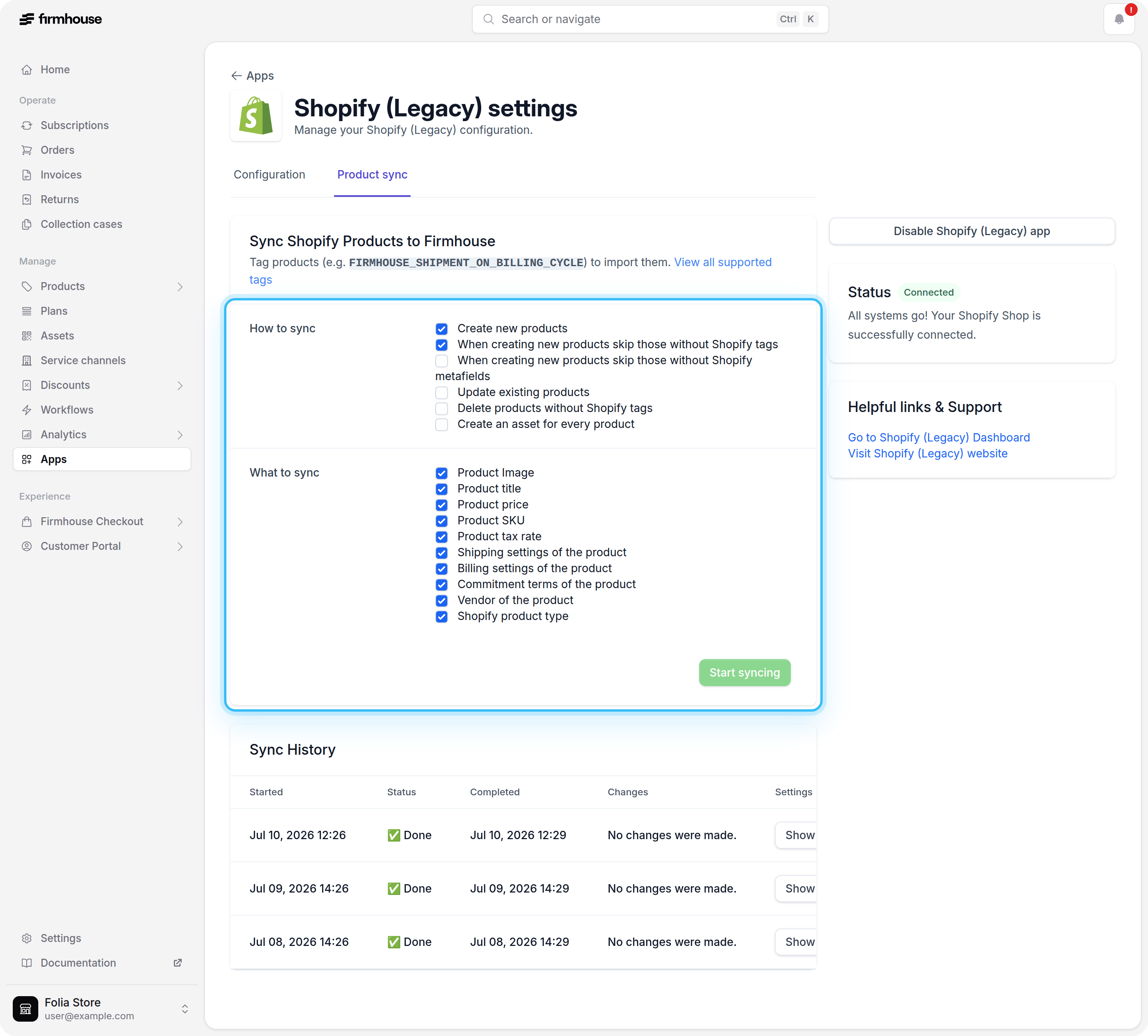
- Under Sync settings, select the desired options in the How to sync and What to sync sections.
- Click on Start syncing.
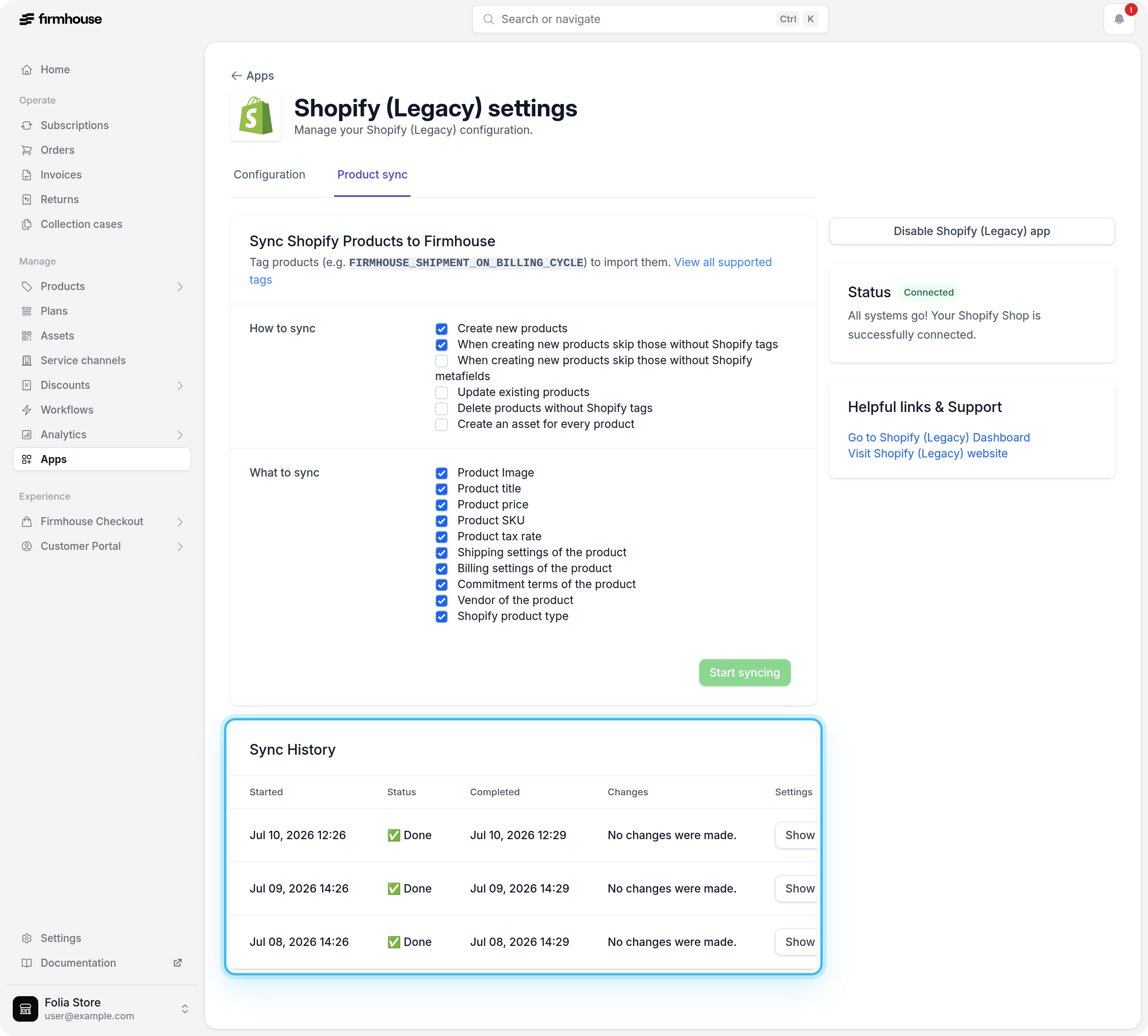
- A summary of the sync will be shown in the Sync History below. Here, you can view the changes and settings for a specific synchronization.
Sync settings
The following sync settings are available: