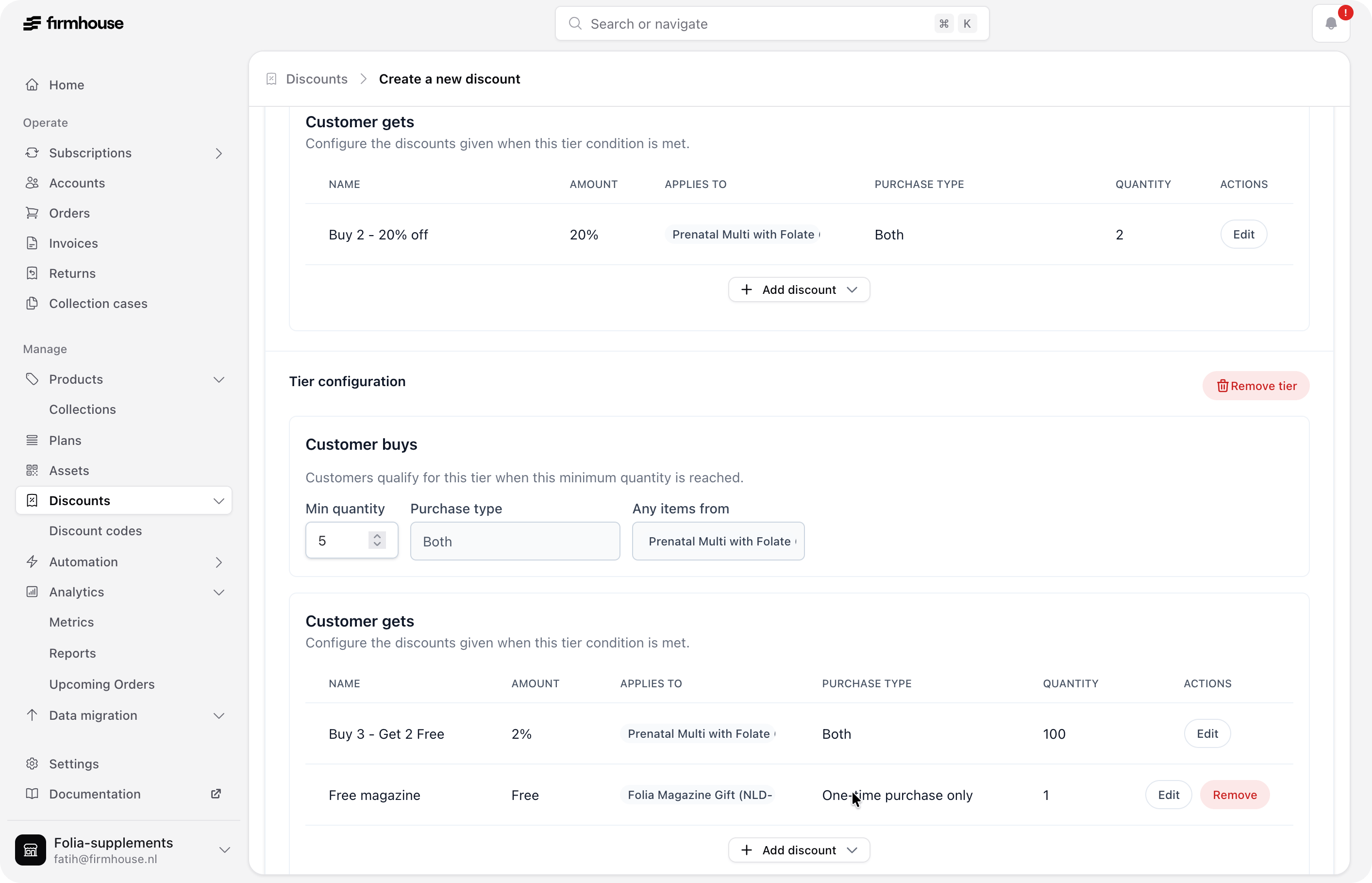
- Bar 1: Receive 2 units with 20% off both units.
- Bar 2: Receive 5 units: pay full price for 3, get 2 free, and receive one free one-time purchase gift.
- Bar 1: In Kaching, buy 1 at 20% off and get 1 at 20% off. In Firmhouse, set the minimum quantity to 2 and apply 20% off to quantity 2.
- Bar 2: In Kaching, buy 3 at full price, get 2 at 100% off, and add one gift. In Firmhouse, set the minimum quantity to 5, apply 100% off to quantity 2, and add one one-time purchase gift.
Configure the offer in Kaching
- In Kaching Bundles, create a bundle and select Buy X, get Y (BXGY) as the discount type.
- Under Products, choose Selected products and select the single product for this offer.
- Add two bars.
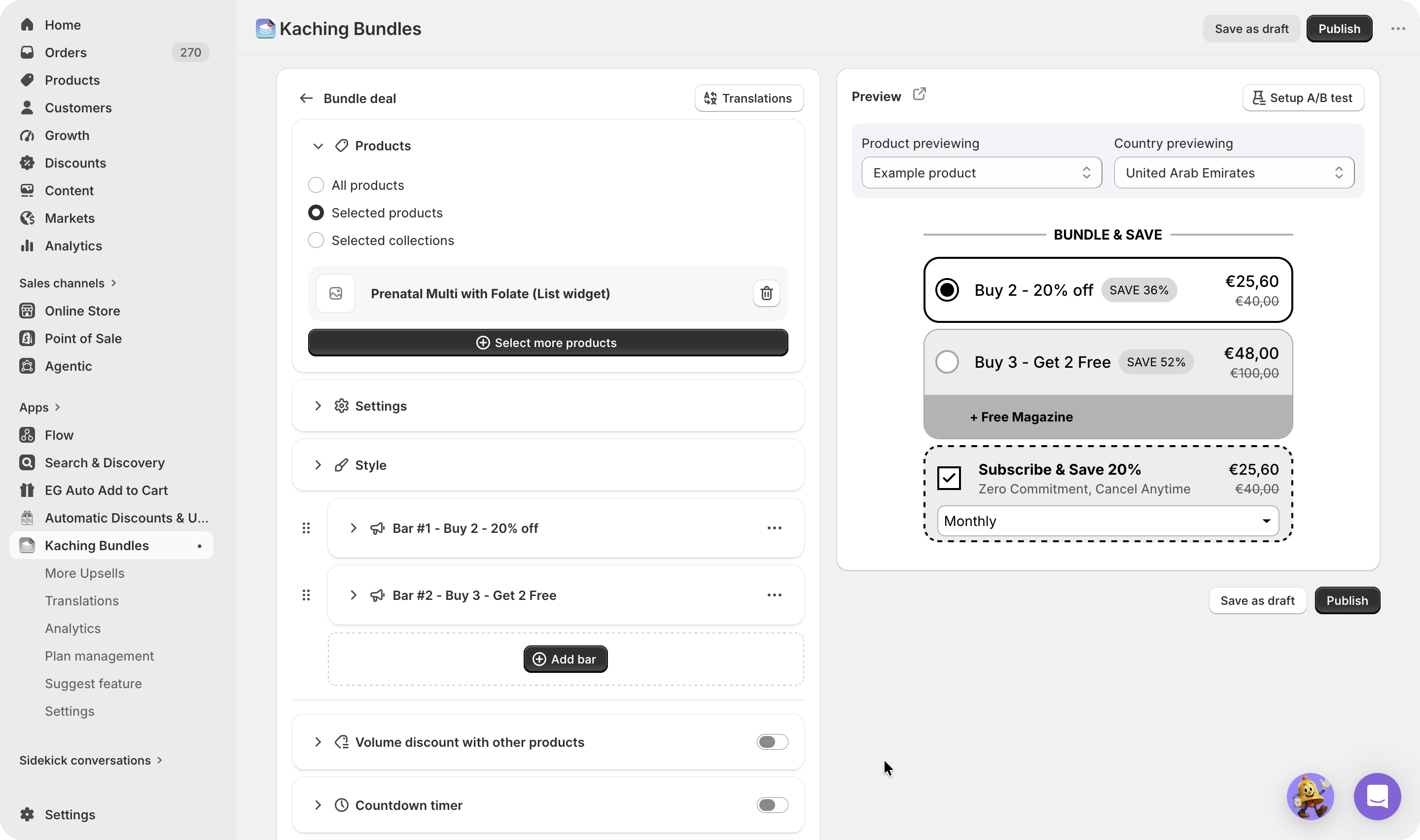
Configure Kaching Bar 1
Configure the first bar as follows:- Buy:
1 - Buy price: Percentage off
- Buy discount per item:
20% - Get:
1 - Get price: Percentage off
- Get discount per item:
20%
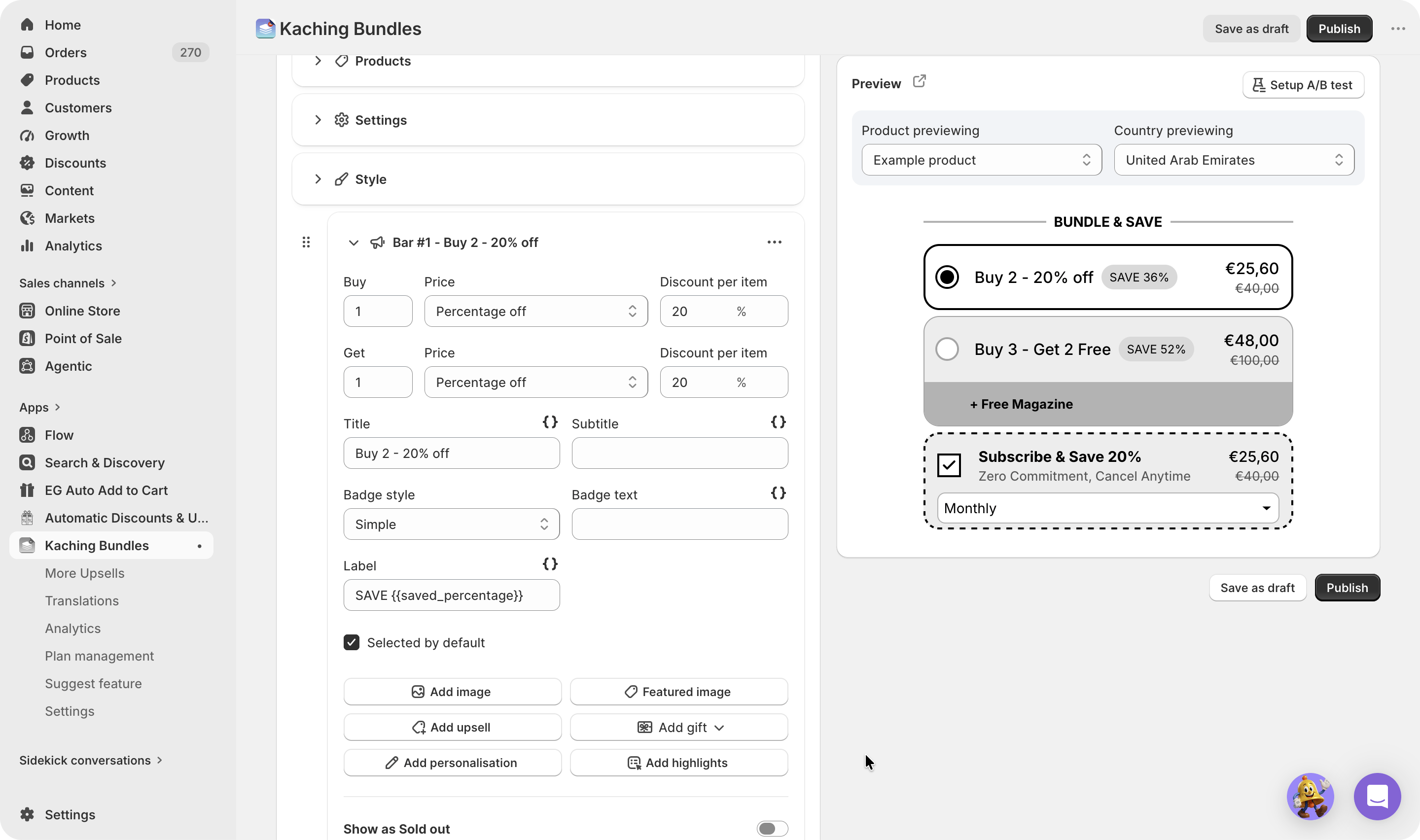
Configure Bar 2: buy 3 and get 2 free plus a gift
Configure the second bar as follows:- Buy:
3 - Buy price: Full price
- Get:
2 - Get price: Percentage off
- Get discount per item:
100% - Gift: Add the one-time purchase gift product
Create the matching discount in Firmhouse
Tiered discounts are a preview feature that must be enabled by the Firmhouse team for your project. If you do not see Enable discount tiers, contact Firmhouse before continuing. See Tiered discounts for multiple products for more information. In Firmhouse, go to Discounts and create a discount with these settings:- Enter an internal discount name.
- Enable Enable discount tiers.
- Set Limit discount per customer to to Unlimited.
- Set Discount type to Automatic.
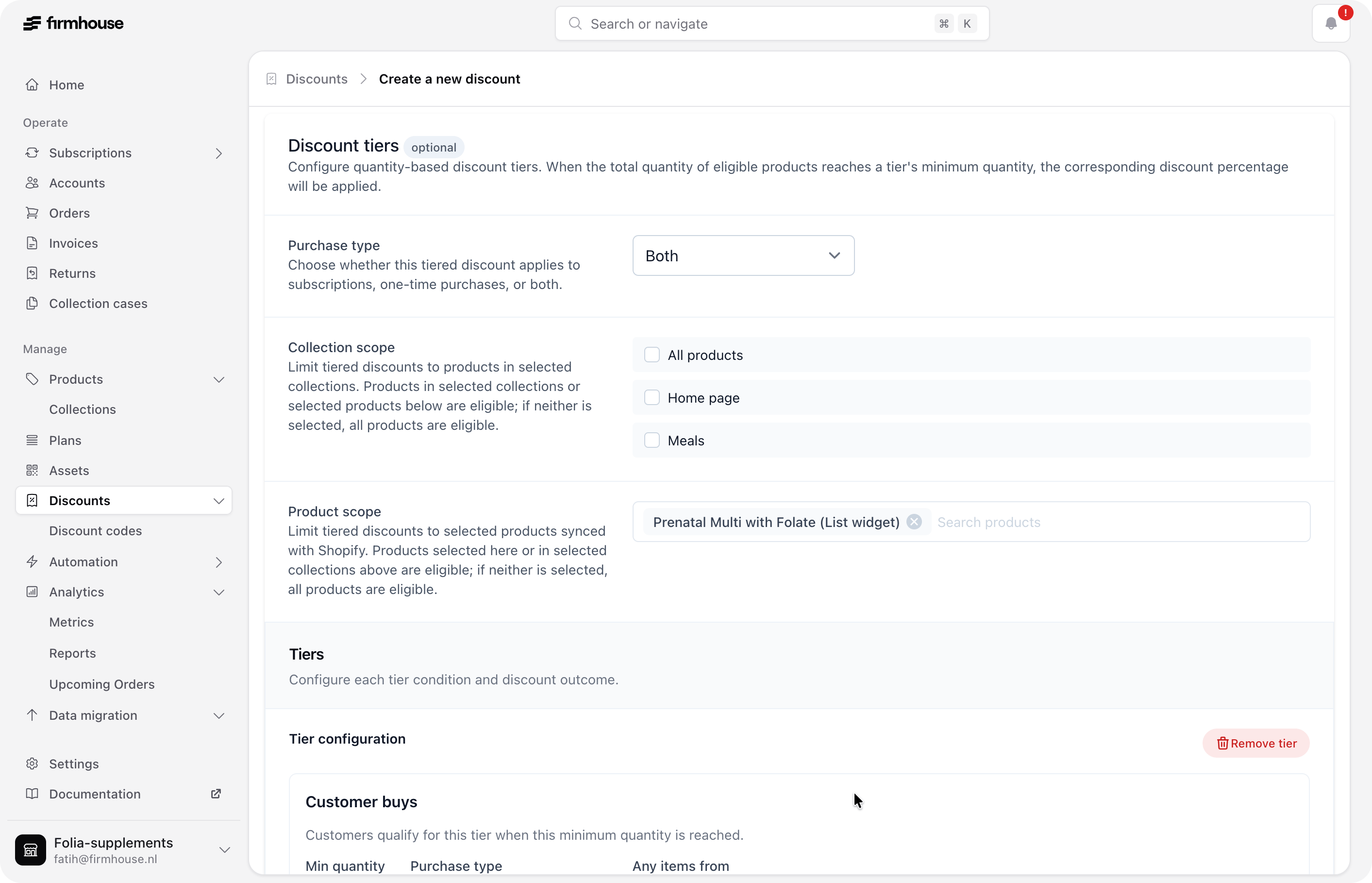
- Set Purchase type to Both.
- Under Product scope, select the same single product used in Kaching.
- Set the tiers’ Discount type to Percentage for this example. For a Kaching fixed-amount offer, use Amount off each and match the per-item amount, currency, and rewarded quantity; see Use Kaching Bundles with Firmhouse.
- Add two tiers.
Configure the Firmhouse tier for Bar 1
Configure the first tier as follows:- Minimum quantity:
2 - Under Customer gets, add a
20%discount. - Apply it to the same product.
- Set the discounted quantity to
2.
Configure the Firmhouse tier for Bar 2
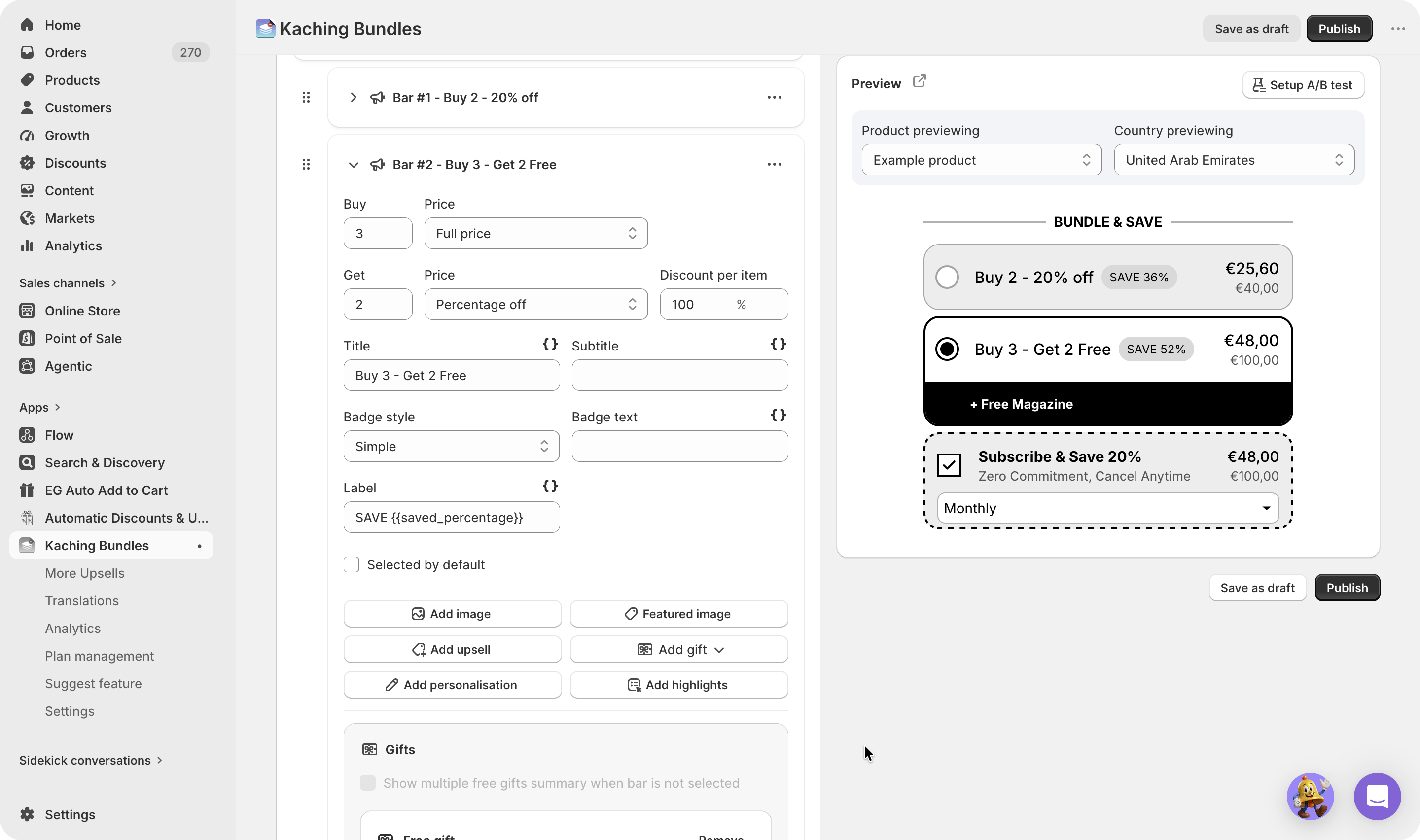
Configure the second tier as follows:- Minimum quantity:
5 - Under Customer gets, add a
100%discount. - Apply it to the same product.
- Set the discounted quantity to
2. - Add the free gift as a one-time purchase gift with quantity
1.