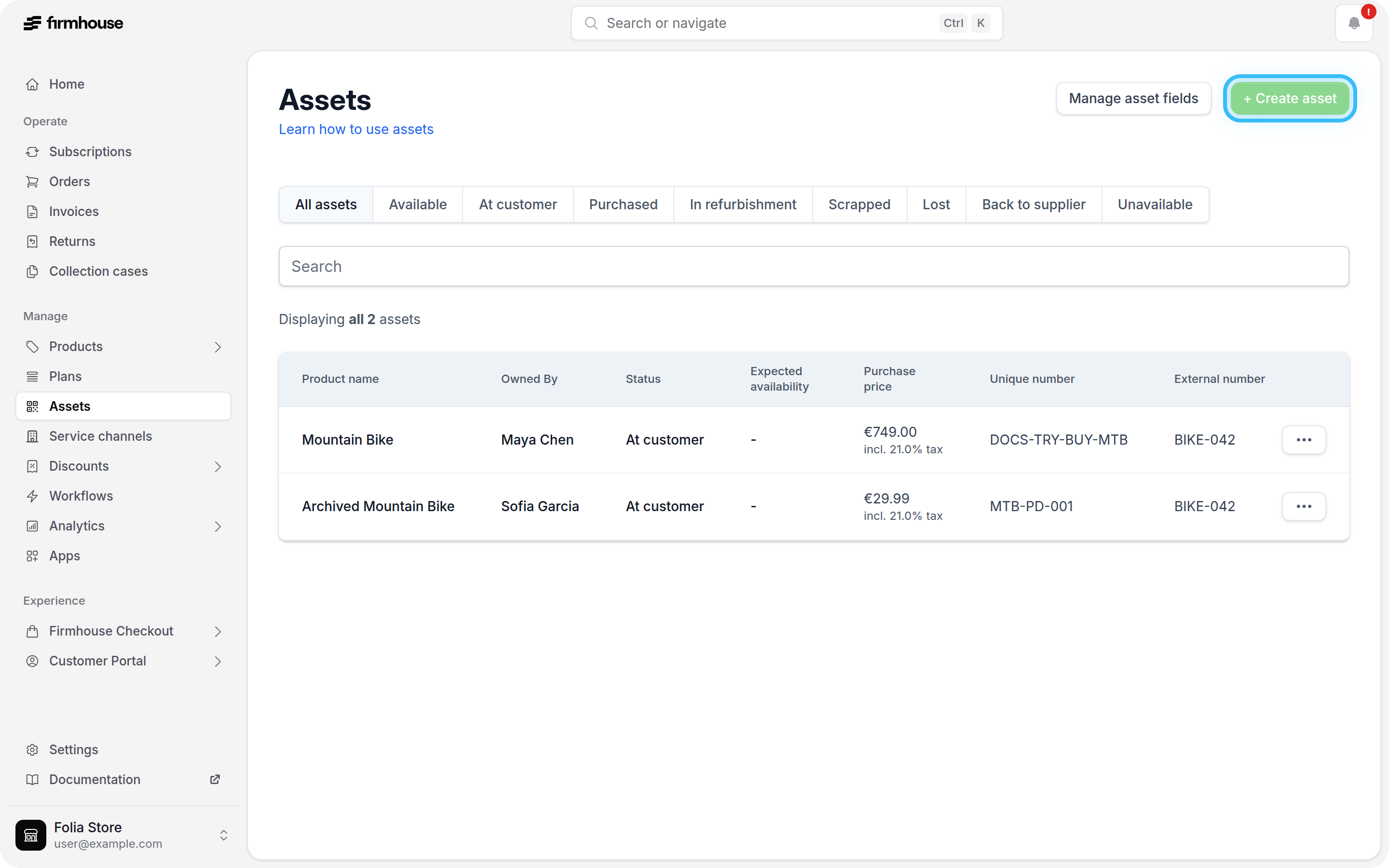
Adding an asset
Steps
- In your Firmhouse project, go to Assets in the sidebar
- From the Assets overview, click New asset
- Choose the product, and specify an internal number, an external number, and any additional details
- Click Create
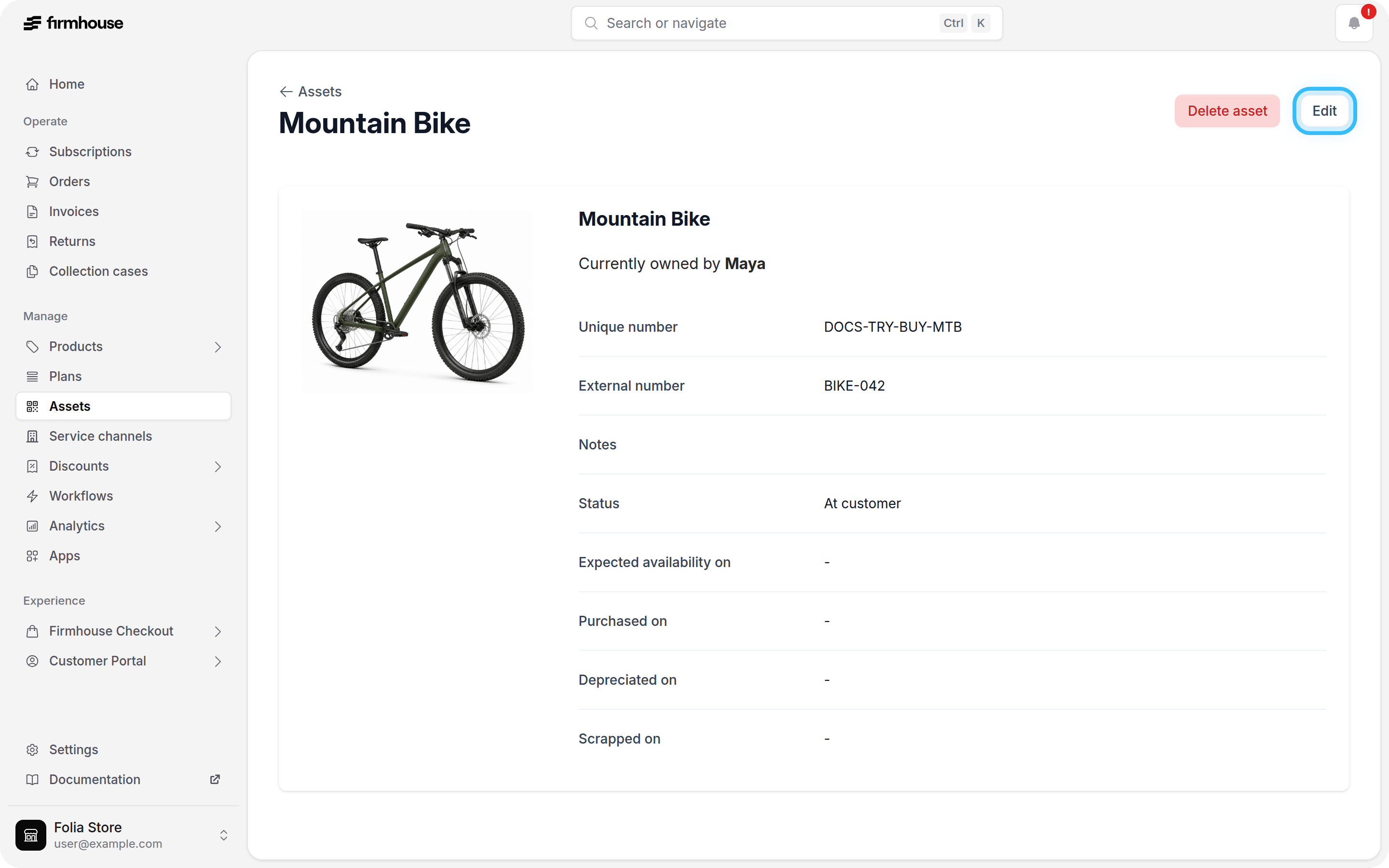
Edit an asset
After you’ve created assets, you can edit them to change any information about them.Steps
- In your Firmhouse project, go to Assets in the sidebar
- Click the row of the asset you would like to edit
- On the asset detail page, click Edit in the top right
- Modify any information on the asset
- Click Update
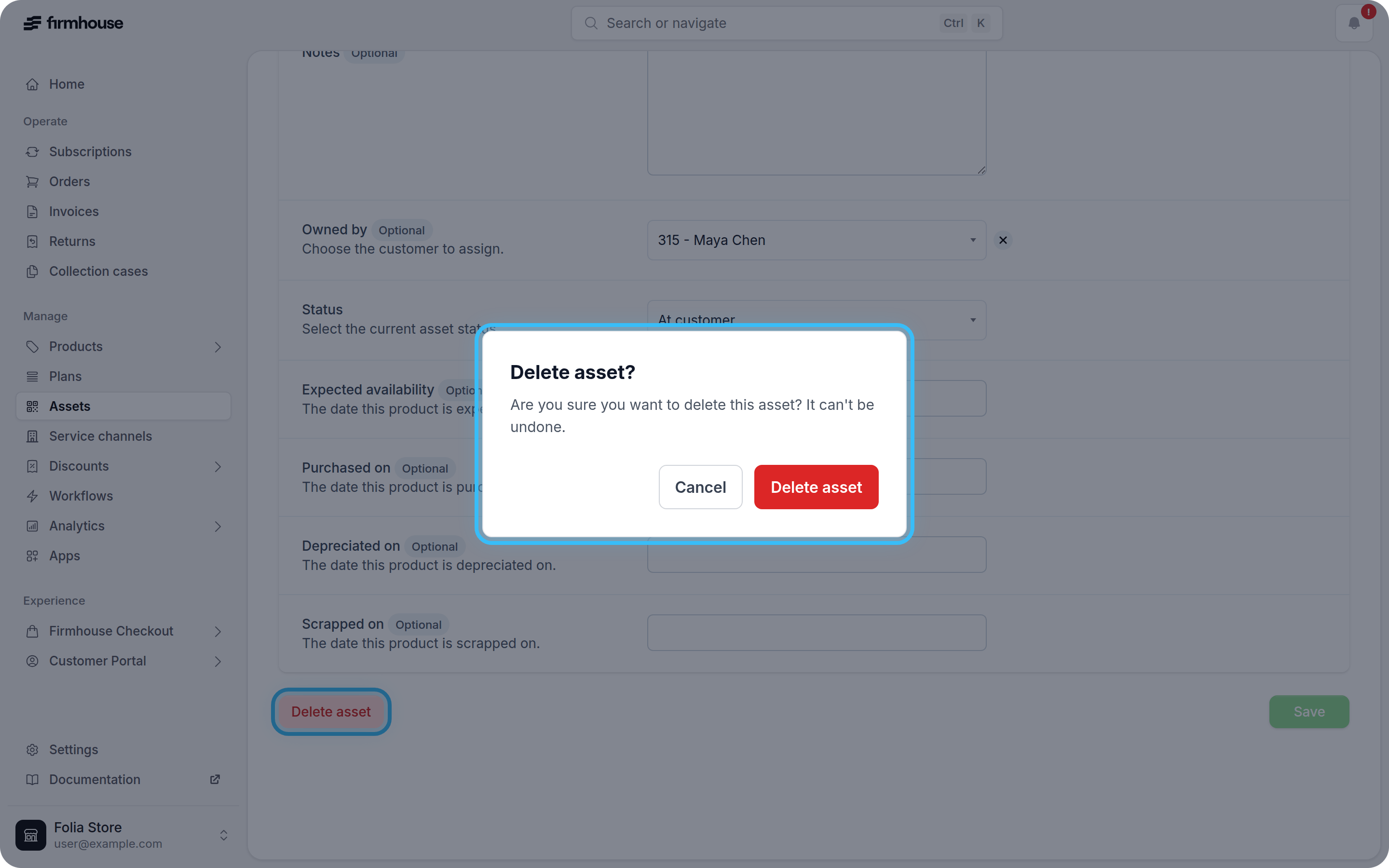
Delete an asset
You can delete assets from your project. When you delete an asset, it’s permanently removed from your Firmhouse project. Deleted assets can’t be restored. Keep in mind that when you delete an asset, any historic information about the asset is also permanently deleted from any reports or exports.Steps
- In your Firmhouse project, go to Assets in the sidebar
- Click the row of the asset you would like to delete
- On the asset detail page, click Edit in the top right
- Click Delete asset
- Confirm the deletion in the confirmation dialog