

How to Disable Automatic Charging
Steps
- From the Settings section in your Firmhouse project sidebar, go to Payment Dunning.
- Scroll down to the Non-paying status section.
- Under Recurring payments, disable the checkbox to Attempt to charge non-paying customers.
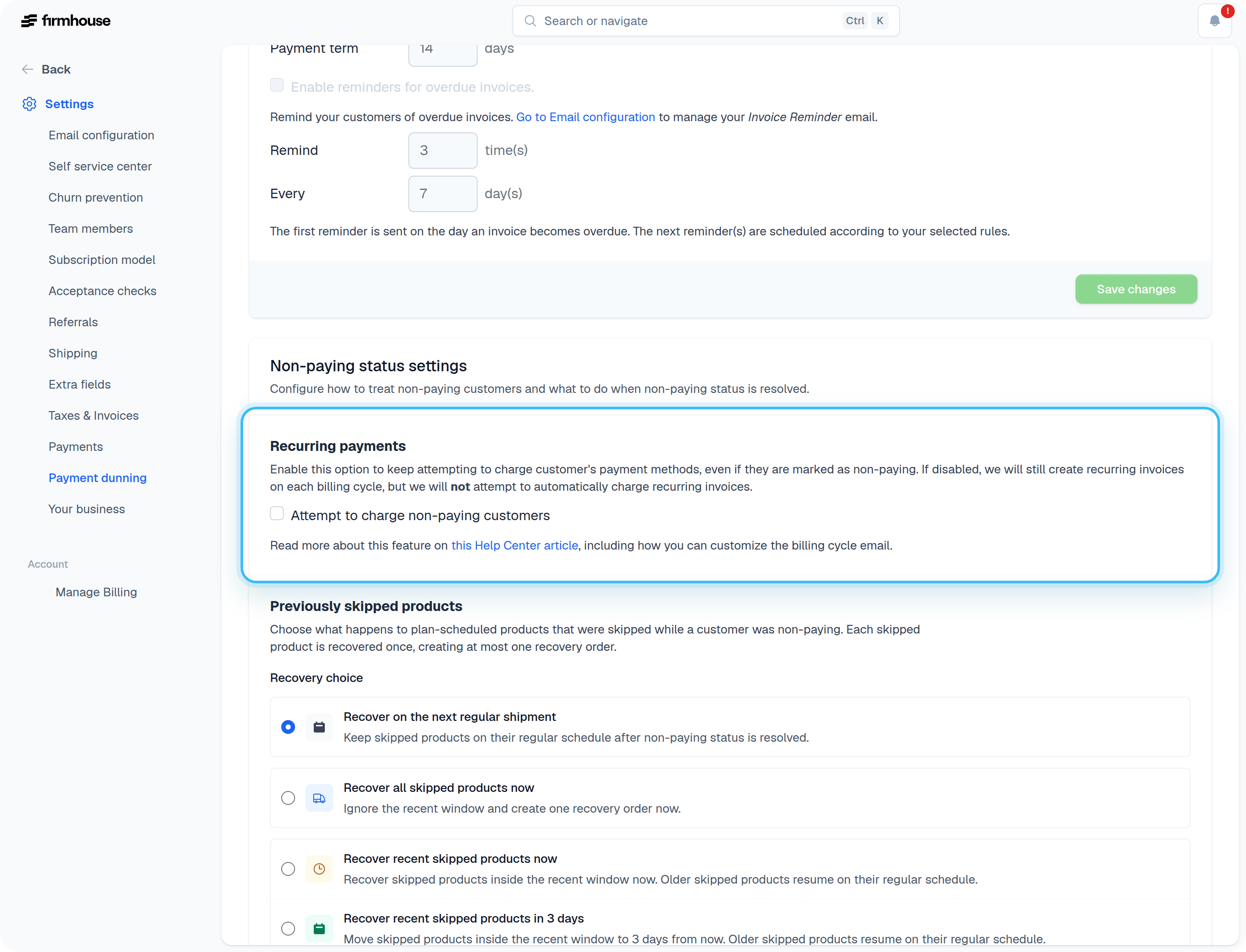
- Click Save changes.
Adding Content to Your Email for Non-Paying Customers
Every billing cycle email will still be generated as normal. However, it might be wise to explicitly inform the customer in the billing cycle email that you will not automatically debit the invoice from the customer’s bank account or card. You can use the{{subscription.marked_as_non_paying?}} Liquid tag to add an additional piece of content to your emails. For instance: