Fully credit a single invoice
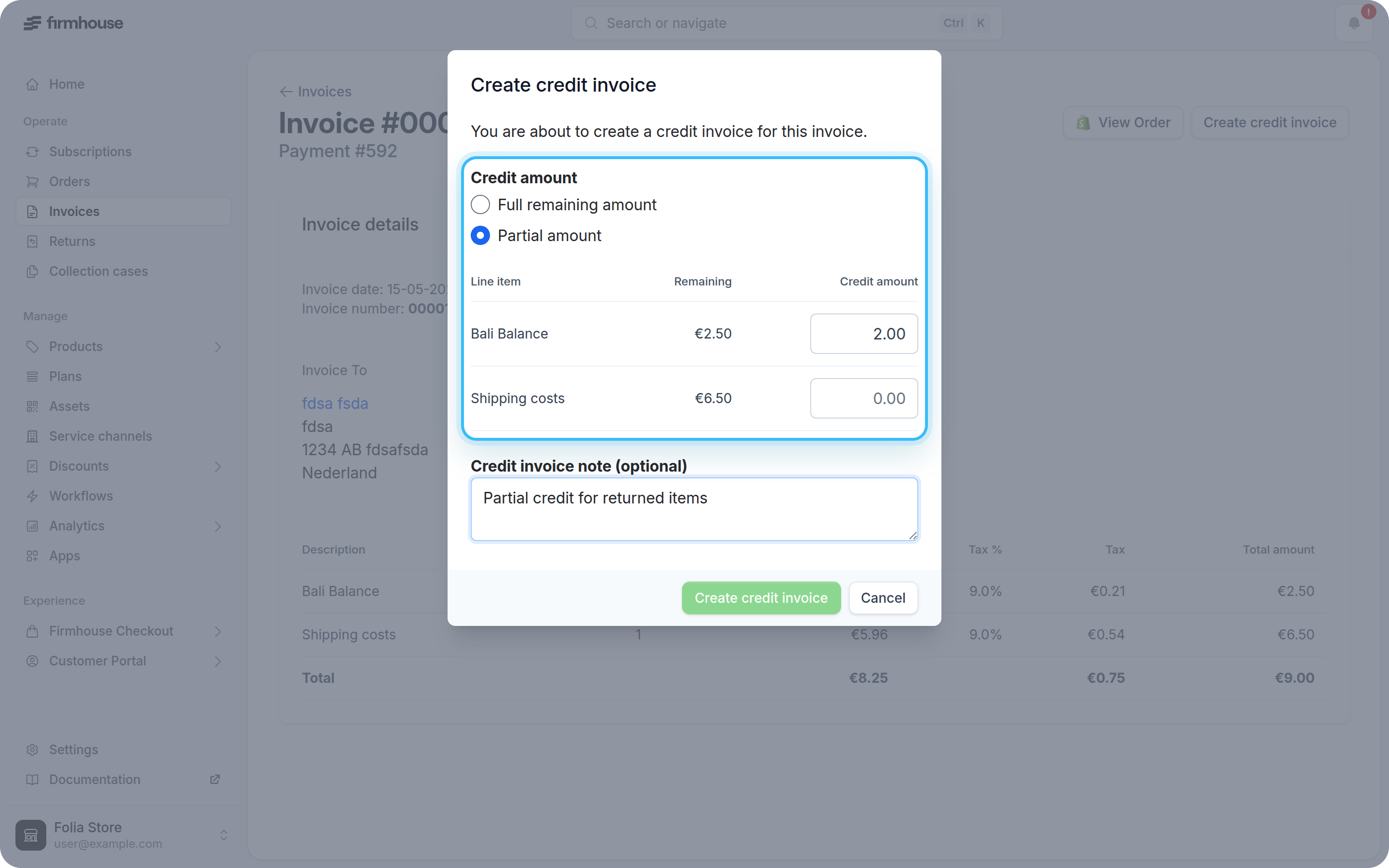
To generate a credit note for the full amount of an invoice, you can do so directly from the invoice detail page.Steps
- Navigate to the invoice you want to credit
- Click the Create credit invoice button in the upper right corner
- Keep Full remaining amount selected
- Optionally add a note and select Create refund if you also want to refund the payment
- Click Create credit invoice
Partially credit an invoice
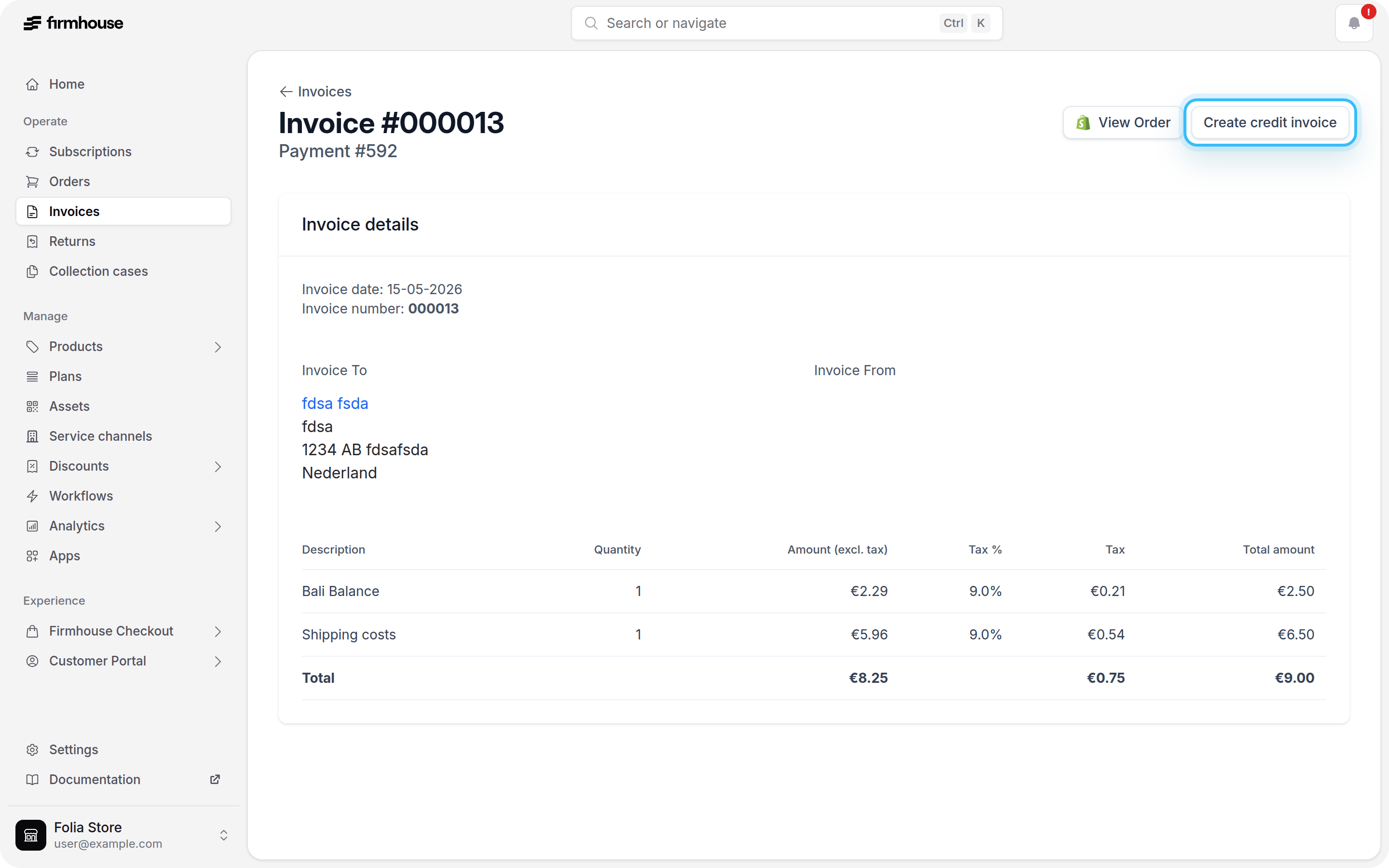
If you only want to credit part of a paid invoice, you can select specific amounts from its line items.Steps
- Navigate to the paid invoice you want to partially credit
- Click Create credit invoice
- Select Partial amount
- Enter the credit amount for each line item you want to credit
- Optionally add a credit invoice note
- Click Create credit invoice