Sometimes you need to charge a customer for something outside of their regular subscription billing. Whether it’s an additional service, a replacement part, or any other ad-hoc charge, you can create a one-off payment directly from the customer’s profile.

How to Charge a One-Off Payment

You can initiate a one-off payment from the Payment History section on any customer’s details page. Payment History section with Manual Payment button
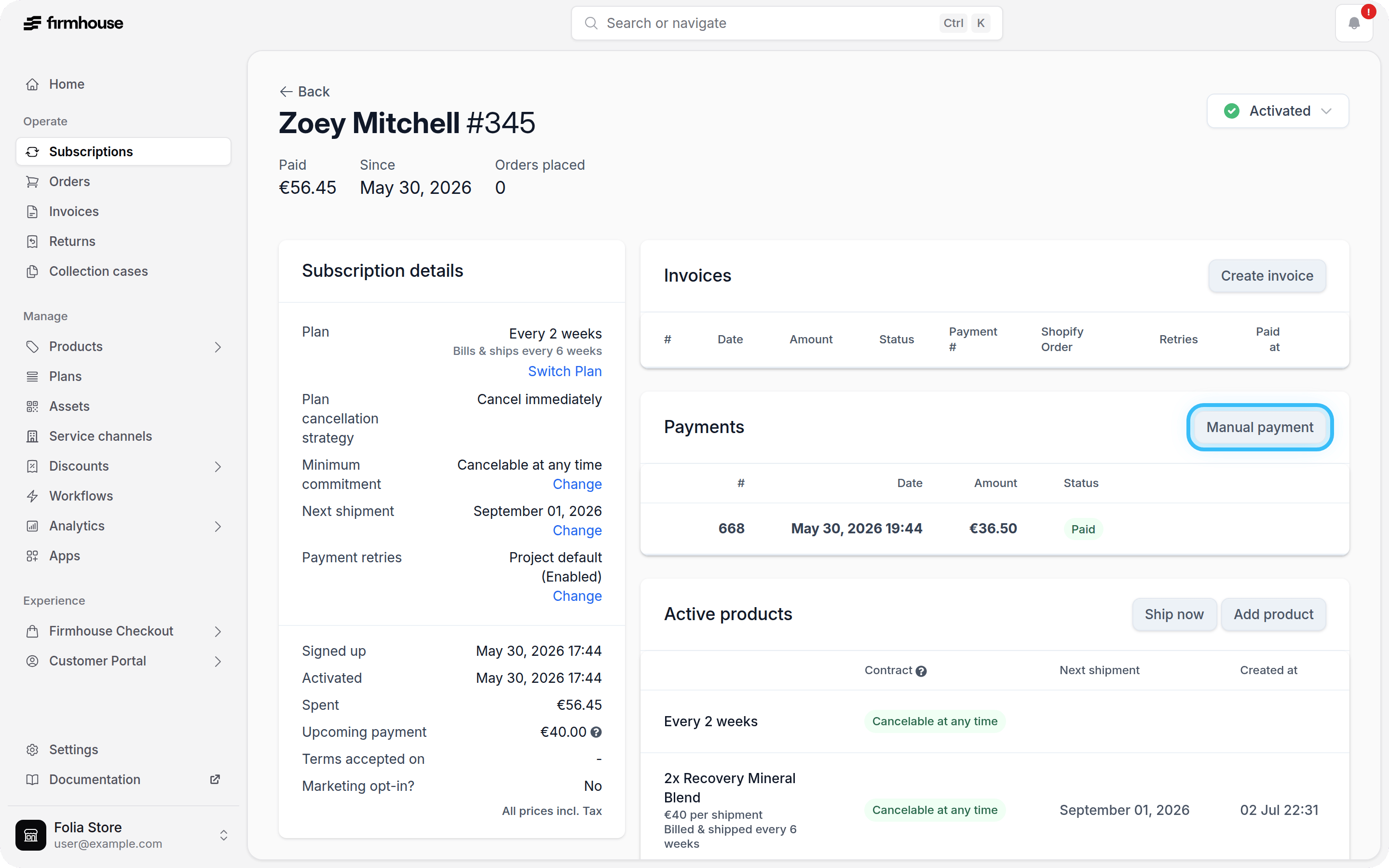
Steps

  1. Navigate to the customer’s details page in Firmhouse Portal.
  2. Scroll down to the Payment History section.
  3. Click the Manual Payment button in the top right corner of the section.
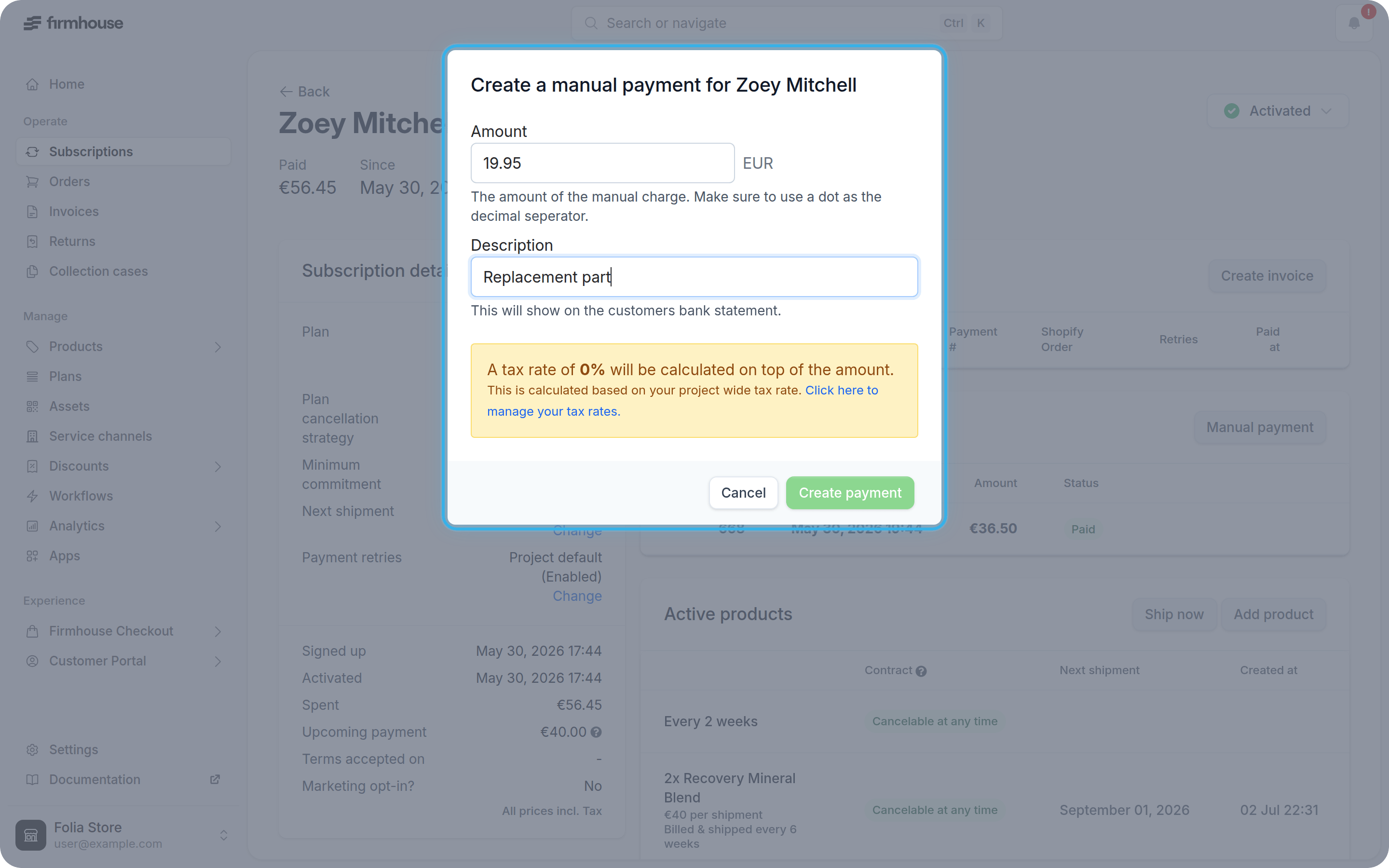
A dialog will appear where you can specify the amount and provide a description for the charge. The description you enter will appear on the customer’s bank statement, so make it clear what the charge is for. One-off payment dialog with amount and description fields

Steps

  1. Enter the amount you want to charge in the Amount field.
  2. Add a description that explains what the charge is for (this will appear on the customer’s bank statement).
  3. Click Create to process the one-off payment.
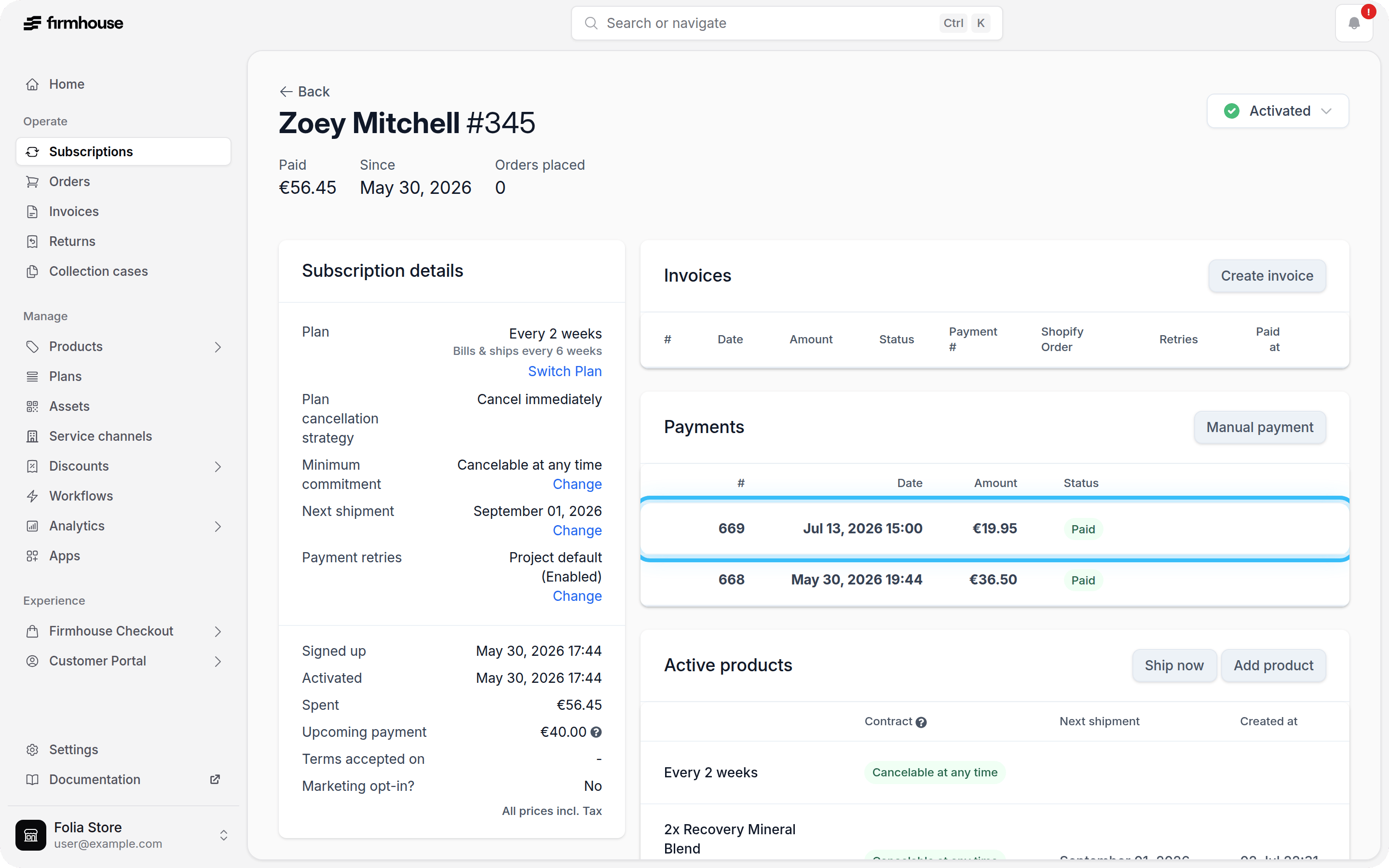
Once created, the one-off payment will appear in the customer’s payment history alongside their regular subscription payments. Payment History showing the one-off payment