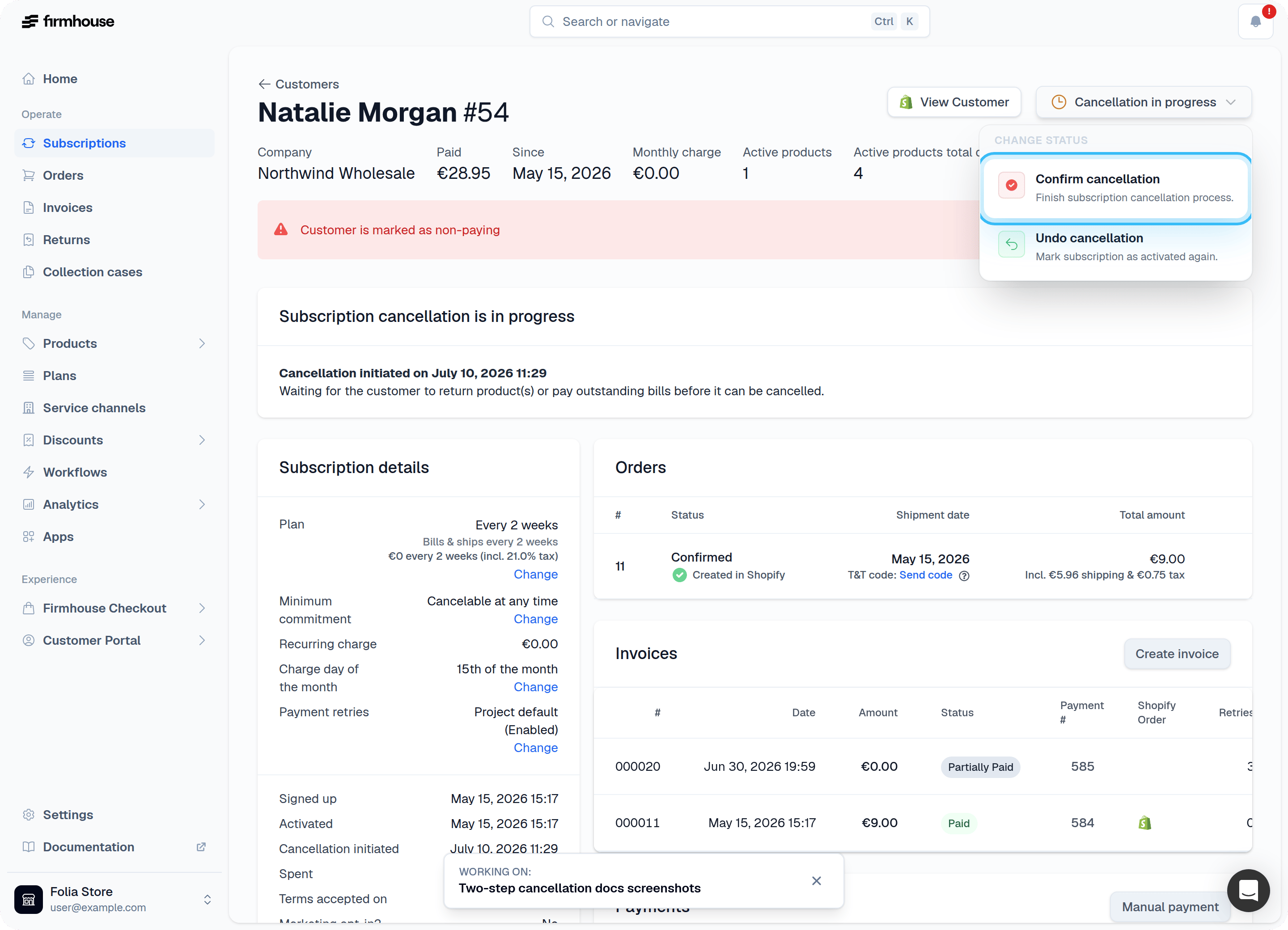
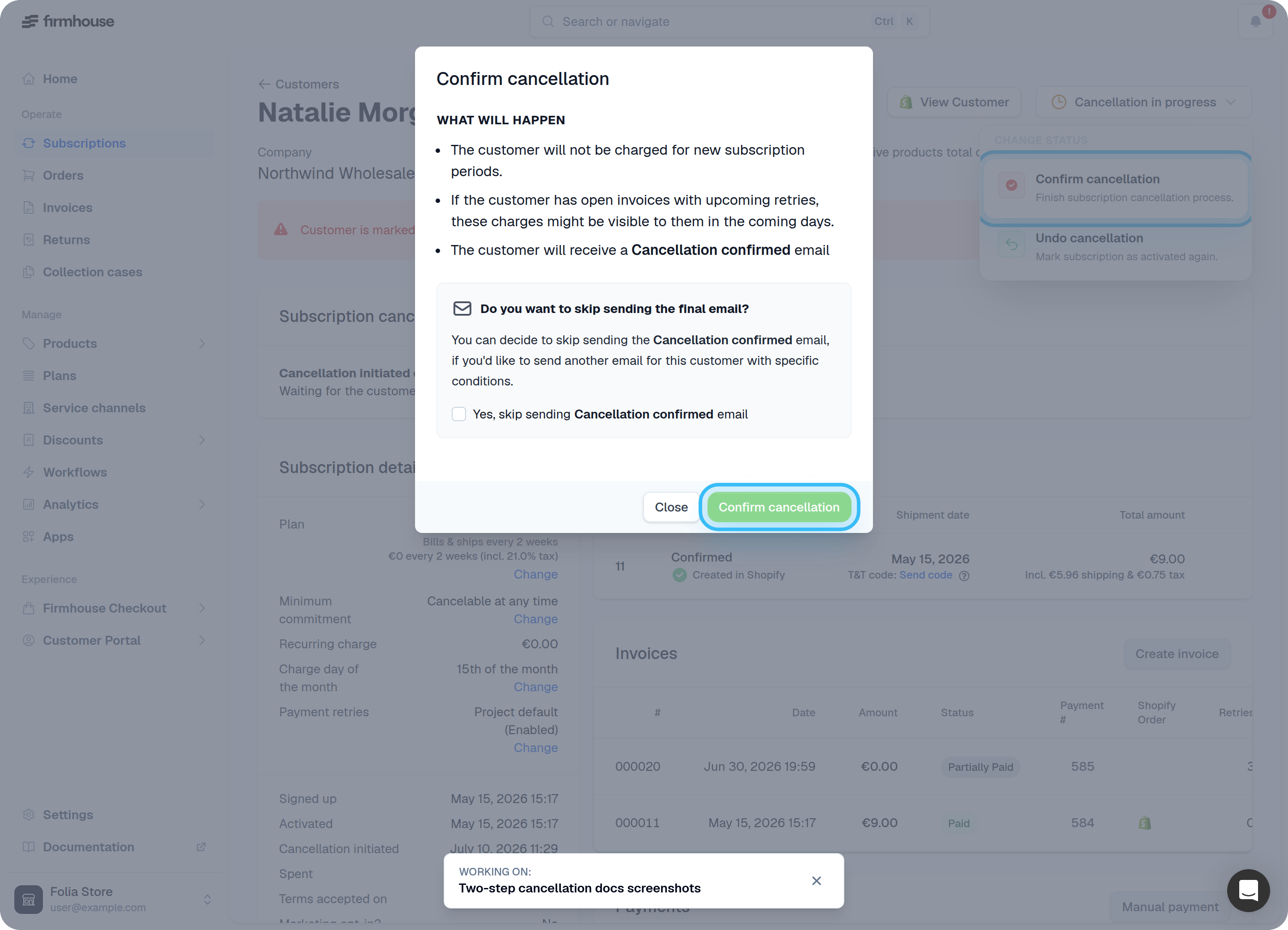
Note: The two-step cancellation flow is only available for projects with a rental product proposition. It is overridden by Cancellation Strategy.When a customer wants to cancel their subscription, you want to make sure they return all products and pay any outstanding bills. You can use Firmhouse to add an additional step to the cancellation flow that allows you to keep track of customers with pending cancellations. This feature is called the two-step cancellation flow and, once enabled, works like this:
- Upon cancellation (either by customer or by you) the subscription’s status changes to Cancellation pending. The customer will continue to receive recurring charges until the cancellation is confirmed.
- The customer receives an email that you can customize. This is a great time to remind them of open bills or return instructions.
- You can confirm the cancellation at any time (once you received back the goods and/or all bills have been paid).
- Once confirmed, the billing stops and the customer receives a final cancellation confirmation email.
Enable Two-step Cancellation Flow
You will find the setting in the Subscription model settings, under Activation & Cancellation.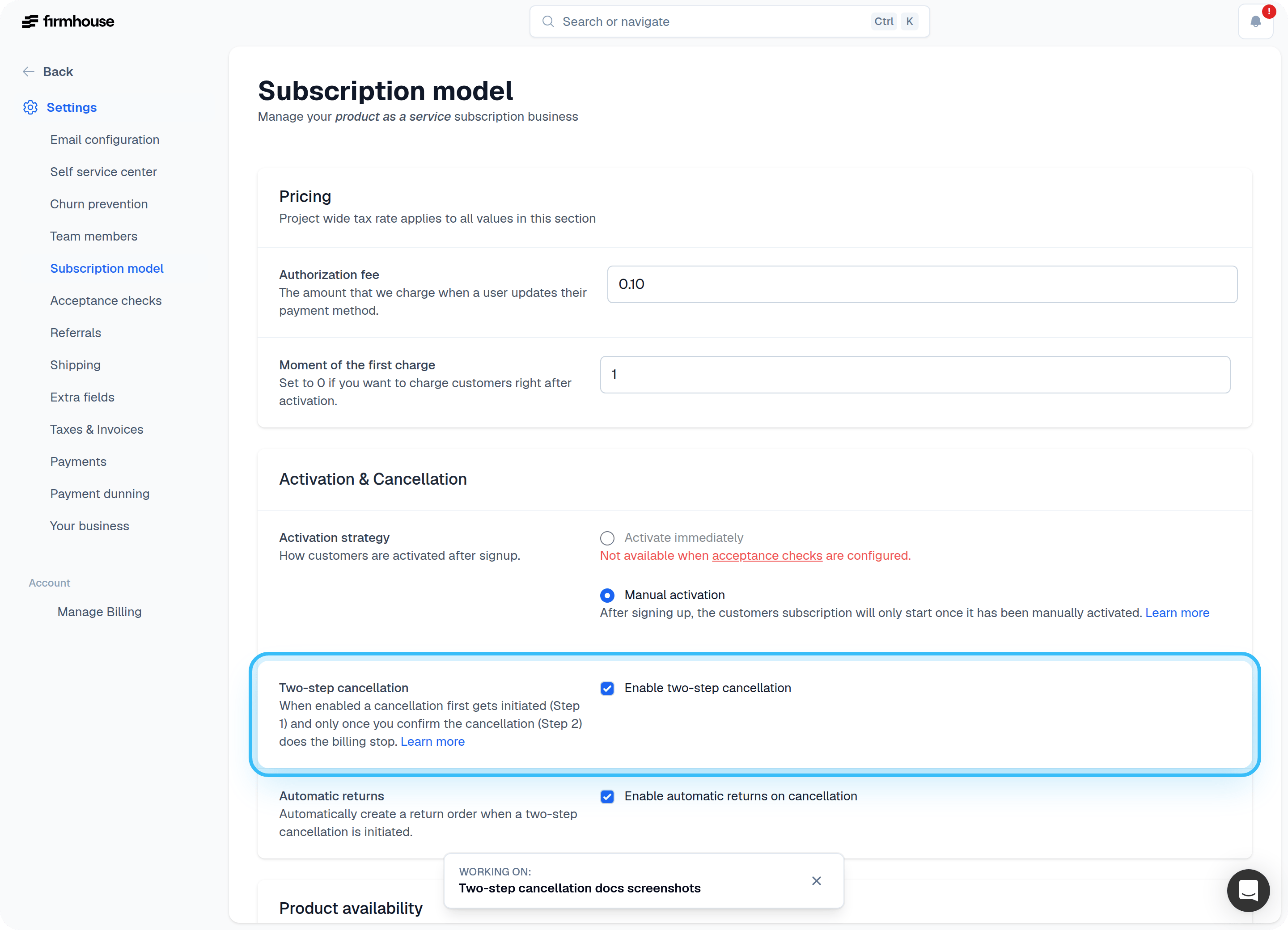
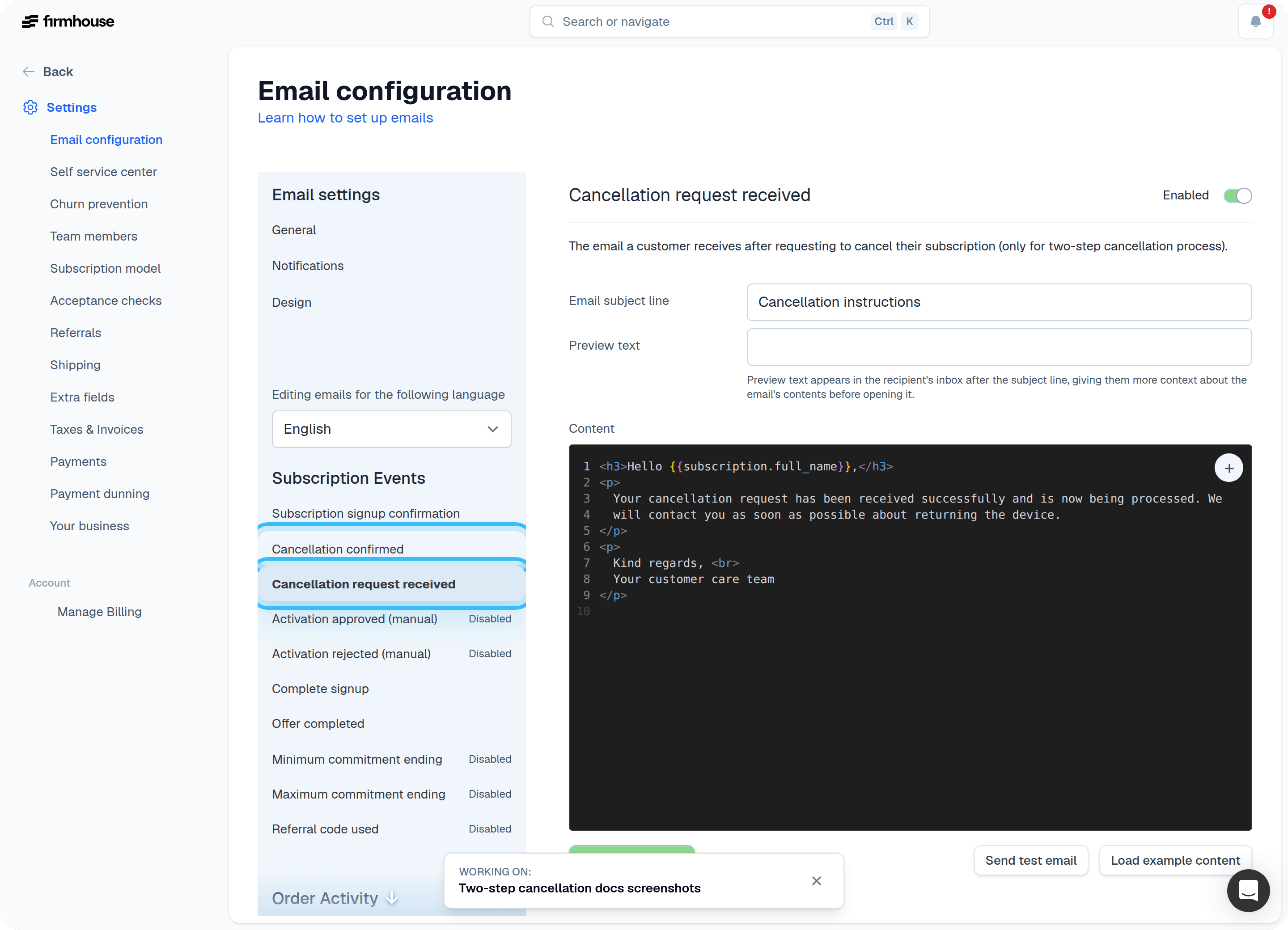
Set Up Cancellation Emails
There are two emails to keep in mind when using the two-step cancellation flow:- The email that gets sent after the cancellation got initiated
- The email that gets sent after the cancellation has been confirmed
Confirm Cancellations
When using the two-step cancellation flow, all cancellations are marked as Cancellation pending until you mark them as complete.Steps
- Find all pending cancellations by going to Customers and click on the Pending cancellation filter.
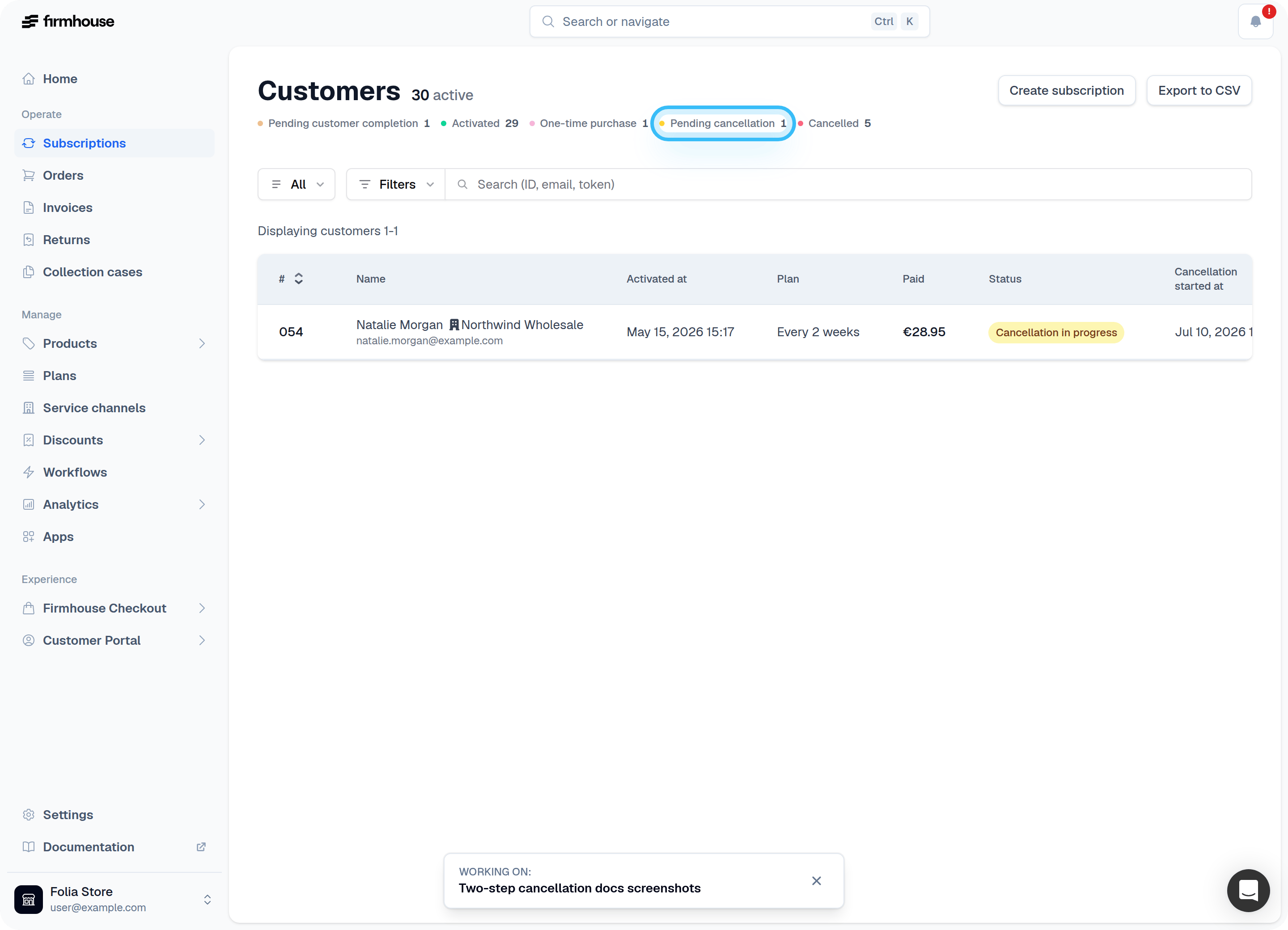
- To confirm a cancellation, click the subscription to open its page.
- Select Confirm cancellation from the drop-down status options.