Cancellation strategies
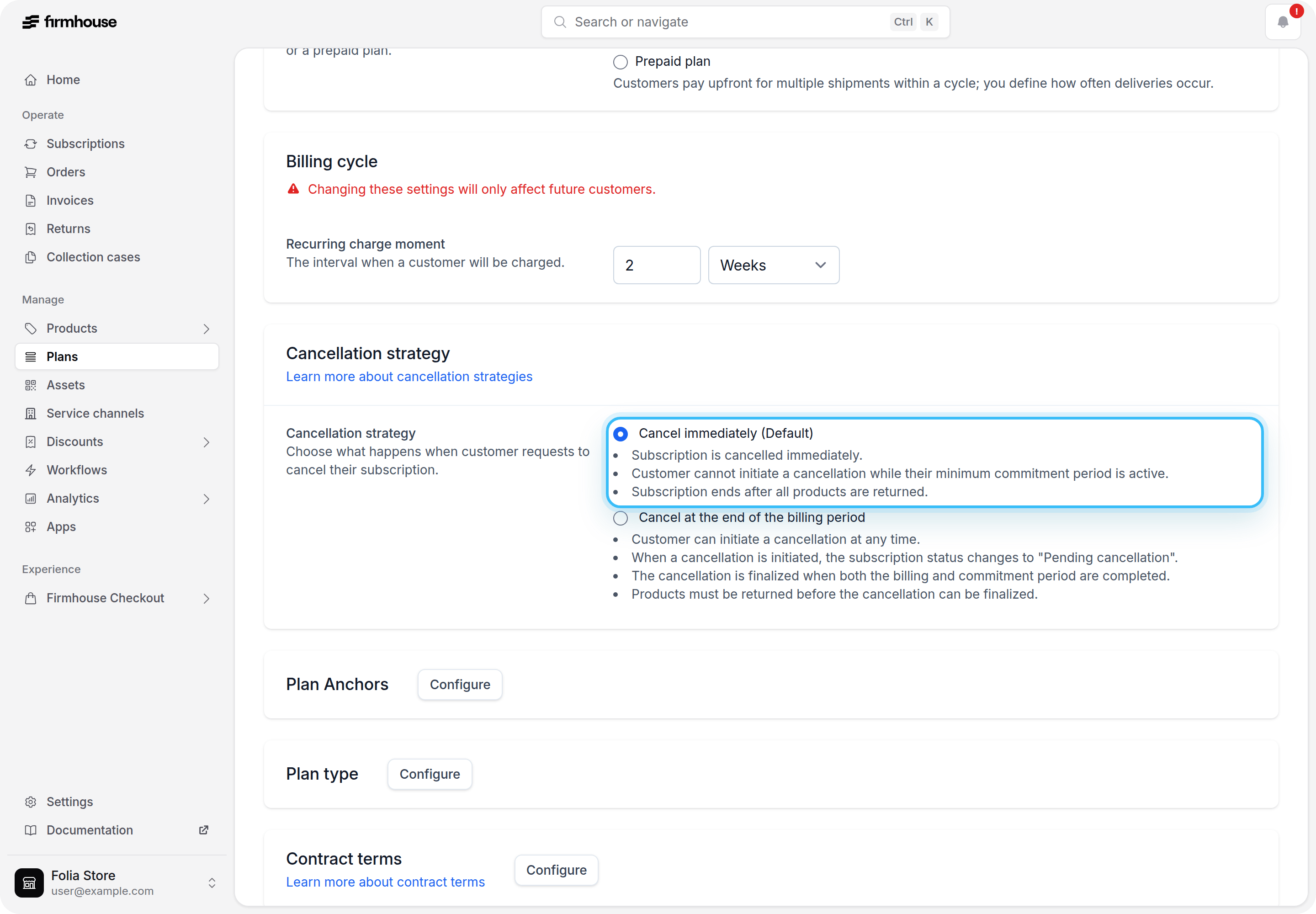
1. Cancel immediately (current default behavior)
With this strategy:- Customers can start their cancellation process only after their minimum commitment period has expired
- Cancellation is processed immediately:
- Cancellation confirmed email will be sent out
- Subscription cancellation confirmation webhook will be sent out (if configured)
2. Cancel at the end of the billing period
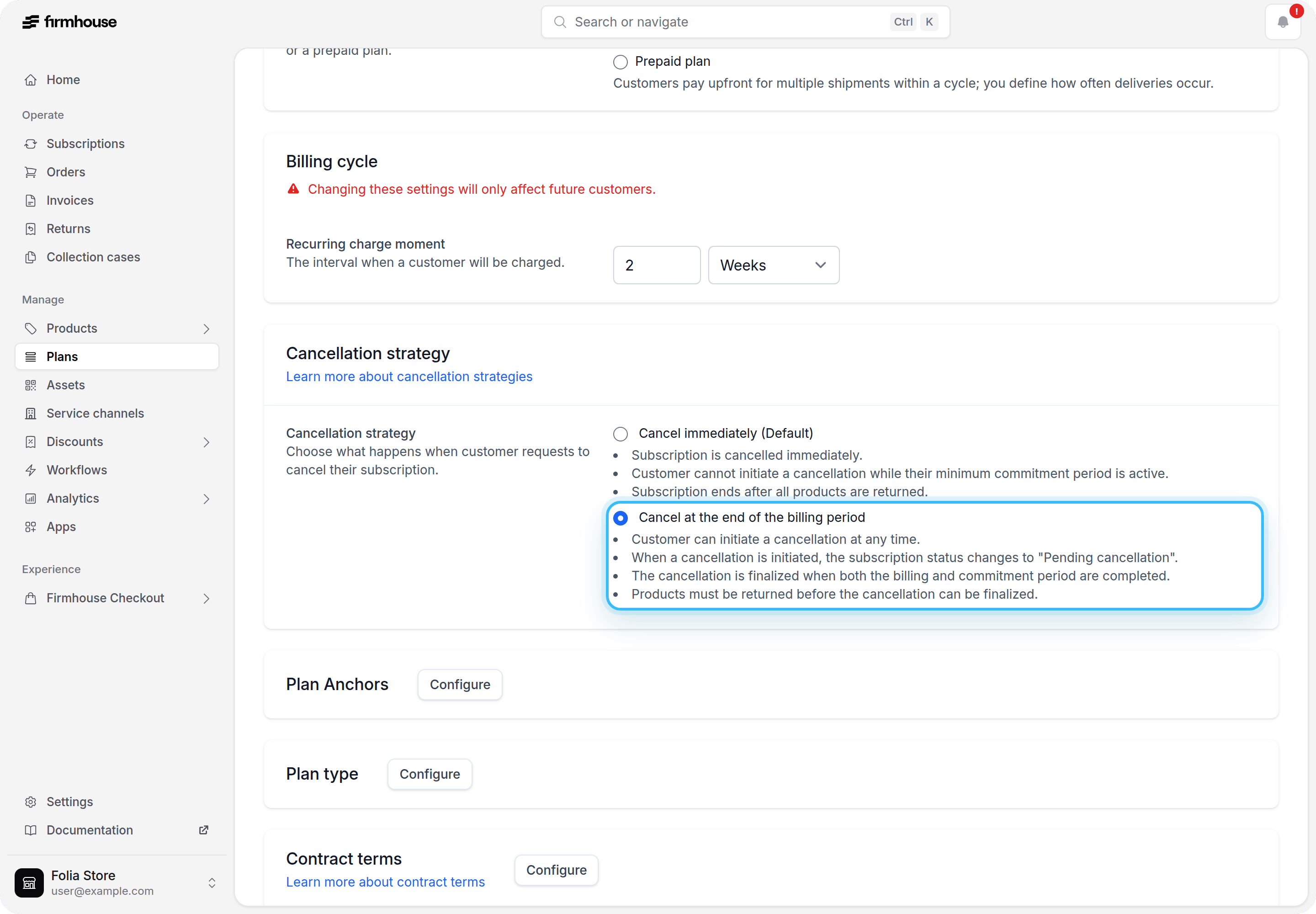
With this strategy, cancellation is scheduled for the end of the current billing cycle (or the end of the minimum commitment period if applicable):- Customers can start their cancellation process at any time (including during a minimum commitment period):
- Cancellation request received email will be sent out (if enabled)
- Subscription cancellation initiation webhook will be sent out (if configured)
- The subscription will remain active until the end of the current billing cycle. When the billing cycle ends, it will be automatically cancelled:
- Cancellation confirmed email will be sent out
- Subscription cancellation confirmation webhook will be sent out (if configured)
How it works in practice
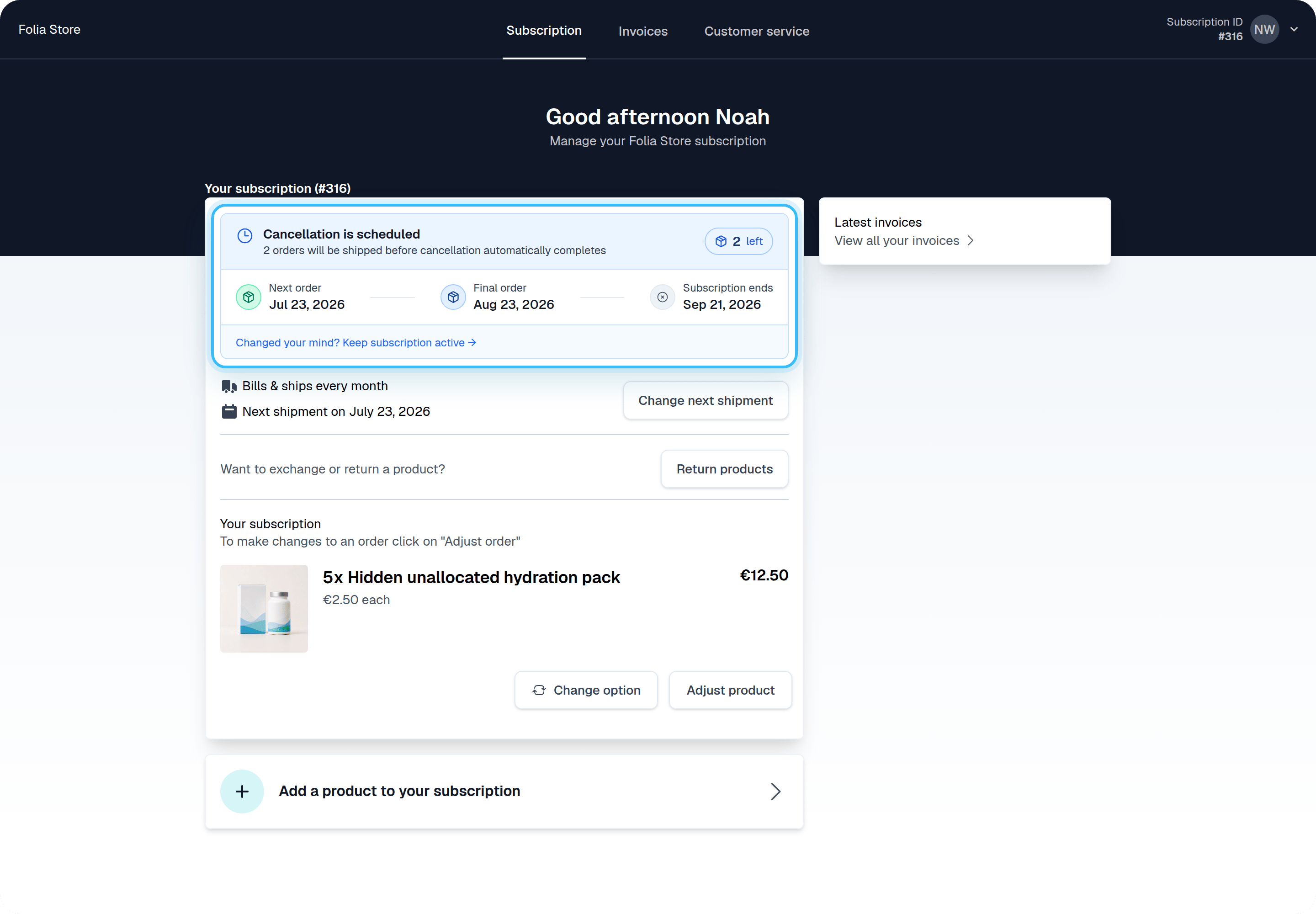
When a customer requests cancellation, the system calculates the correct cancellation date based on the plan’s strategy. The subscription enters a pending cancellation state until that date is reached. The customer keeps access and continues being billed normally until the final billing cycle completes (if applicable). When the cancellation date arrives, the subscription status is automatically updated to Cancelled. Emails and webhooks are sent according to your existing notification settings. Customers can view their cancellation process and status directly in the Self Service Center. They can also undo their cancellation request if they changed their mind.