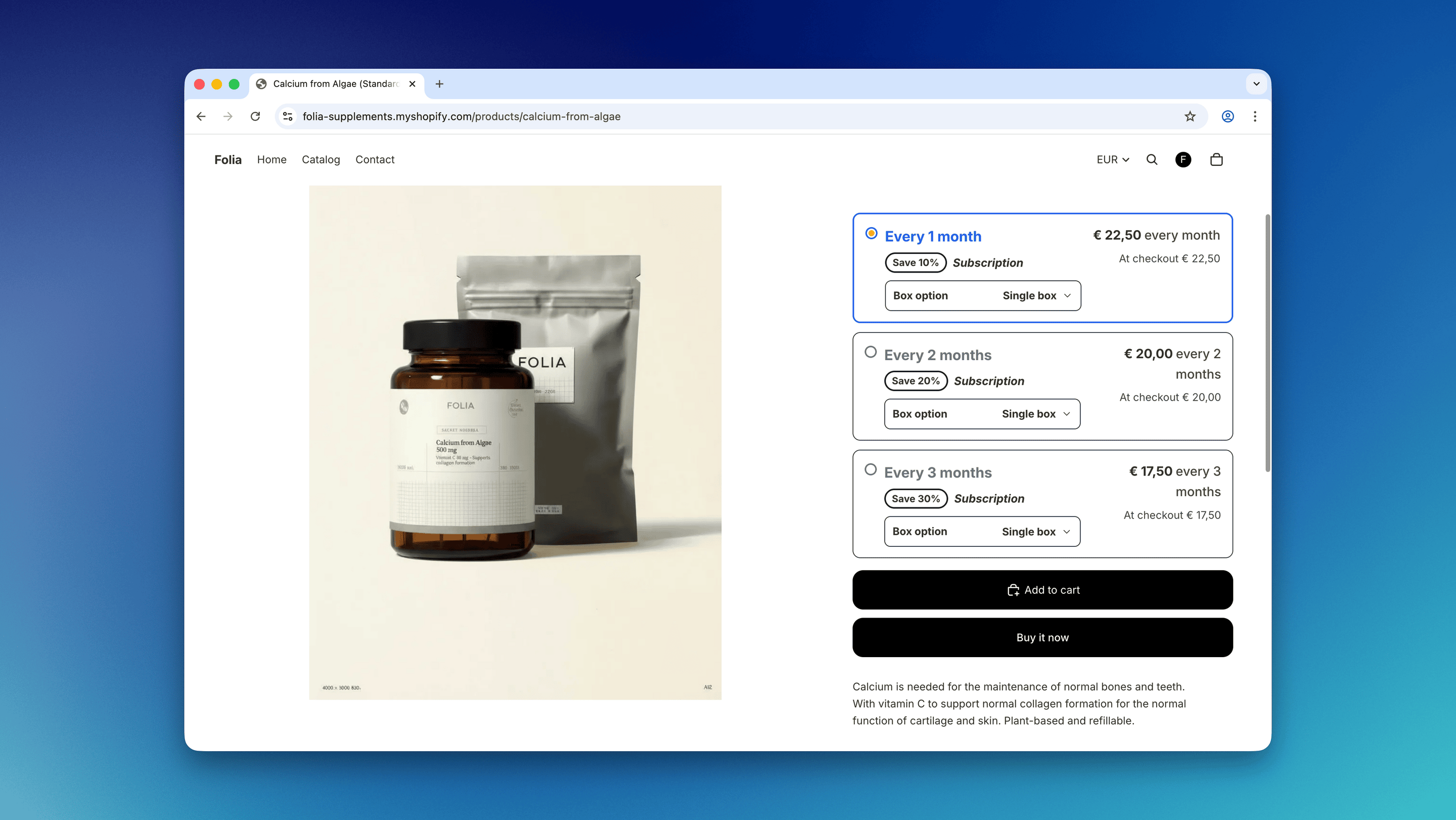
Step 1: Configure product variants and inventory
Start by configuring your product variants in Shopify.Steps
- Open your product in the Shopify admin.
-
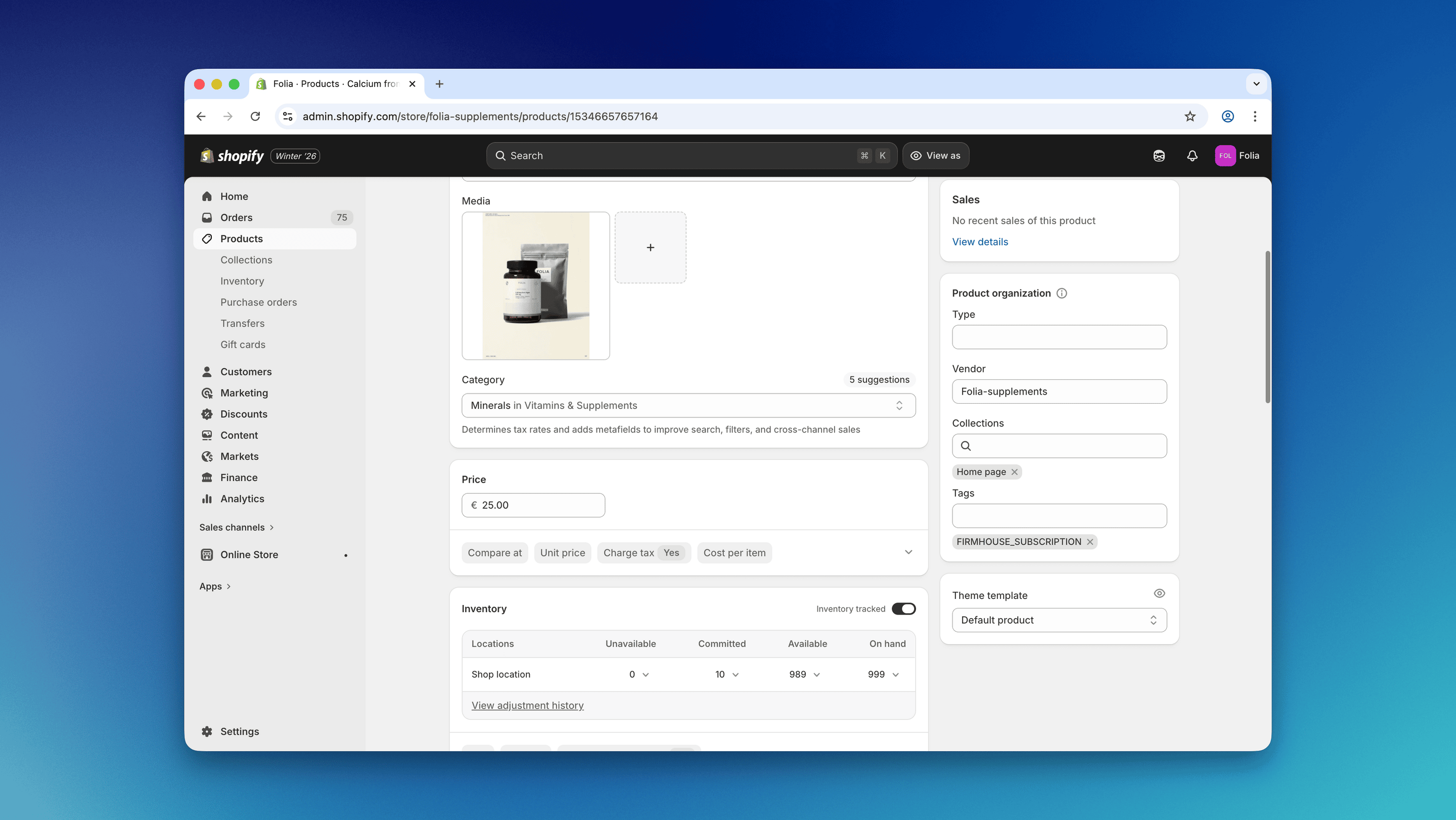
Before adding variants, take note of the current stock level of the product. This will be used as the base inventory for the setup.
-
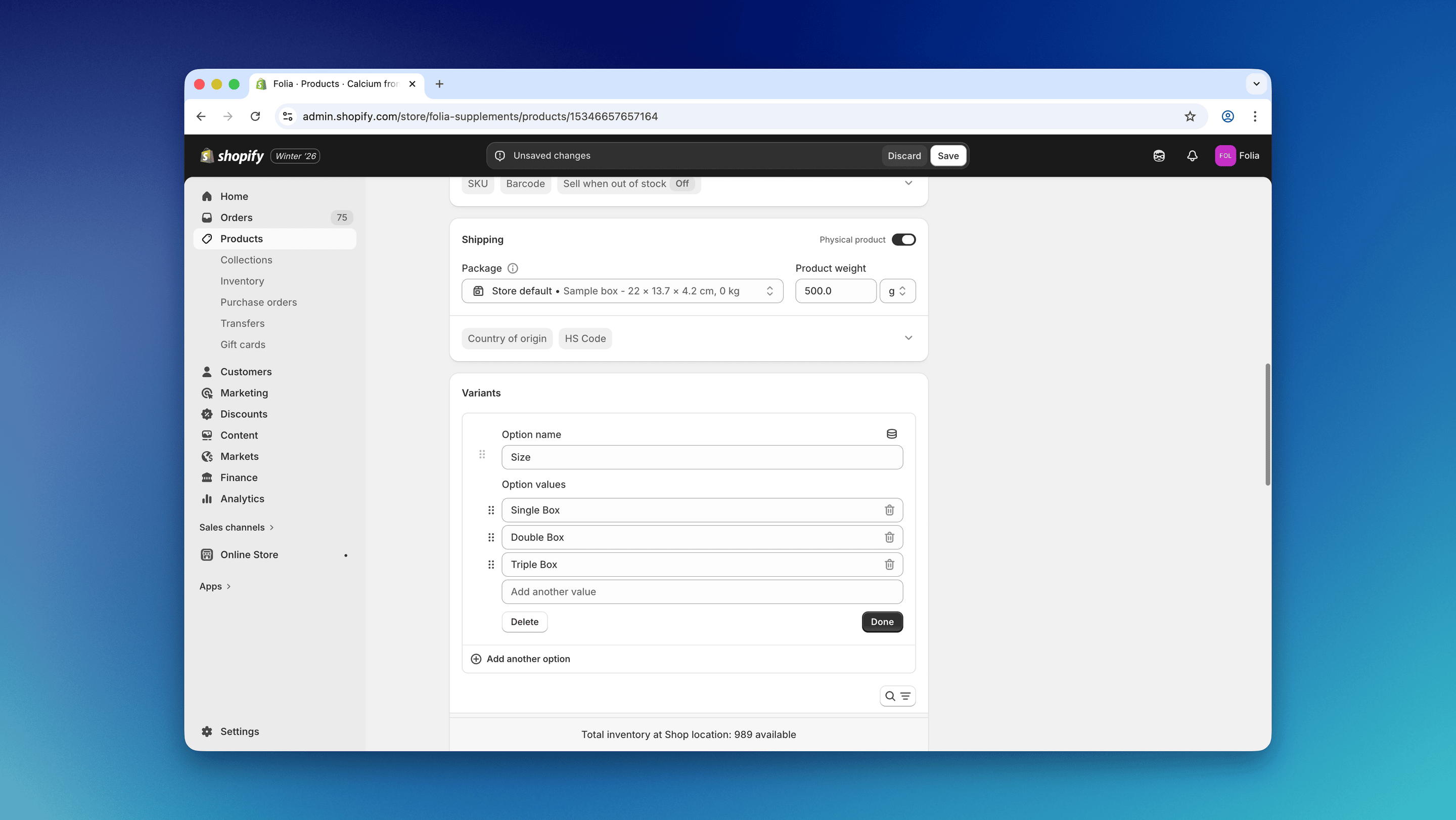
Add the new package size variants to the product (e.g., Single Box, Double Box, Triple Box).
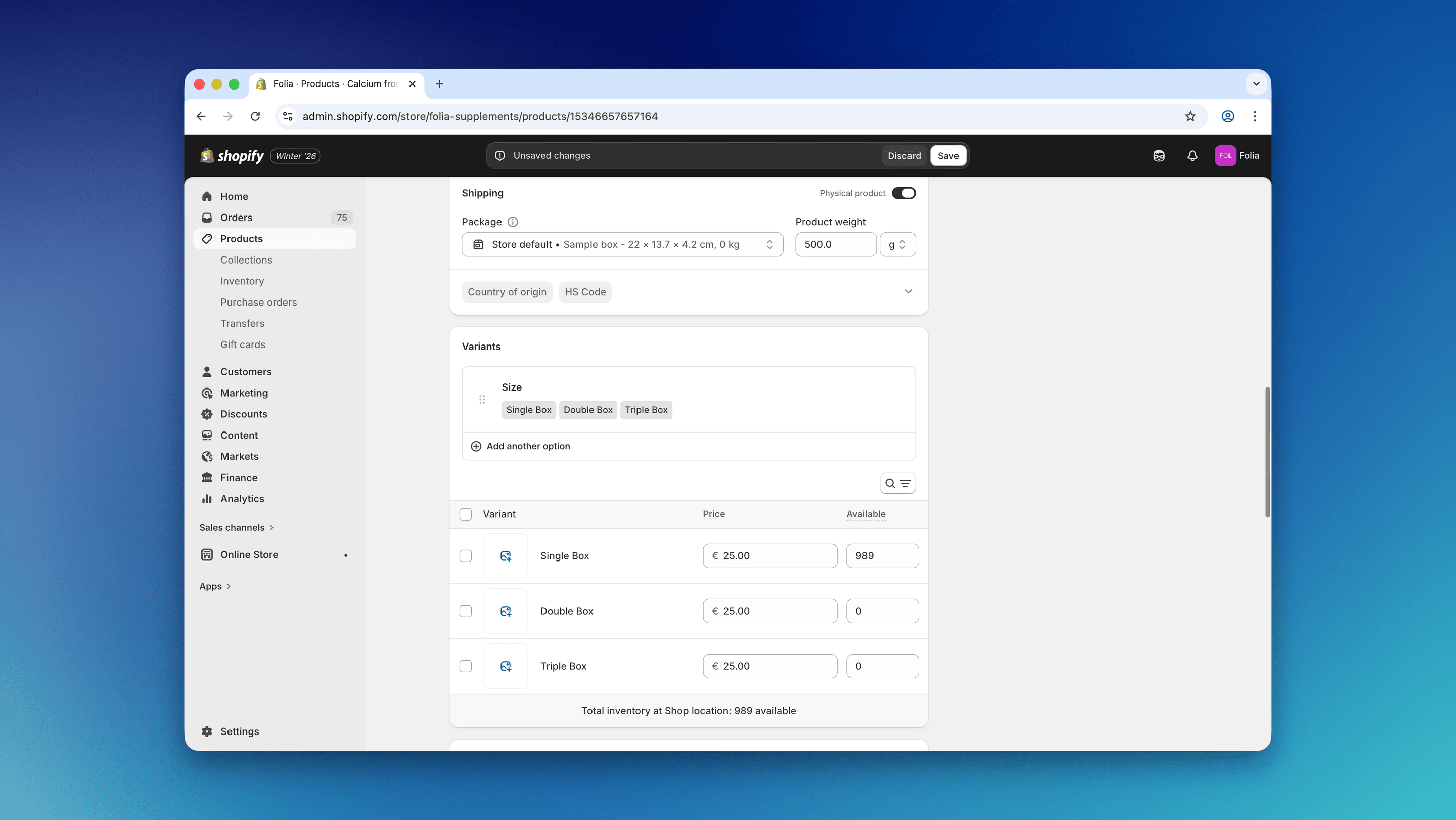
- Set the stock level of the Single Box variant to match the original product’s stock. For example, if the product previously had a stock level of 150, set the Single Box variant’s inventory to 150.
Step 2: Create a bundle group in Easify Inventory Sync
Open the Easify Inventory Sync app and create a new bundle group.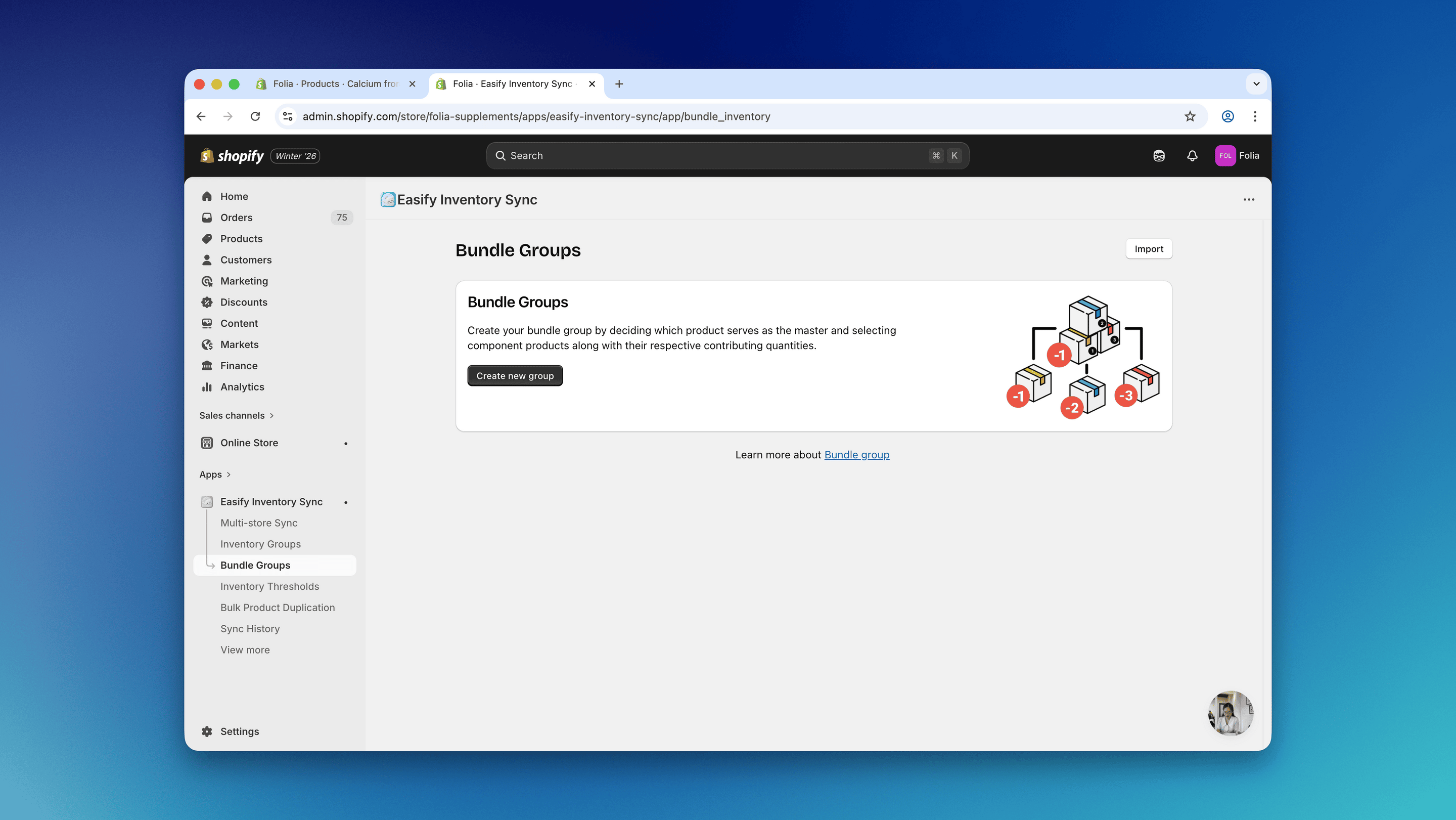
Steps
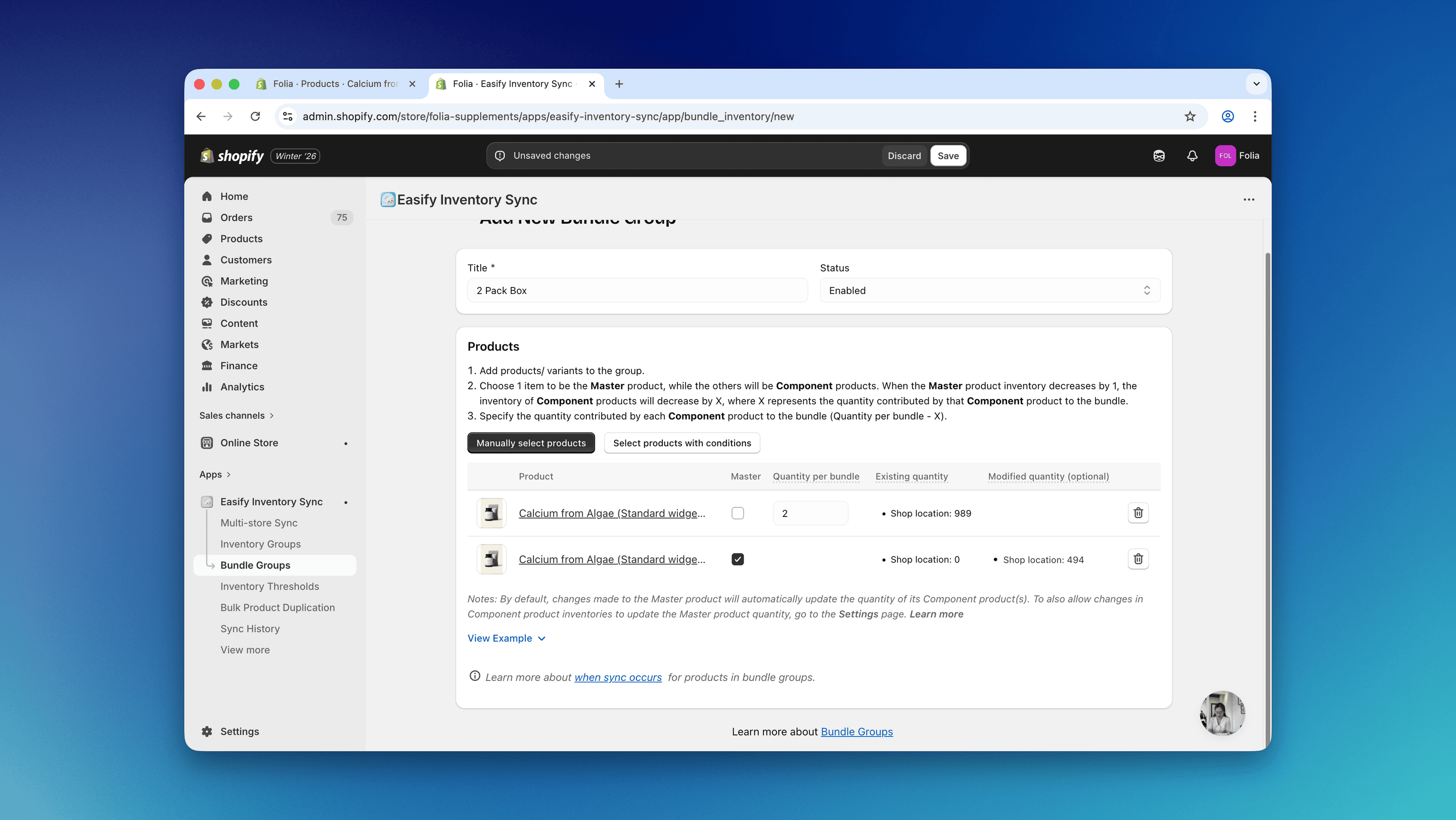
- Write a title for your bundle group so it’s easy to identify later. For example, since we’re setting this up for a double box, we’ll name it “2 Pack Box”.
- Click on “Manually select products”.
-
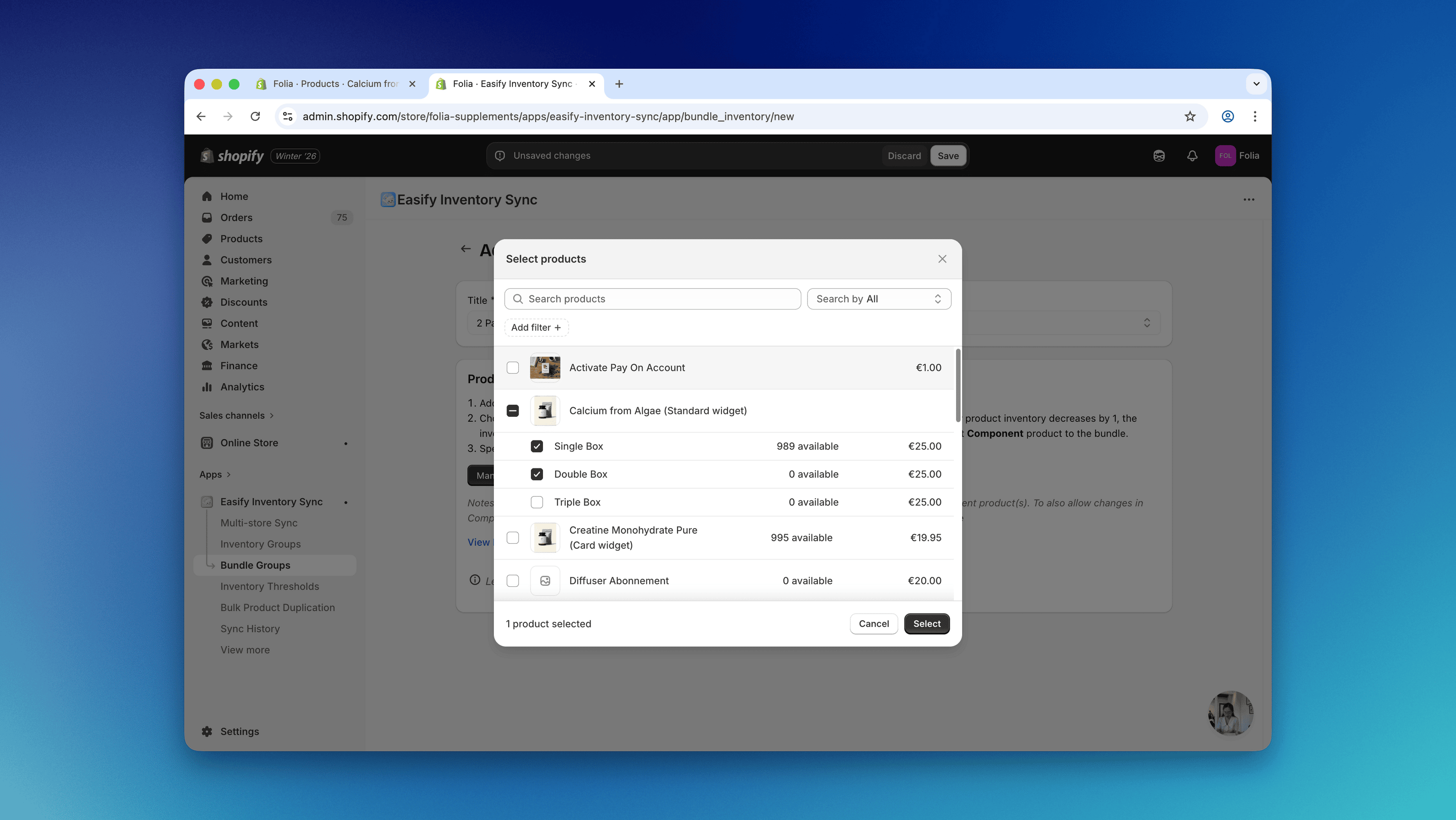
Select the Single Box and Double Box variants you’ve just created.
- Once the products are selected, set the Double Box variant as the master product. For the Single Box, enter 2 as the quantity per bundle.
Step 3: Repeat for the Triple Box variant
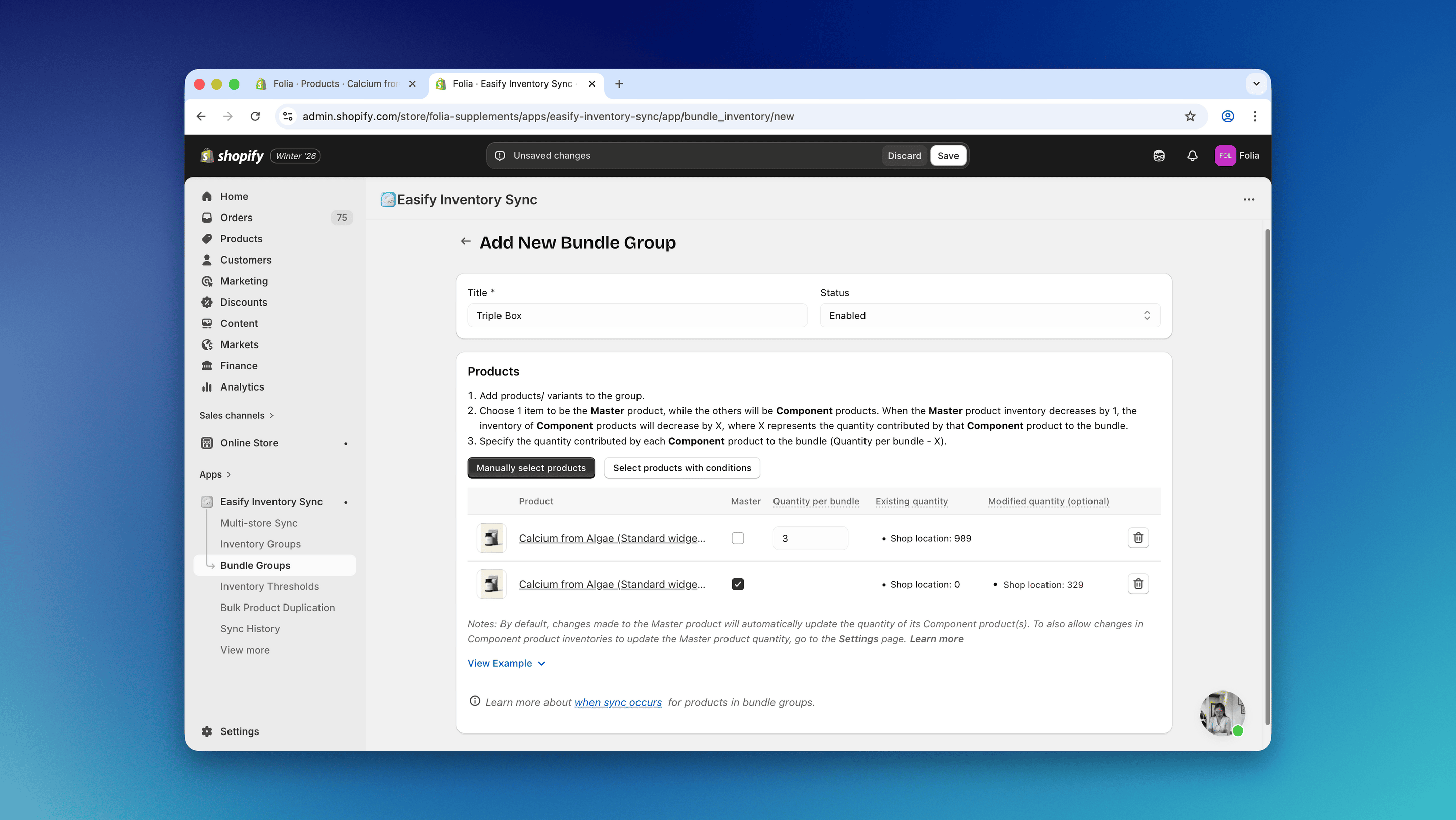
Next, repeat the same steps for the Triple Box:Steps
- Create a new bundle group.
- Select the Single Box and Triple Box variants.
- Set the Triple Box as the master product.
- Set the quantity per bundle of the Single Box to 3.
- Save the bundle group once completed.
Step 4: Assign selling plans to the correct variants
Now that the bundle groups are ready, we can assign the correct selling plans to each variant.Steps
- Navigate to the Plans page in the Firmhouse Portal.
-
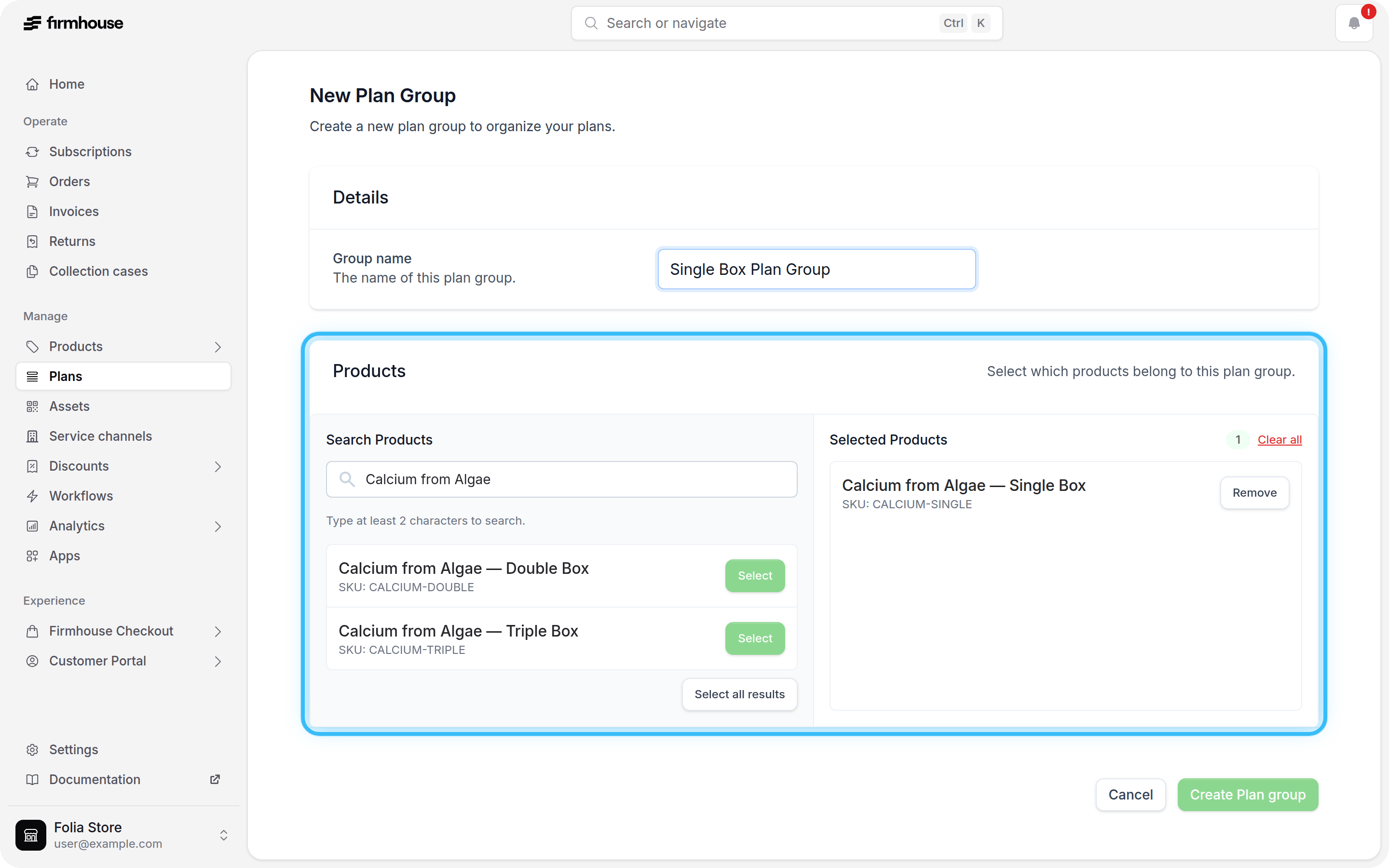
Create three separate selling plan groups for being able to assign separate plans to each variant. Ensure that you only select the variant for that selling plan group.
-
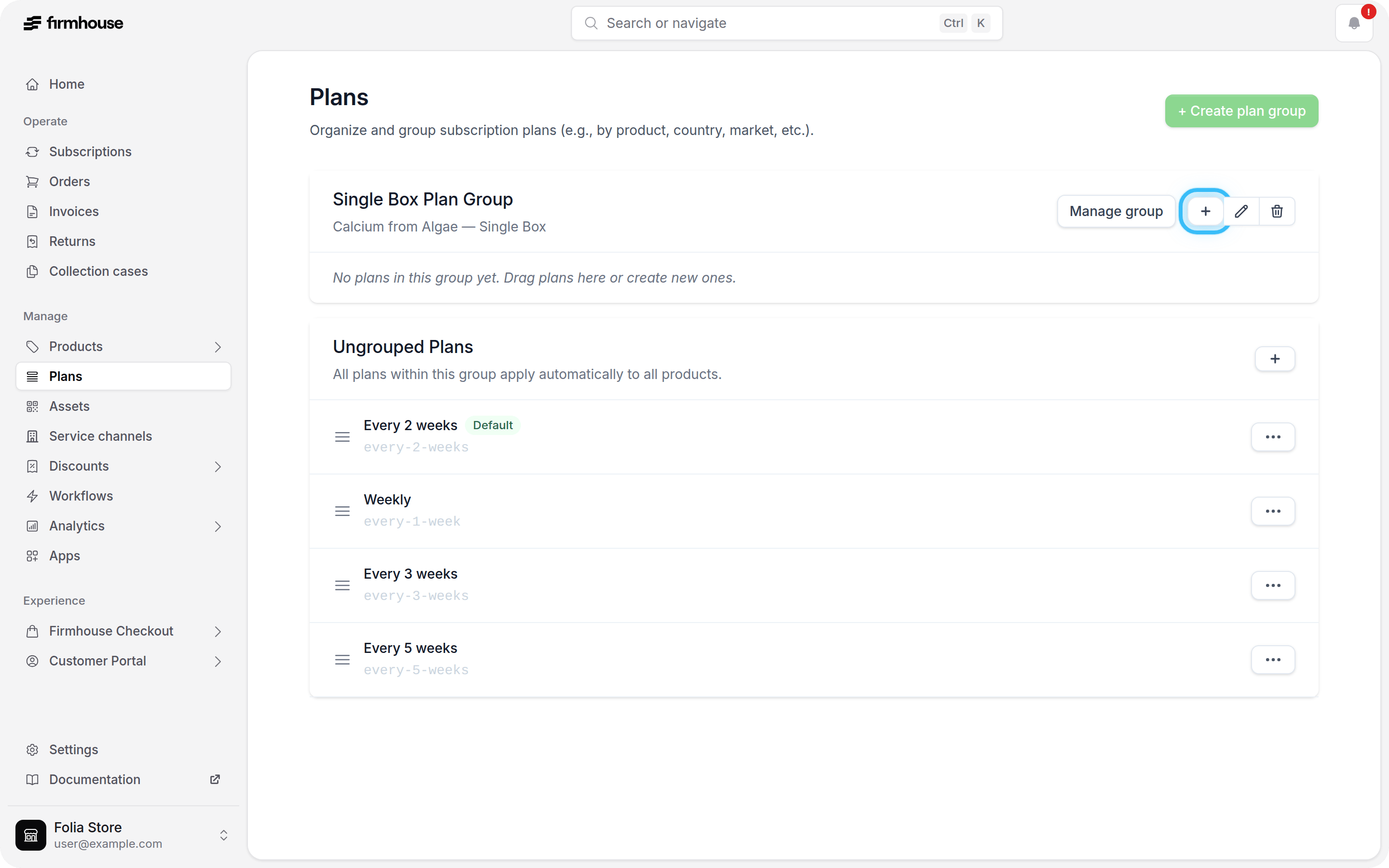
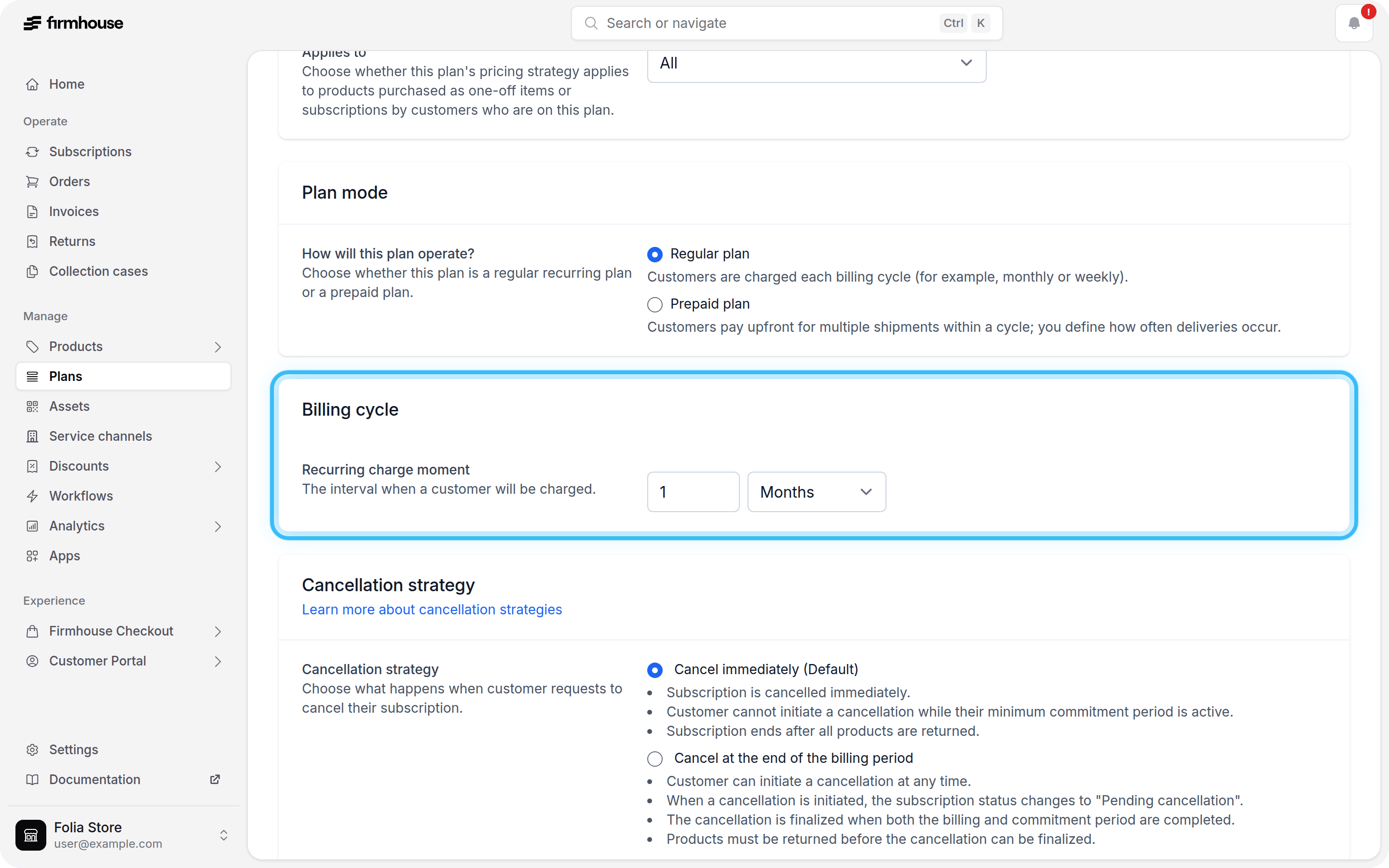
Once you’ve created all three selling plan groups, you can start creating the selling plans for each variant. To do this, click the + icon within a selling plan group to create a new selling plan.
-
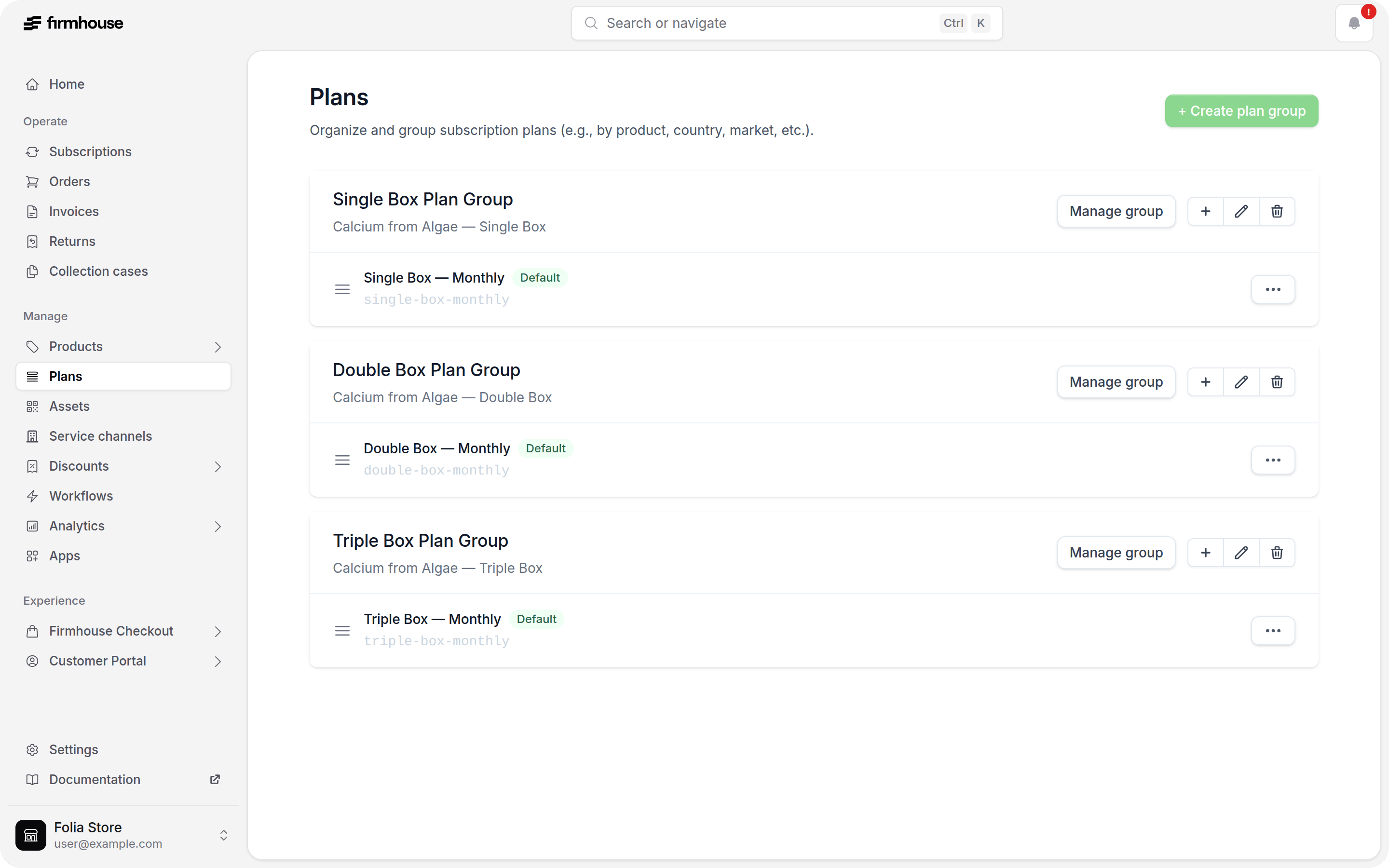
Do the same for other selling plan groups, so that you have selling plans for each variant.
Step 5: Check the product page (PDP)
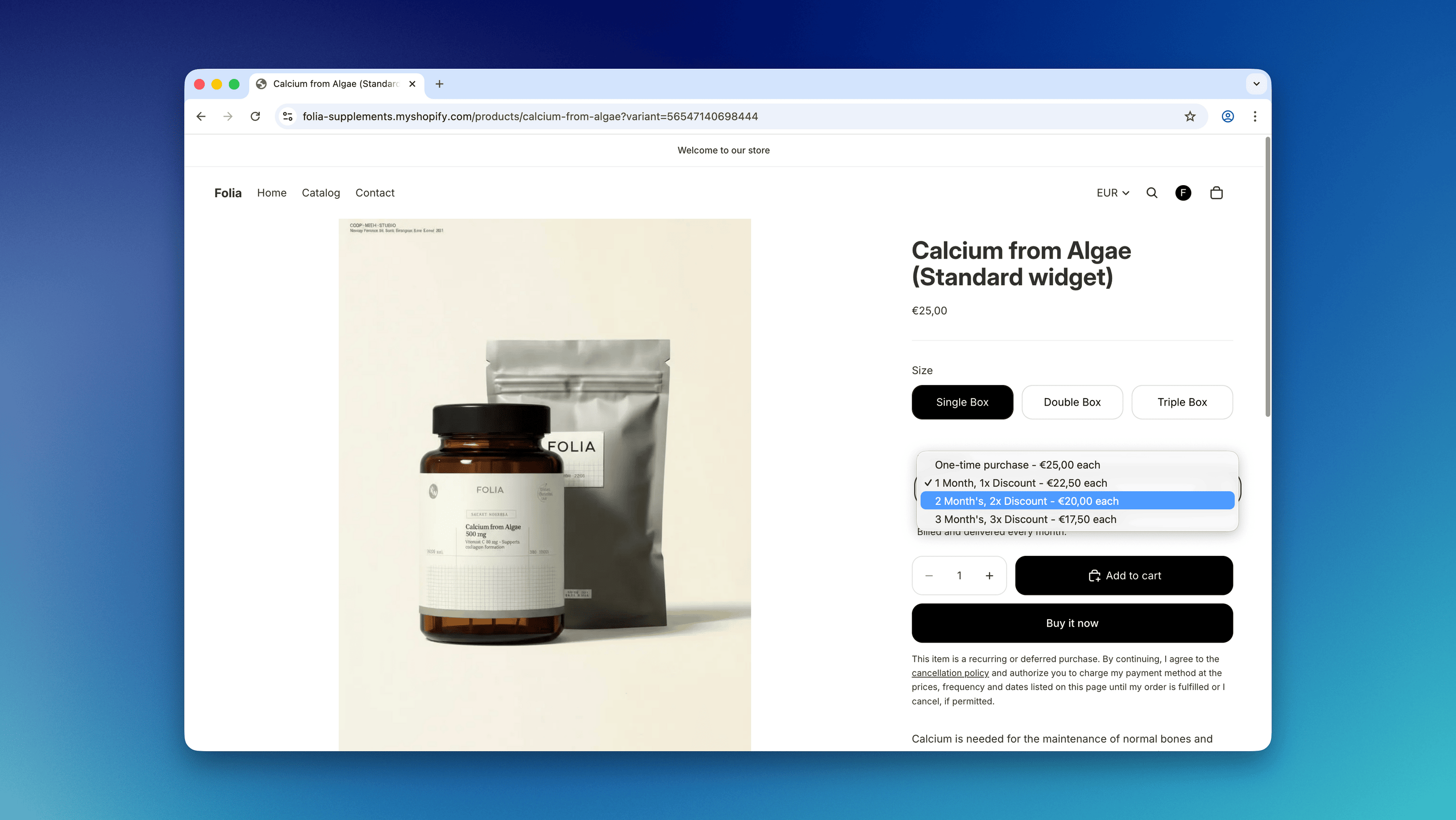
After completing the setup, go to the product detail page (PDP) on your storefront. If you already have the Subscription Options widget configured, you should be able to select between the Single, Double, and Triple Box variants and see the correct selling plans available for each variant.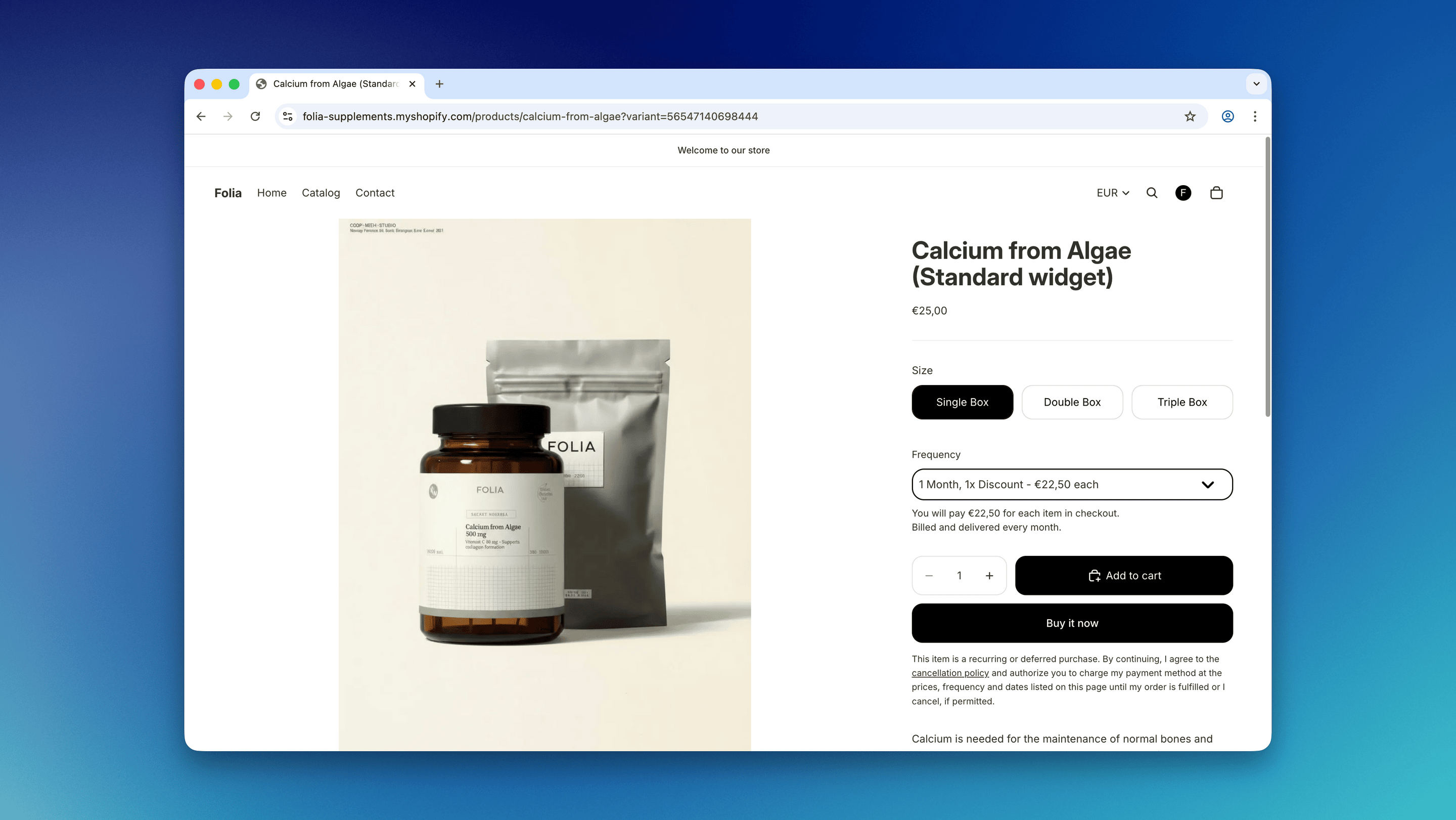
Alternative setup: Using the Subscription First widget
As an alternative to using the Subscription Options widget and having separate variant and subscription selectors, you can use the Subscription First widget. This widget allows customers to select the variant and selling plan together in a single flow, which can provide a clearer subscription-focused experience. To set this up, follow the guide: Setting up a Subscription First subscription selection Theme Block